
Review Summary
Asana is the smoother tool to work in: pasting builds tasks, the CSV import understood all our columns and finished 200 rows in about 10 seconds, its AI was accurate, and the export keeps dependencies. But a new account runs on a 14-day trial, and much of what impressed us, from Gantt charts and rules to custom fields and the AI, is paid. The free plan is for two people and has list, board and calendar views.
+ What works
- The CSV import recognised all seven of our columns with no manual mapping; 200 rows took about 10 seconds
- Pasting a multi-line list creates one task per line, and dates can be typed
- Rules can be built by describing them in a chat; ours fired within about 20 seconds
- Recurring tasks and rules did not get in each other's way
- Dash, the AI chat, got our project summary and the overdue question right
- The project CSV export includes subtasks and dependencies
- Removing a member took effect on their next page load and offers a handover of their tasks
- No admin rights, no startup entry and no services
− What falls short
- New accounts start a 14-day trial, so you see paid features first; there is no button to end it early
- The free plan is for 2 users, with list, board and calendar only; Gantt, Timeline, rules, custom fields and AI need Starter
- No priority field on the free plan: priorities are a custom field, which is a paid feature
- The import keeps “Done” as a label, does not mark those tasks complete and does not split “qa;legal” tags
- Heavy: about 14 seconds to a usable window and 1.4–1.8 GB of private memory, with a working set up to 3.2 GB
- Dash created subtasks without asking first, and an AI field suggestion kept coming back after we dismissed it
- Closing the window leaves Asana running; the uninstall leaves about 245 MB
- Marketing emails are pre-ticked at sign-up
Asana Alternatives
Not sure Asana is the right fit? These project management tools scored best on the same test script:

What is Asana?
Asana organizes team work into projects made of tasks, which can be displayed as a list, Kanban board, calendar, timeline or Gantt chart. Forms collect incoming requests, and rules automate routine steps such as assigning or moving tasks.
Above the project level, portfolios track groups of related projects and goals tie work to company objectives, with dashboards for reporting. Paid plans include AI tools such as AI Studio for no-code automations, AI Teammates, which are prebuilt agents, and Dash, a chat assistant.
Why Asana is different
Asana's free plan is narrow: two users and three views. New accounts start on a 14-day trial of the Advanced plan, so you see the paid features first.
Its importer and export are among the best we have tested: columns are recognised automatically, and dependencies survive the export.
Who is Asana for?
Teams ready to pay for Starter or Advanced who want a polished, fast-to-learn project tool with strong import and export. Teams and organizations that coordinate many cross-functional projects and want to connect daily tasks to goals and reporting.
Skip it if
- You need Gantt charts, rules or priorities without paying
- Your team has more than two people and wants to stay on a free plan
- You want a light app that closes when you close it
Our Experience with Asana
Test log
Windows 11 Pro 10.0.26300 in VMware Workstation 26H1 (4 vCPU, 8 GB RAM, no GPU passthrough), English (US) UI, 1920×1080, clean snapshot; new account (which starts a 14-day Advanced trial), second test account for the permission checks
- 19:40
Downloaded the Windows app from asana.com
177 MB, version 2.9.1, signed by Asana
- 20:24:55
Ran the installer
installed in about 20–25 s with no questions and no admin prompt
- 20:25
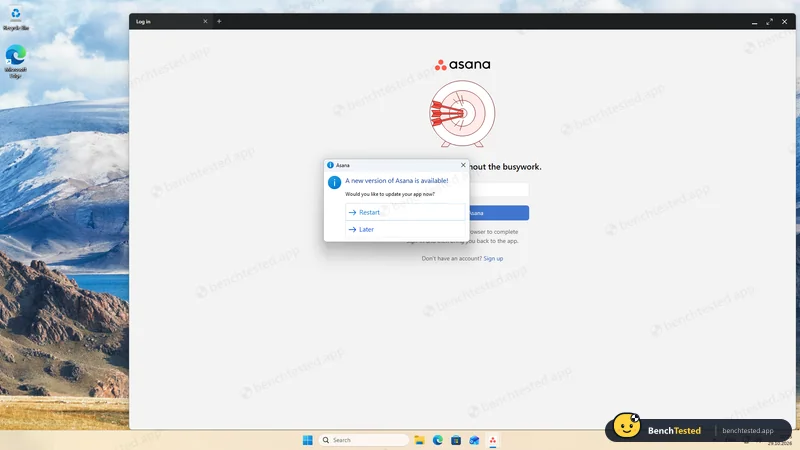
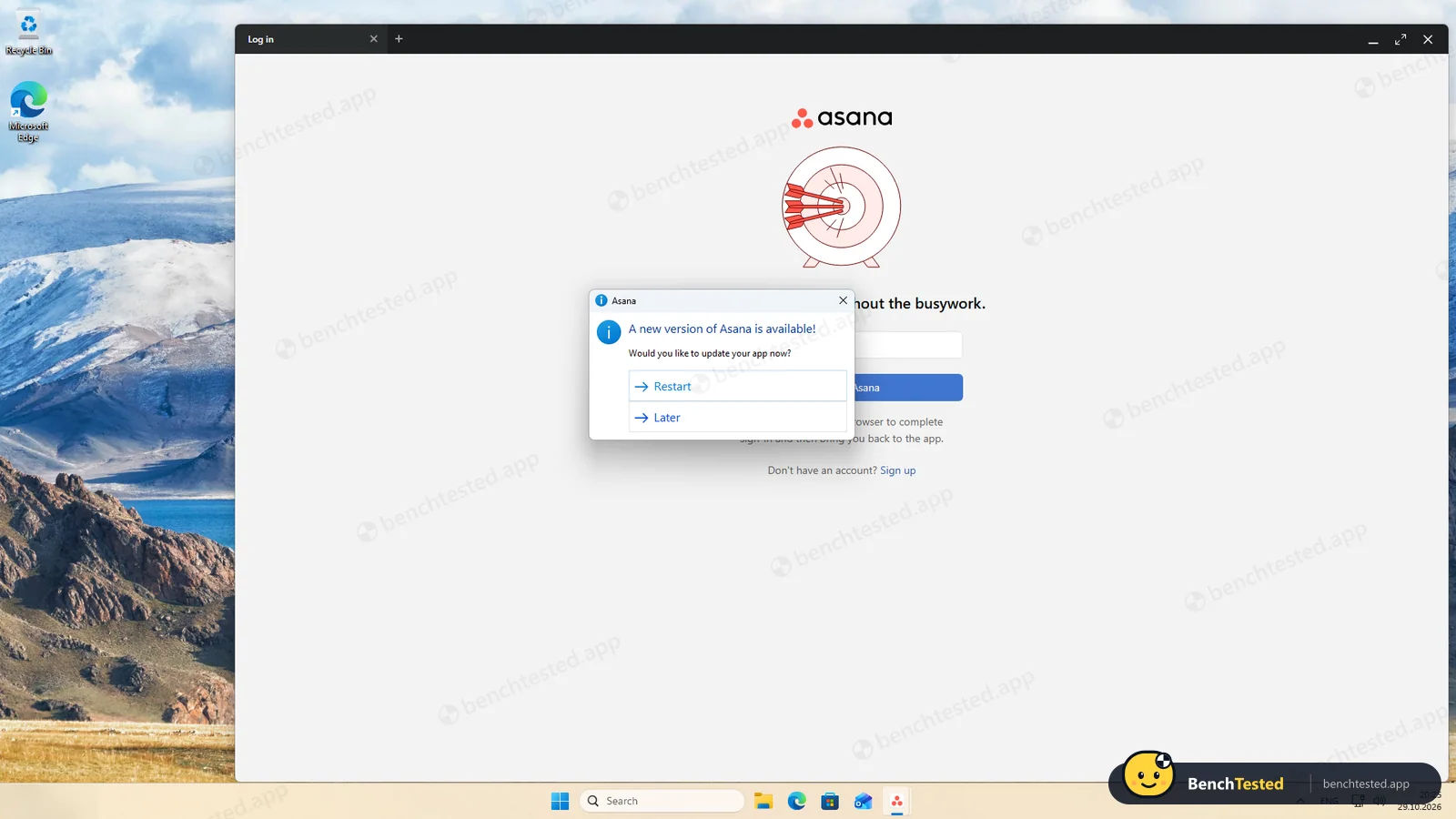
First launch: update prompt
the app had already downloaded 2.10.5
- 20:32
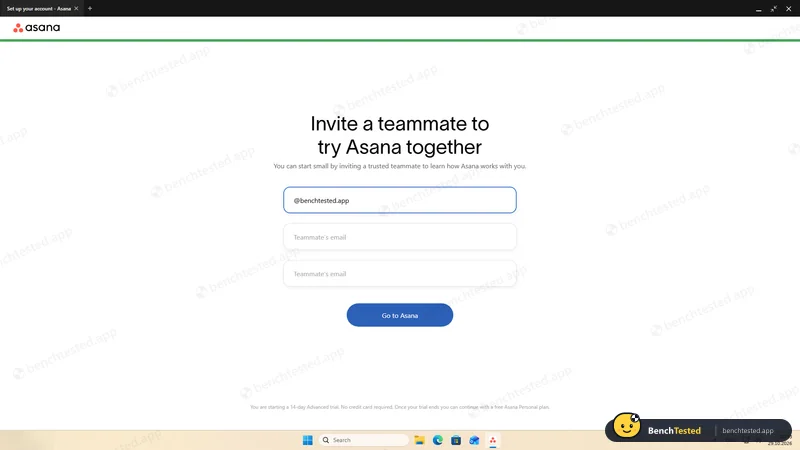
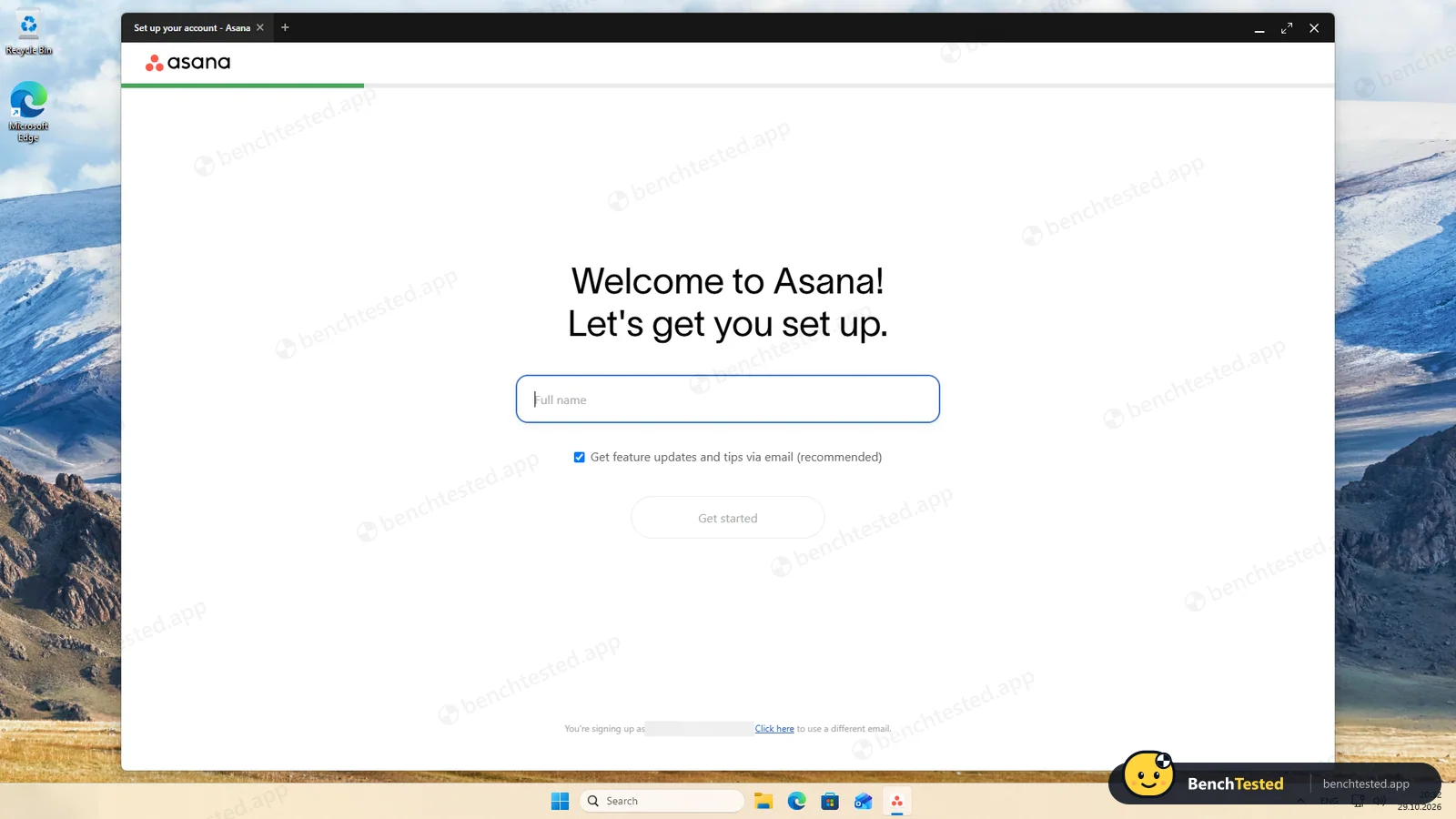
Sign-up and onboarding
marketing emails pre-ticked; the account starts a 14-day trial
- 20:35
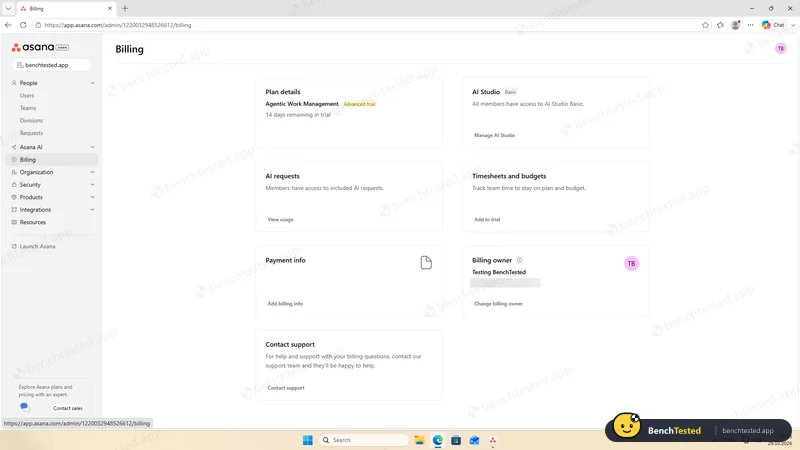
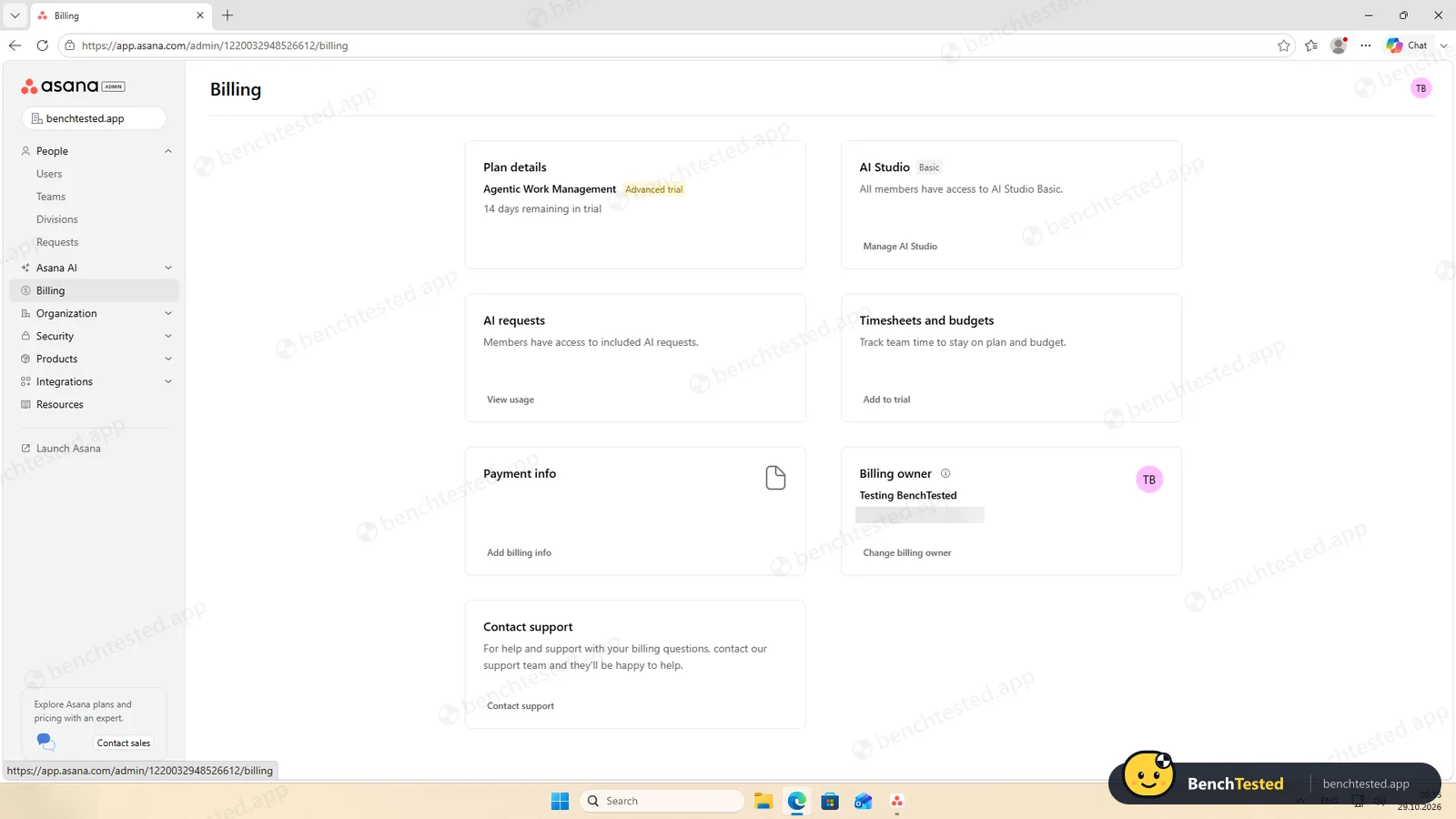
Looked for a way to switch to the free plan
none on the billing page
- 20:45
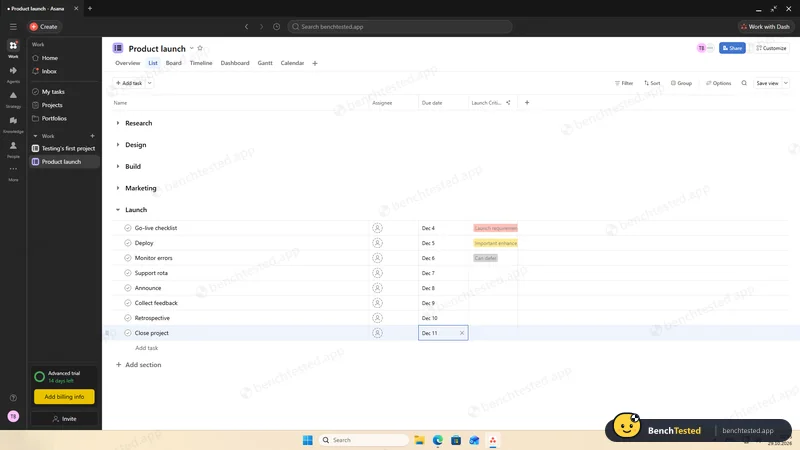
P1 done
5 sections, 40 tasks, dates checked; no priority field
- 20:46
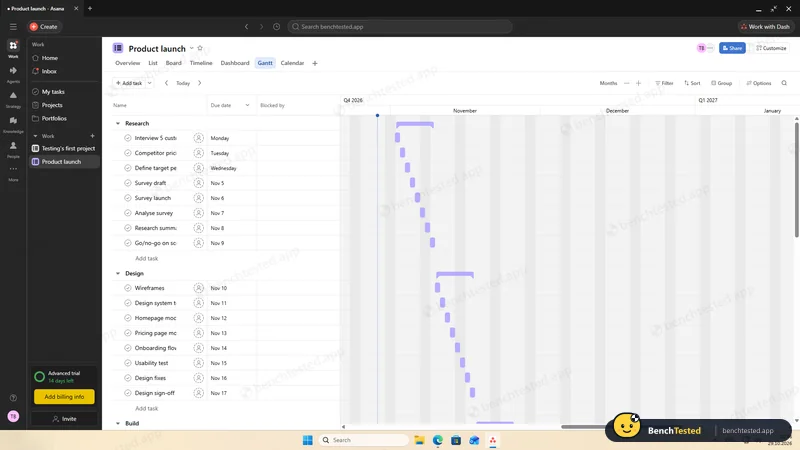
P2: list, board, calendar and Gantt
Gantt on the trial only
- 20:50
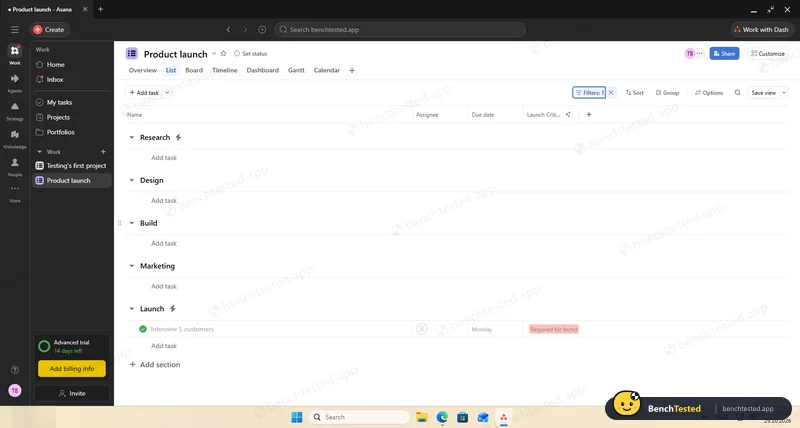
P3: AI-built rule fired
within about 20 s
- 20:53
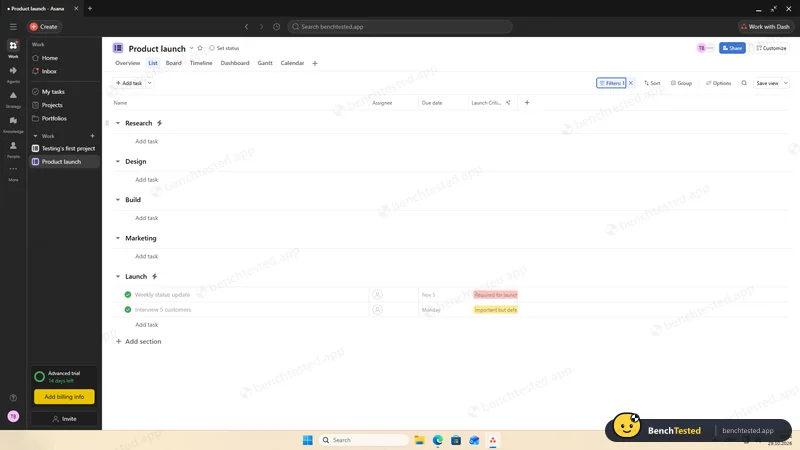
P3: recurring task completed
next copy stayed in its section
- 20:58
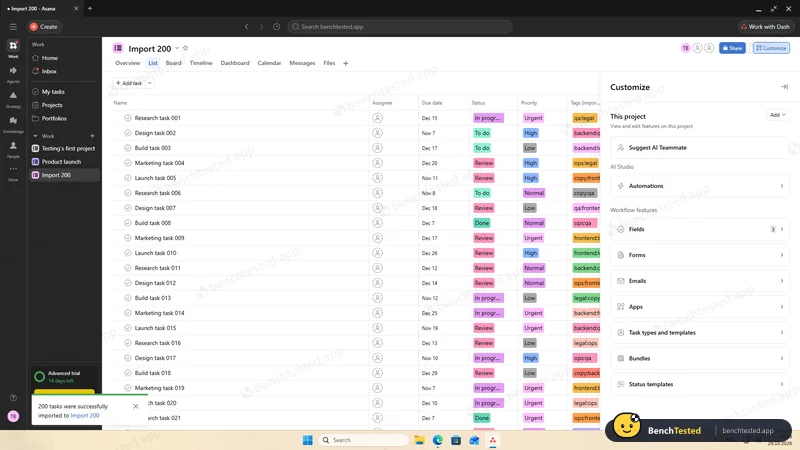
P4: 200 rows imported
all columns recognised; about 10 s
- 21:02
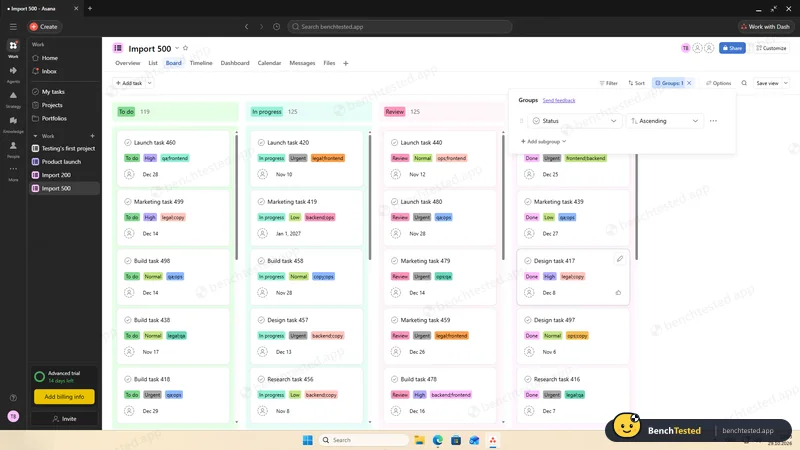
P5: 500 rows imported
about 1.5 min; board in 0.7 s
- 21:05
Cold start measured twice
window in 1.3 s, usable after about 14 s
- 21:08
P6: invited a second user
no role choice in the invite
- 22:53
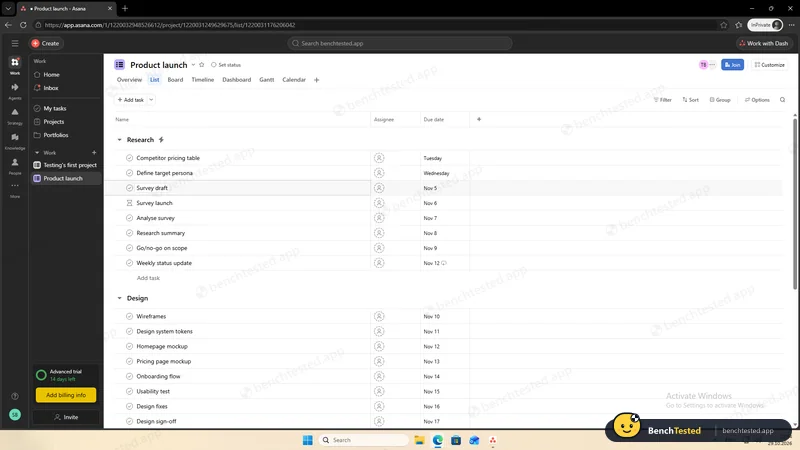
P6: member opened an organization-wide project
- 22:56
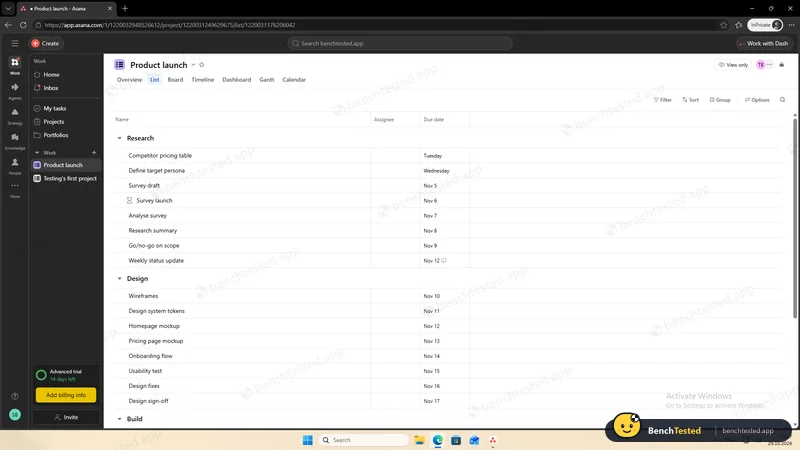
P6: project made private, team set to Viewer
- 22:59
P6: member removed and signed out
- 23:02
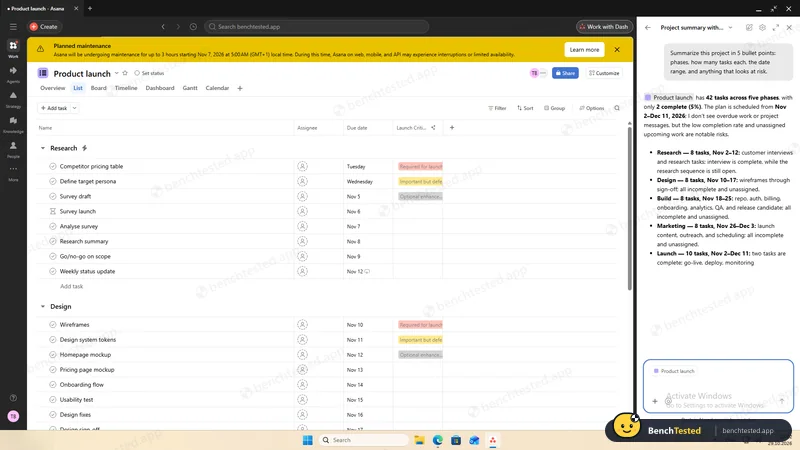
P7: AI project summary
accurate, in under 30 s
- 23:03
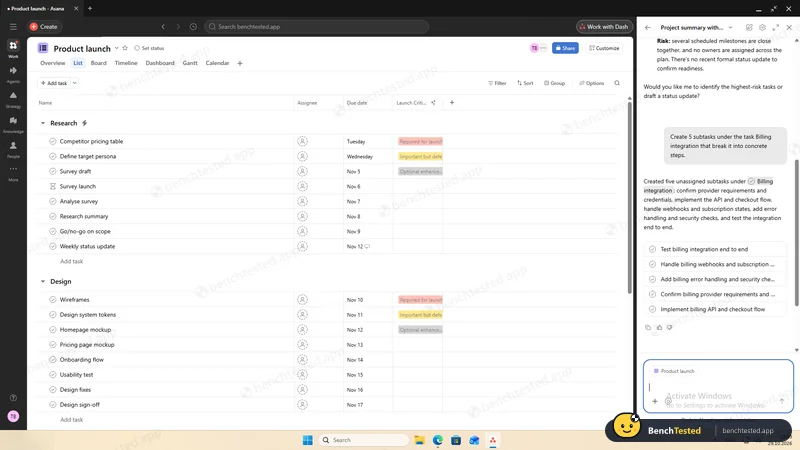
P7: AI added subtasks
without asking first
- 23:05
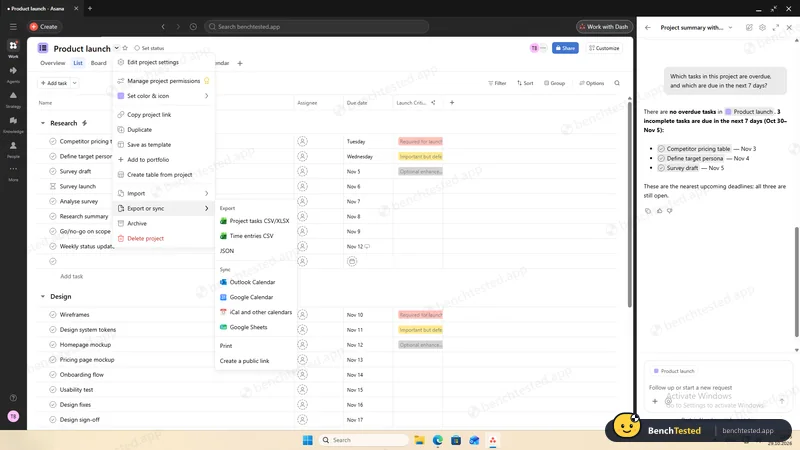
P8: project exported to CSV
47 of 47 rows, with dependencies
- 23:08
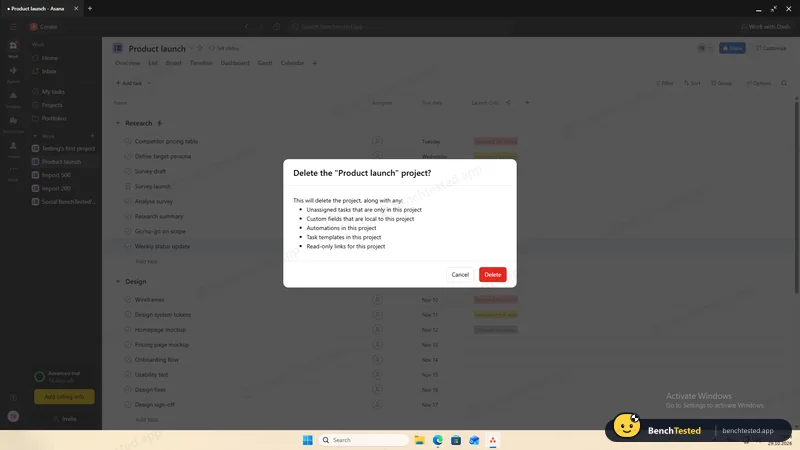
P8: project deleted
with an undo option
- 23:10
Uninstalled
6 s; about 245 MB left
-
P1 · Build a project
Build a 40-task product launch project from a written brief: five phase lists of eight tasks, each with a due date and priority.
Partial ≈ 9 min
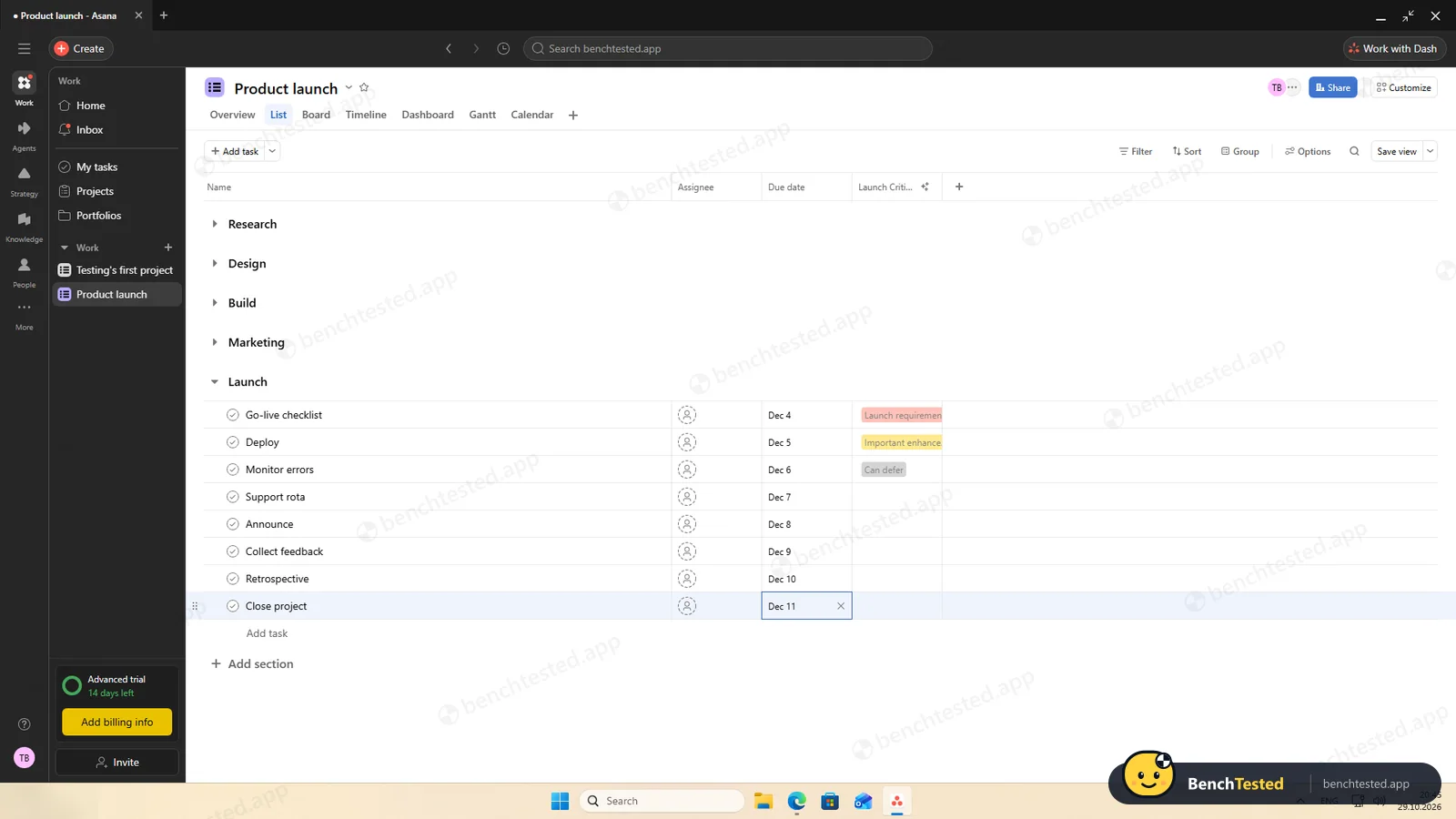
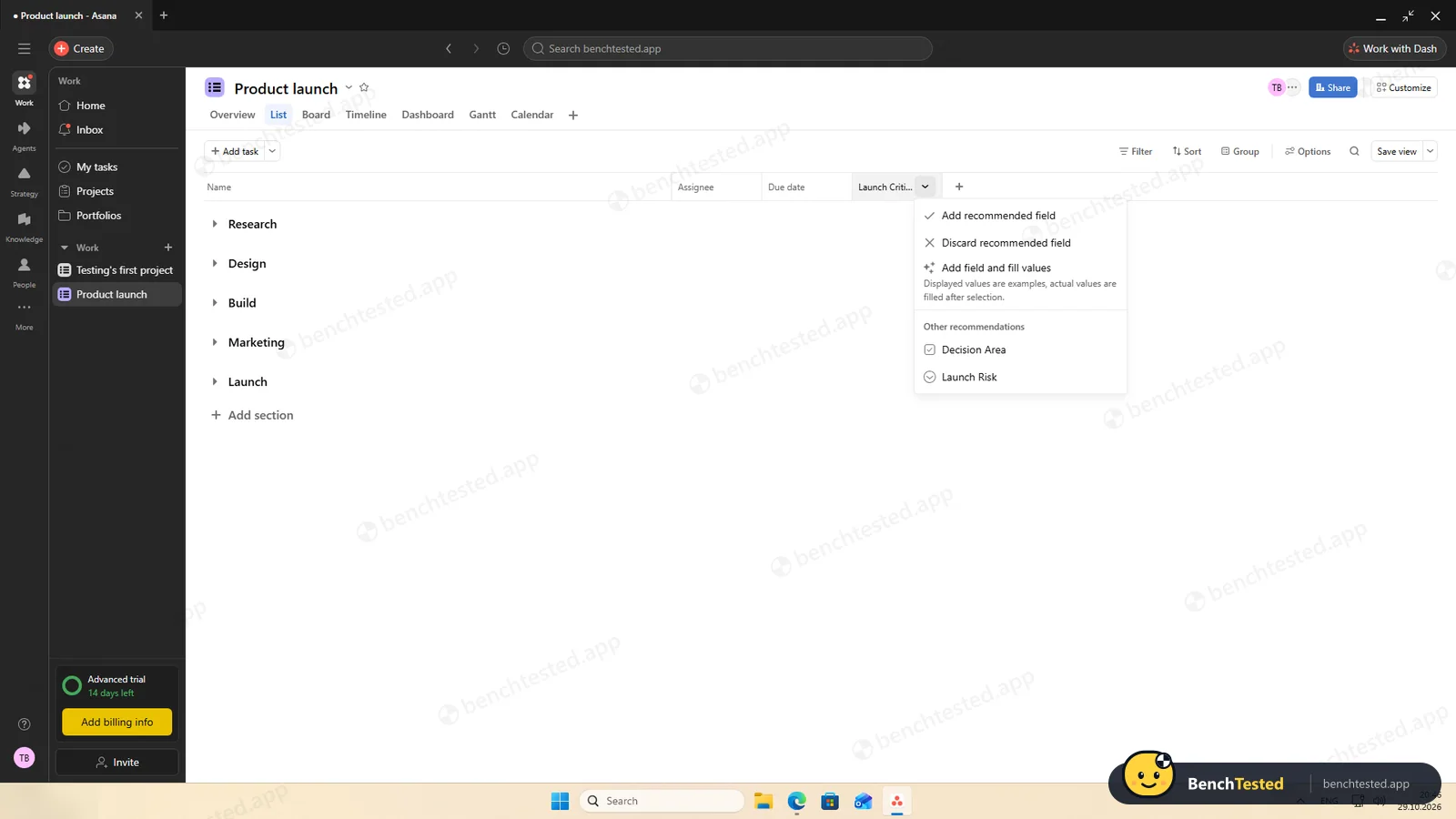
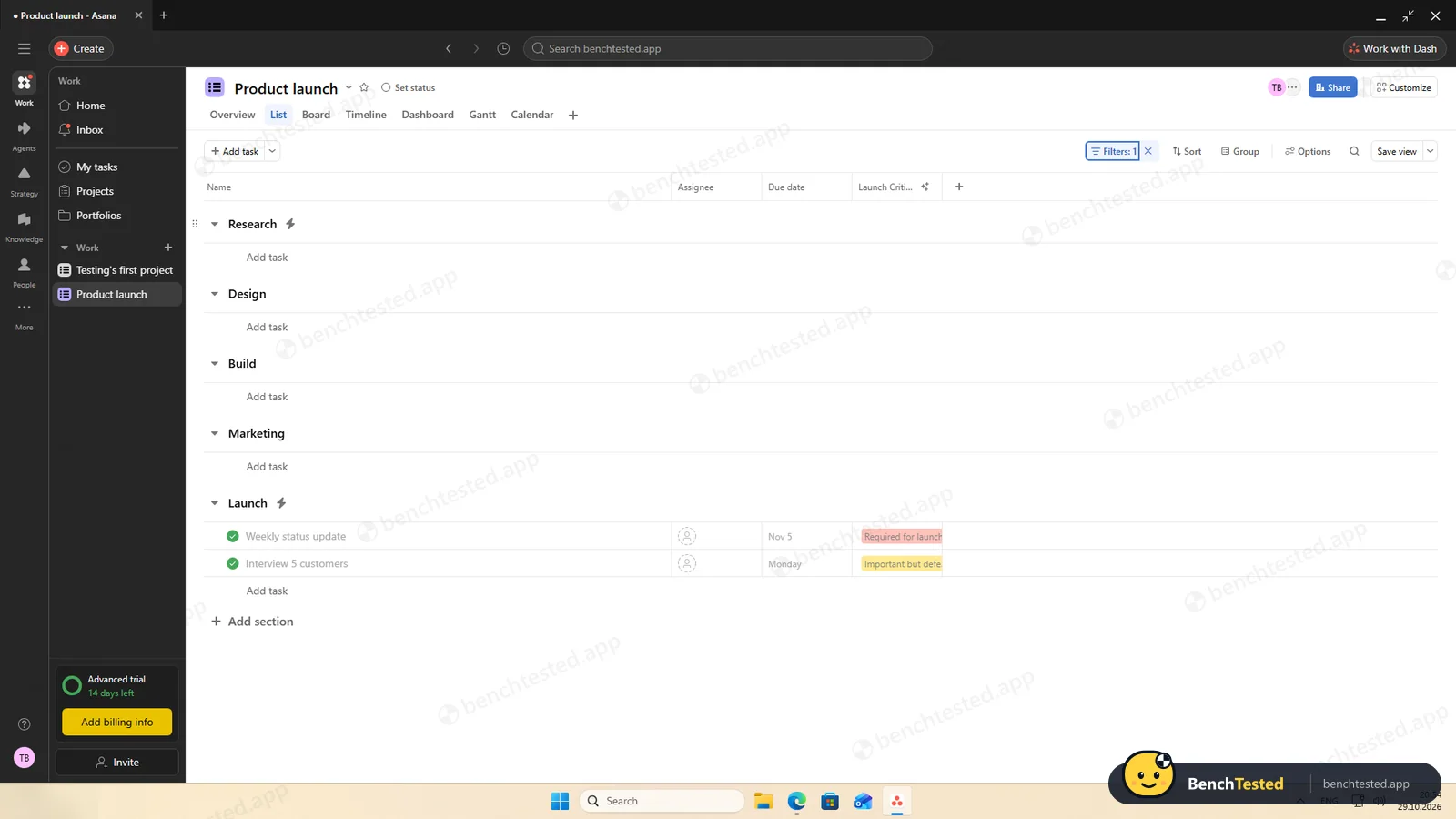
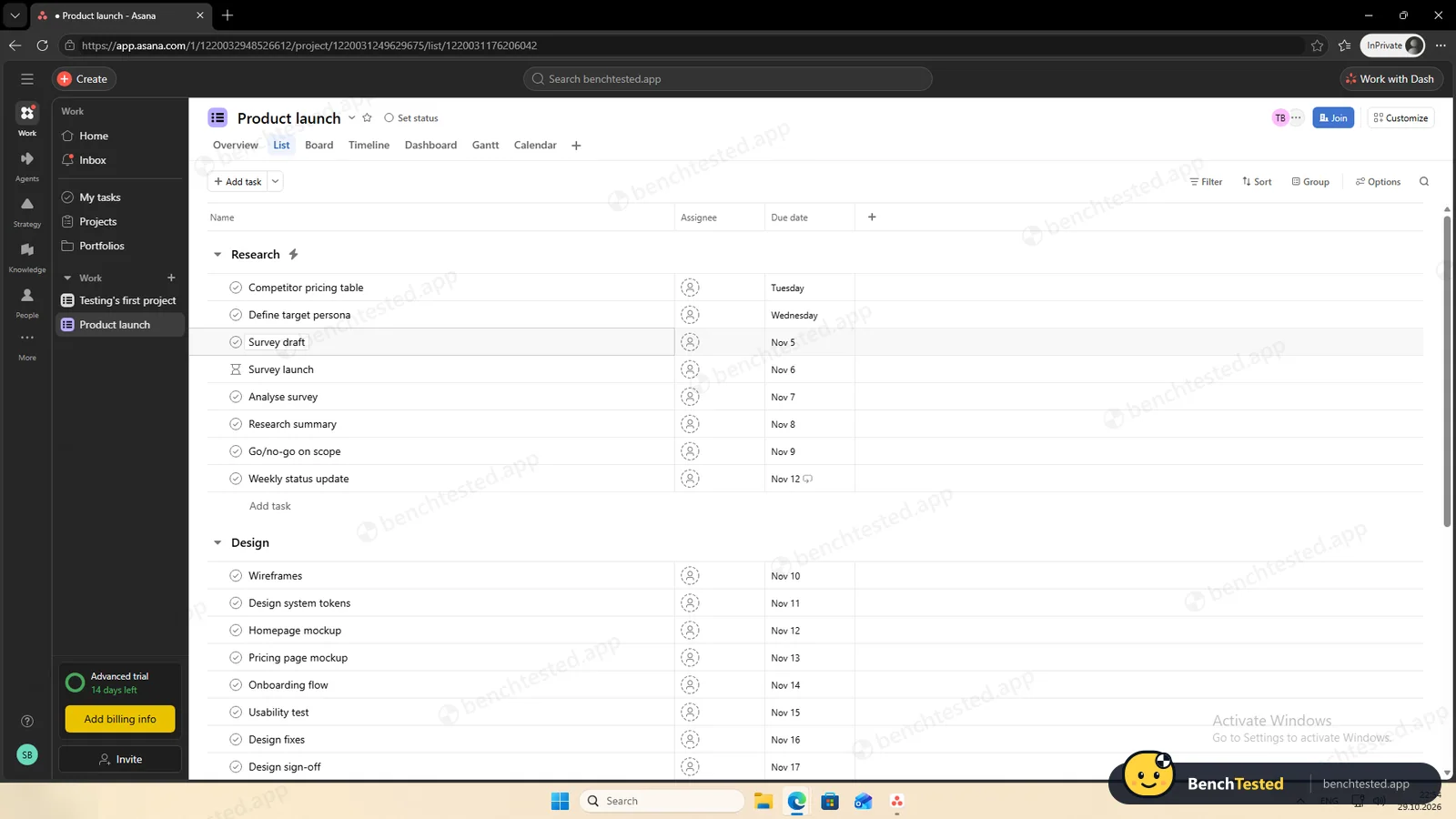
Pasting eight lines into a new section created eight tasks at once, and dates can be typed. A blank project has no priority field: priorities need a custom field, which is a paid feature, so we skipped them. Asana's AI kept suggesting an extra “Launch Criticality” field.
-
P2 · Views
Show the project as a list, board, calendar and Gantt chart.
Pass ≈ 2 min
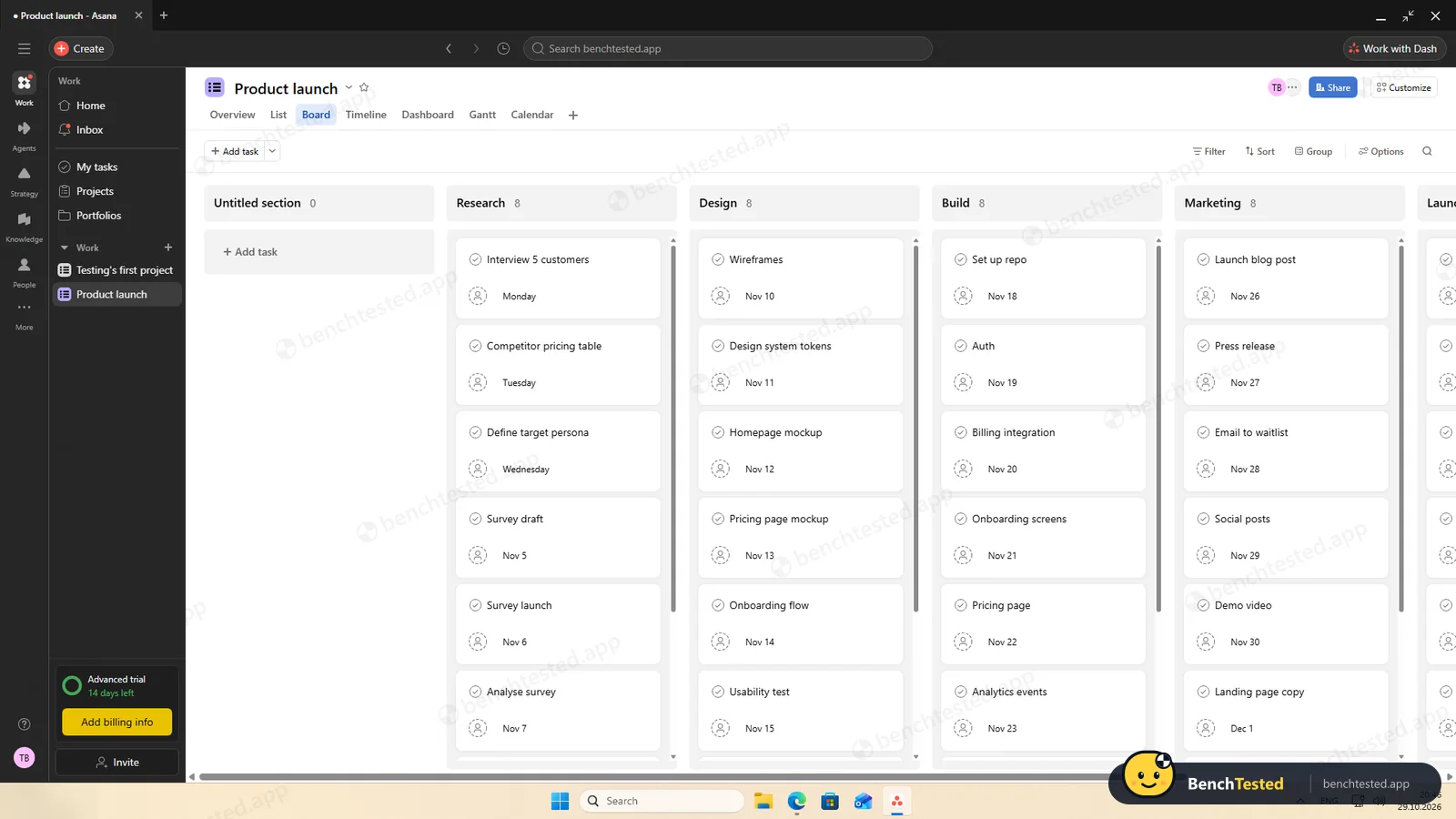
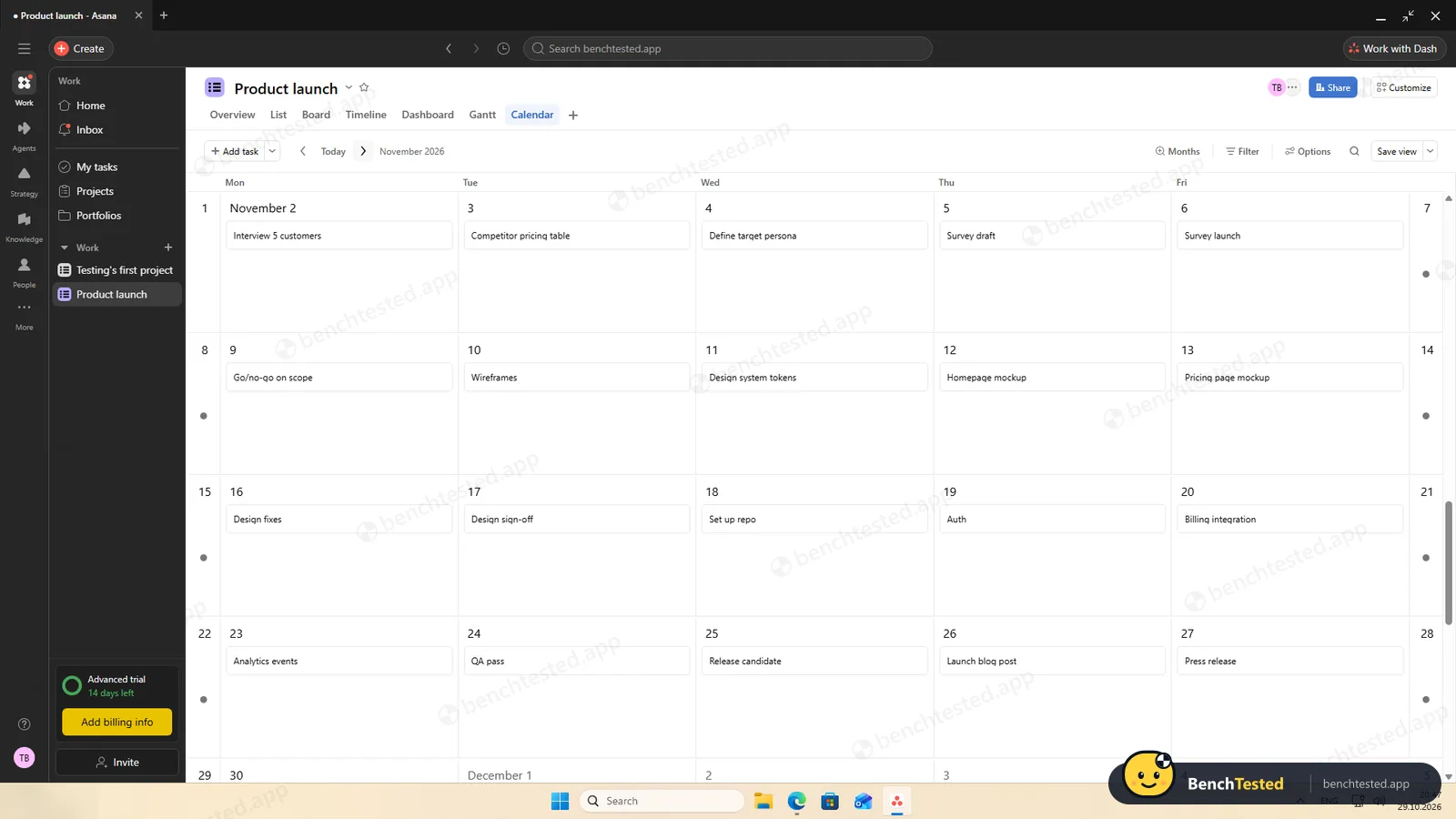
All four worked on the trial. On the free Personal plan, list, board and calendar are included; Timeline and Gantt start with Starter.
-
P3 · Rules
Set up a status automation, a dependency and a weekly recurring task.
Pass ≈ 6 min
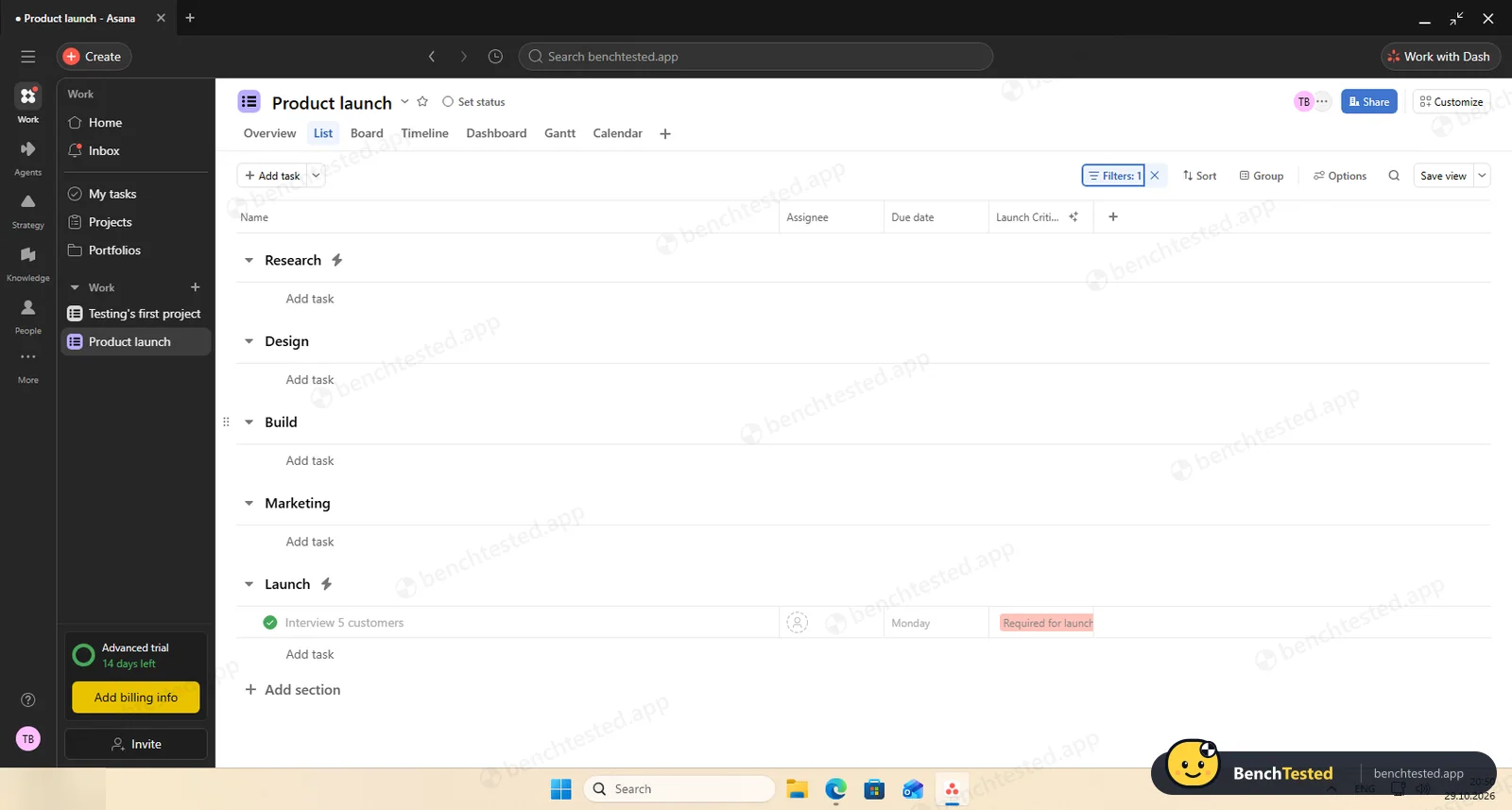
We described the rule in a chat and the AI built it; it moved a completed task within about 20 seconds. The dependency and the weekly repeat worked, and the next copy of the recurring task stayed in its section. Rules are a Starter feature.
-
P4 · 200-row import
Import a 200-row CSV with statuses, assignees, dates, priorities, tags and special characters.
Partial ≈ 4 min
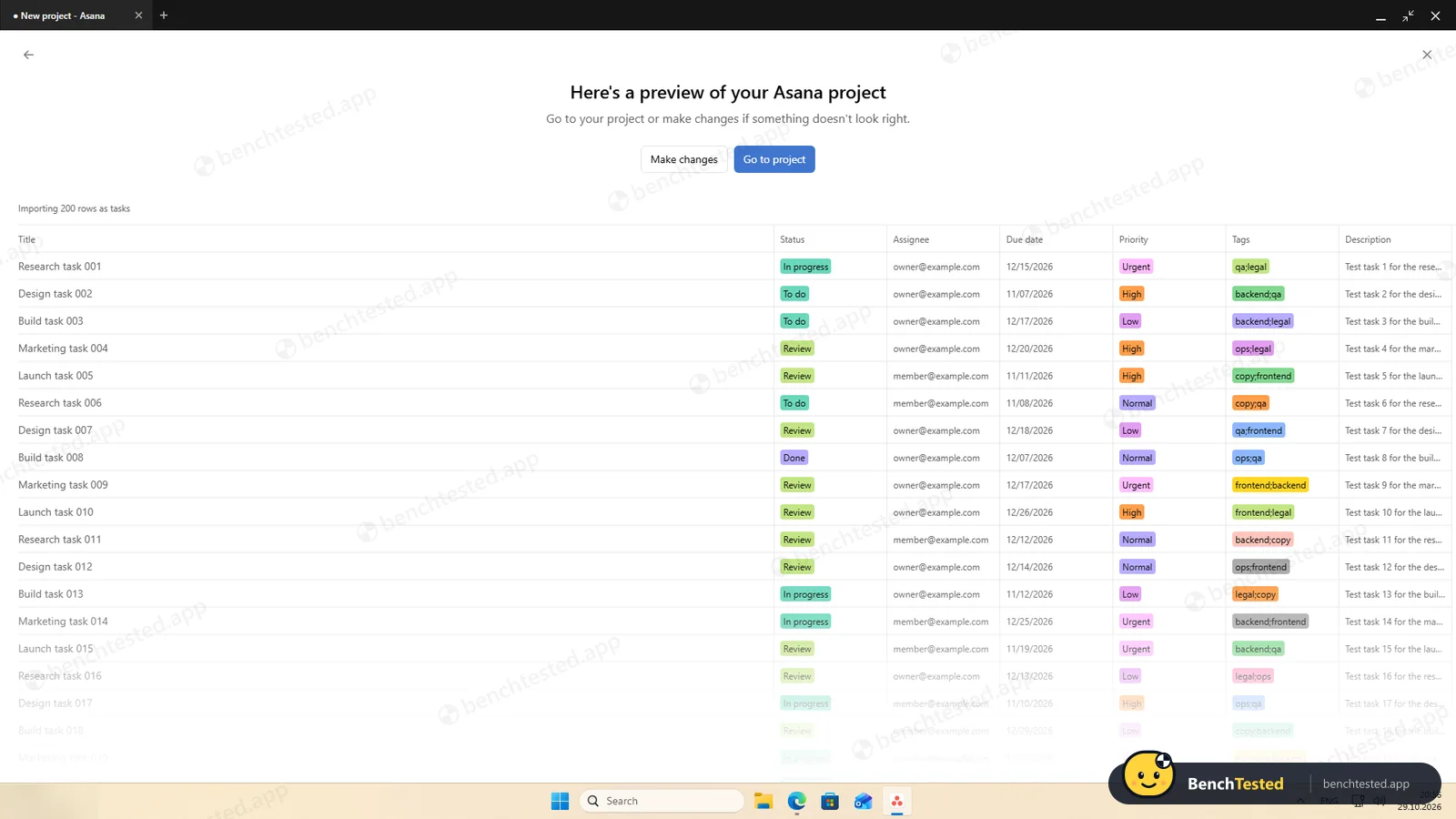
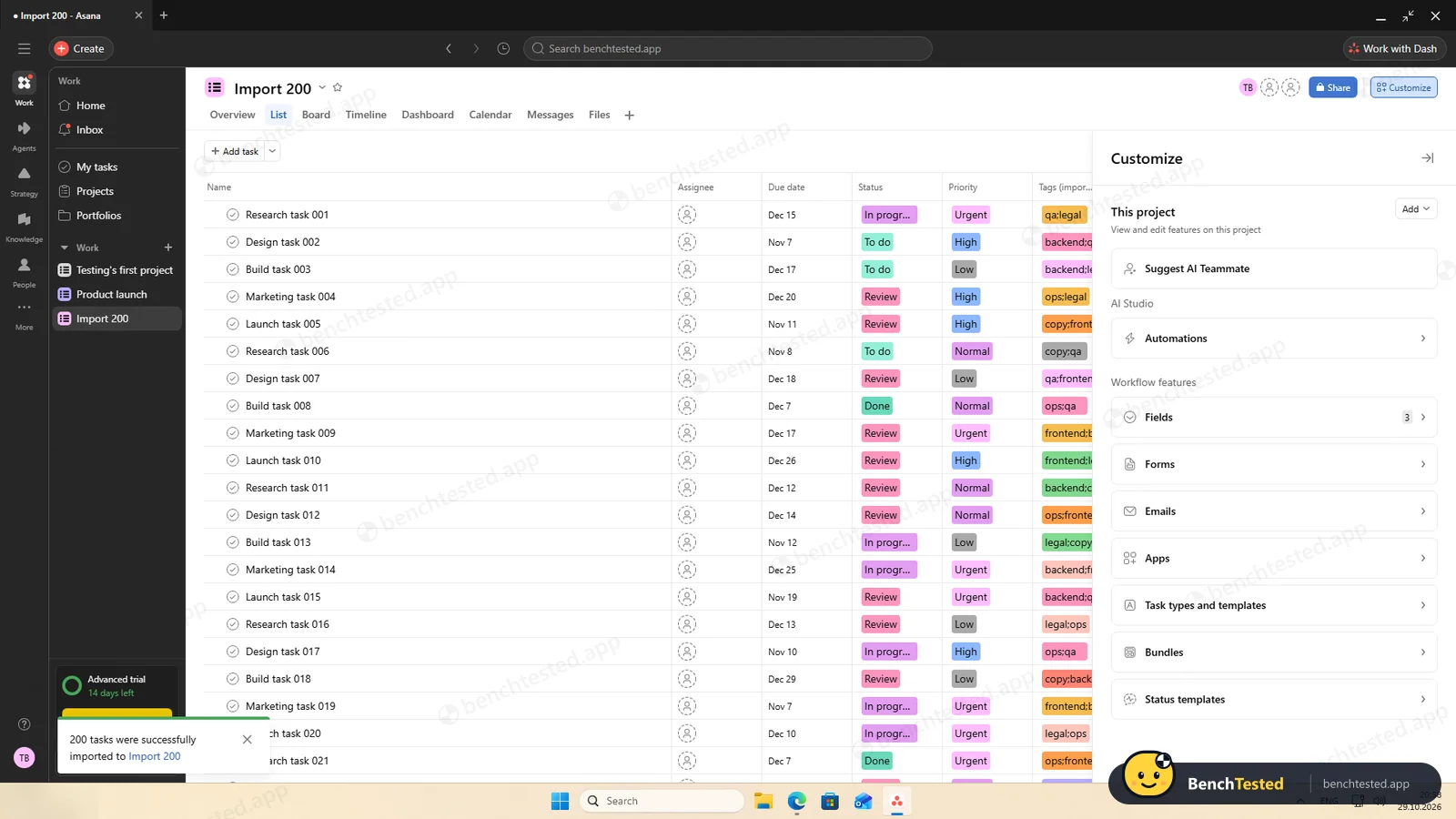
All seven columns were recognised and typed automatically and 200 rows arrived in about 10 seconds with commas, quotes, é and ✓ intact. But status becomes a label, so “Done” rows are not completed, and “qa;legal” stays one tag. We unticked the assignee column to avoid invitations.
-
P5 · Scale
Import 500 rows, then open and scroll a 500-task board.
Pass ≈ 1.5 min import
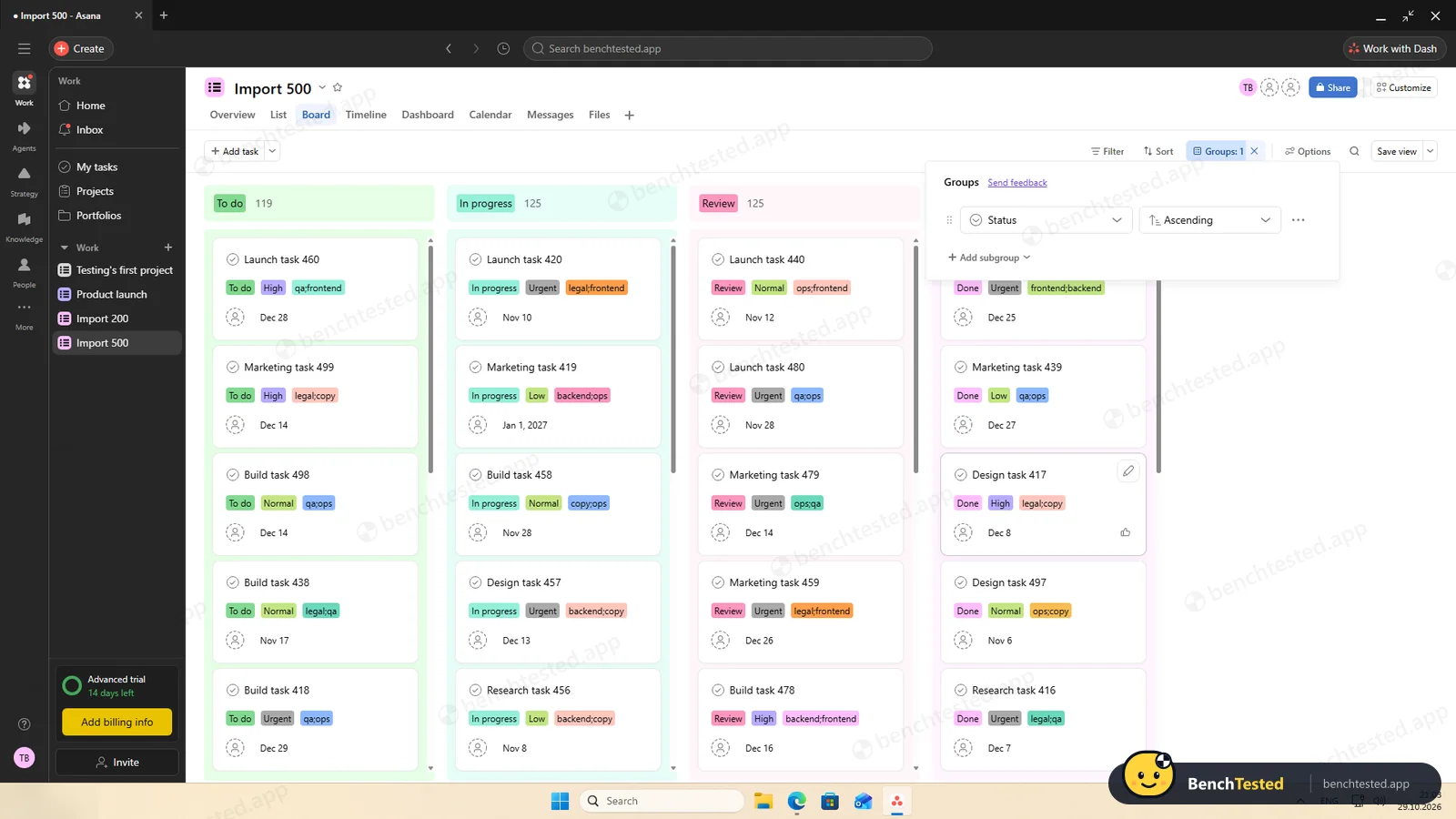
The importer started from scratch again, but the 500 rows were in within about 1.5 minutes. The board showed cards after 0.7 seconds, grouped by status, and scrolled smoothly.
-
P6 · Permissions
Invite a second user, check what they can see and change, then restrict them.
Pass ≈ 10 min
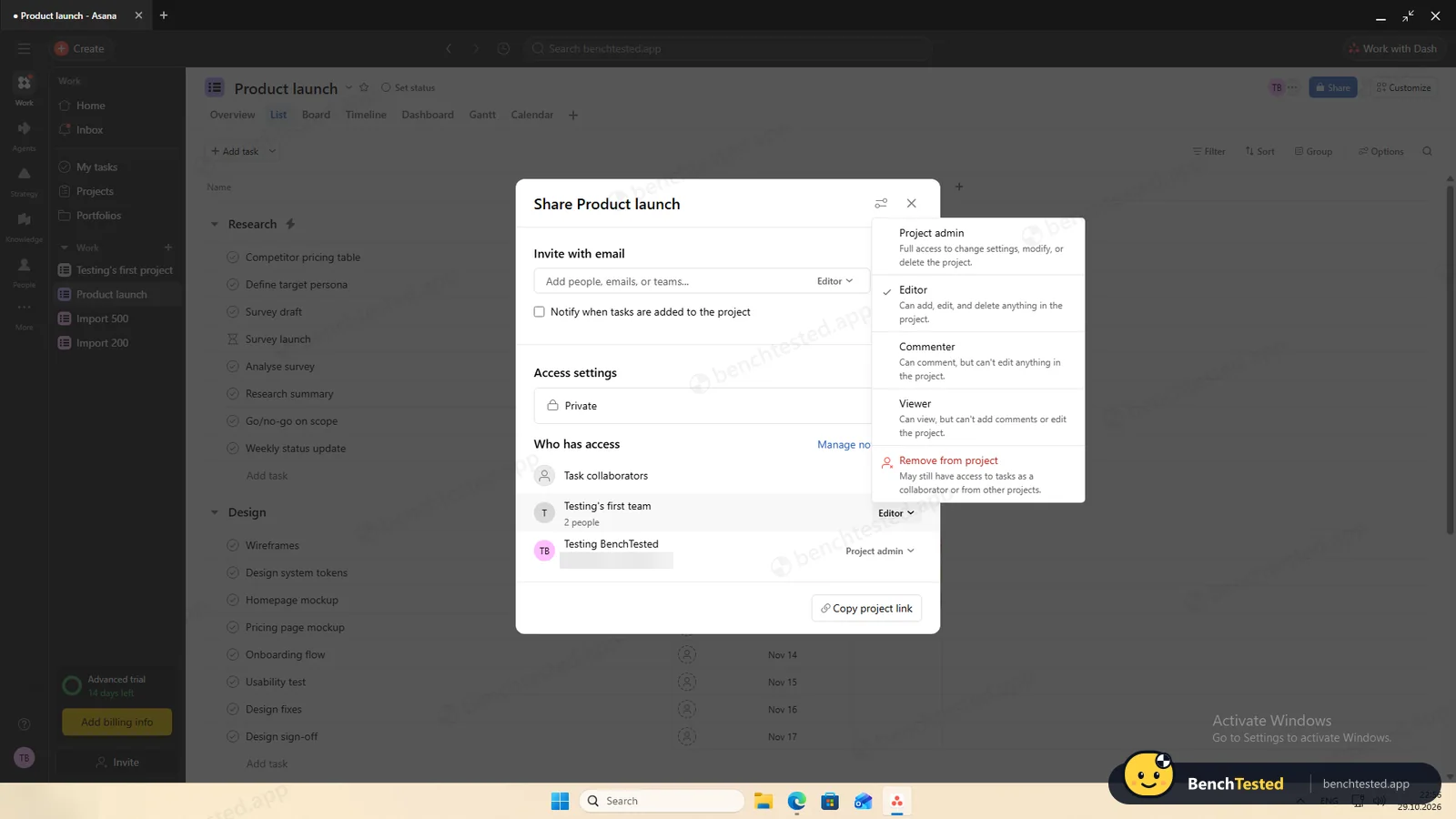
The invite has no role choice: a colleague on the same domain joins as a member and can open every project shared with the organization. Project roles (Editor, Commenter, Viewer) restricted them to “View only”, and removing them signed them out on the next page load.
-
P7 · AI
Ask the built-in AI to summarise the project, write subtasks for one task and say what is overdue.
Pass ≈ 20–30 s each
Dash's summary had the right counts and dates, and “nothing is overdue” was correct. It created the five subtasks straight away without asking. AI is a paid feature; the trial includes 50 requests.
-
P8 · Leave
Export everything to CSV, delete the workspace and uninstall the app.
Partial ≈ 6 min
The project export was instant and complete, with subtasks and dependencies, but there is no one-click export of the whole organization and no way to delete the organization from the admin console. Deleting a project offers an undo, and you can delete your account yourself. The uninstall left about 245 MB.
How we tested Asana
Asana is the second app in our project-management category and ran the same eight-step script as ClickUp. We downloaded the Windows desktop app from asana.com, installed it on a clean Windows 11 virtual machine, created a new account and worked through the steps: build a 40-task project from a written brief, show it in four views, set up rules, import 200 and then 500 rows from a CSV file, invite a second user, use the built-in AI, export everything and leave.
One difference shaped the whole test: a new Asana account does not start on the free plan but on a 14-day trial of the Advanced plan, with no button to end it early. We ran the test on that trial and checked each feature against Asana's pricing page, so you can see what you would keep on the free Personal plan. Everything was done on October 29, 2026.
Installation and setup
The 177 MB installer is signed by Asana and asks nothing: about 20 to 25 seconds after you open it, Asana is installed in your user folder and running, without admin rights. It does not add itself to Windows startup and installs no services. The download was version 2.9.1 from September; on first launch the app had already fetched 2.10.5 and asked to restart, and it keeps both versions, so the program folder grew to 1.1 GB.
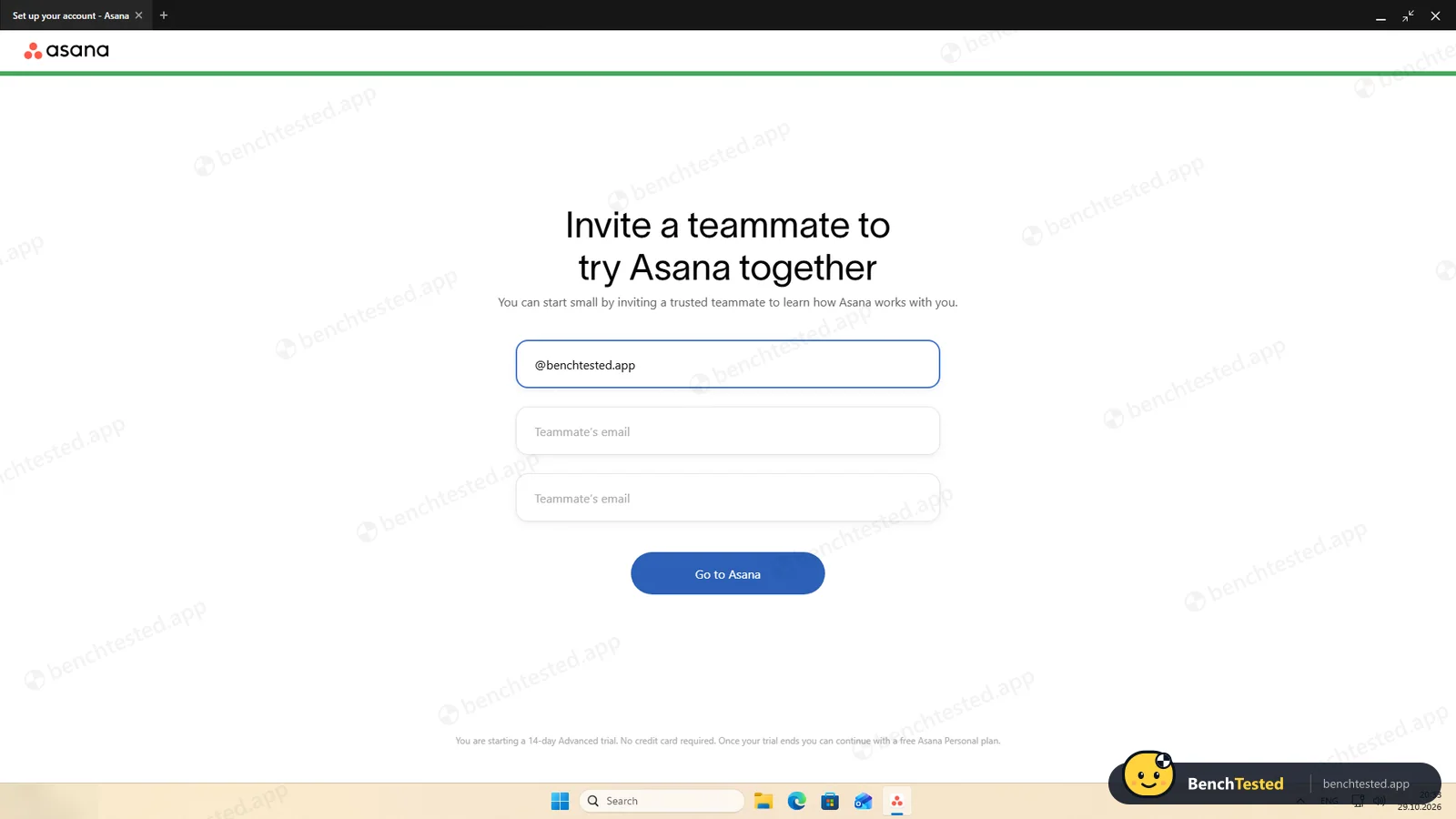
You need an account, and sign-up finishes in the browser. Setup asks for your name, with “Get feature updates and tips via email” already ticked, then your job and industry, then suggests a first project and an invitation for a colleague with your email domain filled in. The footer of that screen is where you learn about the 14-day trial.
Building the project
Our brief describes a product launch in five phases of eight tasks. In Asana each phase became a section, and pasting eight lines into a new section created eight tasks at once. Dates can be typed, so each task took one click plus typing. The whole project took about nine minutes.
Priorities were the problem. A blank project has only name, assignee and due date; a priority column is a custom field, and custom fields start with the Starter plan, so we skipped them rather than rely on the trial. Asana's AI meanwhile suggested a “Launch Criticality” field with example values we had not asked for. It is only a suggestion until you accept it, but it came back after we dismissed it.
Views and rules
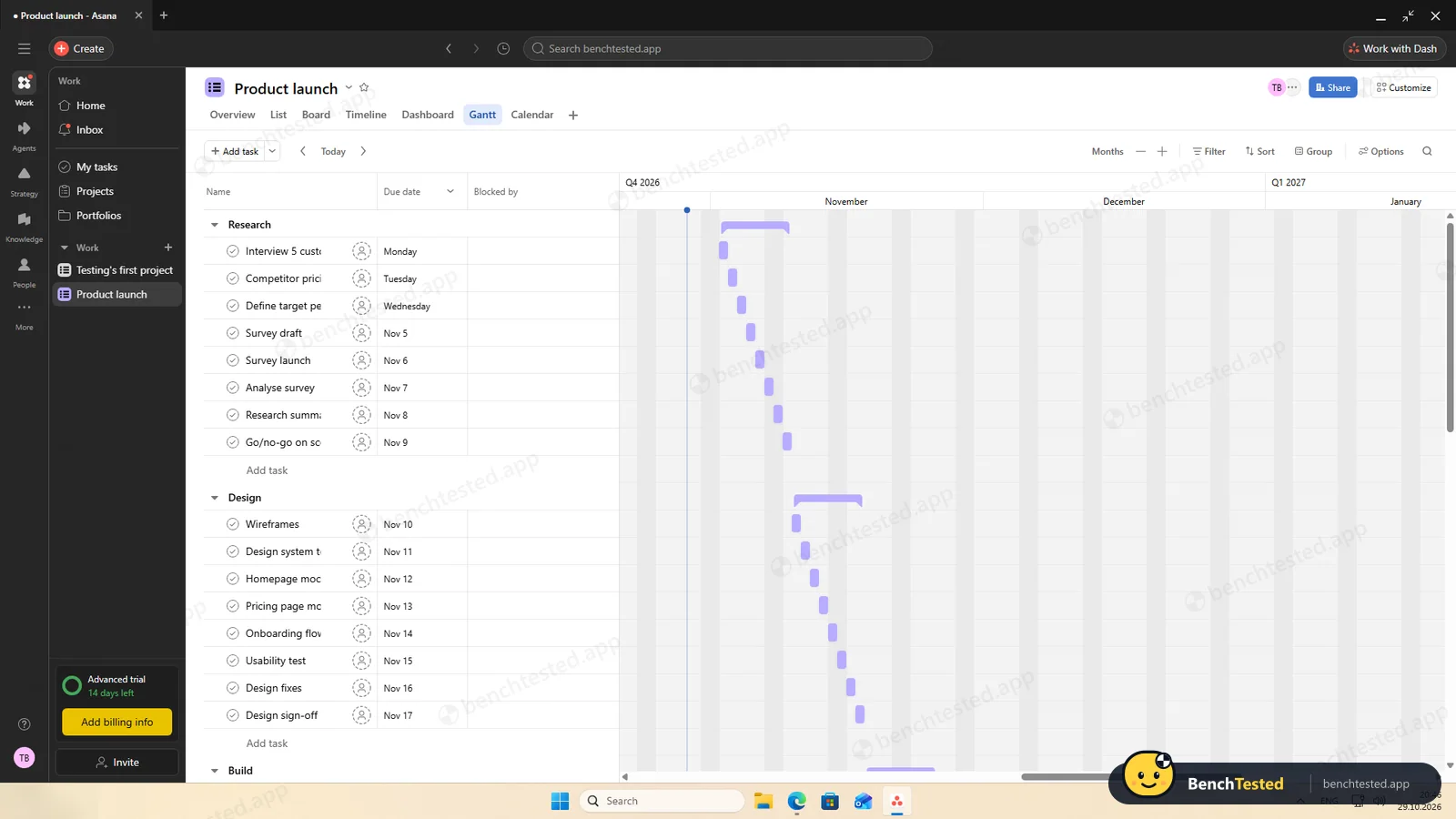
List, board and calendar views are part of the free plan, and all three showed our project correctly. Timeline and Gantt worked too, with bars for each task and section, but only because of the trial: both start with Starter.
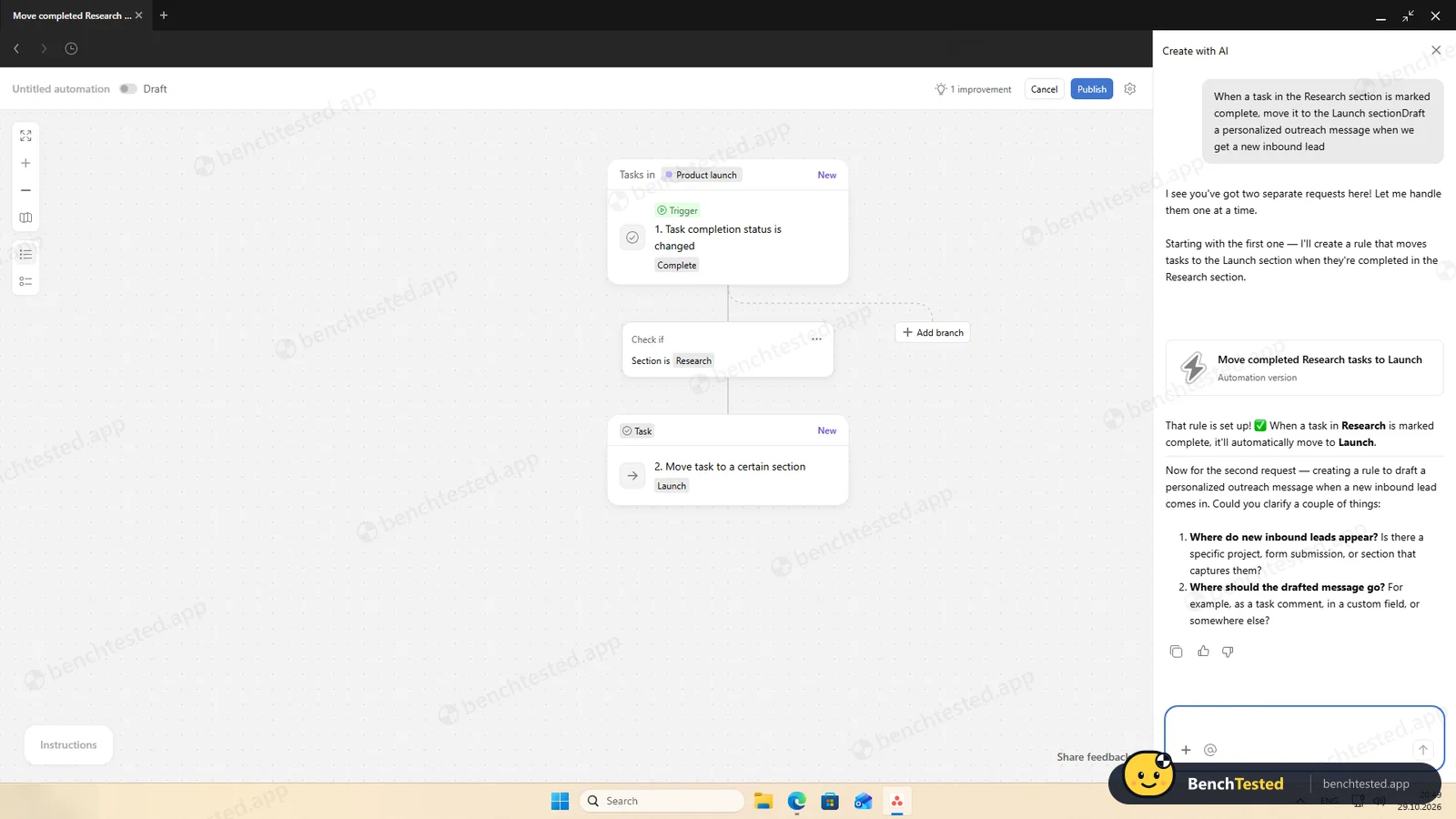
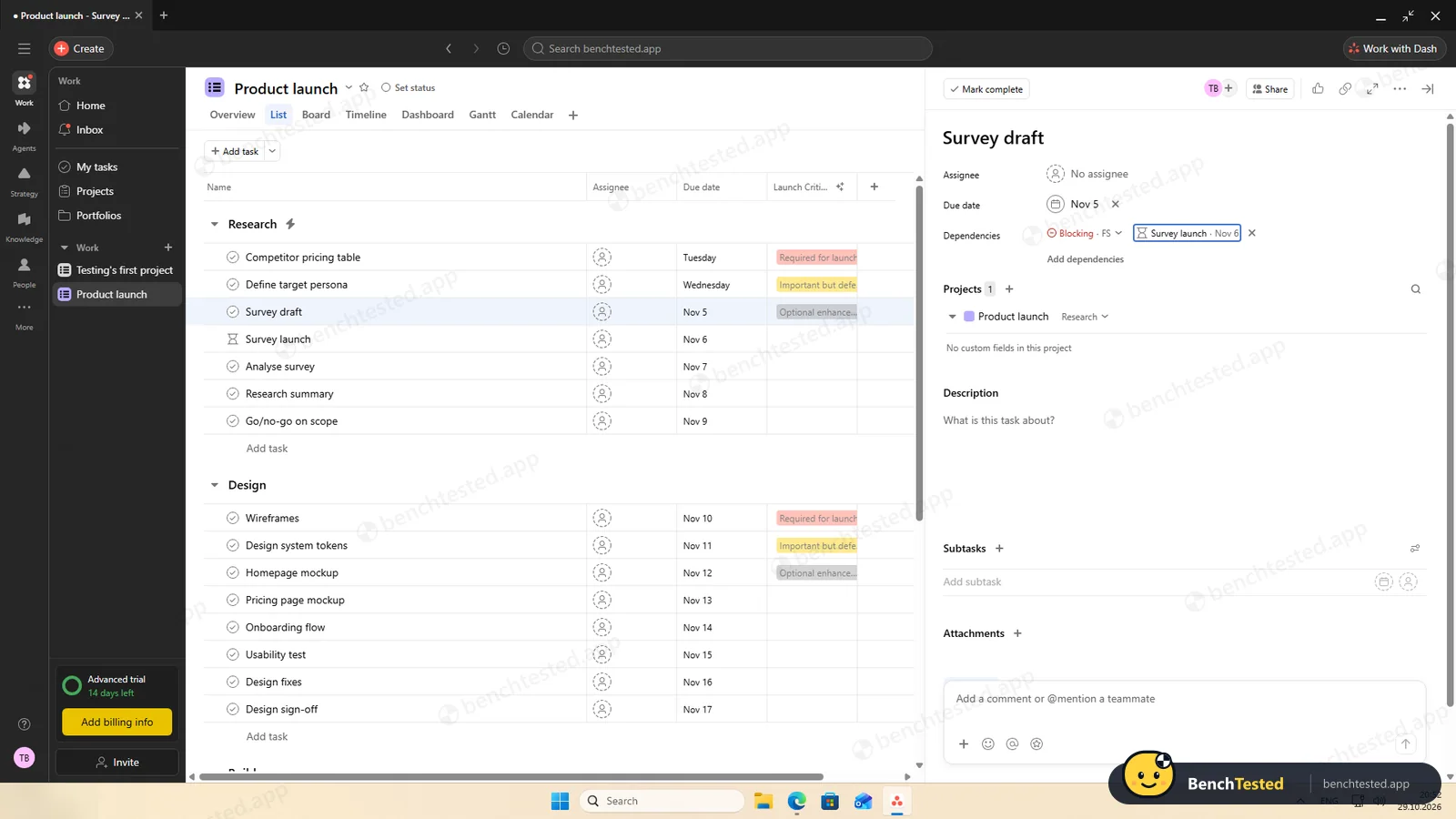
Rules can be written in plain English. We described ours in a chat, “when a task in Research is completed, move it to Launch”, and Asana's AI built the trigger, condition and action; the rule moved a completed task within about 20 seconds. A dependency showed as “Blocking” on one task and an hourglass on the other. The weekly recurring task came back for next week in its own section, while the completed copy was moved by our rule, so the two did not clash. Rules are a Starter feature.
Importing 200 and 500 rows
This is where Asana stands out. Our 200-row CSV file has seven columns with statuses, emails, dates, priorities, tags and text with commas, quotes, an accented letter and a check mark. Asana recognised and typed all seven columns by itself, and the 200 rows were in the new project about 10 seconds after we clicked Continue, with every character intact. We unticked the assignee column, as with ClickUp, so the file's email addresses would not be invited.
Two things did not carry over as you might expect: status becomes a label, so rows marked “Done” are not completed tasks, and tags written as “qa;legal” stay one tag. For the 500-row file the importer did not remember any of our choices, but the import still finished in about a minute and a half. The 500-task board showed its cards 0.7 seconds after the click and grouped by status into 119, 125, 125 and 131 tasks.
Speed and memory
Starting Asana is as slow as ClickUp: the window appears after 1.3 seconds, stays white and then shows a spinner, and Home was usable after about 14 seconds. Memory was similar too, 1.4 to 1.8 GB of private memory across about ten processes, although the working set reached 3.2 GB right after a cold start. Closing the window does not quit the app; it keeps running in the background.
Sharing and permissions
The invite dialog has no role choice: someone with your email domain joins the organization as a member. Our second user could add tasks to the project they were invited to and could also open “Product launch”, because projects are shared with the whole organization by default.
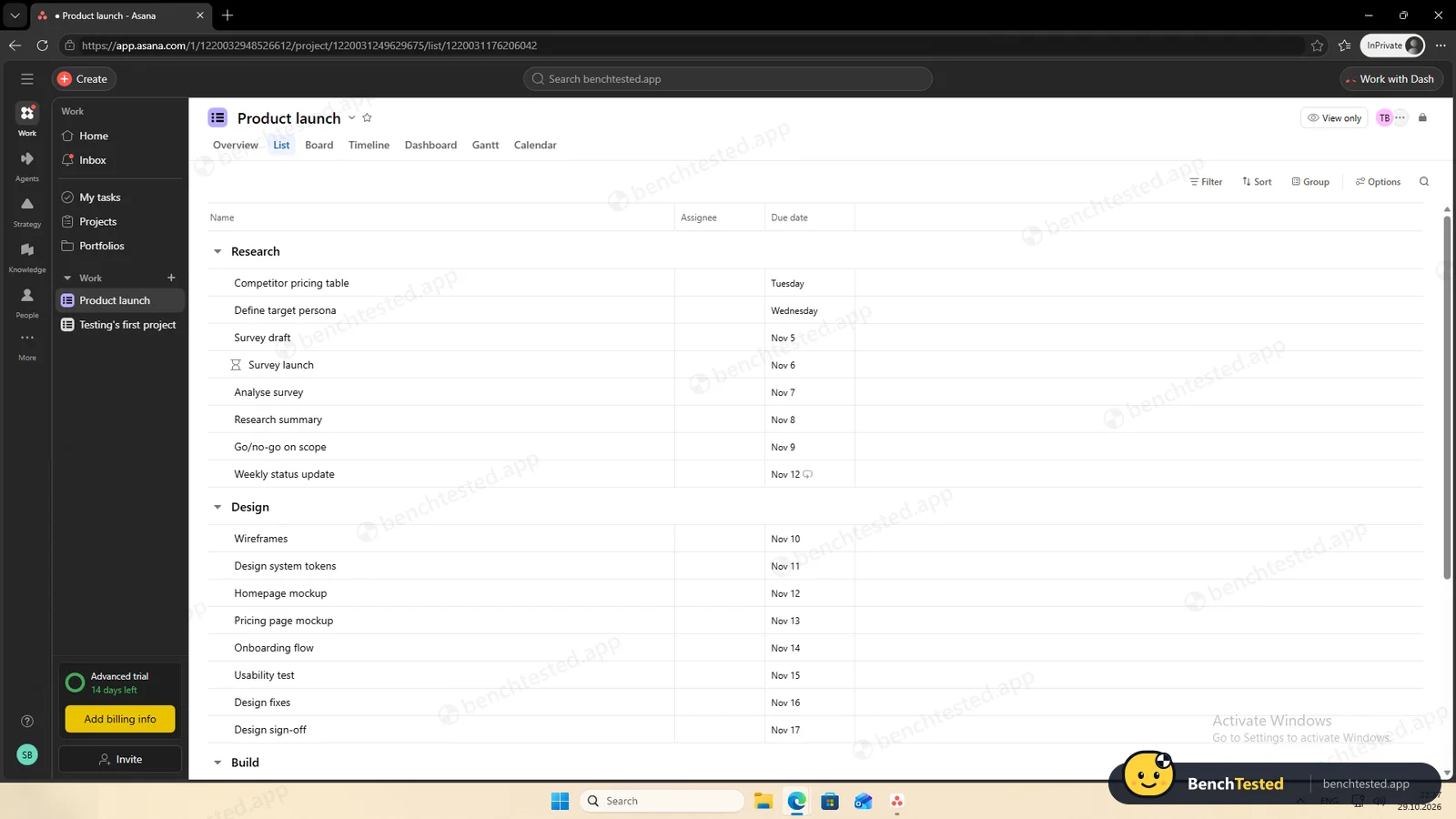
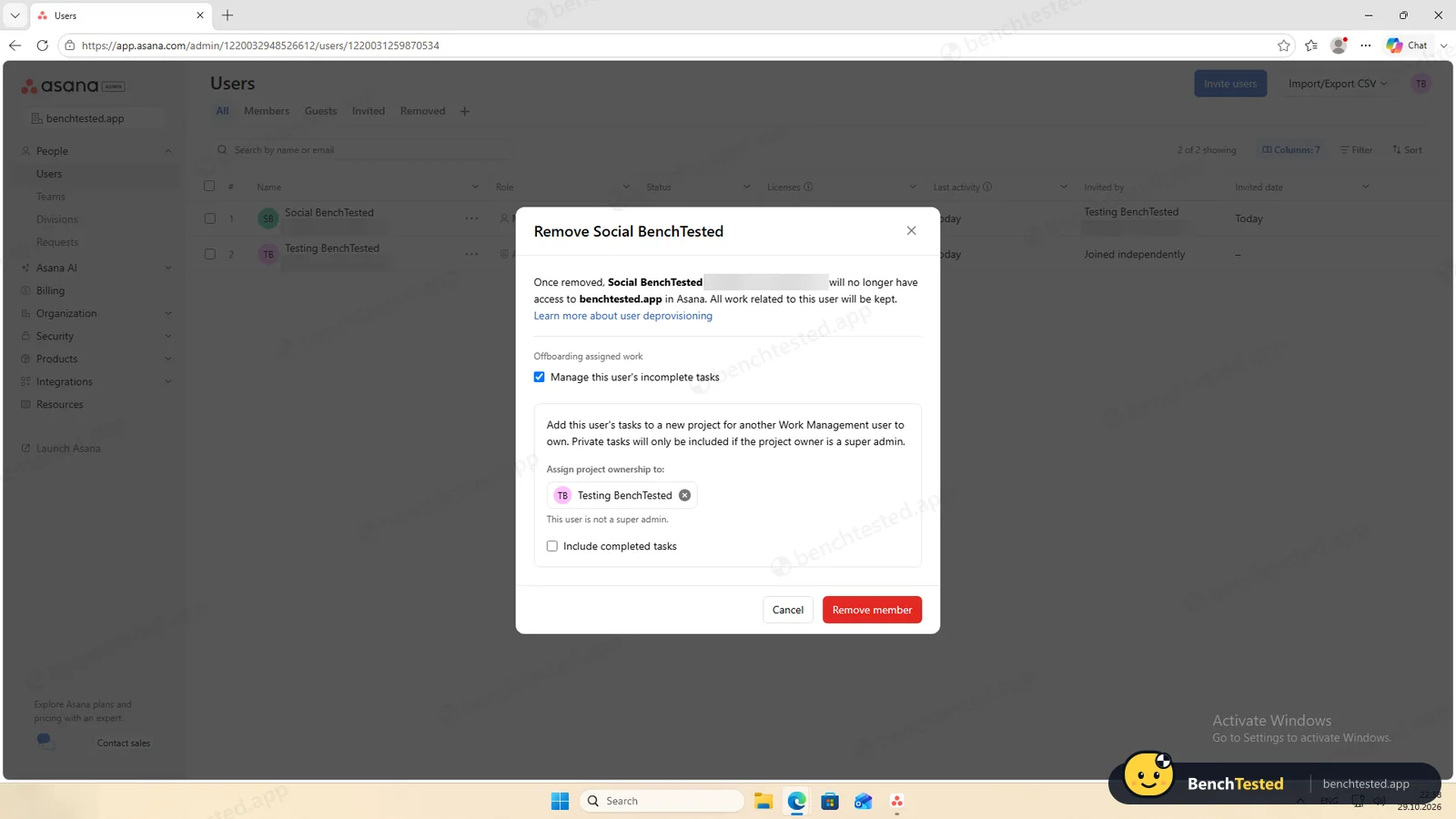
Restricting them works at project level. We made the project private and set the team to Viewer; on their next page load the member saw it “View only”, with no checkboxes or Add task button. In the admin console, removing the member offered to move their unfinished tasks into a project for someone else, and the removed user was signed out on their next page load.
Asana's AI
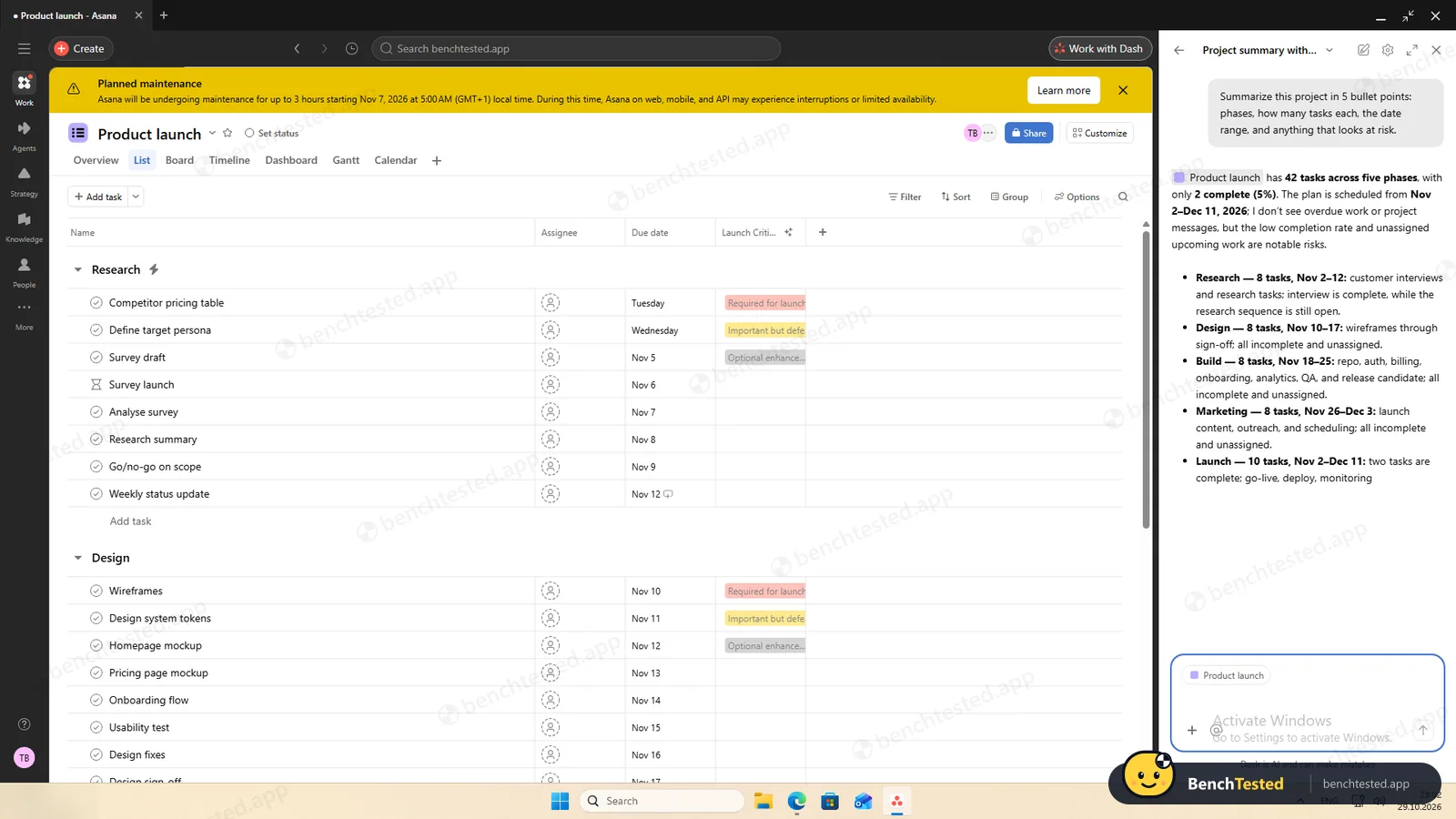
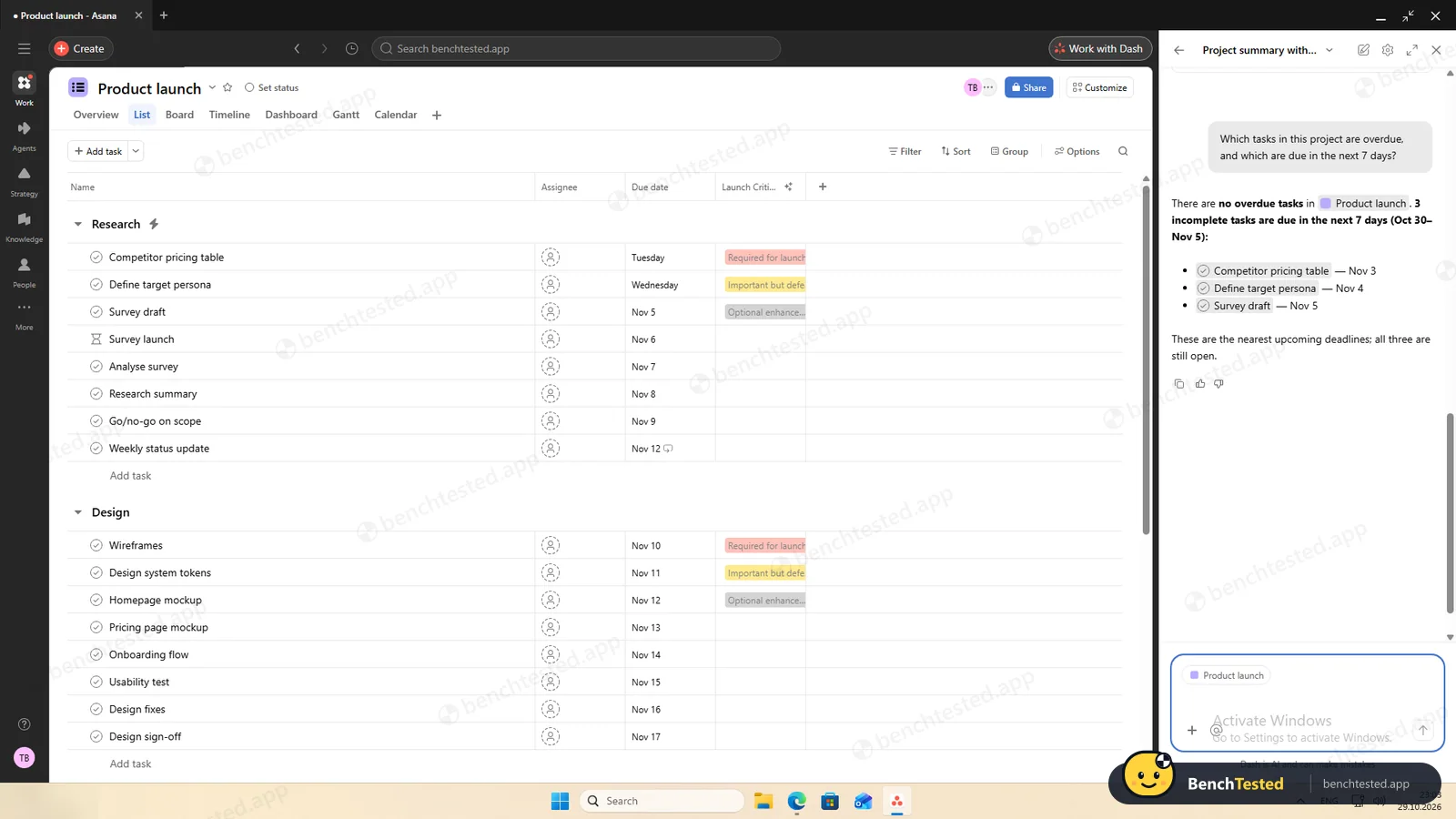
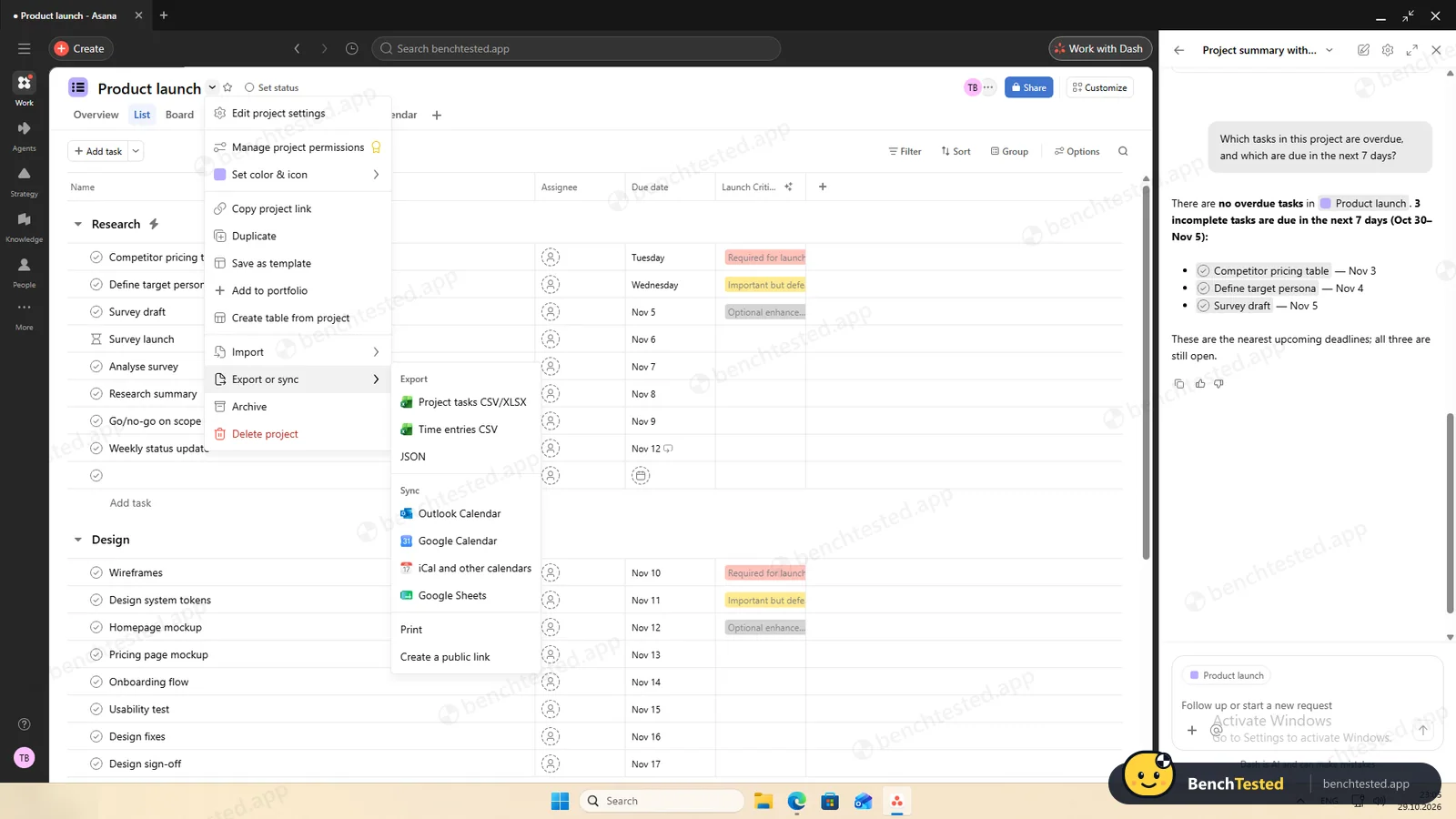
Dash, Asana's AI chat, is marked as a public preview and opens beside your project. Asked to summarise our launch project, it answered in under 30 seconds: 42 tasks in five phases, 2 complete, November 2 to December 11, no owners assigned. All of that was right, though it placed one completed task in the wrong section. Asked what was overdue, it correctly said nothing, and listed the three tasks due in the next seven days.
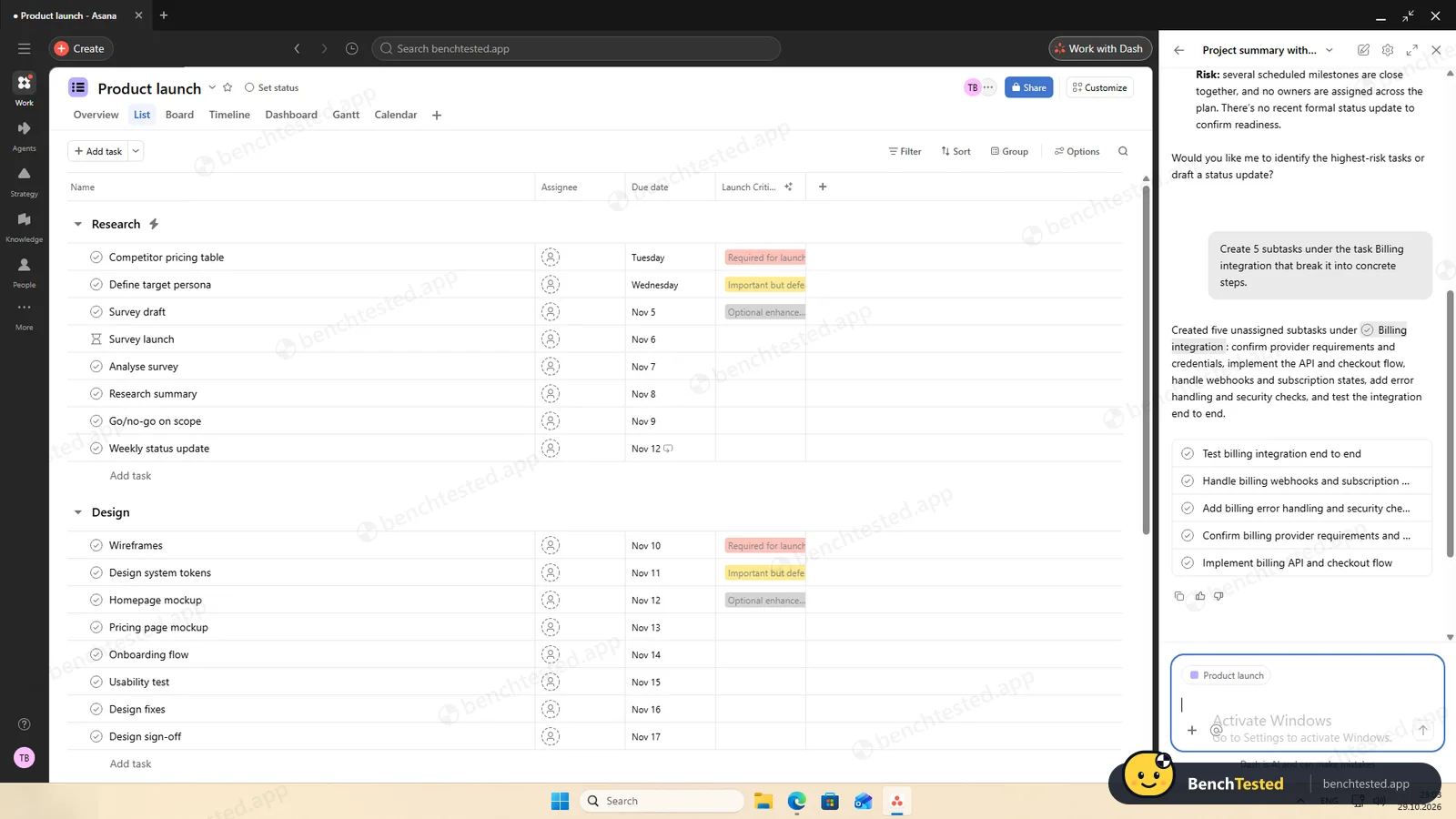
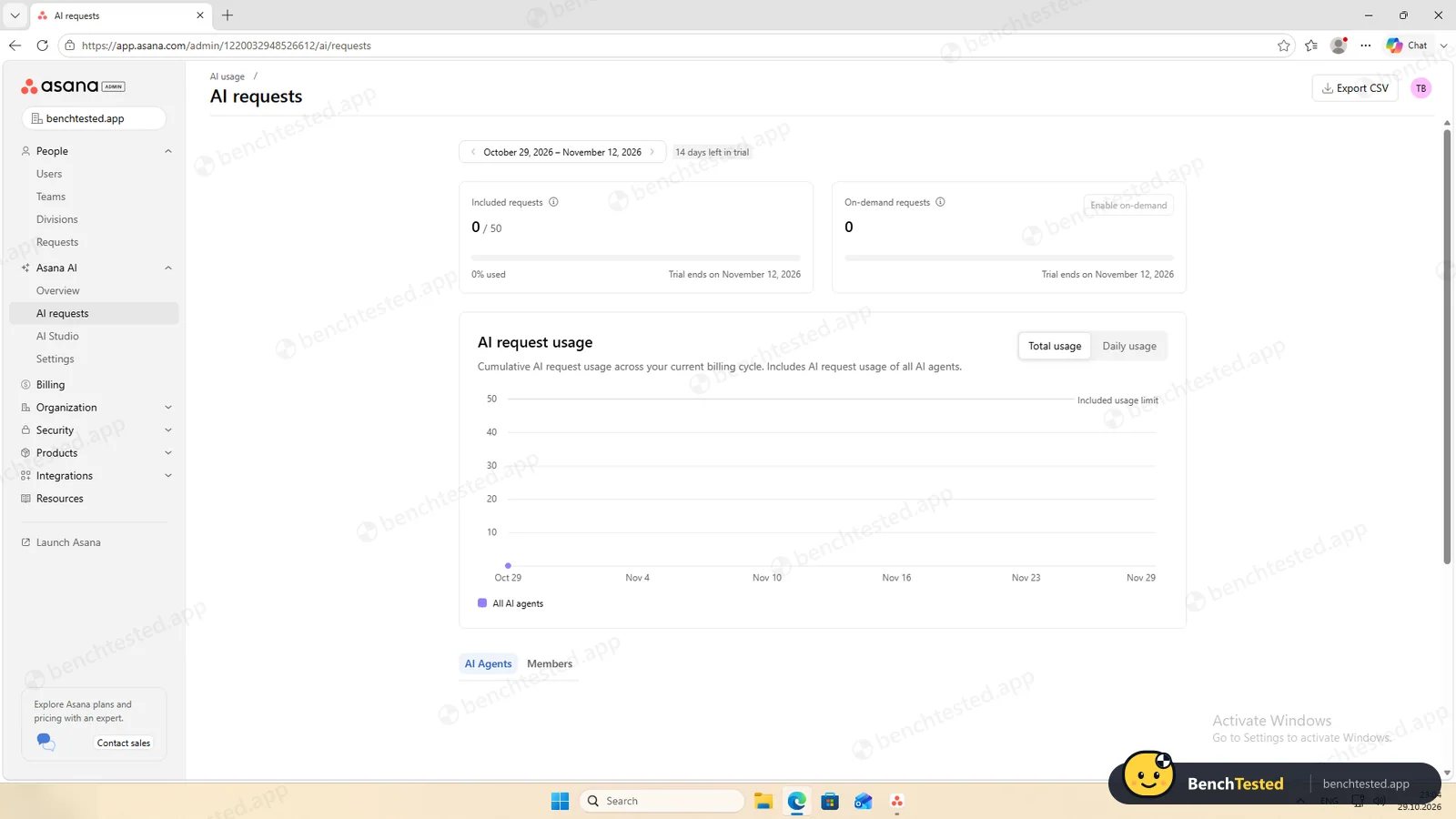
Asked for five subtasks, Dash created them straight away under the right task, without showing them to us first as ClickUp did. AI is not part of the free plan; the trial includes 50 AI requests, and our three chats had not shown up in the usage counter when we checked.
Leaving Asana
Exporting a project is instant and offers CSV, Excel and JSON, plus calendar and Google Sheets sync. Our CSV had all 47 rows, 42 tasks and the 5 subtasks, with sections, dates, completion times and, unlike ClickUp's export, the dependencies. Recurrence and rules are not included, and there is no one-click export of the whole organization from the app.
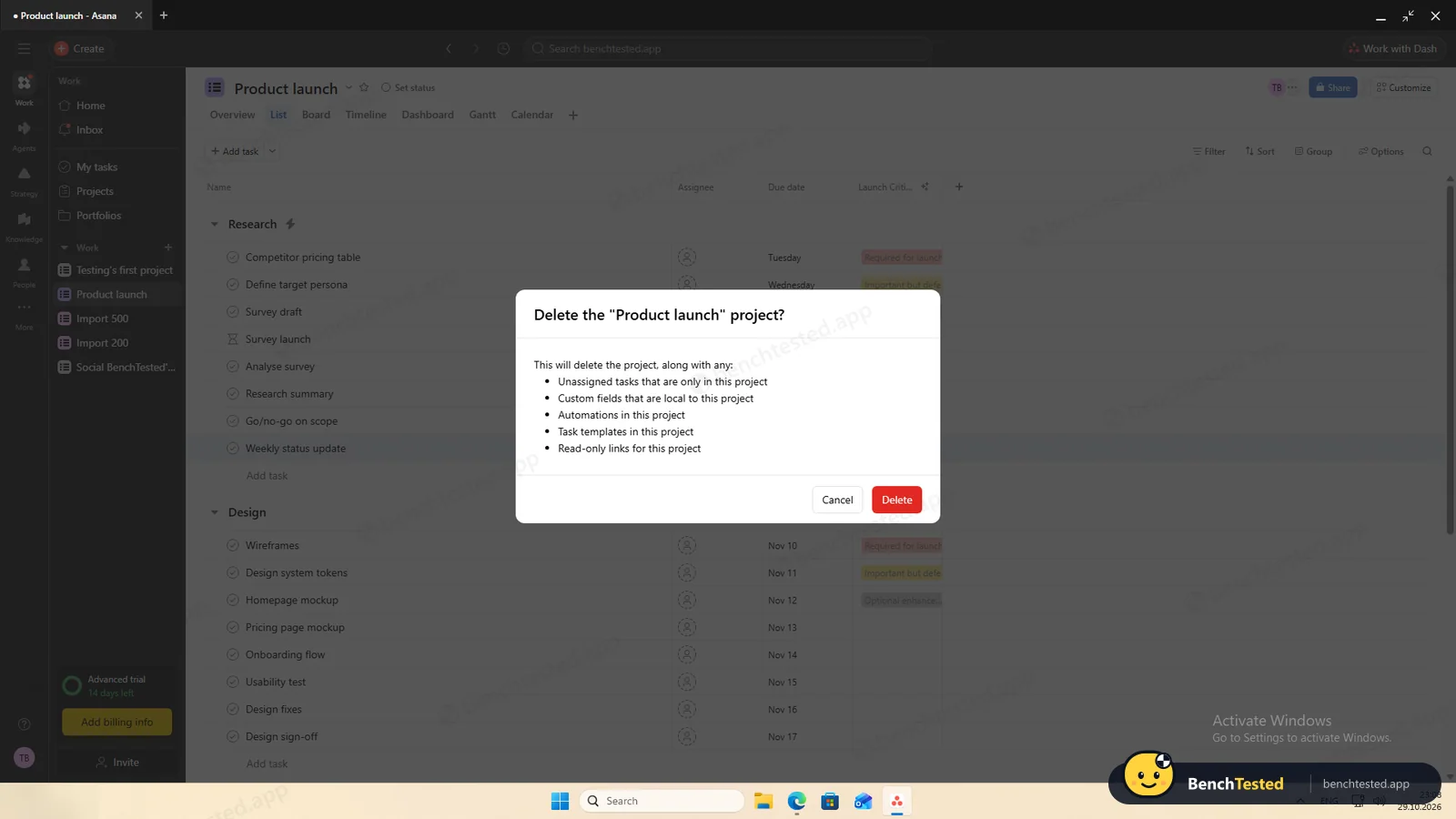
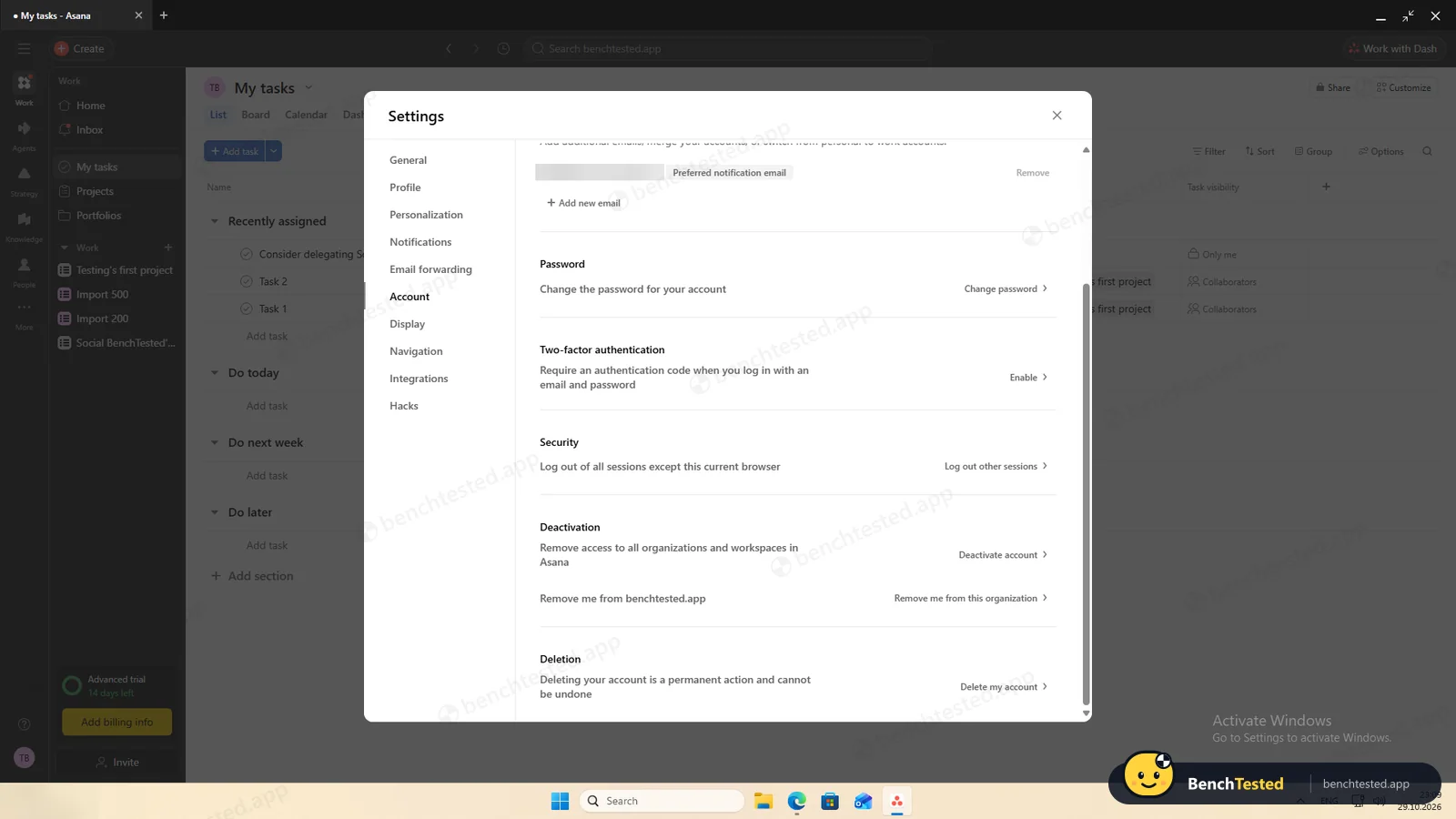
Deleting a project lists what will go with it, and the next screen offers an undo. We found no option to delete the organization in the admin console. In your own settings you can deactivate your account or delete it permanently; we left our test accounts in place. The uninstaller ran in six seconds without a prompt and removed the shortcuts, but left a 236 MB profile folder, which still holds the signed-in session, and a 10 MB updater, about 245 MB in all.
What we have not tested yet
We did not test integrations with apps such as Slack or Google Drive, forms, portfolios, goals, the mobile and Mac apps, or the free plan after the trial ends. We did not test Asana offline, and we ran each step once.
Asana Screenshots
Taken during our own test run on a clean Windows 11 machine.
What we checked
Every item in our project management tool test plan and how Asana did. Scan for the ones you can't live without.
Installation
- Pass Download size177 MB
- Pass Signed installerAsana, Microsoft ID Verified
- Pass Admin rightsnot needed
- Pass Asks before running at startupdoes not add itself to startup
First use
- Pass Sign-up without a cardaccount required, no card
- Fail Starts on the free plan14-day trial with no way to end it early
Core tasks
- Partial Build a 40-task projectno priority field on the free plan
- Partial List, board, calendar and Gantt on the free planGantt needs Starter
- Pass Status automationon the trial; Starter feature
- Pass Task dependency
- Pass Recurring taskno clash with the rule
- Partial CSV import keeps the data200 / 200 rows, but Done is not completed and tags are not split
- Pass CSV import maps columns itself7 of 7
- Pass Permissions and rolesproject roles; no role choice when inviting
- Pass AI summary and answersaccurate in our test; paid feature
- Fail AI asks before changing datacreated subtasks straight away
Performance
- Pass Large board (500 tasks)0.7 s
- Fail Cold startabout 14 s to usable
- Partial Memory use1.4–1.8 GB private
Privacy and security
- Partial No pressure to share contactsinvite step and pre-ticked marketing emails
- Pass Access removed immediately
Integrations
- Pass Import from other toolsCSV tested
- N/A Connected appsnot tested
Offline and sync
- N/A Behaviour without internet
Pricing traps
- Fail Free plan limits2 users; no Gantt, rules, custom fields or AI
Cancel and uninstall
- Partial Complete exportcomplete per project, including dependencies; no whole-organization export
- Partial Delete the workspaceprojects and accounts yes, organization no
- Partial Clean uninstallabout 245 MB left, no startup entry
Test Results
- Ease of use7.5
Bulk paste, typed dates and an import that understood every column make Asana quick to fill. The trial-first setup and repeated AI suggestions get in the way.
- Views & flexibility6.5
List, board and calendar are free; Timeline and Gantt need Starter. All four worked well on the trial.
- Speed6.5
The import and the 500-task board were fast, but the app takes about 14 seconds to become usable and holds 1.4–1.8 GB of private memory.
- Automation & AI6.5
Rules, the dependency, the recurring task and the AI all worked, and rules can be written in plain English. Rules and AI are paid features.
- Integrations7.5
A project export to CSV, Excel or JSON that keeps dependencies, calendar and Google Sheets sync, and more than 100 integrations on the free plan; we did not test connected apps.
- Value for money5.5
The free Personal plan is limited to 2 users and lacks Gantt, rules, custom fields and AI. Paid plans start at $10.99 per user a month billed yearly.
Every project management tool runs the same script. How we test →
Key Features
Tasks and viewsTested by us
Switch a project between list, board, calendar, timeline and Gantt layouts.
List, board and calendar are free; Timeline and Gantt need Starter.
RulesTested by us
Automate repetitive steps with triggers, conditions and actions, also written in plain English.
Our AI-built rule fired within about 20 seconds; Starter and up.
Dependencies and recurring tasksTested by us
Tasks can block one another and repeat on a schedule.
Both worked and did not clash with our rule.
Import and exportTested by us
Turn CSV and other files into projects; export projects to CSV, Excel or JSON.
7 of 7 columns recognised; the export kept dependencies.
Dash and AI StudioTested by us
An AI chat that answers questions about your work and acts on it, plus no-code AI workflows, on paid plans.
Accurate answers; created subtasks without asking.
Roles and permissionsTested by us
Project roles from Project admin to Viewer, private projects and an admin console.
Viewer made the project read-only at once; removal signed the user out.
Additional Features
Goals and portfoliosVendor-stated
Monitor groups of projects and link them to company-wide objectives.
FormsVendor-stated
Standardize incoming requests with forms that create tasks.
Asana at a glance
- Version tested
- Windows desktop app 2.10.5 (October 29, 2026)
- Platforms
- Web, Windows, macOS, iOS and Android
- Installer
- 177 MB; per-user install, no admin rights
- Account
- Required; starts a 14-day Advanced trial
- Free plan
- Personal: up to 2 users, list, board and calendar
- Export
- Per project: CSV, Excel or JSON
Is Asana secure?
We did not review Asana's privacy policy or security certifications for this test. Below are only the things we saw on our test PC and in the app.
-
No startup entryTested by us
The installer added no startup entry, services, scheduled tasks or listening ports. The app does keep running after you close its window.
-
Marketing emails pre-tickedTested by us
Sign-up ticks “Get feature updates and tips via email” by default, and the industry question notes that Asana may contact you about its products.
-
Organization-wide by defaultTested by us
New projects are open to everyone in the organization as Editors until you make them private.
-
Left after uninstallingTested by us
A 236 MB profile folder with the signed-in session and a 10 MB updater.
Pricing
Free plan
Yes
Paid plans from
$10.99 / user / month, billed yearly ($13.49 billed monthly)
-
Personal
$0
Free for up to 2 users: list, board and calendar views, unlimited tasks and projects, 100+ integrations. No Gantt, rules, custom fields or AI.
-
Starter
$10.99/user/mo
Billed yearly ($13.49 monthly). Adds Timeline and Gantt, rules, custom fields, forms, dashboards and AI.
-
Advanced
$24.99/user/mo
Billed yearly ($30.49 monthly). Adds goals, portfolios, approvals and proofing. New accounts get a 14-day trial of this plan.
-
Enterprise
Custom
From Asana's pricing page, checked Oct 29, 2026.
Who makes Asana?
- Company
- Asana, Inc.
- Headquarters
- San Francisco, California, USA
- Founded
- 2008
- Founders
- Dustin Moskovitz, Justin Rosenstein
- Funding
- Public company, listed on the New York Stock Exchange (ASAN) through a direct listing in September 2020.
Asana timeline
- 2008Founded by Dustin Moskovitz and Justin Rosenstein.
- Sep 2020Lists on the New York Stock Exchange through a direct listing.
- Sep 21, 2026Windows installer 2.9.1 published on asana.com.
- Oct 29, 2026We tested the Windows app, which updated itself to 2.10.5.
FAQ
Is Asana free?
There is a free Personal plan for up to 2 users with list, board and calendar views. New accounts start on a 14-day trial of the Advanced plan. Gantt charts, rules, custom fields and AI start with Starter at $10.99 per user a month billed yearly.
How much do paid plans cost?
Starter is $10.99 per user a month billed yearly or $13.49 billed monthly; Advanced is $24.99 yearly or $30.49 monthly. Enterprise pricing is quoted by sales.
Which platforms does Asana support?
Asana runs in the browser and has desktop apps for Windows and macOS plus mobile apps for iOS and Android. We tested the Windows app.
Can Asana import a CSV file?
Yes, and well: it recognised all seven columns of our test file by itself and imported 200 rows in about 10 seconds. Status values become labels, so “Done” rows are not completed, and tags separated by semicolons are not split.
Is the Asana desktop app fast?
Once running, yes: a 500-task board showed its cards in 0.7 seconds. Starting it took about 14 seconds, and it used 1.4 to 1.8 GB of private memory.
Is Asana's AI free?
No. AI is included from the Starter plan; the trial comes with 50 AI requests. In our test Dash answered accurately but created subtasks without asking.
Can I export everything from Asana?
Each project exports instantly to CSV, Excel or JSON, including subtasks and dependencies. There is no one-click export of a whole organization in the app, and recurrence and rules are not included.
Does Asana leave anything behind after uninstalling?
Yes. About 245 MB stayed on our test PC: a 236 MB profile folder and a 10 MB updater. There was no startup entry to clean up.
Final Verdict
Asana was the more pleasant app to work in: building and importing were quicker than in ClickUp, the rule could be described in plain English, the AI was accurate, and the export keeps dependencies, which makes leaving easier.
The catch is the plan. A new account runs on a 14-day trial, and once it ends the free plan keeps list, board and calendar views for two people. Gantt charts, rules, priorities and the AI all start with Starter at $10.99 per user a month billed yearly. The app is also as heavy as ClickUp and keeps running after you close it.
Our advice: if your team is ready to pay, Asana is one of the most polished options and worth a trial. If you want everything on a free plan, ClickUp gave us more.