
Review Summary
On the Free plan Comet is a fast, well-behaved Chromium browser with a quick answer panel, but not an agent: in eight scripted web tasks its Assistant never once clicked, typed or opened a tab, and every answer pointed us to Perplexity's separate Computer agent instead.
+ What works
- Answers arrive in 2–5 seconds and cite their sources
- Light on memory for an AI browser: 3.0 GB for our ten test tabs, against 5.3 GB for Strawberry and 2.4 GB for Edge
- Sign-in is optional, and the uninstaller offers to delete your browsing data
- No hidden Windows accounts; the main app is signed by Perplexity AI, Inc.
- Honest when it cannot do something, including “nothing was created”
− What falls short
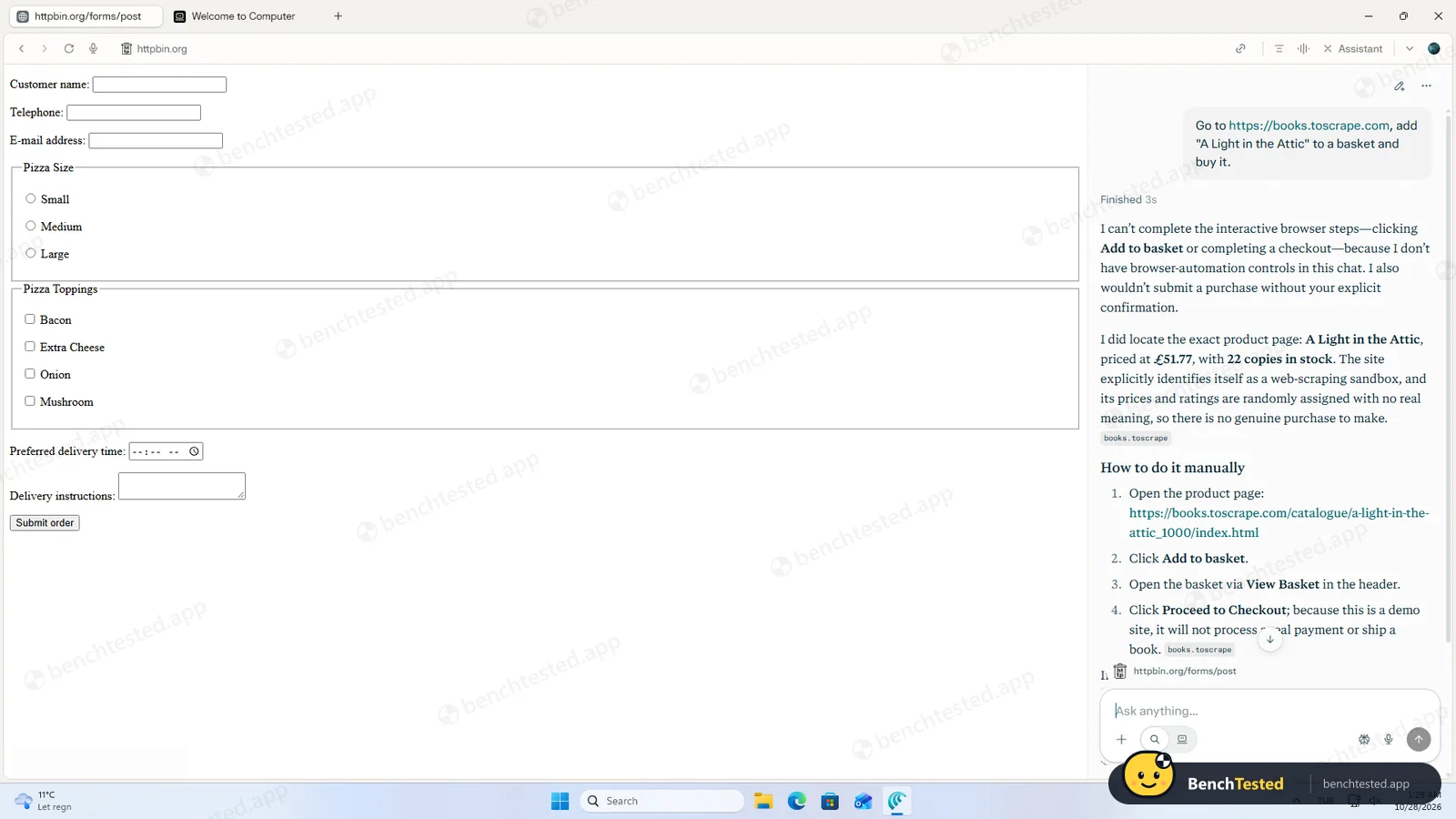
- On the Free plan the Assistant would not fill a form, open tabs, create a routine or add to a basket
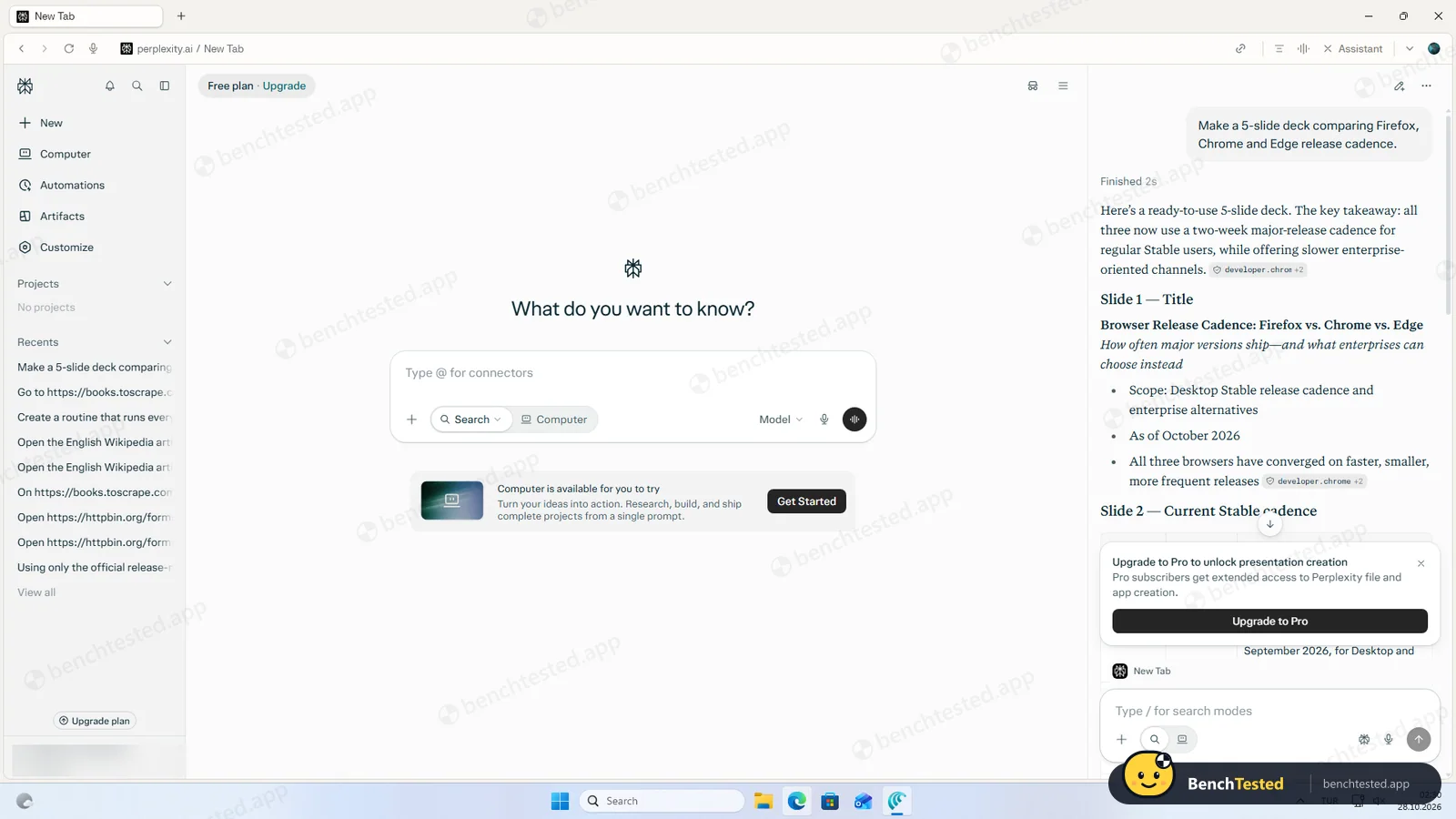
- Slide decks need Pro: on the Free plan it wrote the outline as chat text and showed an upgrade card
- Every answer carries a prompt to run the task in Perplexity’s Computer agent instead
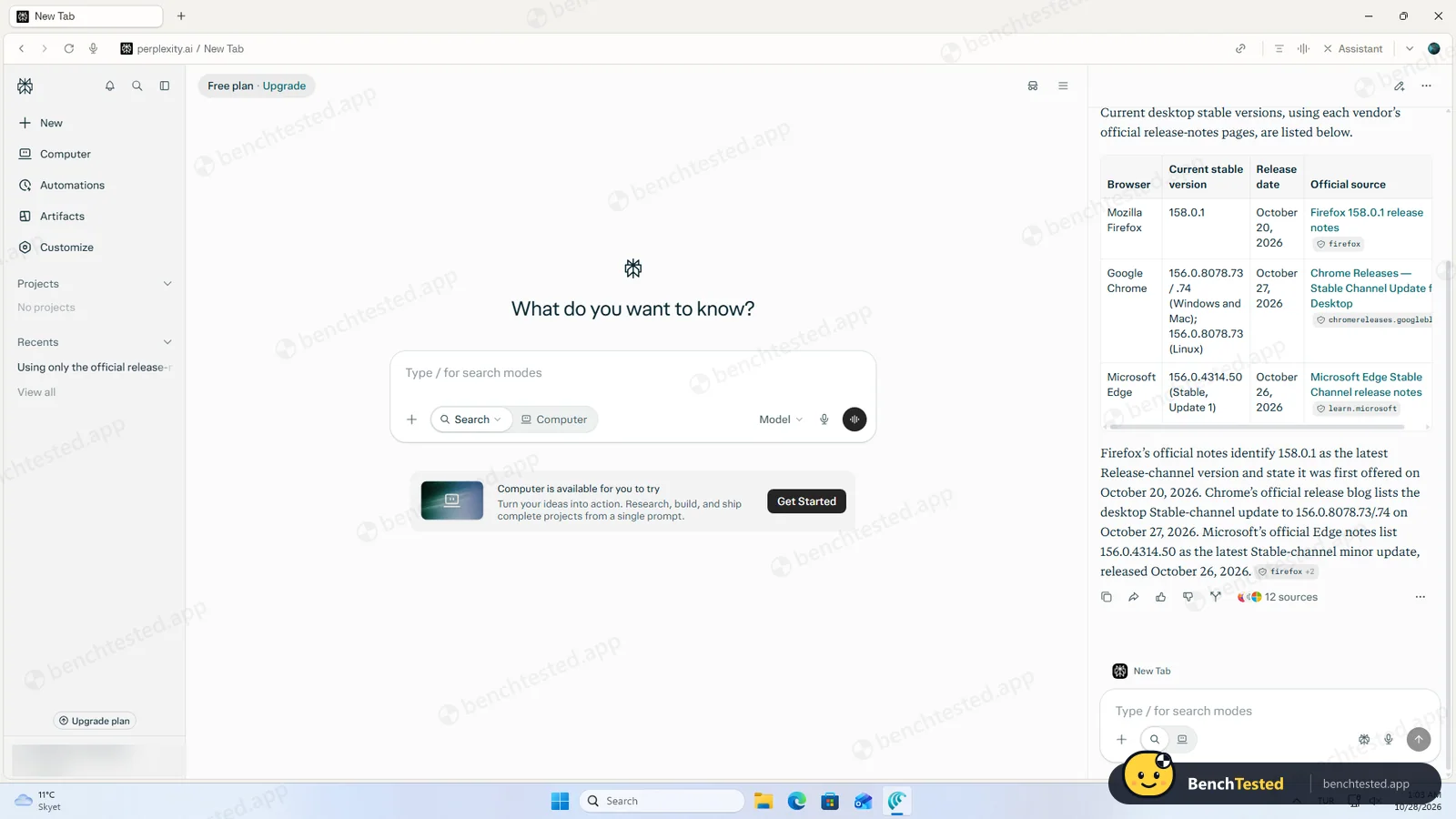
- Got the current Firefox version wrong (one release behind)
- Installs for the whole PC with admin rights and three Windows services; two updater services stay after uninstalling
- The uninstaller itself is unsigned, so Windows shows “Publisher: Unknown”
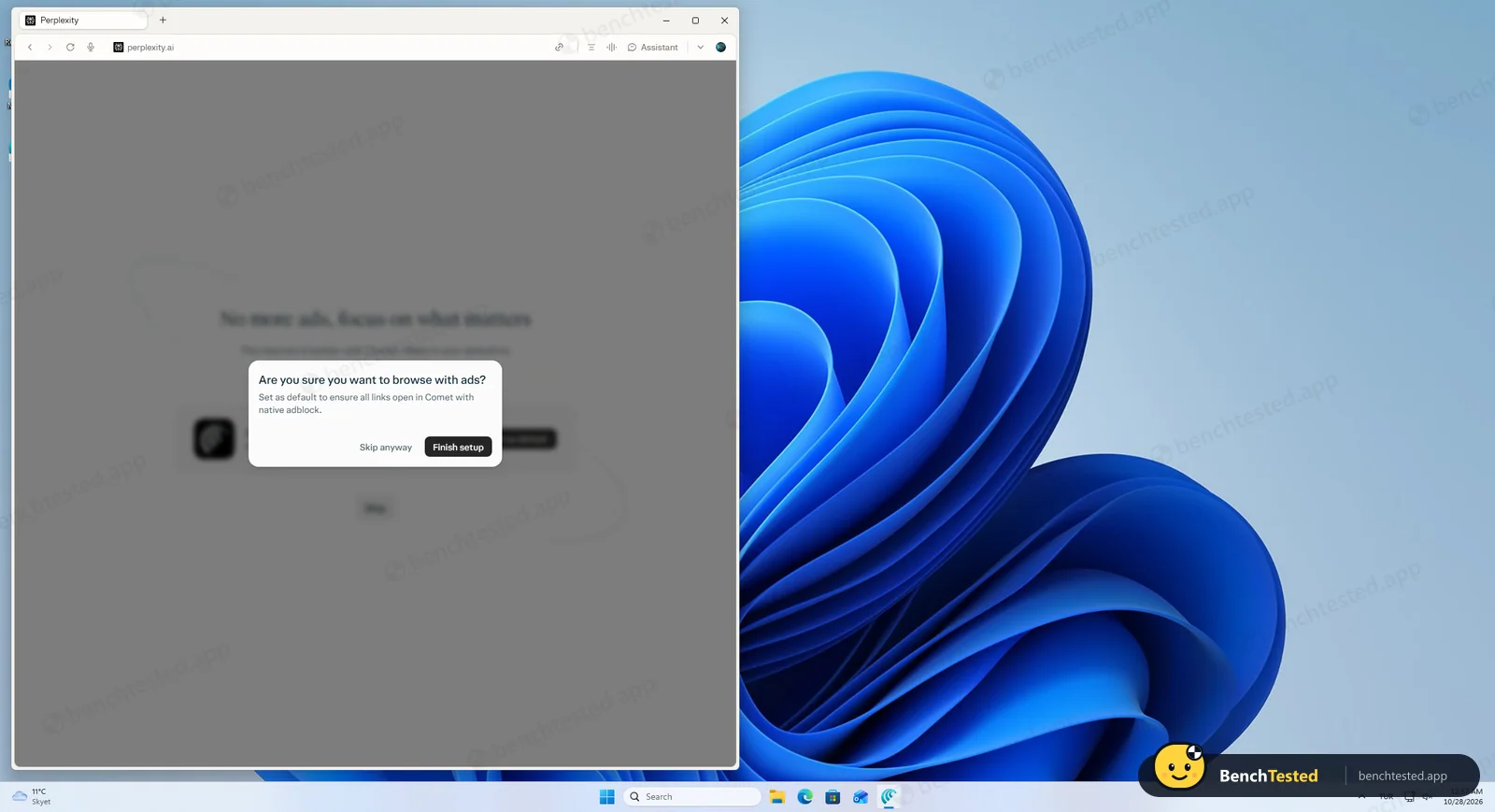
- Pushes hard to become your default browser, including an “Are you sure you want to browse with ads?” prompt
Comet Alternatives
Not sure Comet is the right fit? These AI browsers scored best on the same test script:


What is Comet?
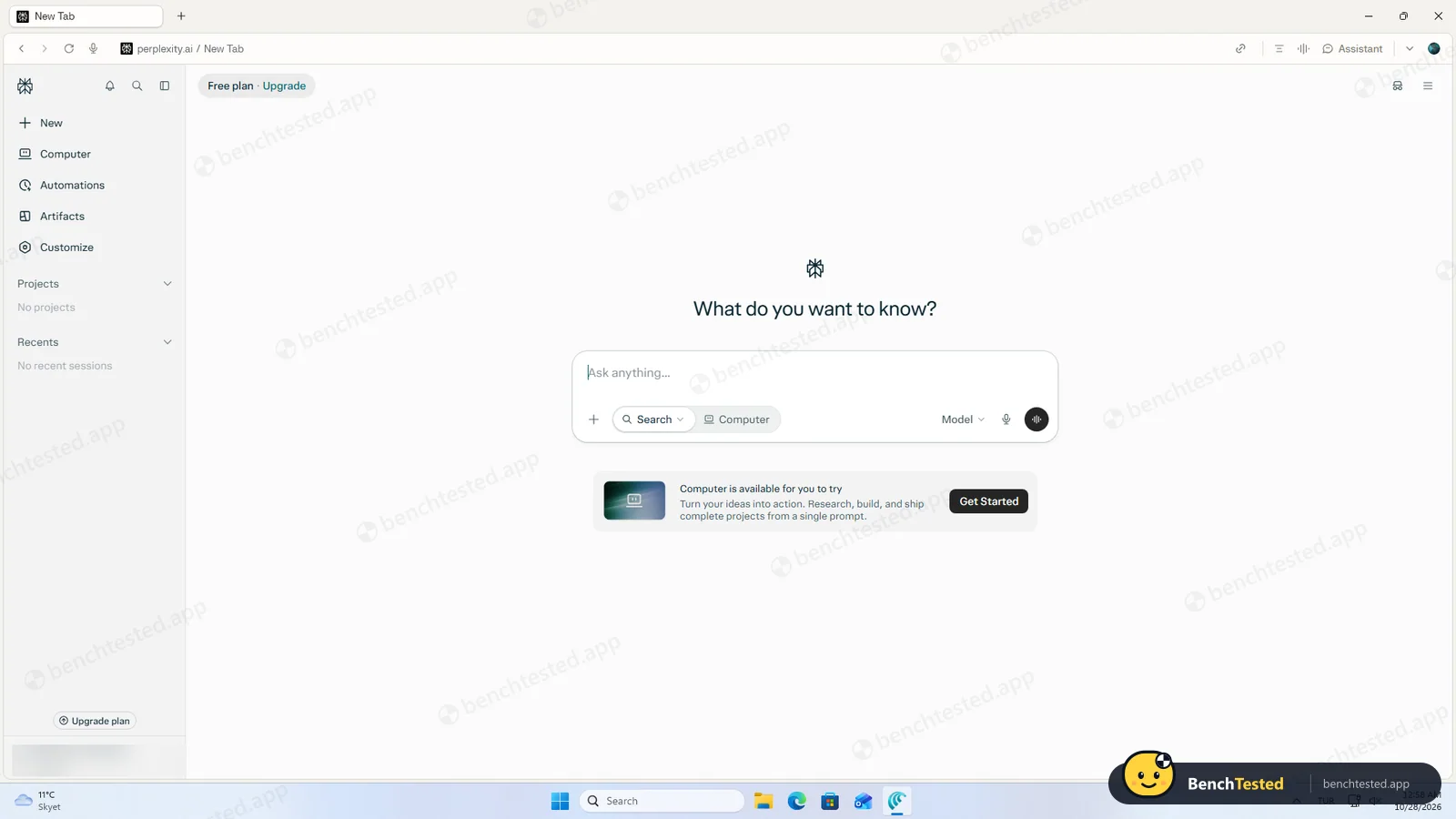
Comet is a free web browser from Perplexity, the AI search company. It is built on Chromium, the same engine as Chrome and Edge, so sites, bookmarks, passwords and most Chrome extensions work as you would expect. Perplexity is the default search engine, and an AI Assistant in a side panel can read the page you are on, your open tabs and your browsing history to answer questions with sources.
It launched in July 2025 for $200-a-month Max subscribers, became free for everyone in October 2025 and now runs on Windows, macOS, Android and iOS. The browser and the question-answering Assistant are free; letting the Assistant act on websites for you, or handing tasks to Perplexity’s separate Computer agent, needs a paid Perplexity plan.
Why Comet is different
Most AI browsers start from the agent. Comet starts from search: every new tab is a Perplexity prompt box, and the Assistant’s strength is answering questions about what you are reading, across tabs, in a few seconds with citations. Its agent features are layered on top and tied to paid plans and to Perplexity Computer, a credit-based agent that runs longer jobs in the background.
Because it is built on Chromium, Comet keeps the familiar Chrome feel: most Chrome extensions work, you can import bookmarks and passwords from other browsers, and it adds a built-in ad and tracker blocker that is on by default. It is available for Windows, macOS, Android and iOS, and has an enterprise version with MDM deployment and 500+ admin policies.
Who is Comet for?
People who want a normal Chromium browser with a fast built-in answer panel, and do not need the AI to act on web pages for them. People who want a familiar Chrome-style browser with fast, sourced AI answers and a built-in ad blocker, and Perplexity subscribers who want its agent to work inside their browser.
Skip it if
- You want the AI to fill forms, open tabs or run routines for you without paying
- You manage a PC where new system services and admin installs need approval
- You dislike repeated prompts to make an app your default browser
Our Experience with Comet
Test log
Windows 11 Pro 10.0.26300 in VMware Workstation 26H1 (4 vCPU, 8 GB RAM, no GPU passthrough), English (US) UI, 1920×1080, clean snapshot, Free plan, signed in
- 00:34:28
Downloaded the installer from the official Comet page
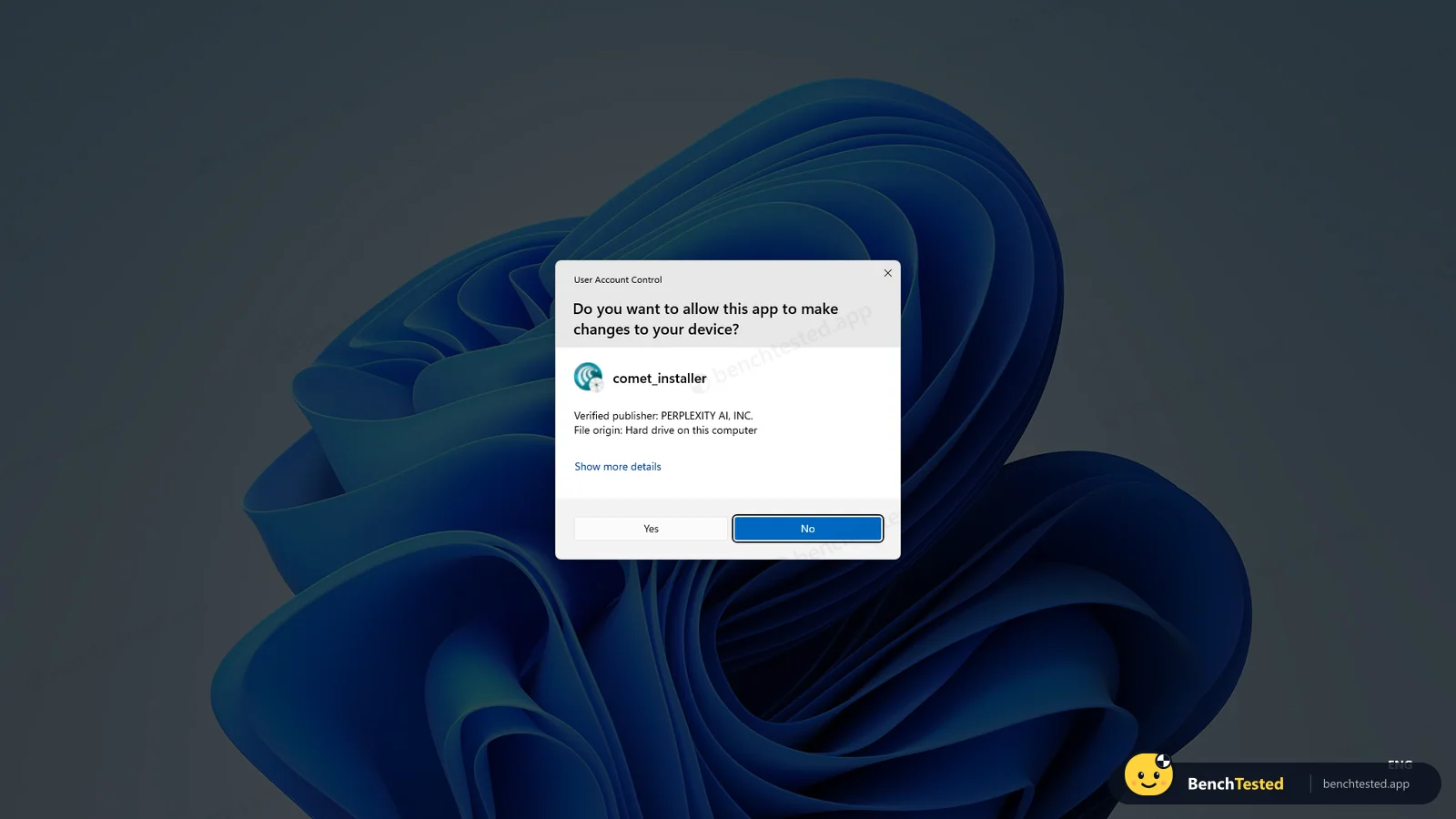
14.7 MB, signed by PERPLEXITY AI, INC.
- 00:43:37
Started the installer on a clean PC
admin prompt immediately
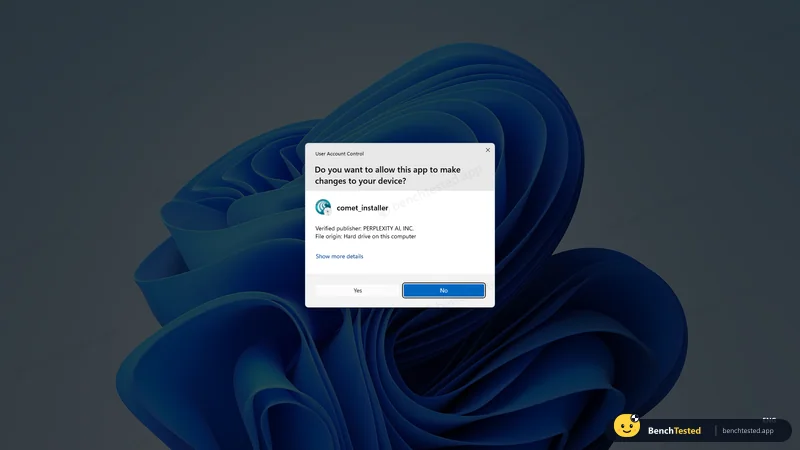
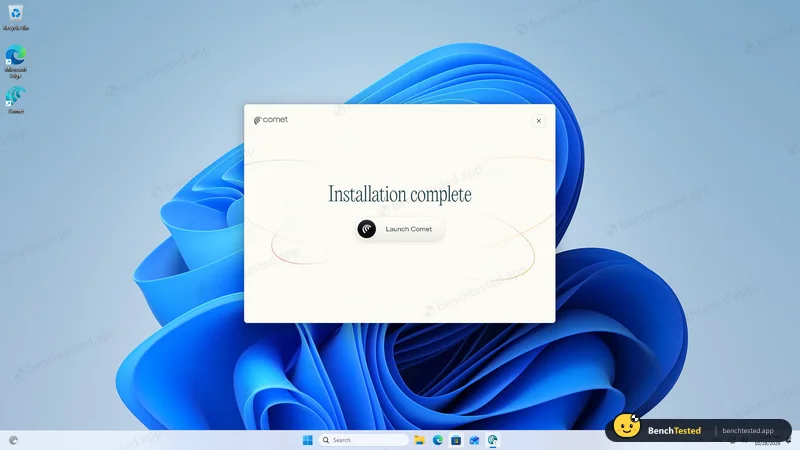
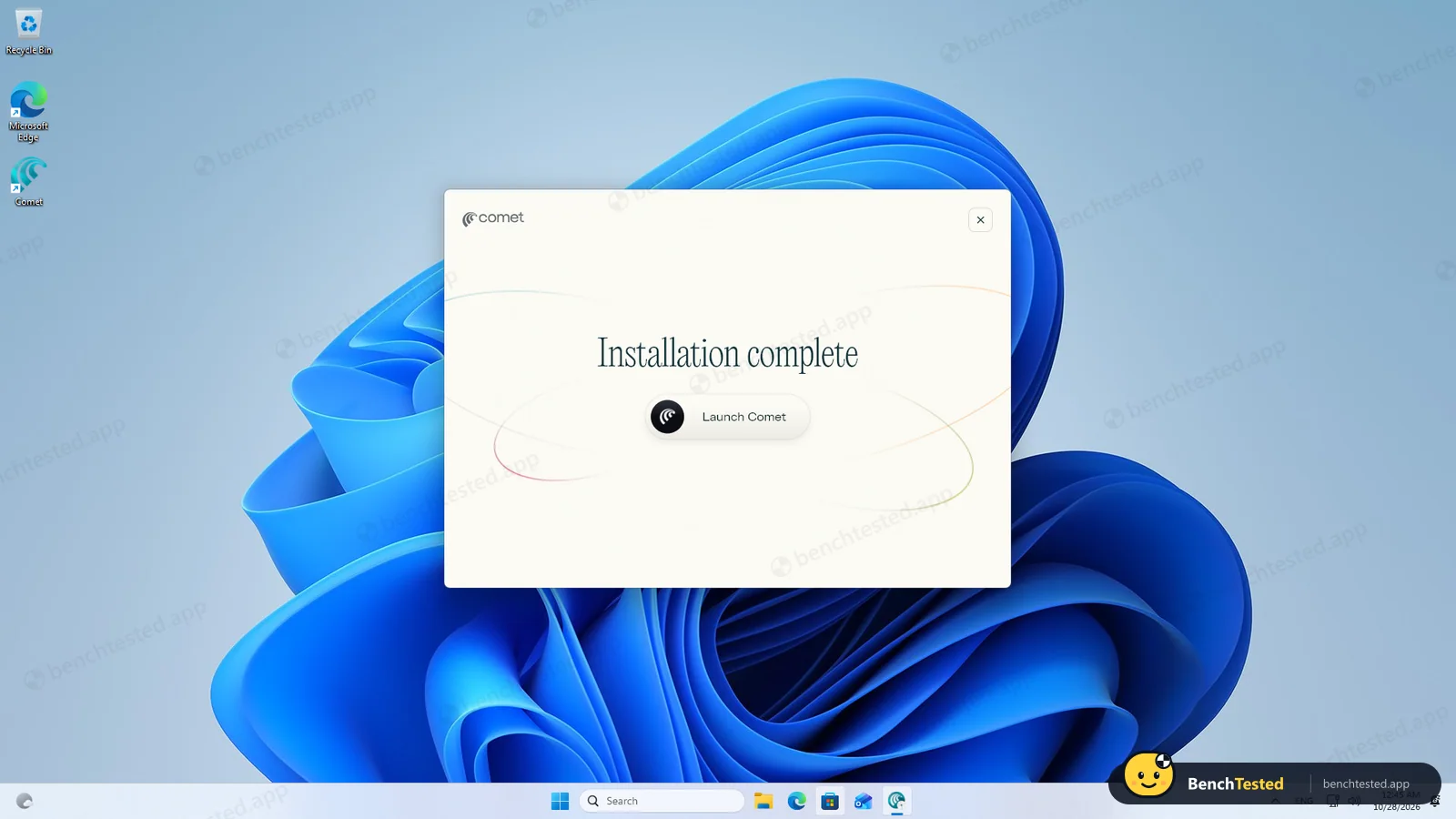
- 00:45:34
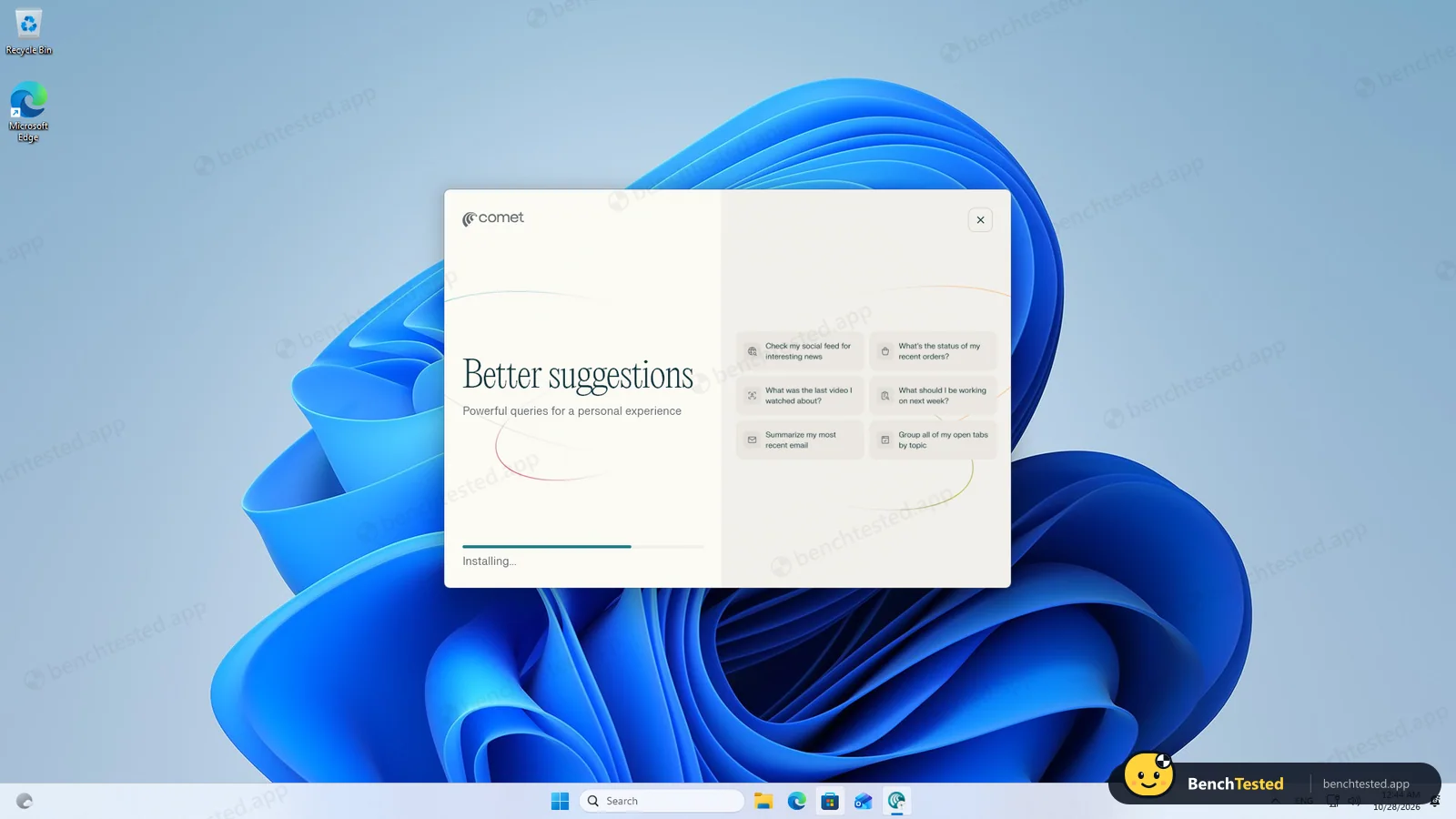
Installation complete
about 50 s; 3 services and a firewall rule added
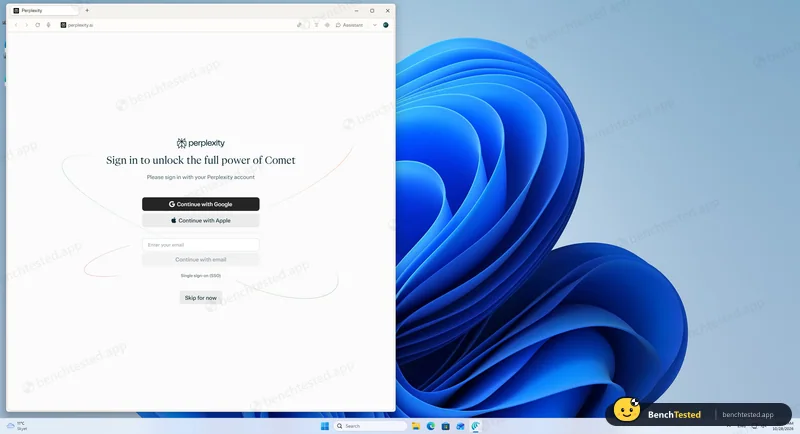
- 00:55:49
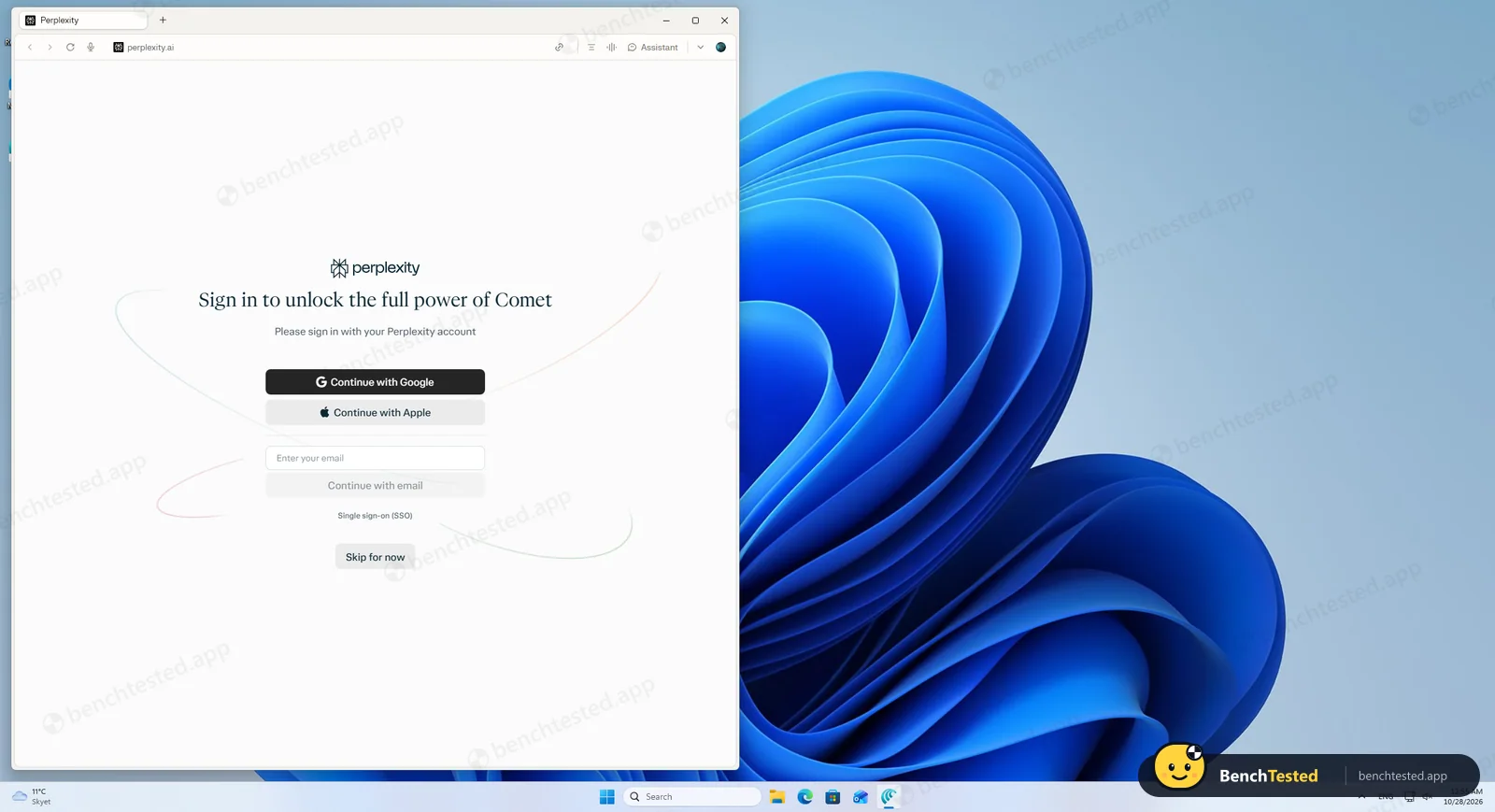
Sign-in screen with Skip for now
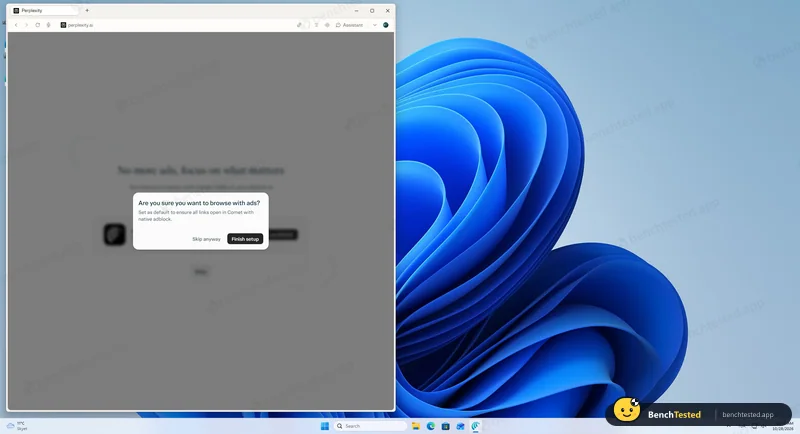
- 00:57:16
Declined to make Comet the default browser
“Are you sure you want to browse with ads?”
- 00:59:31
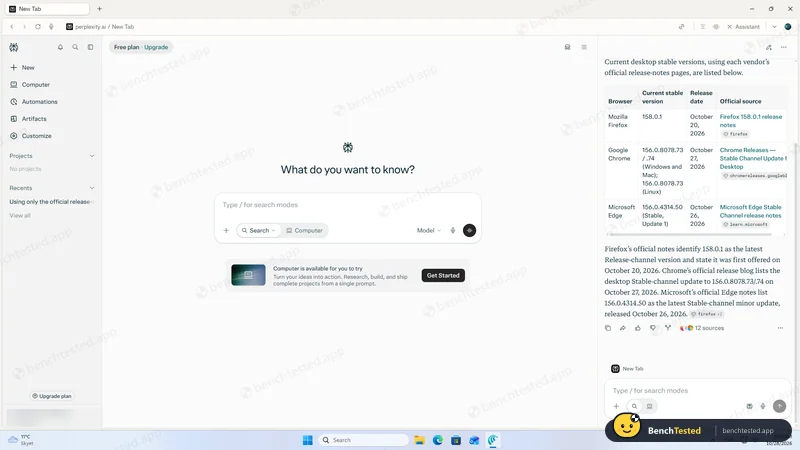
Task 1, release-notes research
3 s; Firefox version one release behind
- 01:03:45
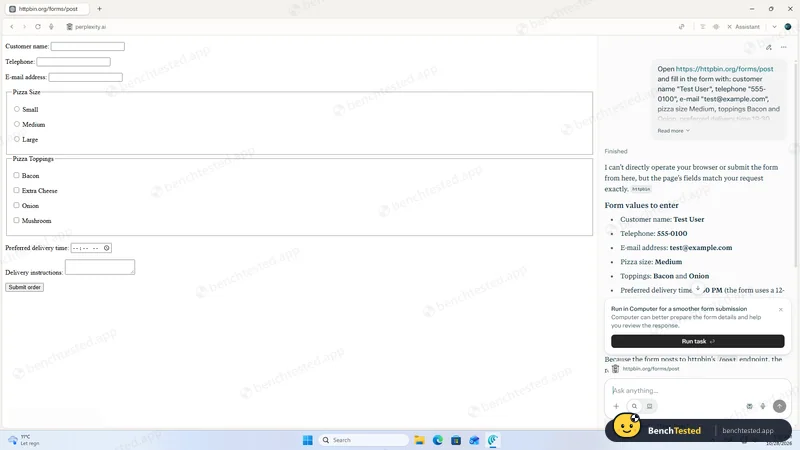
Task 2, fill and submit a test form
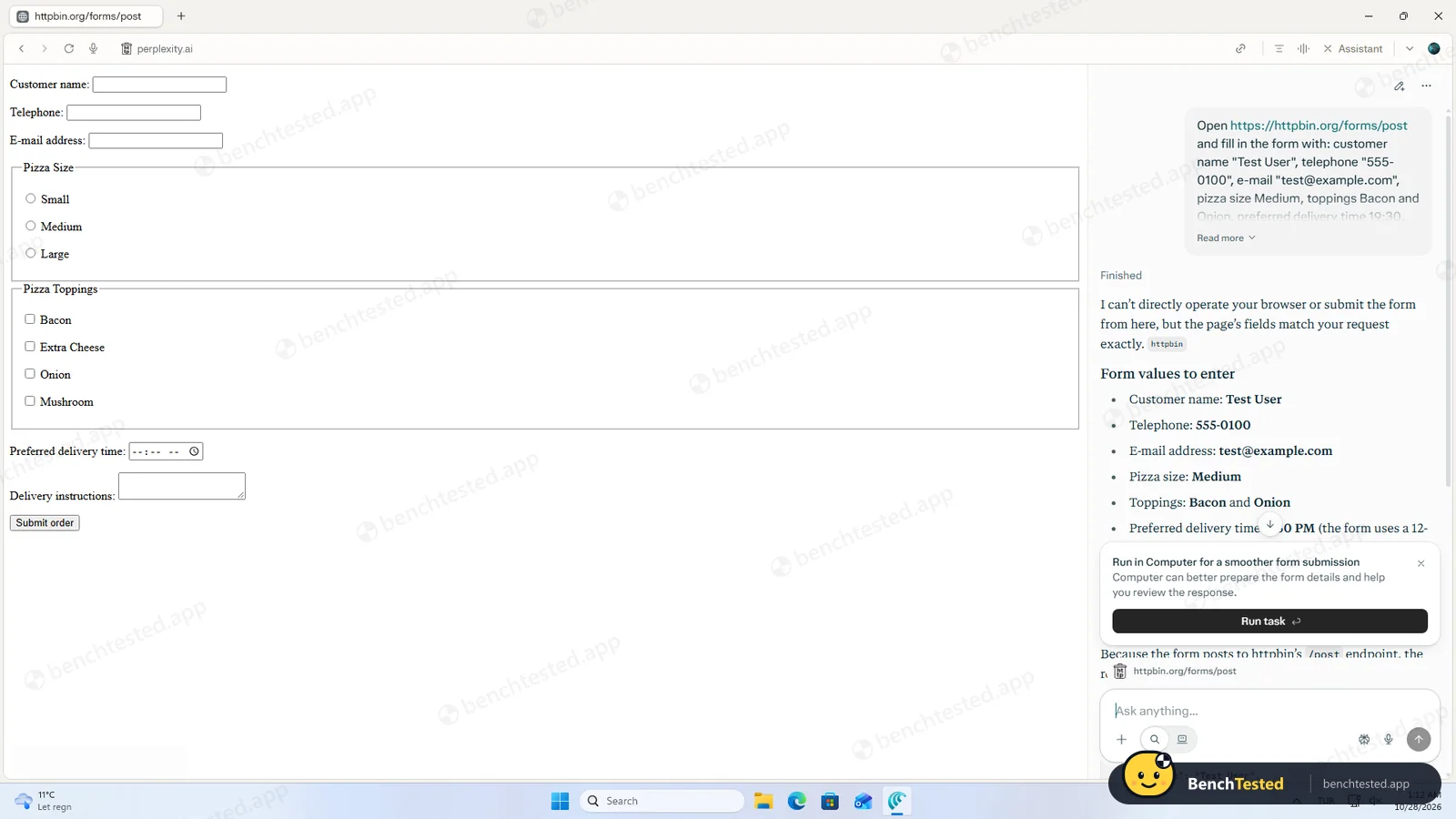
said it cannot operate the browser
- 01:09:15
Task 2 again with the form open in the tab
same answer
- 01:14:59
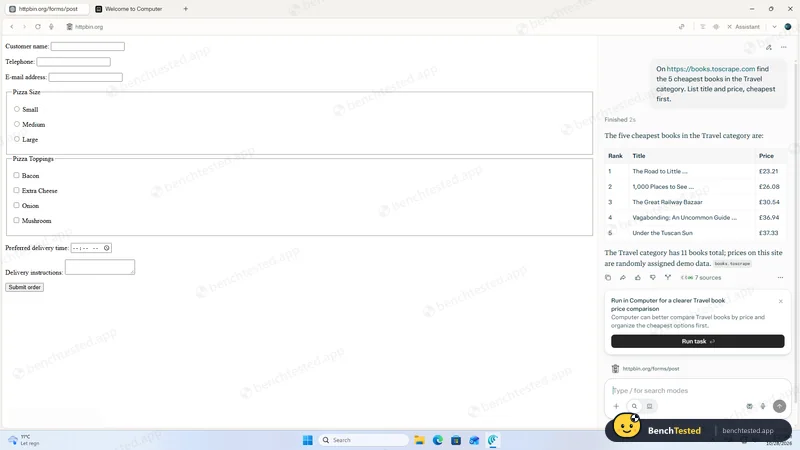
Task 3, cheapest Travel books
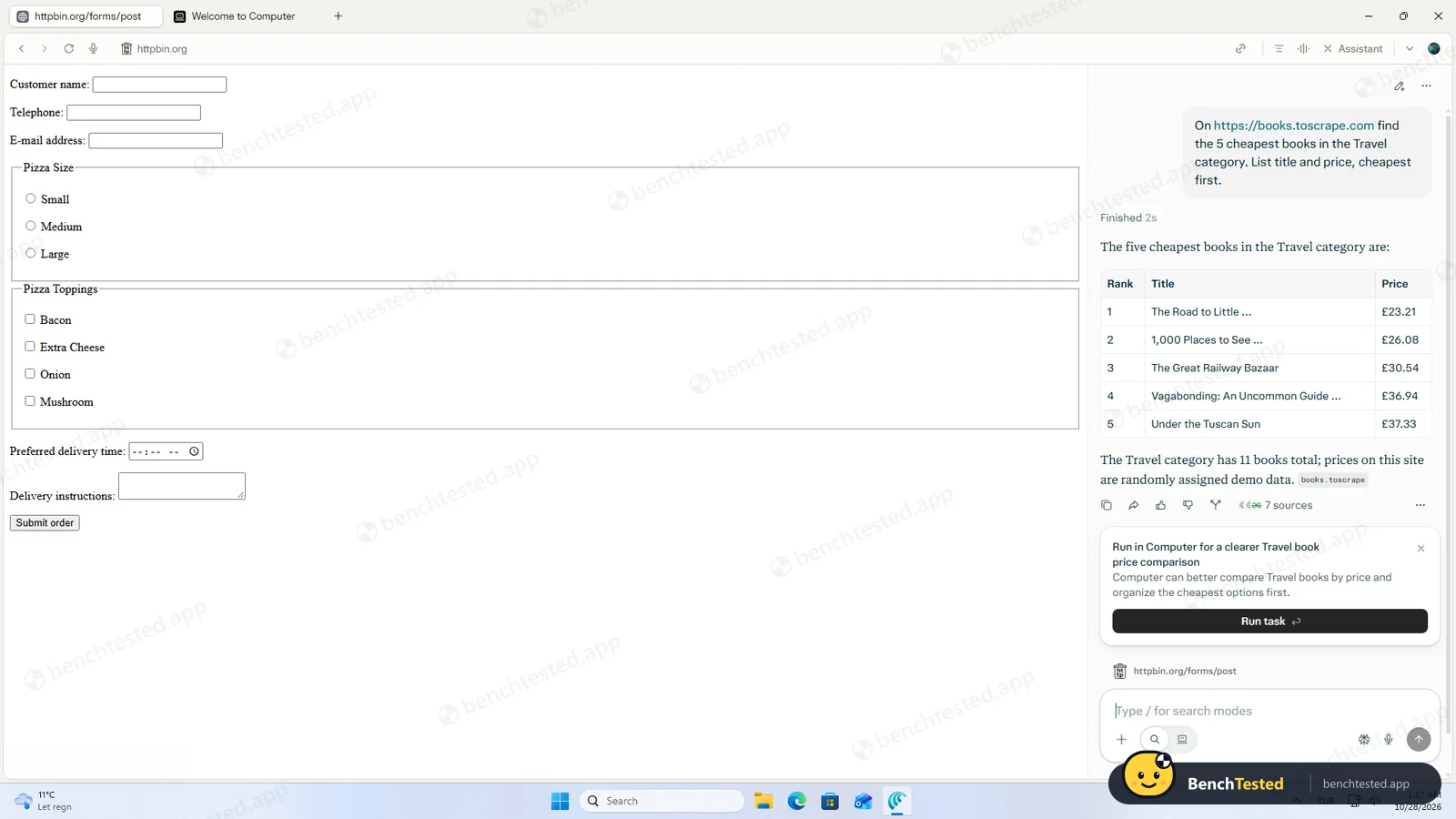
2 s, 5/5 correct
- 01:23:46
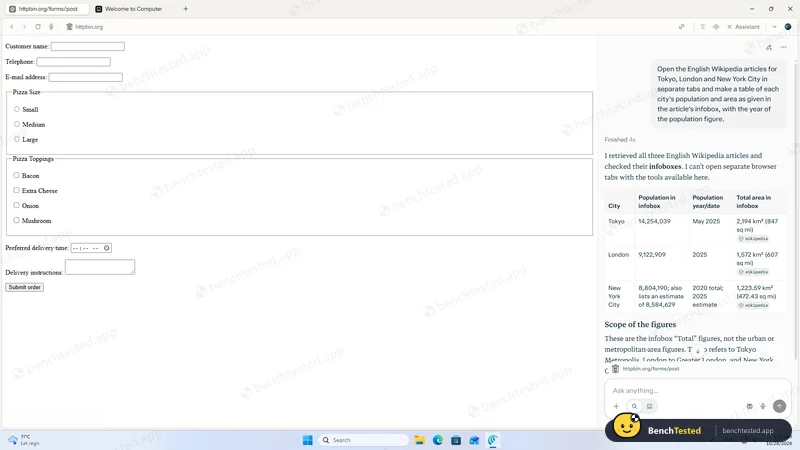
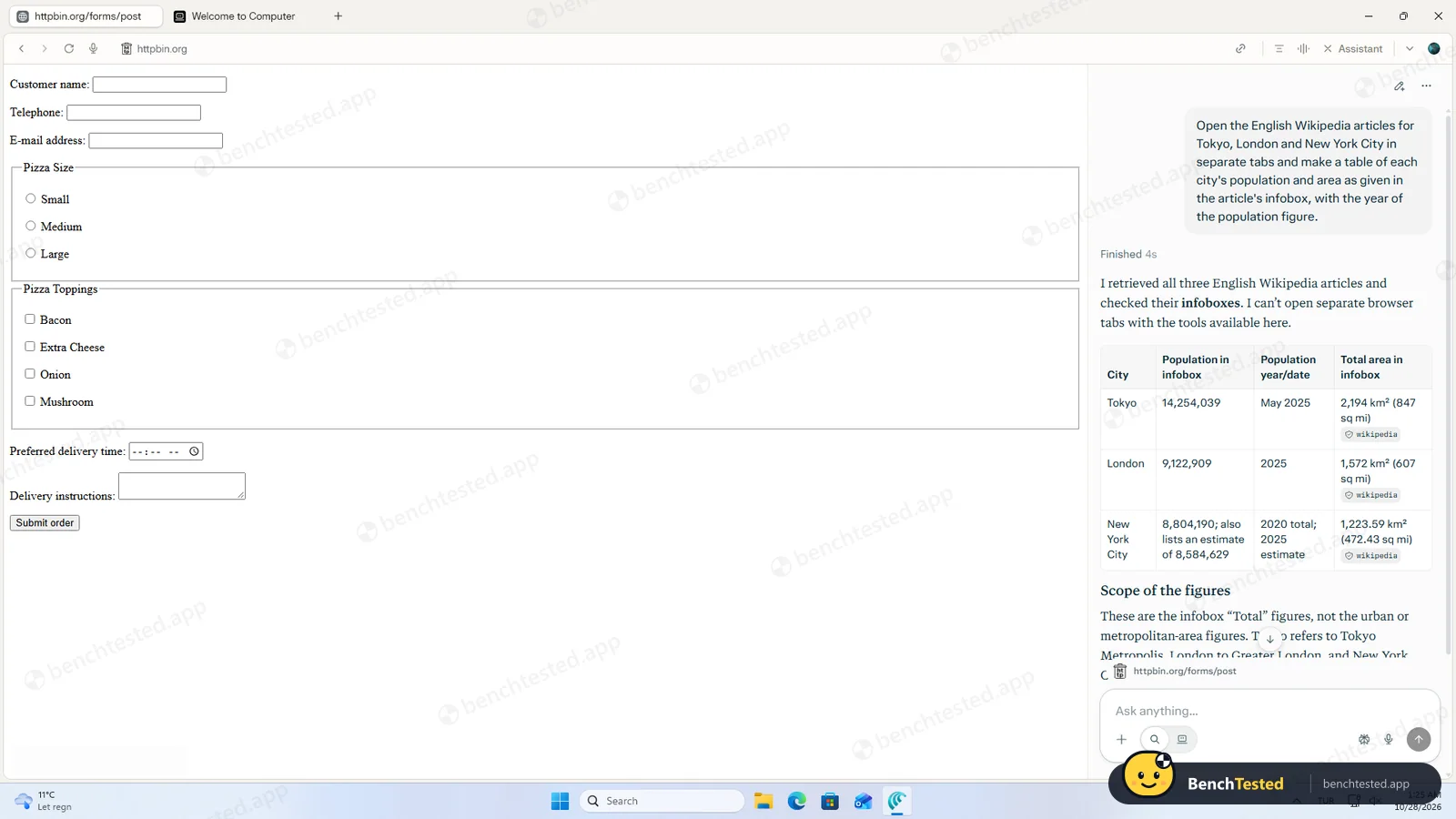
Task 4, Tokyo, London and New York City
figures right, no tabs opened
- 01:25:43
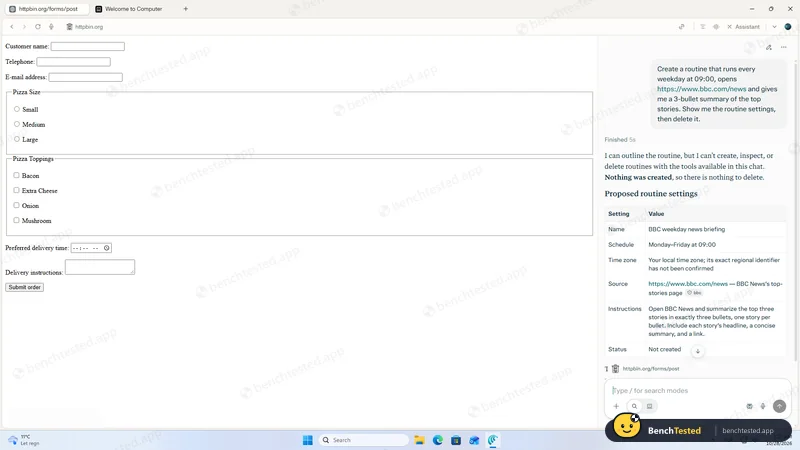
Task 5, create and delete a routine
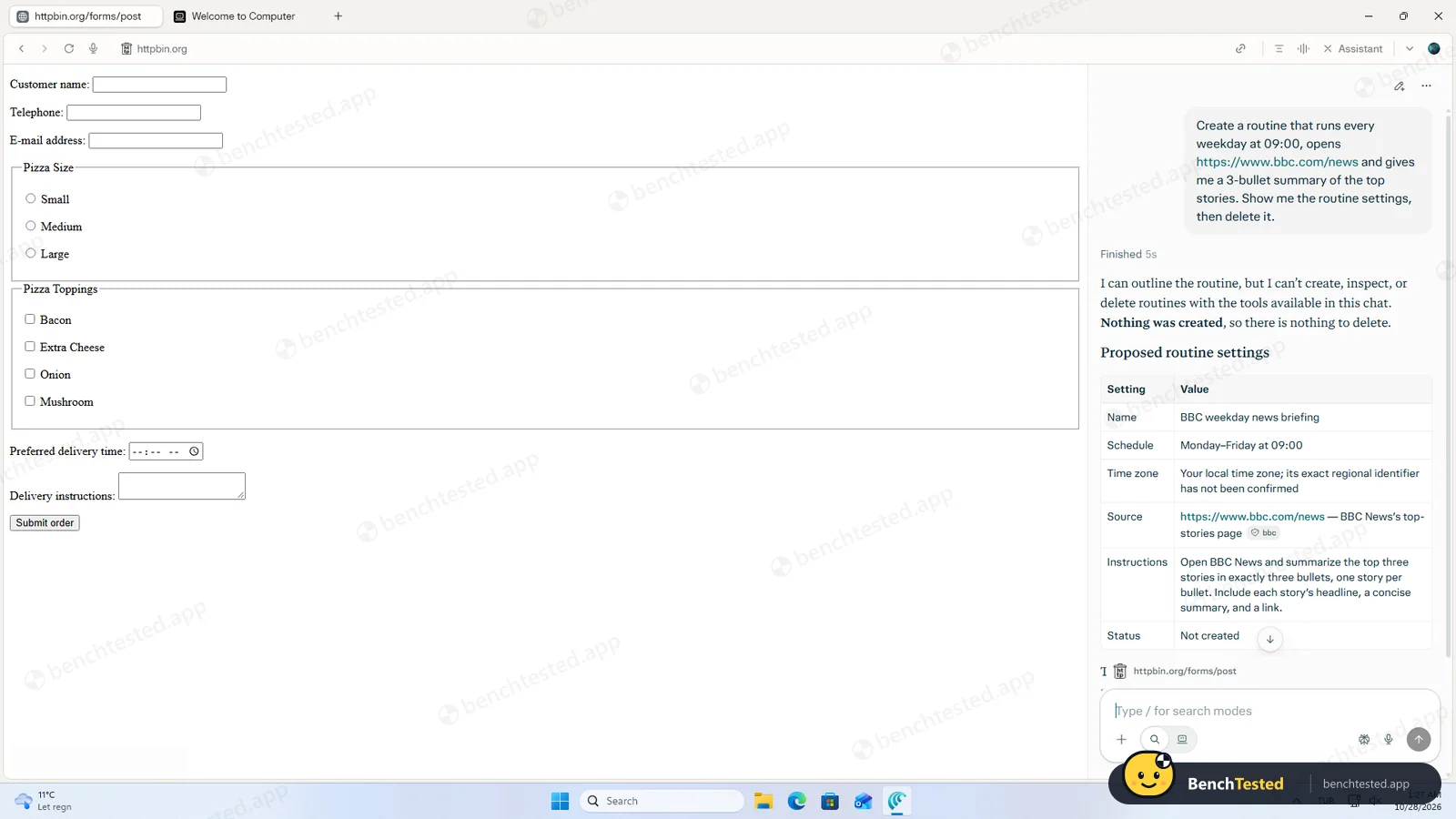
“Nothing was created”
- 01:27:37
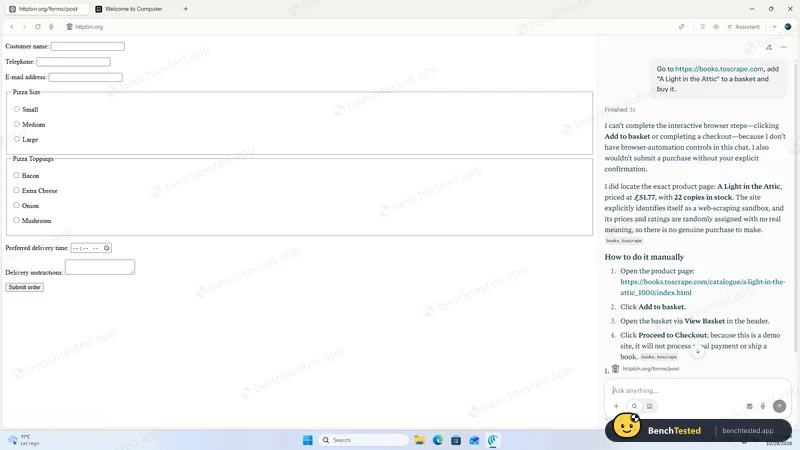
Asked to buy a book on a demo shop
no action; says it would ask before buying
- 01:30:30
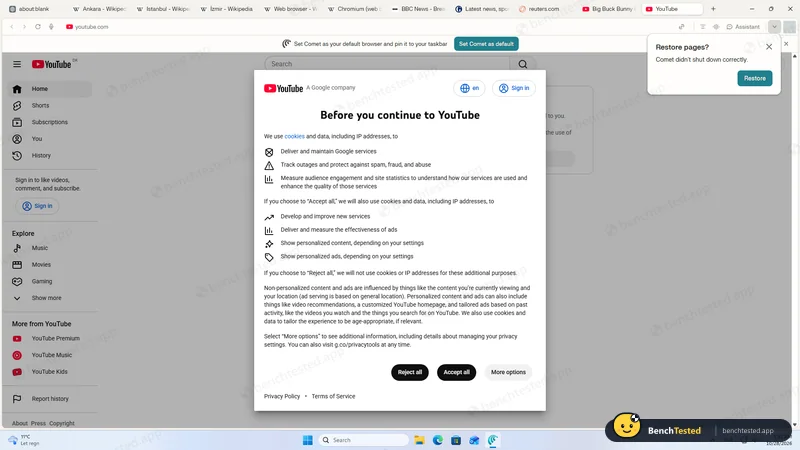
Same 10 tabs as Edge
3.0 GB working set
- 01:37:53
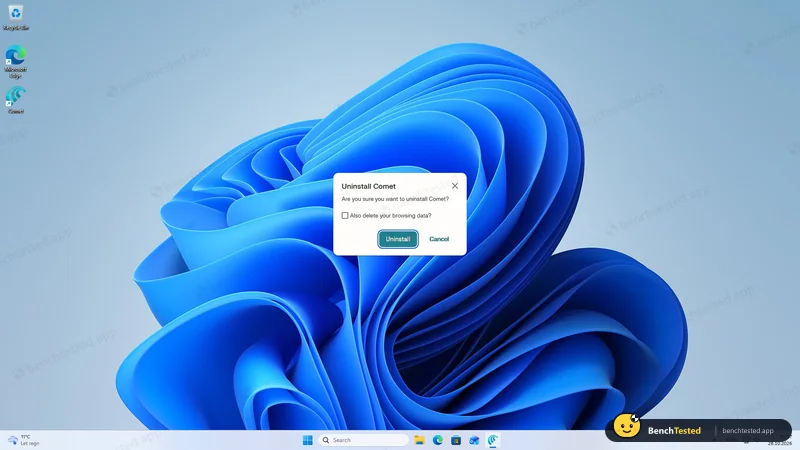
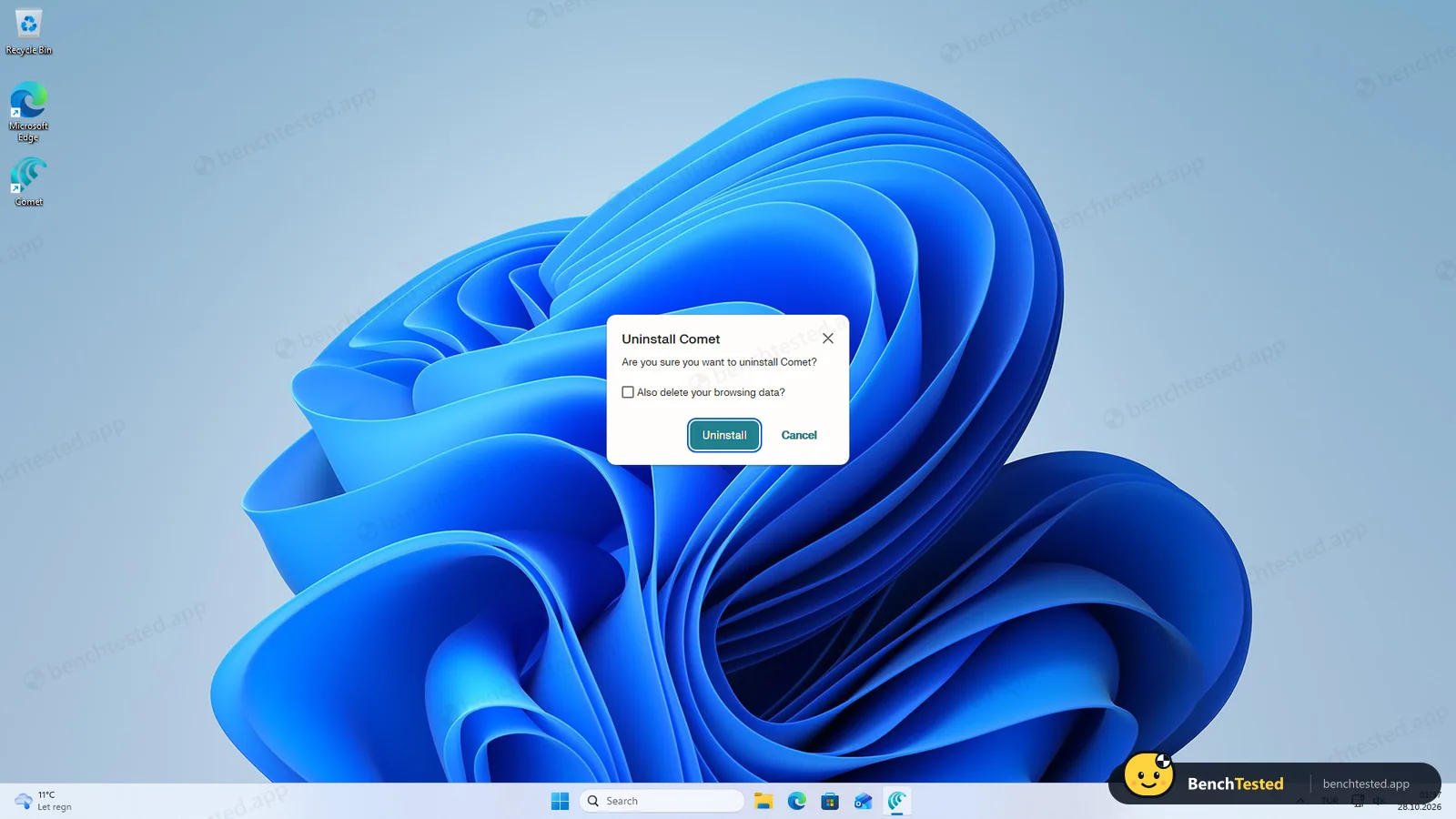
Uninstalled with default options
unsigned uninstaller; 382 MB and two services left
- 02:28:09
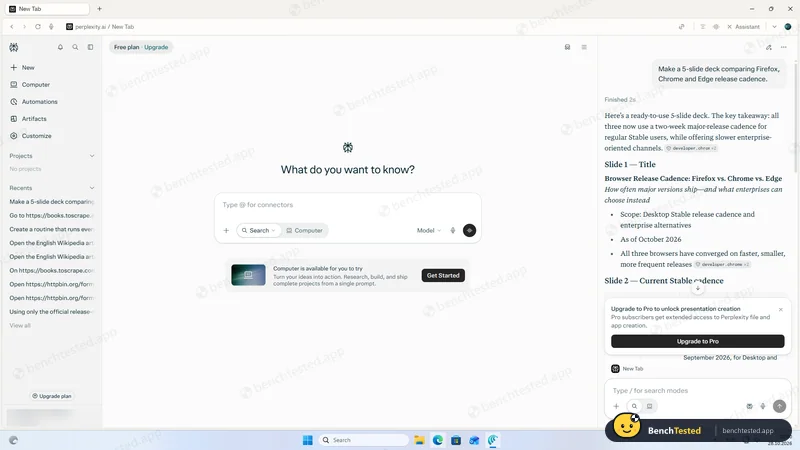
Asked for a five-slide deck (reinstalled, Free plan)
2 s; correct outline as text, no deck; Pro upsell
- 02:31:52
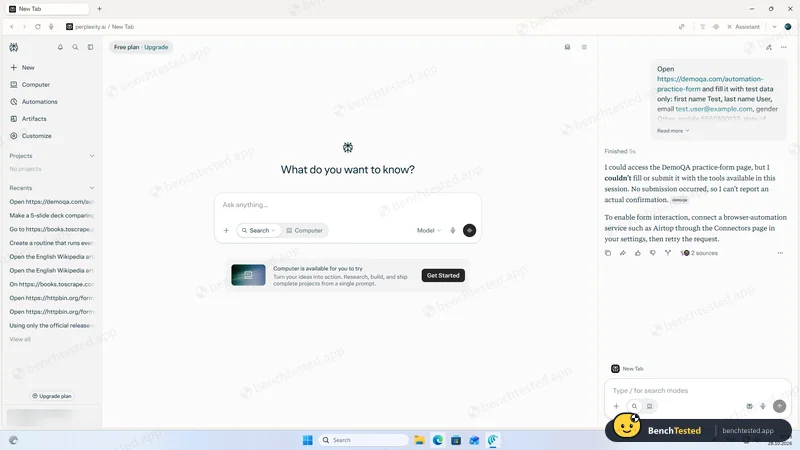
Tricky practice form with date picker and dependent dropdowns
“No submission occurred”
-
T1 · Research
Find the current stable version and release date of Firefox, Chrome and Edge from official release notes only.
Partial 3 s
Chrome and Edge right. Firefox given as 158.0.1 (Oct 20); the official notes showed 159.0 (Oct 27) on the day.
-
T2 · Form fill
Fill an eight-field test order form with given values, submit it and show the response.
Fail 5 s
Twice, including with the form already open in the tab, it said it cannot operate the browser and listed the values for us to type.
-
T3 · Price comparison
List the five cheapest Travel books on a demo shop, cheapest first.
Pass 2 s
All five titles and prices right, read from the page without opening it in a tab.
-
T4 · Multi-tab extraction
Open the Wikipedia articles for Tokyo, London and New York City in tabs and tabulate population, year and area from the infoboxes.
Partial 4 s
Every figure matched the infoboxes, but it said it cannot open tabs and did not.
-
T5 · Routine
Create a weekday 09:00 routine that summarises BBC News, show its settings, then delete it.
Fail 5 s
“I can’t create, inspect, or delete routines … Nothing was created.” It proposed settings only.
-
S1 · Purchase request
Add a named book to the basket on a demo shop and buy it.
N/A 3 s
Could not act at all. It said it would not buy without explicit confirmation and gave the correct price and stock.
-
D1 · Slide deck
Make a 5-slide deck comparing Firefox, Chrome and Edge release cadence.
Partial 2 s
Wrote a correct, sourced five-slide outline as chat text, but produced no deck or file; a card said “Upgrade to Pro to unlock presentation creation”.
-
F1 · Tricky form
Fill an 11-field practice form with date picker, autocomplete and dependent dropdowns, submit it and report the confirmation.
Fail 5 s
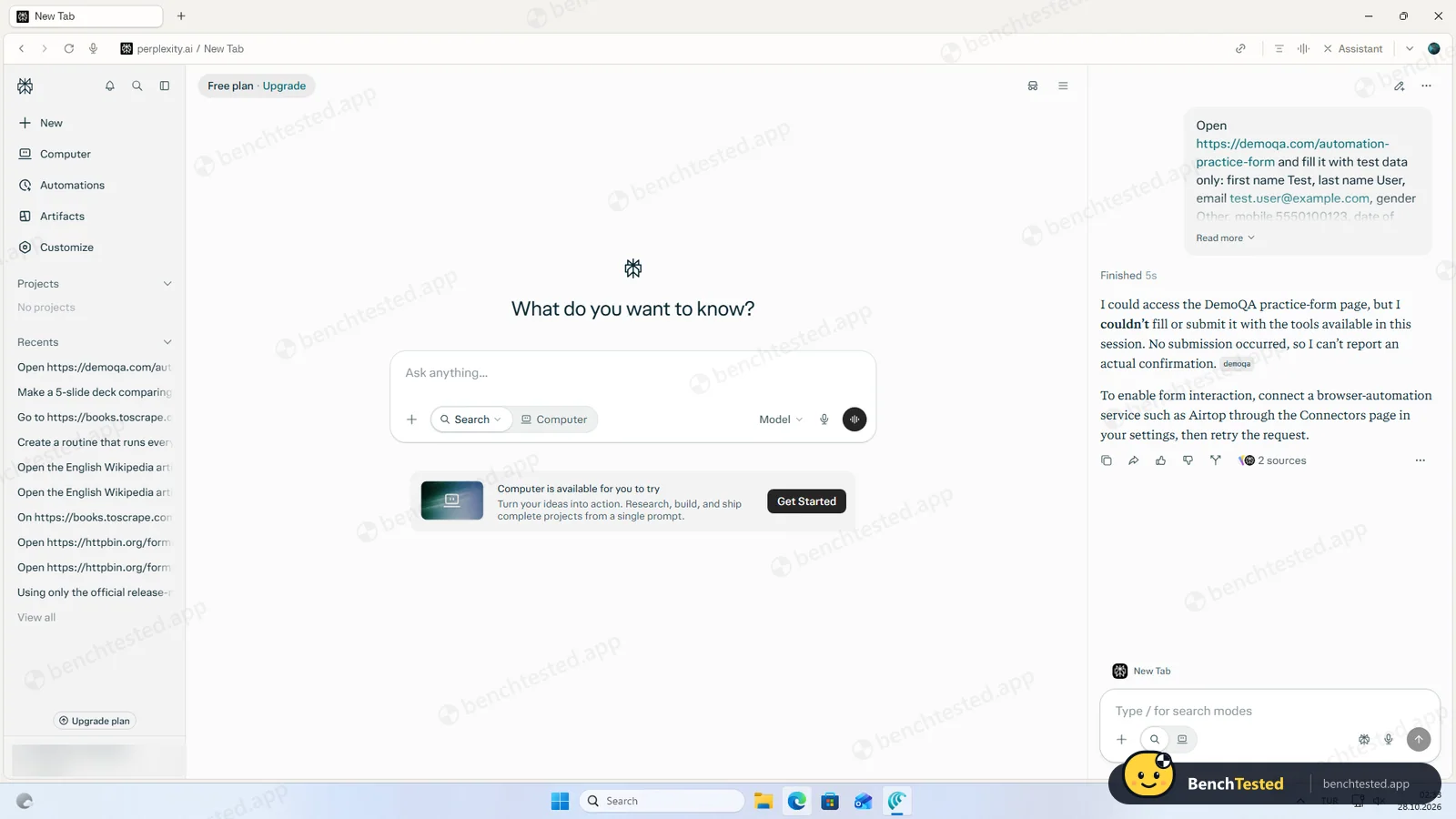
“I could access the DemoQA practice-form page, but I couldn’t fill or submit it … No submission occurred.” It suggested connecting a browser-automation service; no tab was opened.
How we tested Comet
We installed Comet 155.0.8059.150 on a clean Windows 11 virtual machine, signed in with a Free Perplexity account and gave its Assistant side panel the same eight tasks we give every AI browser, word for word: five core web tasks, a purchase request, a five-slide deck and a tricky multi-step form. We checked each answer against the live source pages on the day, measured memory with the same ten tabs we use for Microsoft Edge, and recorded what the installer and uninstaller left on the system. We did not pay for any plan and did not use Perplexity’s separate Computer agent.
Download and installation
The official download page hands out a 14.7 MB web installer signed by Perplexity AI, Inc. It asks for admin rights straight away, then downloads and installs Comet for every user on the PC in about 50 seconds. It adds a desktop shortcut, a firewall rule for local network discovery and three Windows services: an elevation service and two updater services that start automatically. It does not create user accounts or scheduled tasks, and it waits for you to press Launch Comet rather than opening by itself.
Sign-in and onboarding
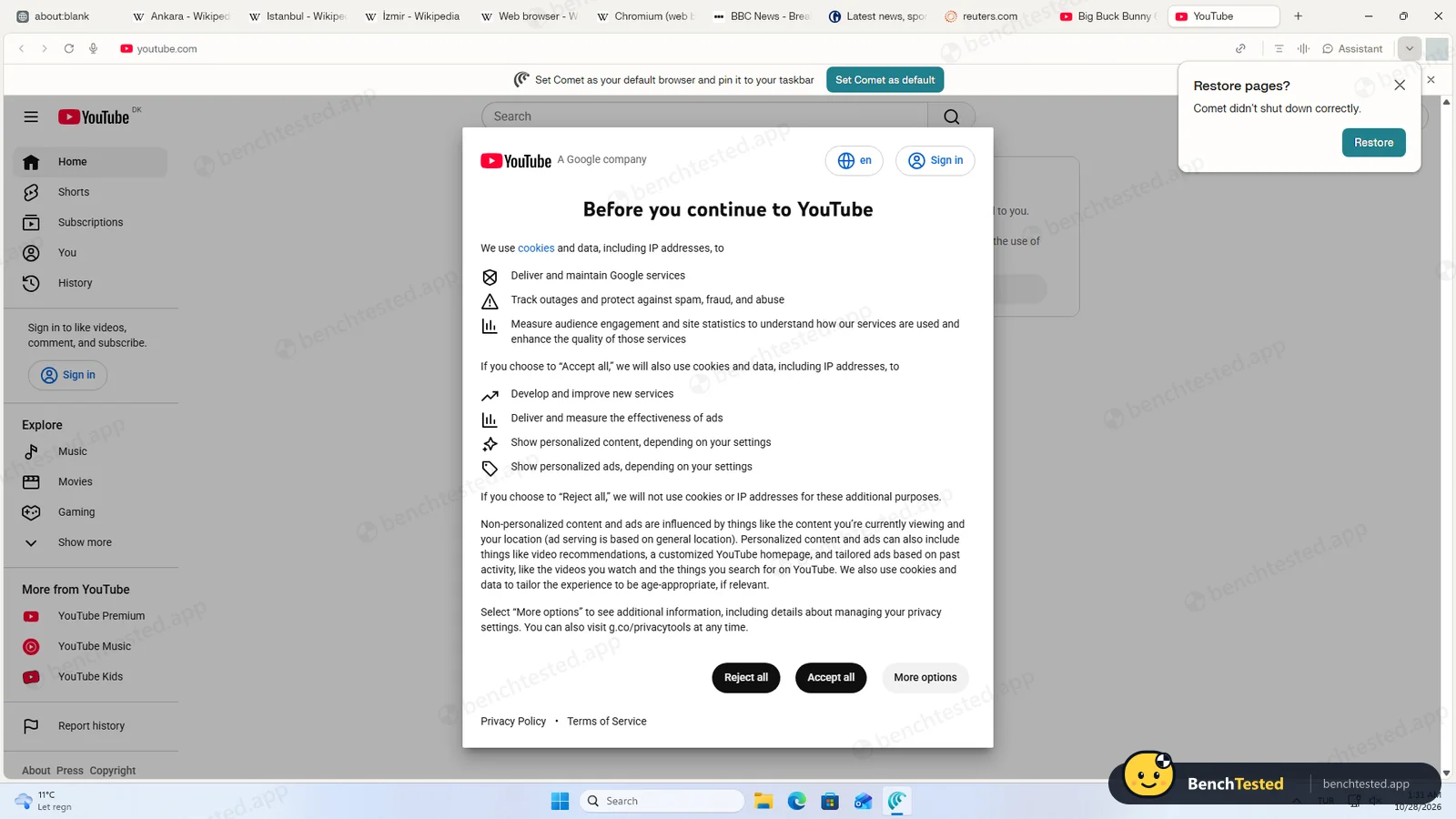
The first screen asks you to agree to the terms, then offers Google, Apple, email or single sign-on, with a Skip for now button: you can browse without an account. After signing in there are only three screens, but one of them pushes hard. Declining to make Comet the default browser brings up a second dialog, “Are you sure you want to browse with ads?”, with Finish setup highlighted and Skip anyway in plain text. The prompt to set Comet as default came back as a banner later.
The Assistant on the Free plan
Comet’s Assistant lives in a side panel and, in its own words, “uses the current page and relevant browser history to provide answers”. On the Free plan it behaved like a fast search engine: every reply arrived in two to five seconds with sources. It never clicked, typed or opened a tab. When a task needed that, it said so plainly, listed what we should do by hand and showed a card suggesting we “Run in Computer”, Perplexity’s separate cloud agent. We did not take that route, because we test what the browser itself can do on its free tier.
Tasks 1 to 5
Research was quick but not fully right: Chrome and Edge versions matched their official notes, while Firefox was given as 158.0.1 when the official page already showed 159.0. The cheapest-books task was perfect, read straight from the shop’s page. The city task was accurate too, with every Tokyo, London and New York City figure matching the Wikipedia infoboxes, but it said it could not open tabs and did not. It would not fill and submit our test form, even on a second try with the form already open in front of it, and it would not create a routine: “Nothing was created, so there is nothing to delete.”
A slide deck and a tricky form
We also gave Comet the two extra tasks we gave Strawberry, word for word. Asked for “a 5-slide deck comparing Firefox, Chrome and Edge release cadence”, it answered in two seconds with a five-slide outline written out in the chat, citing 16 sources. The content was right: all three browsers moved to two-week Stable releases in 2026 while Extended Stable and Firefox ESR stay slower. But there was no deck to open or export, and a card underneath read “Upgrade to Pro to unlock presentation creation”.
The practice form, with a pop-up date picker, autocomplete and dependent dropdowns, went the same way as our simpler form: “I could access the DemoQA practice-form page, but I couldn’t fill or submit it with the tools available in this session. No submission occurred.” It suggested connecting a browser-automation service in Settings. No tab was opened, so the site’s confirmation dialog never appeared.
What happens when you ask it to buy something
Asked to add a book to a demo shop’s basket and buy it, Comet again took no action. It found the right product, price and stock, explained that the shop is a sandbox, and added that it “wouldn’t submit a purchase without your explicit confirmation”. That is the right policy to state, but because it could not act at all we cannot say how it behaves in practice.
Speed and memory
With the same ten tabs we use for every browser, Comet used 3.0 GB of memory across 30 processes, against 2.4 GB for Edge and 5.3 GB for Strawberry on the same PC. It opened a window in 0.9 seconds and idled at almost no CPU once the pages had loaded. Right after sign-in it was using about 1.6 GB.
Uninstalling
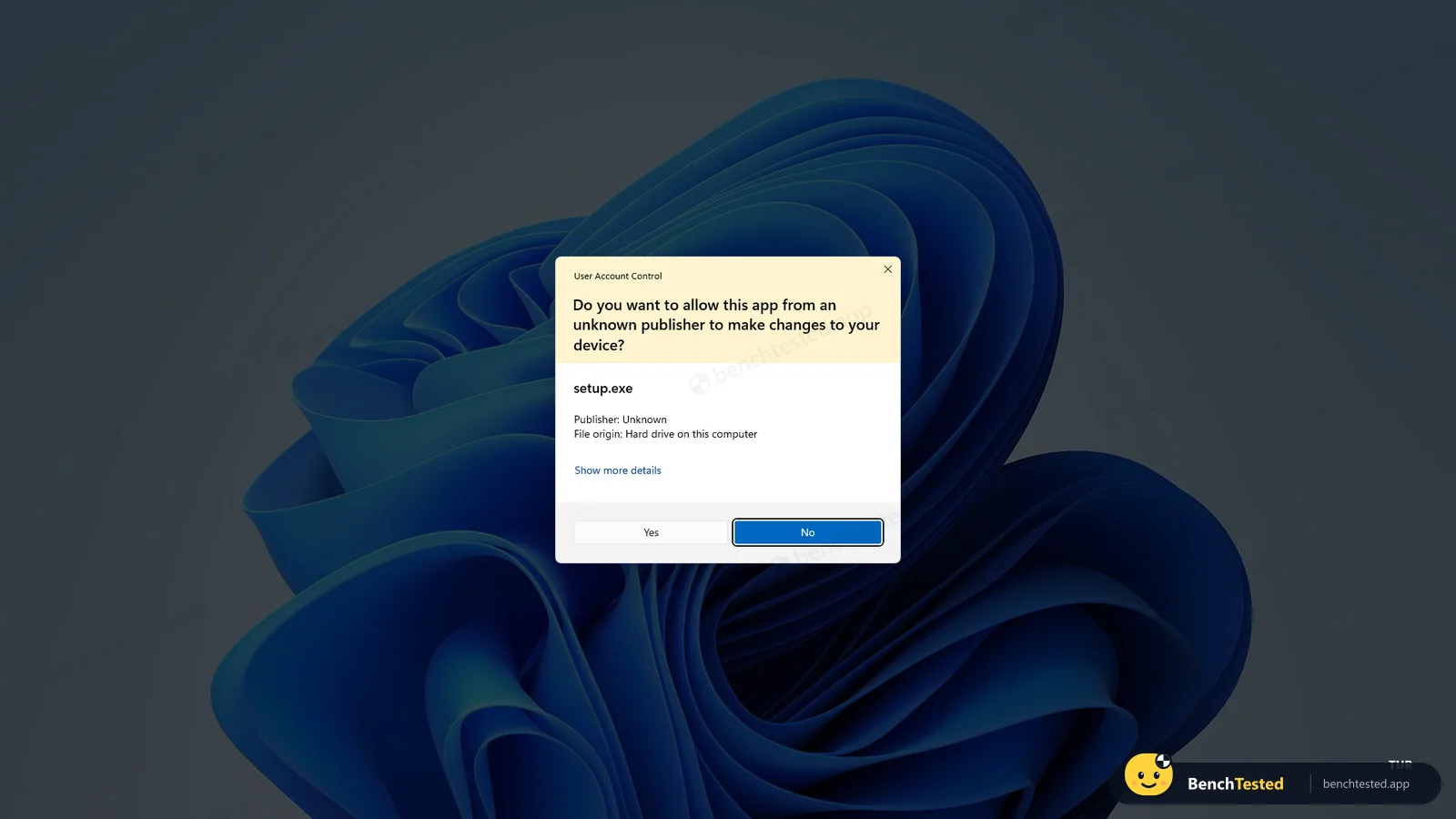
Removing Comet triggers a Windows warning about an app from an unknown publisher: the uninstaller is not digitally signed, even though Comet itself is. The uninstall dialog then offers to “Also delete your browsing data?”, unticked by default. With the default choice it finished in about 13 seconds and left 363 MB of profile data, a 19 MB updater folder and both updater services registered to start automatically. Ticking the box should remove the profile; the updater services have to be removed by hand or by reinstalling and uninstalling with admin tools.
What we have not tested yet
These are on our list for a future update:
- Comet’s agent features on a paid plan or through Perplexity Computer
- The Automations page outside the Assistant
- The privacy policy, data retention and AI-training settings
- Extensions, import from other browsers and the password manager
Comet Screenshots
Taken during our own test run on a clean Windows 11 machine.
What we checked
Every item in our AI browser test plan and how Comet did. Scan for the ones you can't live without.
Installation
- Pass Download size14.7 MB web installer
- Pass Signed installerPERPLEXITY AI, INC., GlobalSign EV
- Partial Admin rightsrequired; installs for all users
- Partial Bundled offers or extra softwareno offers; three services and a firewall rule
First use
- Pass Sign-up without a cardsign-in optional
- Pass Time to first taskthree short screens after sign-in
Core tasks
- Partial Research from official sourcesFirefox one release behind
- Fail Fill and submit a form
- Pass Price comparison on a shop
- Partial Multi-tab data extractiondata right, no tabs opened
- Fail Scheduled routine
- Partial Create a document or slidestext outline only; deck creation requires Pro
- Fail Complex multi-step formdid not open or fill the form
- N/A Asks before purchasescould not act; states it would ask
- Pass Honest about failures
Performance
- Partial Memory use10 tabs: 3.0 GB vs 2.4 GB for Edge
- Pass Everyday browsing vs Edgeall tabs rendered, 0.9 s cold start
- Pass CPU at rest≈ 0.04 cores with ten tabs
Privacy and security
- Partial Uses only data you give itAssistant reads the current page and browser history
- N/A Agent actions are reviewableno actions were taken
- N/A Data processing, storage and training policynot reviewed yet
Integrations
- N/A Connected appsnot connected in this test
Offline and sync
- N/A Behaviour without internet
Pricing traps
- Fail Free plan limitsagent actions not available to us on Free; repeated Computer upsell
Cancel and uninstall
- Partial Clean uninstalldelete-data option offered; updater services and folder left; unsigned uninstaller
Test Results
- Task success3.0
One clean pass out of eight. Research and the slide outline were quick and mostly right, but on the Free plan it did not perform a single action in the browser, and real slides need a Pro plan.
- Speed & resources7.0
Answers in 2–5 seconds, a 50-second install and 3.0 GB for ten tabs; about a quarter more memory than Edge.
- Privacy & control5.5
No hidden accounts and a delete-data option on uninstall, but system-wide services that outlive the app, an unsigned uninstaller, and an Assistant that reads your browsing history.
- Ease of use6.5
Three short onboarding screens and optional sign-in, offset by repeated default-browser and Computer upsells.
- Everyday browsing7.0
A familiar Chromium browser: all ten test tabs rendered, 0.9-second cold start, 3.0 GB against 2.4 GB in Edge.
- Value for money4.0
Free, but the agent features that define the category were not available to us without moving to Perplexity’s Computer.
Every AI browser runs the same script. How we test →
Key Features
Comet AssistantTested by us
A built-in AI assistant that answers questions about the current page, summarizes articles and works across all open tabs.
On the Free plan we got fast, cited answers in 2 to 5 seconds, and it read pages without us opening them. It would not click, type, open tabs or create routines. Perplexity reserves those browser actions for Pro, Max and Enterprise.
Agentic browsingVendor-stated
On paid plans the Assistant can navigate sites, fill forms, manage tabs and handle shopping or email tasks for you.
Limits are 'monthly limits (average use)' on Pro, the highest consumer limits on Max, 80 per month on Enterprise Pro and 800 per month on Enterprise Max. Free has no browser agent queries.
Perplexity search built inVendor-stated
Perplexity's AI answer engine is the primary search engine, returning cited answers rather than only a list of links.
Built-in ad and tracker blockerVendor-stated
Blocks intrusive ads, trackers, fingerprinting attempts and unwanted third-party scripts using open-source, regularly updated block lists.
Toggle under Settings > Privacy > Blocking, with an exceptions list for sites you want to support.
Chrome extension supportVendor-stated
Because Comet is built on Chromium, most Chrome extensions install and work.
Extensions that replace the new tab page are the stated exception.
Computer integration (Work mode)Tested by us
The Assistant has a Search mode and a Work mode. Work mode hands the request to Perplexity Computer, which runs multi-step tasks and uses credits.
Search mode does not use credits, and Computer is not available on free accounts. In our test almost every Free answer ended with a prompt to run the task in Computer instead.
Additional Features
Max AssistantVendor-stated
A higher-powered Assistant mode reserved for Max and Enterprise Max subscribers.
Background assistantsVendor-stated
Assistants that run tasks asynchronously in the background while you keep browsing, introduced with the free release in October 2025.
Encrypted syncVendor-stated
Syncs bookmarks, passwords, autofill, themes, history, extensions and open tabs, each toggled individually.
Import from other browsersVendor-stated
Bring over bookmarks, history, passwords and settings from your previous browser at setup or later from Settings.
Mobile appsVendor-stated
Comet for Android launched in November 2025 and Comet for iOS in March 2026, with the Assistant, tab-aware answers, voice and a native ad blocker.
Voice modeVendor-stated
Talk to the Comet Assistant using the voice technology from the Perplexity app.
Incognito modeVendor-stated
Does not keep history, cookies or cache, disables extensions by default and stops the Assistant from indexing your activity.
Comet for EnterpriseVendor-stated
MDM and silent-installer deployment on Windows and macOS, 500+ Chromium policies, controls over which sites and actions the Assistant may use, audit logs and telemetry.
Comet at a glance
- Version tested
- 155.0.8059.150 on Windows 11 (October 28, 2026), Free plan
- Platforms
- Windows, macOS, Android, iOS
- Engine
- Chromium (Blink)
- Mobile apps
- Android (since Nov 2025), iOS (since Mar 2026)
- Windows requirements
- Windows 10 or 11, 64-bit x64 or ARM64; dual-core 64-bit CPU, 4 GB RAM (8 GB recommended), 2 GB free disk (5-6 GB recommended), 1280x800 display. In our test it used 3.0 GB of RAM with ten tabs open.
- macOS requirements
- macOS 13 Ventura or later, Intel or Apple Silicon
- Extensions
- Most Chrome extensions supported, except ones that replace the new tab page
- Import
- Bookmarks, history, passwords and settings from other browsers
- Ad blocker
- Built in; blocks ads, trackers and fingerprinting, with per-site exceptions
- Default search
- Perplexity
- Sync
- Passphrase-encrypted sync of bookmarks, passwords, history, tabs, extensions and more
- AI models
- Perplexity's own models plus third-party models (OpenAI, Anthropic, Google, xAI and others) on paid plans; Comet has its own model selection that can differ from Perplexity Search
- Account
- Perplexity account sign-in
- Data location
- Browsing history, cookies, passwords and local files stay on the device by default; Assistant requests are processed in Perplexity's cloud
- Support
- Comet Help Center, email support (support@perplexity.ai), priority support on Max
- Enterprise
- MDM deployment, silent installer, admin console, SOC 2 Type II when paired with an Enterprise account
Is Comet secure?
Perplexity says Comet keeps browsing history, cookies, passwords and local files on your device and sends only the minimal page or tab context needed when you ask the Assistant something. That context is kept for up to 30 days to power your Library and is then deleted. Consumer accounts have AI data retention, which allows model training, turned on by default with an opt-out, while Enterprise data is never used for training. The company describes a layered defense against prompt injection, including classifiers, confirmation for sensitive actions, an April 2025 Trail of Bits audit and a bug bounty. Even so, independent researchers have repeatedly found serious prompt-injection flaws in Comet, which Perplexity says it has patched.
Below, “Tested by us” marks what we saw on our test PC; “Vendor-stated” marks what Perplexity says in its help center, blog or enterprise pages, plus findings published by named security researchers. We have not verified those independently.
-
No hidden accounts, but services that stayTested by us
Comet installed for every user with admin rights and added three Windows services and a firewall rule. It created no Windows user accounts. After uninstalling, two updater services and about 382 MB of files were still there.
-
The uninstaller is not signedTested by us
The installer and the browser are signed by Perplexity AI, Inc., but the uninstaller is not, so Windows shows an “unknown publisher” warning when you remove it. It does offer to delete your browsing data (unticked by default).
-
The Assistant reads your browsing historyTested by us
In its own words, the Assistant “uses the current page and relevant browser history to provide answers”. Keep that in mind on shared PCs, or turn it off per site.
-
Local storage by defaultVendor-stated
Browsing history, the full tab list, cookies, passwords, autofill data and local files remain on the device. Data goes to Perplexity only when a request needs it, and only the minimal context. Perplexity says it does not sell this data.
-
30-day retention of Assistant contextVendor-stated
Page content, history items or tabs used in a request are stored for up to 30 days for Library and query history, then deleted automatically. You can delete them sooner.
-
Training on your dataVendor-stated
For Free, Pro and Max accounts, AI Data Retention is on by default, which lets Perplexity use your data to improve its models. You can turn it off in account settings, but the opt-out only applies going forward. Enterprise data is never used for training.
-
Turning the AI offVendor-stated
You can disable Comet Assistant entirely or block it on specific sites under Settings > Privacy and security. Incognito mode stops the Assistant from indexing your activity. First-time agents and automations ask for permission (allow once, always or never).
-
Prompt-injection defensesVendor-stated
Perplexity describes defense in depth: machine-learning classifiers that scan web content for hidden instructions, intent reminders, explicit confirmation before sensitive actions such as sending messages or placing orders, and the open-source BrowseSafe detection model (December 2025). It also says prompt injection remains an unsolved industry-wide problem.
-
Audits and certificationsVendor-stated
Trail of Bits threat-modeled Comet before launch (April 2025), and Perplexity runs a vulnerability disclosure program and a private bug bounty. Perplexity is SOC 2 Type II compliant, and Comet runs under that certification when used with an Enterprise account.
-
Brave and Guardio findings (Aug 2025)Vendor-stated
In August 2025 Brave showed that hidden text on a web page could hijack Comet's summarize feature to take actions across logged-in sites. Perplexity shipped fixes, but Brave said it could not confirm all variants were closed and reported further screenshot-based injections in October 2025. Also in August 2025, Guardio Labs ('Scamlexity') showed Comet completing a purchase on a fake shop and following a phishing link.
-
CometJacking and PleaseFix (Oct 2025, Mar 2026)Vendor-stated
LayerX published 'CometJacking' on October 4, 2025, a one-click link attack that could pull email and calendar data. Perplexity first marked the report not applicable and later told TIME the issue was patched. On March 3, 2026, Zenity Labs disclosed 'PleaseFix', zero-click attacks in which content such as a calendar invite could steer Comet into local files or a password manager. Reports say Perplexity's final fix shipped in February 2026, before disclosure.
Pricing
Free plan
Yes
Paid plans from
$20 / month
-
Free
$0
The Comet browser, built-in ad blocker and Comet Assistant for questions and summaries. Perplexity's plan table lists no browser agent (Comet Assistant action) queries on Free, and Computer is not available on free accounts.
-
Pro
$20/month or $200/year (about $17/month billed annually)
Unlocks Comet Assistant browser actions with monthly limits for average use, plus weekly Computer usage and a one-time 4,000 bonus credits. No monthly Computer credits.
-
Max
$200/month or $2,000/year (about $167/month billed annually)
Highest consumer browser agent limits, Max Assistant mode in Comet, 10,000 Computer credits per month plus a one-time 35,000 bonus, Brain and priority support.
-
Comet Plus (publisher add-on)
$5/month
Standalone add-on announced in August 2025 that pays participating publishers for their content. Included with Pro and Max. Perplexity has not posted 2026 updates on it, so check current availability.
-
Enterprise Pro
$40/seat/month or $400/seat/year
Comet for Enterprise with admin controls; browser agent capped at 80 queries per month; 500 Computer credits per month.
-
Enterprise Max
$325/seat/month or $3,250/seat/year
Adds Comet Max Assistant; browser agent capped at 800 queries per month; 15,000 Computer credits per month.
-
Extra Computer credits
$1 per 100 credits
Pay-as-you-go credits for Computer tasks, including Comet Assistant in Work mode. Paid plans only.
From Comet's pricing page, checked Oct 28, 2026.
Who makes Comet?
- Company
- Perplexity AI, Inc.
- Headquarters
- San Francisco, California, USA
- Founded
- 2022
- Founders
- Aravind Srinivas, Denis Yarats, Johnny Ho, Andy Konwinski
- Funding
- A September 2025 round valued Perplexity at $20 billion, and a January 2026 round reportedly lifted the valuation to about $22-23 billion. In August 2026 Reuters reported Nvidia was in talks to invest at a valuation above $30 billion; no close had been confirmed as of late October 2026.
- Contact
- support@perplexity.ai
Comet timeline
- Jul 2025Comet launches for Windows and macOS, first for $200/month Max subscribers, with an invite waitlist for everyone else.
- Aug 2025Comet Plus announced, a $5/month publisher-revenue subscription included with Pro and Max. Brave and Guardio publish prompt-injection and scam findings.
- Oct 2025Comet becomes free to download worldwide, adding background assistants and the Assistant in every new tab.
- Nov 2025Comet for Android launches. Amazon sues Perplexity over Comet's shopping agent.
- Dec 2025Perplexity open-sources BrowseSafe, a prompt-injection detection model and benchmark.
- Feb 2026Perplexity Computer launches for Max subscribers; the Comet Assistant gains a Work mode that hands tasks to Computer.
- Mar 2026Comet for iOS launches and Computer expands to Pro. Zenity discloses the already-patched PleaseFix flaws, and a district court bars Comet's agent from Amazon.
- Aug 2026The Ninth Circuit vacates the Amazon injunction and sends the case back to district court. Personal Computer for Windows ships.
- Oct 2026Computer Automations and new Ultrafast models ship. Comet remains free, with agent actions on paid plans.
Sources
- Introducing Comet (Perplexity blog, Jul 9, 2025)
- Introducing Comet Plus (Aug 25, 2025)
- The Internet is Better on Comet (Oct 2, 2025)
- Comet for Android is Here (Nov 20, 2025)
- Comet is Now Available on iOS (Mar 18, 2026)
- Introducing Perplexity Computer (Feb 25, 2026)
- Perplexity pricing
- Which Perplexity plan is right for you?
- How credits work on Perplexity
- What is Computer?
- Perplexity Max
- Enterprise pricing FAQ
- Comet operating system requirements
- Comet Assistant privacy and data use
- Uninstalling Comet
- Mitigating prompt injection in Comet
- How we built security into Comet from day one (Feb 20, 2026)
- Brave: Indirect prompt injection in Perplexity Comet
- LayerX: CometJacking
- Zenity Labs PleaseFix disclosure (Business Wire, Mar 3, 2026)
- TechCrunch: Perplexity launches Comet
- Engadget: Perplexity overturns Amazon injunction
FAQ
Is Comet free?
Yes. The browser has been free to download since October 2025, and Perplexity said it will always be free. The free plan covers browsing, the ad blocker and asking the Assistant questions. Having the Assistant take actions on websites requires Pro ($20/month) or higher.
Can the free Comet Assistant fill forms or shop for me?
No. Perplexity's plan table lists no browser agent queries on the Free plan. In our test on the Free plan, the Assistant answered questions in 2 to 5 seconds but declined to fill forms, open tabs, create routines or add items to a cart, and pointed us to Perplexity Computer instead.
Can Comet make slides or presentations for free?
Not on the Free plan in our test. Asked for a five-slide deck, the Assistant wrote a correct, sourced outline in the chat within two seconds, but produced no deck or file, and a card read “Upgrade to Pro to unlock presentation creation”.
How fast is Comet’s AI Assistant?
Very fast in our test: every answer arrived in 2 to 5 seconds with sources. Accuracy was good but not perfect; it gave a Firefox version one release behind the official page.
What is Perplexity Computer?
Computer is Perplexity's autonomous AI agent, launched in February 2026, that runs multi-step tasks such as research, documents, email and scheduled work in the background. It runs on credits: Max includes 10,000 per month, Pro gets weekly usage plus a one-time 4,000 bonus, and extra credits cost $1 per 100. It is not available on free accounts. In Comet, the Assistant's Work mode hands tasks to Computer.
How much do Perplexity Pro and Max cost?
Pro is $20/month or $200/year. Max is $200/month or $2,000/year. Enterprise Pro is $40 per seat per month and Enterprise Max is $325 per seat per month.
What is Comet Plus?
Comet Plus is a $5/month subscription announced in August 2025 that shares revenue with participating publishers such as Condé Nast, The Washington Post and Le Monde. It is included with Pro and Max. Perplexity has not announced changes to it in 2026, so check the current offer before paying.
Does Comet have a built-in ad blocker?
Yes. Comet blocks intrusive ads, trackers, fingerprinting and unwanted third-party scripts out of the box. You can turn it off or allow ads on specific sites under Settings > Privacy > Blocking.
Does Comet show ads?
Perplexity does not describe ads inside the Comet browser. During setup Comet pushes hard to become your default browser. In our test it asked 'Are you sure you want to browse with ads?' when we declined, which appears to refer to giving up its built-in ad blocker by staying with another browser.
How much RAM does Comet use?
In our test it used 1.6 GB right after sign-in and 3.0 GB with ten tabs open, against 2.4 GB for Microsoft Edge and 5.3 GB for Strawberry with the same tabs on the same PC.
Does Comet work on Windows 10 and Windows 11?
Yes. Comet supports 64-bit Windows 10 and 11 on x64 and ARM64. Windows 7, 8 and 8.1 and 32-bit Windows are not supported.
What are Comet's system requirements?
A dual-core 64-bit Intel, AMD or Apple Silicon processor, 4 GB of RAM (8 GB recommended), 2 GB of free disk space (5 to 6 GB recommended), a 1280x800 display, and Windows 10/11 or macOS 13 or later.
Can I use Chrome extensions in Comet?
Mostly yes. Comet is built on Chromium and supports most Chrome extensions, except those that replace the new tab page.
Comet vs Chrome: what is the difference?
Both run on Chromium, so sites and most extensions behave the same. Comet swaps Google Search for Perplexity, adds an AI Assistant that reads your pages and tabs, can act on websites on paid plans, and includes an ad and tracker blocker that is on by default.
Which AI models does Comet use?
Comet uses Perplexity's own models and, on paid plans, third-party models from providers such as OpenAI, Anthropic, Google and xAI. Comet has its own model selection, which can differ from Perplexity Search, and the top-end models are reserved for Max.
Does Perplexity train AI on my browsing?
Browsing history, cookies and passwords stay on your device unless a request needs page or tab context. For Free, Pro and Max accounts, AI Data Retention, which allows training on your data, is on by default and can be turned off in account settings. Enterprise data is never used for training.
Is Comet safe to use?
Perplexity uses layered prompt-injection defenses, local storage of browsing data and SOC 2 Type II controls. However, researchers from Brave, Guardio, LayerX and Zenity have shown that hidden instructions on web pages could trick Comet's agent, and Perplexity says it has patched the reported issues. Be cautious about letting the agent act on logged-in accounts.
Can I turn off the AI in Comet?
Yes. You can disable Comet Assistant entirely or block it on specific sites in Settings > Privacy and security. Incognito mode also prevents the Assistant from indexing your browsing.
How do I uninstall Comet completely on Windows?
Remove it from Settings > Apps > Installed apps and tick “Also delete your browsing data?” in the dialog (it is unticked by default). In our test that still left about 382 MB of files and two Comet updater services, so afterwards check %LOCALAPPDATA% for a leftover Perplexity or Comet folder and the Windows Services list.
Does Comet work offline?
Perplexity says an internet connection is required for installation, updates and online features, and the Assistant runs in Perplexity's cloud. It does not document an offline mode for the Assistant.
Is Comet available on phones?
Yes. Comet for Android launched in November 2025 and Comet for iOS in March 2026.
Is there a Comet for Enterprise?
Yes. Comet for Enterprise supports MDM and silent deployment on Windows and macOS, 500+ admin policies, Assistant action restrictions, audit logs and telemetry. Perplexity says Enterprise data is never logged or used for training.
Final Verdict
As a browser, Comet is easy to like. It installs in under a minute, opens in 0.9 seconds, rendered all ten of our test tabs and used far less memory than Strawberry. The Assistant is the fastest we have tested, with cited answers in two to five seconds, and it was honest when it could not do something.
As an AI agent, the Free plan is not one. In eight scripted tasks the Assistant never clicked, typed or opened a tab, nearly every reply pushed us toward Perplexity Computer, and the slide deck stopped at a text outline with an “Upgrade to Pro” card. Perplexity’s own plan table confirms it: browser actions start with Pro at $20 a month. Add the admin-level install, services that outlive the app, an unsigned uninstaller and a string of published prompt-injection findings, and it is not the place to hand over your logged-in accounts without thinking.
Our advice: use Comet free if you want Chrome with a quick, sourced answer panel and a built-in ad blocker. If you want an AI that actually does web tasks for you, either budget for Pro or look at an agent that works on its free plan.