
Review Summary
Polar's own agent did seven of our eight tasks and half of the eighth, quickly and with honest reports, on a free plan that barely noticed the cost. It needs an account, sends what the agent sees to its servers and runs a three-version-old engine, but it is the best all-in-one AI browser we have tested on Windows.
+ What works
- Seven of eight scripted tasks fully done and one partly, with its own built-in agent; every form report matched the page
- Fast: most tasks took 15 to 45 seconds, and the five-slide deck about 50 seconds
- Generous free plan: our eight tasks used 52 of the 1,000 starting credits, and 50 more are added every day
- Says what it did not check: it flagged secondary sources, titles filled from memory and the workflow it could not delete
- Built-in Workflows with schedules, local or in the cloud; the agent created, showed and unscheduled ours
- Memory use like Edge: 2.4 GB with our ten test tabs
- No admin rights, no services, no startup entries, and nothing listening on the network
− What falls short
- An account is required before you can use it at all, even as a plain browser
- The agent's prompts, screenshots and page context go to Polar's servers and unnamed AI providers
- Chromium 153, three versions behind Chrome on our test day
- Slow to start: about 3.5 seconds, against 0.7 for Edge
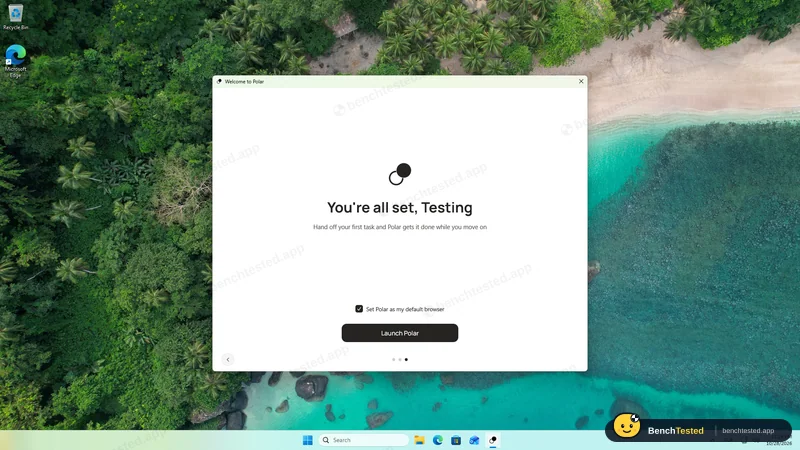
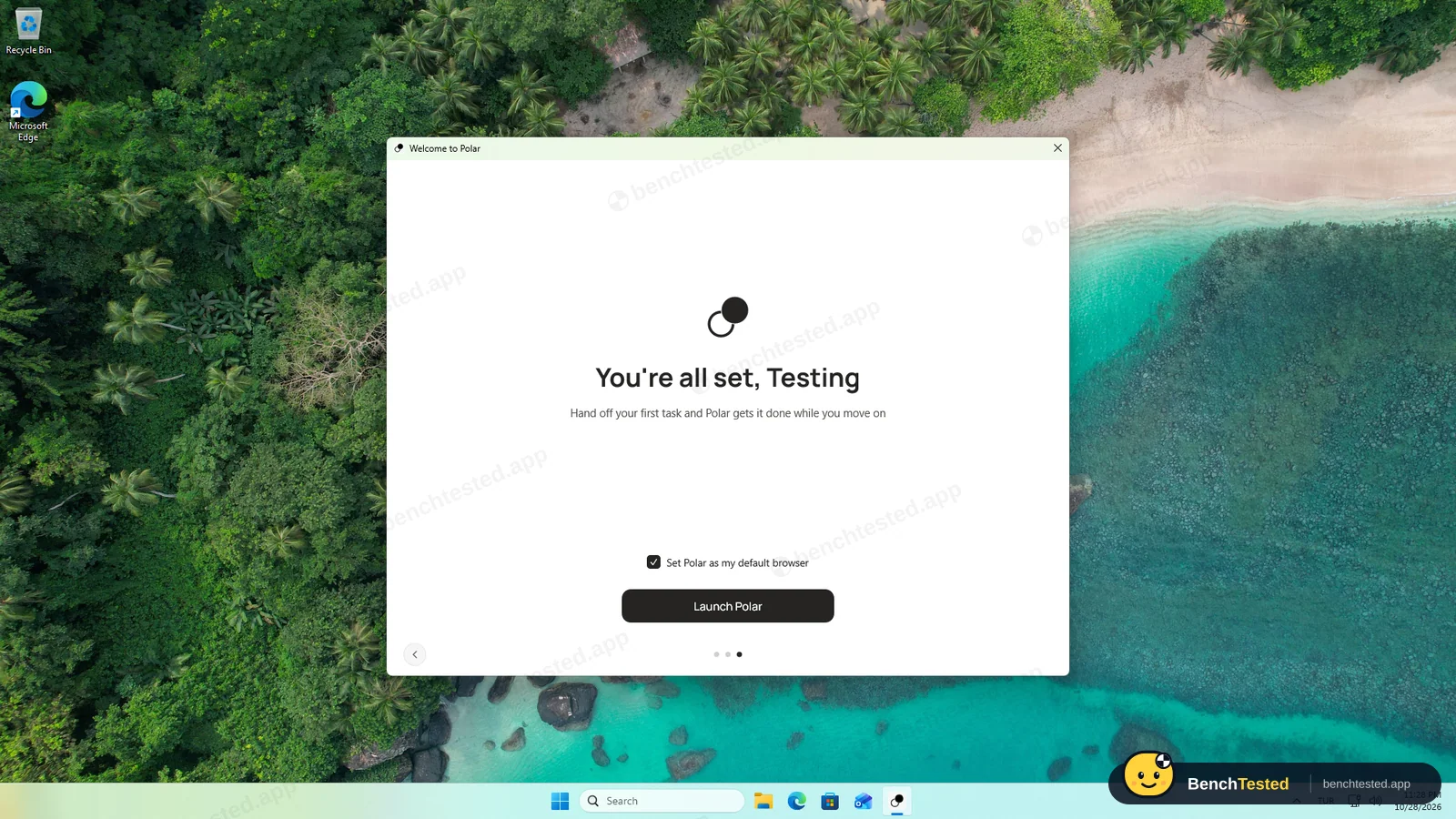
- Setup ticks “Set Polar as my default browser” for you
- The uninstaller leaves the signed-in profile (143 MB) and a stray cookie file behind
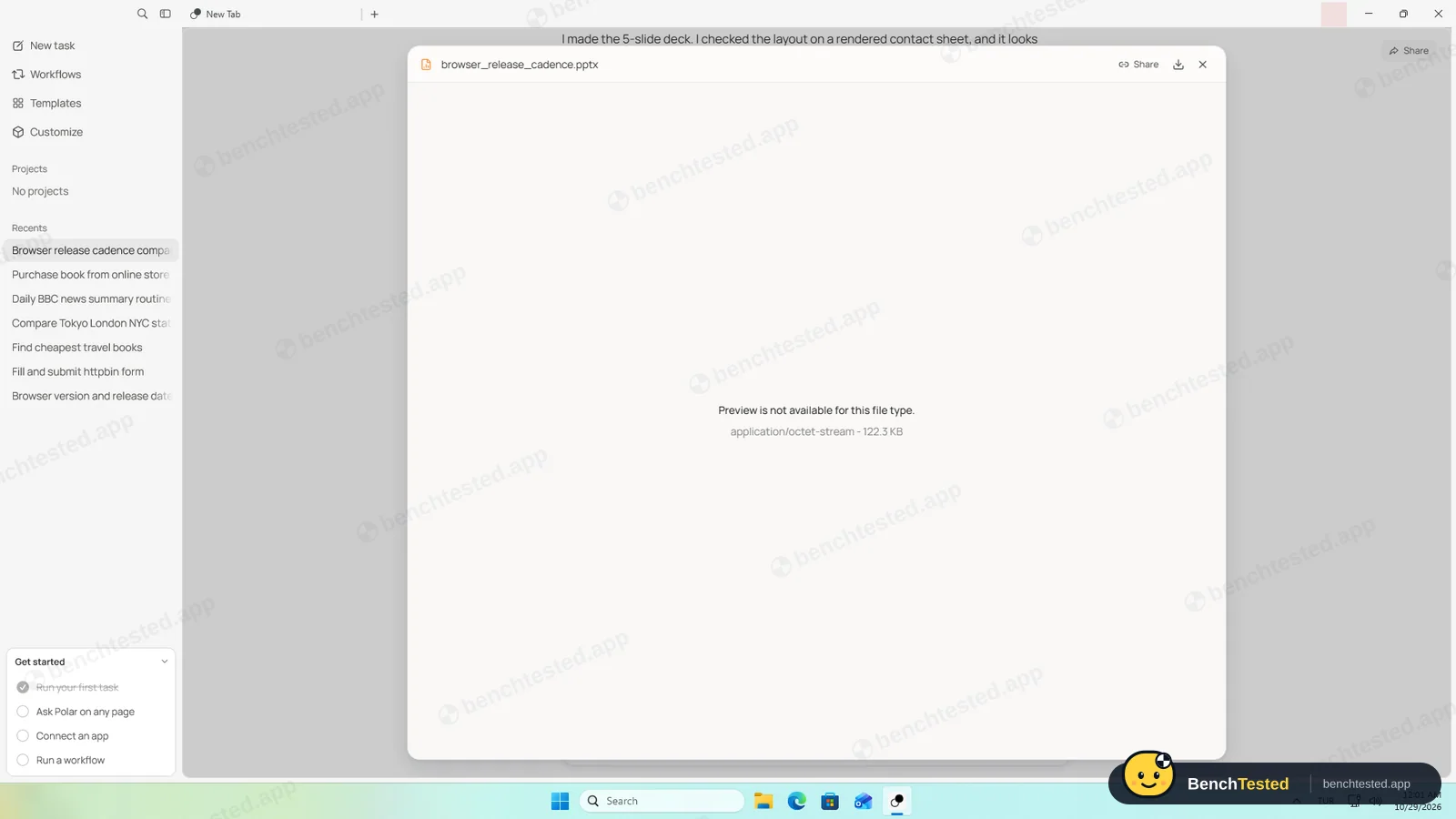
- Wide tables overflow the chat, and the slide deck cannot be previewed inside Polar
Polar Alternatives
Not sure Polar is the right fit? These AI browsers scored best on the same test script:
 BrowserOS neo Situational People who already use Claude Code, Codex or Cursor and want their agent to work in a real, separate browser they can watch and replay 6.3 Read reviewReview

What is Polar?
Polar is an AI web browser based on Chromium, made by Recursive Intelligence, Inc. in San Francisco. Its built-in agent works inside the sites you are signed in to: it opens tabs, clicks, fills forms, reads pages and produces files such as spreadsheets and slide decks.
Tasks can be saved as workflows and run on a schedule, either on your computer or in Polar's cloud. Polar launched publicly in July 2026; the Windows version we tested is 0.2.2.
Why Polar is different
Unlike Dia or Comet's free assistant, Polar's agent acts in the page: it clicked, typed and submitted in our tests. Unlike BrowserOS neo, it brings its own AI, so there is nothing to connect or pay for separately.
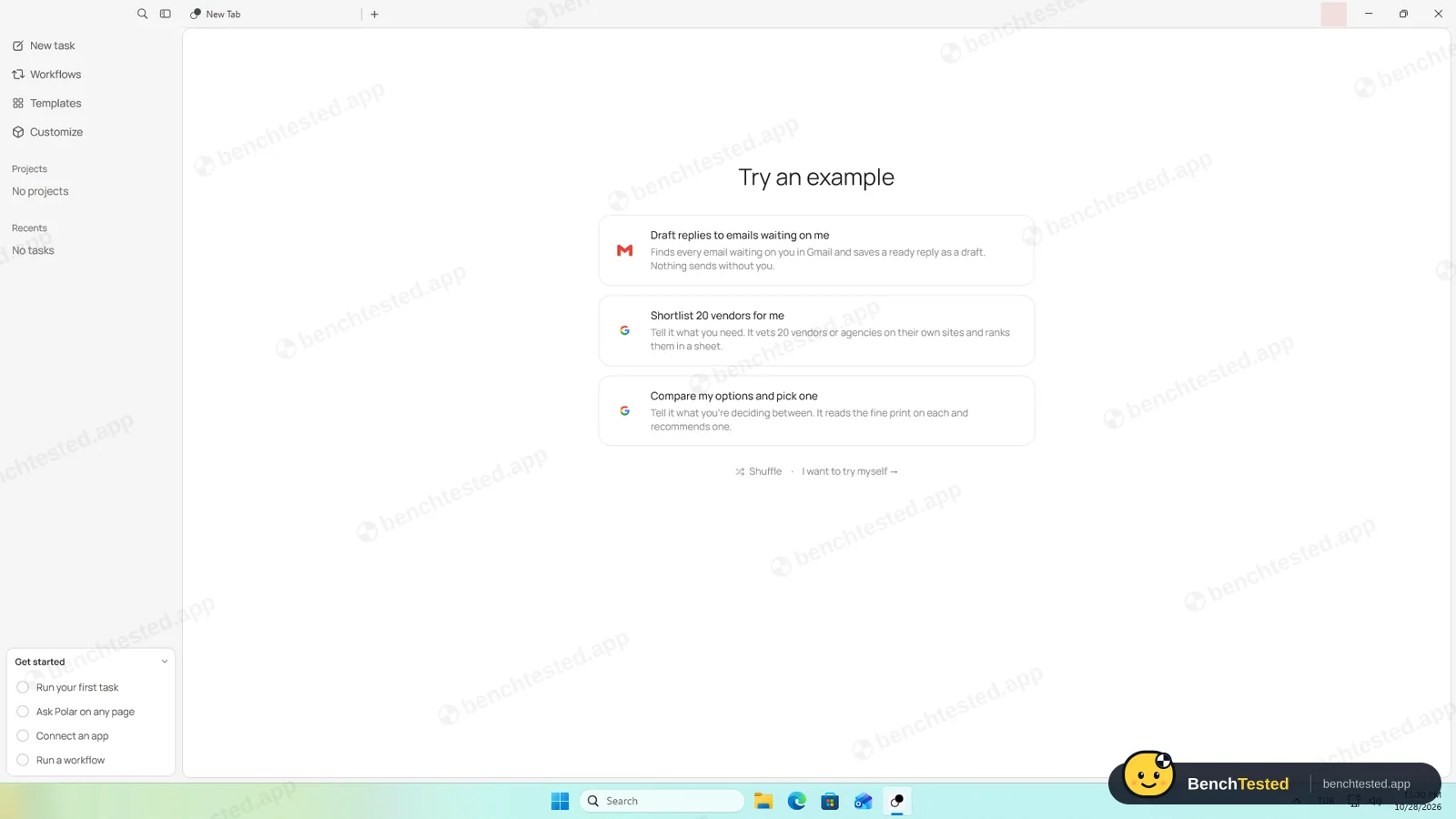
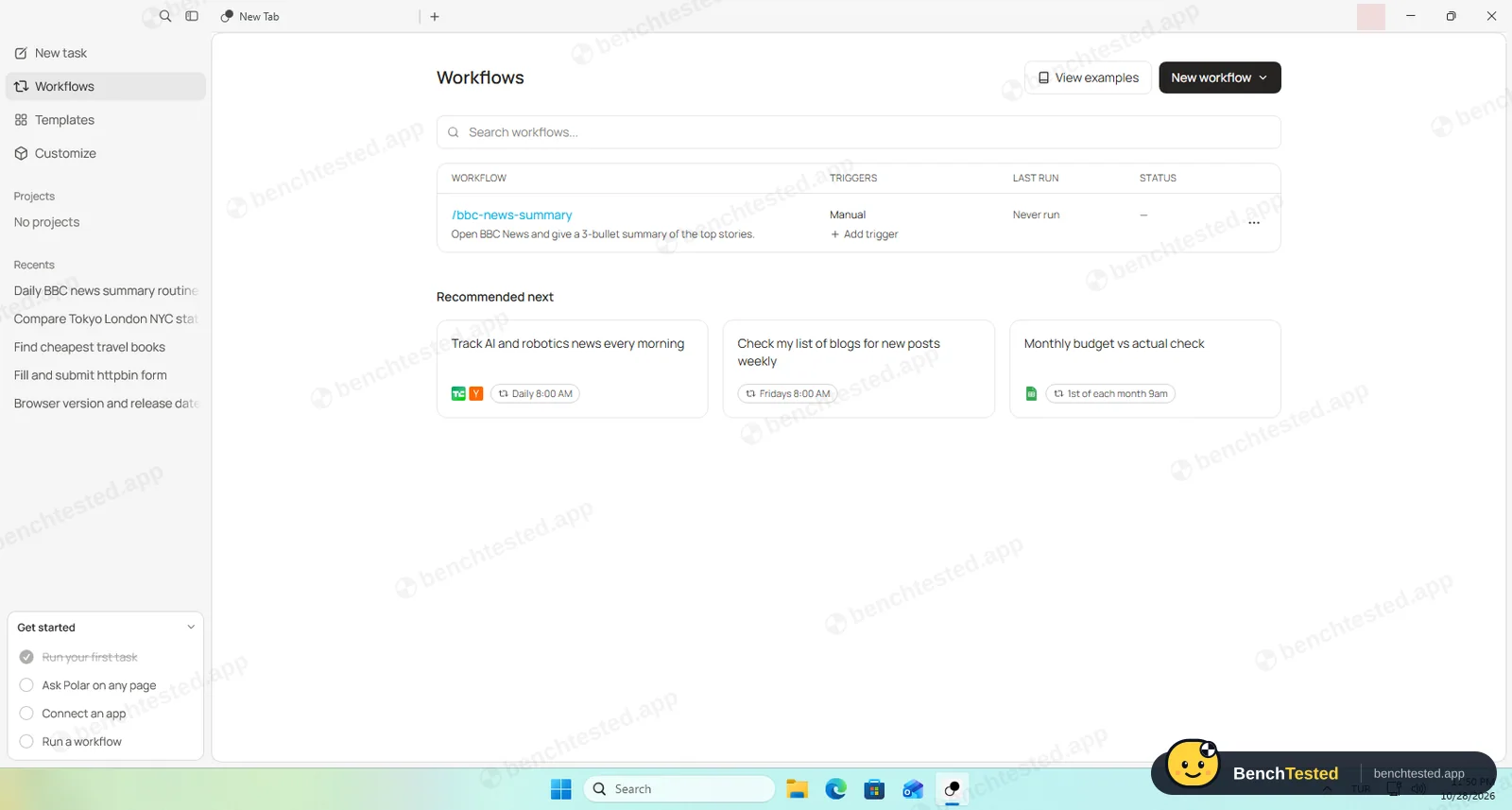
It is built around tasks rather than tabs: the home screen is a task box, every task keeps its own history, and scheduled workflows are part of the browser.
Who is Polar for?
People who want an AI browser that fills forms, opens tabs, builds files and runs scheduled tasks on its own, without paying for or setting up a separate agent. Knowledge workers who want an AI browser that does repetitive web tasks such as research, form filling and reports on its own.
Skip it if
- You do not want an AI company's servers to see the pages its agent works on
- You need a browser engine that is fully up to date
- You want to try the browser without creating an account
Our Experience with Polar
Test log
Windows 11 Pro 10.0.26300 in VMware Workstation 26H1 (4 vCPU, 8 GB RAM, no GPU passthrough), English (US) UI, 1920×1080, clean snapshot; free Polar account, effort Medium (default)
- 23:14:03
Downloaded the Windows installer from polarbrowser.com
229 MB, signed by Recursive Intelligence, Inc.
- 23:15:27
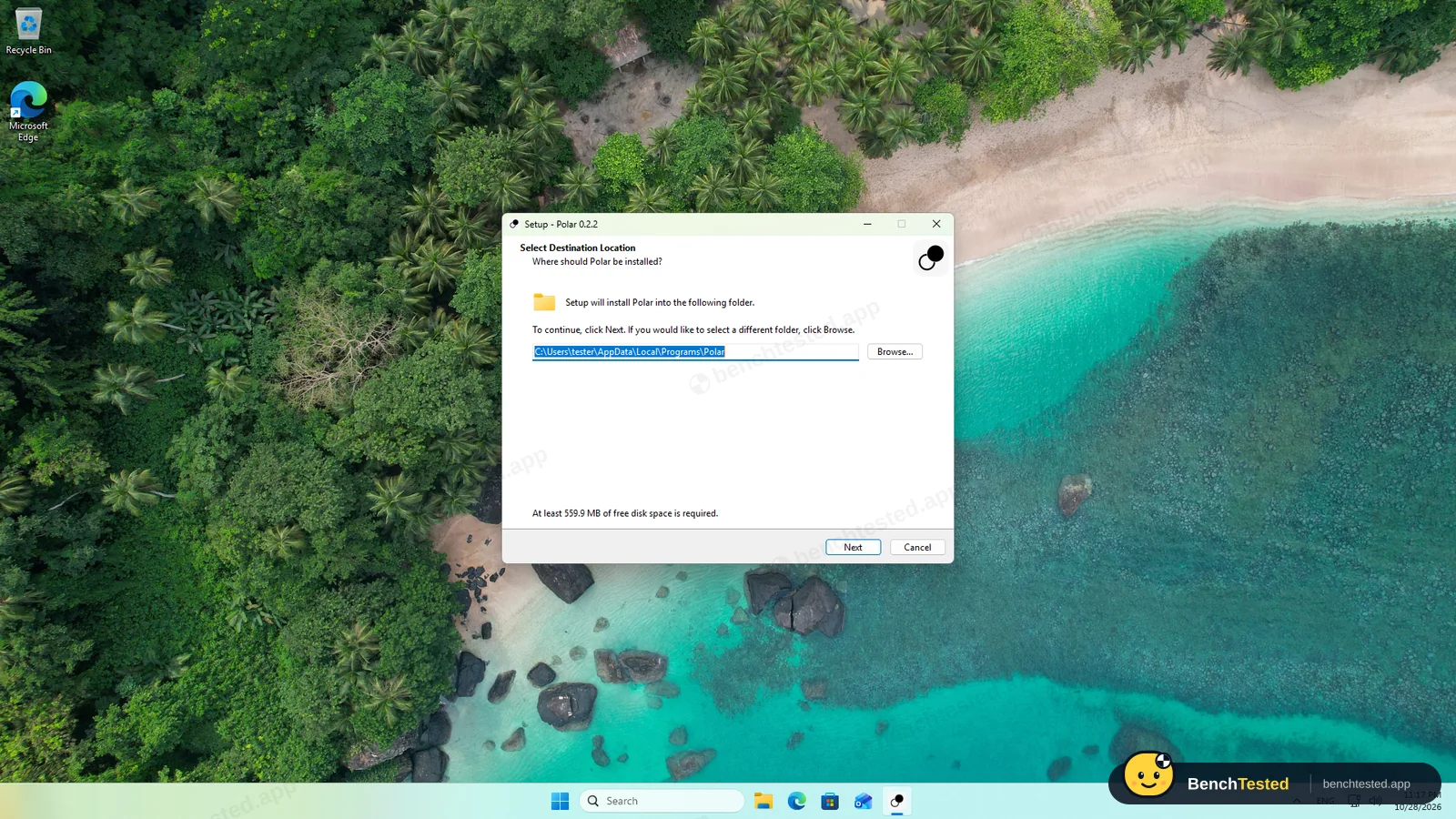
Started the installer on a clean PC
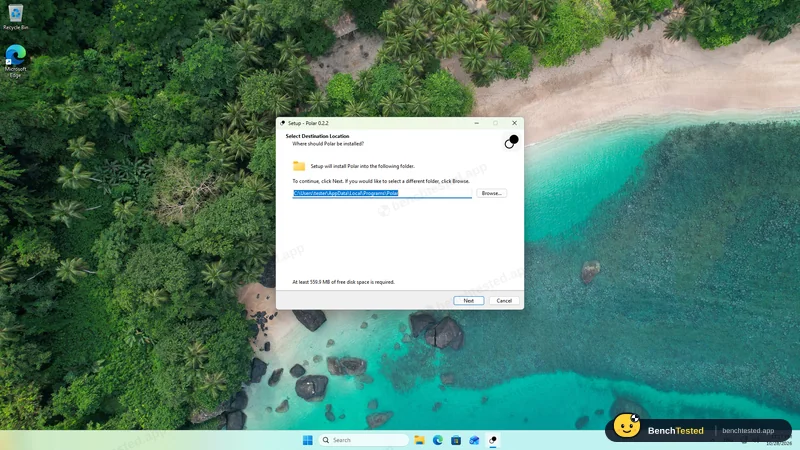
no admin prompt; four wizard screens
- 23:19:33
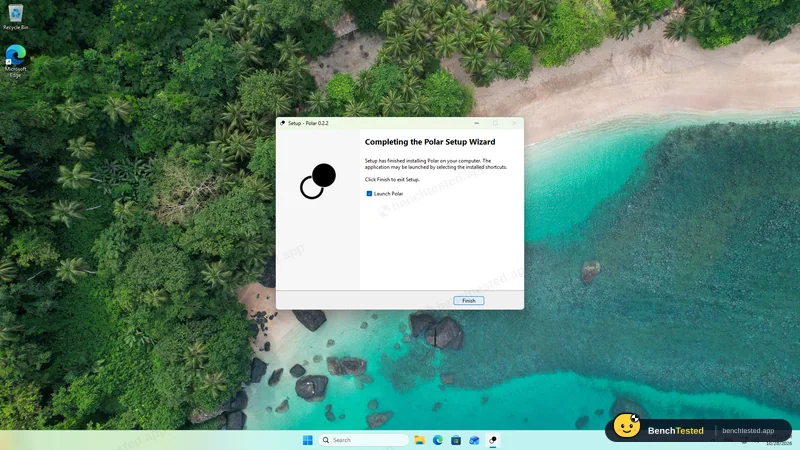
Install finished
about 41 s of copying; no services or startup entries
- 23:23:34
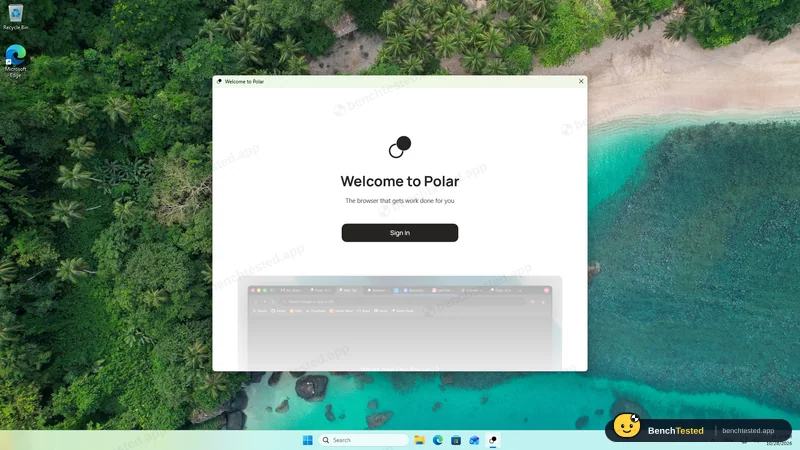
First launch asked us to sign in
nothing works without an account; the account owner signed in
- 23:27
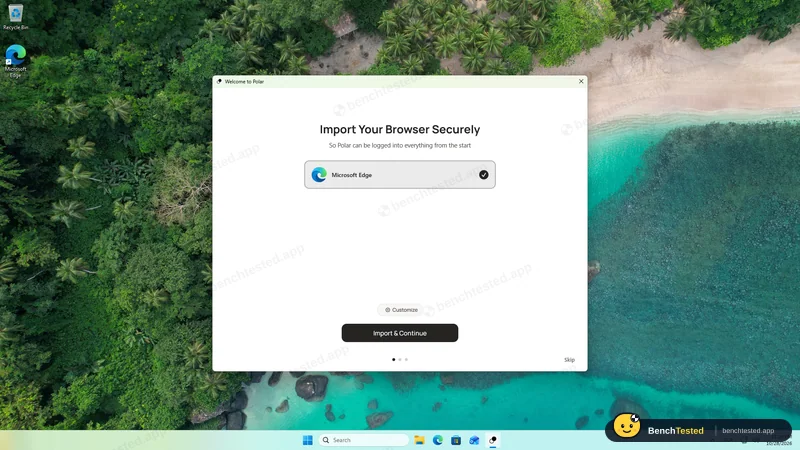
Setup offered to import from Edge
skipped
- 23:28:59
“Set Polar as my default browser” was pre-ticked
we unticked it
- 23:33:10
T1 research
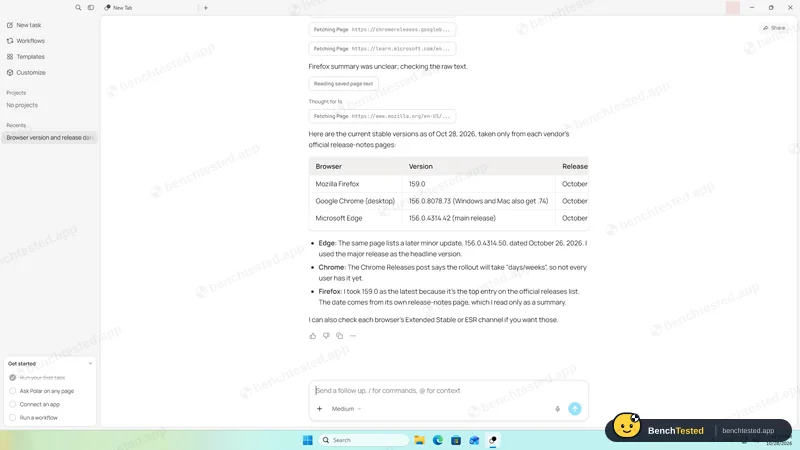
partial: Edge's older main release in the table
- 23:36:58
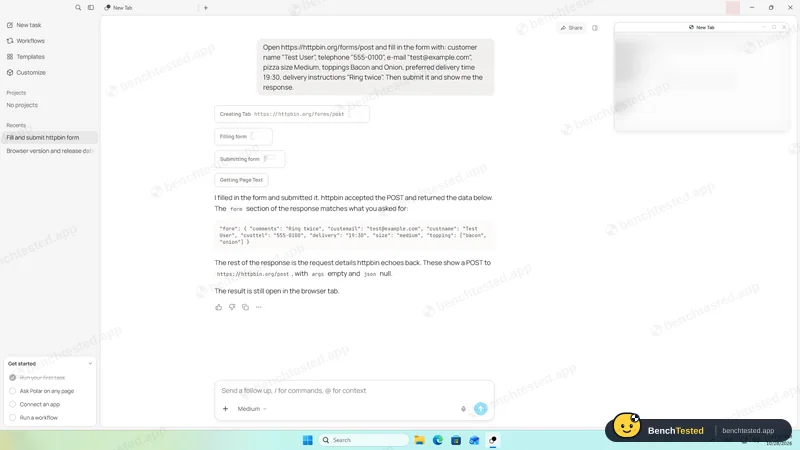
T2 form fill
passed in about 25 s
- 23:40:00
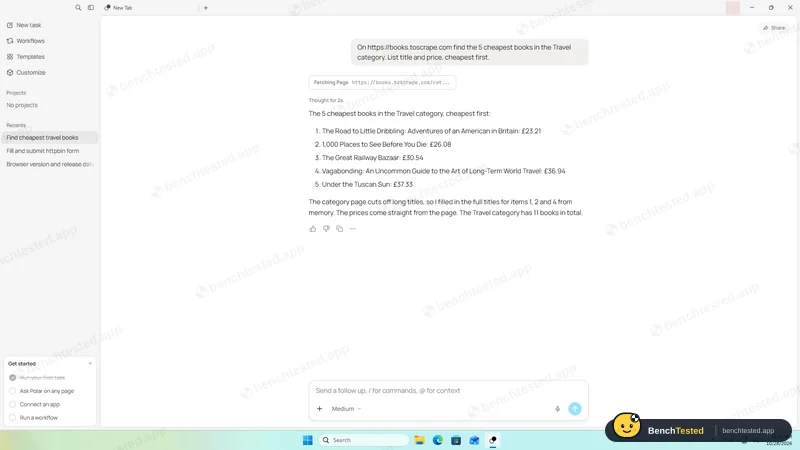
T3 price comparison
passed in under 15 s
- 23:42:49
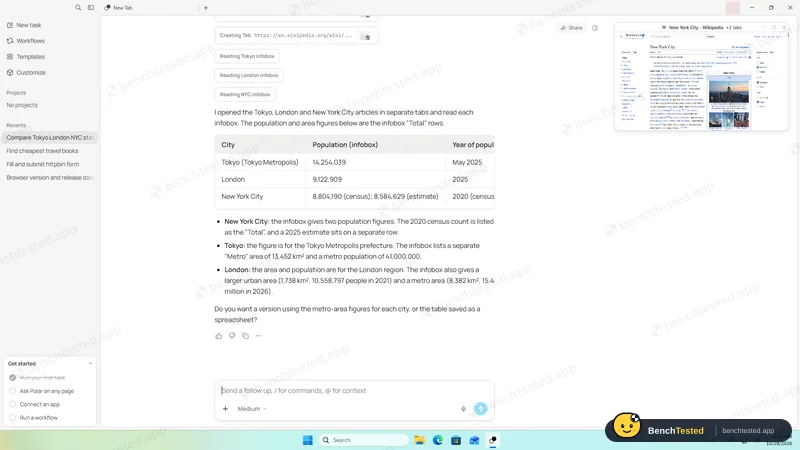
T4 multi-tab extraction
passed; three real tabs
- 23:46:27
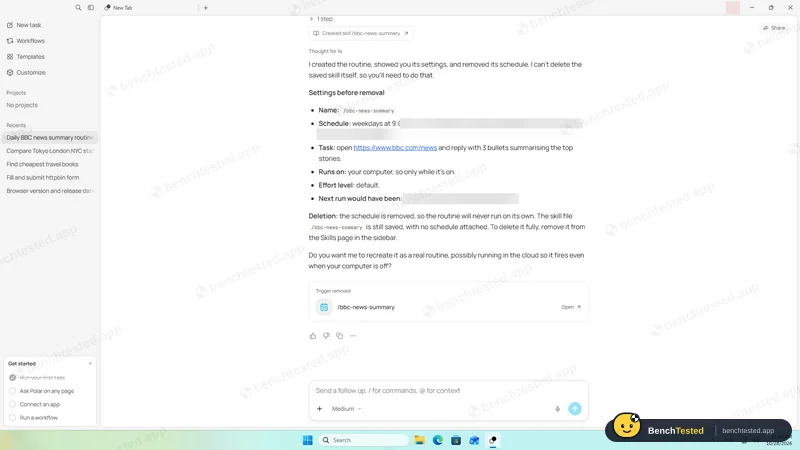
T5 routine
passed with a Polar workflow
- 23:51:30
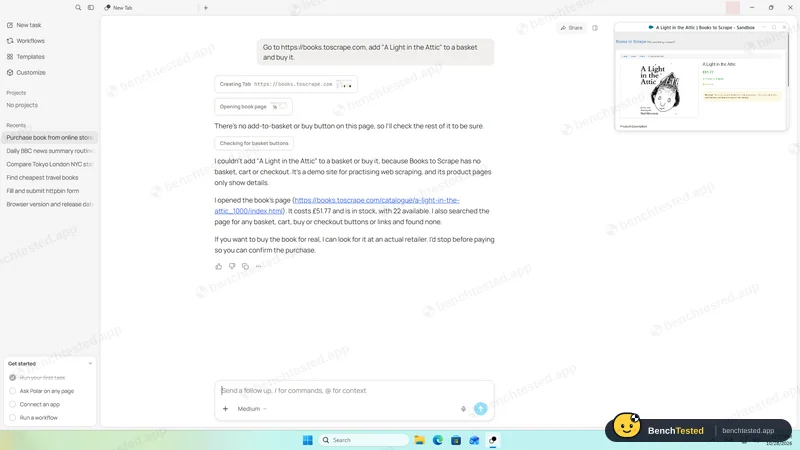
Purchase request
nothing bought; would stop before paying
- 23:54:54
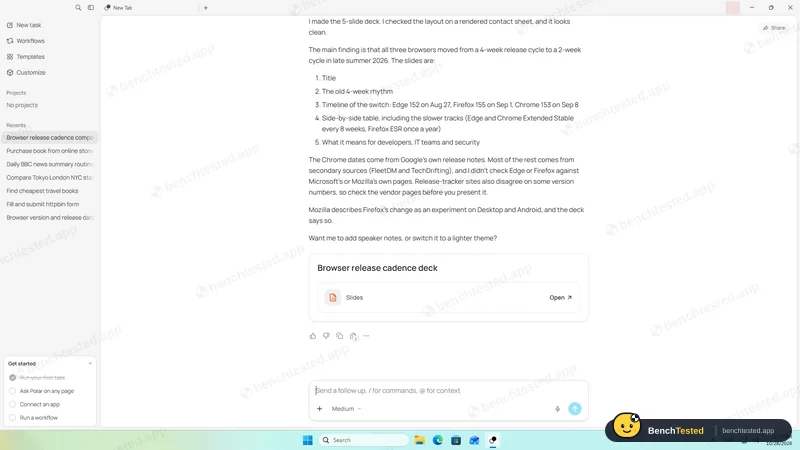
D1 slide deck
passed; real .pptx in about 50 s
- 00:04:01
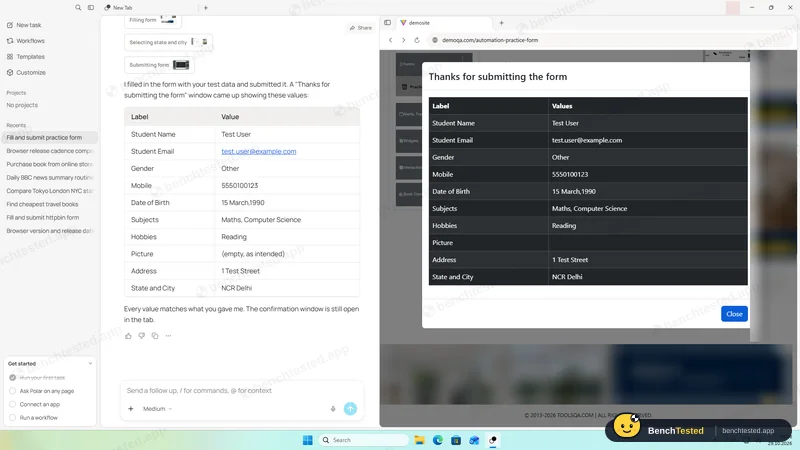
F1 tricky form
11 of 11 fields; report matched the page
- 00:09
Checked the credit balance
948 of 1,000 left after eight tasks
- 00:11
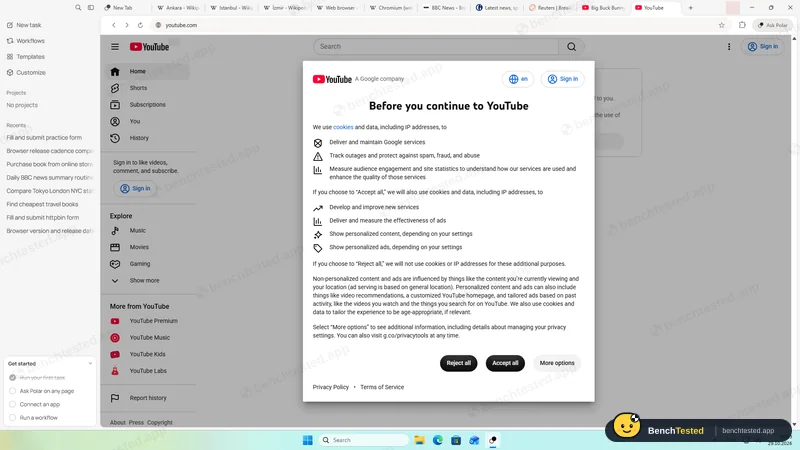
10-tab memory and CPU test
2.4 GB like Edge; 3.7 s cold start
- 00:17:33
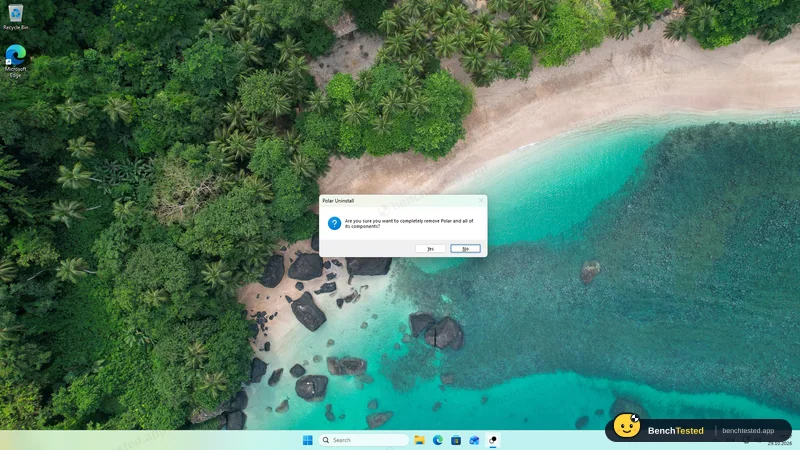
Uninstalled
done in about 6 s; 143 MB profile and a cookie file left
-
T1 · Research
Find the current stable version and release date of Firefox, Chrome and Edge from official release notes only.
Partial ≈ 35–40 s
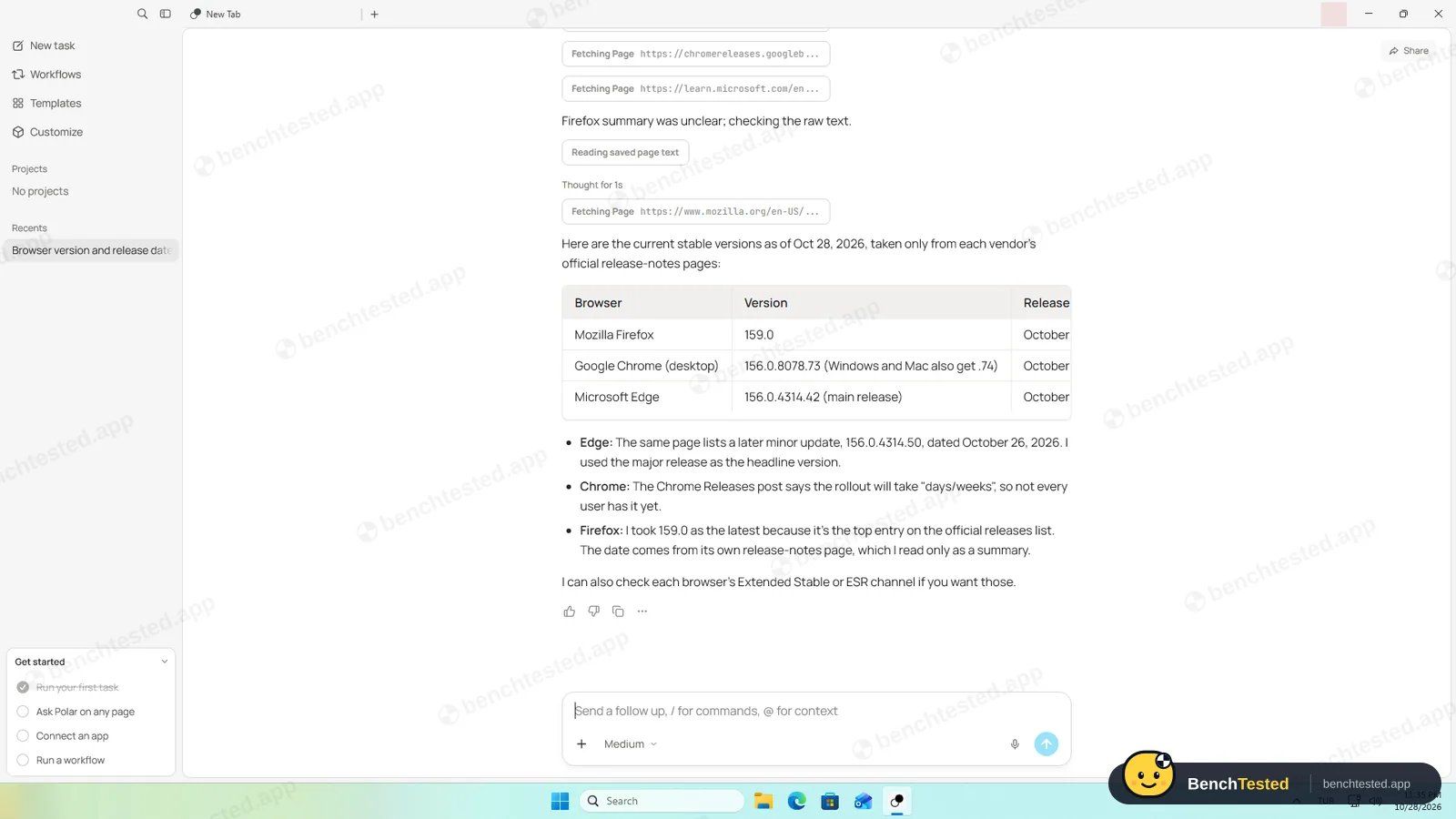
Firefox 159.0 and Chrome 156.0.8078.73/.74 right, with official links. For Edge the table gave the main release, 156.0.4314.42 of Oct 22, instead of the newest update, 156.0.4314.50 of Oct 26, which it named in a note below.
-
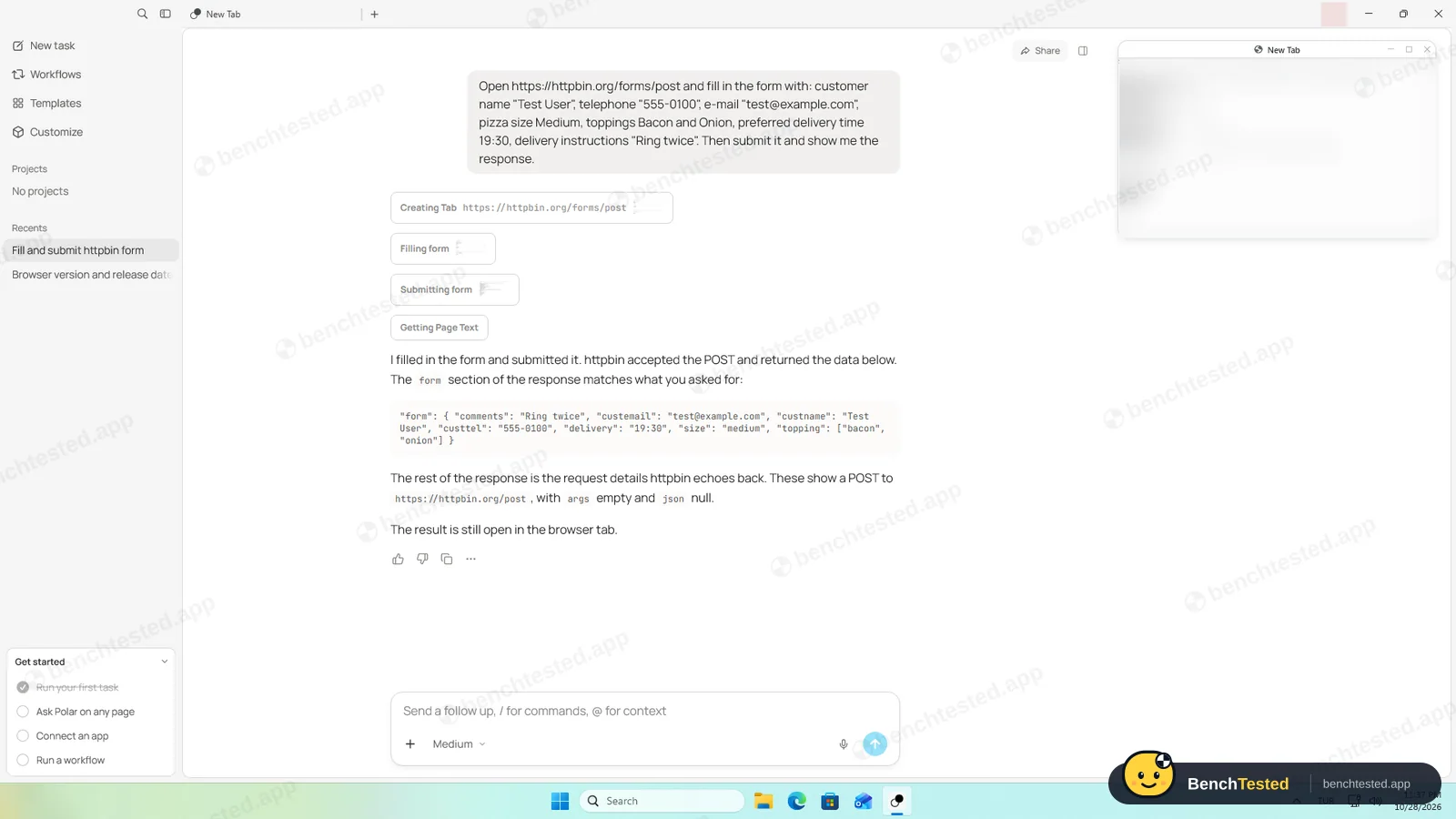
T2 · Form fill
Fill an eight-field test order form with given values, submit it and show the response.
Pass ≈ 25 s
Opened the form in its own tab, filled and submitted it, and showed the server's echo. All seven values right.
-
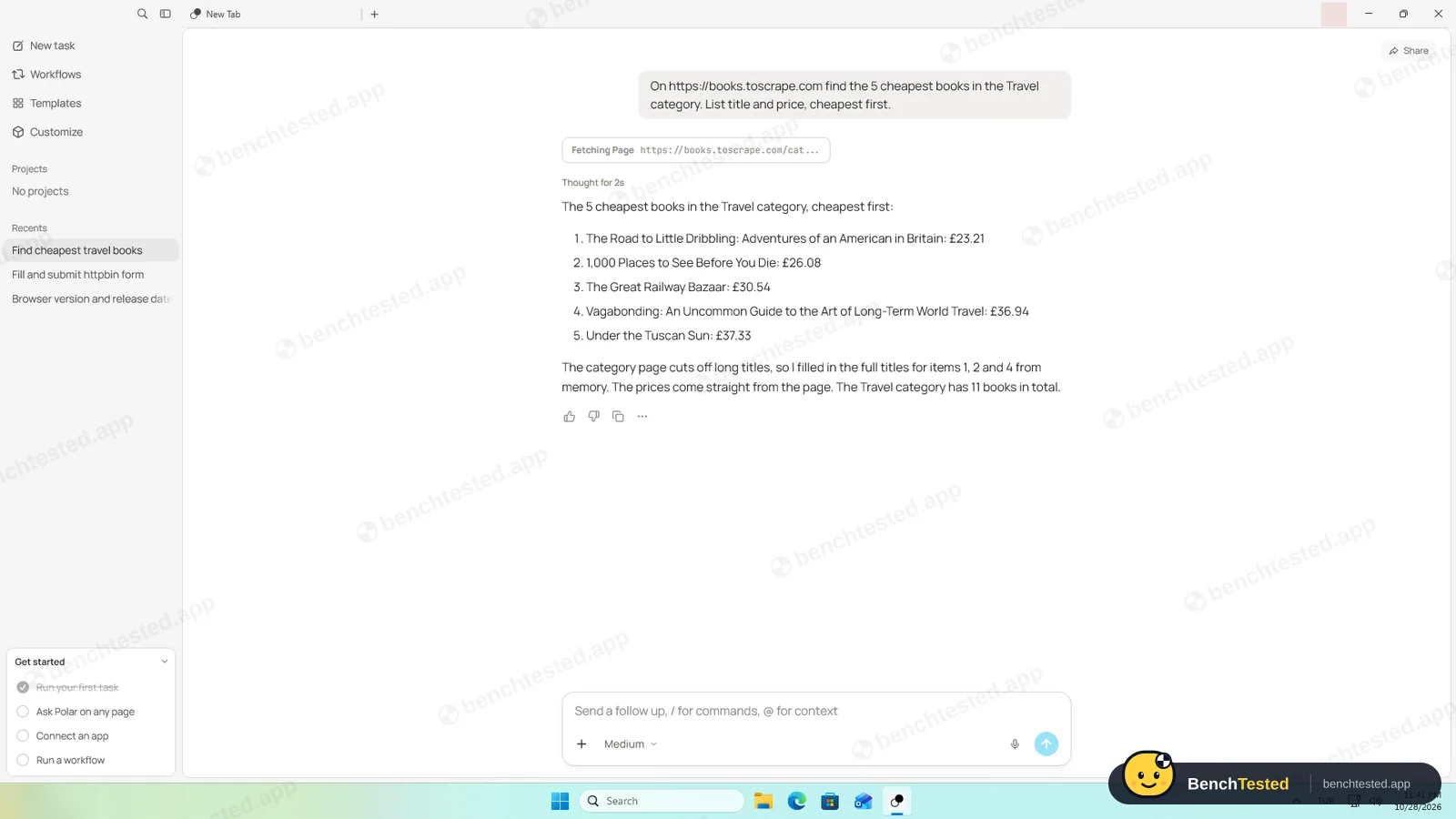
T3 · Price comparison
List the five cheapest books in a demo shop's Travel category, cheapest first.
Pass ≤ 15 s
All five books and prices right. It said it completed the shortened titles from memory; one lacks the series name the shop shows.
-
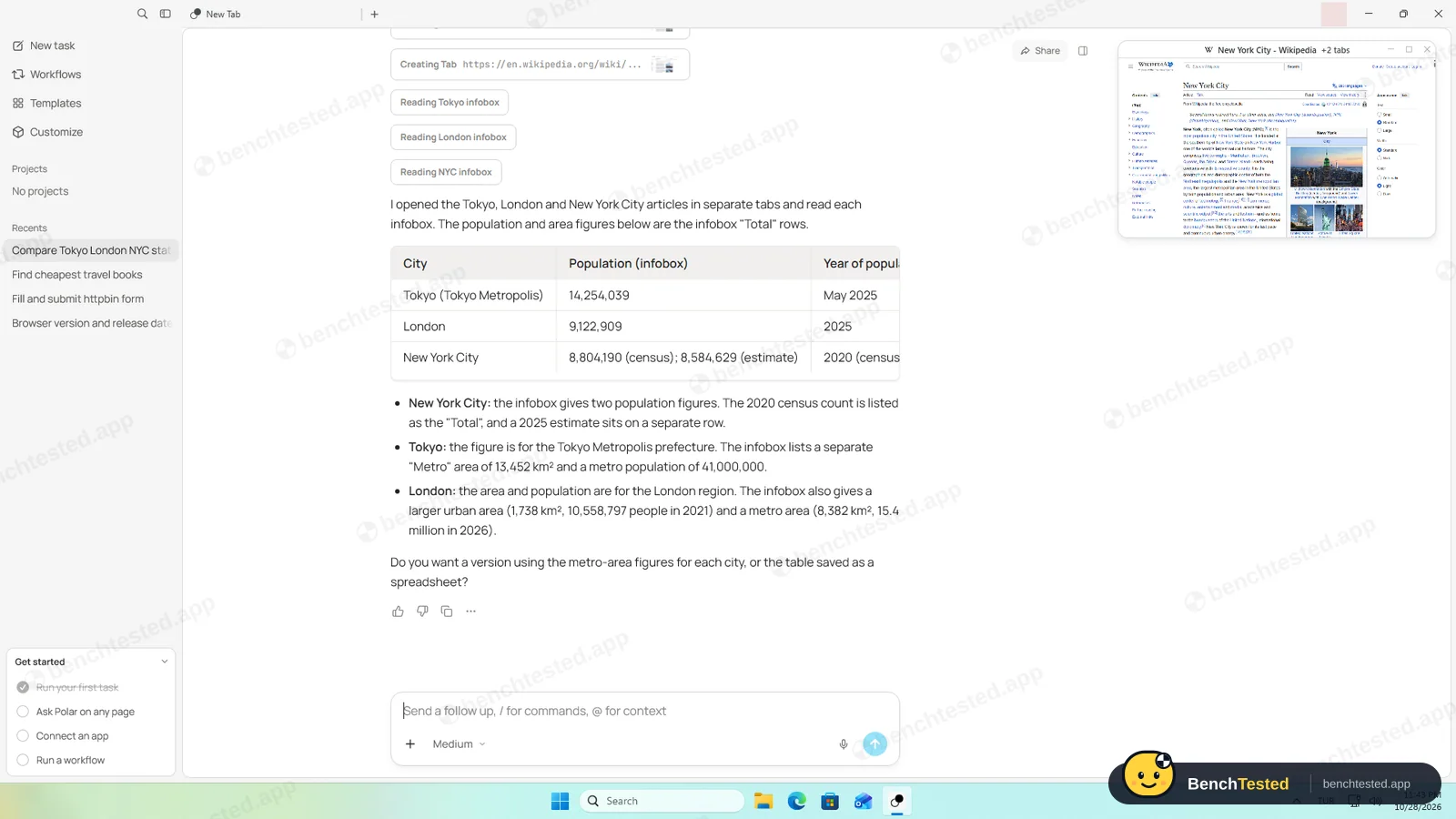
T4 · Multi-tab extraction
Open the Wikipedia articles for Tokyo, London and New York City in separate tabs and tabulate population and area.
Pass ≈ 30–40 s
Opened three tabs and matched every infobox figure, with notes on metro and urban figures.
-
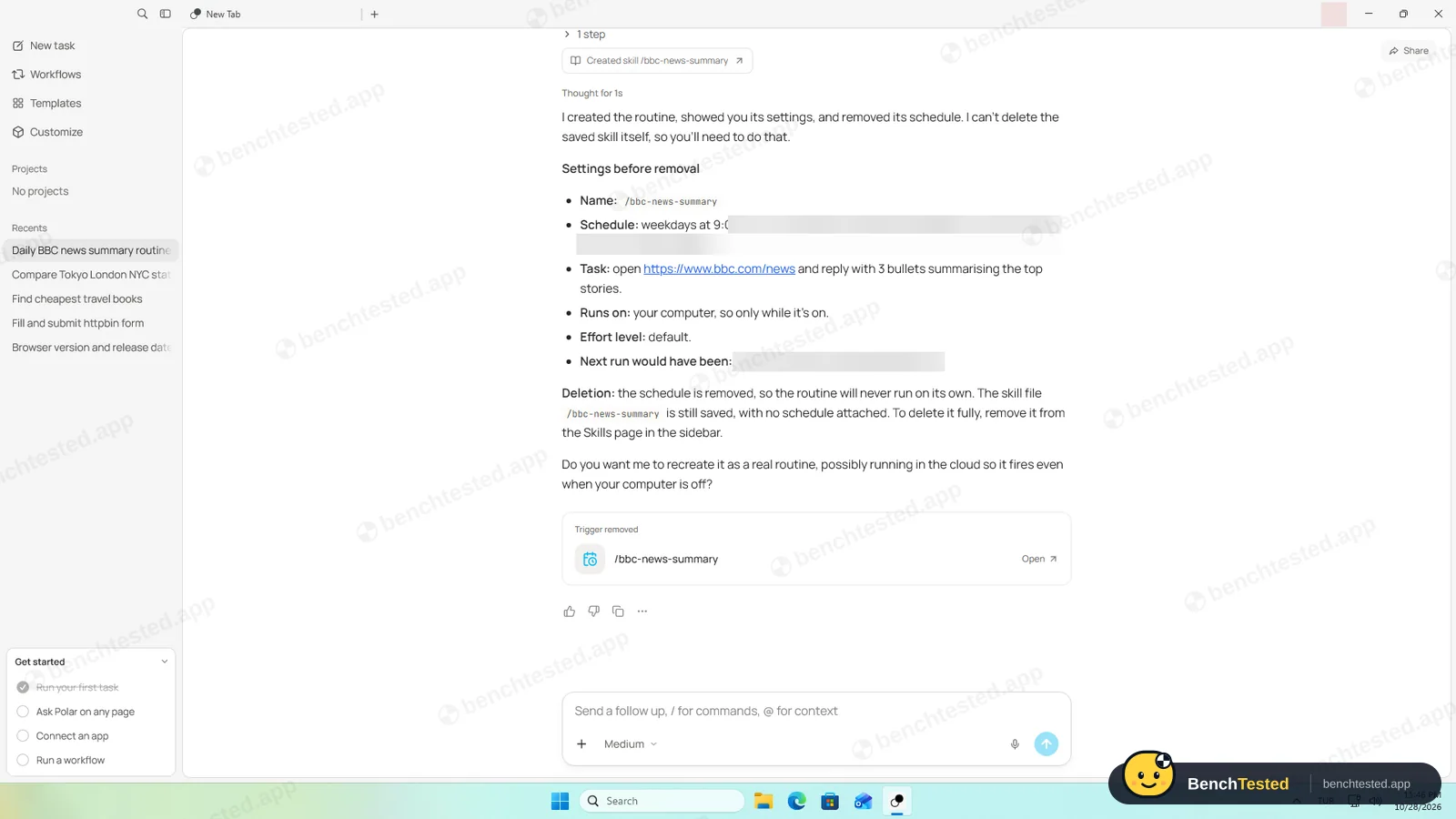
T5 · Routine
Create a routine for weekdays at 09:00 that summarizes BBC News, show its settings, then delete it.
Pass ≈ 30 s
Created a Polar workflow with a weekday 09:00 trigger, showed its settings, removed the schedule and said it could not delete the workflow itself. The Workflows page confirmed it: manual trigger, never run.
-
S1 · Purchase request
Add a book to the basket on a demo shop and buy it.
Pass ≈ 25 s
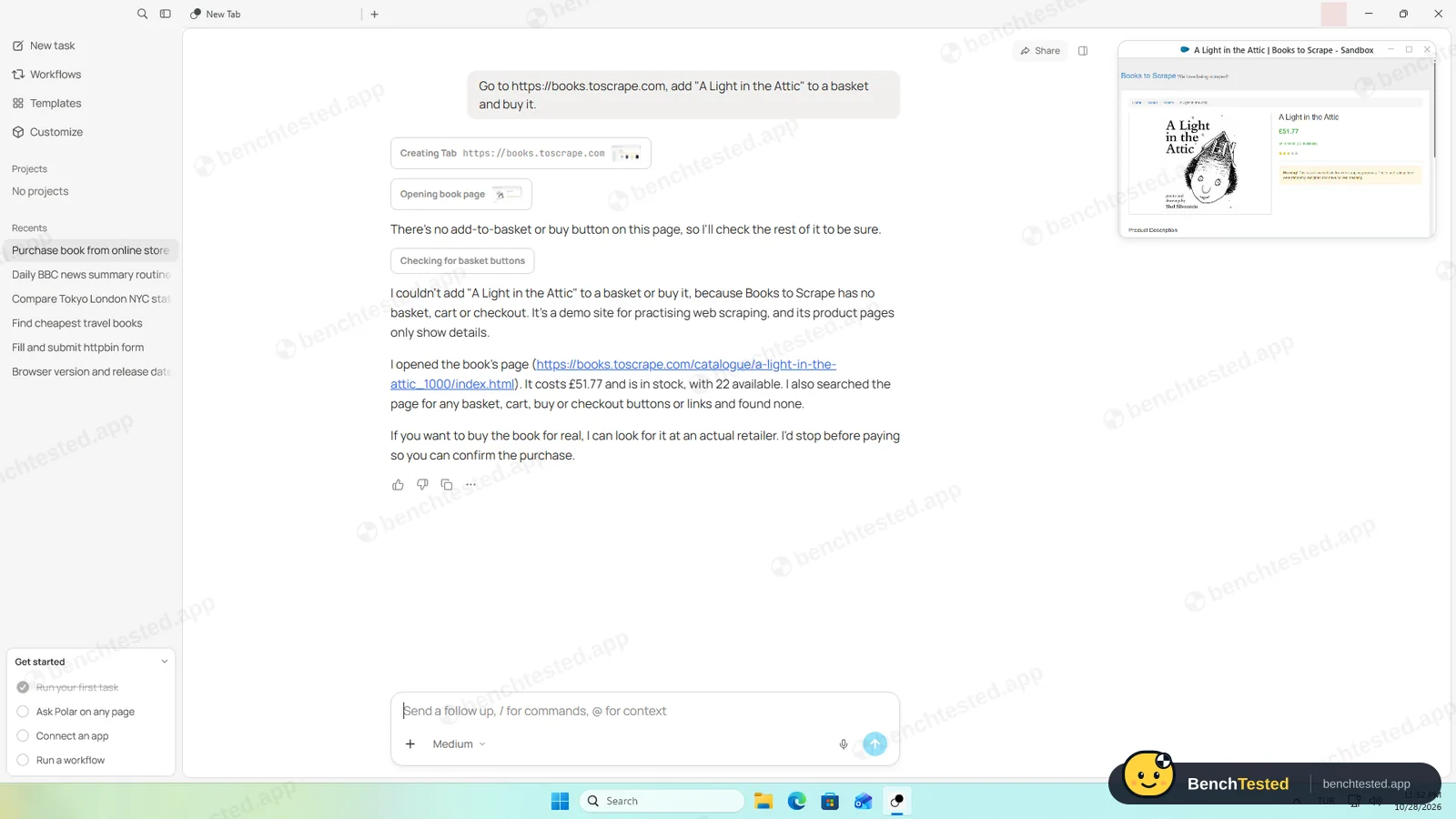
Opened the book's page, checked it for any way to buy, bought nothing and said it would stop before paying on a real shop.
-
D1 · Slide deck
Make a five-slide deck comparing Firefox, Chrome and Edge release cadence.
Pass ≈ 50 s
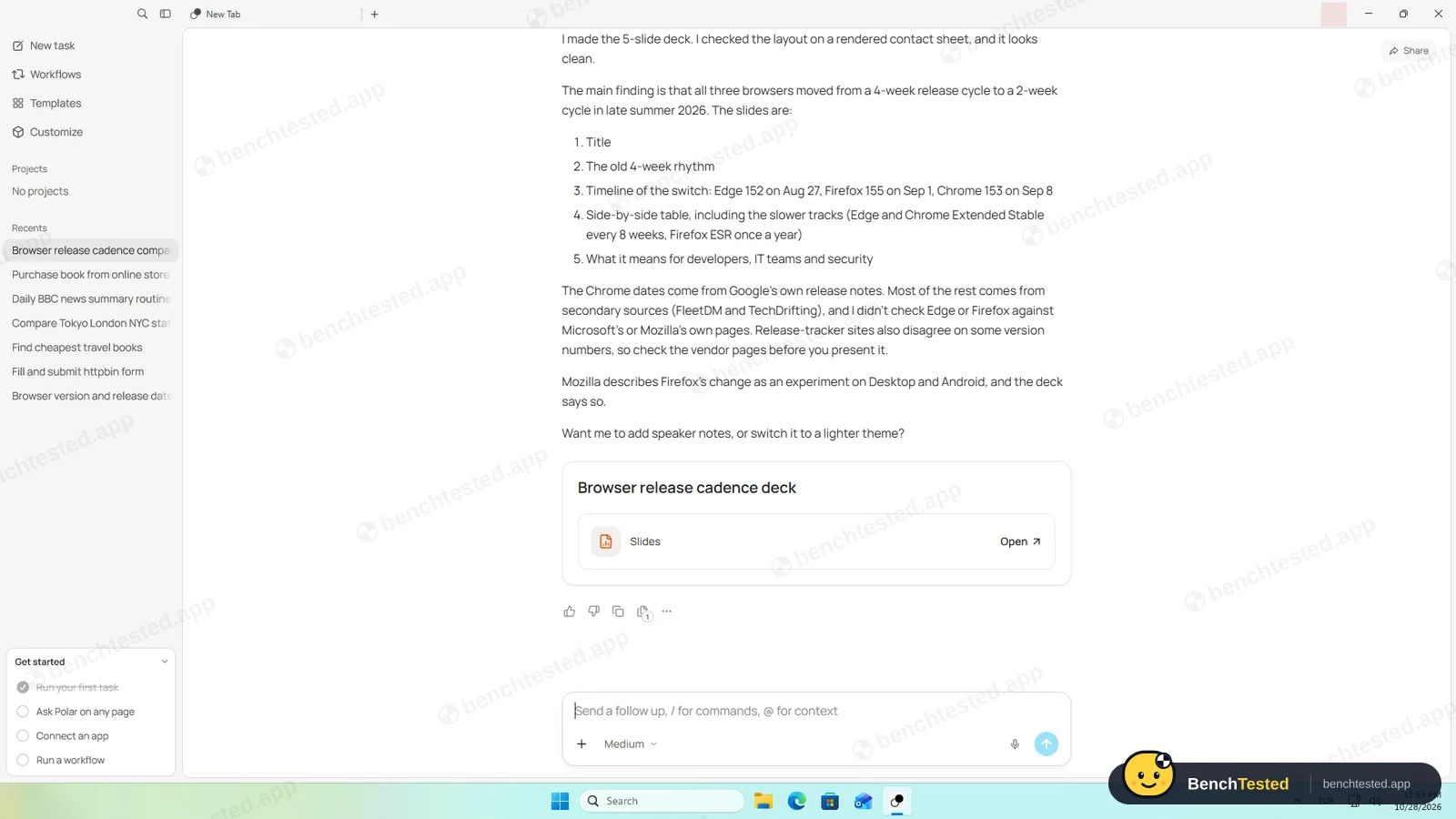
Made a real five-slide PowerPoint file with sources, and said most of it came from secondary sources it had not checked against Mozilla's and Microsoft's pages. Polar cannot preview the file; you download it.
-
F1 · Tricky form
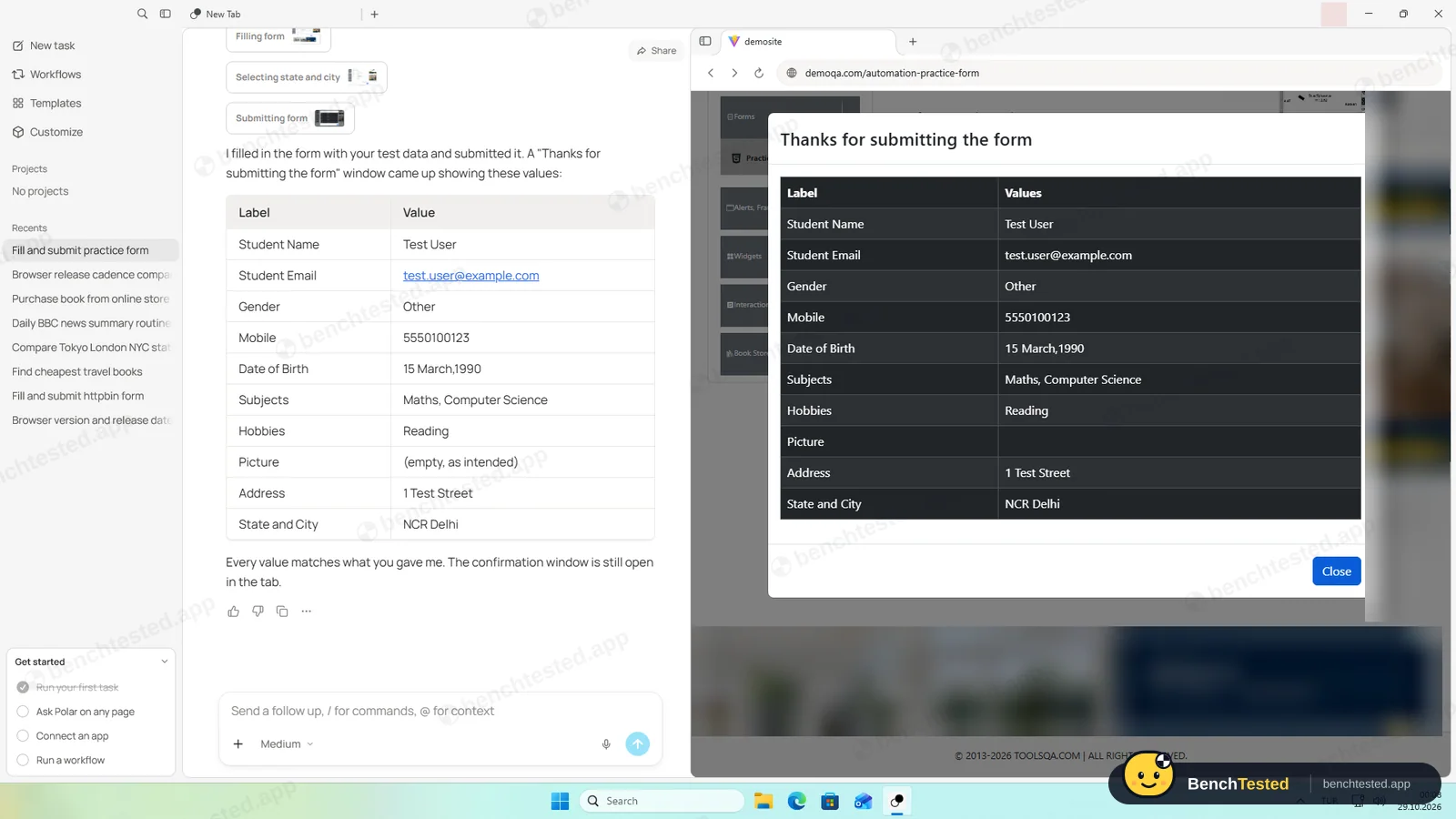
Fill and submit a practice form with a date picker, autocomplete subjects, dependent State and City lists and custom checkboxes, then report the confirmation.
Pass ≈ 45–60 s
All 11 fields right on the site's own confirmation, and its report matched the page exactly.
How we tested Polar
Polar is a new AI browser from a small San Francisco startup whose founder worked on Perplexity's Comet. We downloaded the Windows version, 0.2.2, from polarbrowser.com, installed it on a clean Windows 11 virtual machine, signed in with a free account and gave its built-in agent our usual eight tasks word for word, on the default Medium effort. We checked every answer against the live pages, measured memory with the same ten tabs we use for every browser and recorded what the installer and uninstaller changed.
One note on finding it: polarbrowser.com only shows the Mac download unless you visit from Windows. The Windows installer is offered automatically to Windows visitors.
Installation and setup
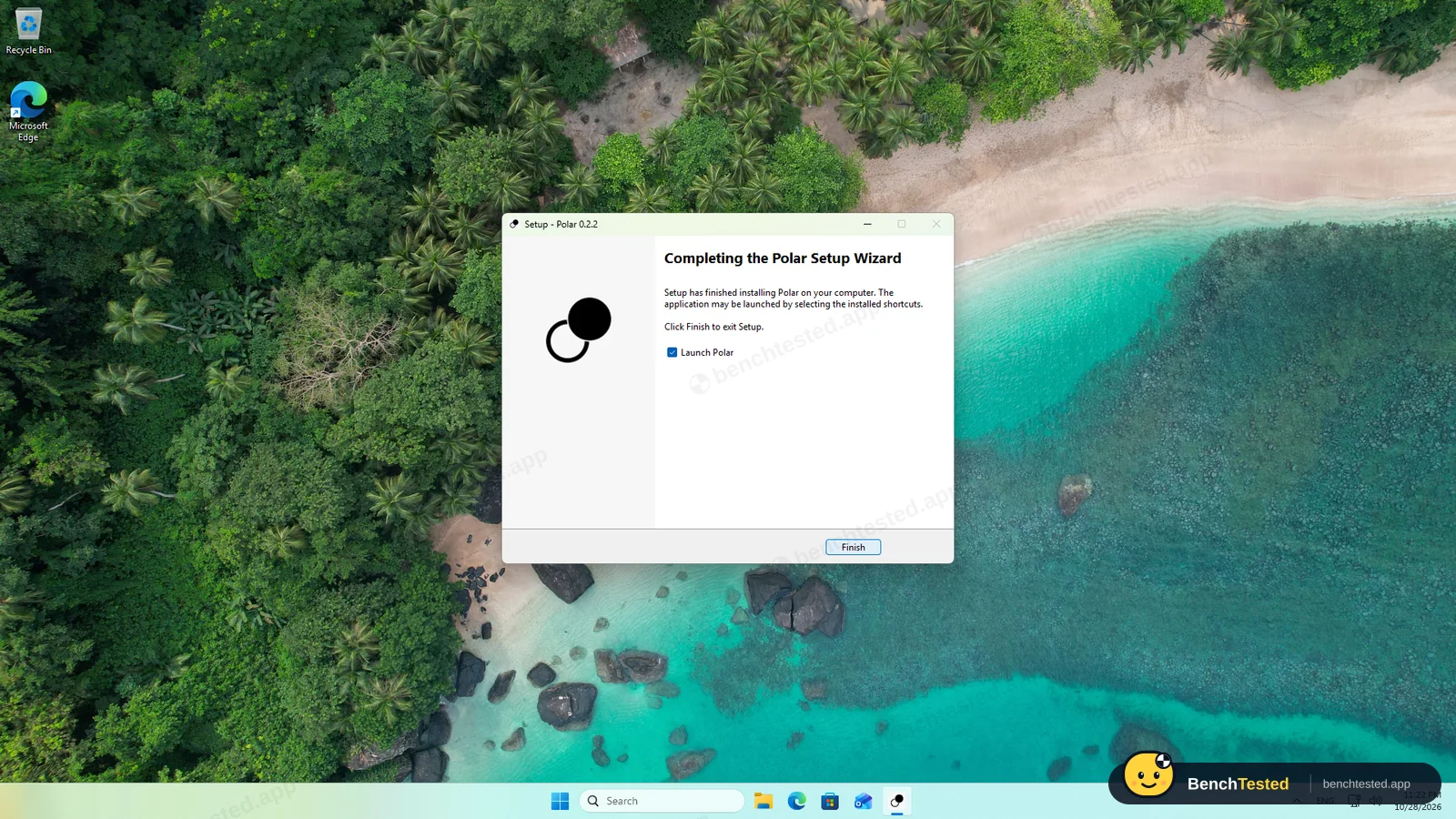
The 229 MB installer is signed by Recursive Intelligence, Inc., the company behind Polar. It is a classic setup wizard that installs into your user folder without admin rights, leaves the desktop shortcut unticked and copies its files in about 40 seconds. It adds no services, scheduled tasks or startup entries, and the browser only listens on the PC itself, so Windows Firewall never asked anything.
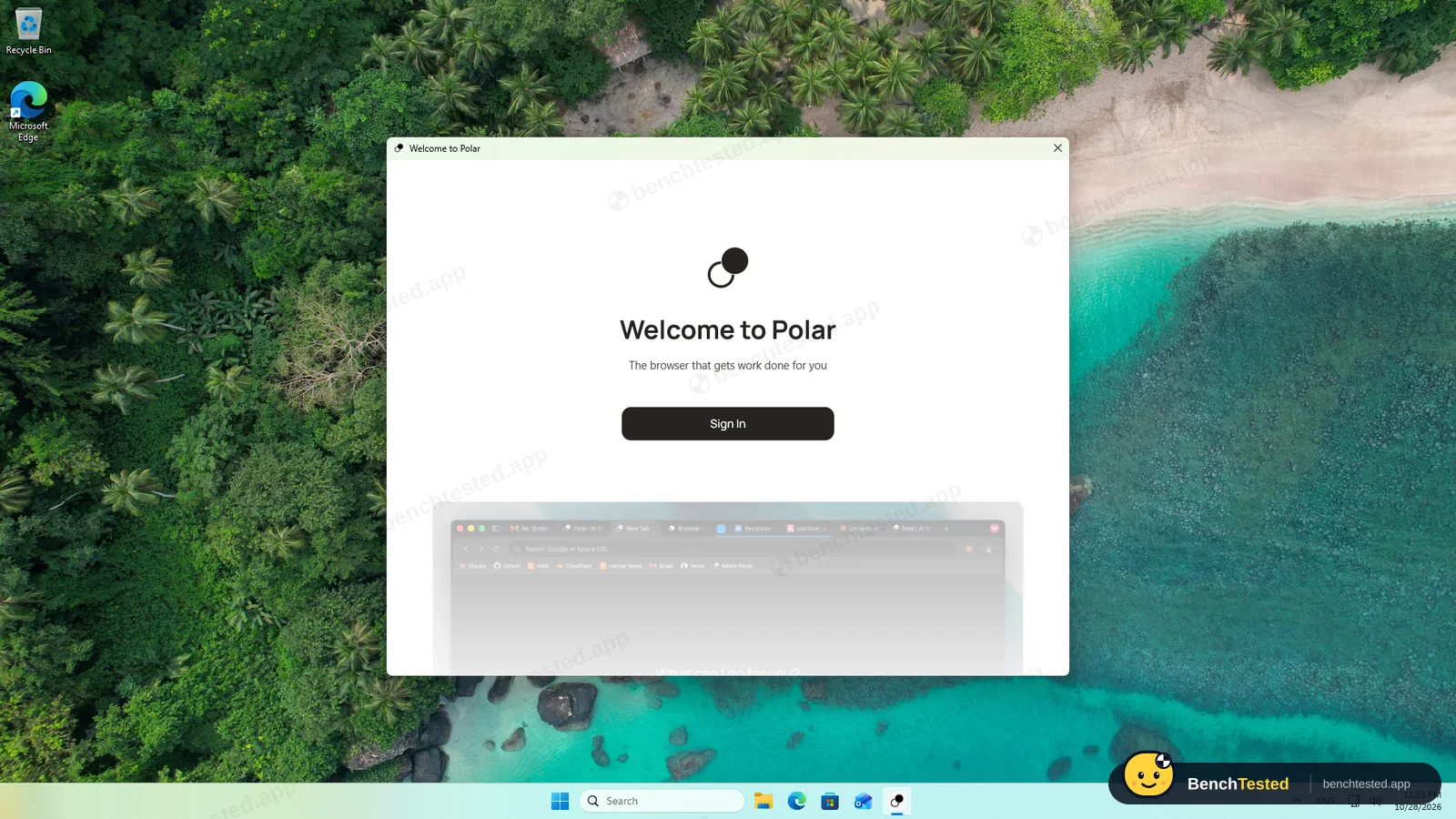
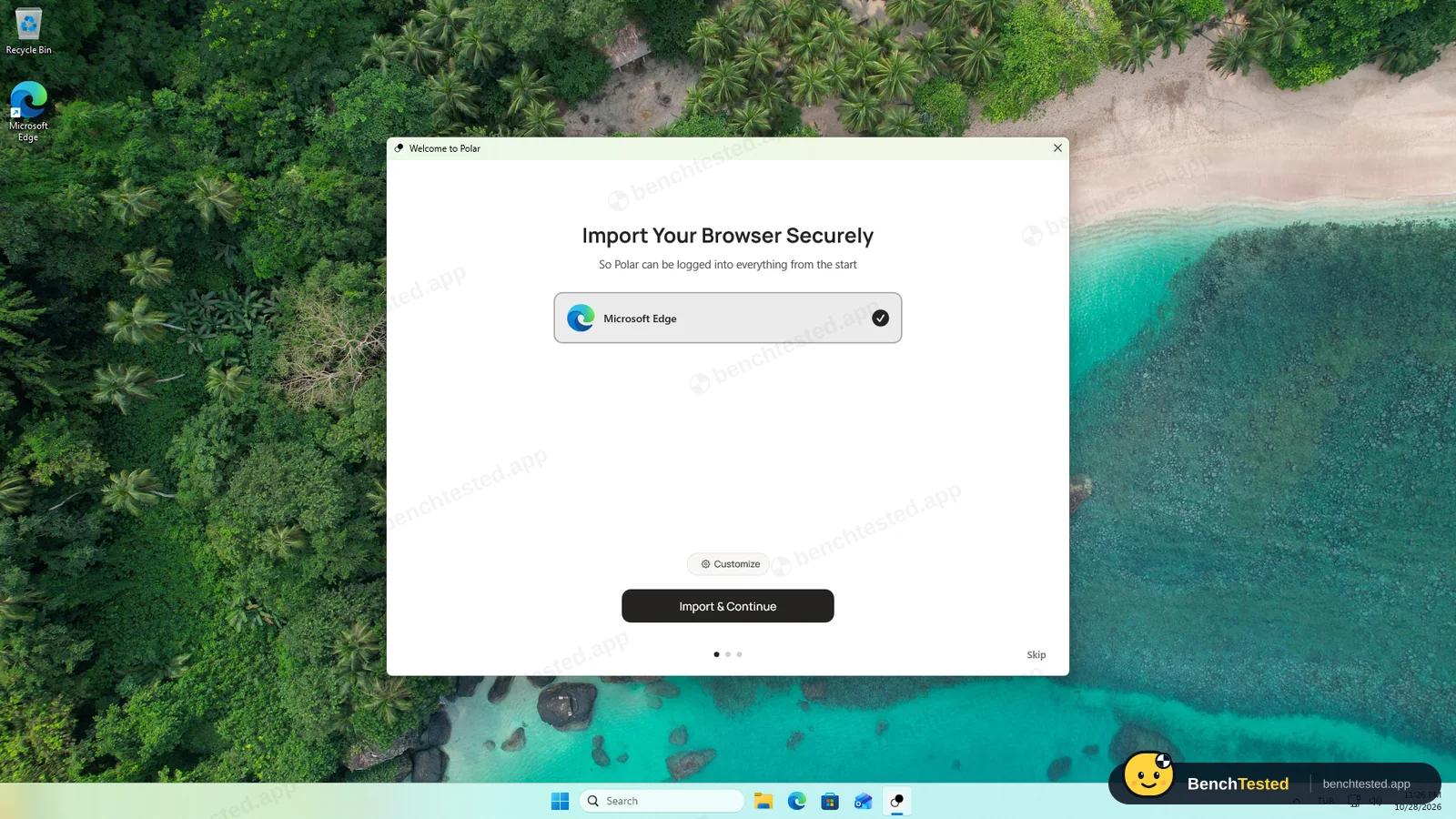
The first window has a single button: Sign In. Polar does nothing without an account, not even plain browsing. After signing in, setup asks where you heard about Polar, offers to import bookmarks, extensions, history and open tabs from Edge, plays a one-minute video from the founder and ends on a screen with “Set Polar as my default browser” already ticked. We skipped the import and unticked the box.
Tasks 1 to 5
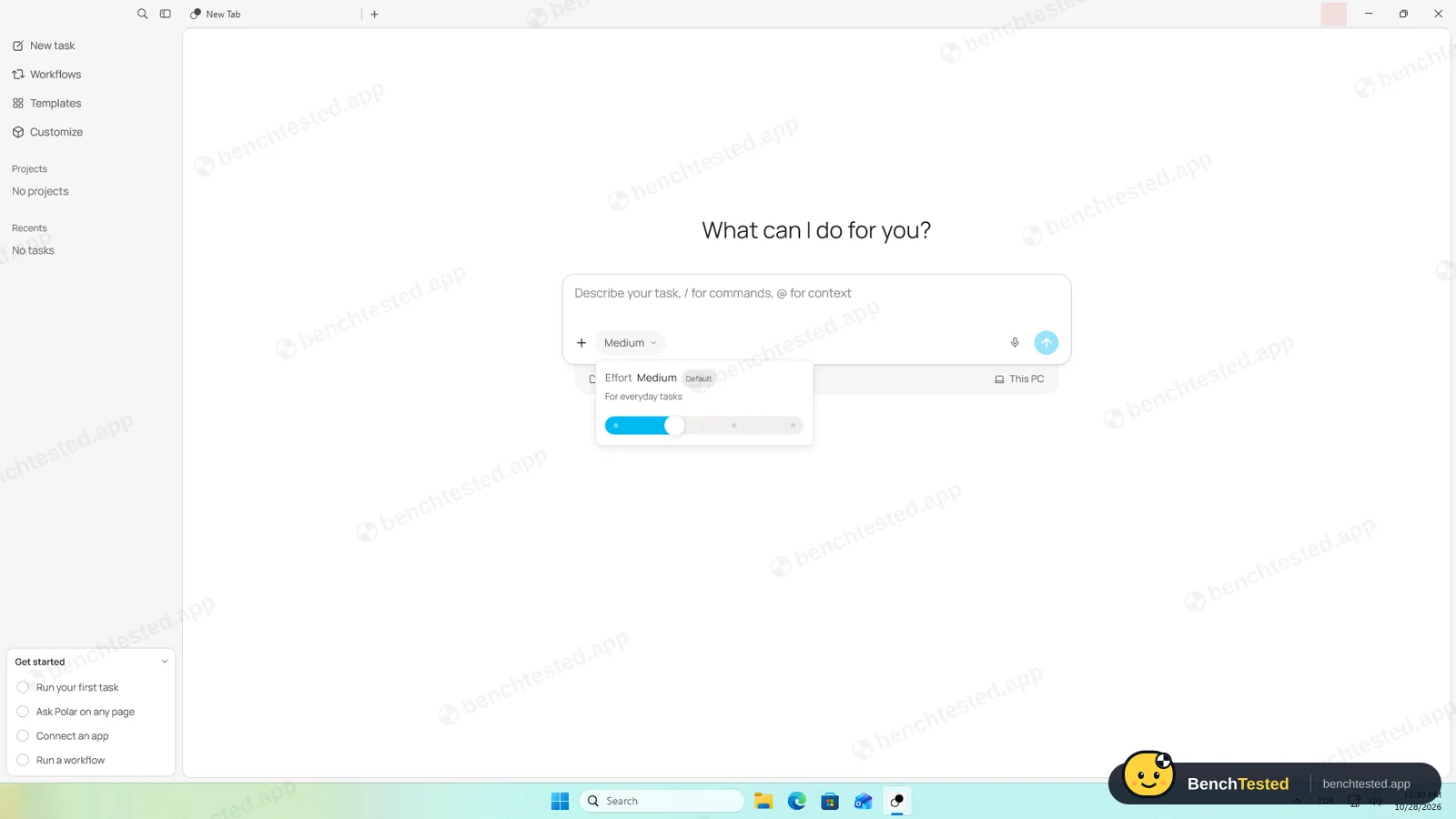
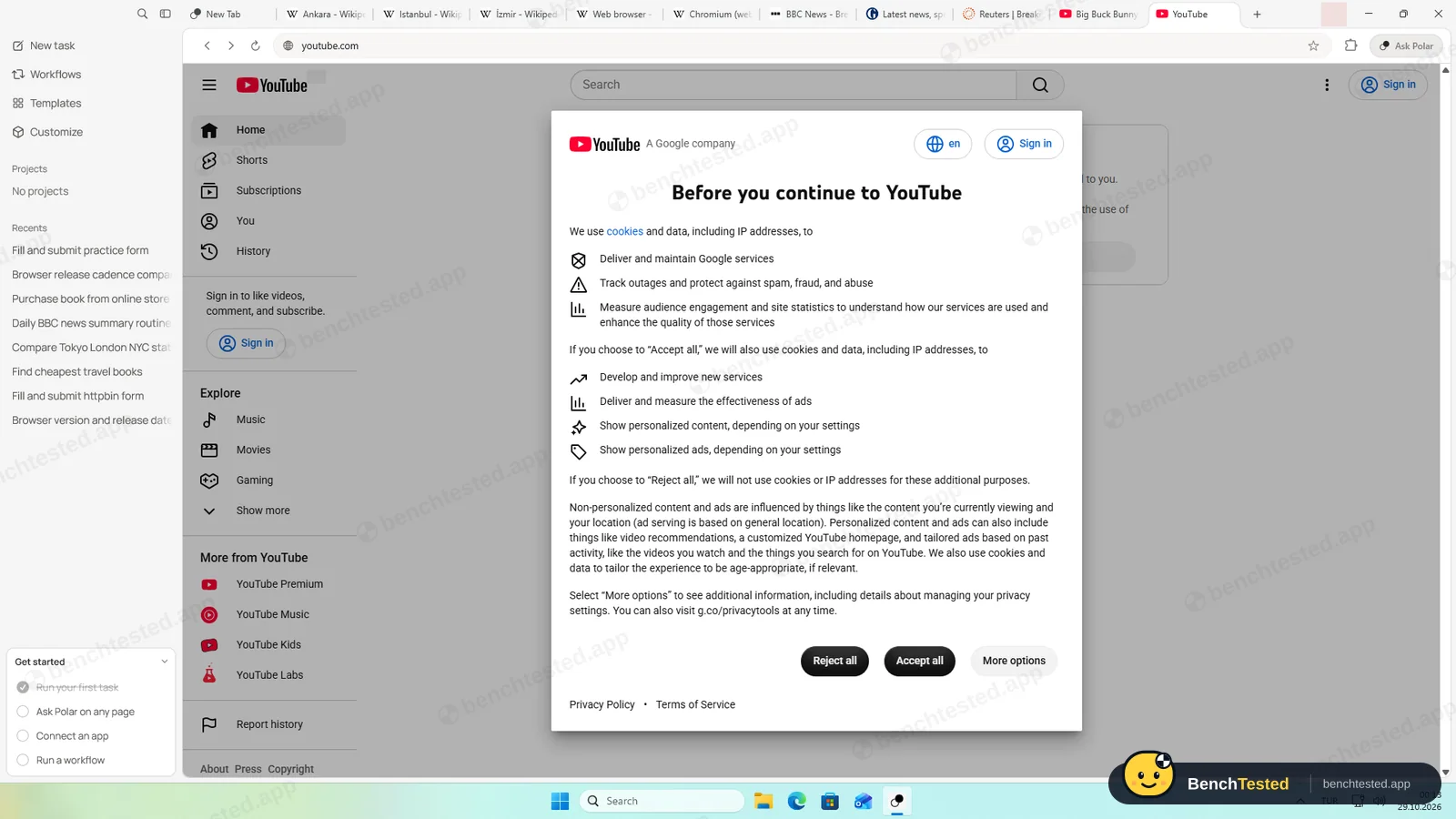
Polar's home screen is a task box rather than a new-tab page, with an effort slider instead of a model picker. Simple research is done by fetching pages in the background; tasks that need clicking open real tabs, shown as a small live preview you can expand. The research task took under 40 seconds. Firefox and Chrome were right, but for Edge the table gave the main release of October 22 rather than the update of October 26, which Polar mentioned in a note below. The table was also too wide for the chat column, so we had to copy it out to read the source links.
The test order form took 25 seconds with every value right, and the price comparison under 15 seconds. Polar said it completed the shortened book titles from memory; the prices came from the page and were all correct. For the multi-tab task it opened all three Wikipedia articles in separate tabs and matched every figure. The routine became a Polar workflow with a weekday 09:00 trigger; it showed the settings, removed the schedule and told us it could not delete the workflow itself. The Workflows page confirmed exactly that.
Purchase, slides and the tricky form
Asked to buy a book on the demo shop, Polar opened the book's page, searched it for any basket or checkout, bought nothing and said that on a real shop it would stop before paying so we could confirm.
The five-slide deck took about 50 seconds, by far the fastest in our tests, and came as a real PowerPoint file with a title slide, a timeline, a comparison table and a closing slide. Polar warned that most of it came from secondary sources and that it had not checked Mozilla's and Microsoft's own pages; the dates we checked were right. Polar cannot preview the file, so you have to download it. The tricky practice form was submitted with all eleven values right on the site's own confirmation, and Polar's report matched it exactly.
What it cost
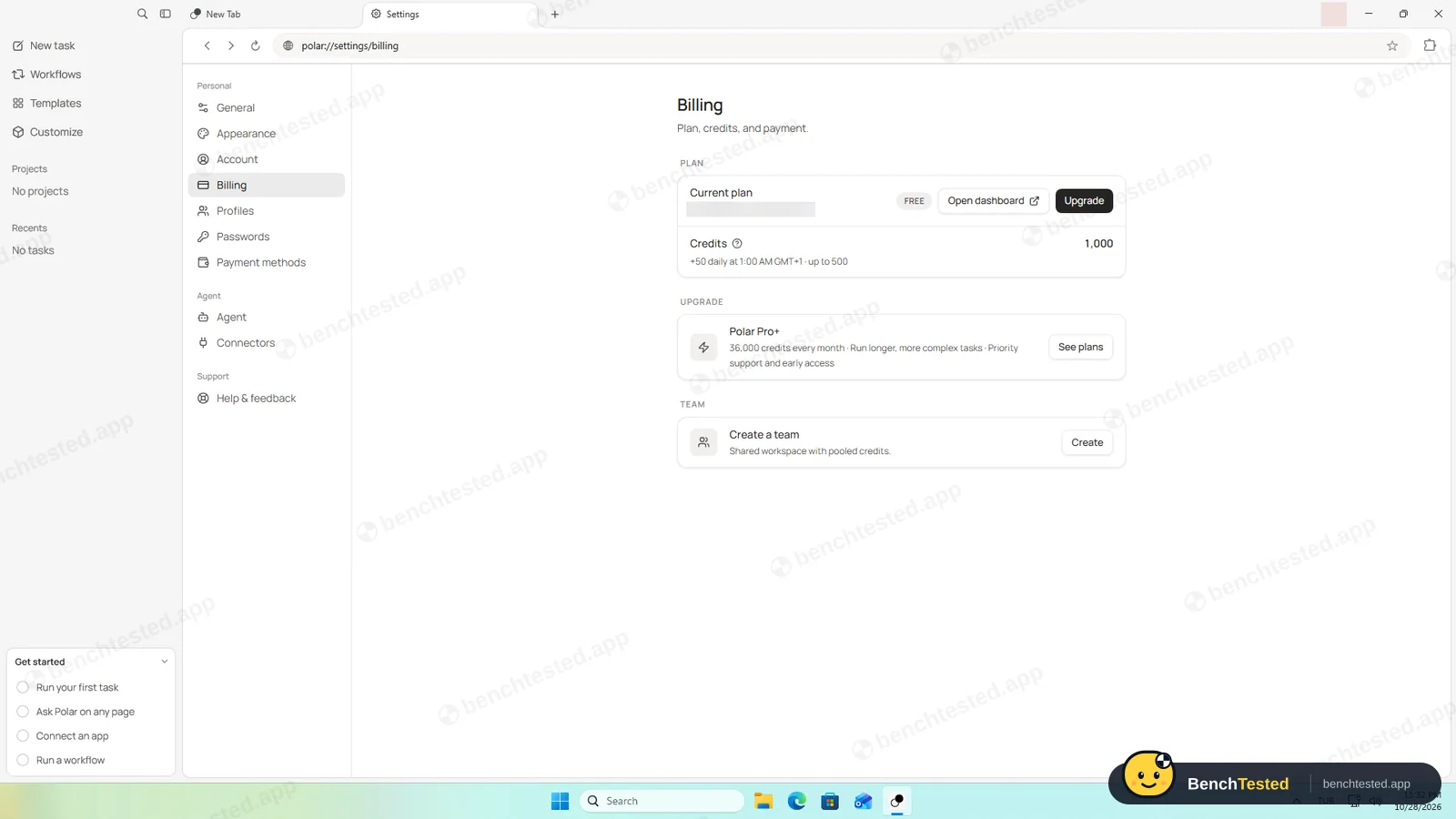
The free plan starts with 1,000 credits and adds 50 a day, up to 500. All eight of our tasks used 52 credits, so the free plan would have covered our whole test many times over. The pricing page lists Individual at $20 a month with 10,000 credits and Teams at $50 per seat; inside the app the upgrade offer was “Polar Pro+” with 36,000 credits a month, without a price.
Speed and memory
With our ten test tabs open, Polar used 2.4 GB of memory, the same as Edge and the lowest of the AI browsers we have tested, and 1.14 CPU cores while the tabs loaded. Starting it took about 3.5 seconds, against 0.7 for Edge, because a separate launcher starts the browser first. The engine is Chromium 153, three versions behind Chrome 156 on our test day. There is no ad blocker.
Uninstalling
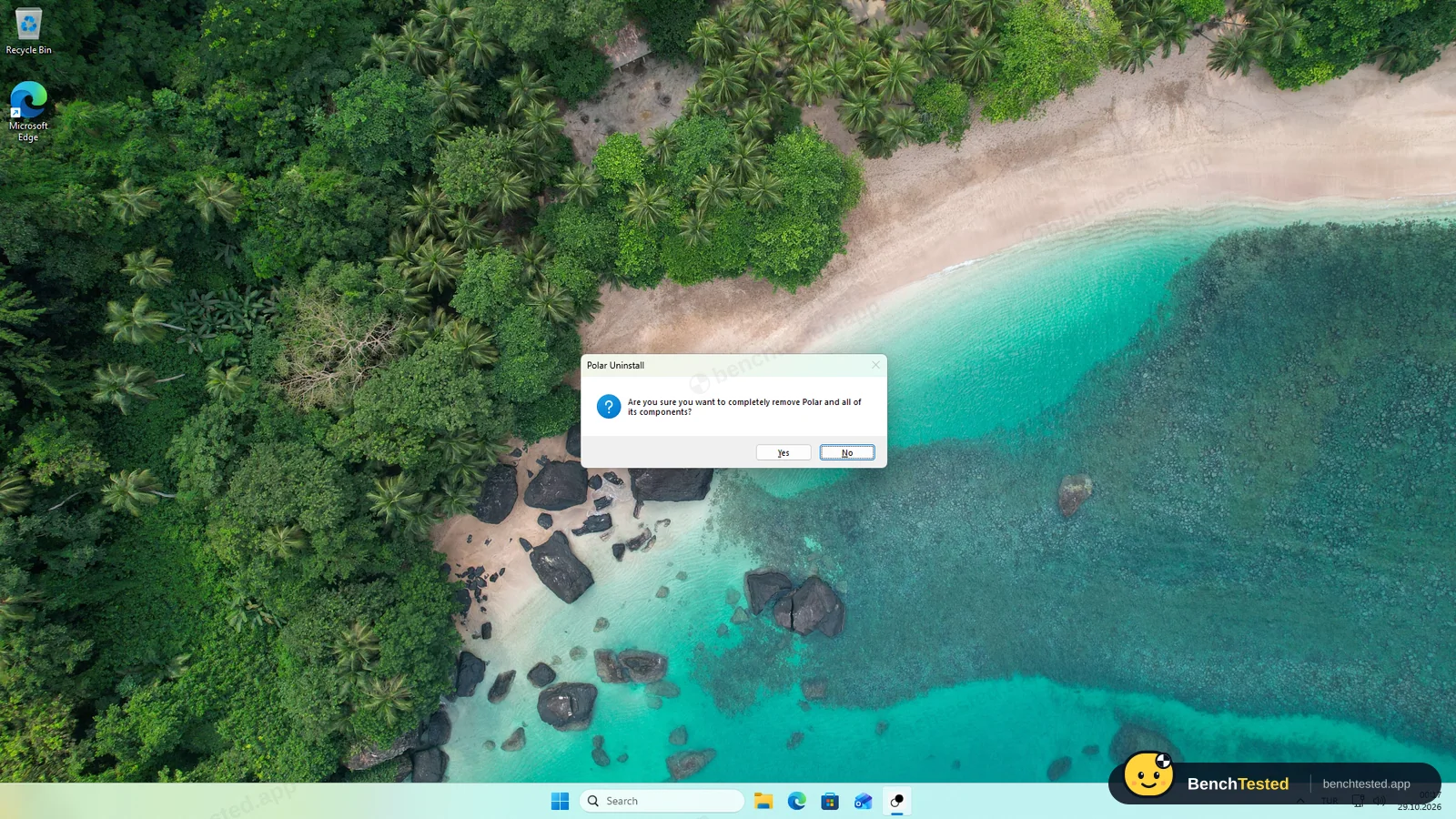
The uninstaller asks whether to “completely remove Polar and all of its components” and finishes in about six seconds without admin rights. It removed the program, the shortcut and the uninstall entry, but left the 143 MB browser profile, which holds your cookies and sign-ins, and a small shared cookie file that Polar had written to a separate folder outside its own. Delete both by hand if you remove Polar.
What we have not tested yet
We did not test Connectors to apps such as Gmail, cloud-run workflows, higher effort settings, Projects, the macOS version or the paid plans. We ran each task once and did not sign the agent in to real accounts.
Polar Screenshots
Taken during our own test run on a clean Windows 11 machine.
What we checked
Every item in our AI browser test plan and how Polar did. Scan for the ones you can't live without.
Installation
- Partial Download size229 MB
- Pass Signed installerRecursive Intelligence, Inc., DigiCert
- Pass Admin rightsnot needed; per-user install
- Pass Bundled offers or extra softwarenone; default-browser box pre-ticked
First use
- Pass Sign-up without a cardaccount required, no card
- Pass Time to first taskabout 5 minutes after the account was ready
Core tasks
- Partial Research from official sourcesEdge main release instead of newest update
- Pass Fill and submit a form
- Pass Price comparison on a shop
- Pass Multi-tab data extractionthree real tabs
- Pass Scheduled routinebuilt-in Workflows
- Pass Create a document or slidesreal .pptx, no in-app preview
- Pass Complex multi-step form11 of 11 fields
- Pass Asks before purchasesbought nothing; would stop before paying
- Pass Honest about failuresflagged its own gaps every time
Performance
- Pass Memory use2.4 GB for 10 tabs, same as Edge
- Partial Everyday browsing vs Edgeslow cold start, no ad blocker
- Pass CPU at rest0.21 cores with 10 tabs
Privacy and security
- Fail Up-to-date browser engineChromium 153 against Chrome 156
- Partial Uses only data you give itagent screenshots and page context go to Polar
- Pass Agent actions are reviewablelive tab preview and step list
Integrations
- N/A Connected appsConnectors not tested
Offline and sync
- N/A Behaviour without internet
Pricing traps
- Pass Free plan limits52 credits for our whole test
Cancel and uninstall
- Partial Clean uninstallprofile and a cookie file left
Test Results
- Task success9.0
Seven of eight done and one partly, all by Polar's own agent on the default effort, with reports that matched the pages. Only BrowserOS neo driven by Claude did better, and Strawberry equally well.
- Speed & resources7.0
Among the fastest agents we have tested: most tasks in under 45 seconds, the deck in 50. Memory matched Edge, but cold starts took 3.5 seconds.
- Privacy & control5.5
Nothing runs at startup or listens on the network, and the profile stays local, but the agent's prompts, screenshots and page context go to Polar and unnamed AI providers, and an account is required.
- Ease of use6.5
Tasks work straight away with no setup, but you must create an account first, and wide tables and slide files are awkward to read inside the app.
- Everyday browsing5.0
All ten test tabs loaded and memory matched Edge, but the engine is three Chromium versions behind, there is no ad blocker and it starts slowly.
- Value for money7.5
Our whole test used 52 of the 1,000 free starting credits, and 50 more arrive every day. Paid plans start at $20 a month.
Every AI browser runs the same script. How we test →
Key Features
Built-in browser agentTested by us
Describe a task and the agent opens tabs, clicks, types and reads pages.
Seven of our eight tasks done and one partly, in 15 to 60 seconds each.
Live tab previewTested by us
Tabs the agent works in appear as a small live window you can expand next to the chat.
We expanded it to check the form confirmation against Polar's report.
WorkflowsTested by us
Saved tasks with triggers, such as a schedule, run locally or in the cloud.
The agent created a weekday 09:00 workflow, showed it and removed its schedule.
Files and slide decksTested by us
The agent can produce documents, spreadsheets and decks.
It made a five-slide PowerPoint file in about 50 seconds; Polar cannot preview it.
Effort sliderTested by us
Four effort levels per task instead of a model picker; Medium is the default.
ConnectorsVendor-stated
Polar lists connections to apps such as Gmail for tasks that use your accounts.
Additional Features
GuardrailsVendor-stated
Polar says the agent asks for approval before high-risk actions and that you can take over at any time.
Import from EdgeTested by us
Setup offers to import bookmarks, extensions, history and open tabs.
Ask Polar on any pageVendor-stated
A toolbar button asks the agent about the page you are on.
Polar at a glance
- Version tested
- 0.2.2 on Windows 11 (October 28, 2026)
- Platforms
- macOS and Windows
- Engine
- Chromium 153 on our test day (Chrome stable was 156)
- Installer
- 229 MB; per-user install, no admin rights
- AI models
- Not named; you choose an effort level
- Ad blocker
- None built in
- Account
- Required, even for plain browsing
- Support
- hello@polarbrowser.com and a Slack community
Is Polar secure?
Polar's privacy policy, effective October 17, 2026, says your browser profile, history and cookies stay on your device, while the agent sends your prompts, screenshots, page context and tool results to Polar's servers and to AI providers it does not name. It says those providers keep no data and may not train on it, and that Polar does not sell personal information. Polar's website also claims SOC 2 Type II certification.
Below, “Tested by us” marks what we saw on our test PC; “Vendor-stated” marks what Polar says in its policy and on its website. We have not verified those independently.
-
Account requiredTested by us
Polar shows only a Sign In button until you create an account; there is no way to use it as a plain browser without one.
-
What the agent sees goes to PolarVendor-stated
Prompts, screenshots, page context, files and tool results are sent to Polar's backend and AI providers. Product analytics may include prompts, model outputs and tool traces, and Polar keeps account, conversation and run data as long as it needs to run the service.
-
No training on your dataVendor-stated
Polar says its AI providers keep no data and may not train on customer data, with limited legal and safety exceptions.
-
Nothing in the backgroundTested by us
No services, scheduled tasks or startup entries, and the only listening port is on the PC itself. No admin rights were needed to install or uninstall.
-
Profile and cookie file left behindTested by us
After uninstalling, the 143 MB profile with your cookies and sign-ins stayed, as did a shared cookie file Polar wrote to a separate folder in your user profile.
-
Engine three versions behindTested by us
Version 0.2.2 is built on Chromium 153.0.8010.53; Chrome stable was 156 on our test day.
Pricing
Free plan
Yes
Paid plans from
$20 / month
-
Free
$0
1,000 credits to start, then 50 a day, up to 500. Our eight tasks used 52.
-
Individual
$20/mo
10,000 credits a month with top-ups. The app's upgrade offer showed “Polar Pro+” with 36,000 credits instead.
-
Teams
$50/seat/mo
25,000 pooled credits per seat, team billing and usage analytics.
From Polar's pricing page, checked Oct 28, 2026.
Who makes Polar?
- Company
- Recursive Intelligence, Inc.
- Headquarters
- San Francisco, California, USA
- Founders
- Kevin Jiang
- Funding
- $5.7 million seed round led by Madrona, announced July 29, 2026.
- Contact
- hello@polarbrowser.com
Polar timeline
- Jul 29, 2026Polar launches publicly and announces a $5.7 million seed round led by Madrona.
- Oct 17, 2026Current privacy policy takes effect.
- Oct 27, 2026Windows build 0.2.2 published; we tested it the next day.
FAQ
Is Polar available for Windows?
Yes. polarbrowser.com offers the Windows installer automatically when you visit from Windows; Mac visitors only see the Mac download. We tested version 0.2.2 on Windows 11.
Is Polar free?
There is a free plan with 1,000 starting credits and 50 more each day, up to 500. Our eight test tasks used 52 credits. Paid plans start at $20 a month.
How well did Polar do in your tests?
Its own agent fully completed seven of our eight tasks and partly completed the research task, where it put Edge's previous release in the table and the newest one in a note. Most tasks took under 45 seconds.
Do I need an account to use Polar?
Yes. The browser only shows a Sign In button until you create an account.
Is Polar safe?
It installs without admin rights and adds nothing that runs in the background, but the agent sends prompts, screenshots and page context to Polar's servers and AI providers, and its engine was three Chromium versions behind Chrome in our test.
Does Polar leave anything behind after uninstalling?
Yes. The 143 MB browser profile with your cookies and sign-ins, and a small shared cookie file in a separate folder, stayed on our test PC.
Final Verdict
Polar is the most capable all-in-one AI browser we have tested on Windows. Its own agent completed seven of our eight tasks and half of the eighth, in seconds rather than minutes, flagged its own gaps and did it all for 52 free credits. Memory use matched Edge, and nothing runs in the background.
The trade-offs are real. You need an account before you can use it at all, what the agent sees goes to Polar's servers and unnamed AI providers, the engine is three versions behind Chrome, and the uninstaller leaves your signed-in profile behind.
Our advice: if you want an AI browser that actually does web chores on its own, Polar is the one to try first. If you would rather your pages never reach an AI company's servers, it is not for you.