
Review Summary
Airtable is a database that makes a capable project tracker: our 40 tasks pasted in one go, CSV import and export kept every value, imports took seconds, automations fired quickly and its AI got everything right and asked before adding records. The trade-offs: no recurring tasks or real subtasks, dependencies that only flag conflicts, Gantt and timeline on paid plans, a free plan capped at 1,000 records per base, and a desktop app that greeted us with a firewall prompt and a bot check.
+ What works
- Paste a spreadsheet and the project is built, with select options created from the data
- CSV import and export kept all 200 rows identical, and 500 rows imported in about a second
- Automations fired in a few seconds, with schedules, conditions and many actions
- Omni, the AI assistant, answered correctly and asked before creating records
- Per-user install with no prompts and no startup entries
− What falls short
- Gantt and timeline views need the paid Team plan
- No recurring tasks or subtasks; we used a scheduled automation and a link field instead
- Dependencies only flag conflicts; nothing moved when a predecessor slipped
- Free plan: 1,000 records per base and 100 automation runs a month
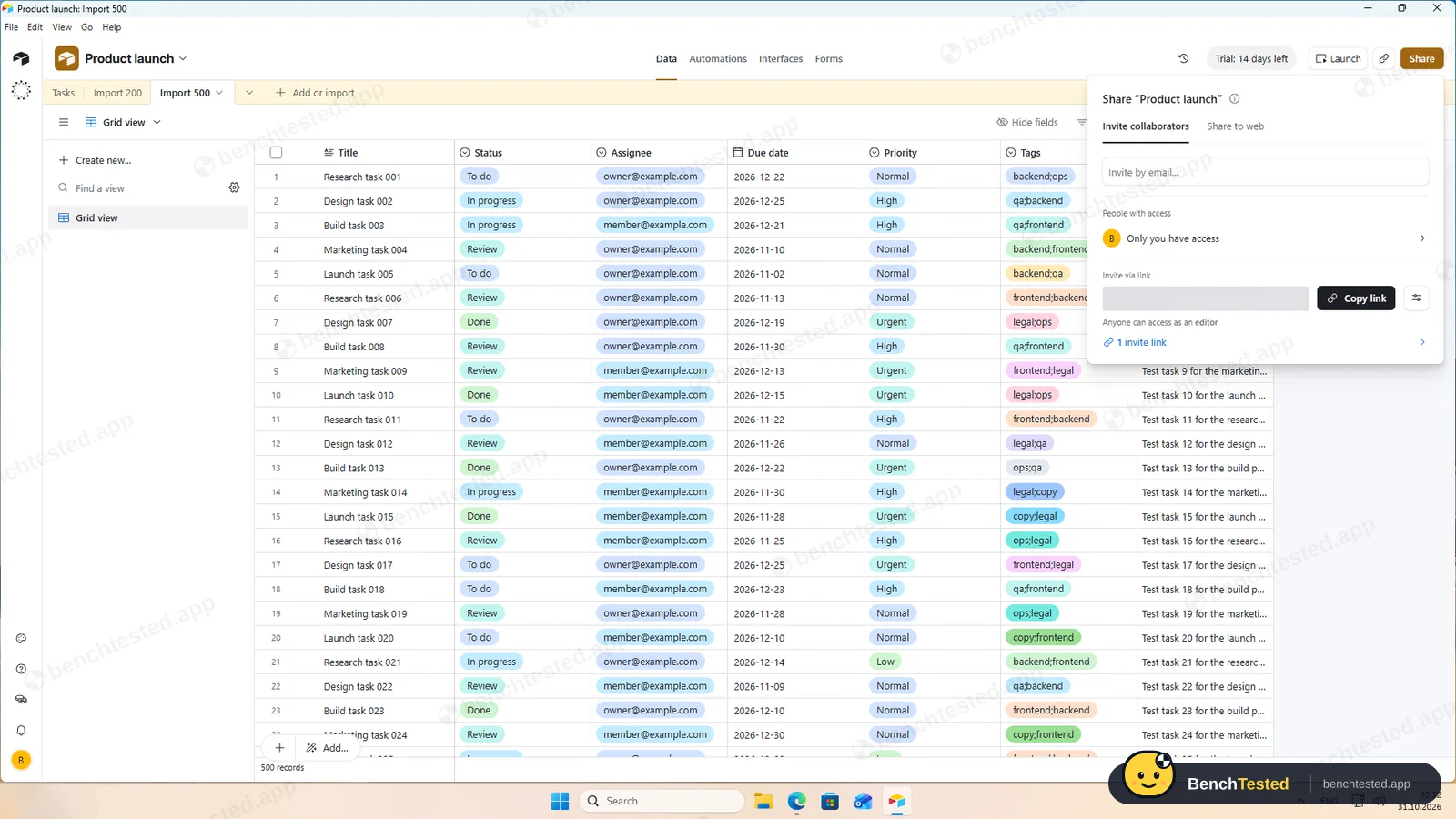
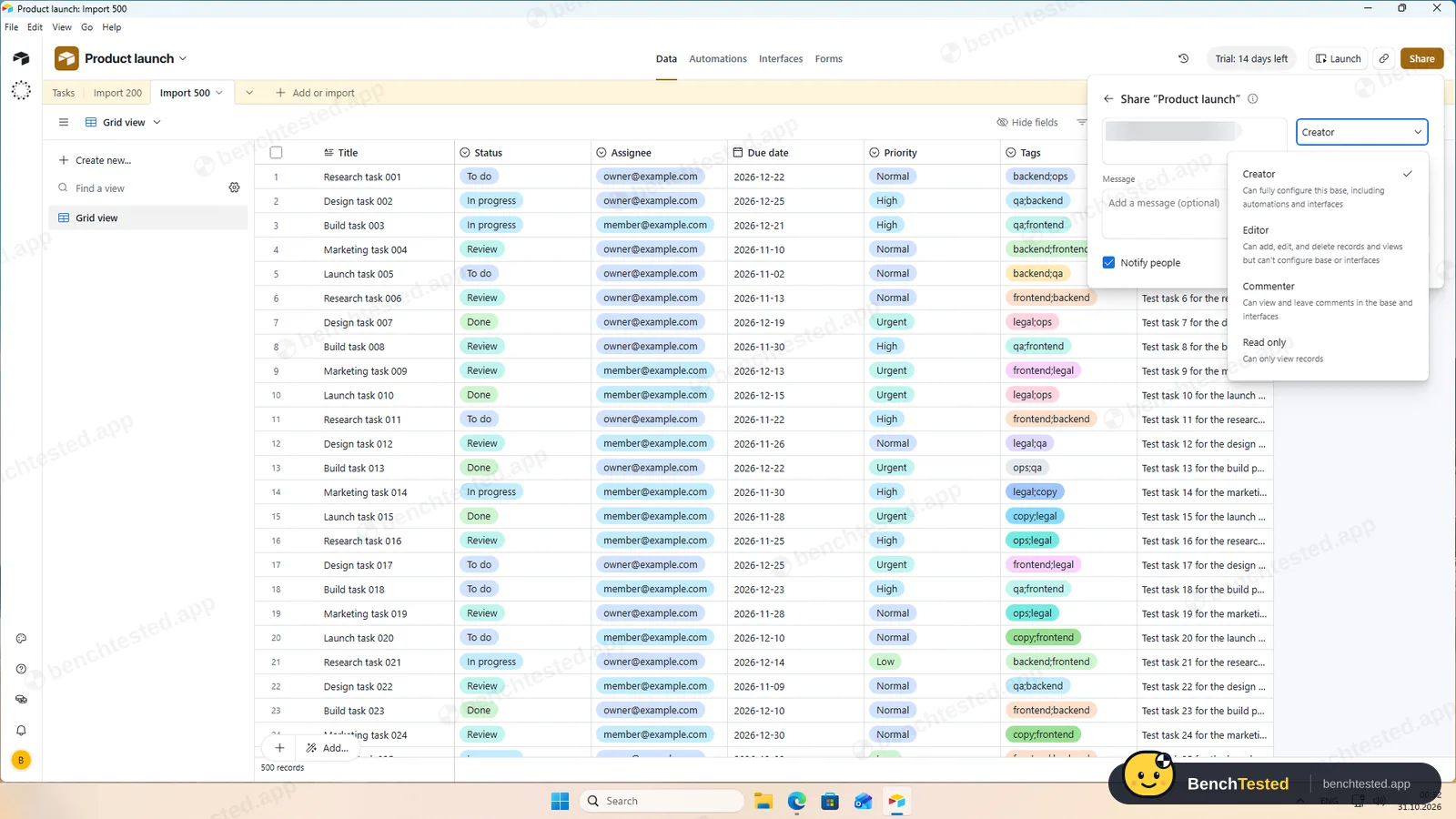
- New invites default to Creator, and an editor invite link is on by default
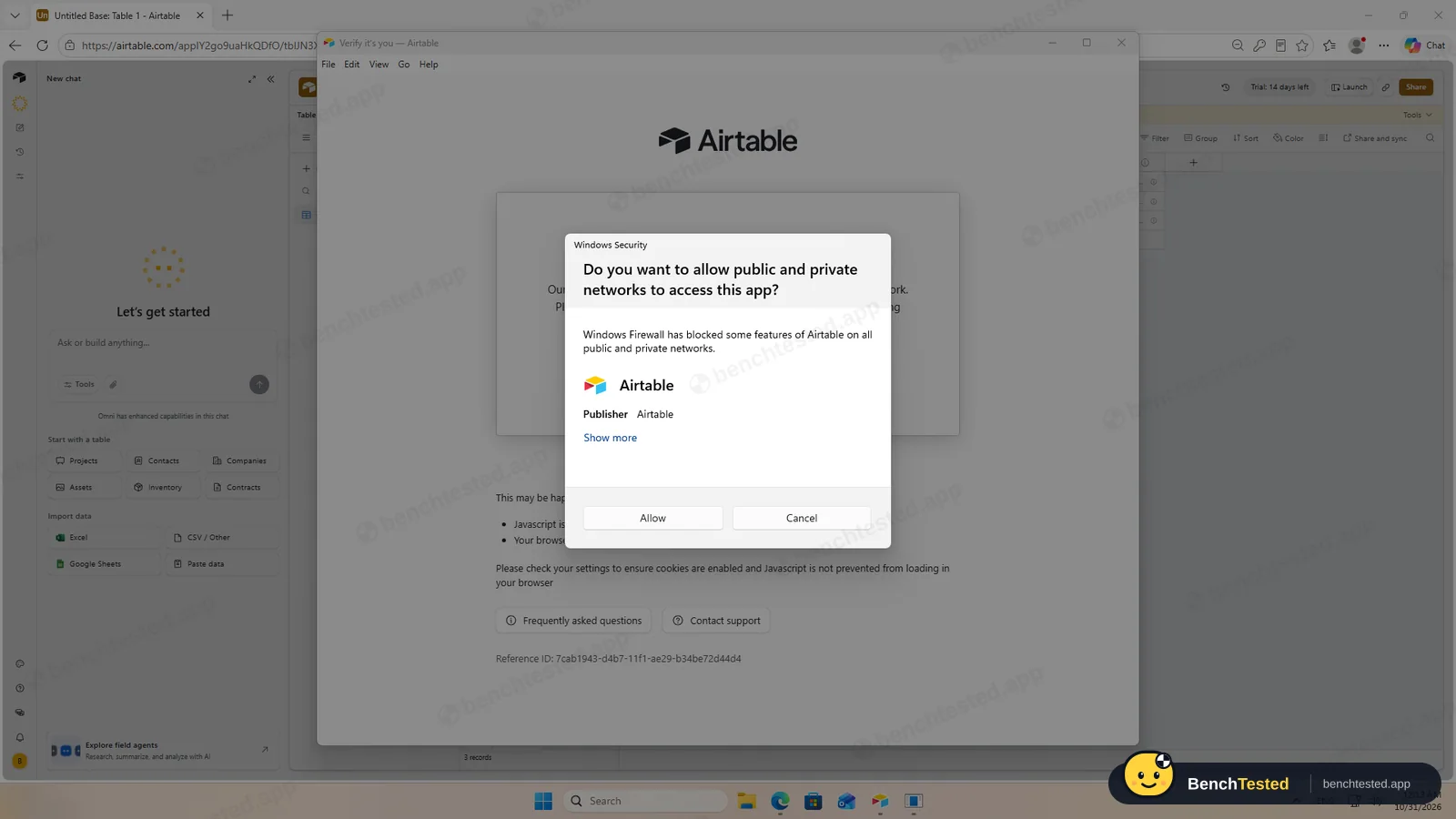
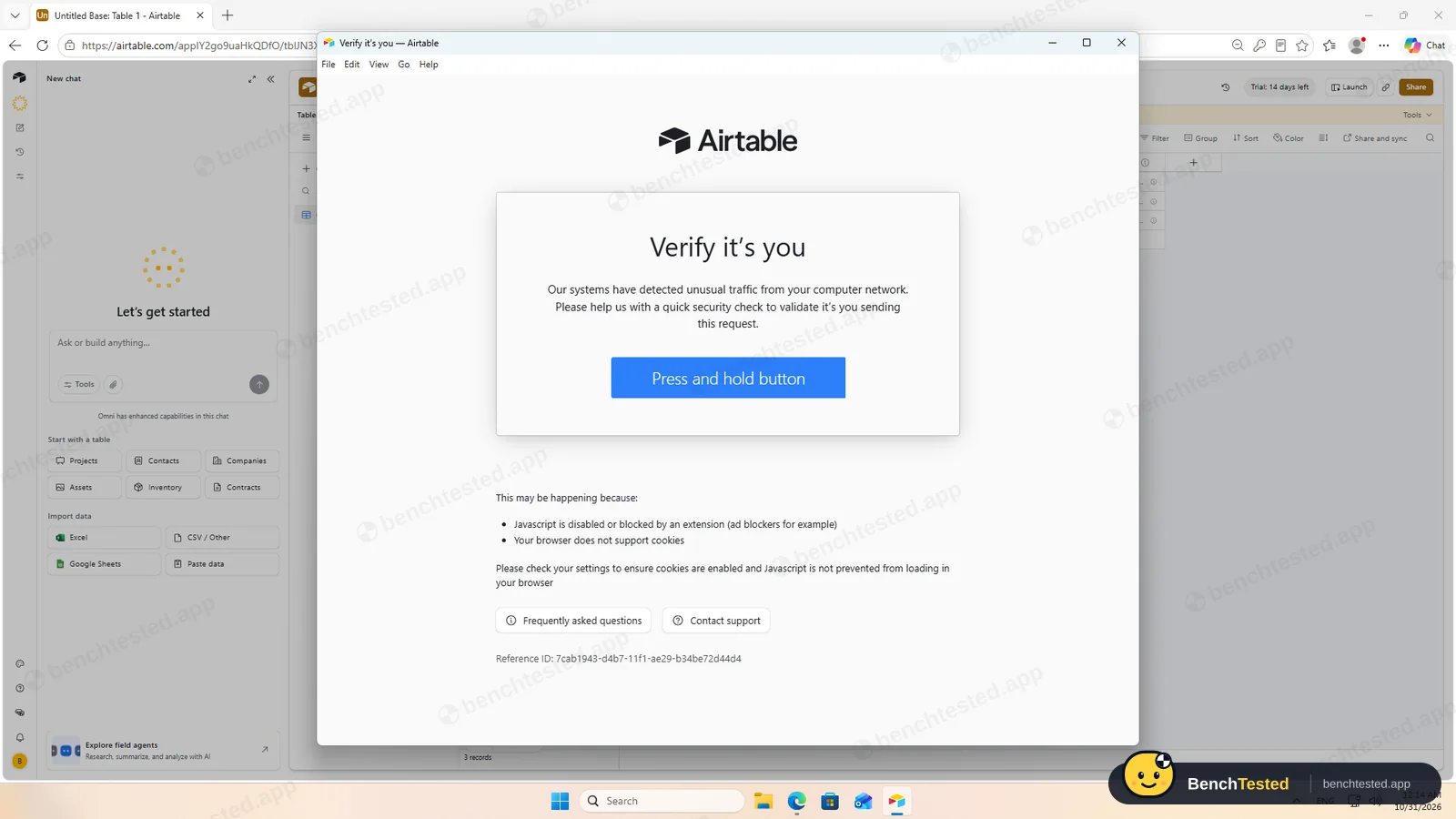
- First launch raised a Windows Firewall prompt and a bot check
Airtable Alternatives
Not sure Airtable is the right fit? These project management tools scored best on the same test script:
 ClickUp Recommended Small teams that want lists, boards, Gantt charts, automations and AI in one free workspace and do not mind a busy, heavy app 7.4 Read reviewReview

What is Airtable?
Airtable is a database with a spreadsheet-like grid. Each table can be shown as a grid, Kanban, calendar, gallery, list, timeline or Gantt chart, and automations, forms and interfaces are built on top.
Omni, its AI assistant, can answer questions about a base and create or change records after asking.
Why Airtable is different
Real field types and linked records across tables.
Automations with conditions, schedules and many actions.
Who is Airtable for?
Teams who want a flexible database behind their projects, with automations and reliable CSV in and out. Teams that run projects on structured data and want automations and clean imports and exports.
Skip it if
- You need Gantt charts or a timeline without paying
- You rely on recurring tasks or subtasks
- Your projects will grow past 1,000 records on the free plan
Our Experience with Airtable
Test log
Windows 11 Pro 10.0.26300 in VMware Workstation 26H1 (4 vCPU, 8 GB RAM, no GPU passthrough), English UI, 1920×1080, clean snapshot; new Airtable account, which starts a 14-day Team trial
- 23:48
Installer downloaded
151 MB, signature valid, certificate expired
- 00:10
Account created
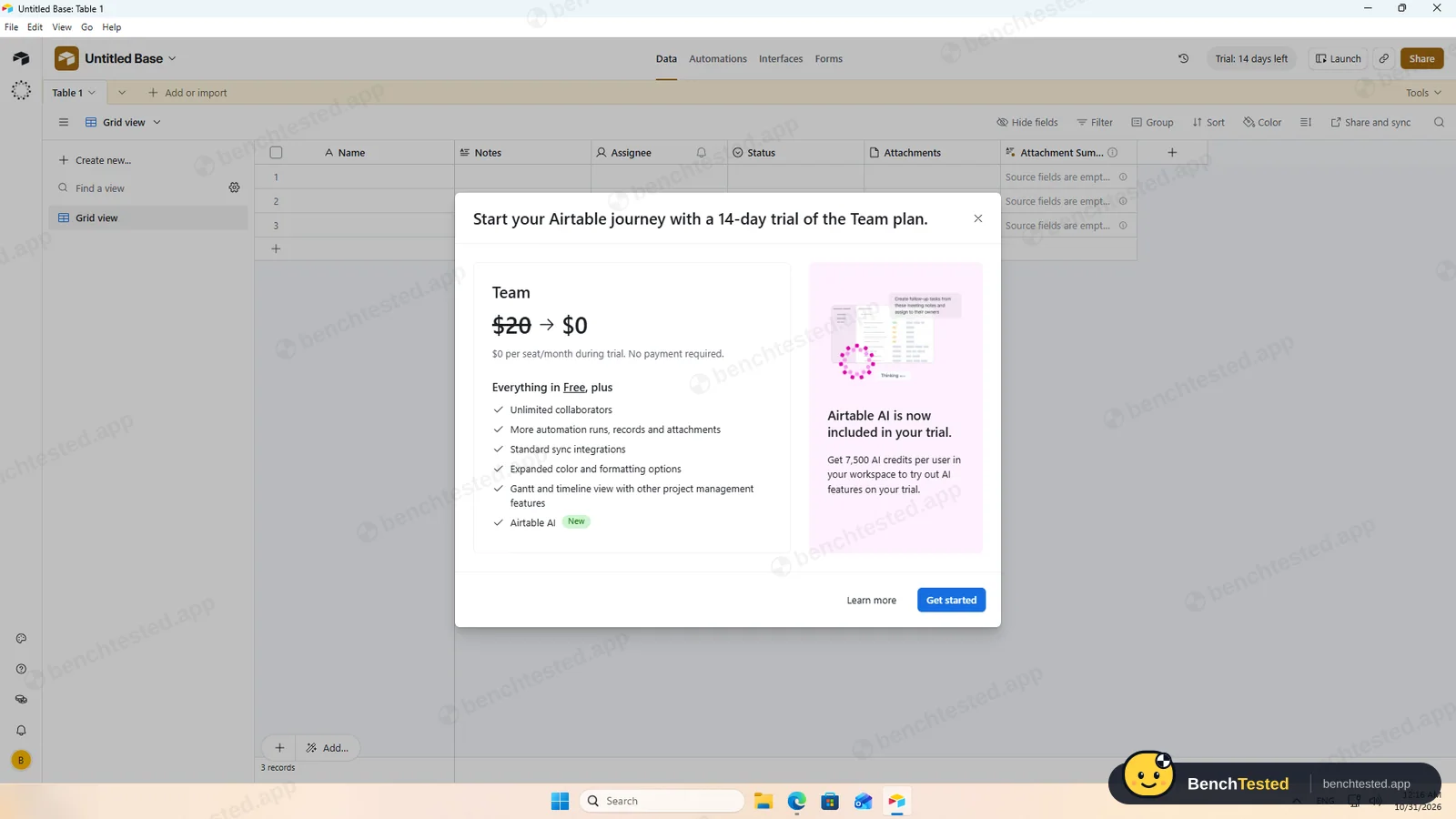
14-day Team trial
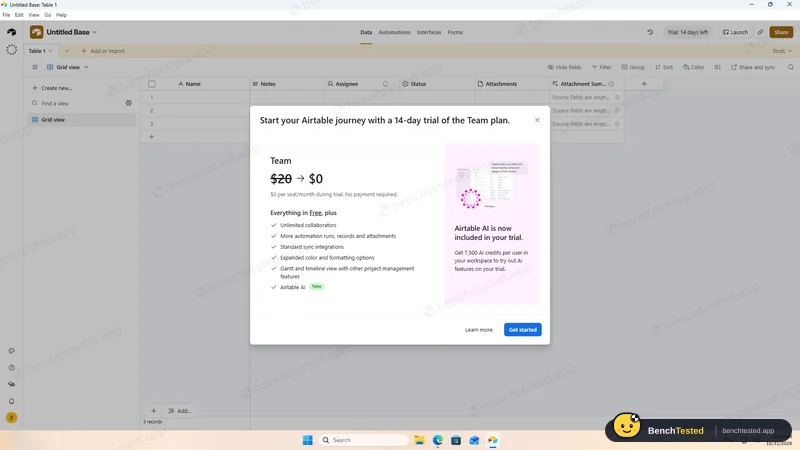
- 00:13
Firewall prompt on first launch
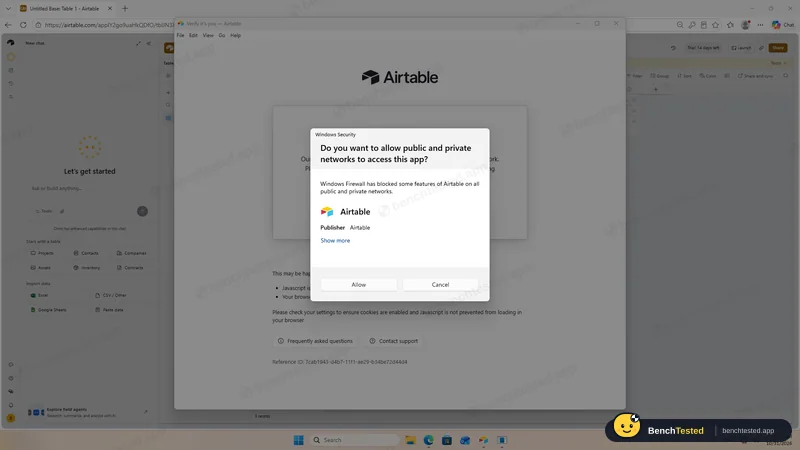
- 00:14
Bot check before sign-in
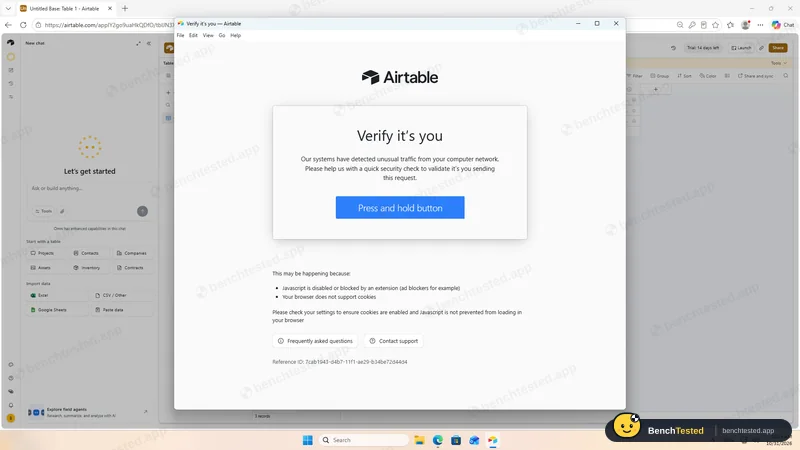
- 00:20
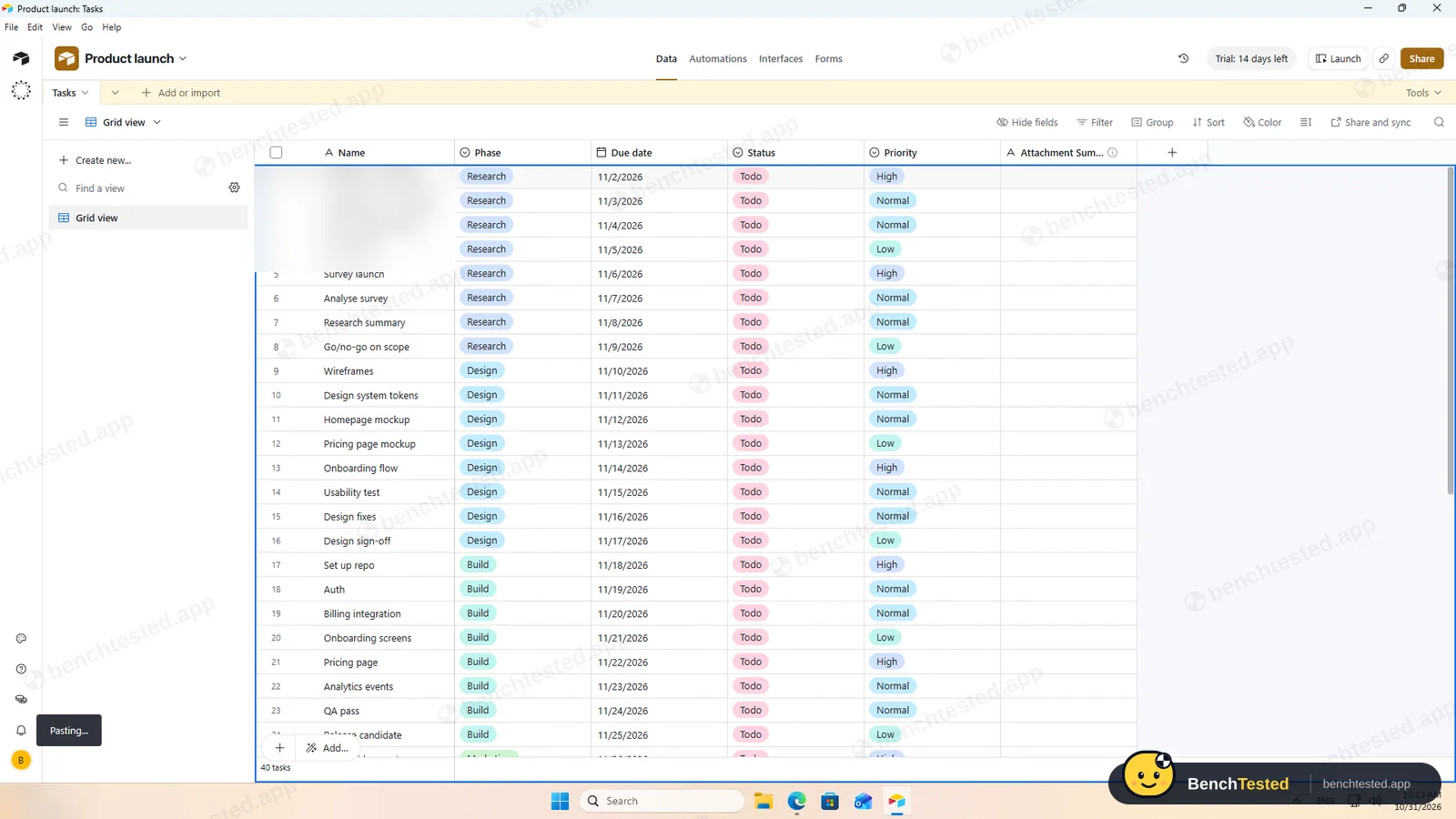
P1: 40 tasks pasted
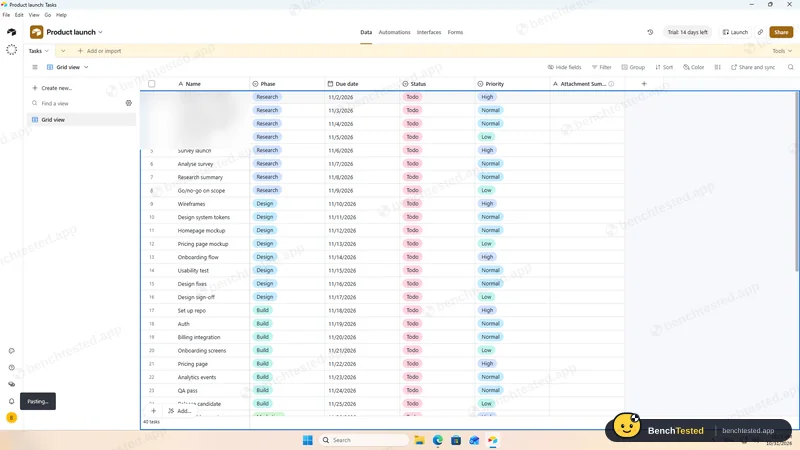
- 00:24
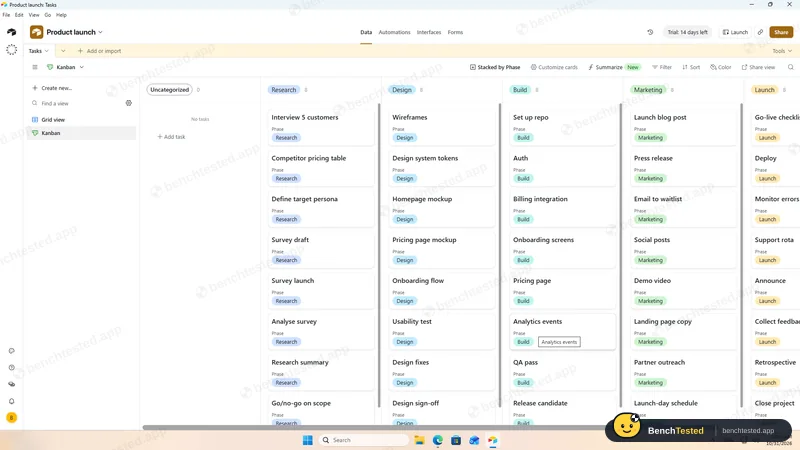
P2: Kanban and calendar
- 00:34
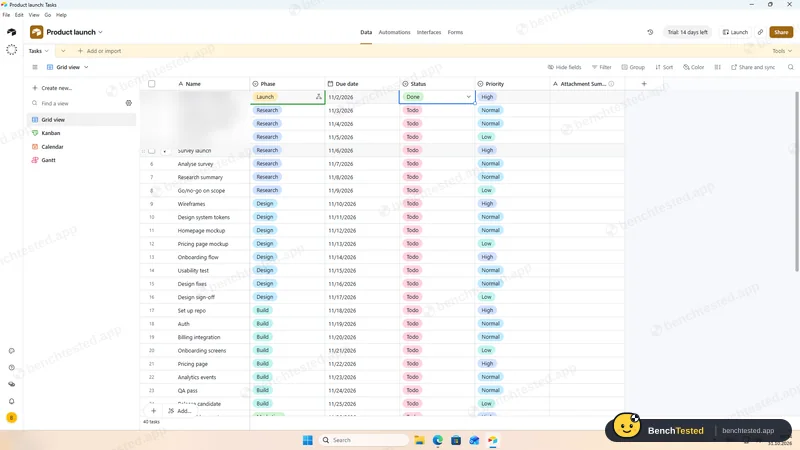
P3: automation fired
3–6 s
- 00:41
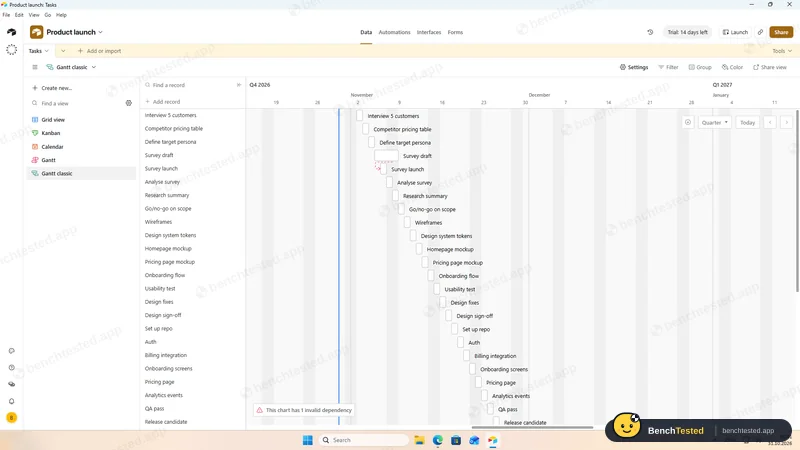
P3: dependency did not reschedule
- 00:44
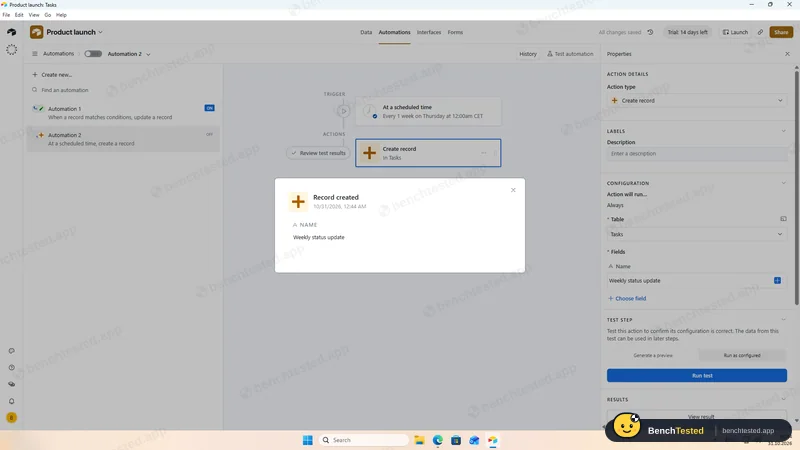
P3: weekly task via automation
- 00:47
P4: 200 rows
about 3 s
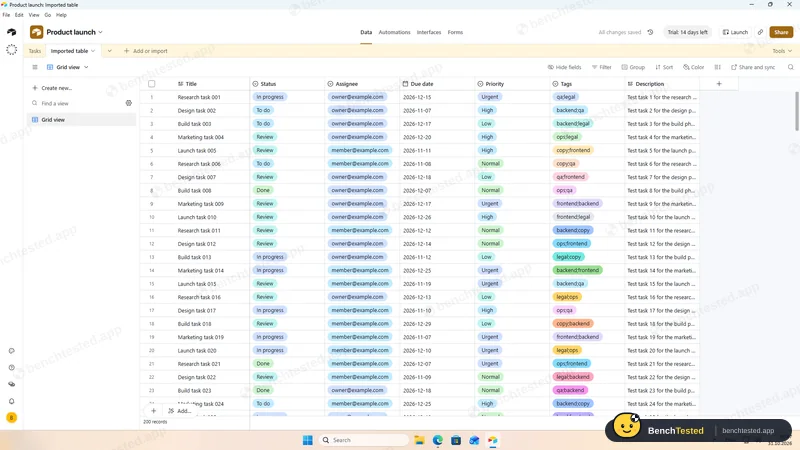
- 00:49
P5: 500 rows
about 1 s
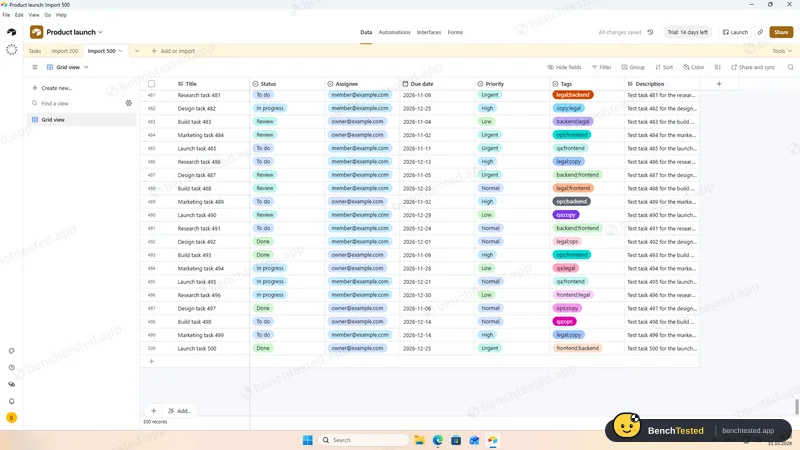
- 00:52
P6: editor invite link on by default
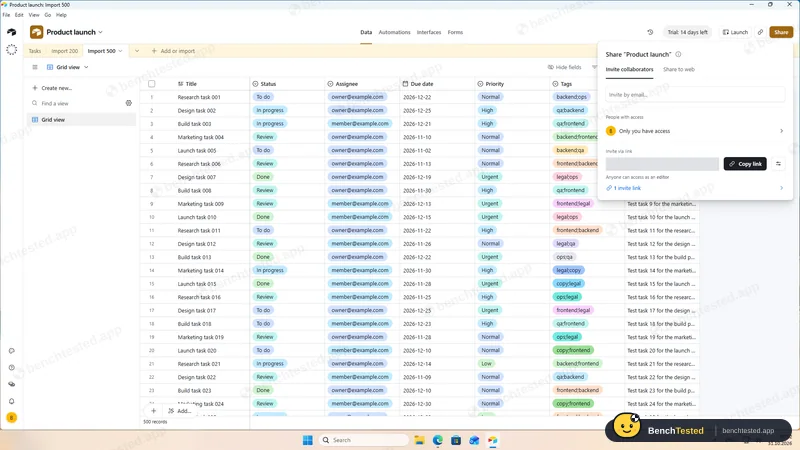
- 00:55
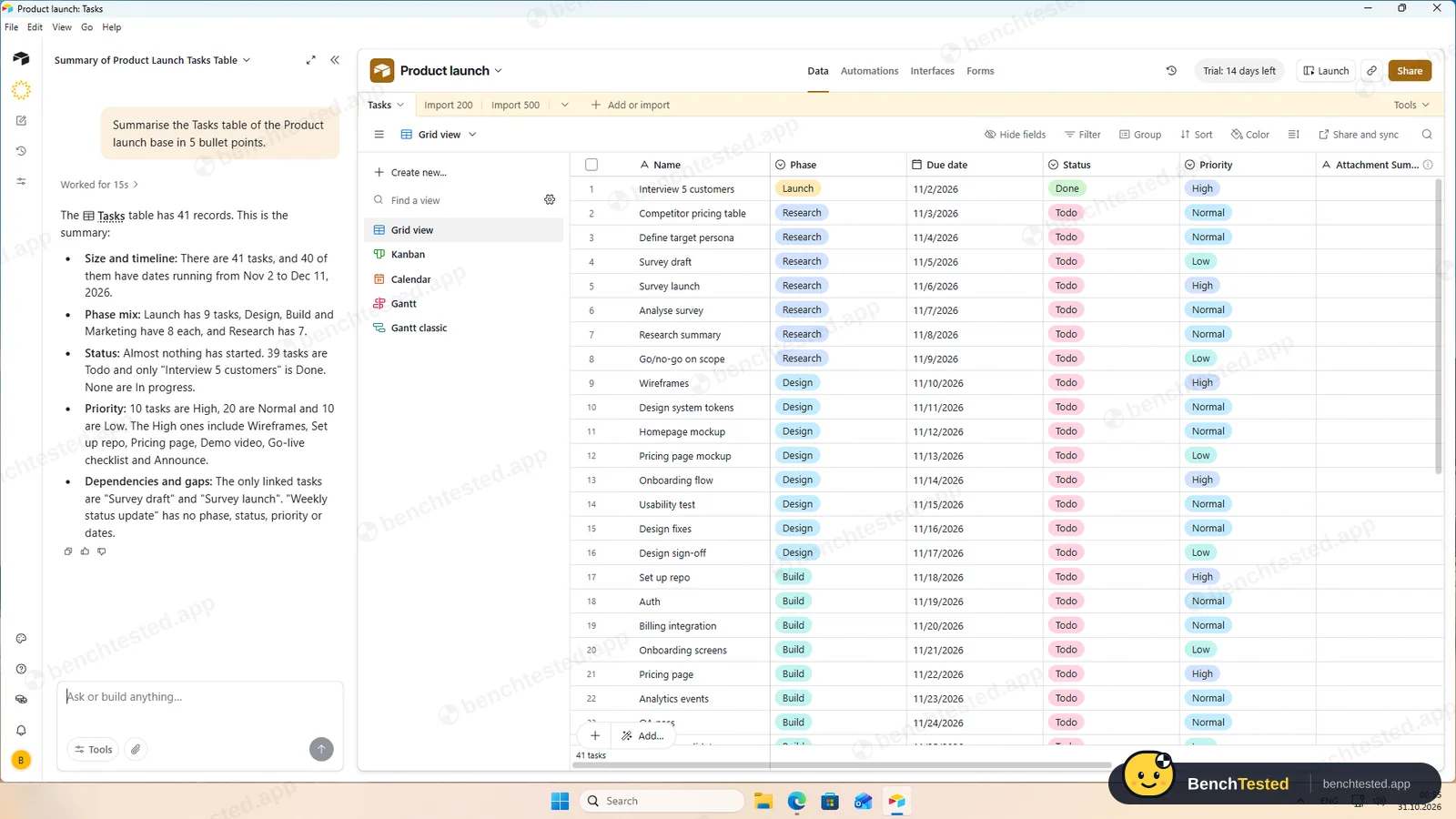
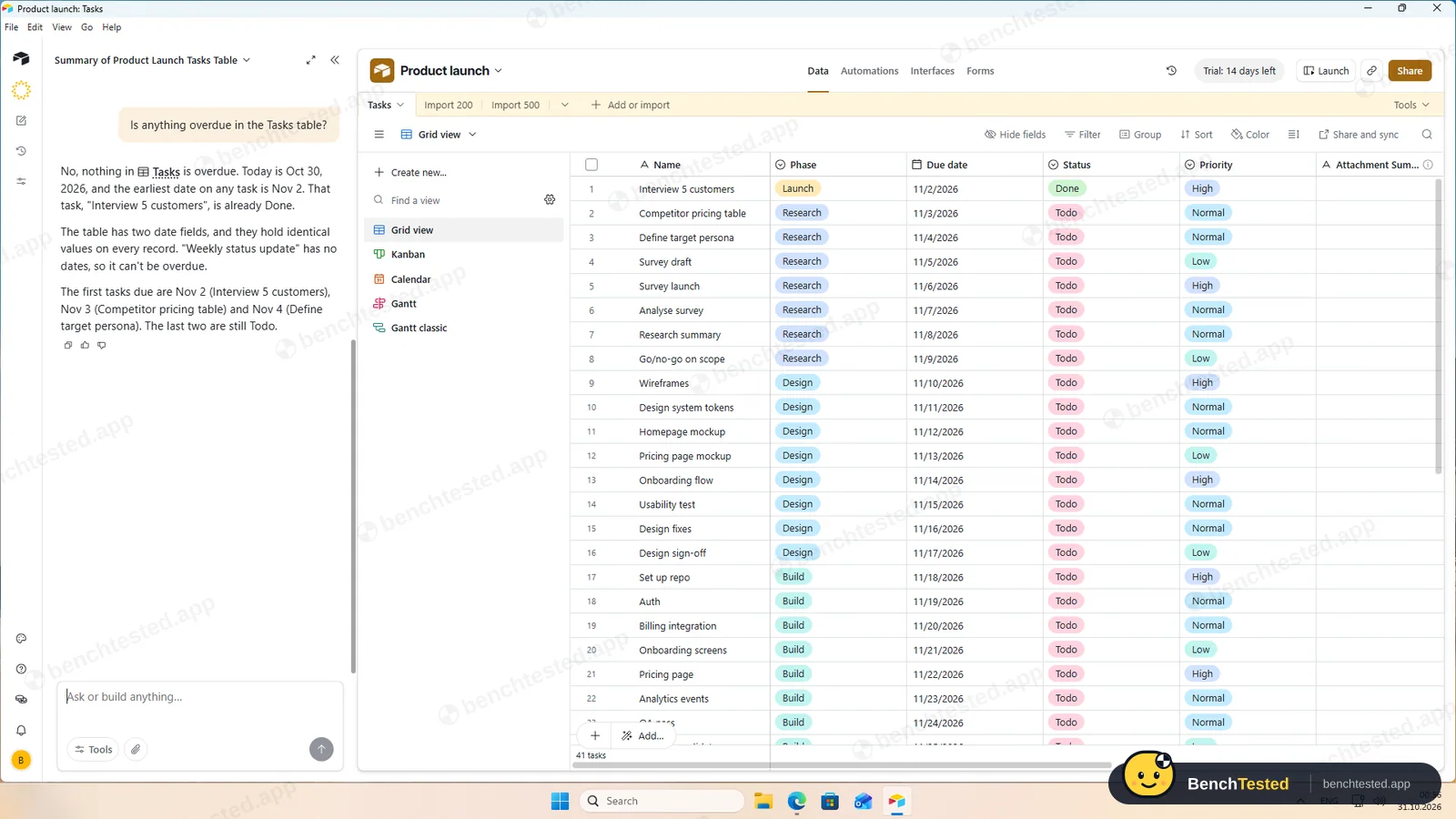
P7: AI summary correct
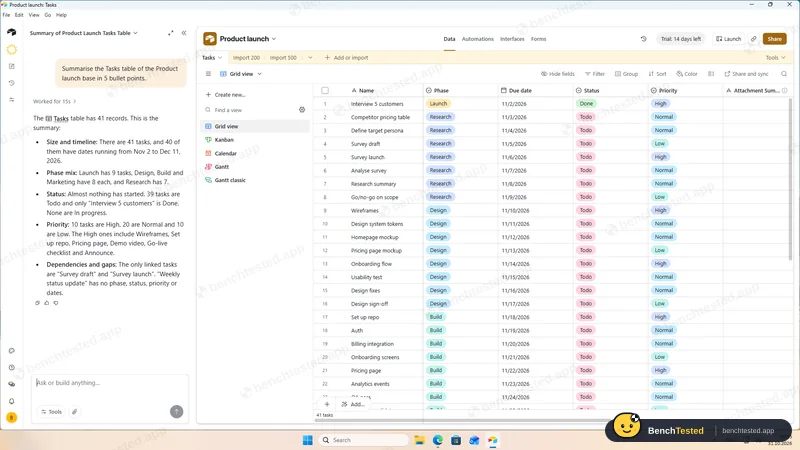
- 00:57
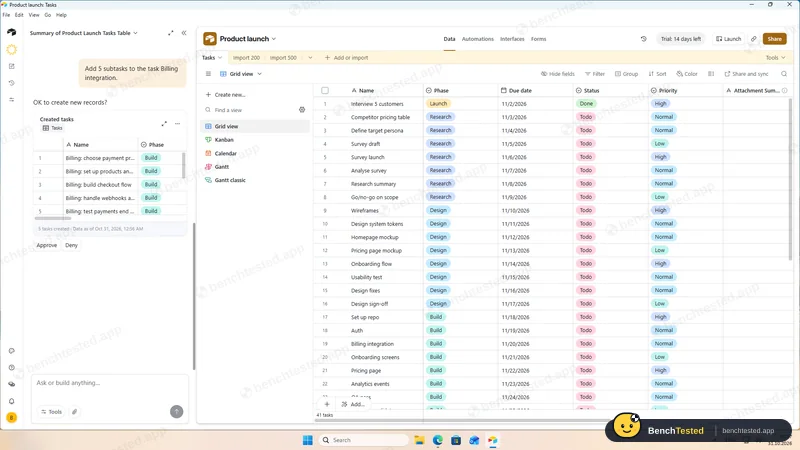
P7: AI asked before adding tasks
- 00:59
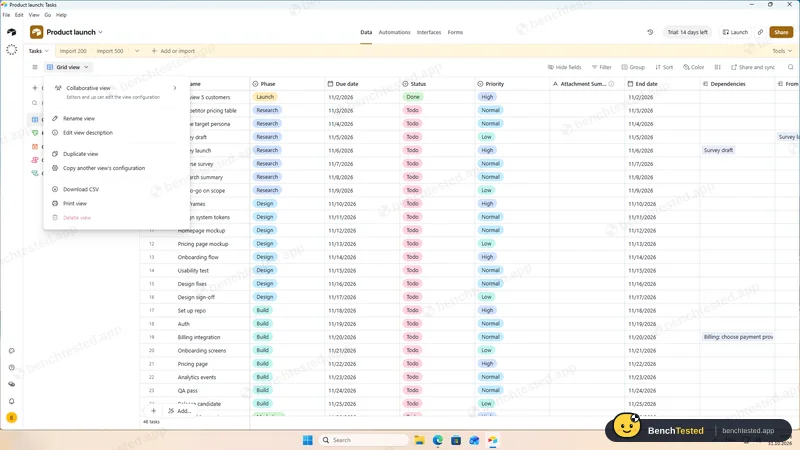
P8: CSV export
identical
- 01:01
Uninstalled
63 MB left
-
P1 · Build a project
Build a 40-task product launch project from a written brief: five phase lists of eight tasks, each with a due date and priority.
Pass ≈ 5 min
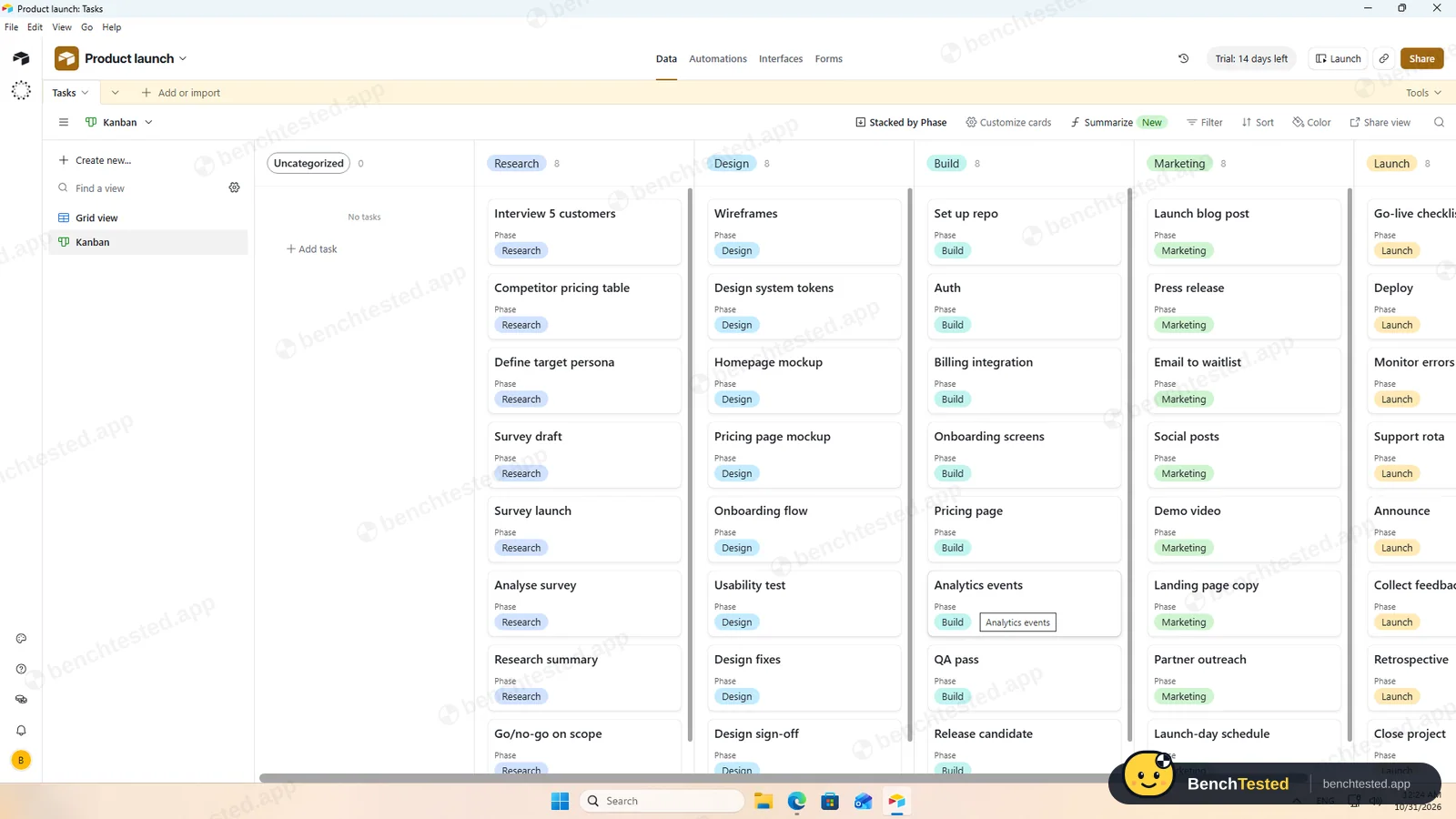
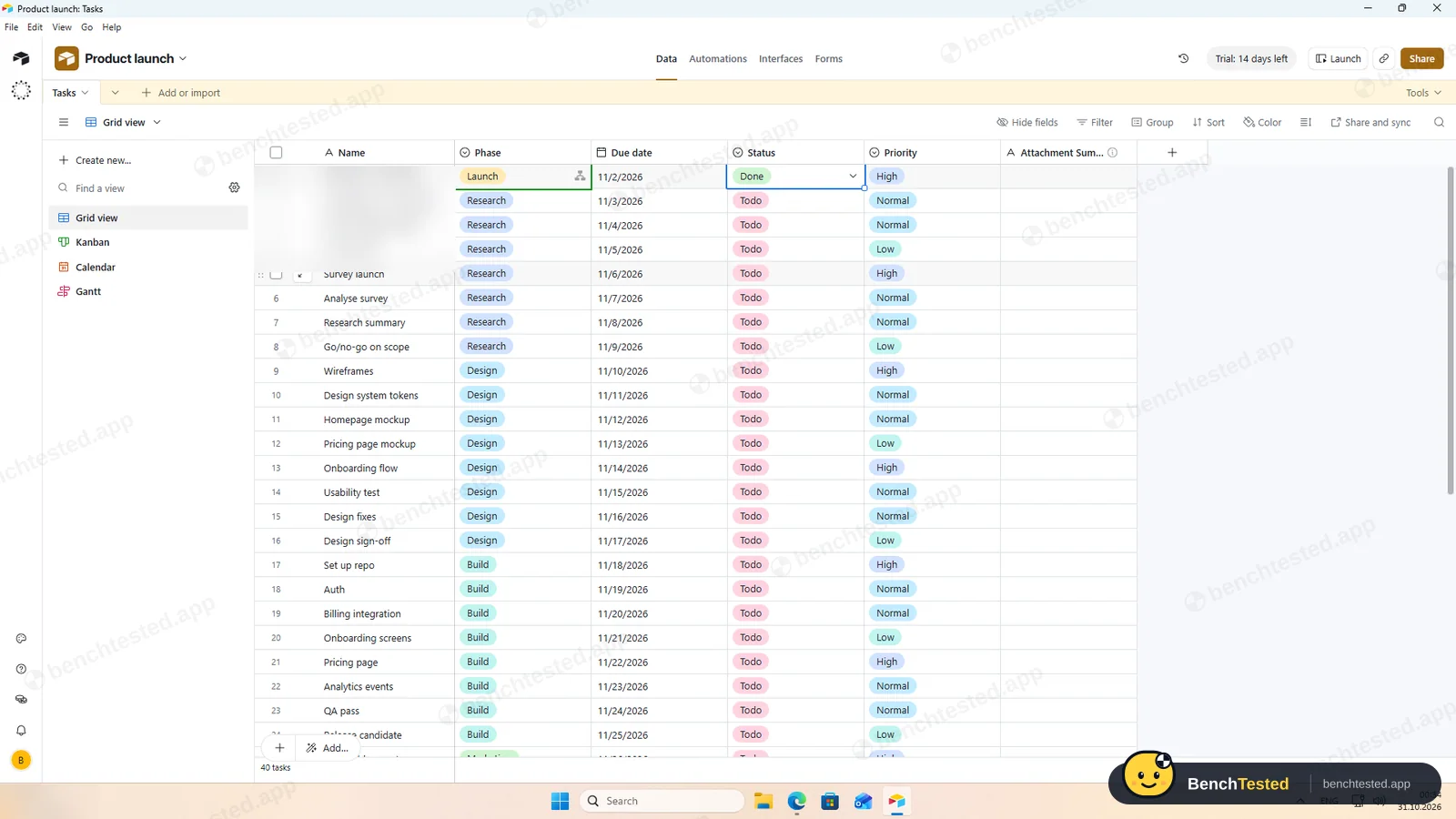
After turning the sample fields into Phase, Due date, Status and Priority, we pasted all 40 rows in one go. Airtable expanded the table and created the select options from the data; dates, including weekends, stayed as entered.
-
P2 · Views
Show the project as a list, board, calendar and Gantt chart.
Partial ≈ 8 min
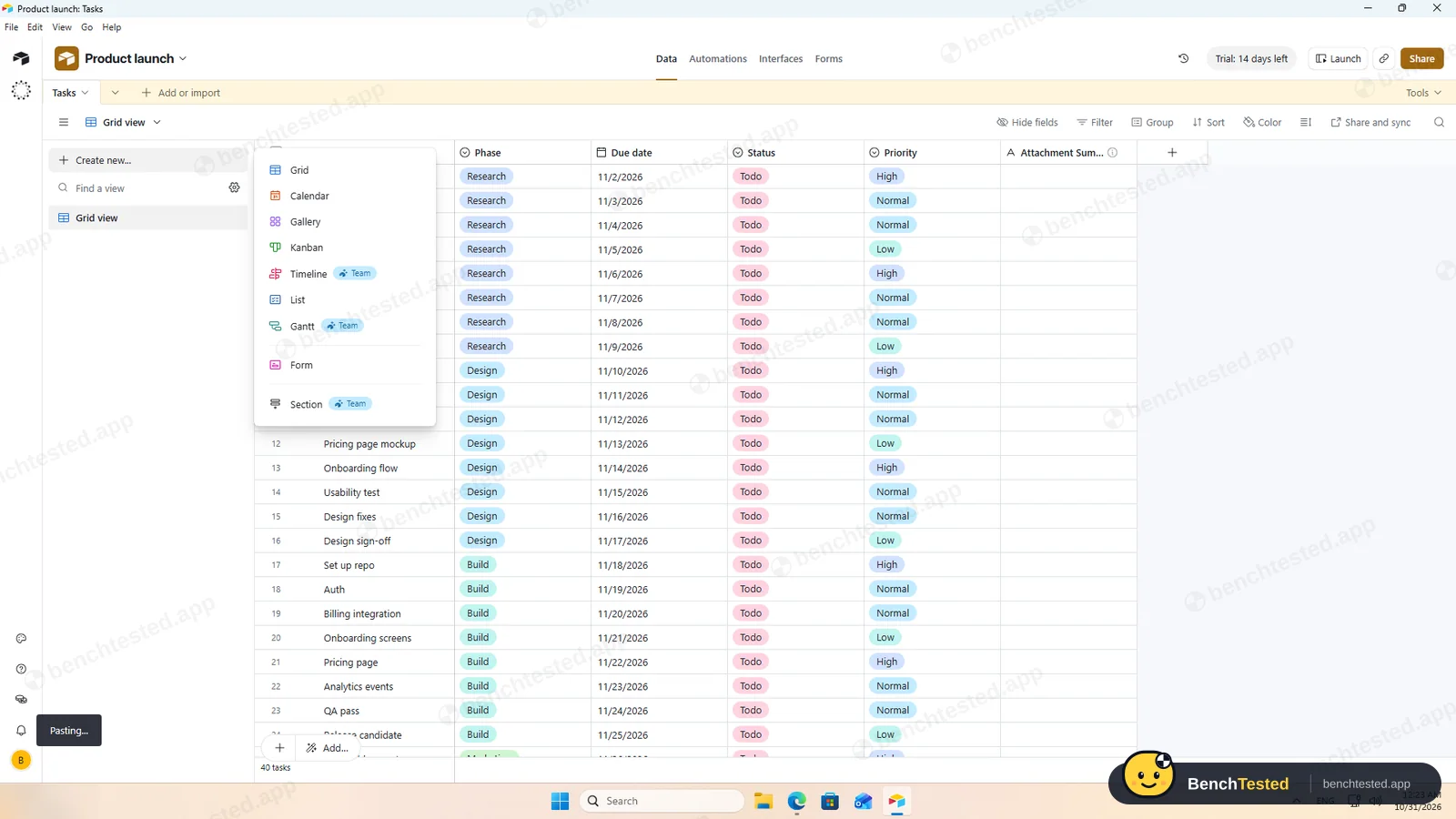
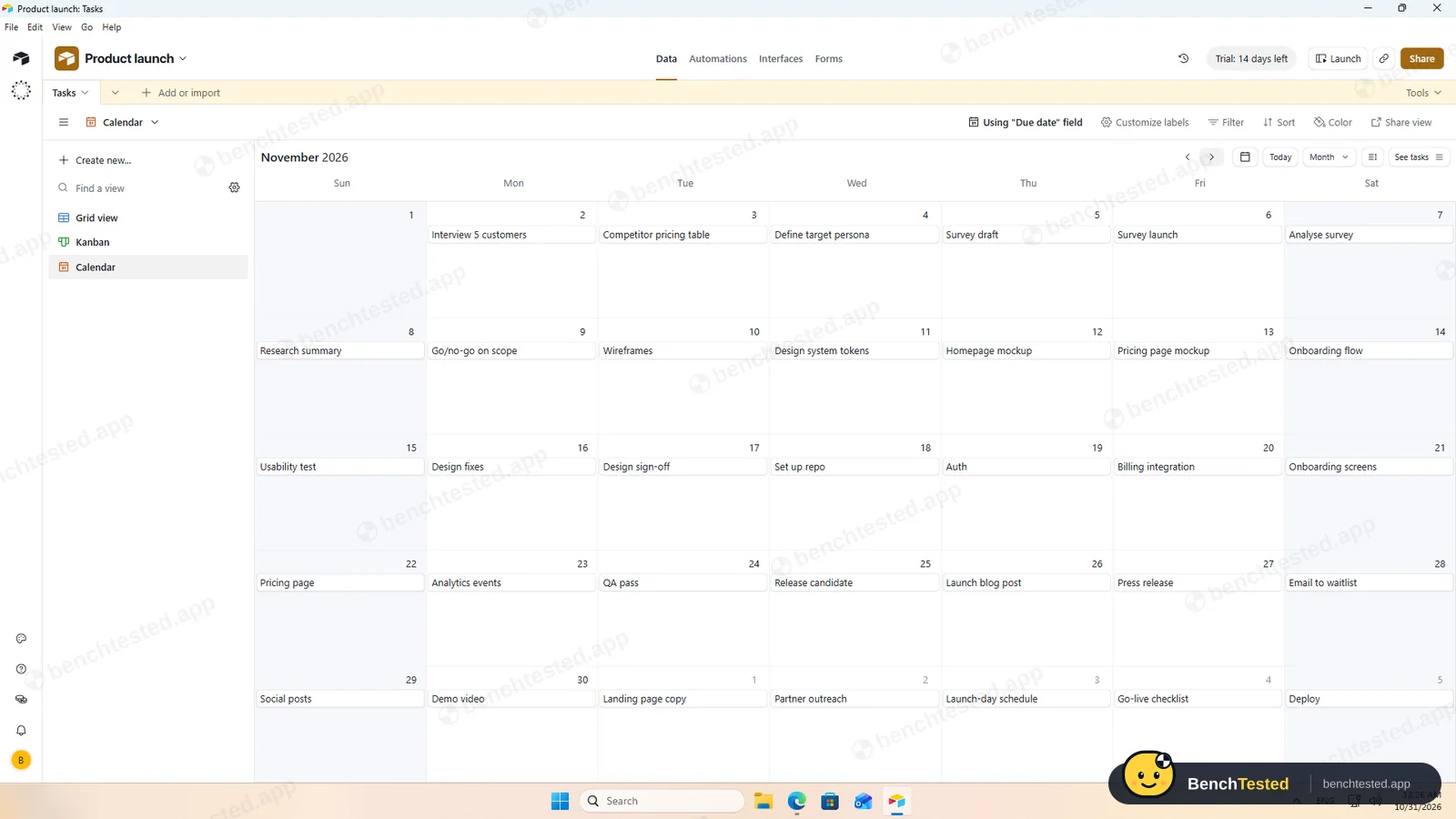
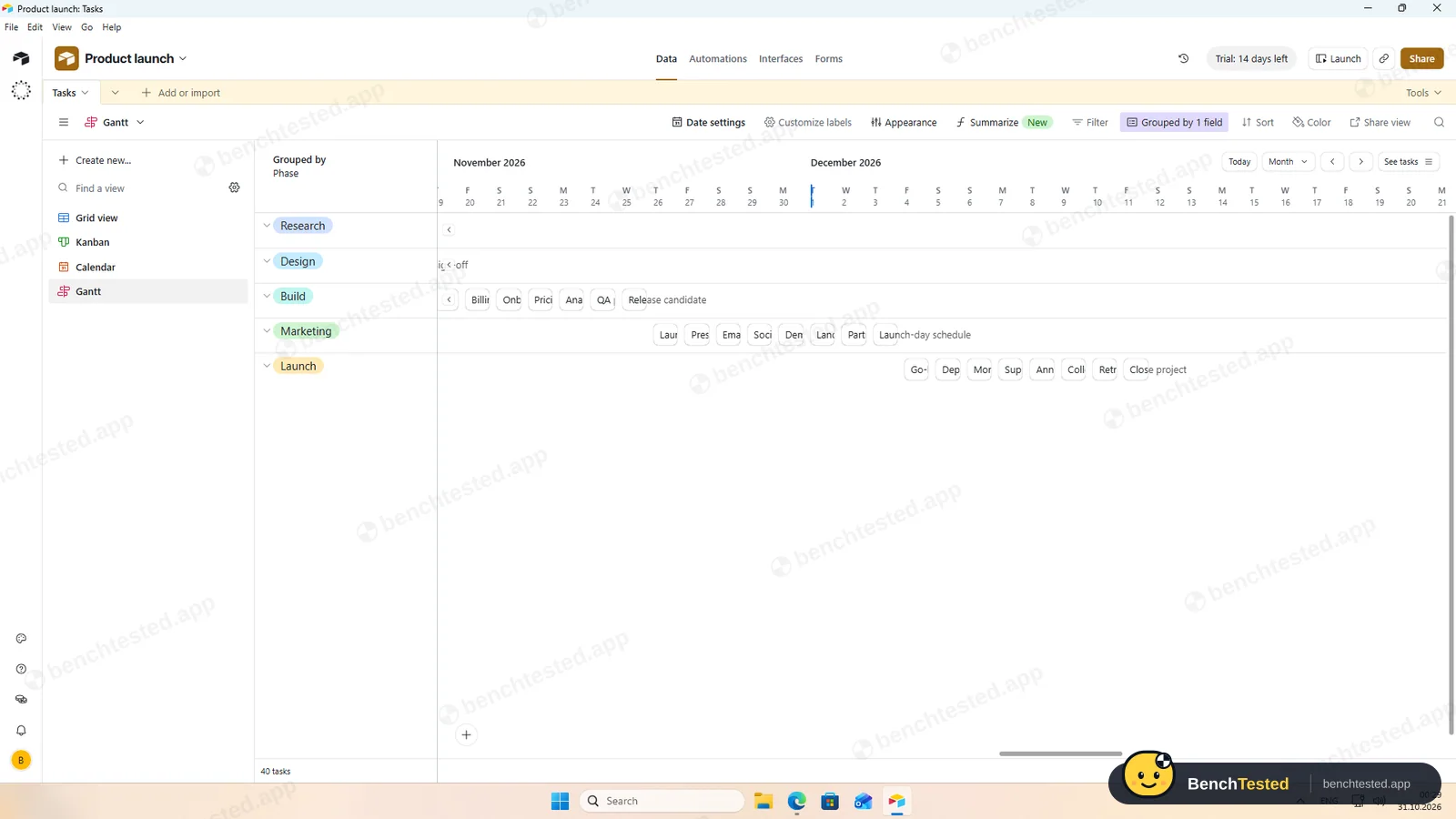
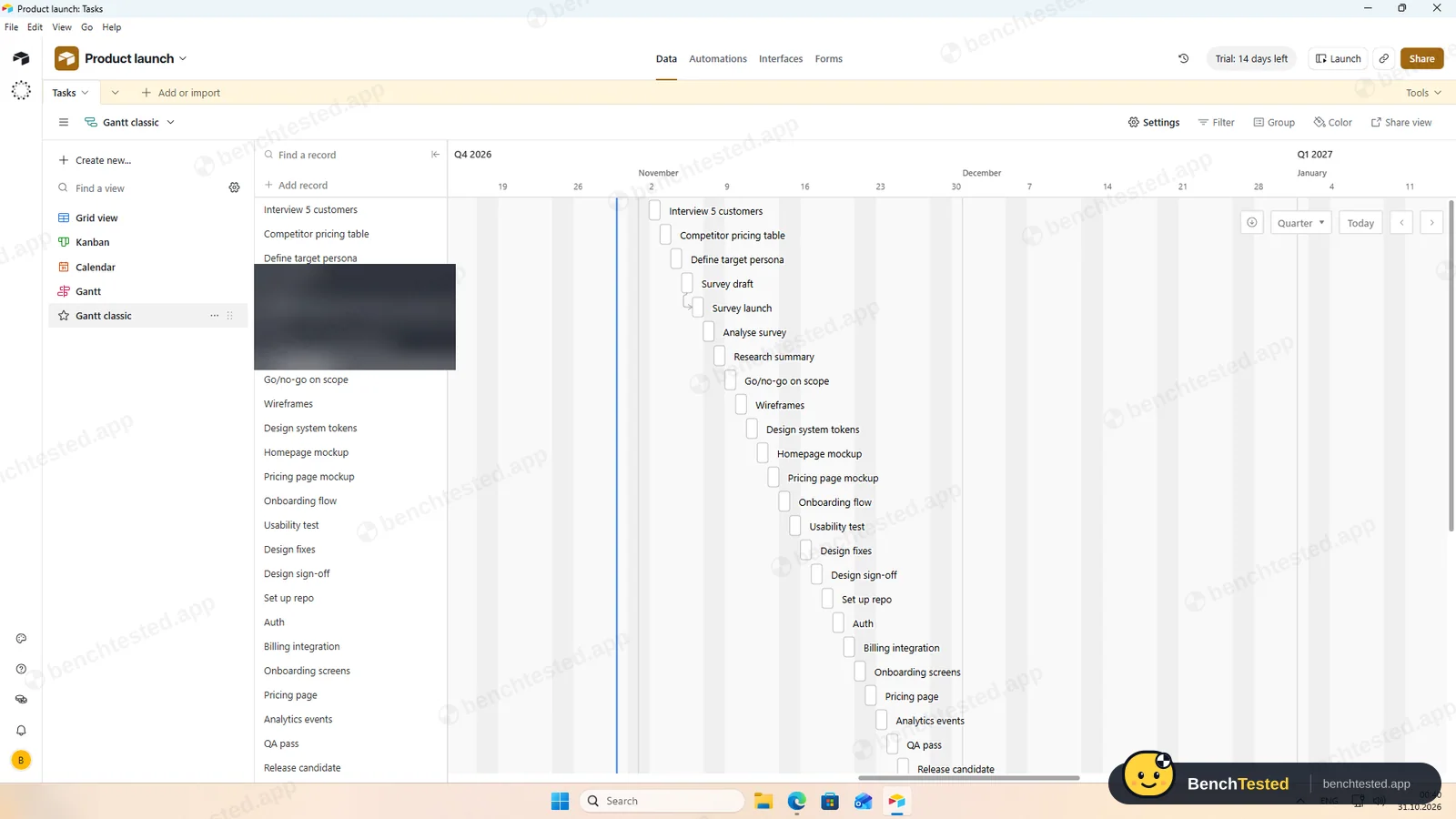
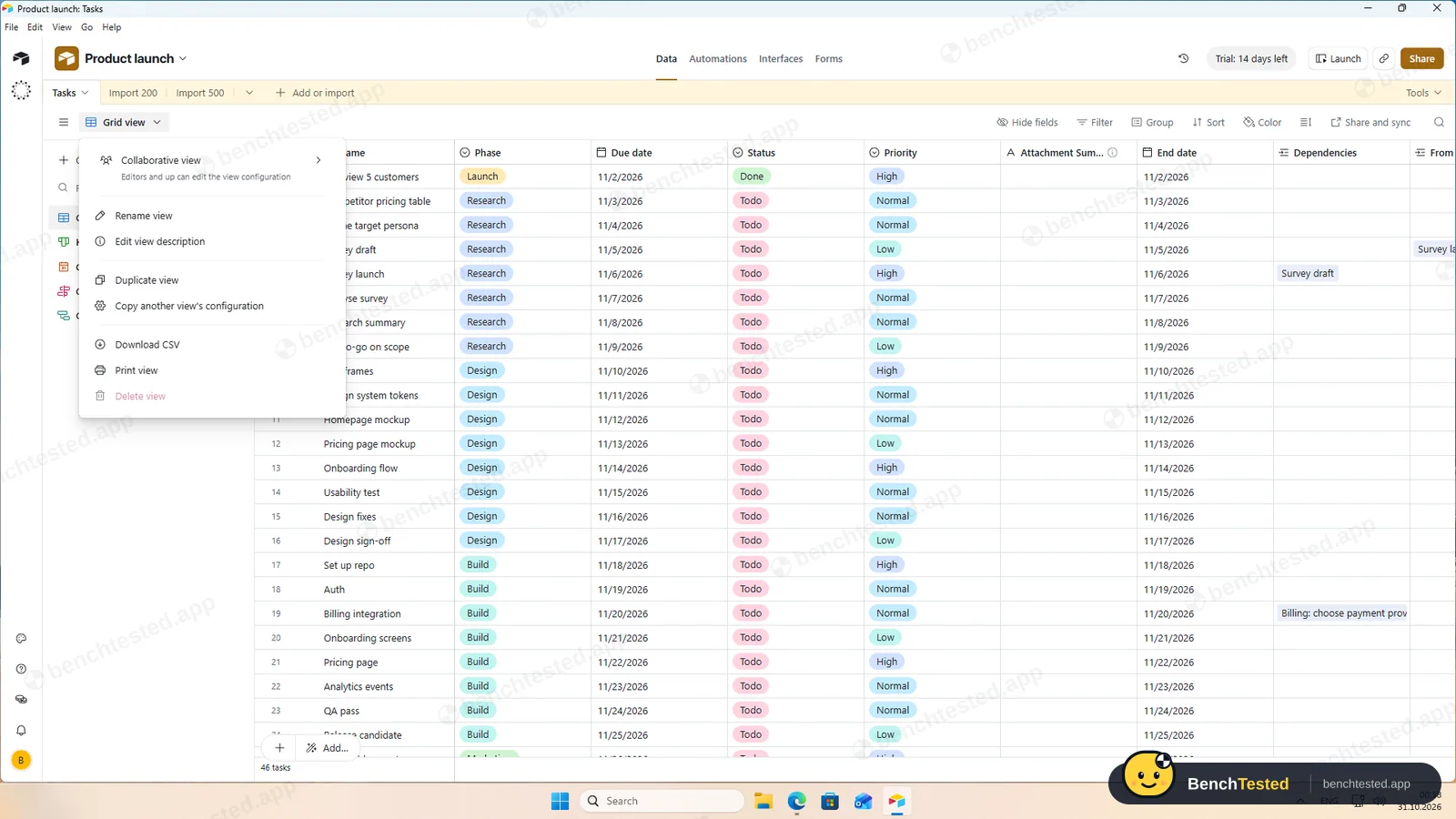
Grid, Kanban, calendar and timeline all showed our tasks on the Team trial. Timeline and Gantt are marked Team in the view menu, so the free plan gets grid, Kanban, calendar, gallery and list.
-
P3 · Rules
Set up a status automation, a dependency and a weekly recurring task.
Partial ≈ 15 min
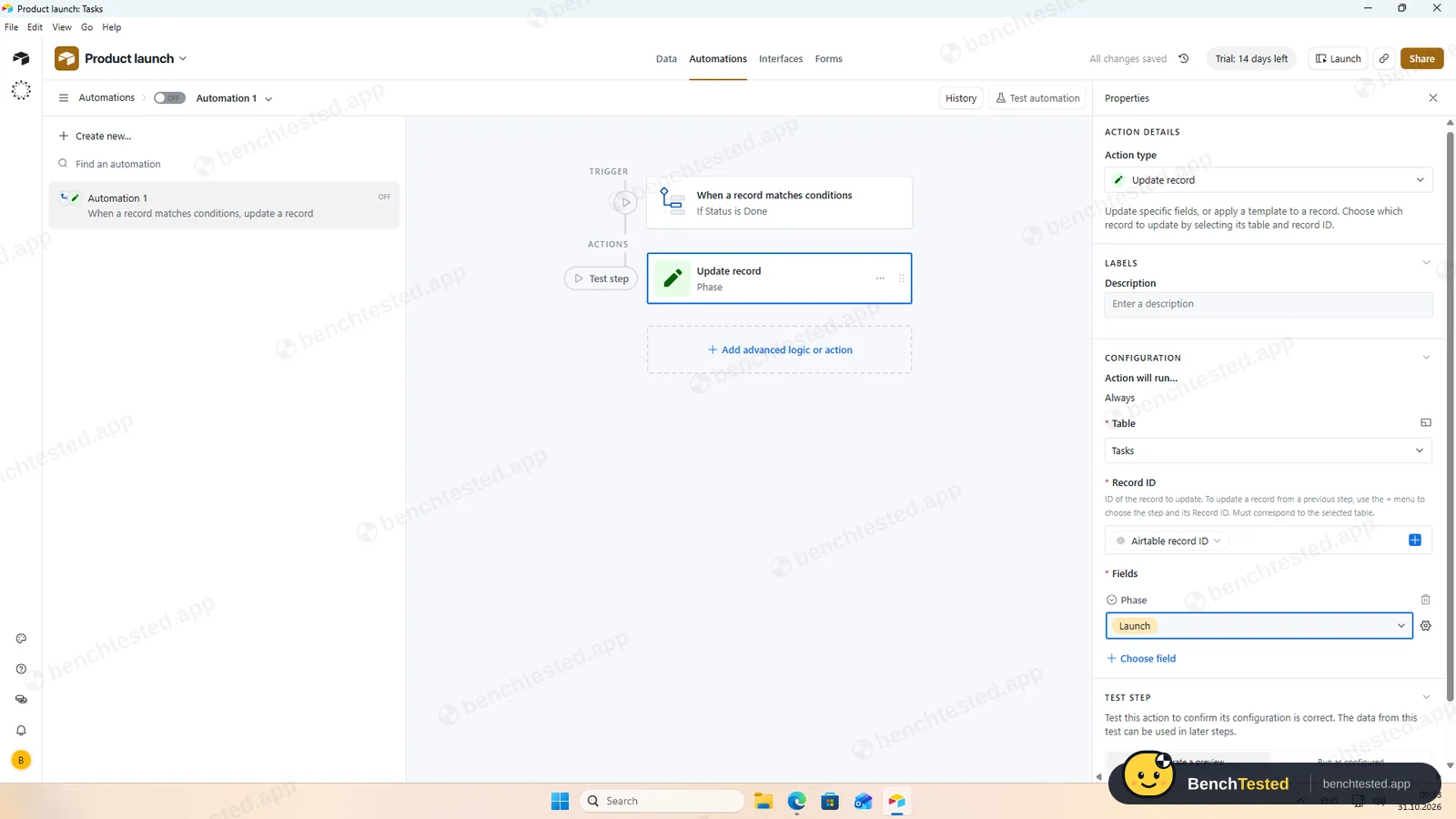
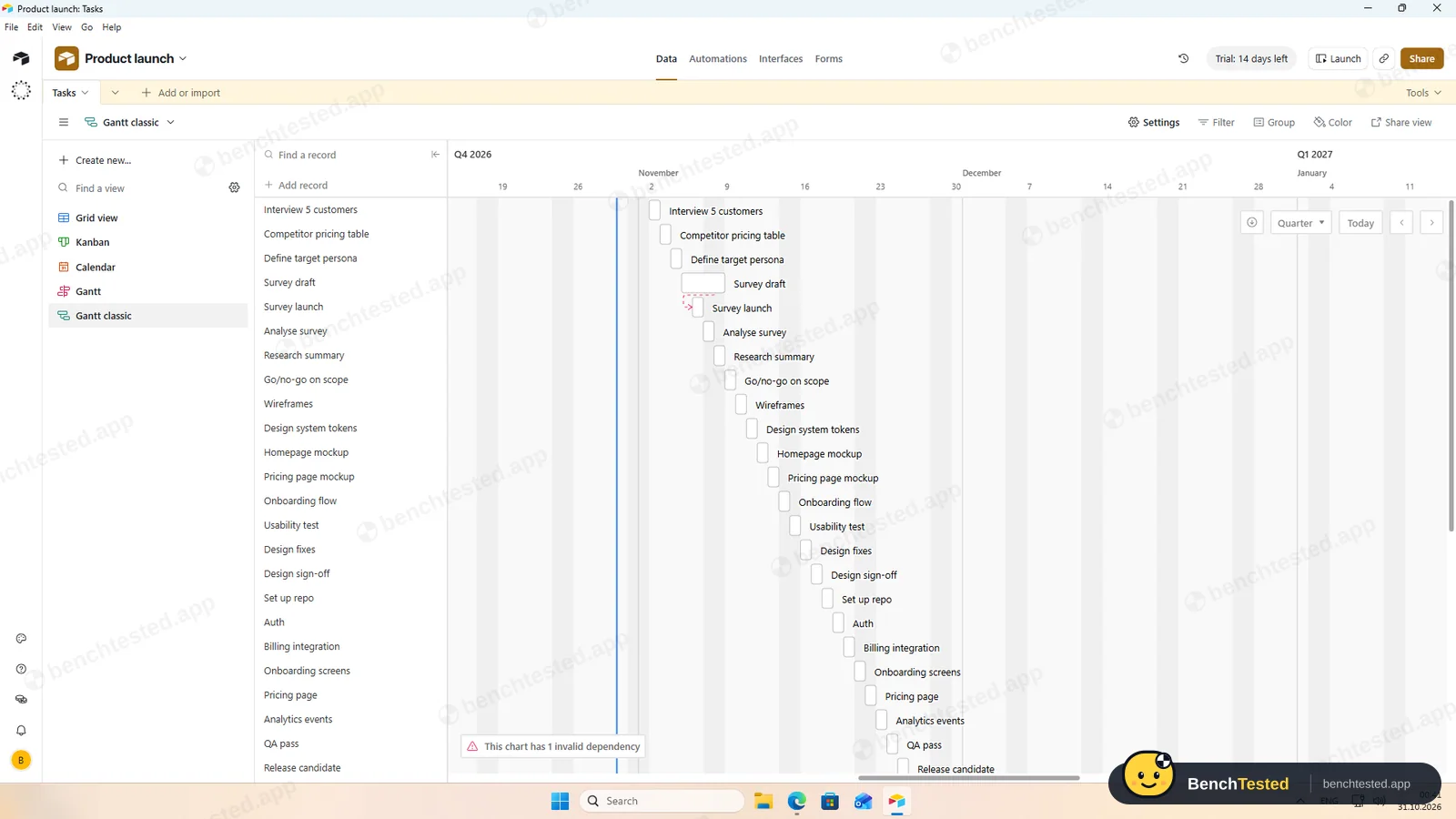
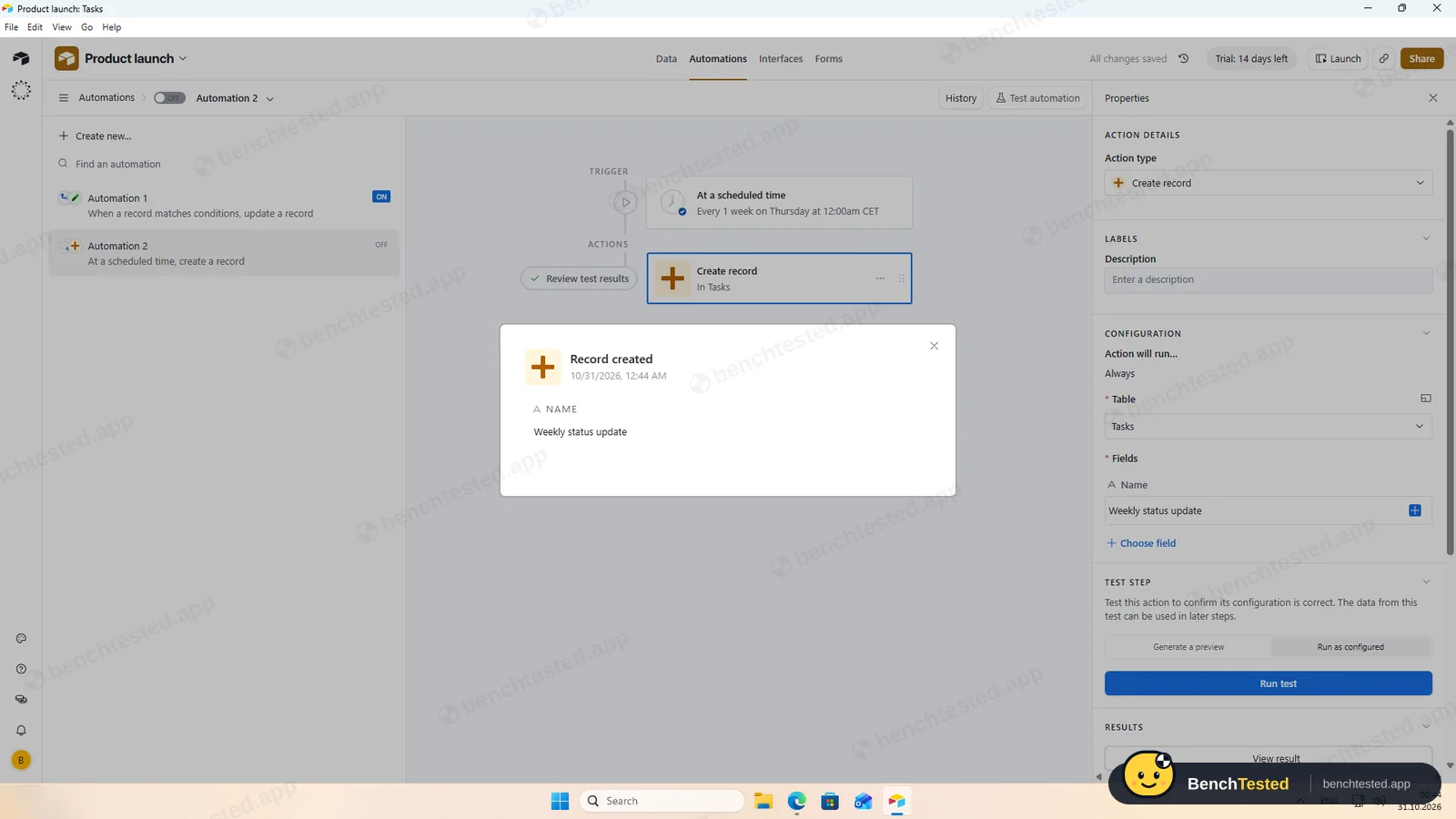
Our automation set the phase to Launch 3 to 6 seconds after a task was marked Done. There is no recurring-task setting; a weekly scheduled automation that creates the task worked in a test run. The Gantt view draws dependencies, but moving the first task only flagged an invalid dependency.
-
P4 · 200-row import
Import a 200-row CSV with statuses, assignees, dates, priorities, tags and special characters.
Pass ≈ 2 min
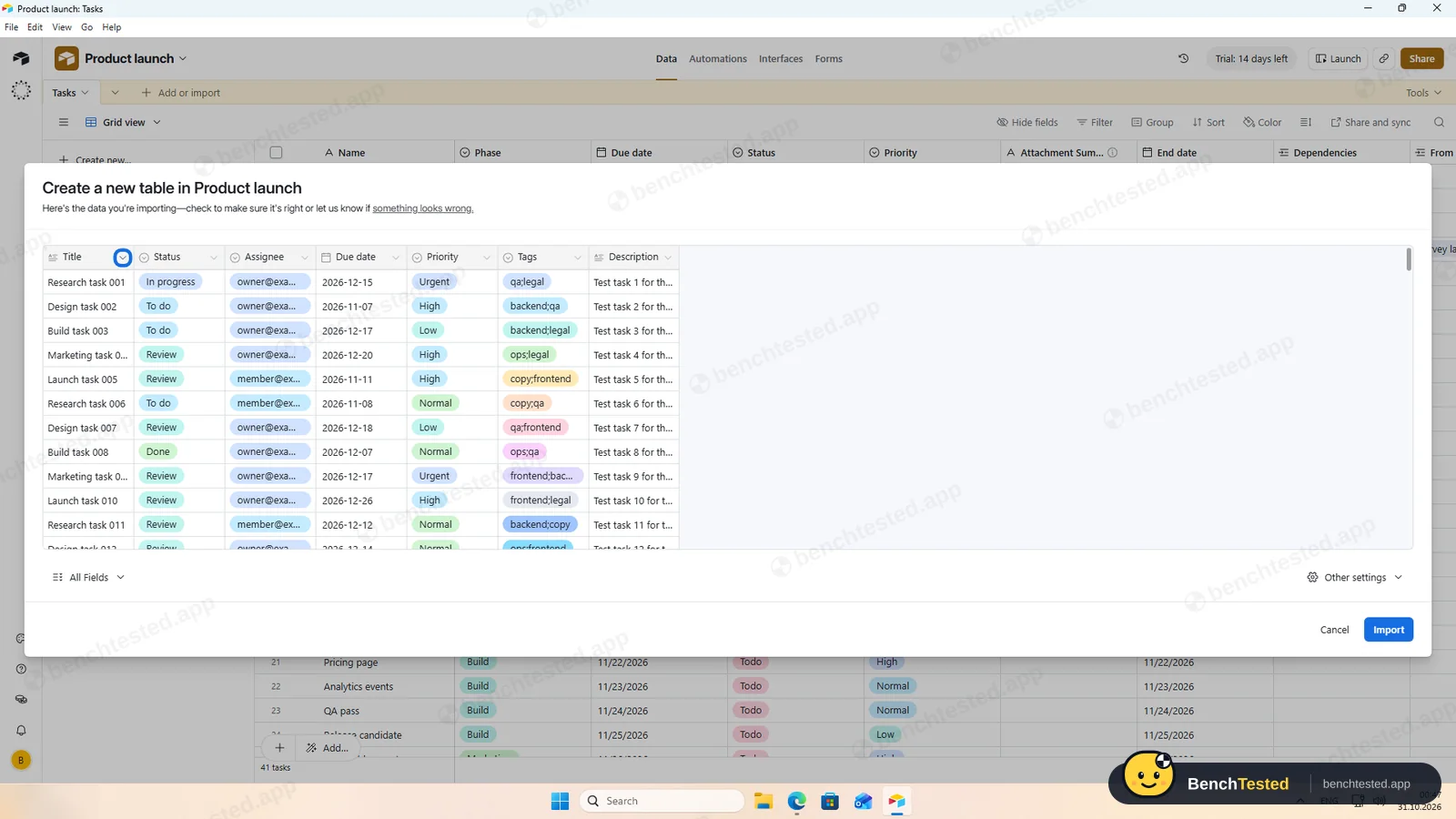
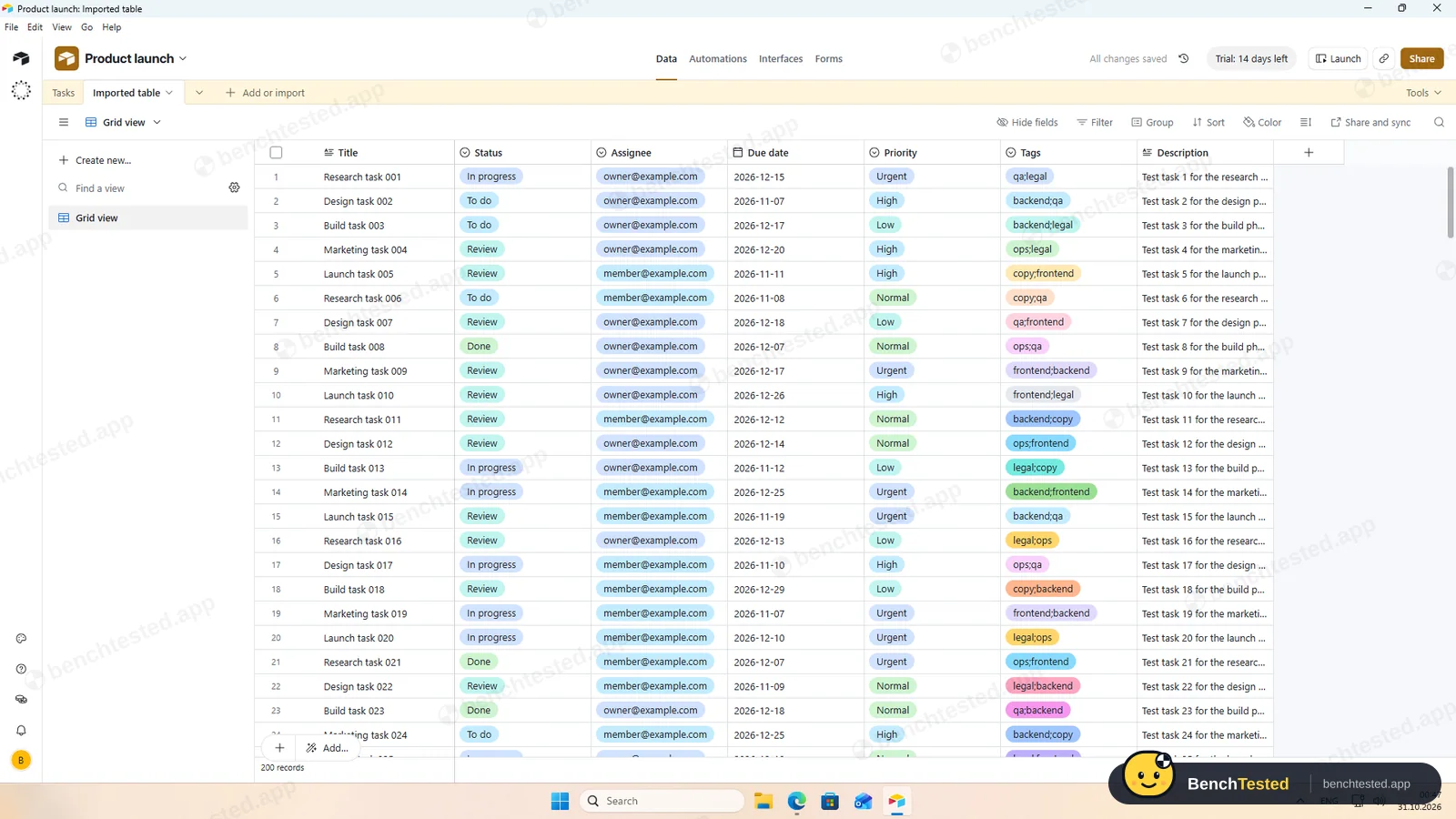
Airtable read all 7 columns, guessed sensible types and imported 200 rows into a new table in about 3 seconds. Exporting the table again gave a file identical to our source. Tags stayed as one value per row and assignees as text options rather than users.
-
P5 · Scale
Import 500 rows, then open and scroll a 500-task board.
Pass ≈ 2 min
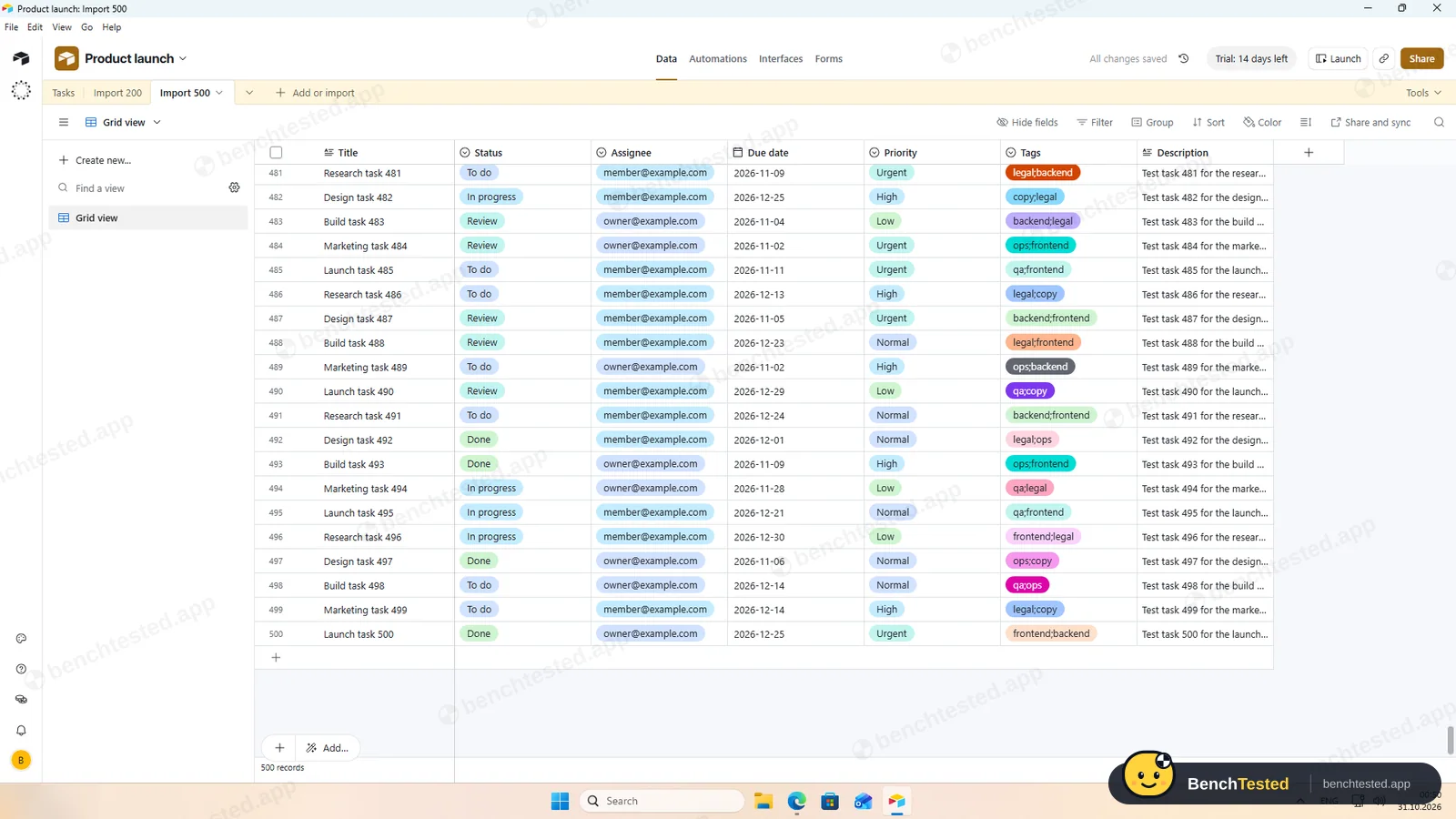
500 rows were in place about a second after we clicked Import, and the table scrolled to the end without waiting. The app used 1.1 to 1.6 GB of memory and showed rows about 8 seconds after a cold start.
-
P6 · Permissions
Invite a second user, check what they can see and change, then restrict them.
Partial ≈ 3 min
Bases have four roles: Creator, Editor, Commenter and Read only. The invite form defaults to Creator, the most powerful role, and an editor invite link was already switched on. We invited our second address as an editor and cancelled the pending invite. We did not test the second user's view.
-
P7 · AI
Ask the built-in AI to summarise the project, write subtasks for one task and say what is overdue.
Pass ≈ 4 min
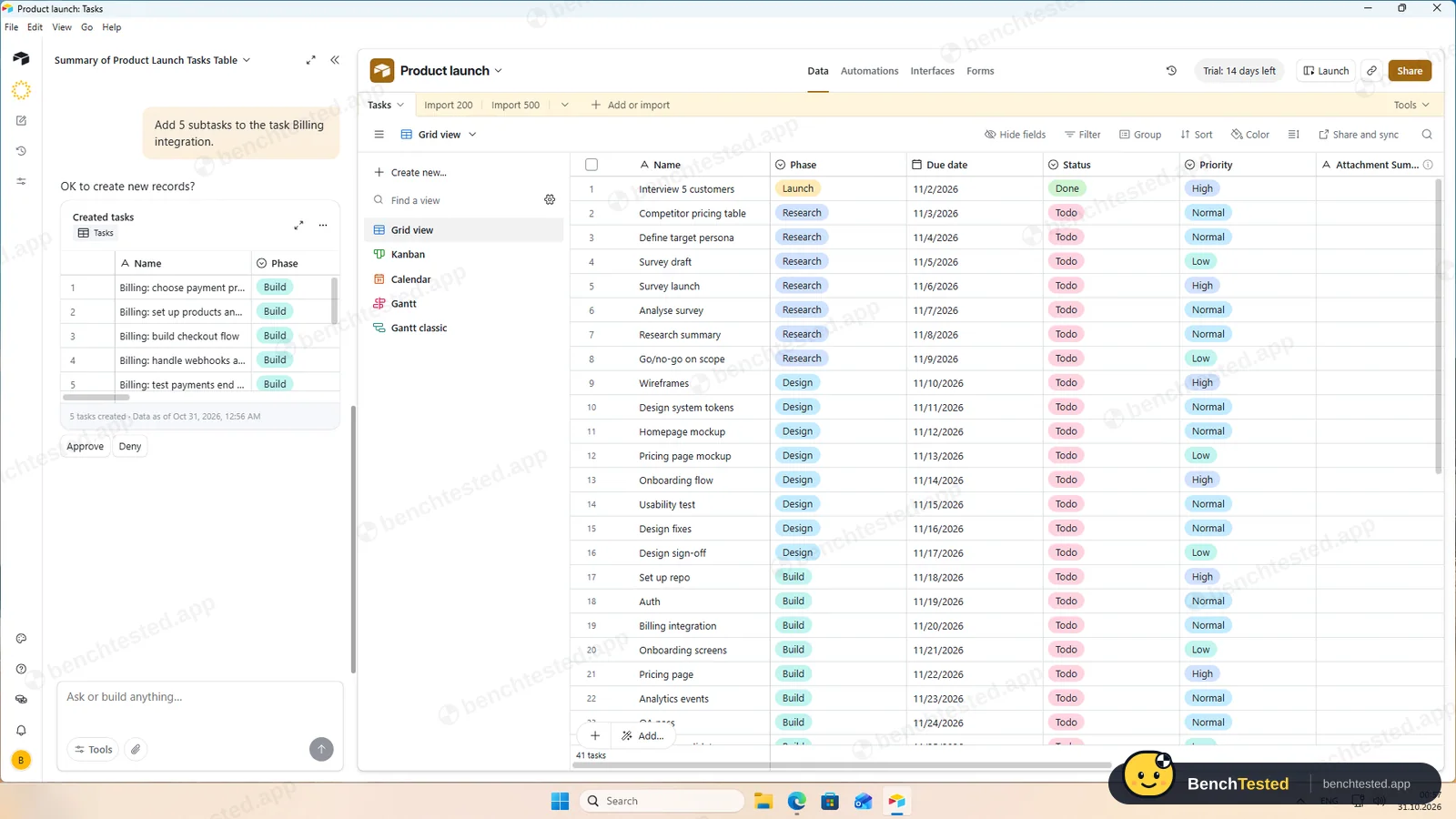
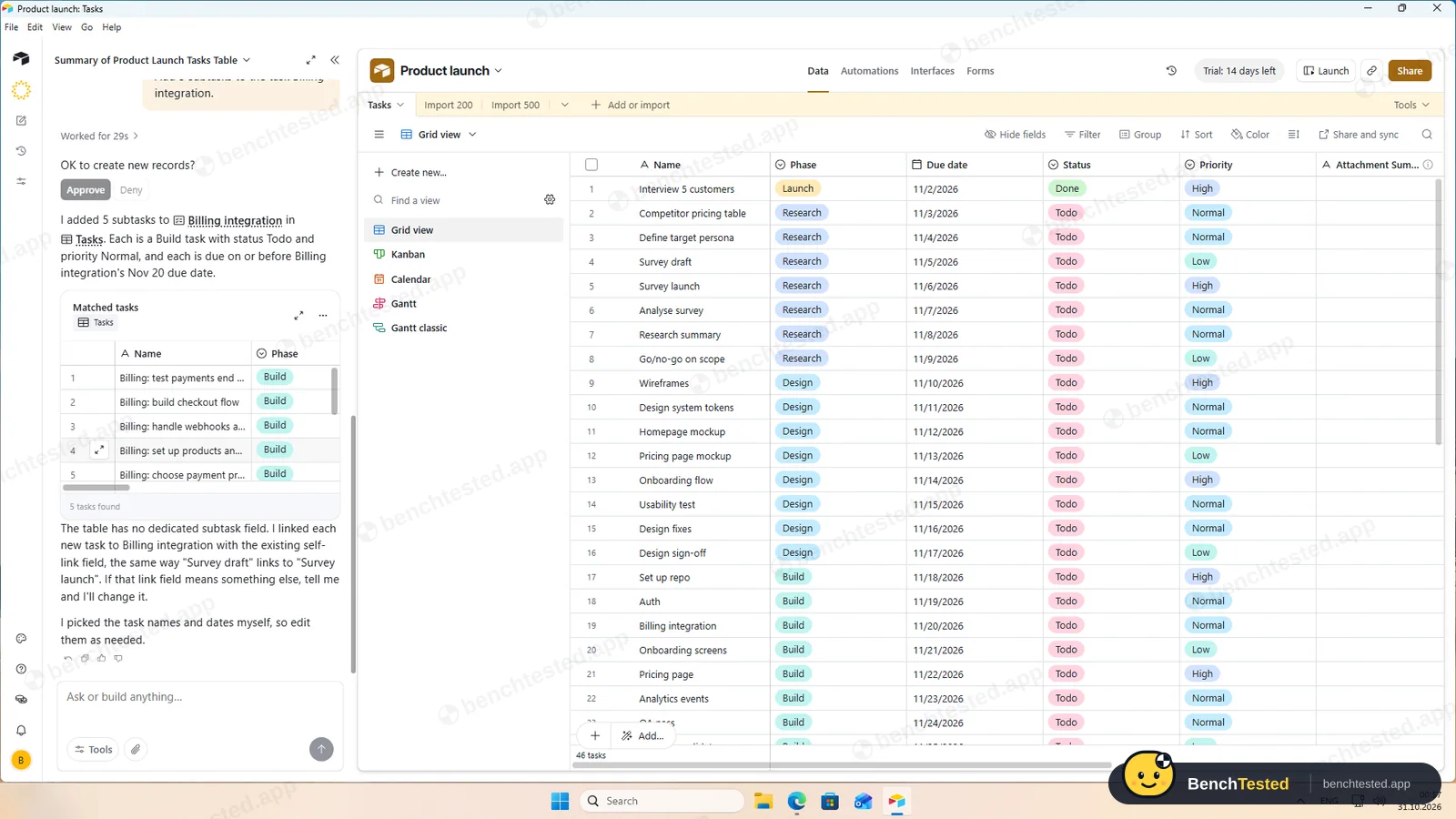
Omni's summary had every count right and it correctly said nothing was overdue. Asked for five subtasks, it showed them and waited for Approve. With no subtask field, it linked the new tasks through our dependency field, and said so.
-
P8 · Leave
Export everything to CSV, delete the workspace and uninstall the app.
Partial ≈ 4 min
Download CSV exported each view completely, with dates and links, but one table at a time. We left deleting the account to its owner. Uninstalling took a second but left about 63 MB, a protocol handler and two firewall rules.
How we tested Airtable
Airtable is the tenth app in our project-management category and ran the same eight-step script as the others: build a 40-task project from a written brief, show it in four views, set up rules, import 200 and then 500 rows from a CSV file, invite a second user, use the built-in AI, export everything and leave.
We installed Airtable's Windows desktop app on a clean Windows 11 virtual machine. A new account starts a 14-day Team trial, so most features were available; we checked the free plan's limits against Airtable's pricing and help pages. Testing ran from October 30 into October 31, 2026.
Installation and setup
The 151 MB installer is signed by Formagrid, Inc., Airtable's legal name. Its signing certificate had expired two days before our test, but the signature was timestamped, so Windows still treats it as valid. It installed silently for the current user, with no options, licence page or admin prompt, and added no startup entry, services or listening ports.
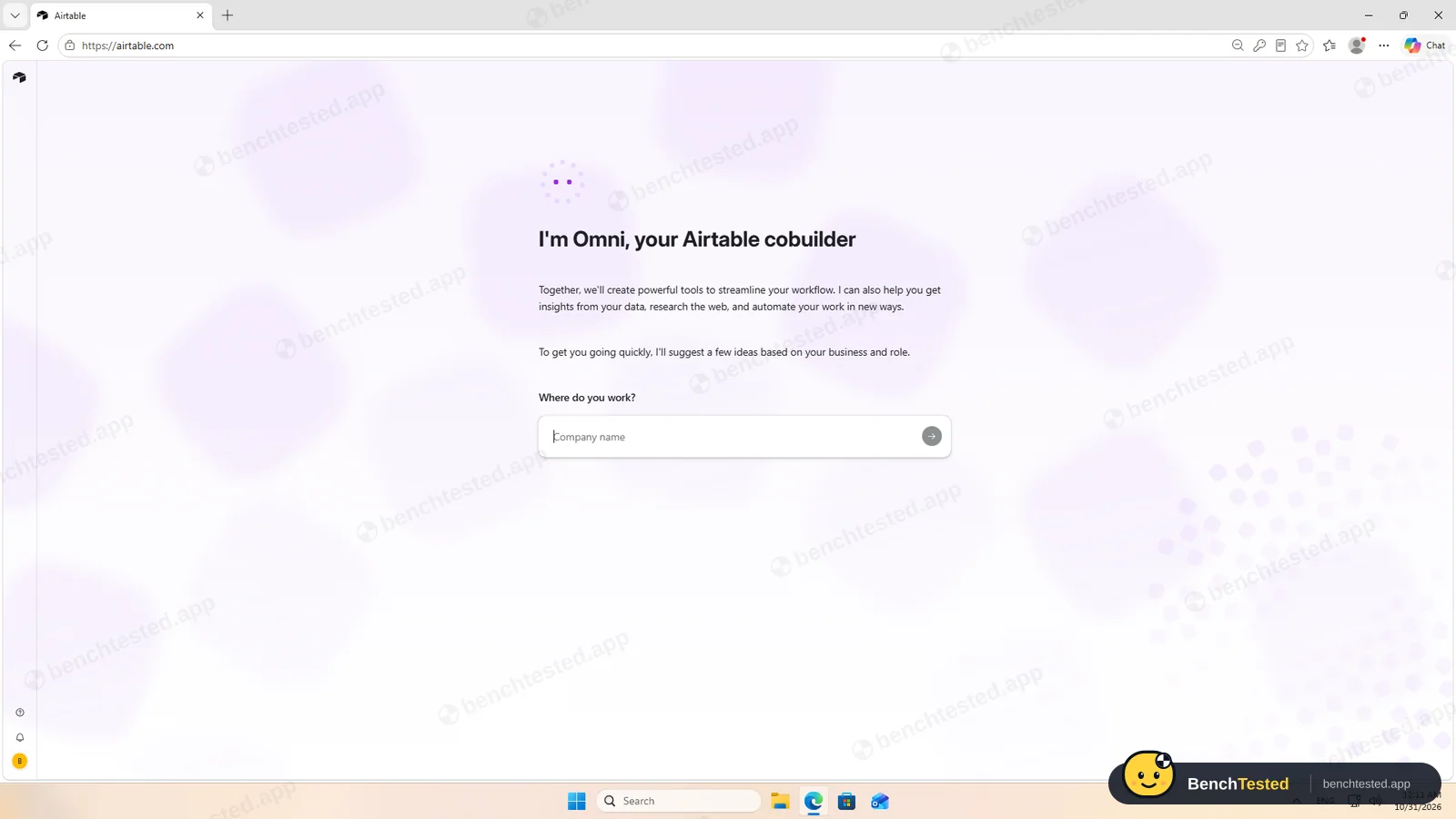
On first launch Windows Firewall asked whether Airtable may accept connections on public and private networks, which is unusual for an app like this; we declined. The app then showed a press-and-hold bot check before its sign-in screen, which our tester completed by hand. Sign-up itself runs as a chat with Omni, Airtable's AI assistant, which suggests an app to build; we chose a blank base instead.
Building the project
A blank base comes with sample fields, which we turned into Phase, Due date, Status and Priority. Then we pasted all 40 rows in one go. Airtable expanded the table and created the select options from the pasted values, with colours. Dates, weekends included, stayed as entered. About five minutes in all.
Views and rules
Grid, Kanban by phase, calendar and timeline all showed our tasks on the trial. In the view menu, Timeline and Gantt are marked Team, so the free plan has grid, Kanban, calendar, gallery and list.
Our automation, “when Status is Done, set Phase to Launch”, fired 3 to 6 seconds after we marked a task done. Automations can also run on a schedule, which is how we made a weekly status-update task, since Airtable has no recurring-task setting. In the Gantt view we linked Survey launch to Survey draft; when we moved the draft past it, Airtable only flagged an invalid dependency and left the launch where it was.
Importing 200 and 500 rows
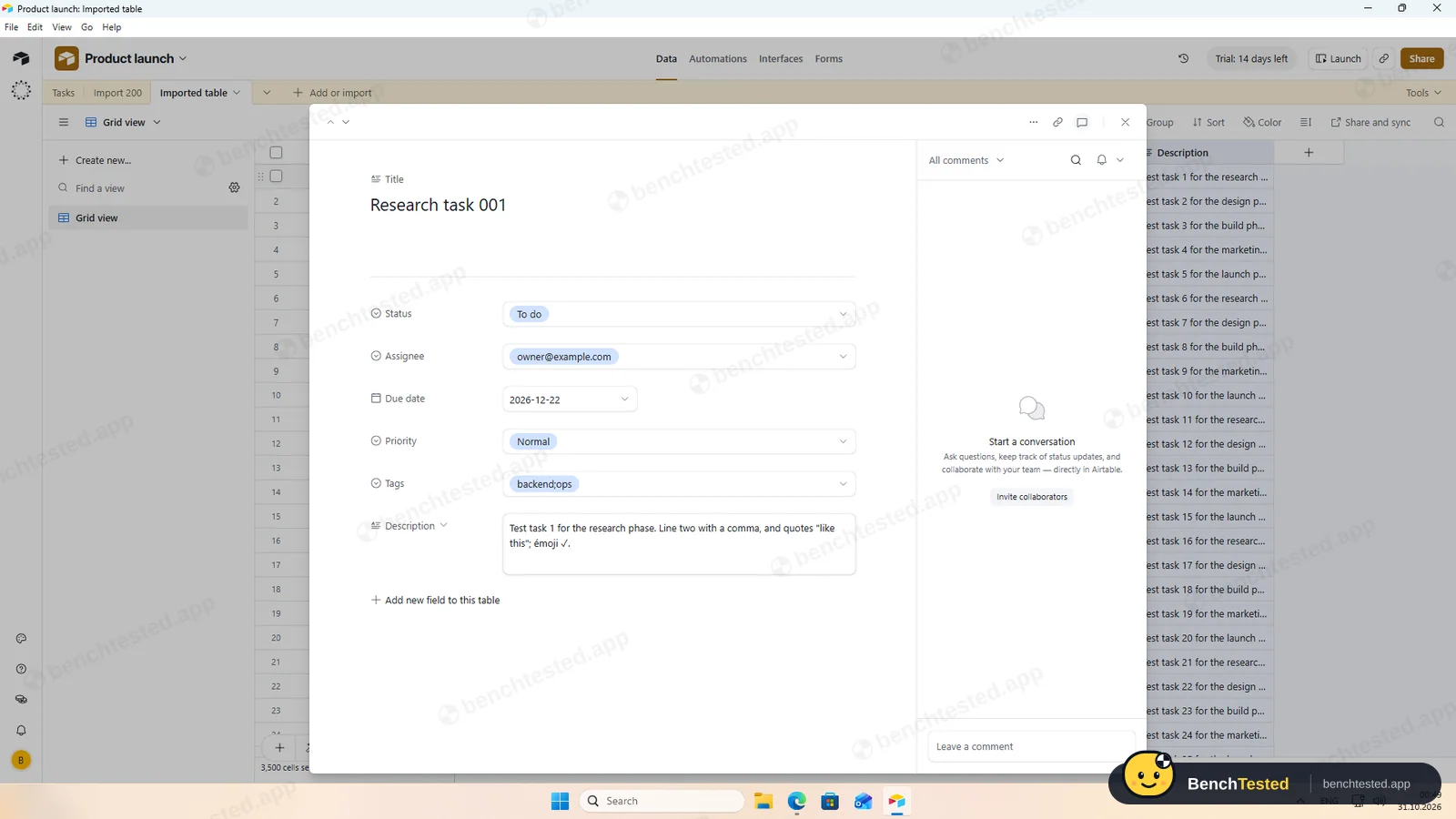
Airtable imported our CSV into a new table, after showing all 7 columns with the types it had guessed: dates as dates, statuses and priorities as select options. The 200 rows were in place in about 3 seconds, and when we exported the table again it matched our source exactly, commas, quotes and emoji included. Tags stayed as one value per row and assignees as text options rather than users.
The 500-row file was in place about a second after we clicked Import.
Speed and memory
The 500-row table scrolled to the end without waiting. The app used 1.1 to 1.6 GB of memory, and from a cold start the window appeared in 1.4 seconds and the rows after about 8.
Sharing and permissions
A base has four roles: Creator, Editor, Commenter and Read only. Two defaults are generous: the invite form starts on Creator, which can change the whole base including automations, and an invite link giving anyone editor access was already switched on. We invited our second address as an editor and cancelled the pending invite. We did not test the second user's view.
Airtable's AI
Omni summarised our table correctly, down to the phase counts after our automation had moved a task, and correctly said nothing was overdue. Asked for five subtasks to “Billing integration”, it listed them and waited for Approve. Airtable has no subtask field, so it linked the new tasks through our dependency field and told us it had done so.
The trial includes 7,500 AI credits per user. Airtable lists AI as part of the paid plans.
Leaving Airtable
Each view downloads as a CSV file, complete with dates and linked records; there is no one-click export of a whole base from the app. We did not delete the account. Uninstalling took a second but left about 63 MB of profile data, a protocol handler and the two firewall rules from the first launch.
What we have not tested yet
We did not test the second user's view, the new timeline's automatic rescheduling, interfaces, forms, field agents, integrations, the mobile apps or the free plan after the trial. We did not test Airtable offline, and we ran each step once.
Airtable Screenshots
Taken during our own test run on a clean Windows 11 machine.
What we checked
Every item in our project management tool test plan and how Airtable did. Scan for the ones you can't live without.
Installation
- Pass Download size151 MB
- Partial Signed installerFormagrid, Inc.; certificate expired, timestamp valid
- Pass Admin rightsper-user, no prompts
- Pass Asks before running at startupdoes not add itself to startup
First use
- Pass Sign-up without a card
- Fail Starts on the free plan14-day Team trial
Core tasks
- Pass Build a 40-task projectpasted in one go
- Partial List, board, calendar and Gantt on the free planGantt and timeline need Team
- Pass Status automation3–6 s
- Partial Task dependencyflags conflicts, no rescheduling
- Partial Recurring taskonly via a scheduled automation
- Pass CSV import keeps the data200 / 200 identical
- Pass CSV import maps columns itselftypes guessed
- Partial Permissions and rolesfour roles; defaults are generous
- Pass AI summary and answersall correct
- Pass AI asks before changing dataApprove or Deny
Performance
- Pass Large board (500 tasks)instant
- Partial Cold startabout 8 s
- Partial Memory use1.1–1.6 GB
Privacy and security
- Pass No pressure to share contacts
- N/A Access removed immediatelysecond user's view not tested
Integrations
- Pass Import from other toolsCSV, Excel, Google Sheets and more
- N/A Connected appsintegrations not tested
Offline and sync
- N/A Behaviour without internet
Pricing traps
- Partial Free plan limits1,000 records per base, 100 runs a month
Cancel and uninstall
- Pass Complete exportCSV per view, identical
- N/A Delete the workspaceleft to the account owner
- Partial Clean uninstall63 MB, protocol handler and firewall rules left
Test Results
- Ease of use7.0
Pasting and importing are easy, though dropdowns and wizards take a few extra steps.
- Views & flexibility7.0
Grid, Kanban and calendar are free; timeline and Gantt need Team.
- Speed7.5
Imports in seconds and smooth scrolling, with an 8-second cold start and up to 1.6 GB of memory.
- Automation & AI7.0
Fast, flexible automations and accurate AI; no recurring tasks and dependencies that do not reschedule.
- Integrations7.5
CSV in and out kept every value, plus Excel, Google Sheets and many sync sources.
- Value for money5.0
The free plan caps records and automation runs; Team costs $20 per seat a month, billed yearly.
Every project management tool runs the same script. How we test →
Key Features
ViewsTested by us
Grid, Kanban, calendar, gallery, list, timeline and Gantt.
Timeline and Gantt need Team.
AutomationsTested by us
Triggers on conditions, changes or schedules.
Fired in 3–6 s in our test.
DependenciesTested by us
Predecessor links in the Gantt view.
Flagged conflicts but did not reschedule.
Import and exportTested by us
CSV, Excel and Google Sheets in; CSV out per view.
200 / 200 rows identical.
OmniTested by us
AI that answers questions and creates records after asking.
All three answers right.
Additional Features
Interfaces and formsVendor-stated
Custom app-like pages and forms built on a base.
Airtable at a glance
- Version tested
- Windows app 1.7.3 (October 31, 2026)
- Platforms
- Web, Windows, macOS, iOS and Android
- Installer
- 151 MB; silent per-user install
- Account
- Work email, SSO, Google, Apple or ChatGPT
- Free plan
- 1,000 records per base, 100 automation runs a month
- Import
- CSV, Excel, Google Sheets and more
Is Airtable secure?
We did not review Airtable's privacy policy or security certifications for this test. Below are only the things we saw on our test PC and in the app.
-
Signed installerTested by us
Signed by Formagrid, Inc.; the certificate had expired but the signature was timestamped.
-
Firewall promptTested by us
First launch asked to accept connections on public and private networks; declining did not affect the app.
-
Generous sharing defaultsTested by us
Invites default to Creator and an editor invite link is on until you turn it off.
-
AI asks firstTested by us
Omni showed new records and waited for Approve before creating them.
Pricing
Free plan
Yes
Paid plans from
$20 / seat / month, billed yearly
-
Free
$0
1,000 records per base, 100 automation runs a month, up to 5 editors.
-
Team
$20/seat/mo
Billed yearly. Gantt and timeline views, more automation runs, Airtable AI. New accounts get a 14-day trial.
-
Business
$45/seat/mo
Billed yearly. More admin and security controls.
-
Enterprise Scale
Contact sales
Custom pricing.
From Airtable's pricing page, checked Oct 31, 2026.
Who makes Airtable?
- Company
- Formagrid, Inc. (Airtable)
- Headquarters
- San Francisco, California, USA
- Founded
- 2012
- Founders
- Howie Liu, Andrew Ofstad, Emmett Nicholas
- Funding
- Venture-backed private company.
Airtable timeline
- 2012Founded in San Francisco.
- 2015Airtable launched publicly.
- Oct 31, 2026We tested the Windows app 1.7.3.
FAQ
Is Airtable free?
Yes, with limits: 1,000 records per base and 100 automation runs a month. Gantt and timeline views and Airtable AI need Team, $20 per seat a month billed yearly. New accounts start a 14-day Team trial.
Can Airtable import a CSV file?
Yes. It guessed the field types for our 7 columns and imported 200 rows in about 3 seconds and 500 in about 1, with every value intact.
Does Airtable have Gantt charts and dependencies?
Yes, on Team and above. In our test the Gantt view flagged a broken dependency but did not move the dependent task.
Does Airtable support recurring tasks?
Not directly. A scheduled automation can create a task every week, which worked in our test.
How good is Airtable's AI?
Omni answered all three of our questions correctly and asked before creating records. With no subtask field, it linked new tasks through an existing link field and said so.
Can I export my data?
Yes, each view downloads as a CSV file. Our exported table matched the imported file exactly.
Final Verdict
Airtable handled the data side of our script best: paste, import and export kept every value, imports took seconds, automations fired quickly and its AI was accurate and asked first.
For classic project management it needs workarounds: no recurring tasks or subtasks, dependencies that only warn, and Gantt or timeline only on a paid plan.
Our advice: choose Airtable if your projects live in structured data and you want automations around it. If you mainly need a free Gantt chart and recurring tasks, ClickUp fits better.