
Review Summary
Notion was the fastest app in our project-management test: it started in about 5 seconds, imported 200 rows in 10 and drew a 500-task board instantly, and all four views, including a timeline, are free. But it is a database tool more than a task manager: there are no automations on the free plan, recurring tasks are scheduled templates, its AI turned our subtasks into untitled pages, and the free plan is built for one person.
+ What works
- Fast: usable about 5 seconds after launch, against about 14 for ClickUp and Asana
- All four views free, including a timeline; eleven view types in all
- The CSV import recognised all seven columns and imported 200 rows in about 10 seconds
- Priorities, dependencies and other custom properties are free
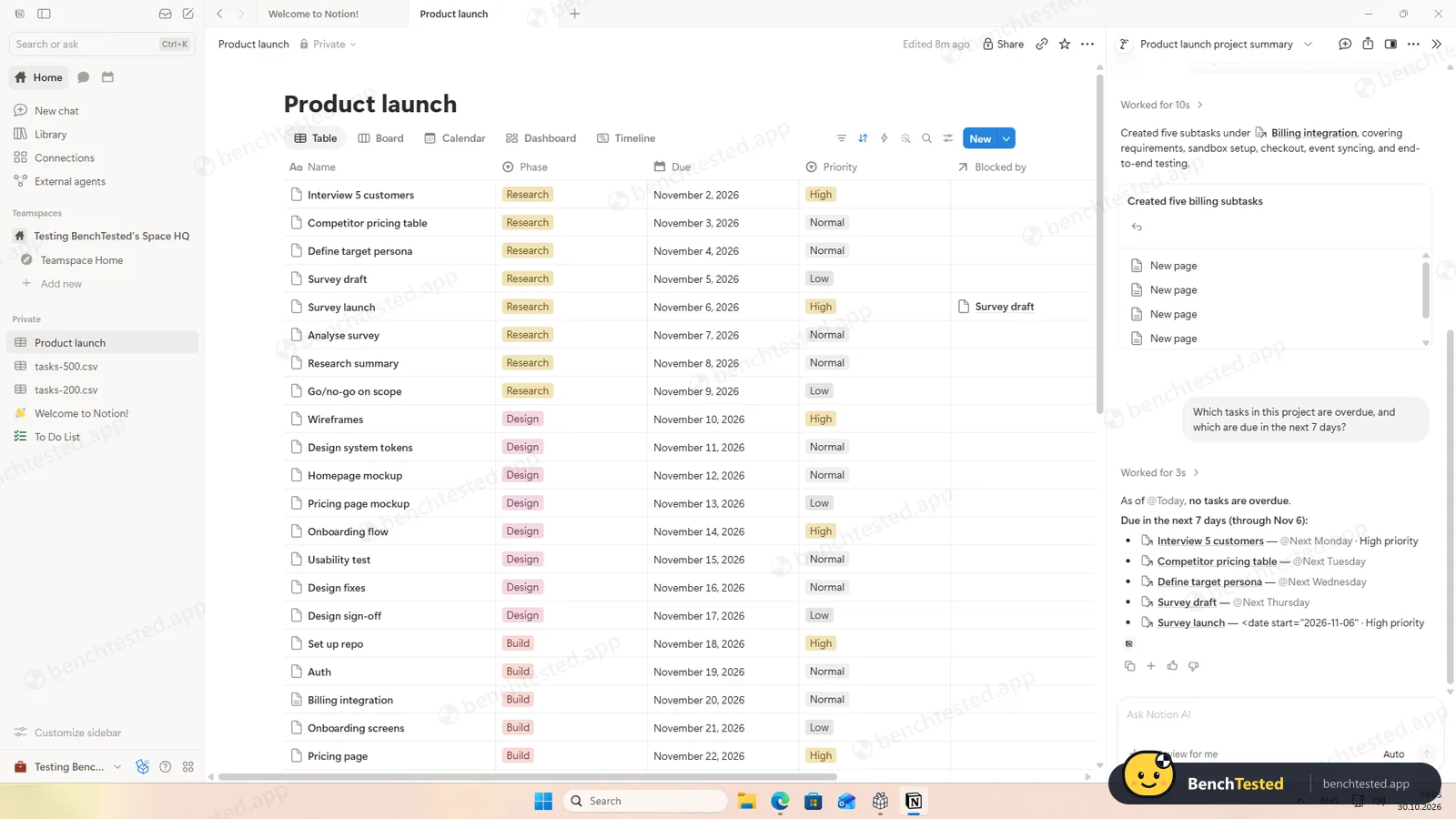
- Notion AI summarised our project and answered “what is overdue?” correctly
- Removing a member or cutting them to view-only took effect on their next page load
- No admin rights, no startup entry and no services
− What falls short
- No automations on the free plan
- Recurring tasks are templates that create a new page on a schedule, not tasks that repeat when completed
- Asked for subtasks, the AI created five untitled pages without asking first
- Free plan is for one person: with more members you get a limited number of blocks, and Member and Can edit roles need Plus
- Risky defaults: invites default to Workspace owner, shared pages to Full access, and anyone with your domain can join
- Pasting a list filled names and dates but left the select columns empty
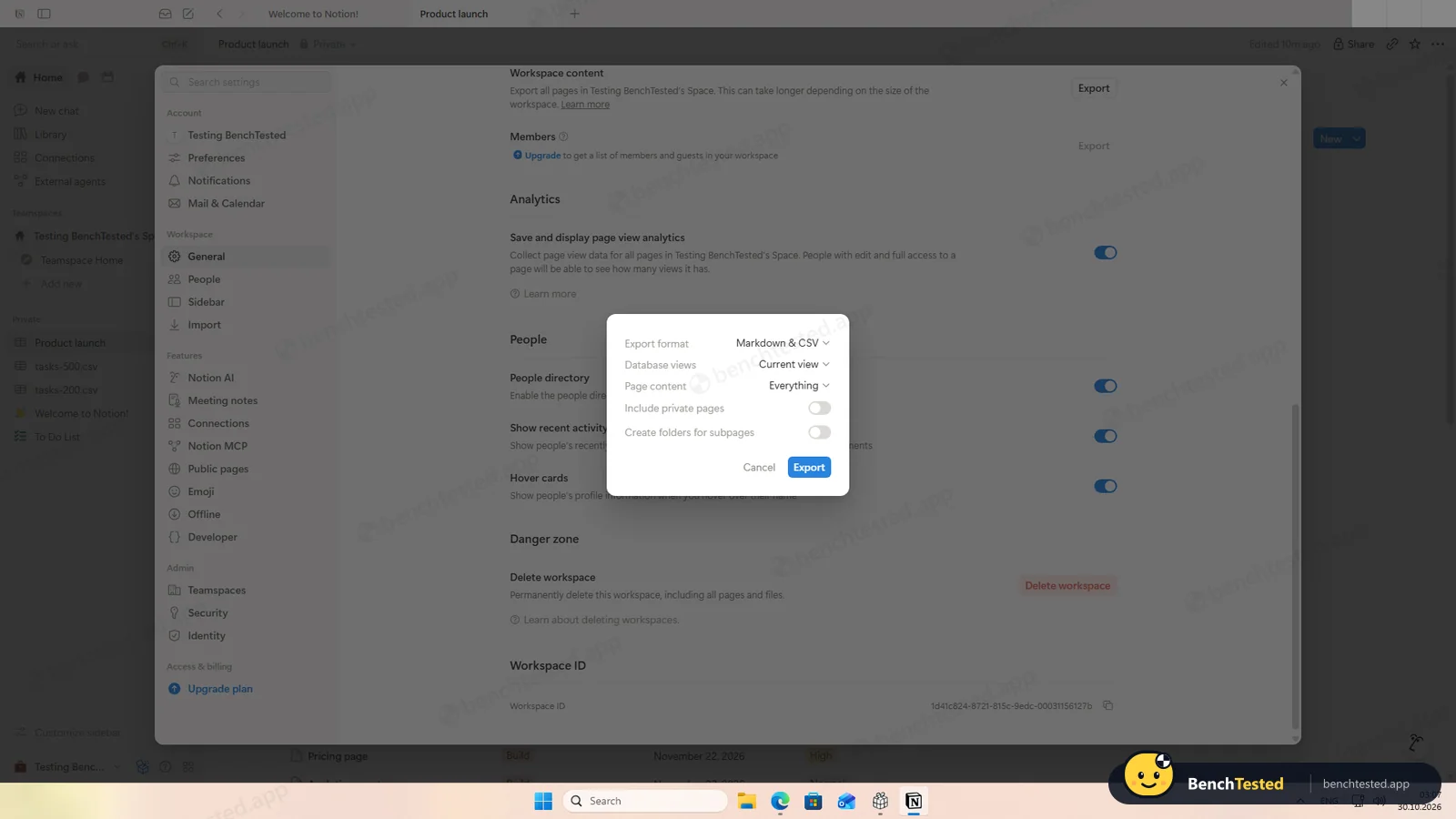
- The workspace export leaves out private pages unless you switch them on
Notion Alternatives
Not sure Notion is the right fit? These project management tools scored best on the same test script:
 ClickUp Recommended Small teams that want lists, boards, Gantt charts, automations and AI in one free workspace and do not mind a busy, heavy app 7.4 Read reviewReview

What is Notion?
Notion is a workspace built from pages and databases. Teams use it to write documents, maintain a wiki and run projects, with databases holding structured items such as tasks that can be shown as tables, boards, calendars, timelines and more.
Notion AI is built into the product, and on paid plans Custom Agents can carry out multi-step tasks using workspace content, connected apps and the web. A marketplace offers templates, agents and integrations.
Why Notion is different
Notion gives you building blocks rather than a finished task manager: you design the database, its properties and views yourself.
Its free plan is generous for one person but limited for teams, and automations start with Plus.
Who is Notion for?
Individuals and small teams who want tasks living next to their docs and wiki, and who are happy to build their own setup. Teams and individuals who want documentation, knowledge bases and lightweight project tracking in one place.
Skip it if
- You need automations or classic recurring tasks without paying
- You want a ready-made task manager rather than building your own
- Your team needs proper member roles on a free plan
Our Experience with Notion
Test log
Windows 11 Pro 10.0.26300 in VMware Workstation 26H1 (4 vCPU, 8 GB RAM, no GPU passthrough), English (US) UI, 1920×1080, clean snapshot; new account on the Free plan, second test account for the permission checks
- 00:54
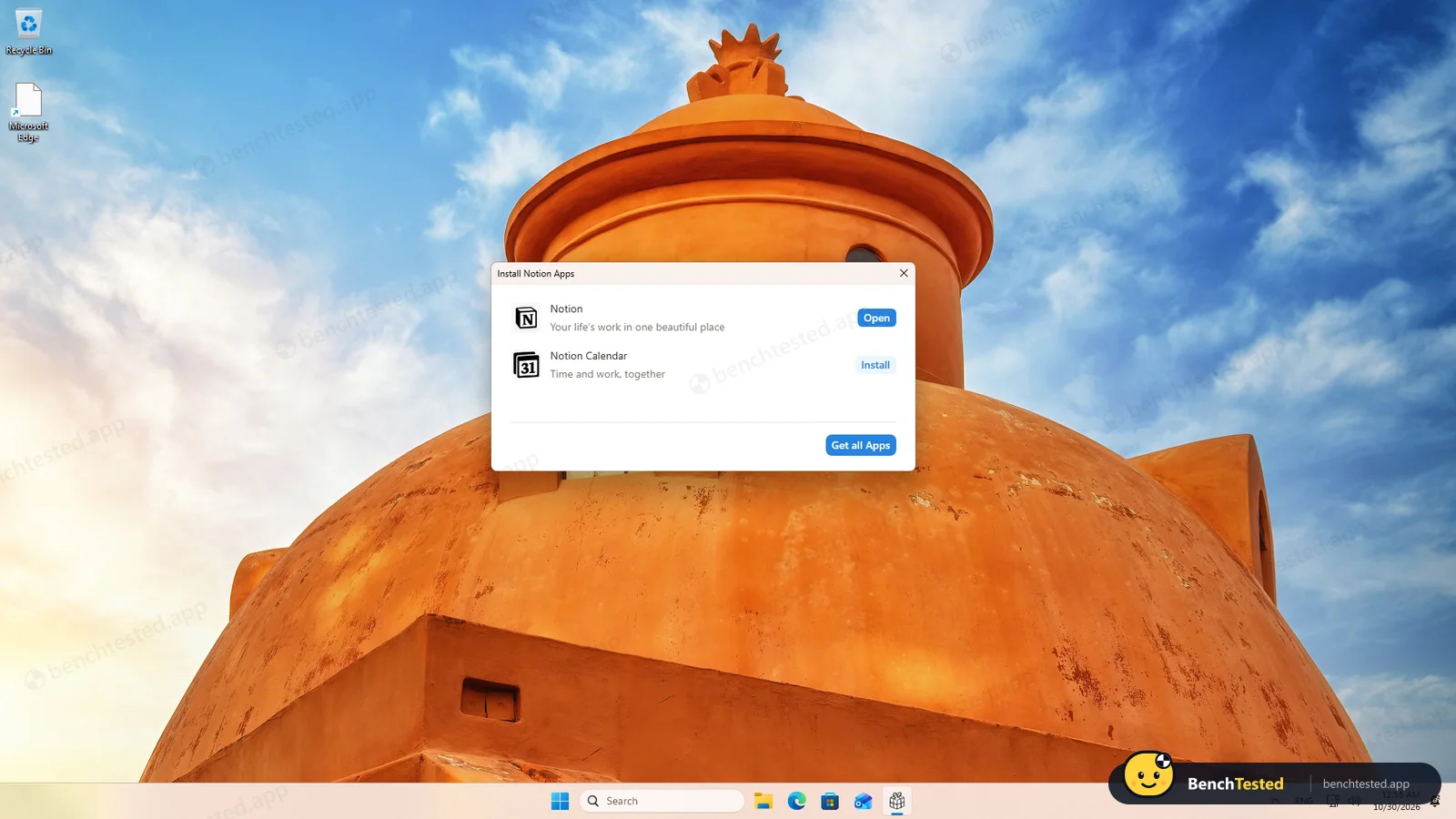
Downloaded the Windows installer from notion.com
3.8 MB, signed by Notion Labs, Inc.
- 00:54:41
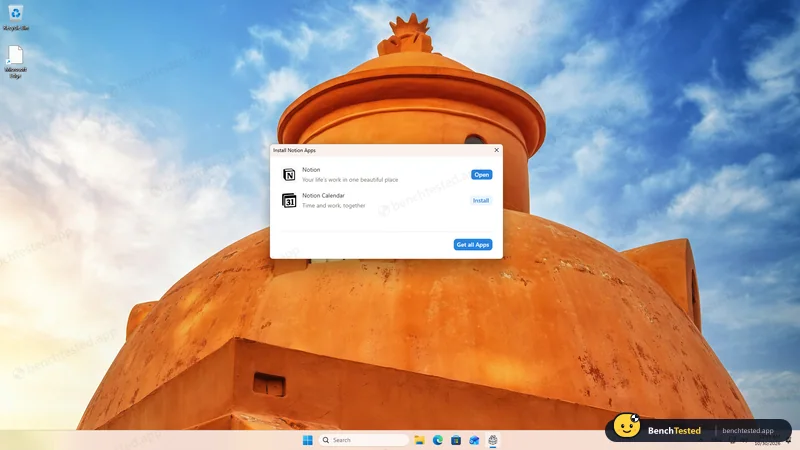
Ran the installer
Notion installed and opened before we clicked Install
- 01:47
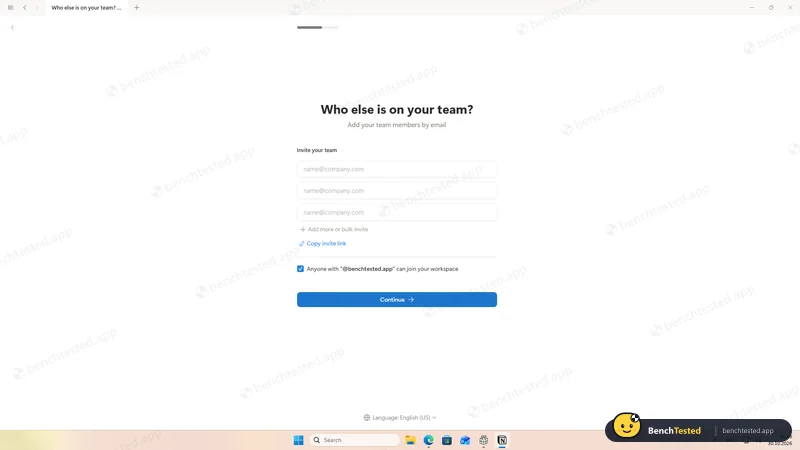
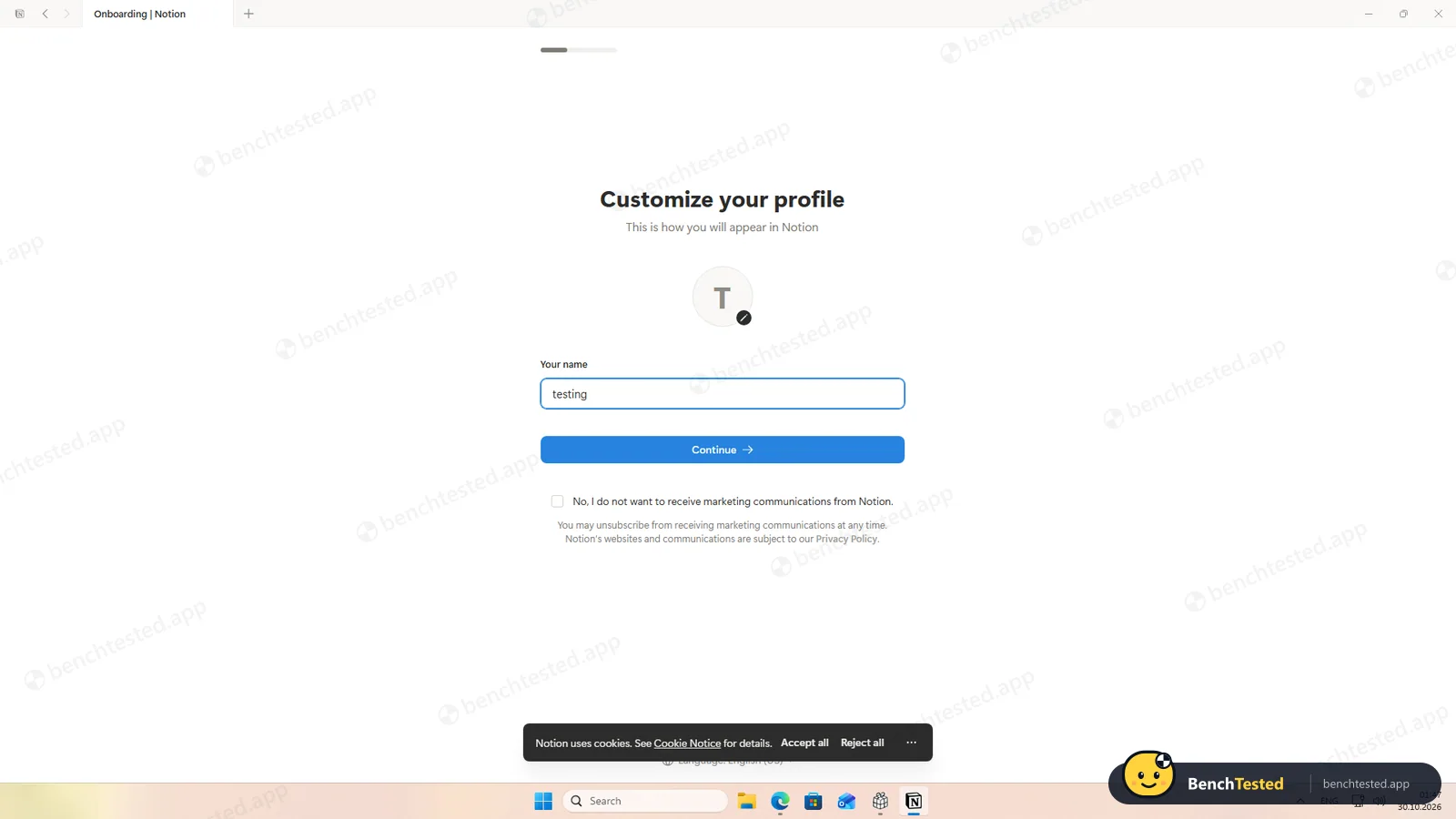
Sign-up and onboarding
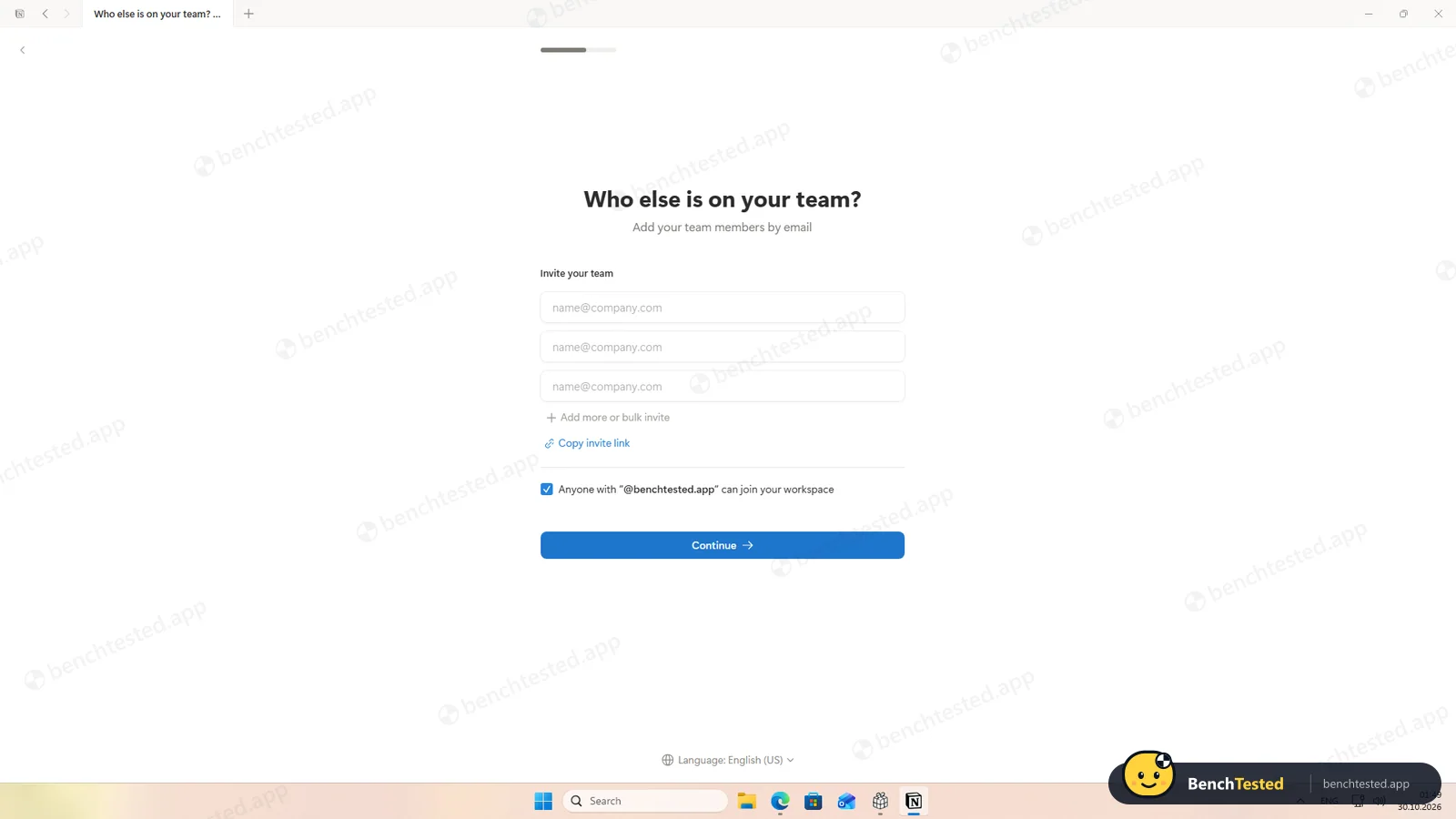
marketing opt-out unticked, domain join pre-ticked
- 01:49
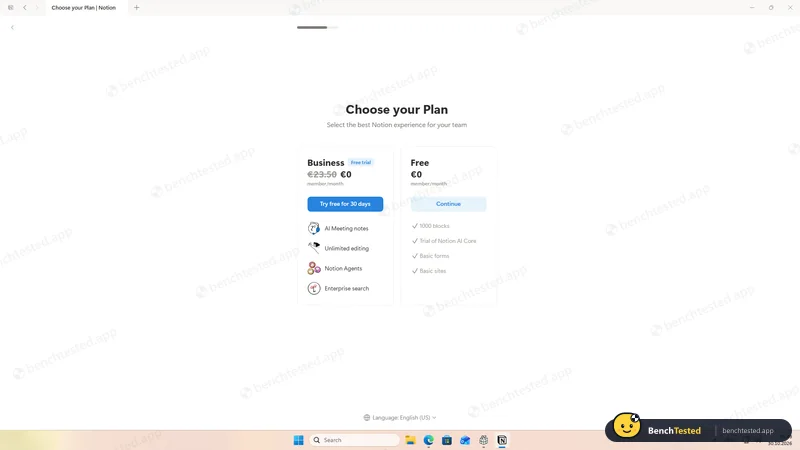
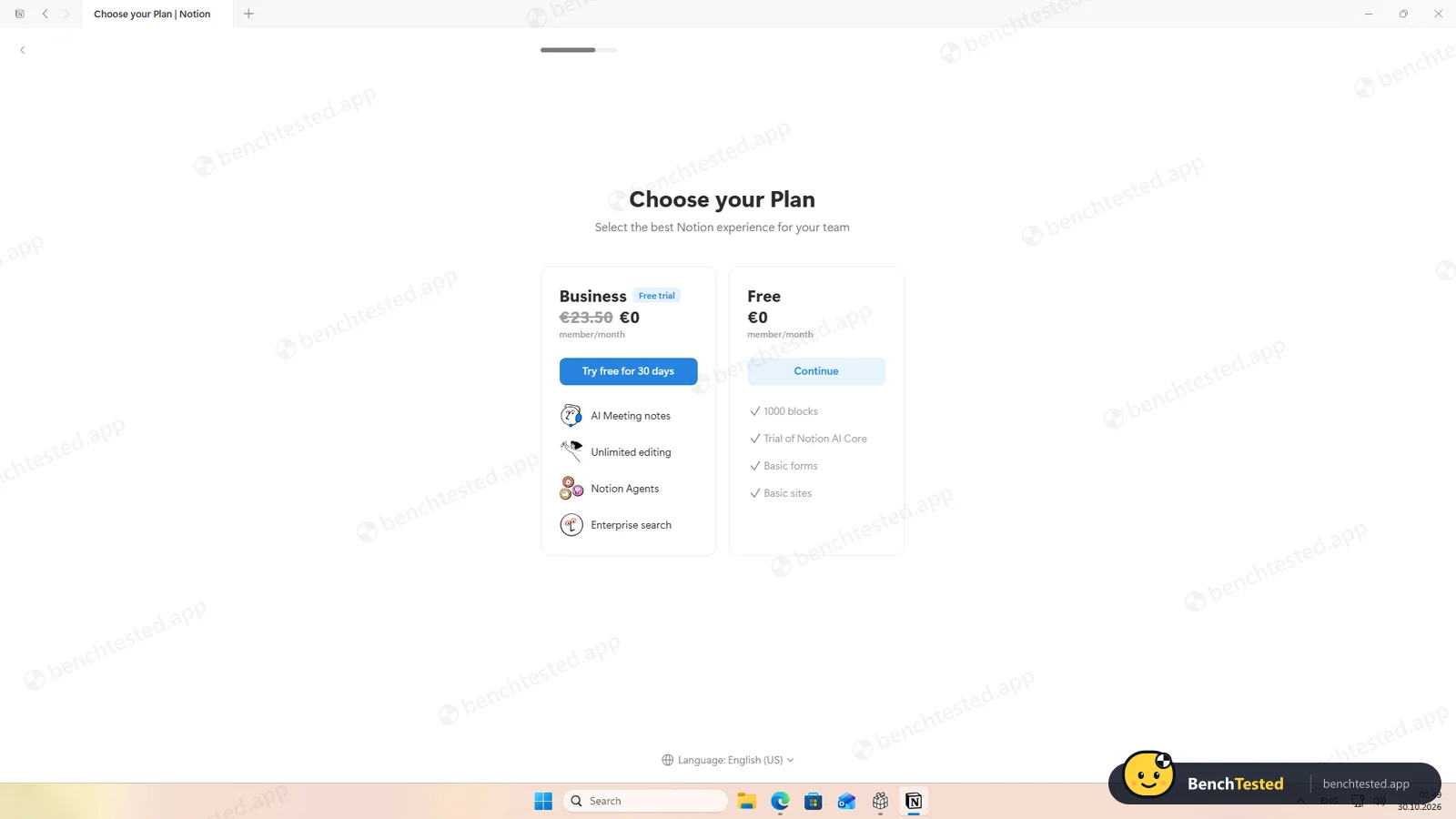
Picked the free plan
a 30-day Business trial is offered but optional
- 02:07
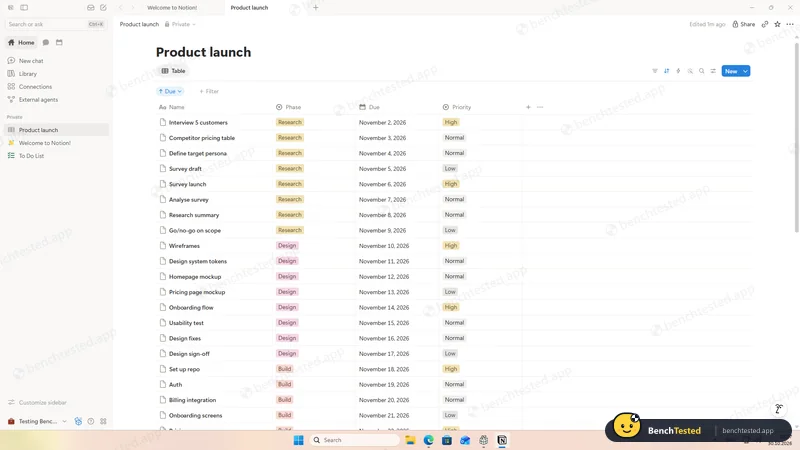
P1 done
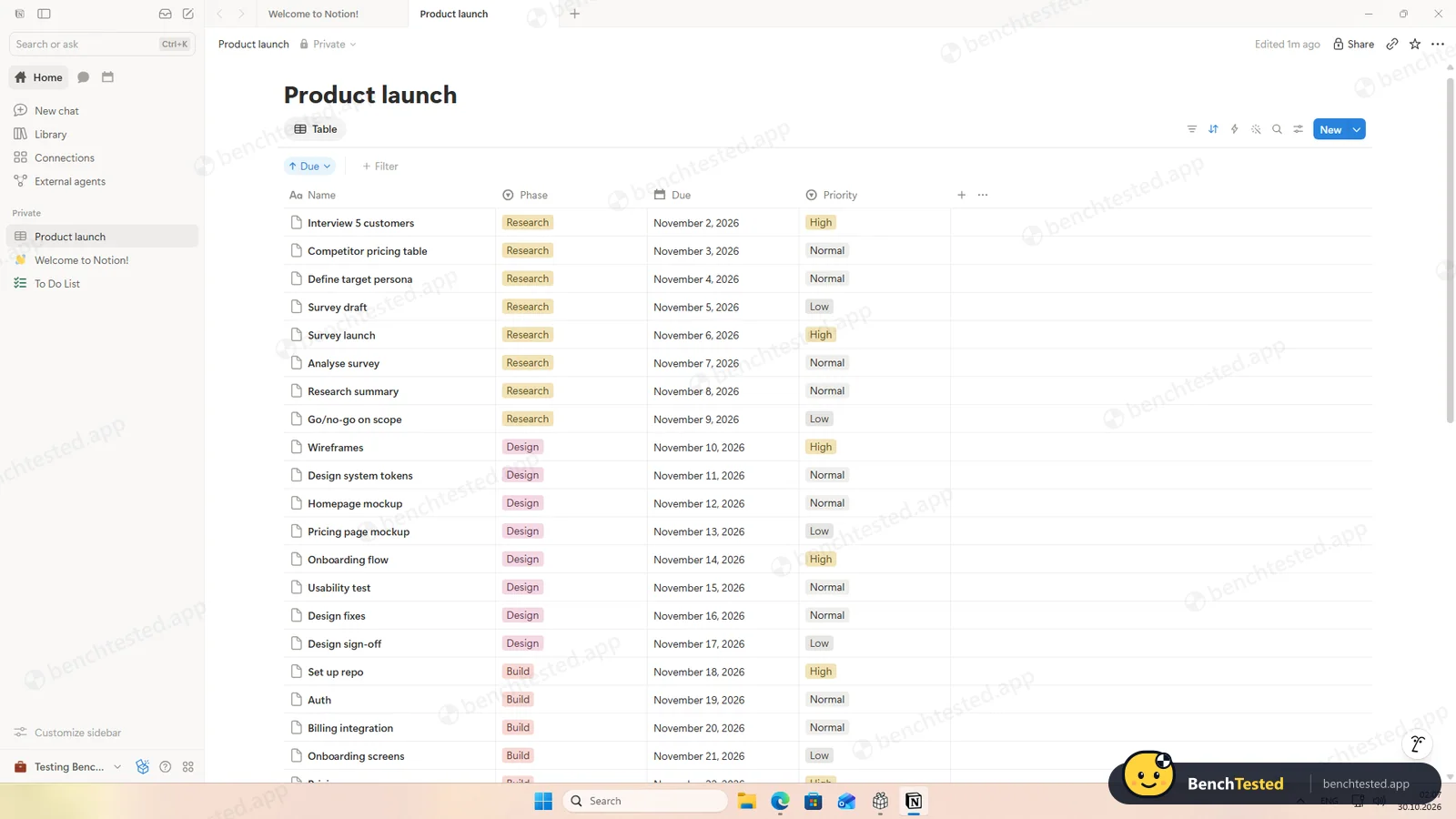
40 tasks with phases, dates and priorities
- 02:11
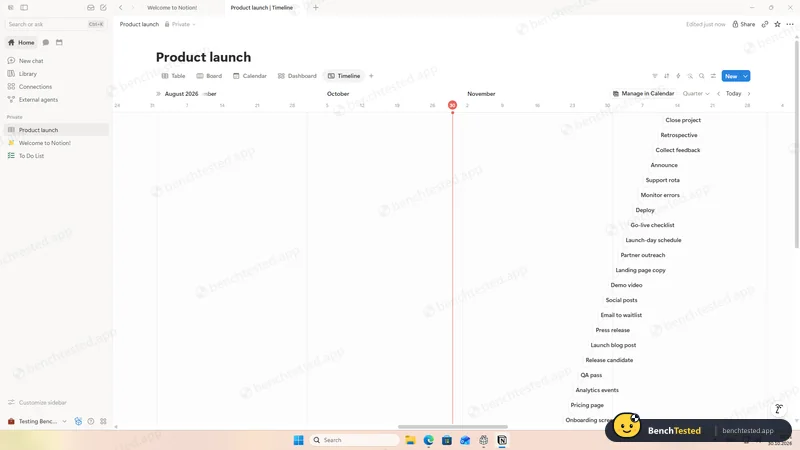
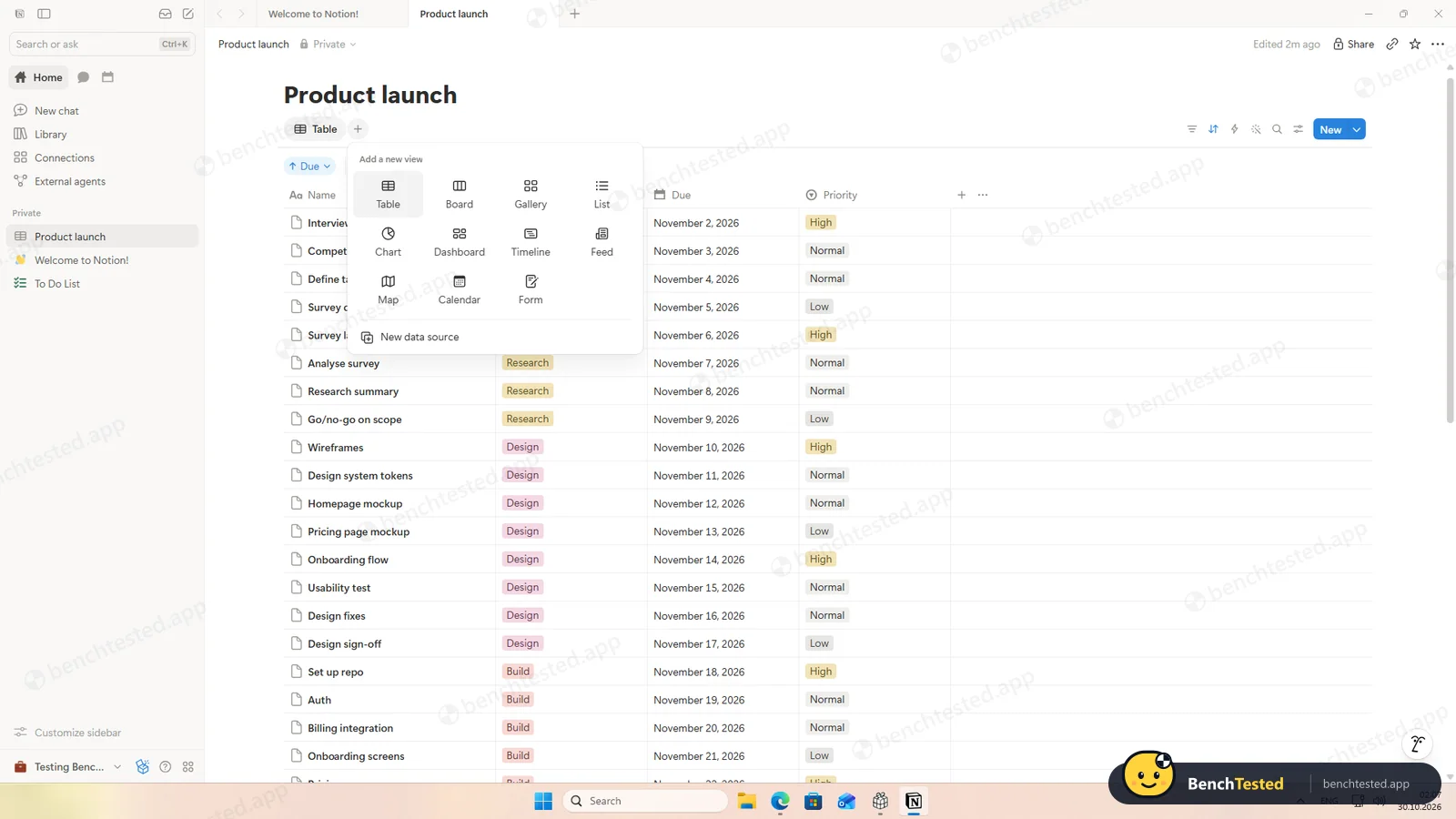
P2: table, board, calendar and timeline
all free
- 02:11
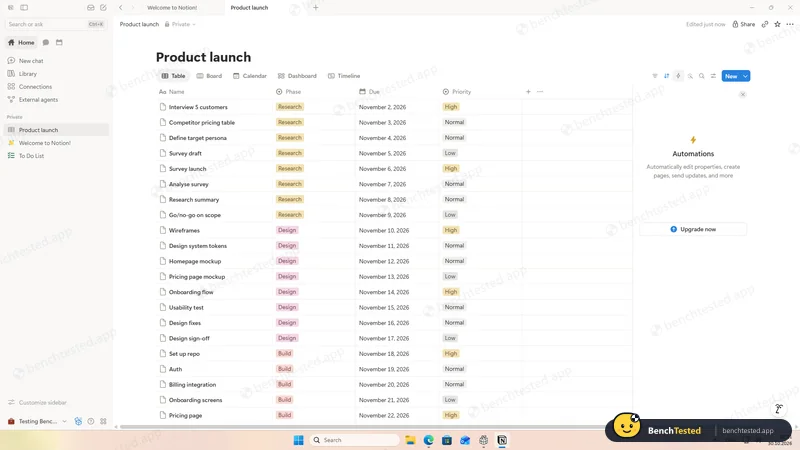
P3: automations
paid only
- 02:12
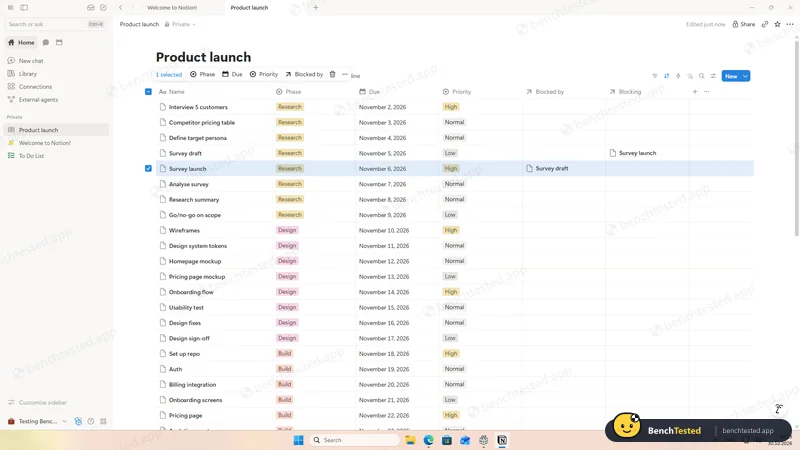
P3: dependency
- 02:18
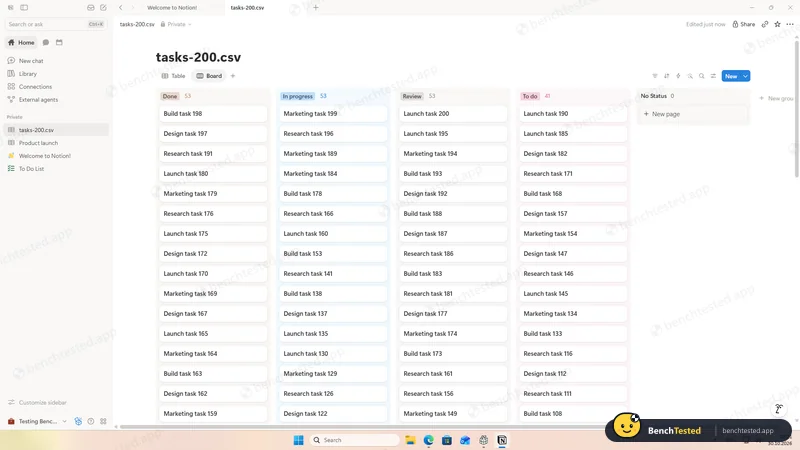
P4: 200 rows imported
7 of 7 columns recognised, about 10 s
- 02:23
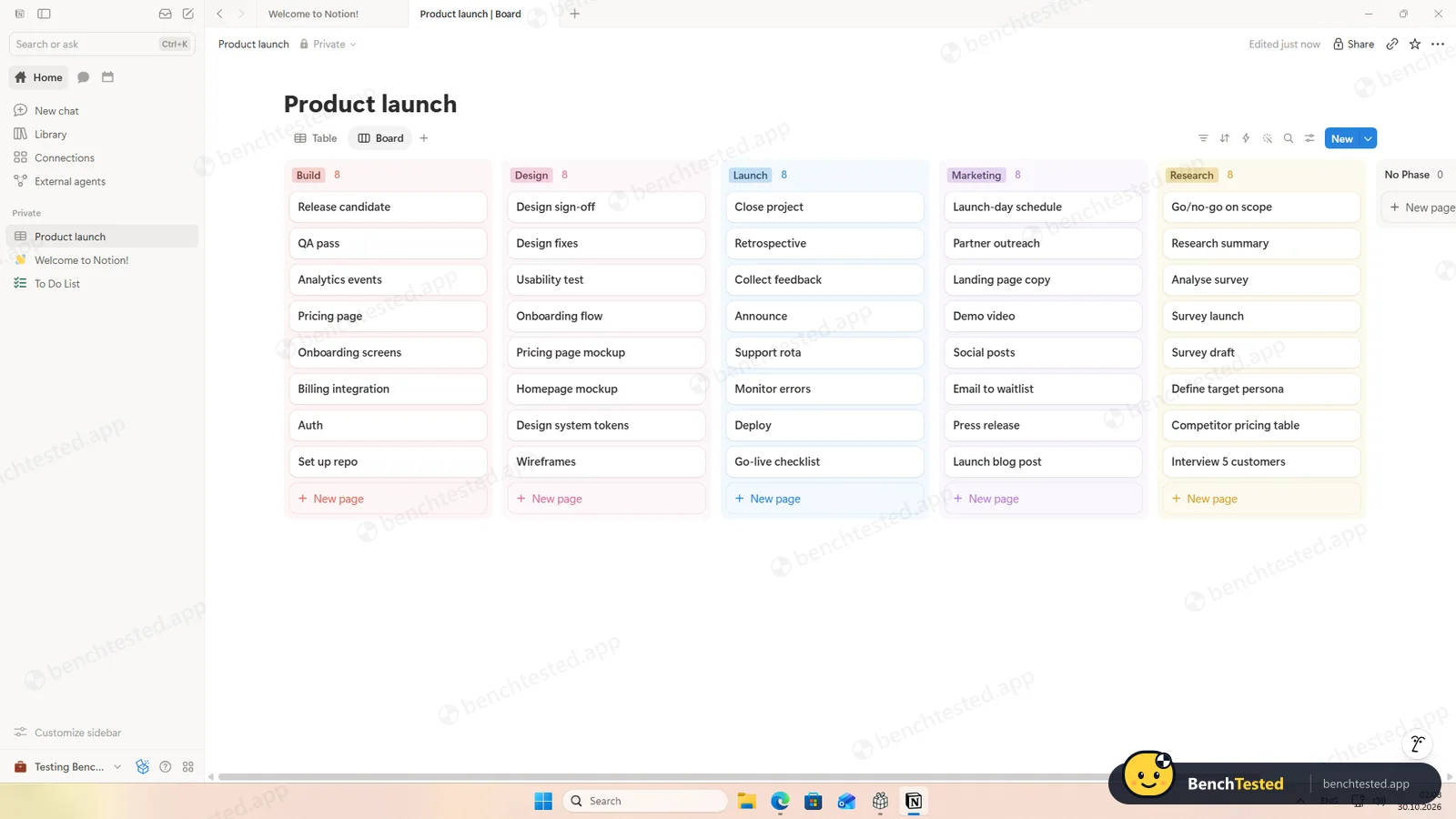
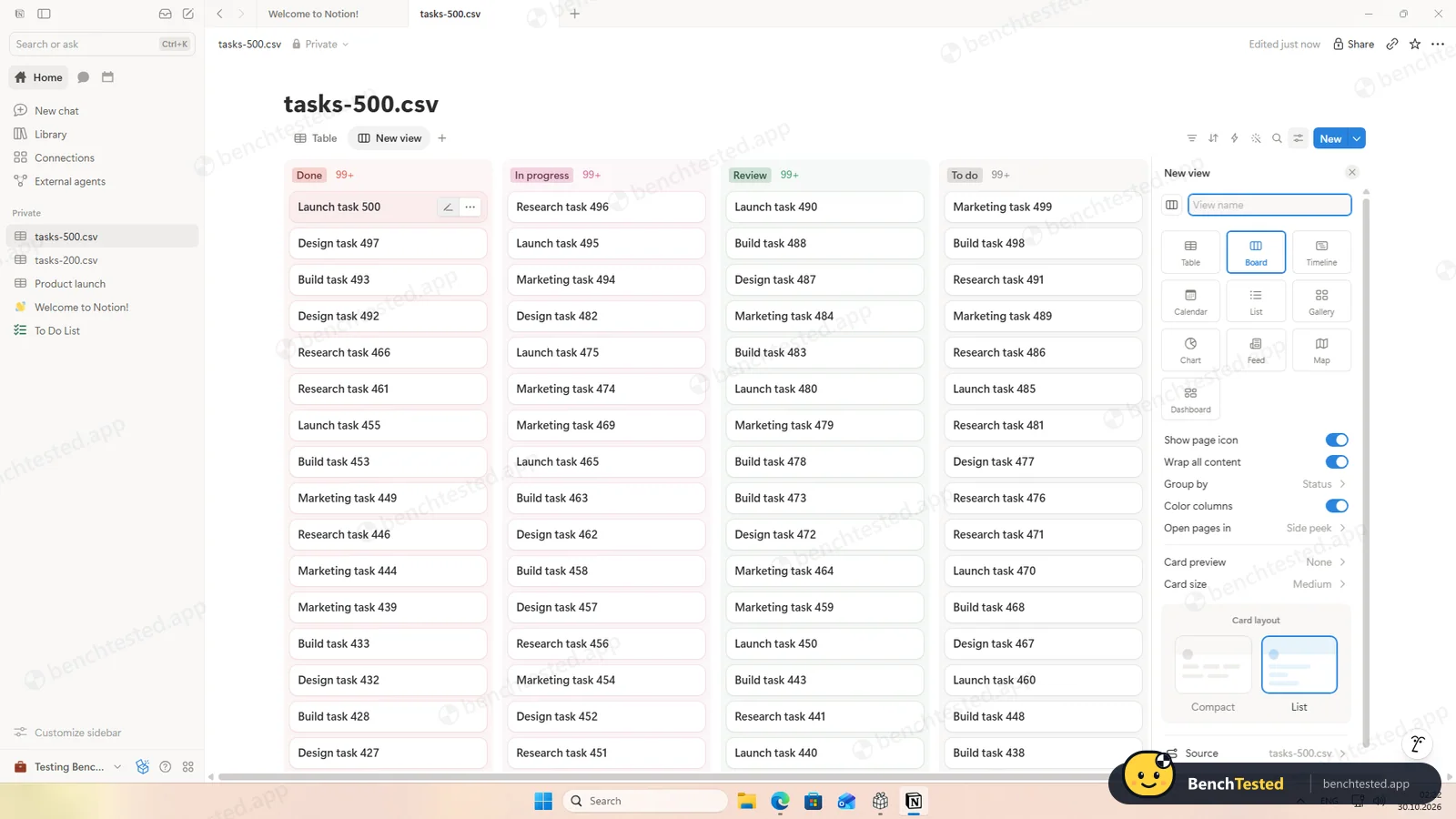
P5: 500 rows and board
board full on the first frame
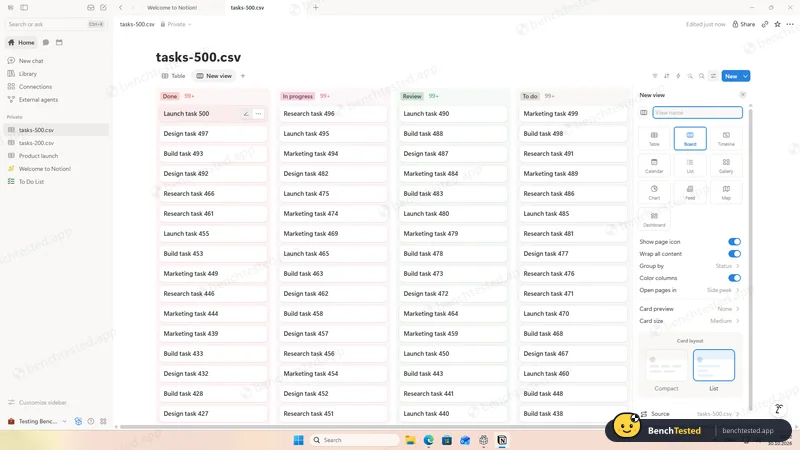
- 02:24
Cold start
usable in about 5 s
- 02:27
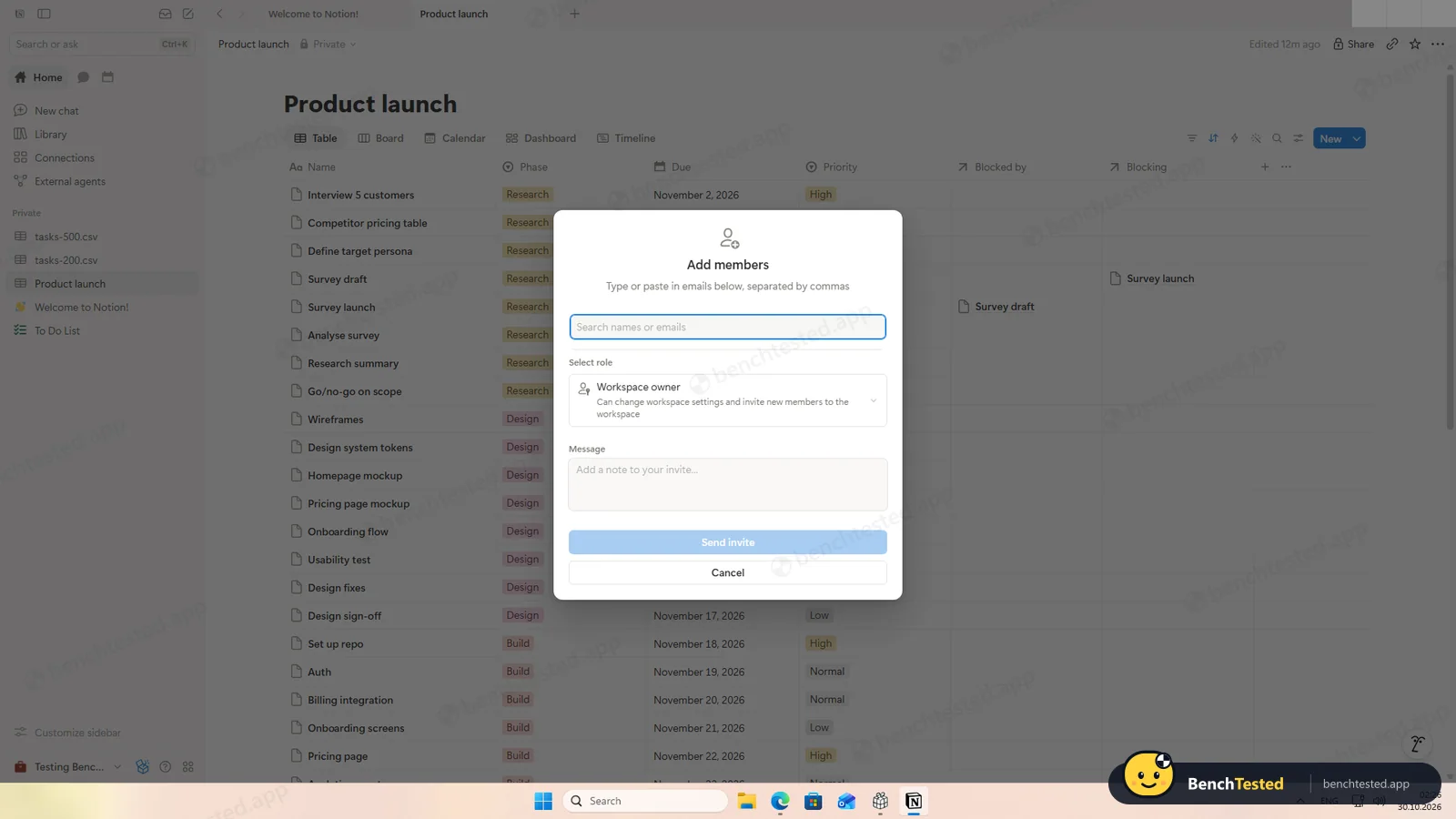
P6: invited a second user
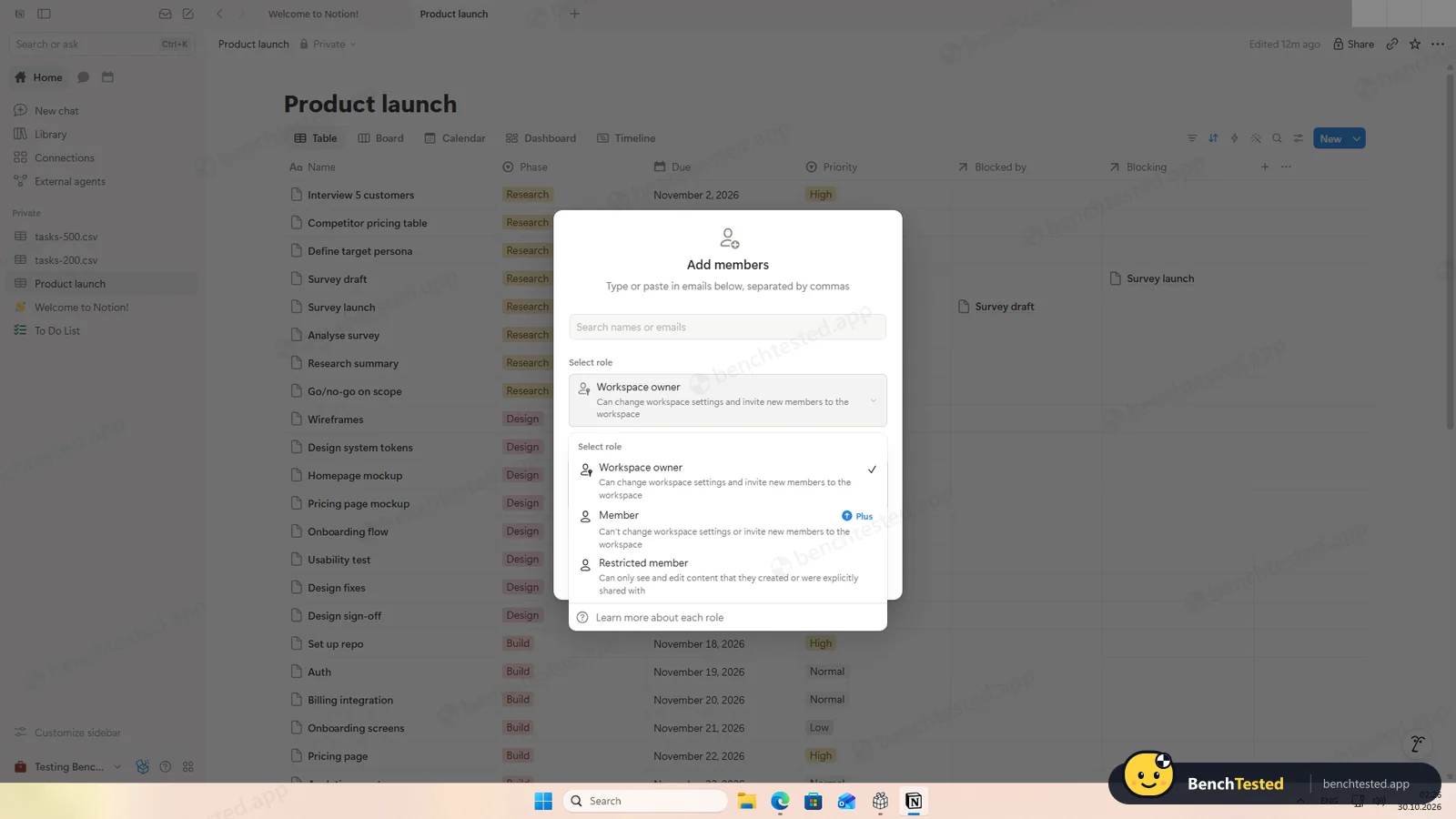
role defaulted to Workspace owner
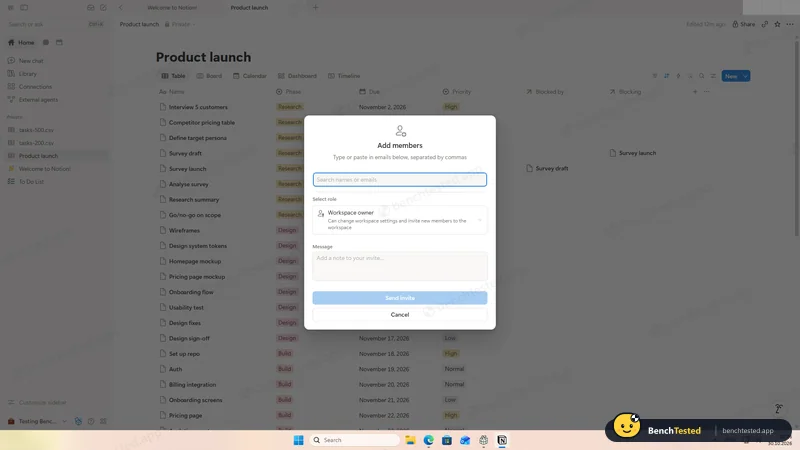
- 02:55
P6: member set to Can view
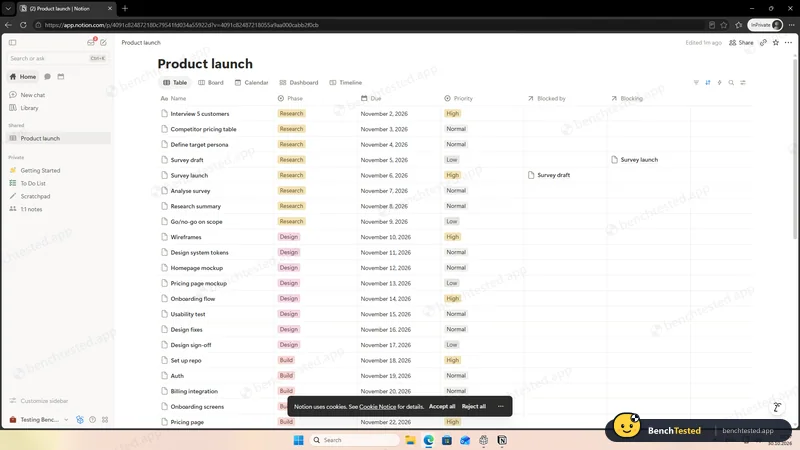
- 02:59
P6: member removed
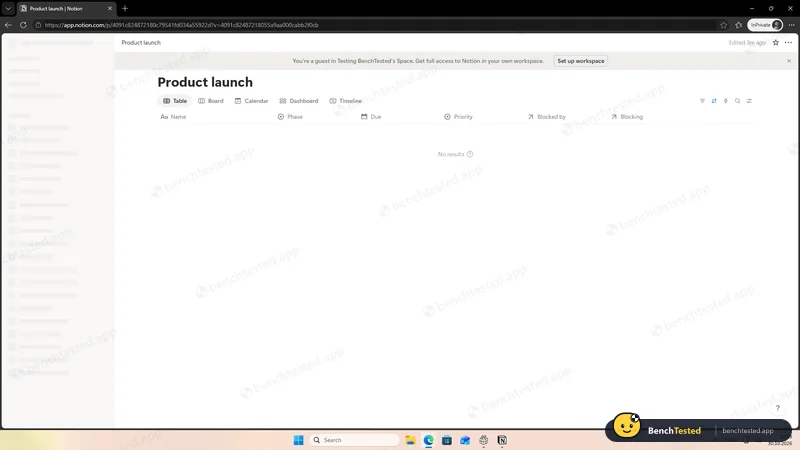
- 03:01
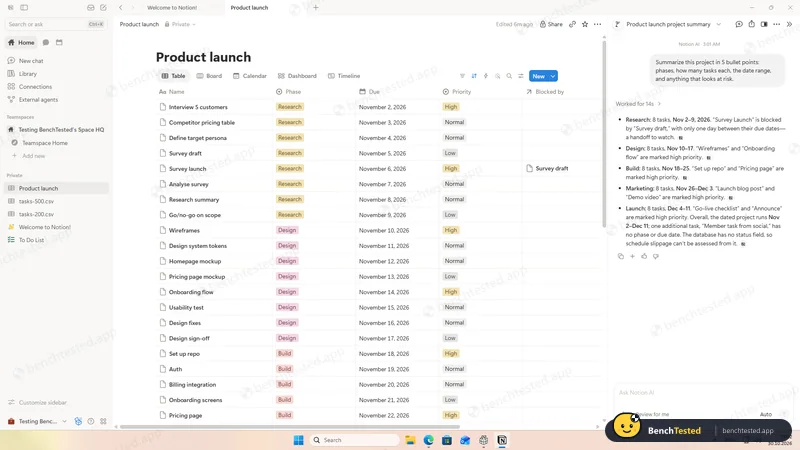
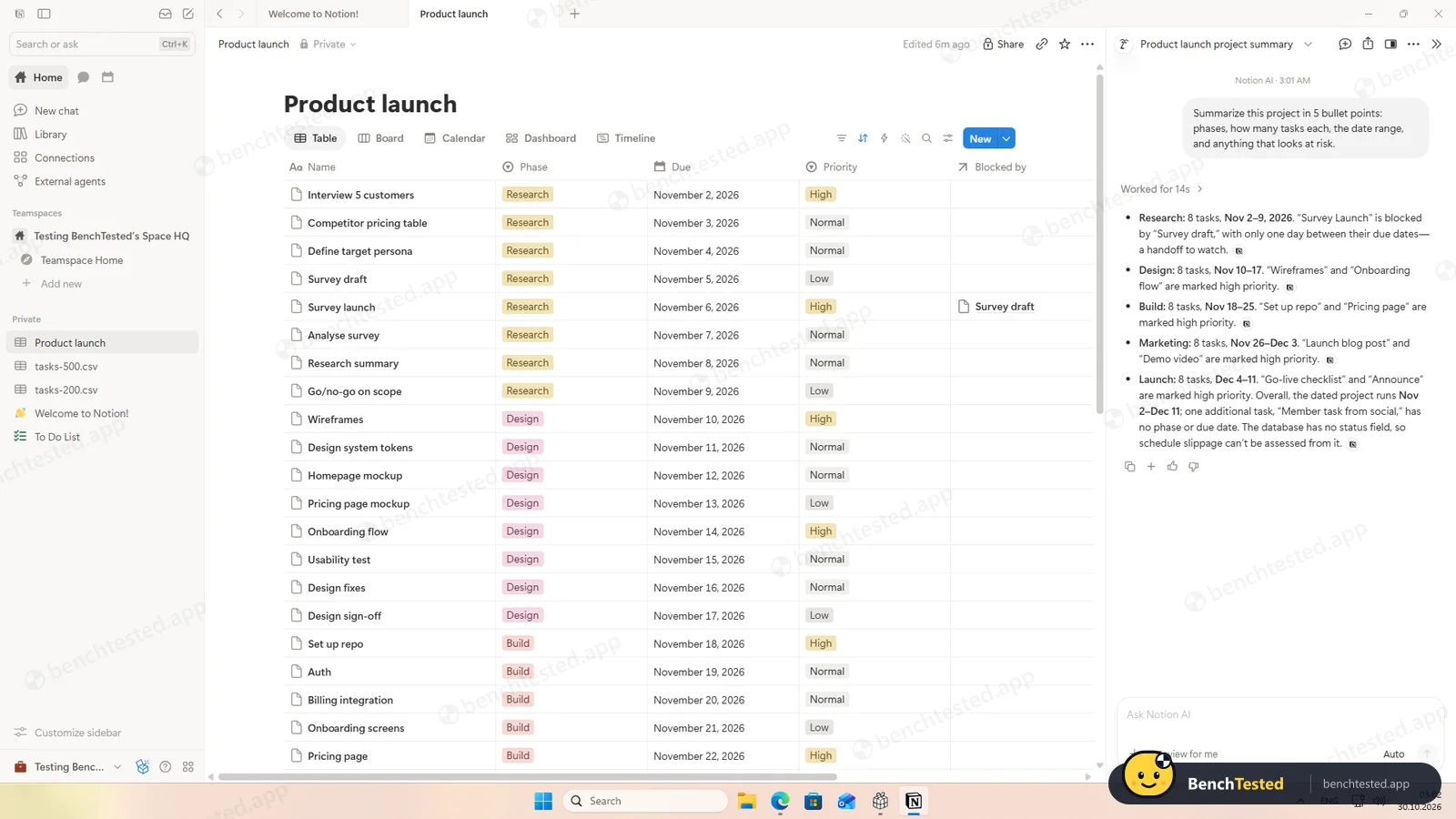
P7: AI project summary
accurate
- 03:03
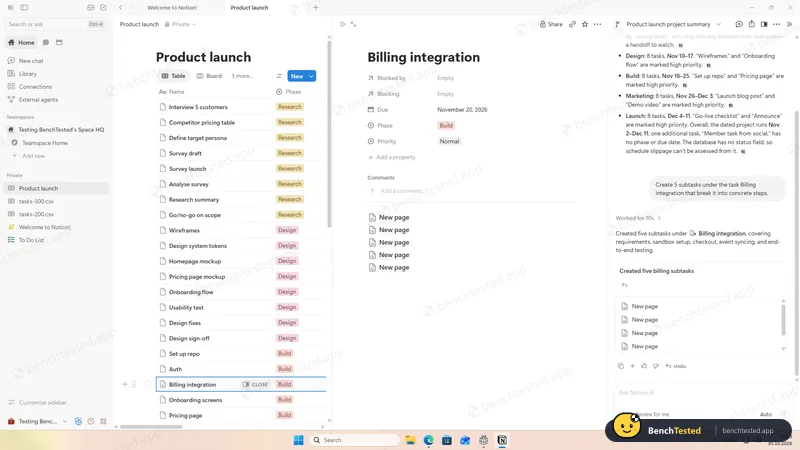
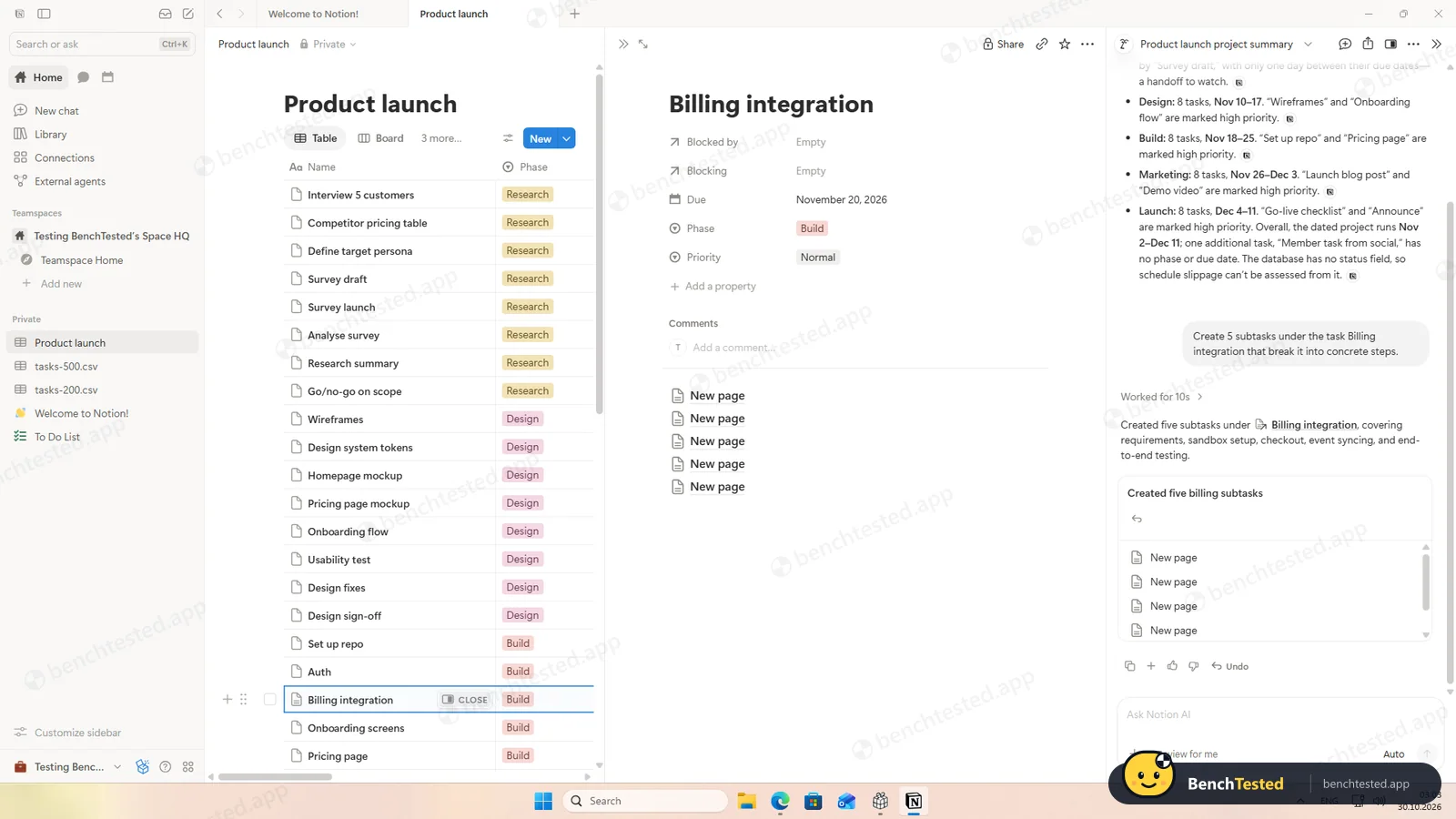
P7: AI subtasks
five untitled pages, no confirmation
- 03:07
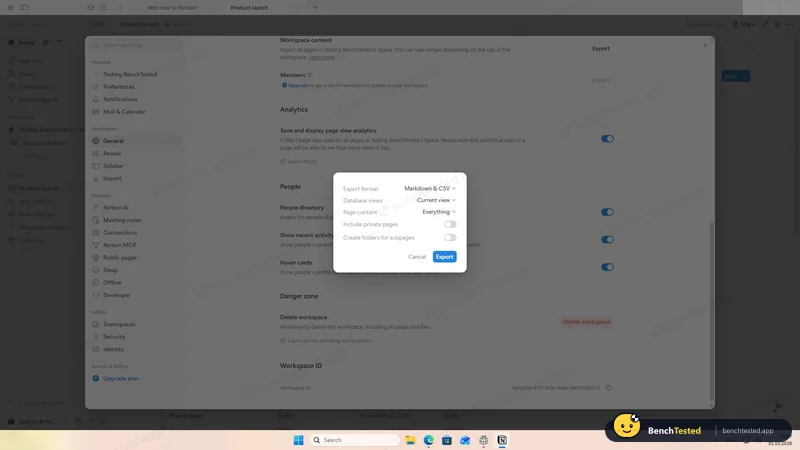
P8: workspace export started
private pages excluded by default
- 03:14
P8: project exported to CSV
41 of 41 rows in about 5 s, with dependencies
- 03:32
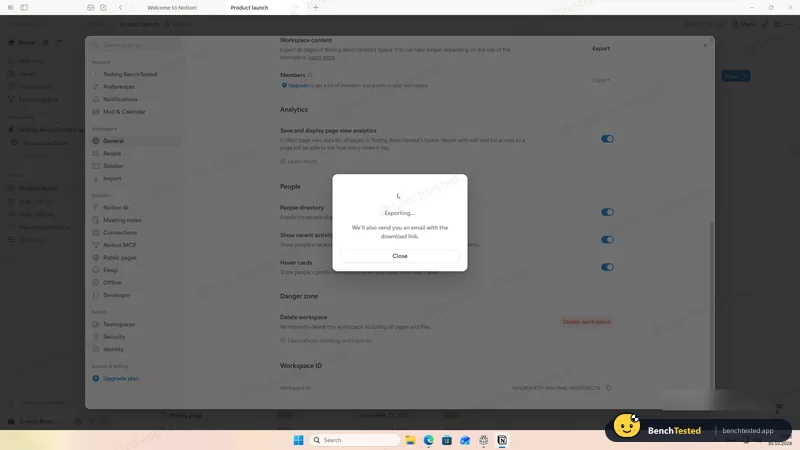
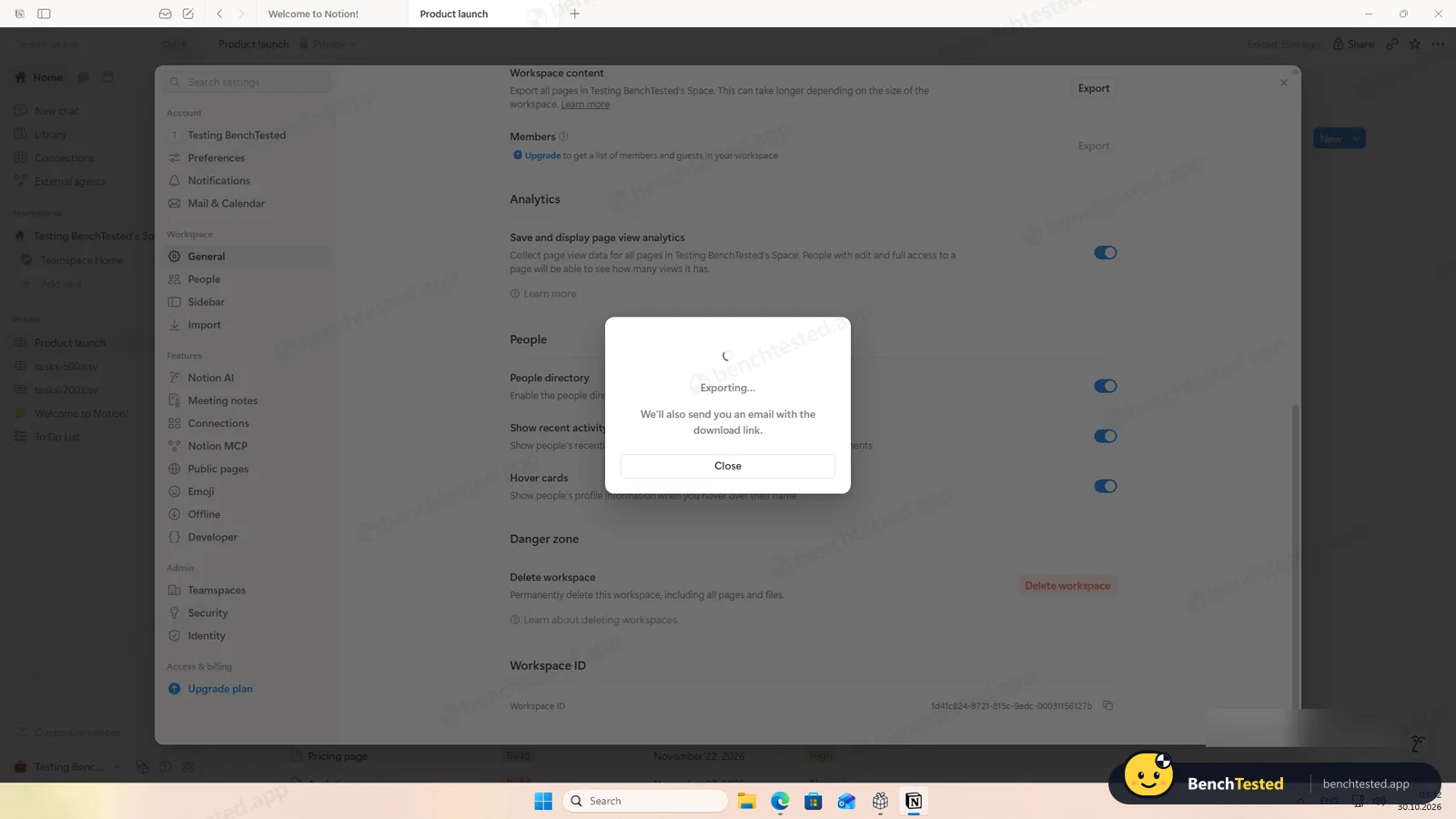
P8: workspace export still running
25 minutes, two attempts, no email
- 03:33
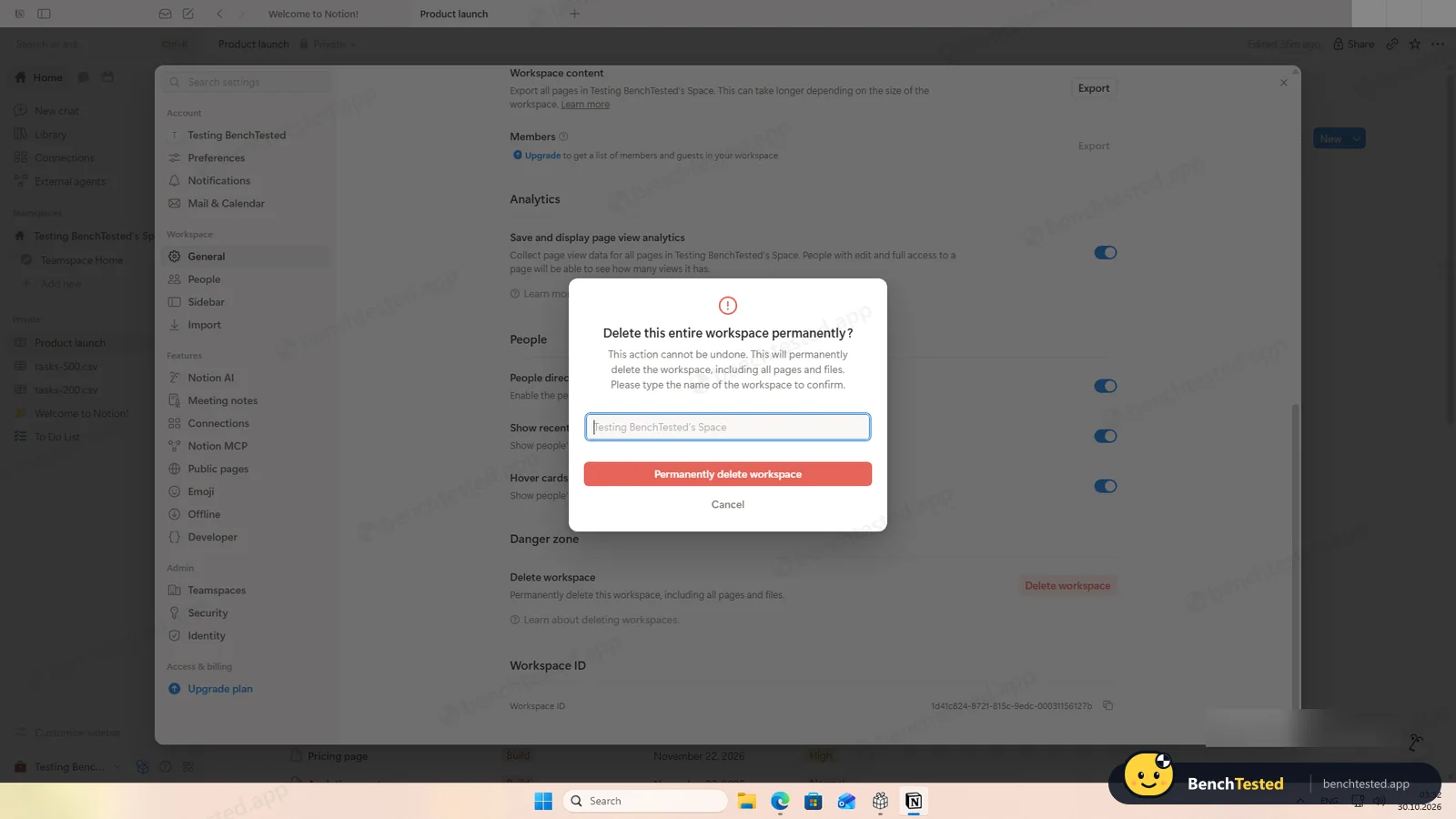
P8: workspace deleted
type the name; permanent
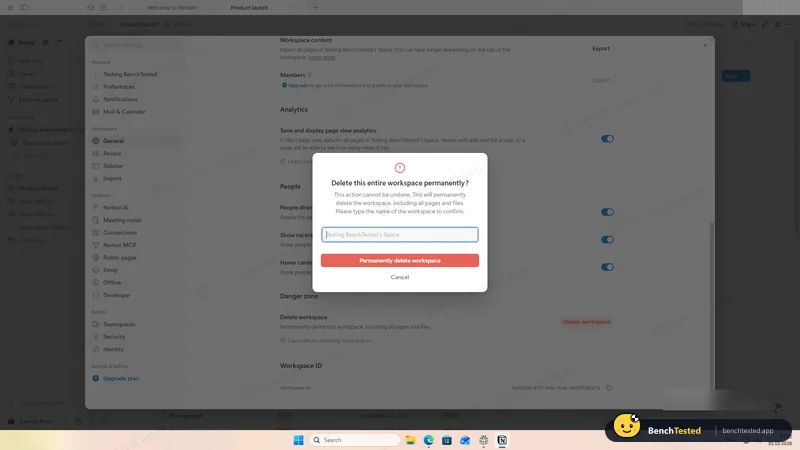
- 03:34
Uninstalled
3 s; about 540 MB left
-
P1 · Build a project
Build a 40-task product launch project from a written brief: five phase lists of eight tasks, each with a due date and priority.
Pass ≈ 16 min
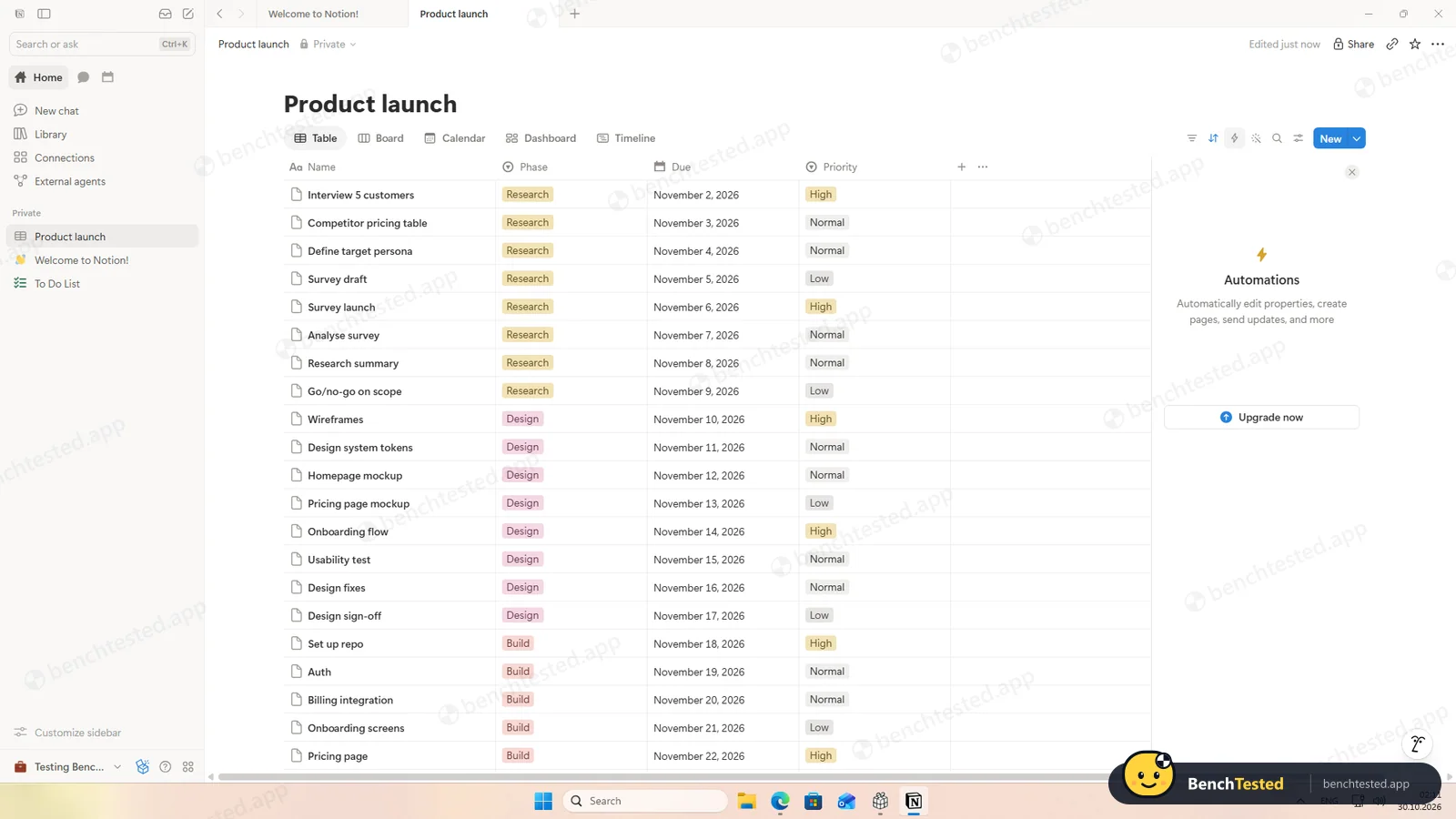
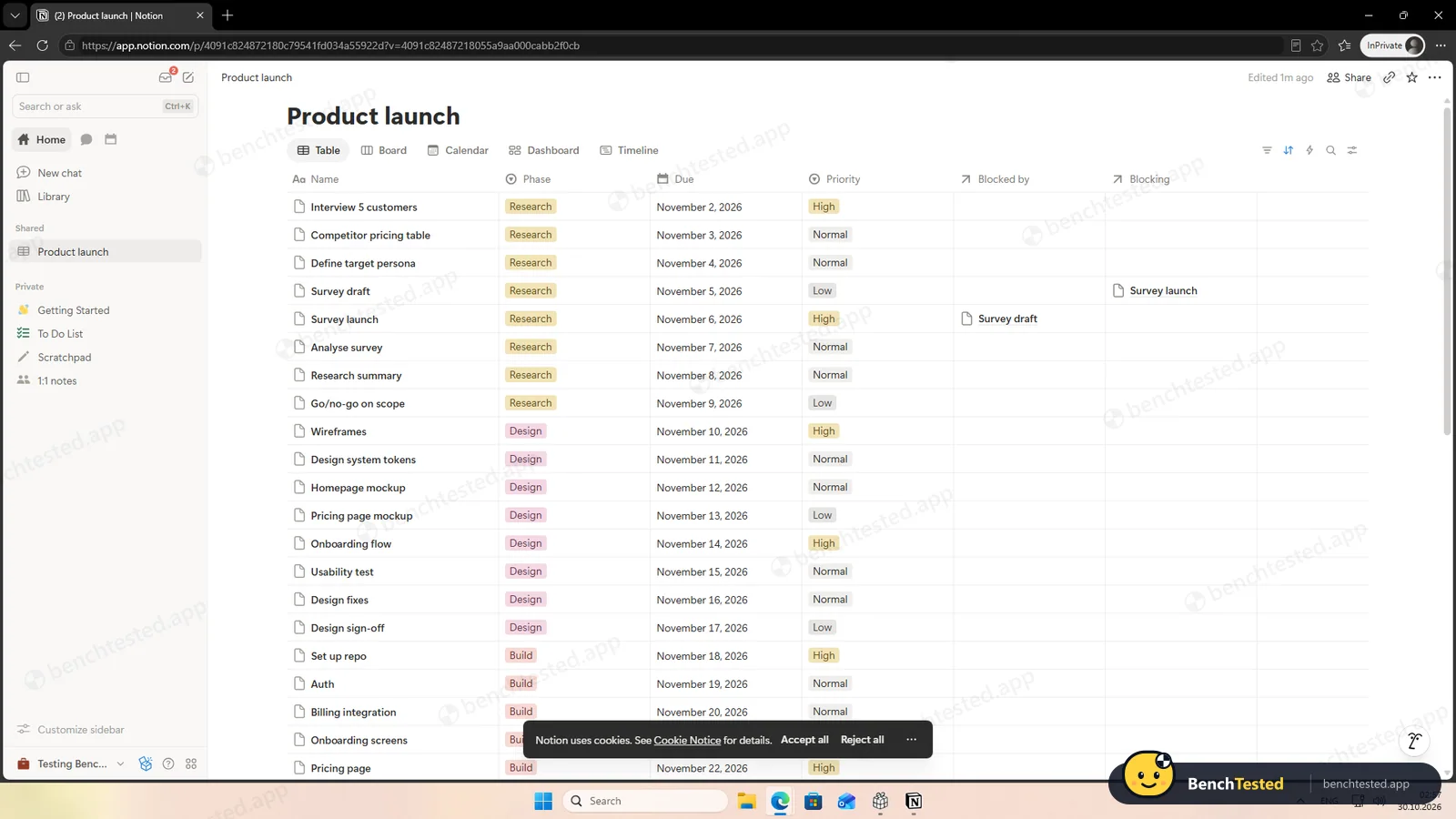
We built one database with Phase, Due and Priority properties, all free. Pasting the 40 lines created 40 rows with names and dates at once but left both select columns empty, so we filled phases and priorities with bulk edits on selected rows.
-
P2 · Views
Show the project as a list, board, calendar and Gantt chart.
Pass ≈ 4 min
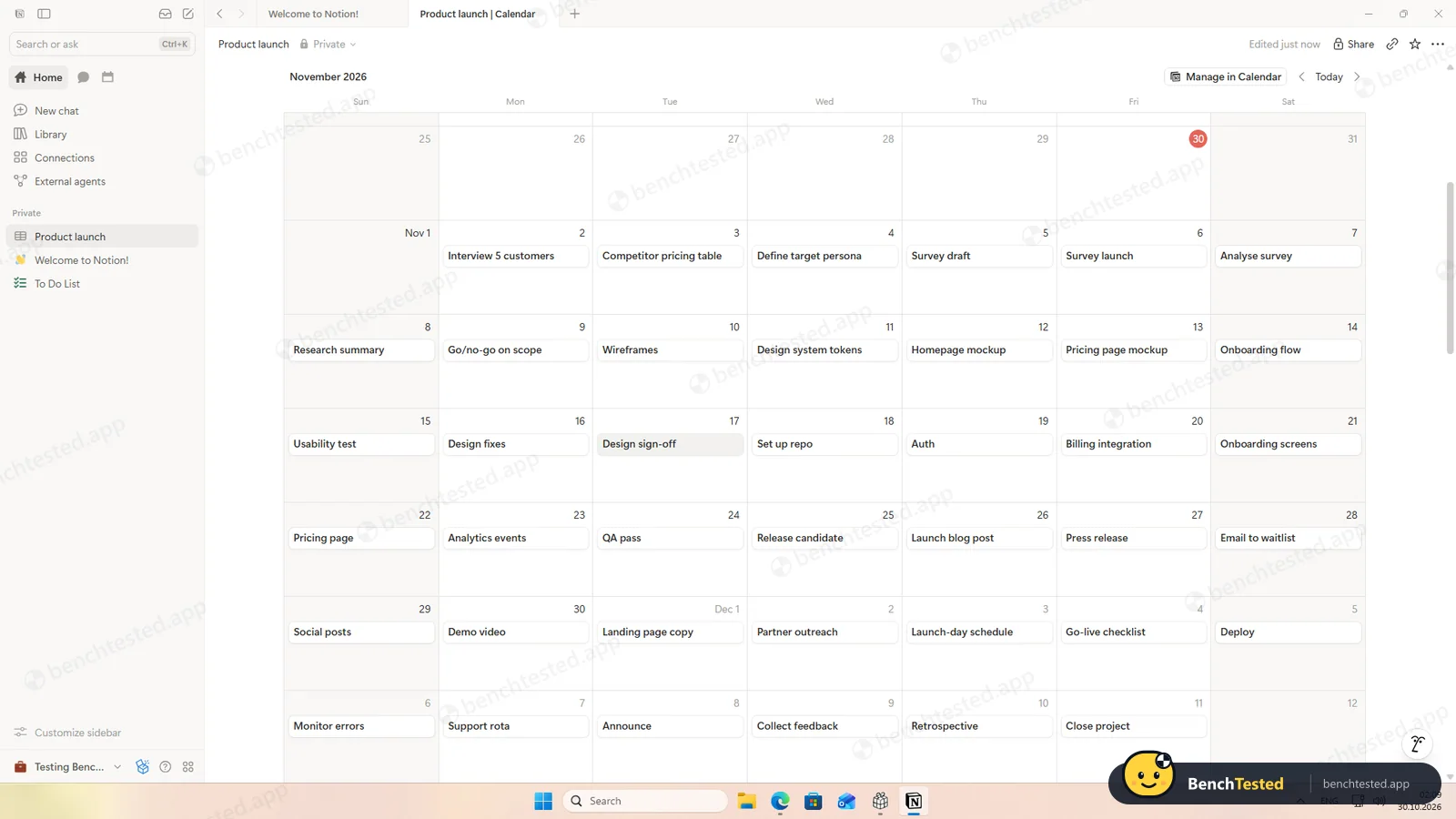
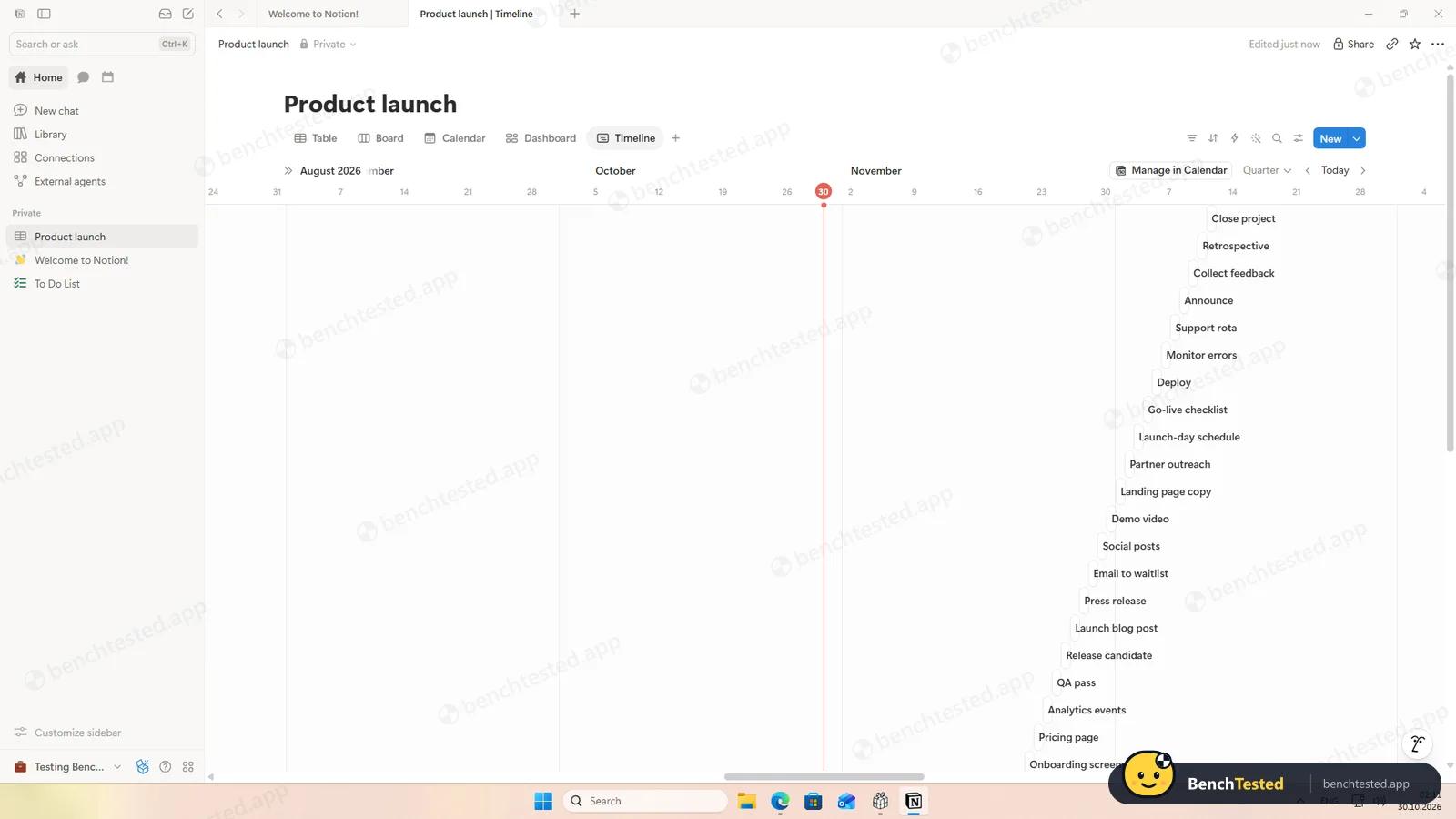
Table, board, calendar and timeline are all free, and the board grouped itself by phase. Dashboards need the Business plan.
-
P3 · Rules
Set up a status automation, a dependency and a weekly recurring task.
Partial ≈ 5 min
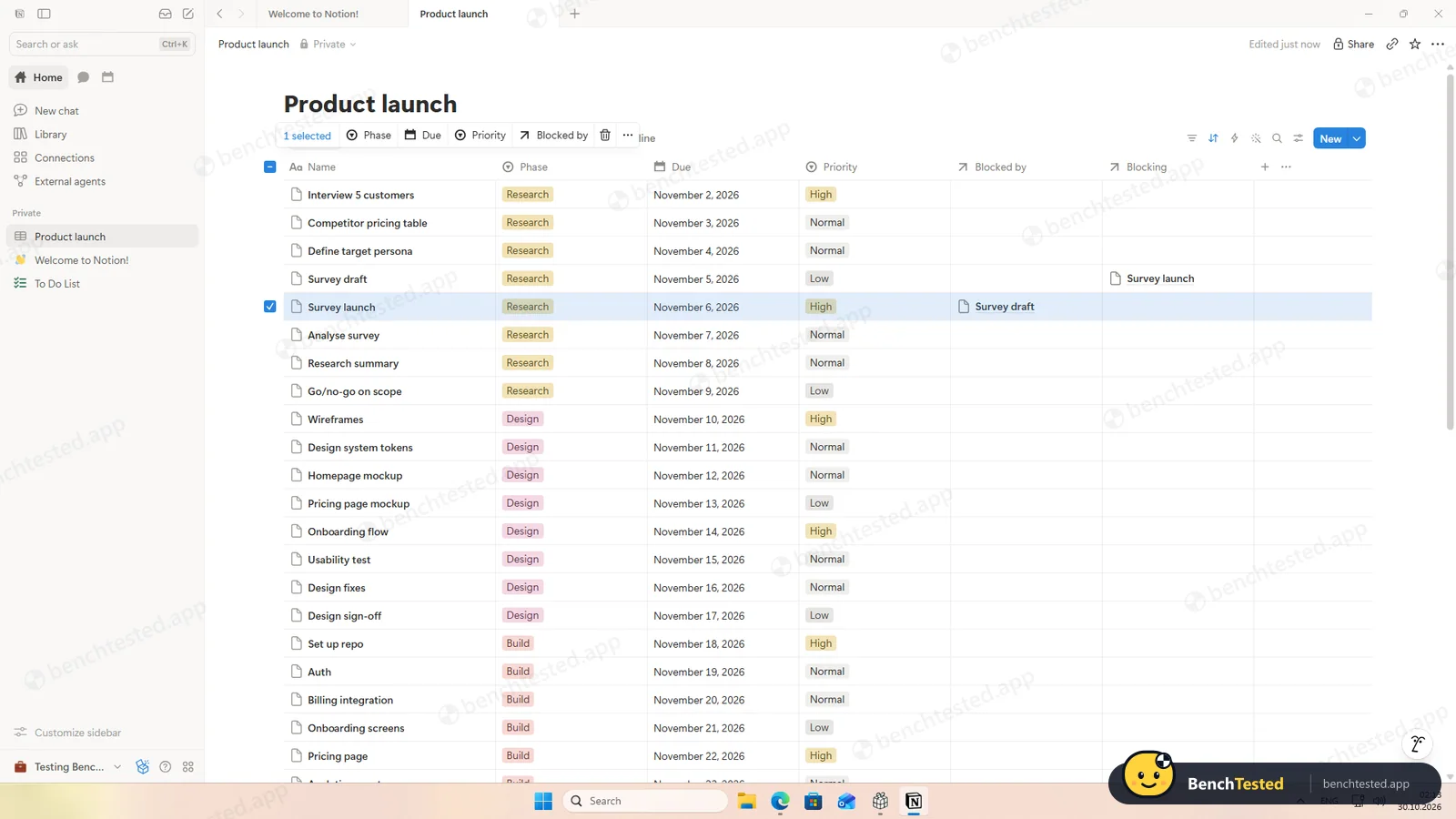
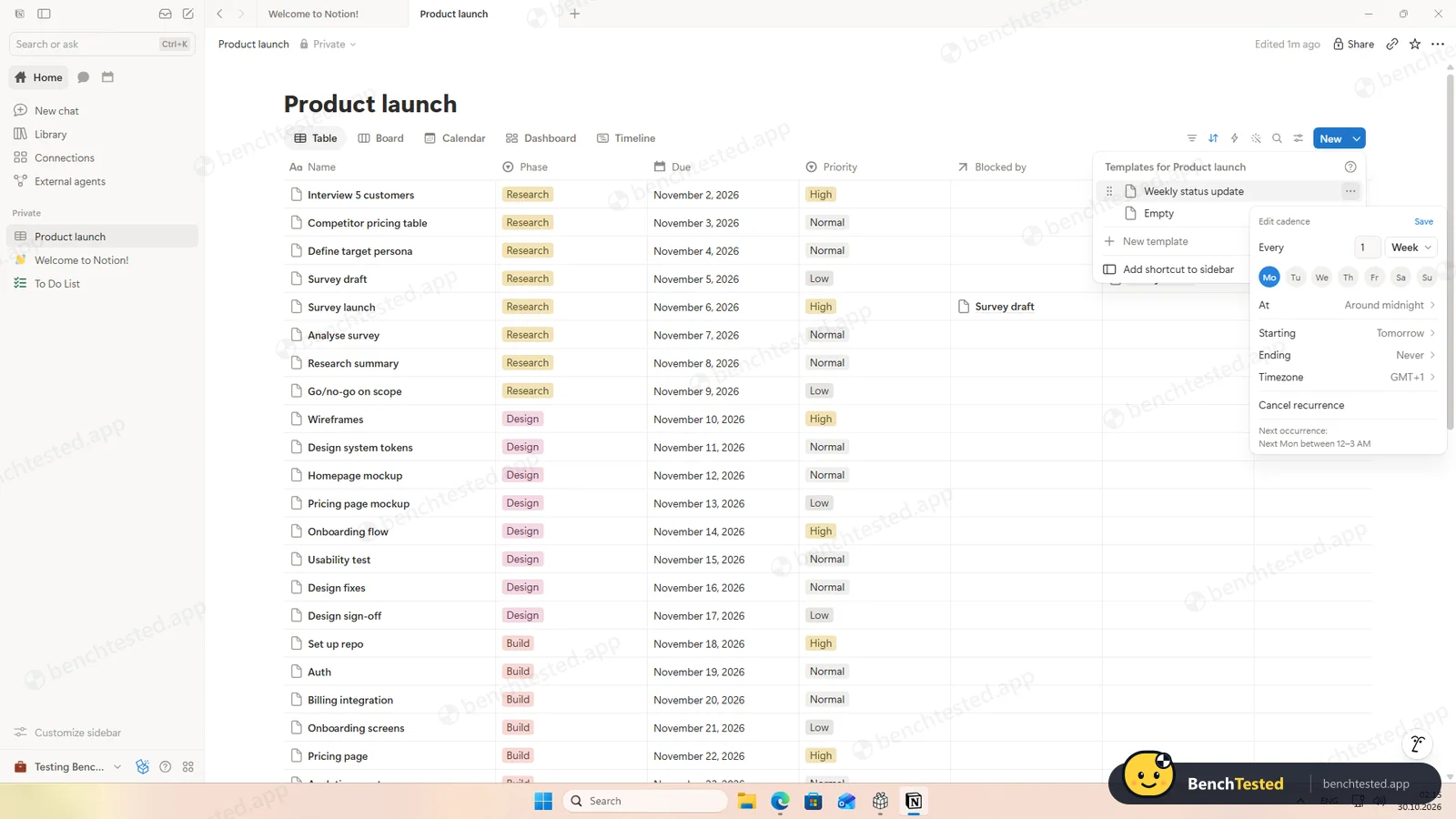
Dependencies are free and appear on both tasks. Automations need a paid plan. Recurring tasks are a template that creates a new page every Monday, so we could not see one repeat within the test.
-
P4 · 200-row import
Import a 200-row CSV with statuses, assignees, dates, priorities, tags and special characters.
Pass ≈ 3 min
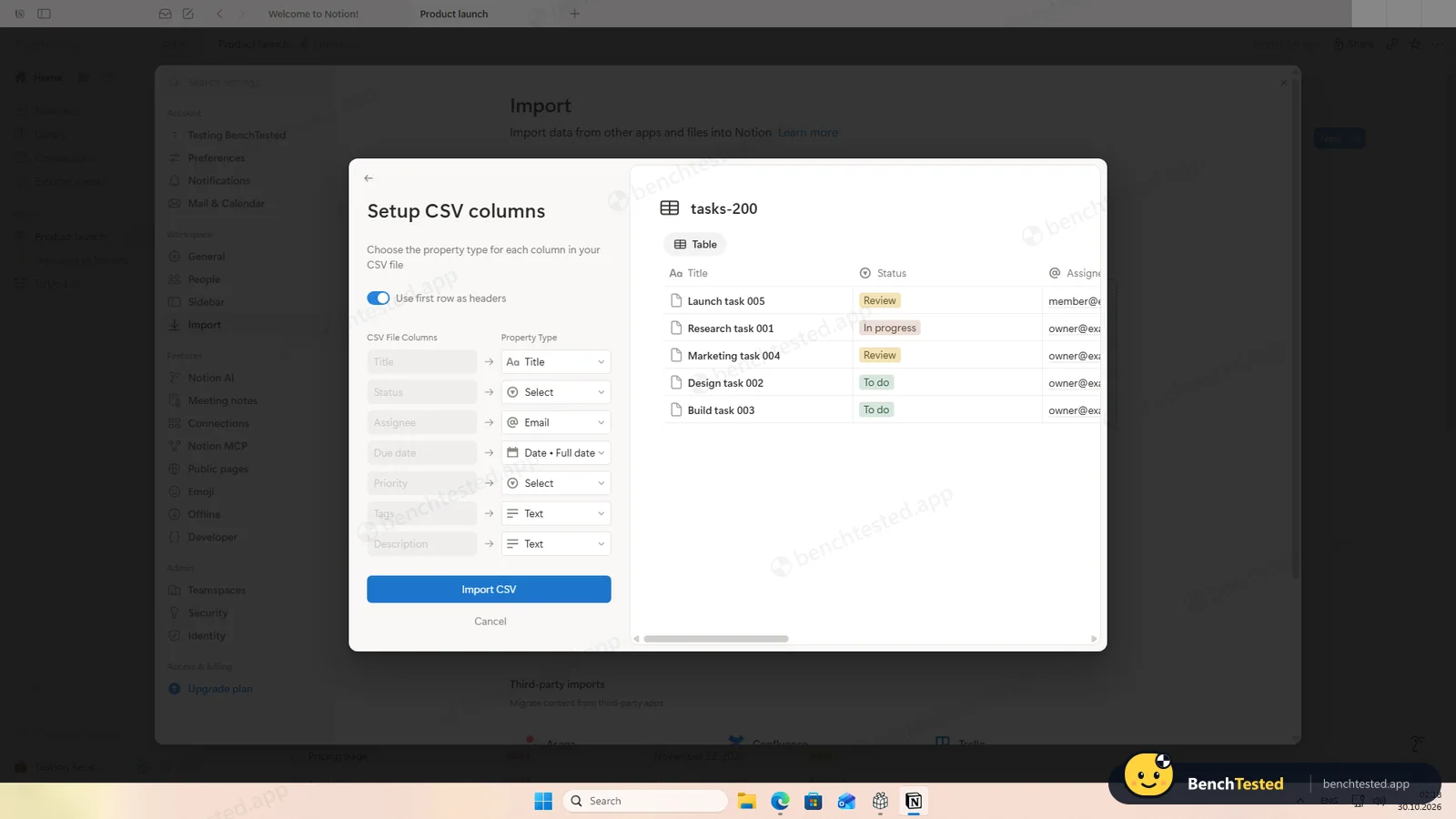
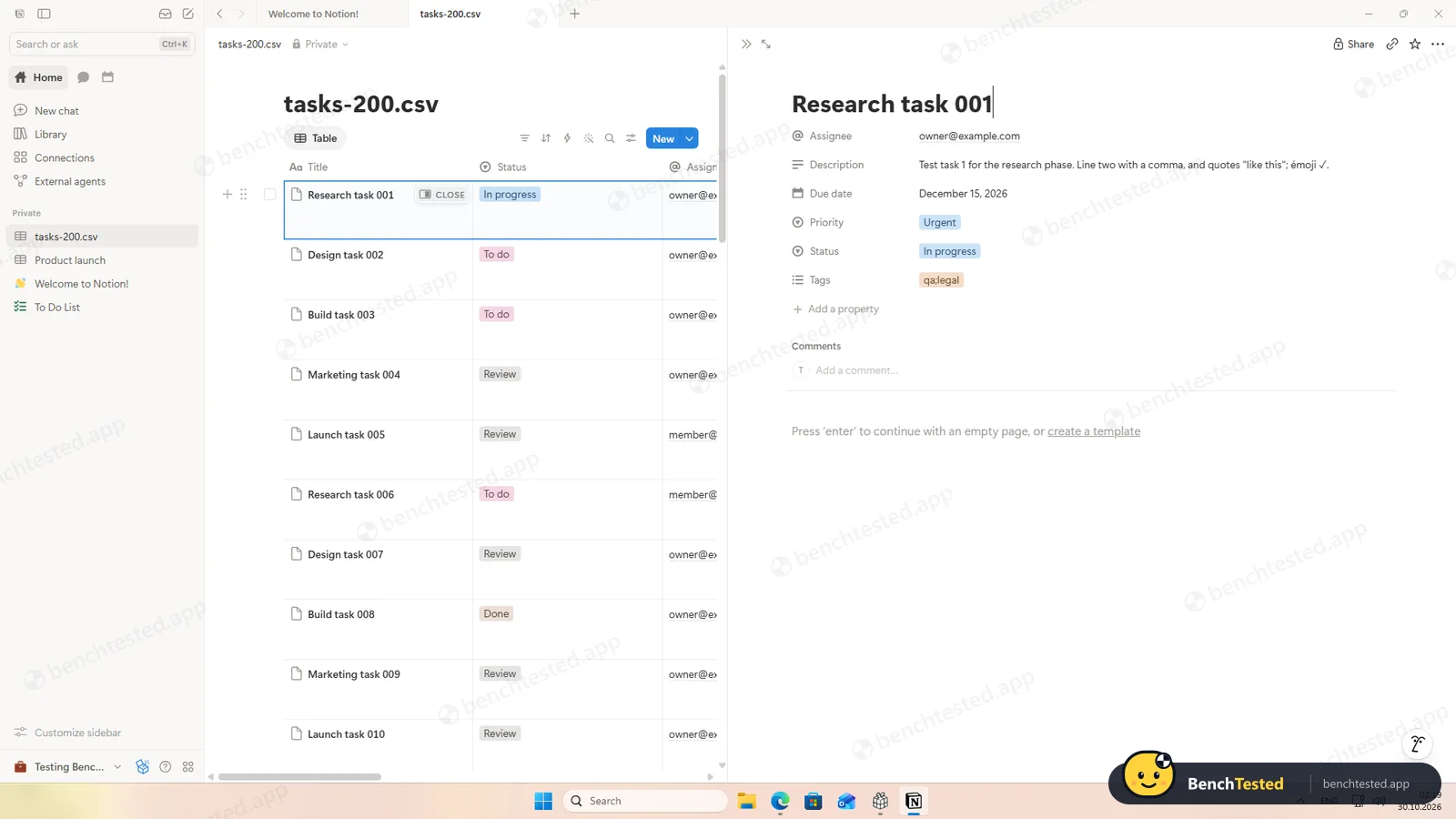
All seven columns were recognised and typed, with a live preview, and the 200 rows arrived in about 10 seconds with commas, quotes, é and ✓ intact. Emails stay text, so nobody is invited. Tags written “qa;legal” are not split, and the default destination is the database you have open.
-
P5 · Scale
Import 500 rows, then open and scroll a 500-task board.
Pass ≈ 10 s import
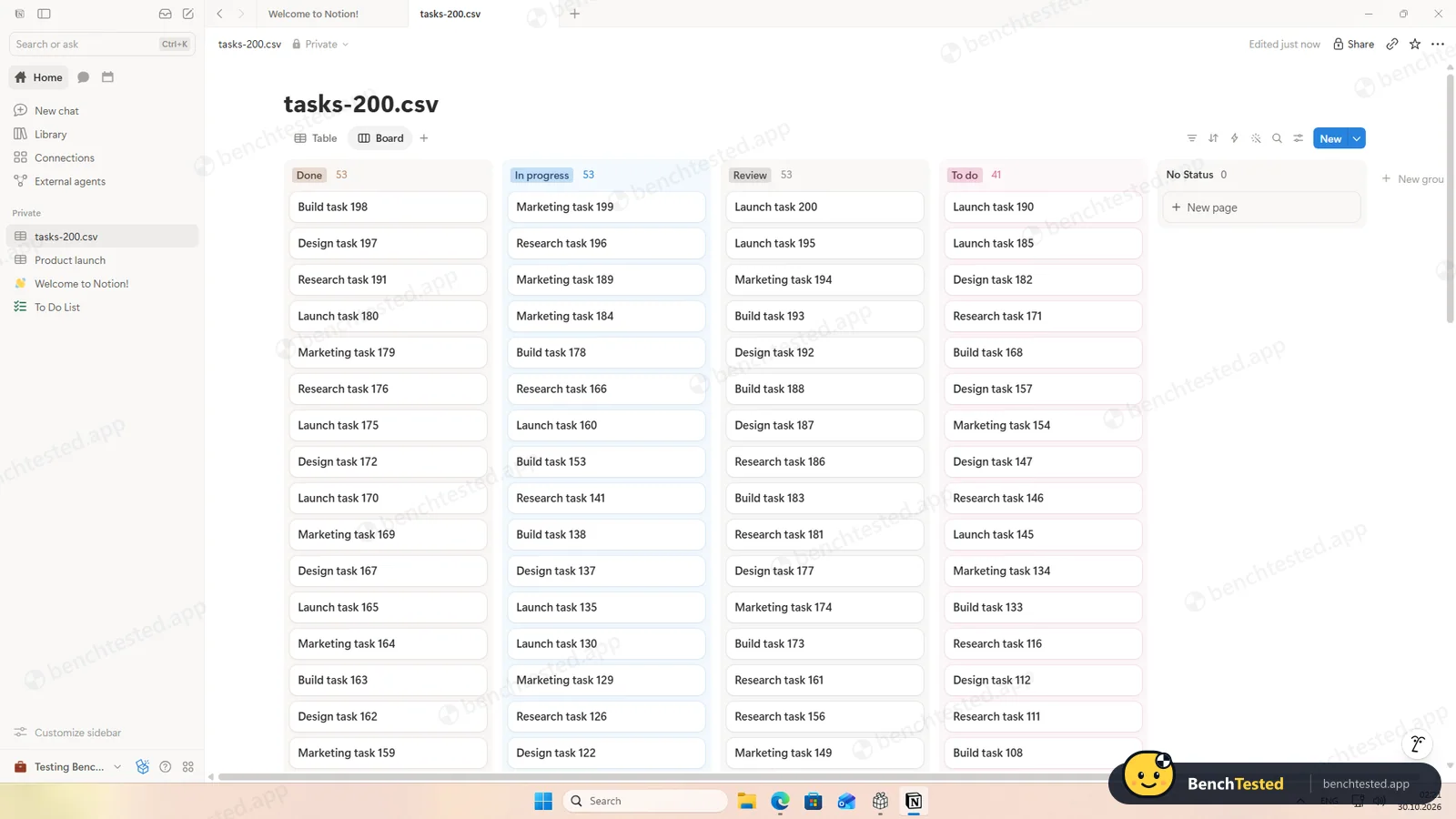
The 500 rows took about 10 seconds. The board was full on the first frame and scrolled smoothly; the column counters only say “99+”. A cold start took about 5 seconds.
-
P6 · Permissions
Invite a second user, check what they can see and change, then restrict them.
Pass ≈ 10 min
The invite defaults to Workspace owner; on the free plan the alternative is Restricted member. Our restricted member saw only the shared page and could add tasks. Switching them to Can view made the table read-only, and removing them left an empty page frame, both on the next load.
-
P7 · AI
Ask the built-in AI to summarise the project, write subtasks for one task and say what is overdue.
Partial ≈ 20–40 s each
The summary and the overdue answer were correct. Asked for five subtasks, it created five untitled pages inside the task, with the steps written in their bodies, and did not ask first.
-
P8 · Leave
Export everything to CSV, delete the workspace and uninstall the app.
Partial ≈ 30 min
Exporting one project took about 5 seconds and kept the dependencies. The full workspace export, which leaves out private pages unless you switch them on, was still running after 25 minutes on two attempts and its email never came. Deleting the workspace means typing its name and is permanent. The uninstall took 3 seconds but left about 540 MB.
How we tested Notion
Notion is the third app in our project-management category, after ClickUp and Asana, and ran the same eight-step script: build a 40-task project from a written brief, show it in four views, set up rules, import 200 and then 500 rows from a CSV file, invite a second user, use the built-in AI, export everything and leave.
We installed the Windows desktop app from notion.com on a clean Windows 11 virtual machine, created a new account on the free plan and checked every import and AI answer against our own files. Everything was done on October 30, 2026.
Installation and setup
The download is a 3.8 MB web installer signed by Notion Labs. It opens a small window with Install buttons for Notion and Notion Calendar, but Notion was already installing: about 25 seconds later it was running, without our clicking anything and without an admin prompt. It installs as a 400 MB Microsoft Store-style package, adds no startup entry or services, and its installer left a small anonymous device ID and an event log that was sent within a minute.
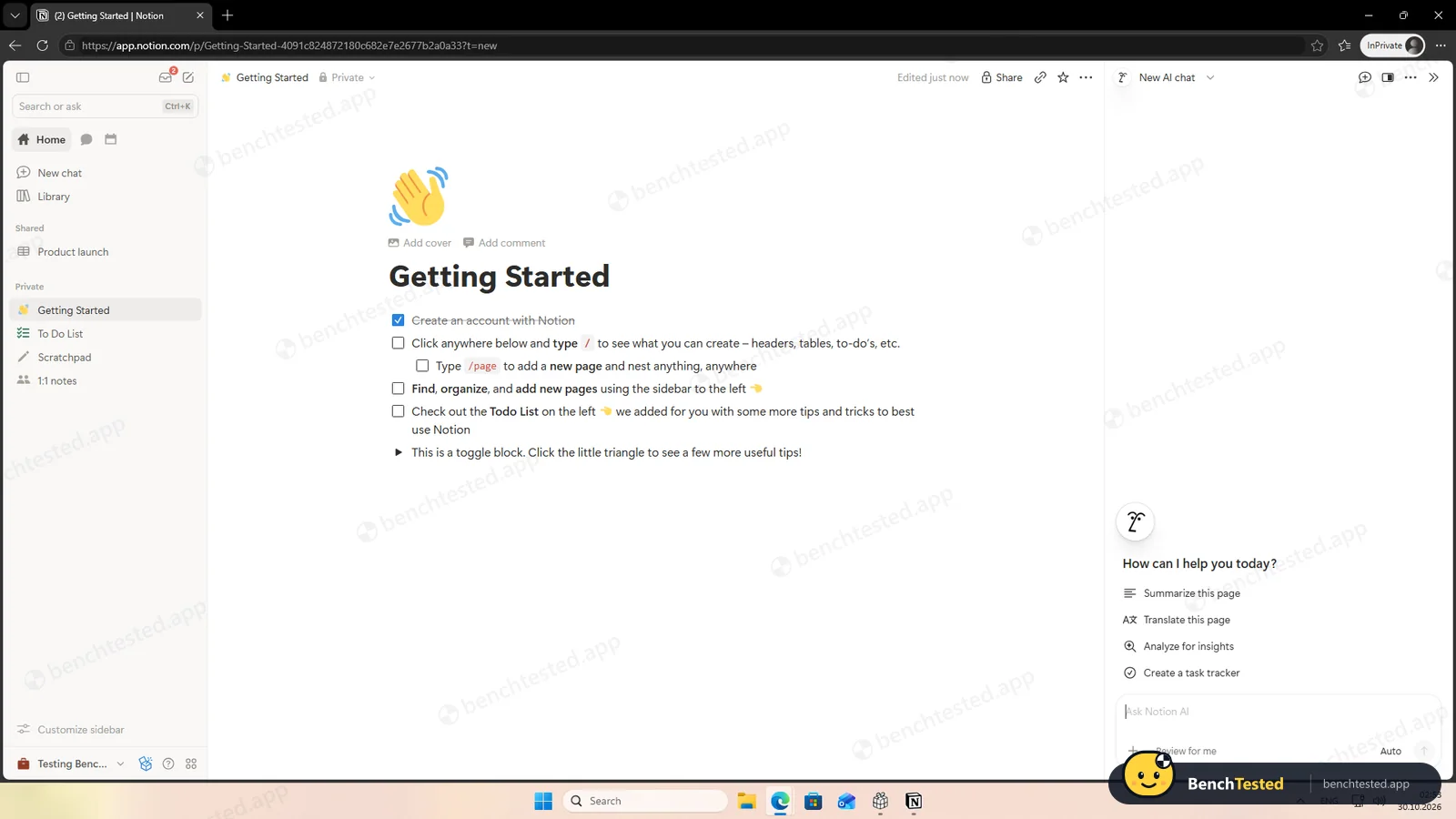
Sign-in happens in the browser. Setup asks for your name, with a box you must tick yourself to refuse marketing emails, then your use case and team, and pre-ticks “Anyone with @benchtested.app can join your workspace”. It offers a 30-day Business trial, but unlike Asana lets you choose the free plan straight away. An opt-in to share workspace data to improve the AI was off by default.
Building the project
Notion has no ready-made task list; you build a database. We added Phase, Due and Priority properties, all free. Pasting our 40 lines as a table created 40 rows at once with names and due dates, but left both select columns empty, so we set phases and priorities by selecting rows and editing them in bulk. The project took about 16 minutes, much of it learning how the bulk edit behaves.
Views and rules
Table, board, calendar and timeline views are all free, and Notion offers eleven view types in total, from gallery and chart to map and form. The board grouped itself by phase and the calendar put every task on its day. Only dashboards ask for the Business plan.
Rules are where the free plan stops. Database automations are paid. Dependencies are free: switching them on adds “Blocked by” and “Blocking” properties, and Notion can shift dates automatically. Recurring tasks are templates that create a new page on a schedule, every Monday in our case, rather than tasks that come back when you complete them, so we could not see one repeat during the test.
Importing 200 and 500 rows
The CSV import is excellent. Notion recognised all seven columns and gave each a type, with a live preview, and the 200 rows arrived in about 10 seconds. Status counts matched our file exactly, and commas, quotes, an accented letter and a check mark survived. Email addresses are stored as text, so nobody is invited. Tags written as “qa;legal” stay one tag, and watch the destination: by default the import merges into the database you have open.
The 500-row file also took about 10 seconds, though the importer did not remember our settings. The 500-task board was full on the first screenshot after the click and scrolled smoothly.
Speed and memory
Notion is the quickest app in the category so far. From a cold start the window appeared after 3 seconds and our last page was drawn about 2 seconds later, against about 14 seconds for ClickUp and Asana. With our databases open it used 0.9 to 1.4 GB of private memory.
Sharing and permissions
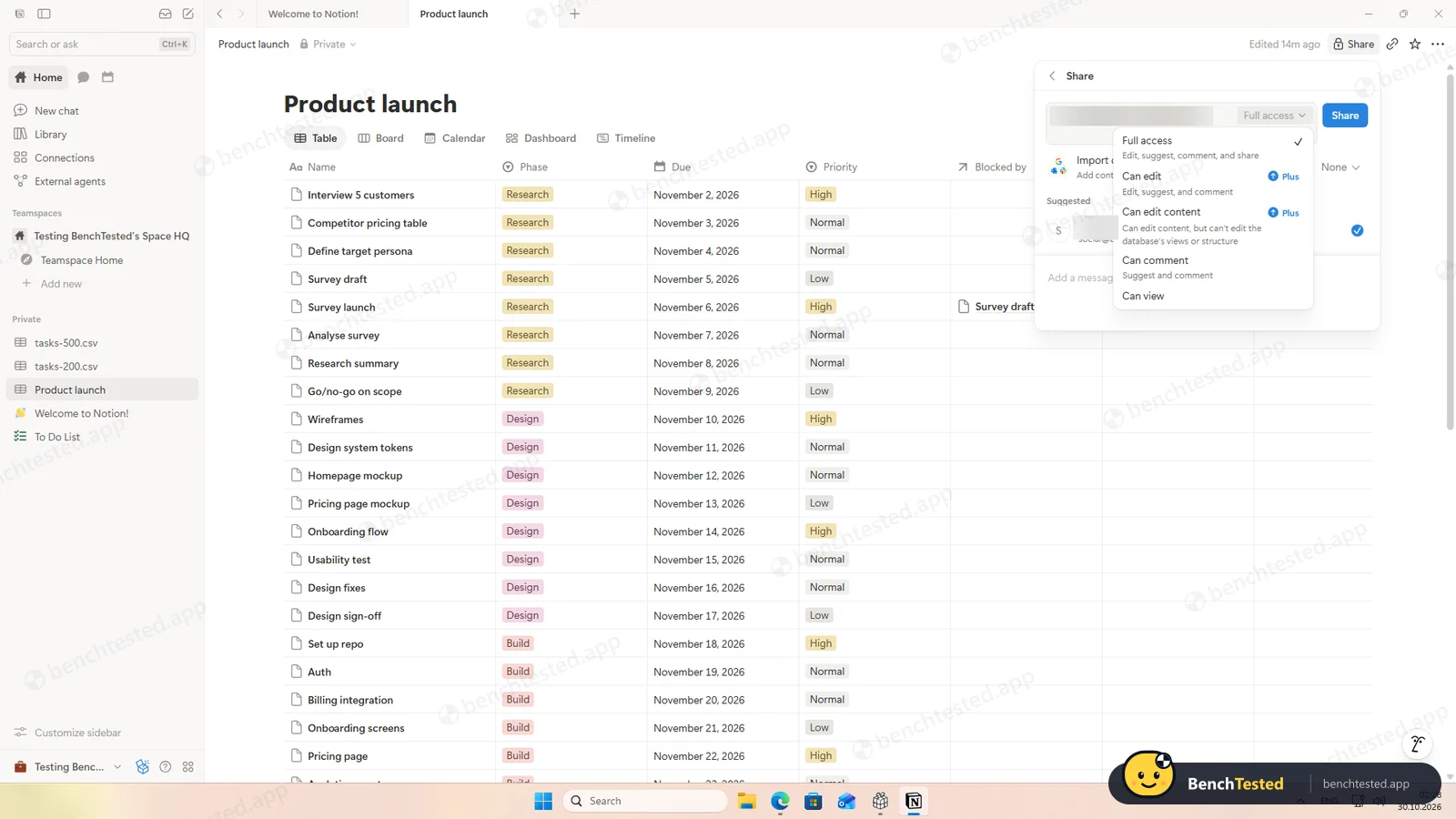
The invite dialog defaults to Workspace owner, which can change settings and invite others. On the free plan the alternative is Restricted member; the ordinary Member role needs Plus. Sharing a page defaults to Full access, and Can edit is also a Plus feature, leaving Full access, Can comment and Can view.
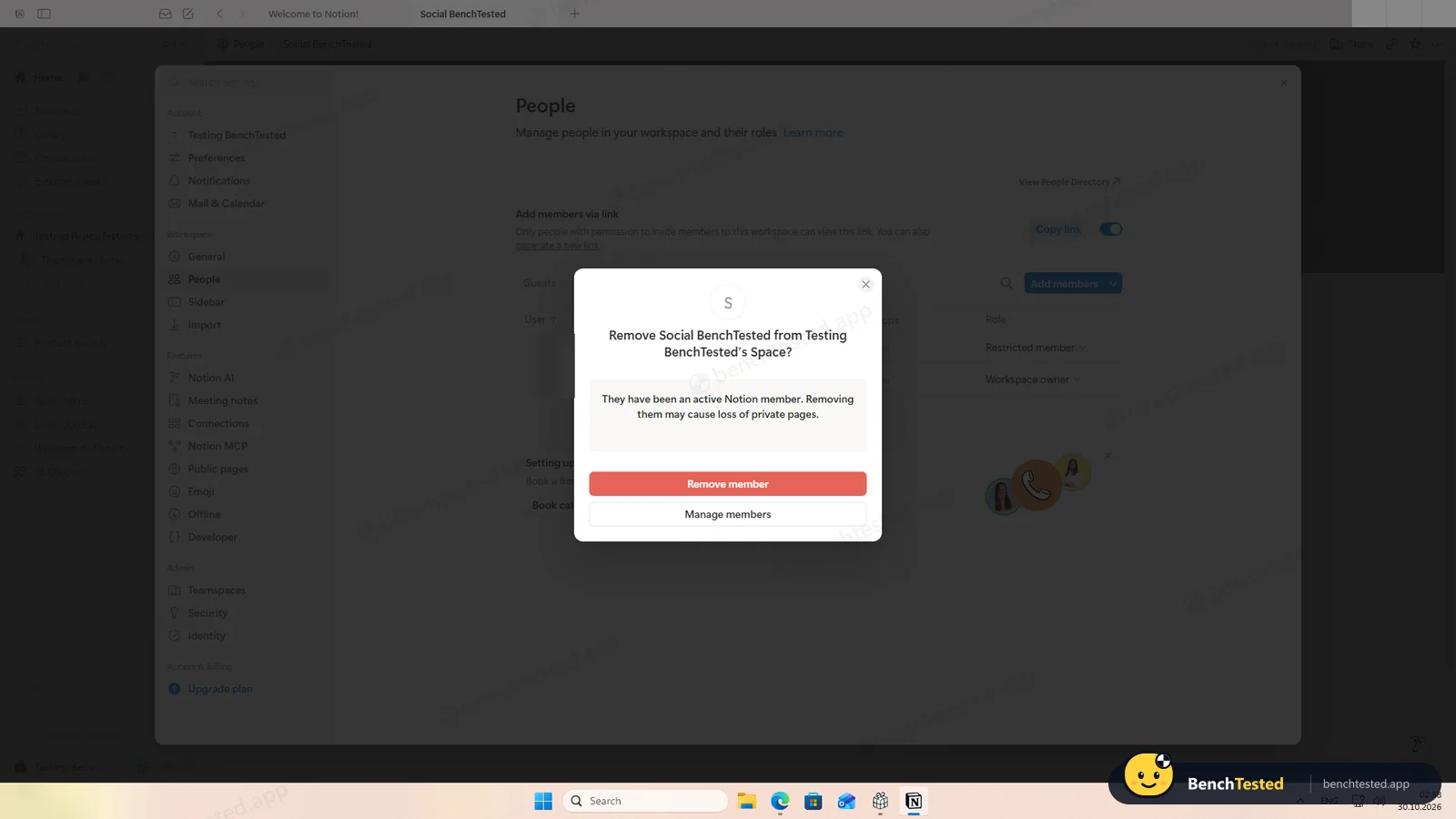
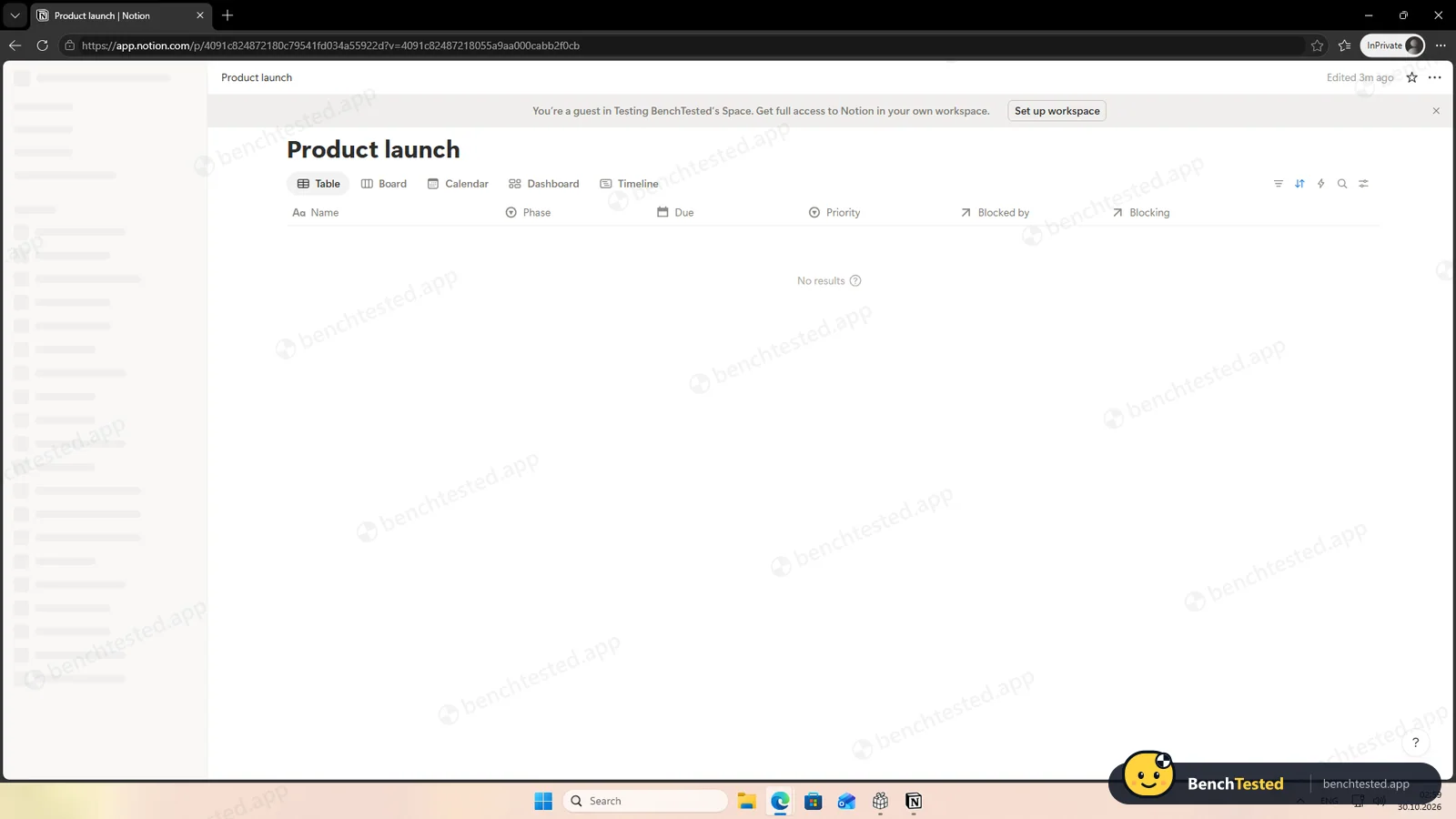
Our restricted member saw only the shared project and could add tasks. When we switched them to Can view, their table became read-only on the next load. Removing them from the workspace took a short survey and a warning about private pages; afterwards their screen still showed the page title and columns but no rows. Note that “Add members via link” is switched on by default.
Notion AI
Notion AI opens in a side panel with the current page attached, and the free plan includes a trial of it. Asked to summarise our project, it answered in about 20 seconds with the right counts, dates, high-priority tasks and the dependency, and noticed the task our member had added without a phase. Asked what was overdue, it correctly said nothing and listed the five tasks due within a week, although one line showed raw markup.
The subtask request went wrong. Notion AI said it had created five subtasks, but it made five untitled pages inside the Billing integration task, with each step written in the page body rather than as a task. It did not ask first, though it offered an undo. We found no usage meter for the free AI trial.
Leaving Notion
Exporting a single database is quick: our project came out as a CSV file in about 5 seconds, all 41 rows with phases, dates, priorities and the dependency as links. The five pages the AI created were not included, because subpages are off by default.
The full workspace export was the weakest moment of the test. Its dialog leaves out private pages unless you switch them on, which would have excluded everything we had made. With them included, the export showed “Exporting…” for 25 minutes on two attempts, and the promised email with a download link never arrived. Deleting the workspace means typing its name, is permanent and happened at once.
Removing the app took 3 seconds and also removed its link handlers, but it left a 477 MB profile folder and a 64 MB browser profile from the installer, about 540 MB in all. The installer's own window was still running in the background more than two hours after the install.
What we have not tested yet
We did not test integrations with apps such as Slack or Google Drive, docs and wikis beyond our project, forms, sites, Notion Calendar, the mobile and Mac apps or the paid plans. We did not test Notion offline, and we ran each step once.
Notion Screenshots
Taken during our own test run on a clean Windows 11 machine.
What we checked
Every item in our project management tool test plan and how Notion did. Scan for the ones you can't live without.
Installation
- Pass Download size3.8 MB web installer
- Pass Signed installerNotion Labs, Inc.
- Pass Admin rightsnot needed
- Pass Asks before running at startupdoes not add itself to startup
First use
- Pass Sign-up without a card
- Pass Starts on the free planBusiness trial offered, not forced
Core tasks
- Pass Build a 40-task projectpriorities free
- Pass List, board, calendar and Gantt on the free plantimeline included
- Fail Status automationpaid plans only
- Pass Task dependency
- Partial Recurring taskscheduled template
- Pass CSV import keeps the data200 / 200, tags not split
- Pass CSV import maps columns itself7 of 7
- Partial Permissions and rolesowner-by-default invite; Member role paid
- Pass AI summary and answersaccurate in our test
- Fail AI asks before changing datacreated untitled pages straight away
Performance
- Pass Large board (500 tasks)under 1 s
- Pass Cold startabout 5 s
- Partial Memory use0.9–1.4 GB
Privacy and security
- Partial No pressure to share contactsdomain join pre-ticked, contact import offered
- Pass Access removed immediately
Integrations
- Pass Import from other toolsCSV tested; Asana, Trello, Confluence and more listed
- N/A Connected appsnot tested
Offline and sync
- N/A Behaviour without internet
Pricing traps
- Partial Free plan limitsone person; block limit for teams, no automations
Cancel and uninstall
- Fail Complete exportproject export fine; workspace export never finished in 25 min
- Pass Delete the workspacetype the name; permanent
- Fail Clean uninstallabout 540 MB left
Test Results
- Ease of use7.0
Free custom properties, bulk edits and an import that understood every column make Notion quick to set up, but you build the project yourself and pasting does not fill select columns.
- Views & flexibility9.0
Table, board, calendar and timeline are all free, with chart, map, gallery and more; only dashboards are paid.
- Speed8.0
The fastest app in the category so far: about 5 seconds to start, 10-second imports and an instant 500-task board.
- Automation & AI4.5
Dependencies are free, but automations are paid, recurring tasks are scheduled templates and the AI got the subtasks wrong.
- Integrations6.0
Importers for CSV, Word, Markdown and tools such as Asana and Trello, and a fast per-project CSV export with dependencies; but the full workspace export did not finish in 25 minutes and skips private pages by default. We did not test connected apps.
- Value for money6.5
Free is unlimited for one person, but a team quickly meets the block limit and paid-only roles. Plus costs $10 per seat a month billed yearly.
Every project management tool runs the same script. How we test →
Key Features
Databases and viewsTested by us
Hold tasks in databases and show them as tables, boards, calendars, timelines, charts and more.
All four views we needed were free.
Dependencies and recurring templatesTested by us
Link tasks as blocked and blocking, and create pages on a schedule from templates.
Dependencies worked; recurrence is a scheduled template.
Import and exportTested by us
Import CSV, Markdown, Word and files from other tools; export pages and databases as Markdown and CSV.
7 of 7 columns recognised; project CSV export in seconds, workspace export did not finish.
Notion AITested by us
Ask questions, summarise and edit pages and databases; Custom Agents on paid plans.
Accurate summary; subtasks became untitled pages.
Roles and sharingTested by us
Workspace owners, members, restricted members and guests, with page-level access.
Member and Can edit are paid; access changes applied on the next load.
Additional Features
Docs and wikisVendor-stated
Write pages and organize them into a shared team knowledge base.
AutomationsVendor-stated
Database automations that edit properties, create pages and send updates.
Notion at a glance
- Version tested
- Windows desktop app 7.41.1 (October 30, 2026)
- Platforms
- Web, Windows, macOS, iOS and Android
- Installer
- 3.8 MB web installer; installs a 400 MB package, no admin rights
- Account
- Required; sign-in in the browser
- Free plan
- Unlimited for one person; limited blocks with more members
- Importers
- CSV, PDF, text and Markdown, HTML, Word, Asana, Confluence, Trello and more
Is Notion secure?
We did not review Notion's privacy policy or security certifications for this test. Below are only the things we saw on our test PC and in the app.
-
Installs without a clickTested by us
The web installer installed and opened Notion before we pressed Install, and sent a small event log with an anonymous device ID before we signed in. It adds no startup entry or services.
-
Permissive defaultsTested by us
Invites default to Workspace owner, page sharing to Full access, joining by link is on, and setup pre-ticks joining for anyone with your email domain.
-
Marketing emailsTested by us
You have to tick a box at sign-up to refuse marketing emails. Sharing workspace data to improve the AI was off by default.
-
Left after uninstallingTested by us
A 477 MB profile folder with the local database and logs, plus a 64 MB browser profile from the installer.
Pricing
Free plan
Yes
Paid plans from
$10 / seat / month, billed yearly ($12 billed monthly)
-
Free
$0
Unlimited blocks for one person; a limited number of blocks once you add members. Trial of Notion AI, 7-day page history, 5 MB uploads, 10 guests.
-
Plus
$10/seat/mo
Billed yearly ($12 monthly). Member role, Can edit access, charts and automations.
-
Business
$20/seat/mo
Billed yearly ($24 monthly). Notion Agent, Custom Agents, AI Meeting Notes, SAML SSO and AI credits.
-
Enterprise
Custom
From Notion's pricing page, checked Oct 30, 2026.
Who makes Notion?
- Company
- Notion Labs, Inc.
- Headquarters
- San Francisco, California, USA
- Founded
- 2013
- Founders
- Ivan Zhao, Simon Last
- Funding
- About $343 million raised in total, including a $275 million round in October 2021 at a reported $10 billion valuation.
Notion timeline
- 2013Founded in San Francisco by Ivan Zhao and Simon Last.
- Oct 2021Raises $275 million at a reported $10 billion valuation.
- Sep 18, 2026Current Windows web installer published on notion.com.
- Oct 30, 2026We tested the Windows app 7.41.1.
FAQ
Is Notion free?
Yes. The free plan is unlimited for one person and includes all the views we tested, custom properties, dependencies and a Notion AI trial. With more members you get a limited number of blocks, and automations, the Member role and Can edit access need Plus at $10 per seat a month billed yearly.
How much does Notion cost?
Plus is $10 per seat a month billed yearly or $12 monthly; Business is $20 yearly or $24 monthly. Enterprise is priced by sales.
Which platforms does Notion support?
Notion runs in the browser and has desktop apps for Windows and macOS plus mobile apps for iOS and Android. We tested the Windows app.
Is the Notion desktop app fast?
Yes, the fastest in our category so far: usable about 5 seconds after launch, with a 500-task board drawn instantly.
Can Notion import a CSV file?
Yes. It recognised all seven columns of our test file and imported 200 rows in about 10 seconds with every character intact. Tags separated by semicolons are not split.
Does Notion have automations and recurring tasks on the free plan?
Database automations need a paid plan. Recurring tasks are available as templates that create a new page on a schedule.
Is Notion AI free?
The free plan includes a trial. In our test it answered accurately but turned a request for subtasks into five untitled pages.
Can I export everything from Notion?
Single databases export to CSV in seconds, with dependencies. The full workspace export skips private pages unless you include them, and in our test it had not finished after 25 minutes on two attempts.
Final Verdict
Notion was the fastest and in some ways the most flexible app in our test: four free views, free custom properties and dependencies, and a CSV import that understood every column in seconds.
It is not a task manager out of the box. There are no free automations, recurring tasks work as scheduled templates, the AI mishandled our subtasks, and the free plan is meant for one person, with roles and blocks limited for teams. Several defaults, from owner-level invites to domain joining, deserve a second look.
Our advice: if you already keep docs in Notion or work alone, tracking projects there is quick and free. For a team that wants automations and ready-made task features on a free plan, ClickUp did more.