
Review Summary
Linear is the fastest and lightest app we have tested in this category, and its AI agent is free and got everything right. But it is a tool for software teams, and it shows: there is no calendar view or task-level timeline, no rule builder, no plain CSV import, and the free plan makes every invited person an admin.
+ What works
- Very fast: usable about 5 seconds after launch with roughly 0.55 GB of memory, the lightest app in the category
- Linear Agent is included on the free plan; its summary and overdue answer were accurate and it made real sub-issues
- Keyboard shortcuts for every field, natural-language due dates
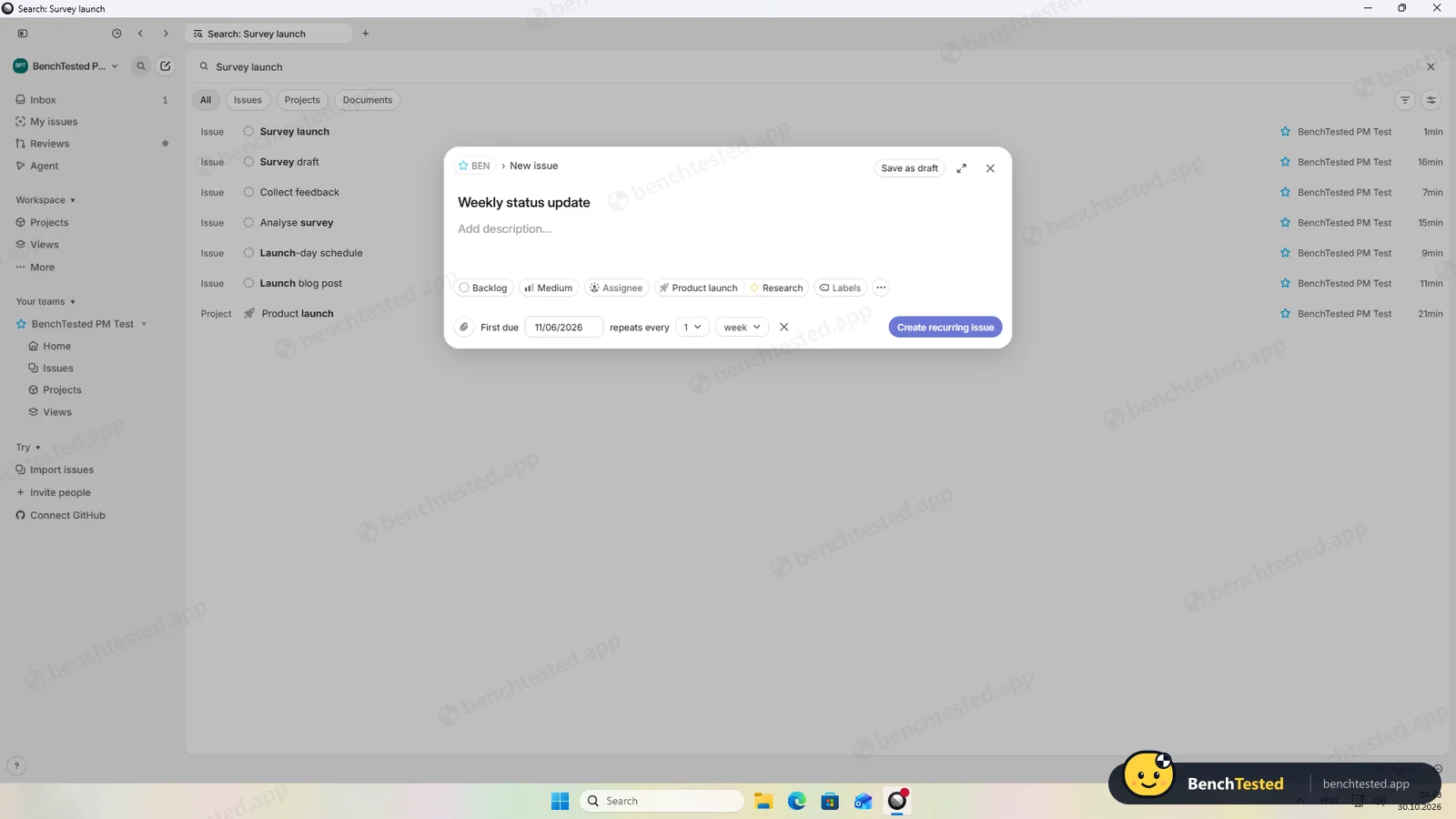
- Dependencies and weekly recurring issues work on the free plan
- The full CSV export arrived by email in under a minute, with dependencies, milestones and sub-issues
- No marketing emails by default, a choice of EU or US data region, no startup entry
− What falls short
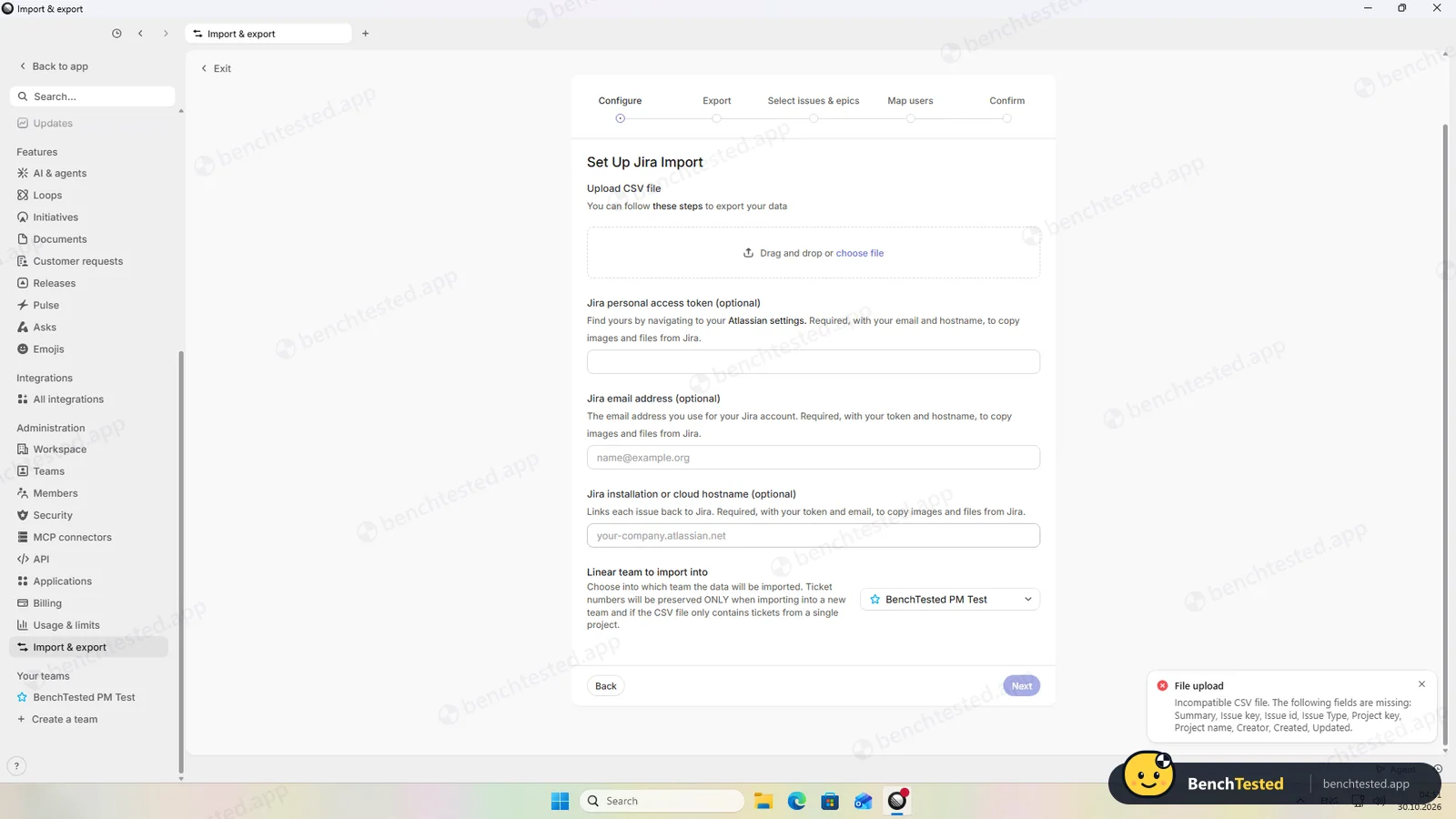
- No plain CSV import: our file was rejected until we rewrote it in Jira's export format, and priorities and due dates were then lost
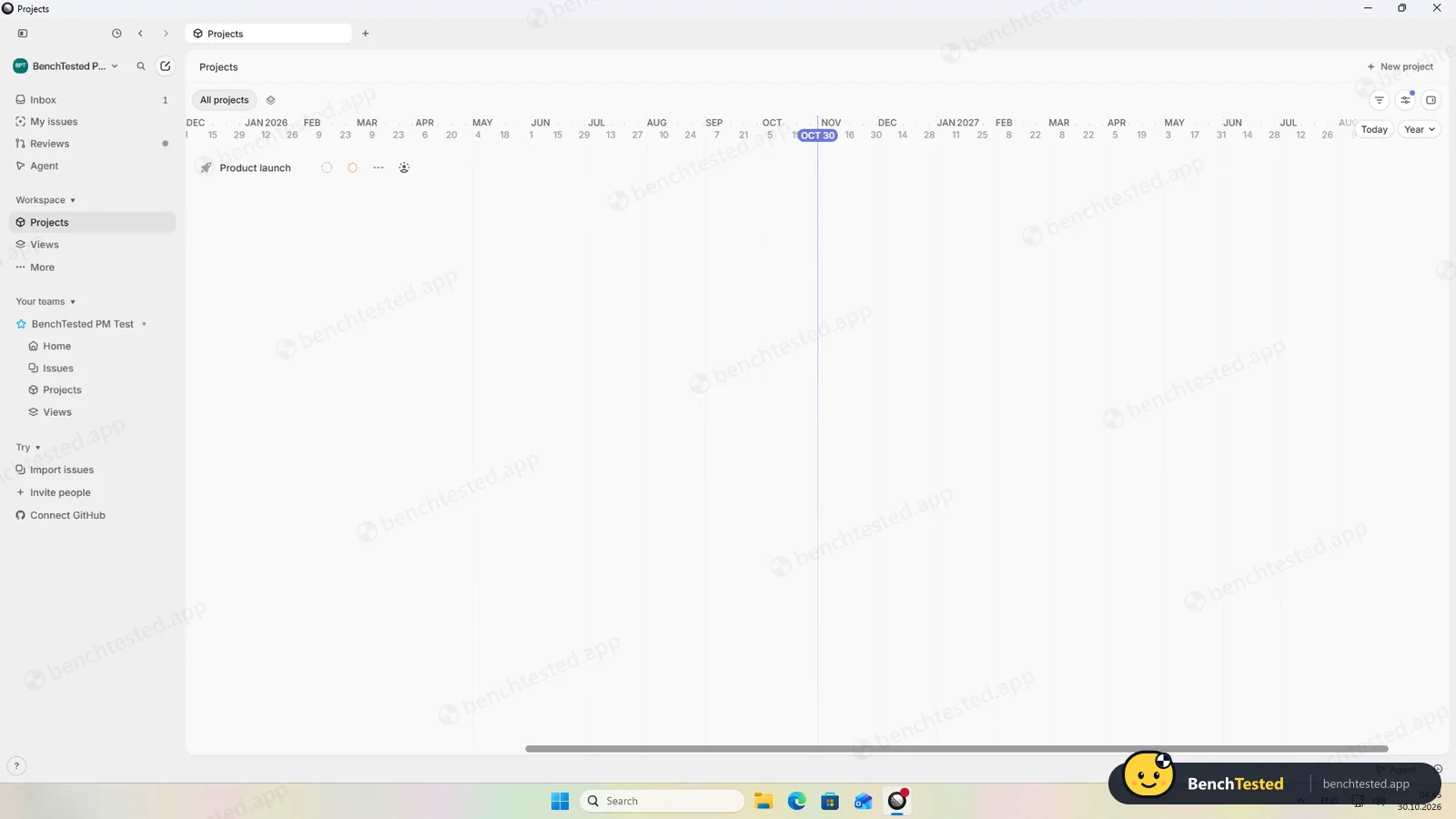
- Only list and board views for issues; no calendar, and the timeline covers projects rather than issues
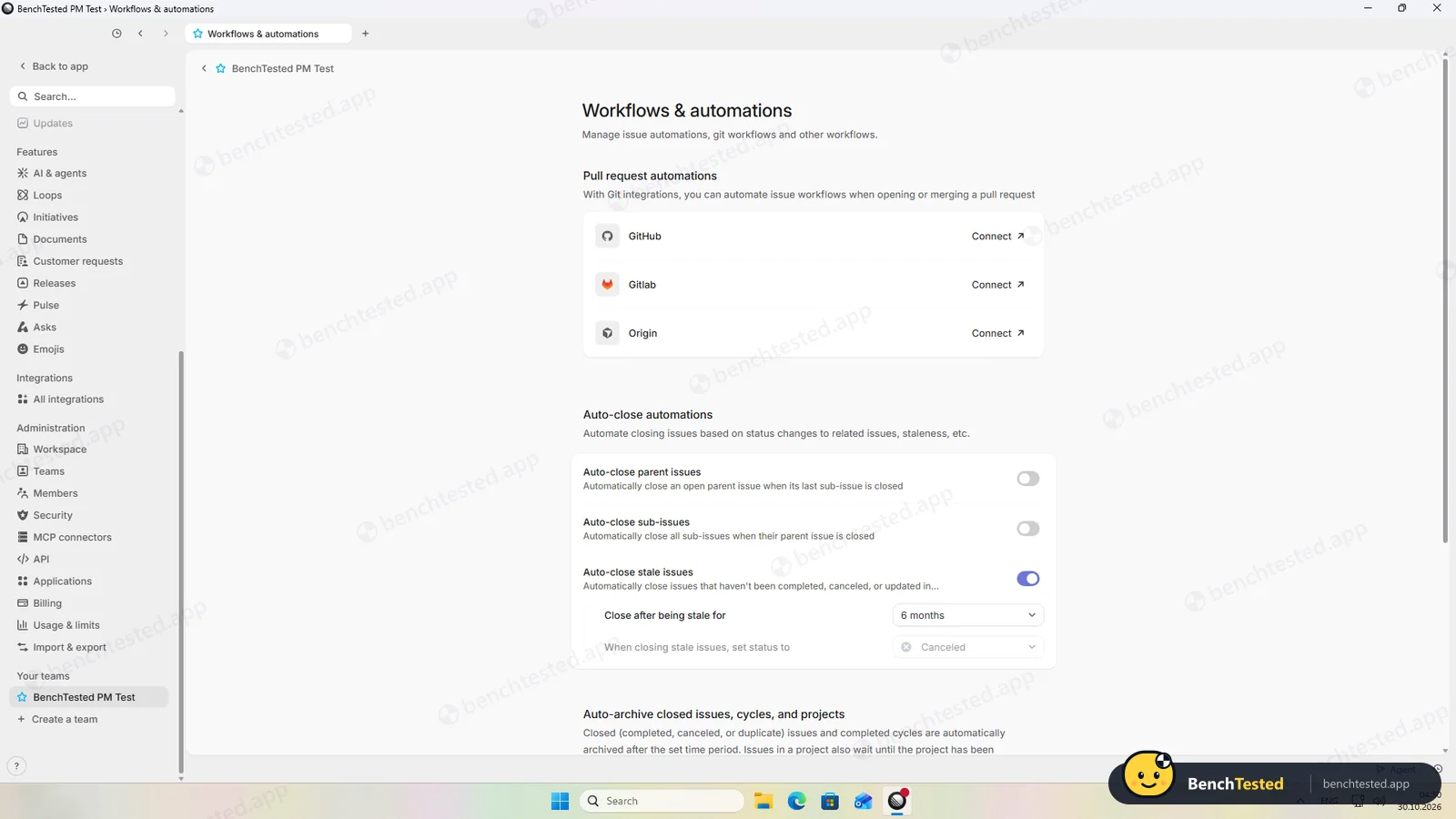
- No custom automation rules, only presets such as auto-close; stale issues are auto-cancelled after six months by default
- No bulk paste: each of our 40 issues was entered one by one
- Invites have no role choice, and every member on the free plan is an admin
- The free plan lists a 250-issue limit (it did not stop our imports on day one)
- The AI created sub-issues without asking first
- The uninstall leaves about 280 MB and a linear:// link handler
Linear Alternatives
Not sure Linear is the right fit? These project management tools scored best on the same test script:
 ClickUp Recommended Small teams that want lists, boards, Gantt charts, automations and AI in one free workspace and do not mind a busy, heavy app 7.4 Read reviewReview

What is Linear?
Linear is an issue tracker and planning tool. Teams track issues through statuses, group them into projects with milestones and cycles, and plan larger efforts with initiatives and a project timeline.
It is designed for software development, with deep GitHub and GitLab integration, and includes Linear Agent, an AI assistant that can answer questions about your work and create and update issues.
Why Linear is different
Linear is built around speed and keyboard shortcuts and was the fastest app in our category.
It leaves out general project-management features such as calendar views, Gantt charts of tasks and custom automation rules.
Who is Linear for?
Software and product teams who live on the keyboard and want a fast issue tracker with a capable free AI agent. Software and product teams who want a fast, keyboard-driven issue tracker.
Skip it if
- You need calendar or Gantt views of your tasks
- You want to move a spreadsheet of tasks in with one import
- You need to give colleagues limited permissions on a free plan
Our Experience with Linear
Test log
Windows 11 Pro 10.0.26300 in VMware Workstation 26H1 (4 vCPU, 8 GB RAM, no GPU passthrough), English (US) UI, 1920×1080, clean snapshot; new account on the Free plan, workspace in the EU region
- 04:15
Downloaded the Windows app from linear.app
234 MB, EV-signed by Linear Orbit, Inc.
- 04:17
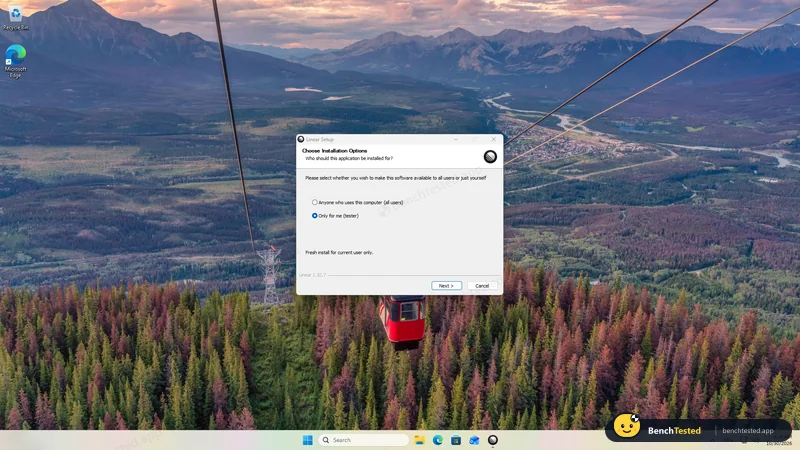
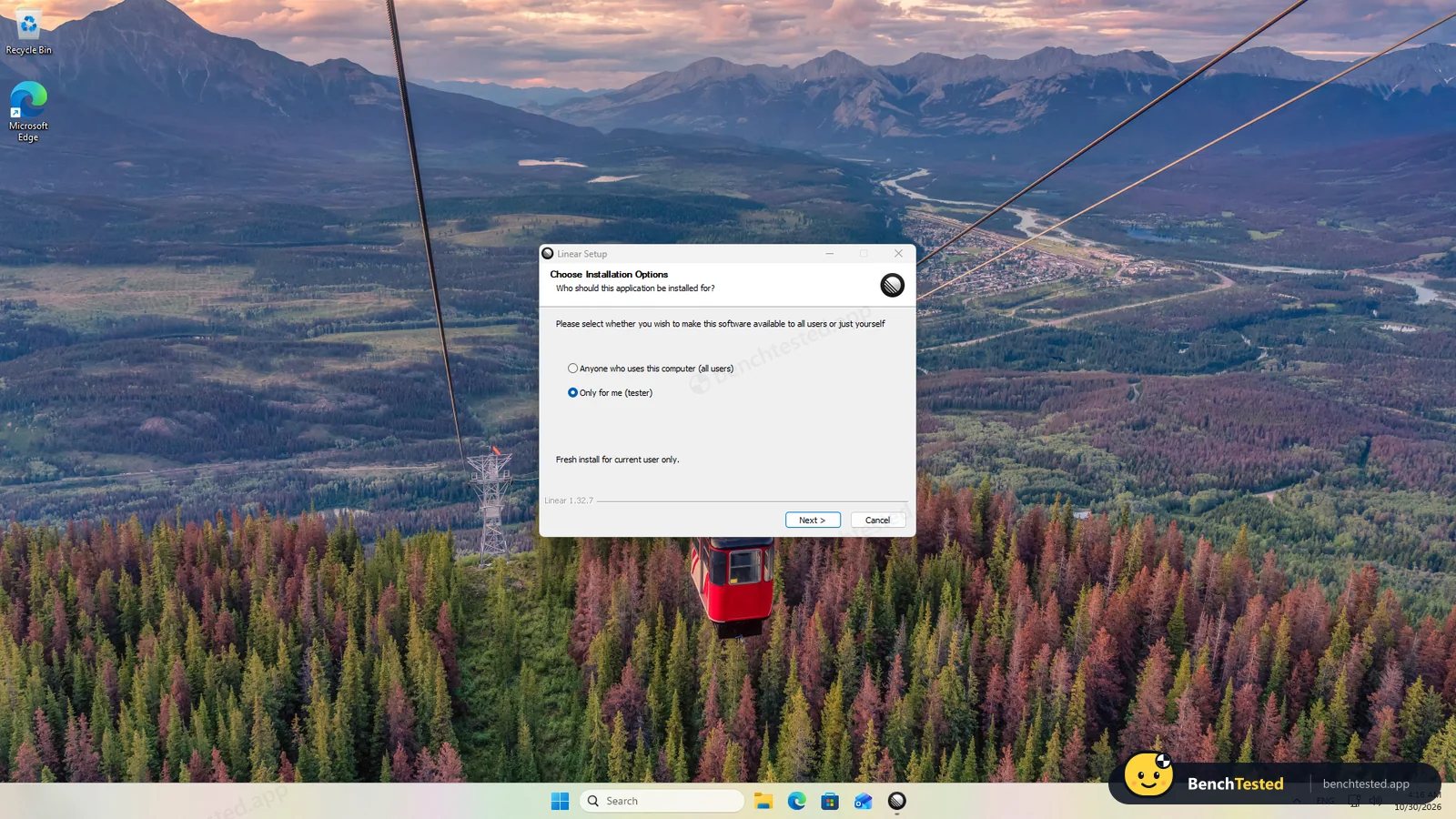
Installed
three clicks, about 15 s, no admin rights
- 04:23
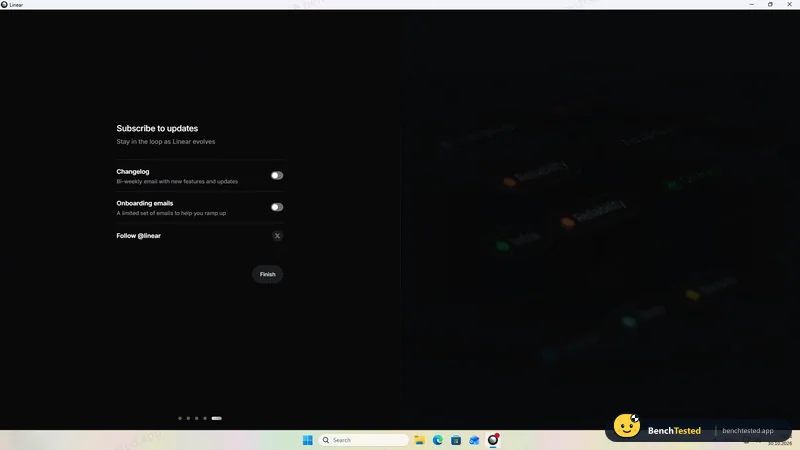
Sign-up and workspace
EU region chosen; emails off by default
- 04:44
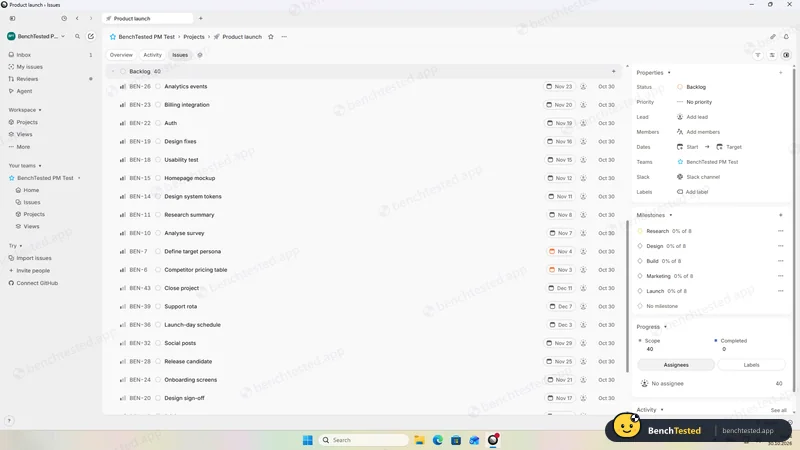
P1 done
40 issues in five milestones
- 04:45
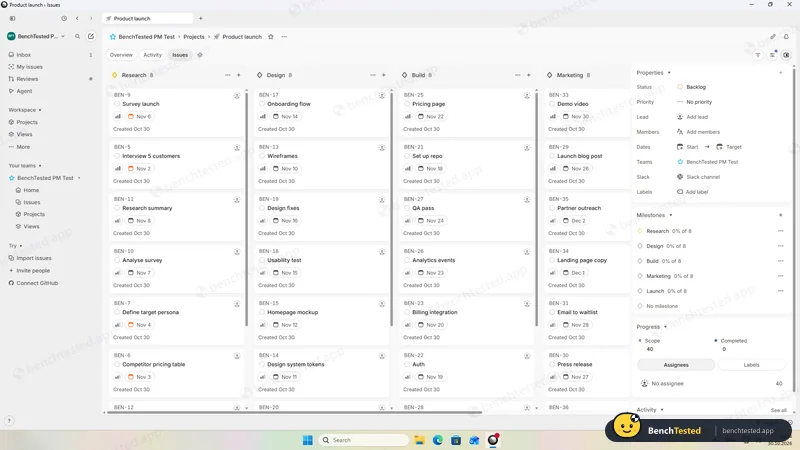
P2: list and board
no calendar, no issue timeline
- 04:46
P3: dependency
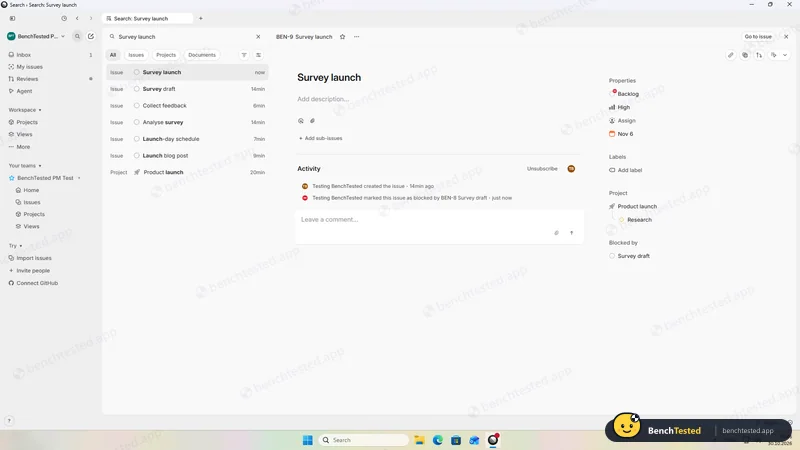
- 04:48
P3: weekly recurring issue
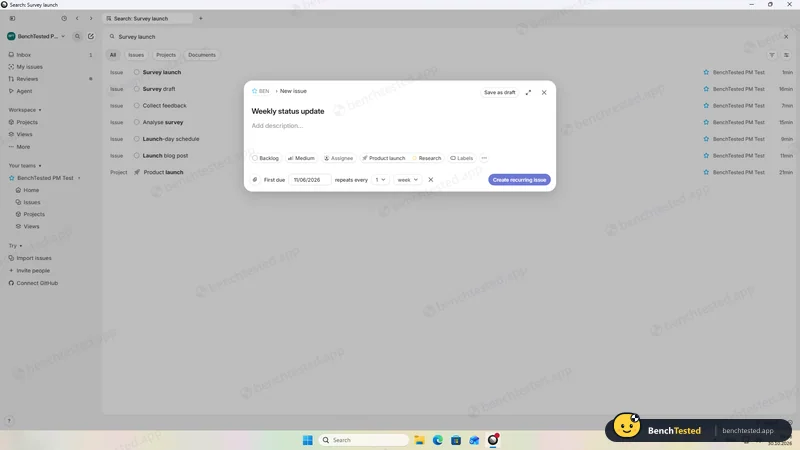
- 04:50
P3: automations
presets only
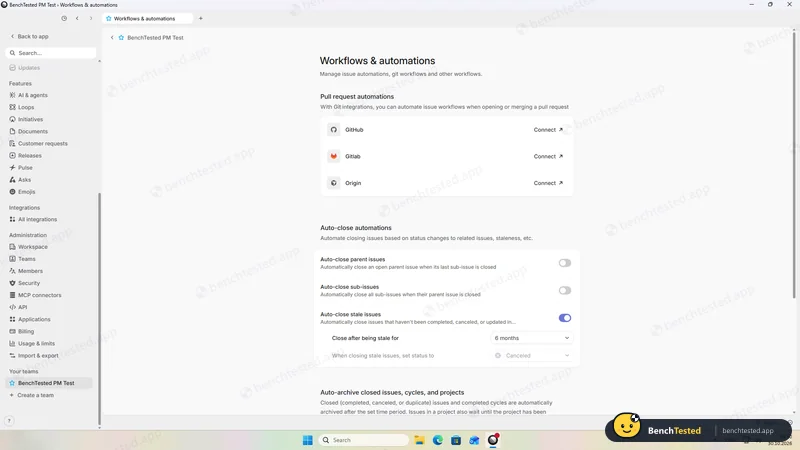
- 04:51
P4: our CSV rejected
no plain CSV import
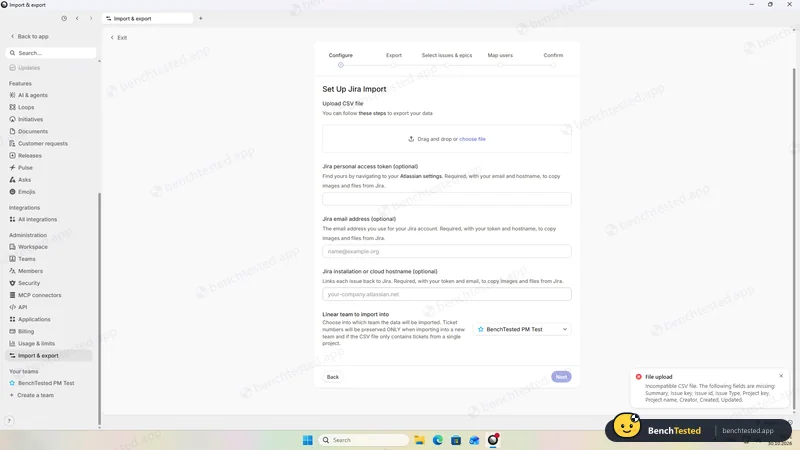
- 04:53
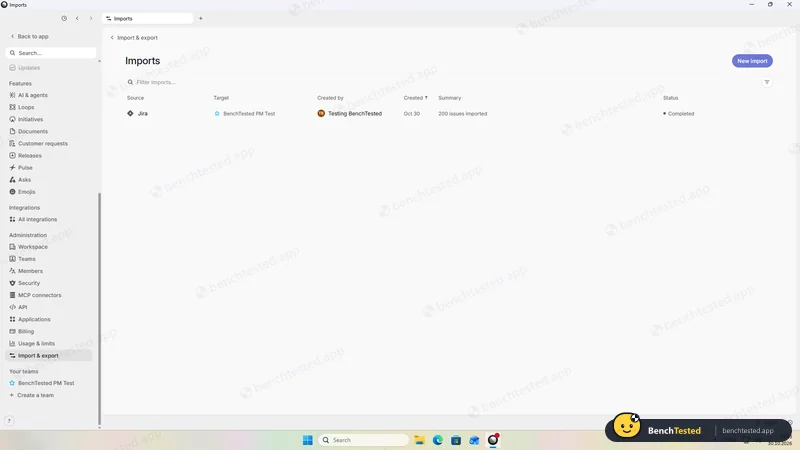
P4: 200 rows imported via Jira format
about 20 s; priority and dates lost
- 05:00
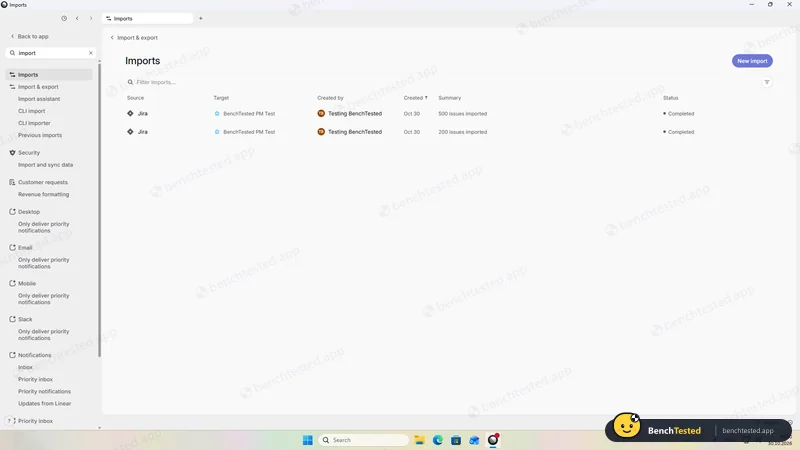
P5: 500 rows imported
about 45 s; limit not enforced
- 05:04
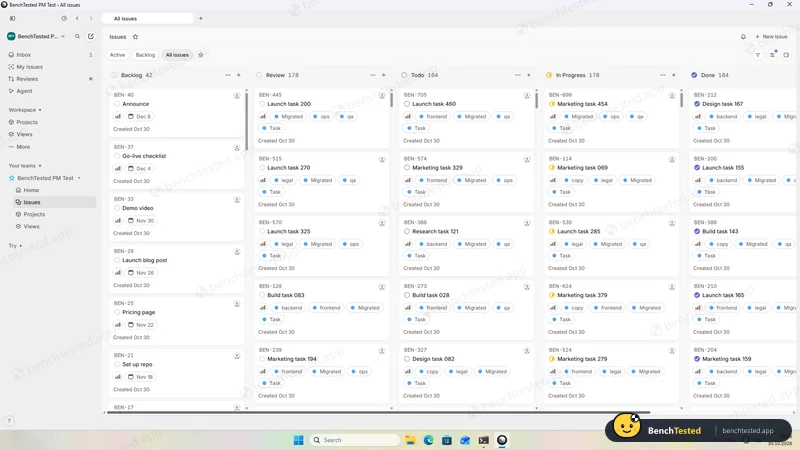
Cold start
usable in about 5 s
- 05:05
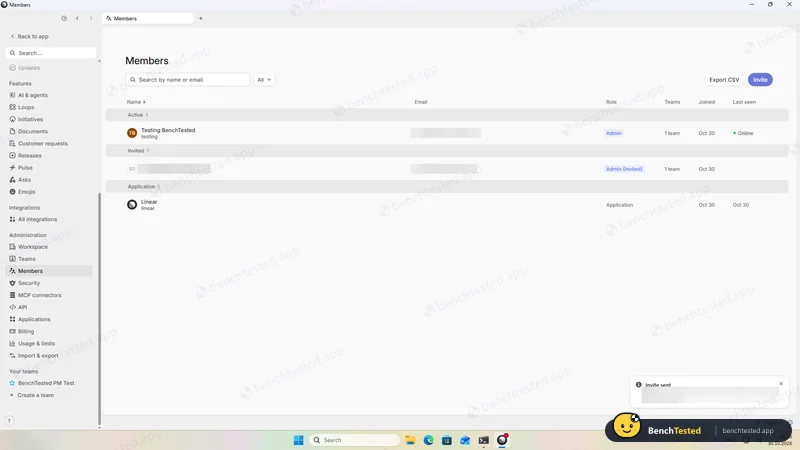
P6: invite
no role choice; invitee is an admin
- 05:08
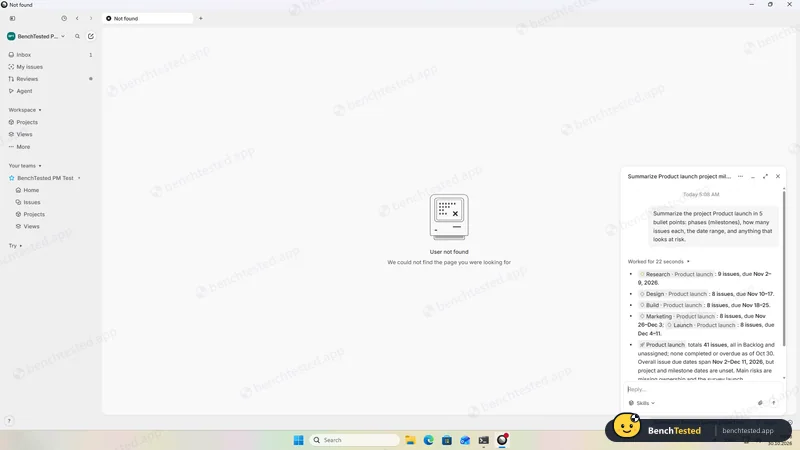
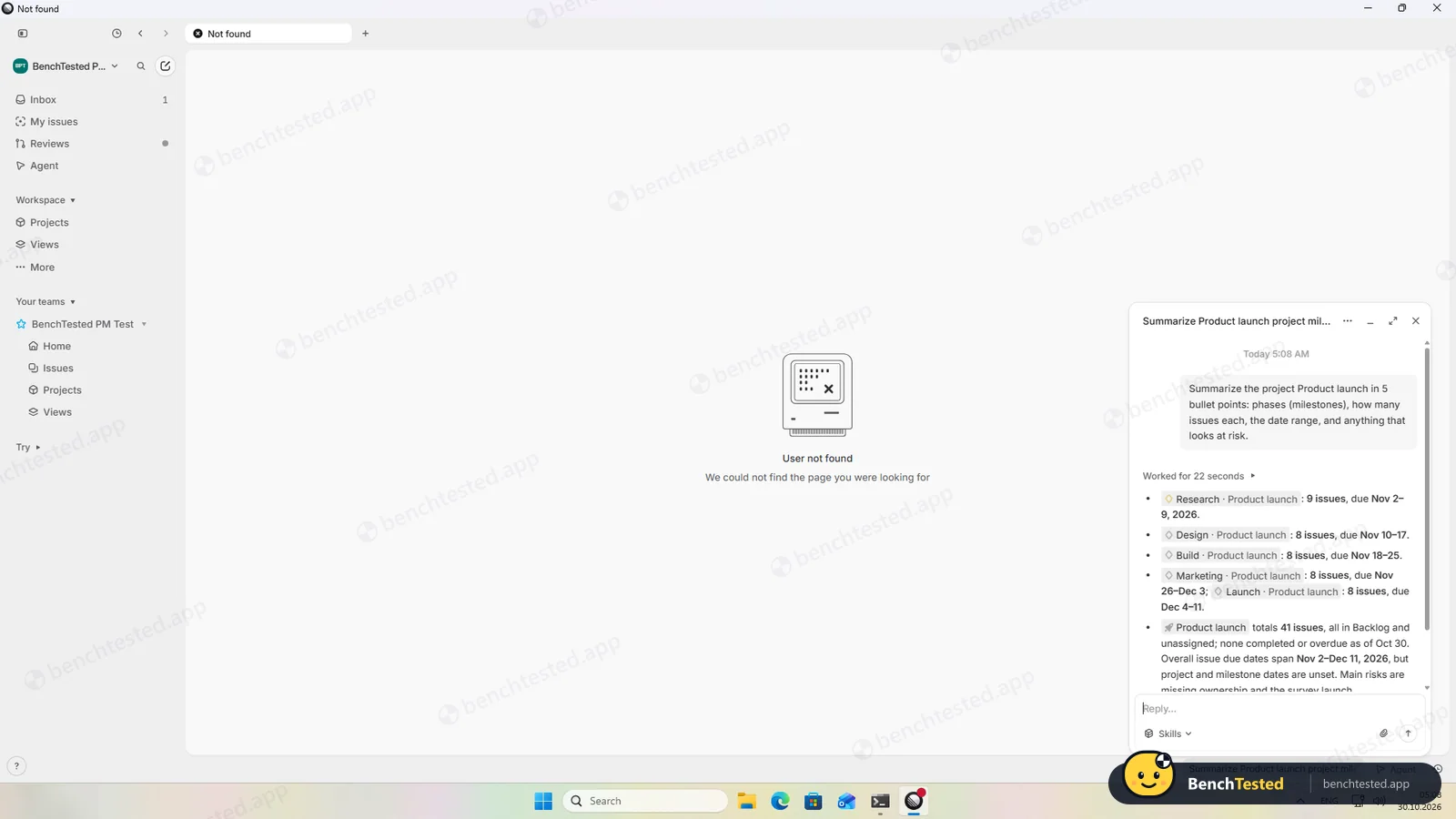
P7: AI summary
accurate
- 05:09
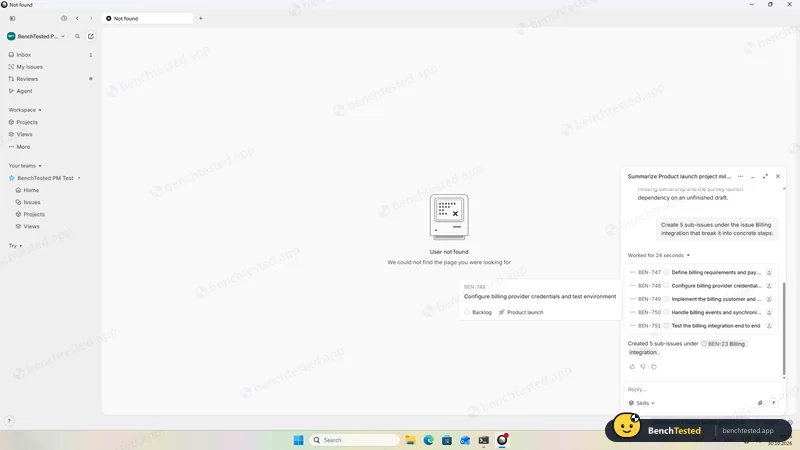
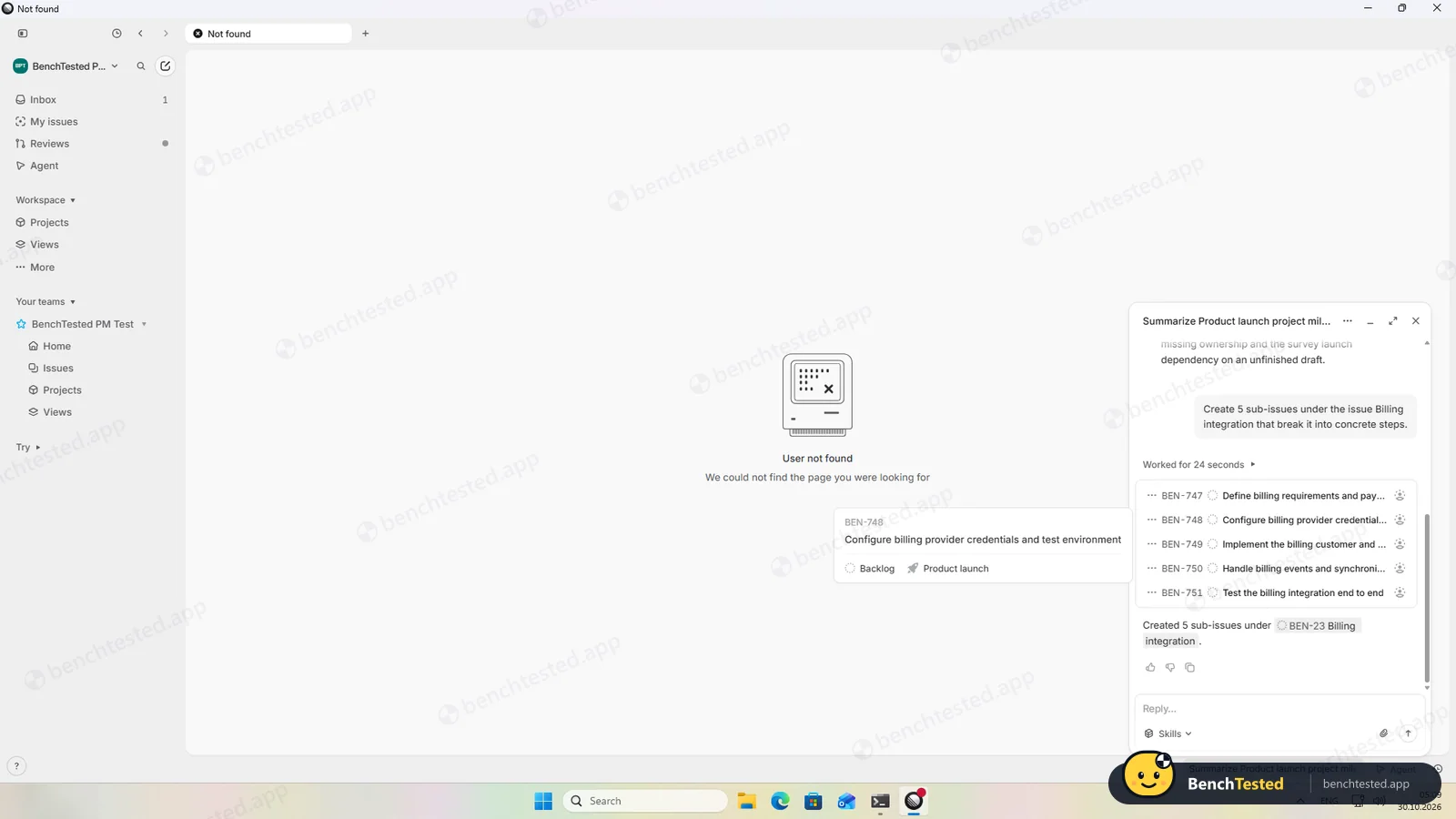
P7: AI sub-issues
five real sub-issues, no confirmation
- 05:12
P8: CSV export emailed
747 of 747 in under a minute
- 05:14
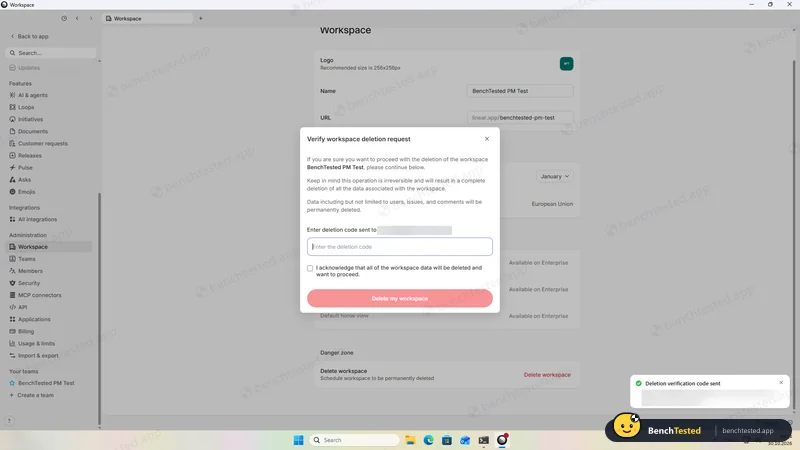
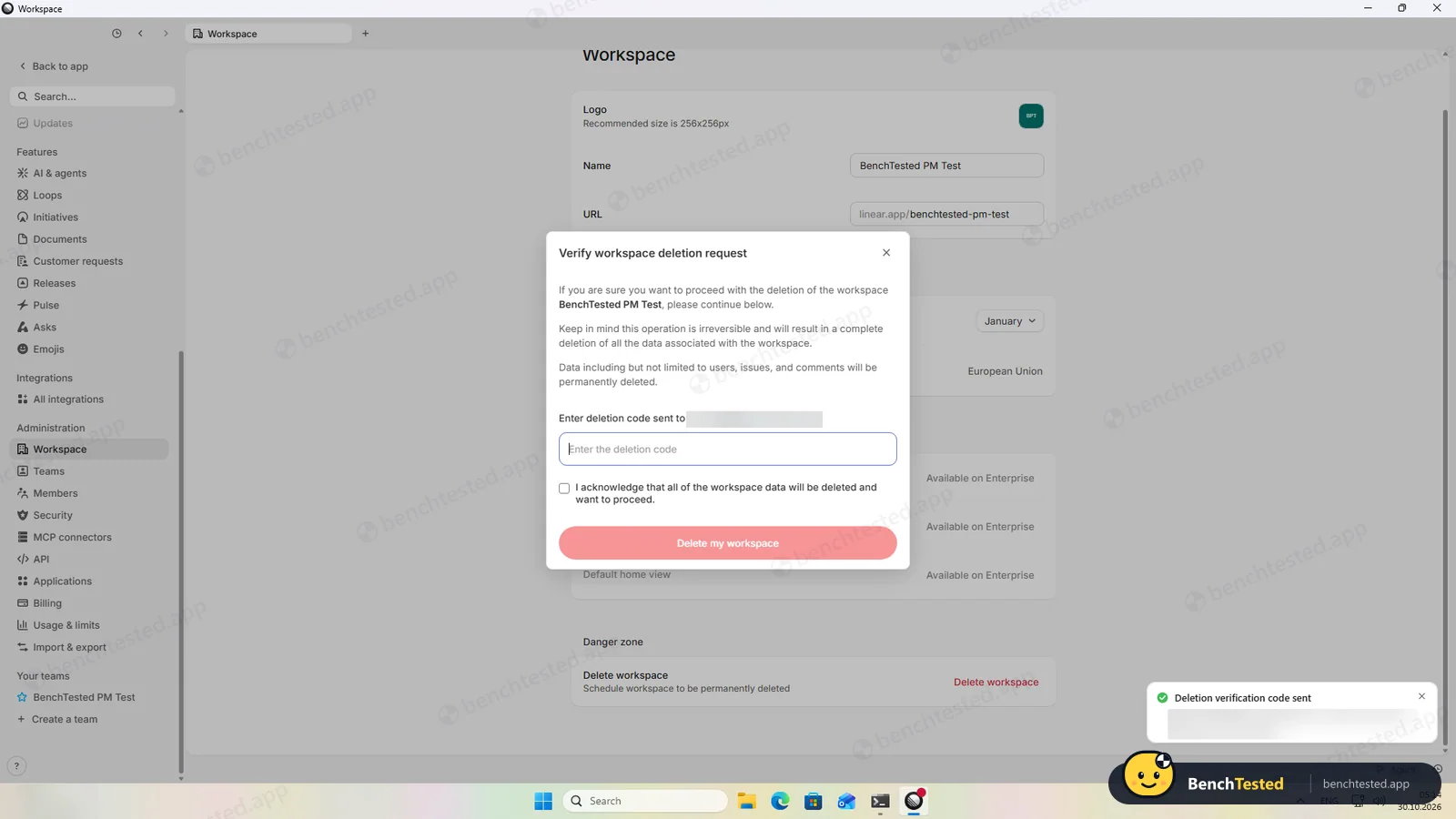
P8: workspace deletion
needs an emailed code
- 05:16
Uninstalled
8 s; about 280 MB left
-
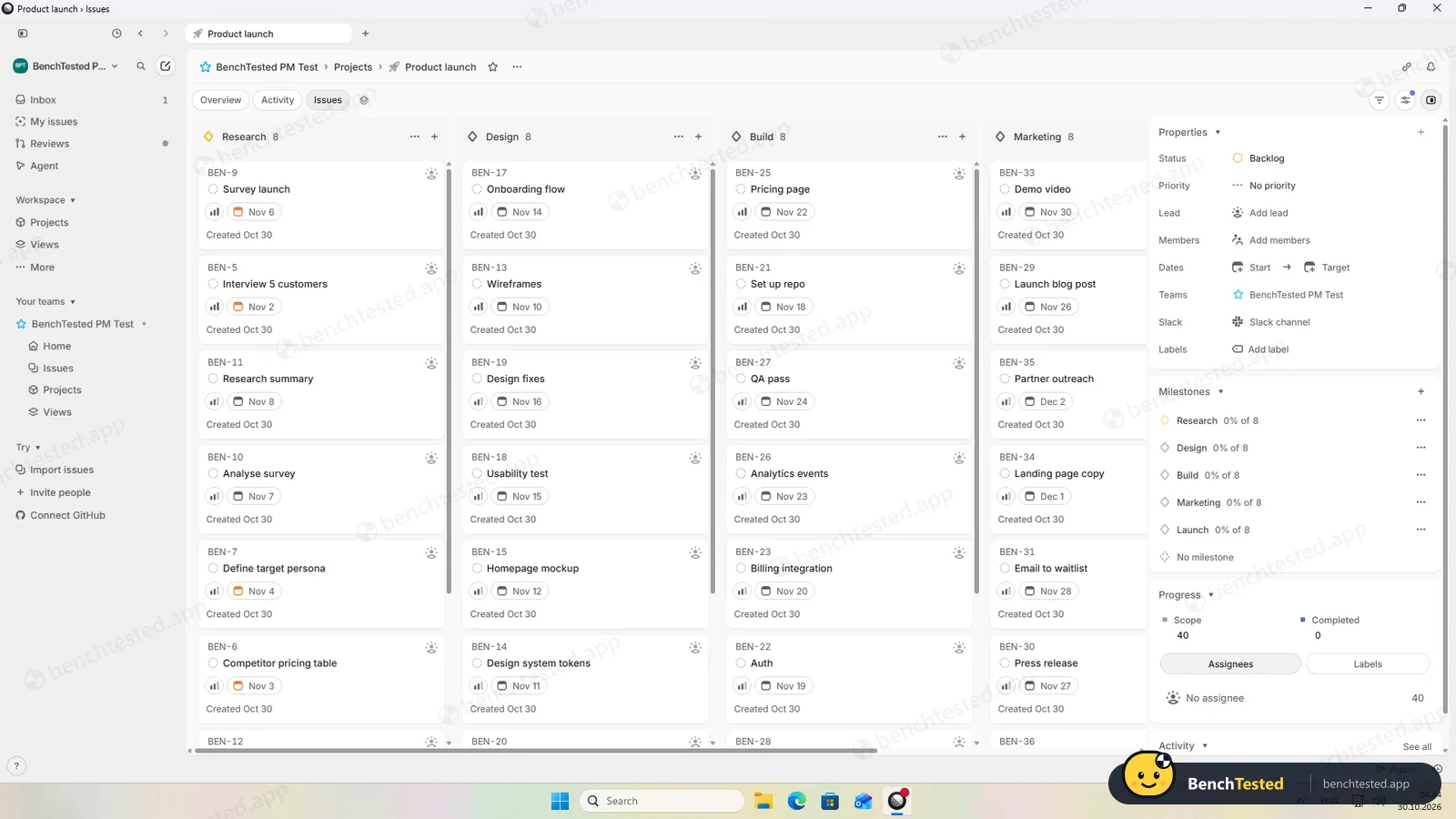
P1 · Build a project
Build a 40-task product launch project from a written brief: five phase lists of eight tasks, each with a due date and priority.
Pass ≈ 18 min
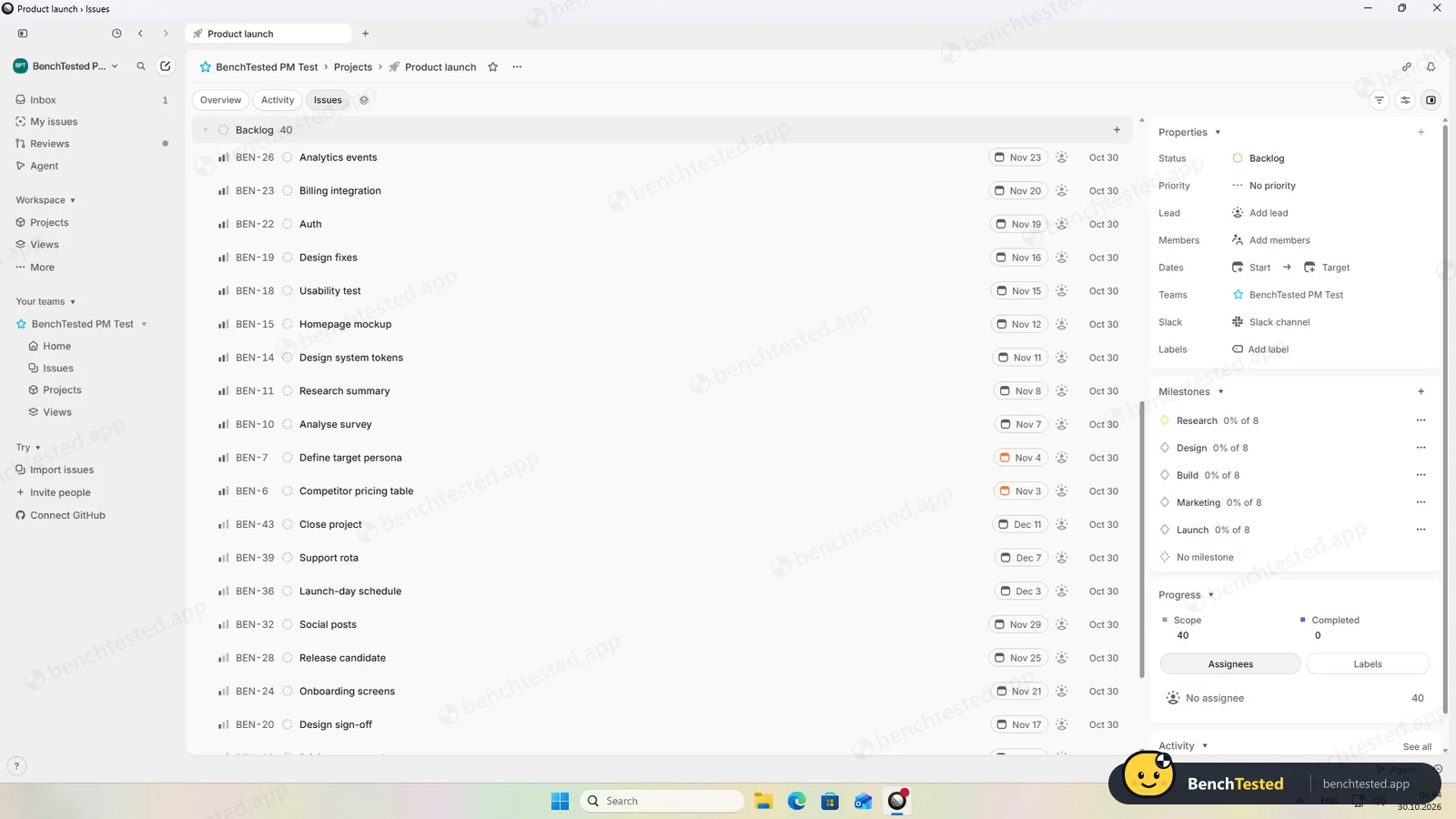
We used one project with five milestones. Every field has a shortcut and dates can be typed in plain English, but there is no bulk paste, so each issue went in on its own. Linear has no “Normal” priority; we used Medium.
-
P2 · Views
Show the project as a list, board, calendar and Gantt chart.
Partial ≈ 3 min
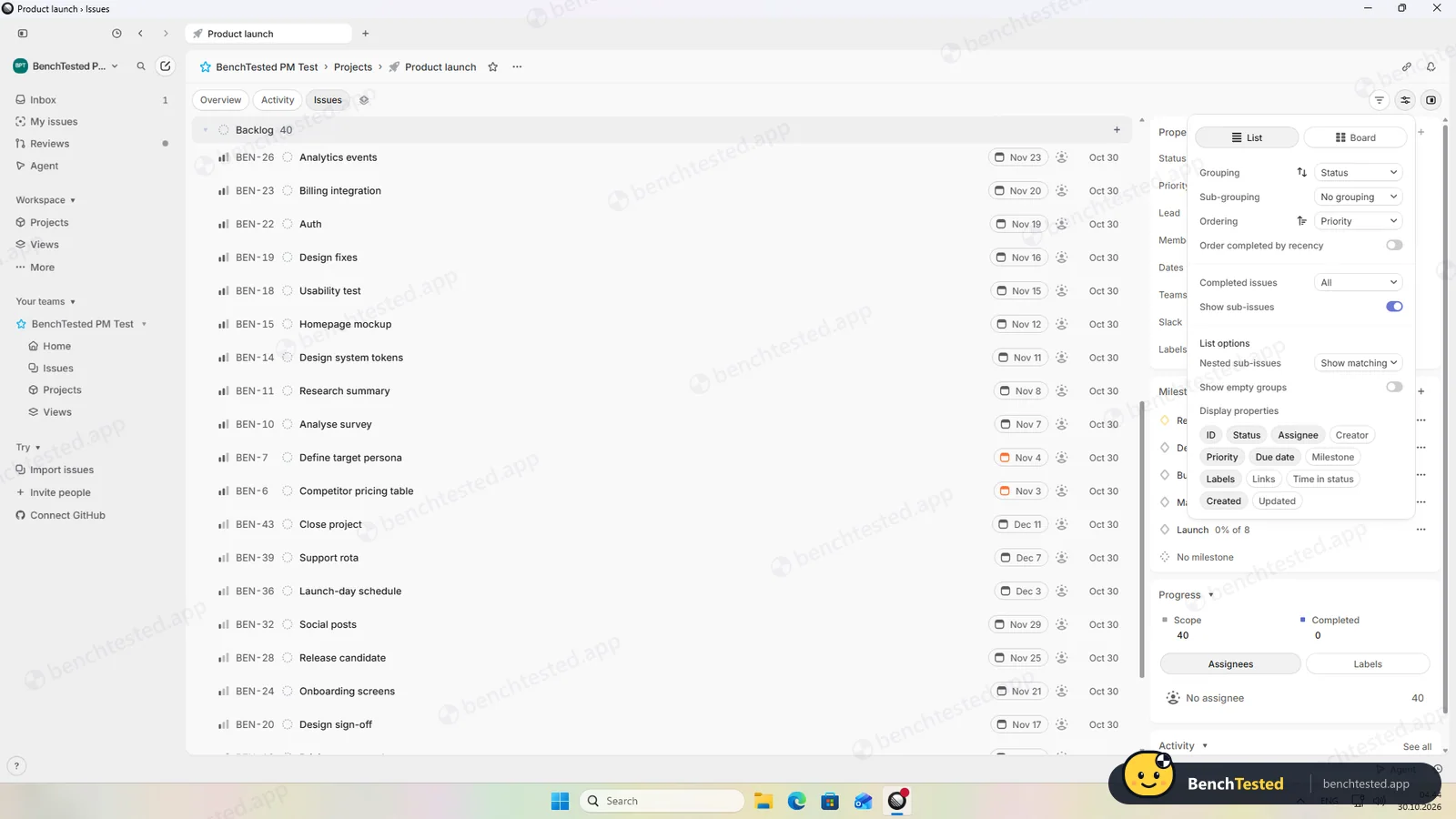
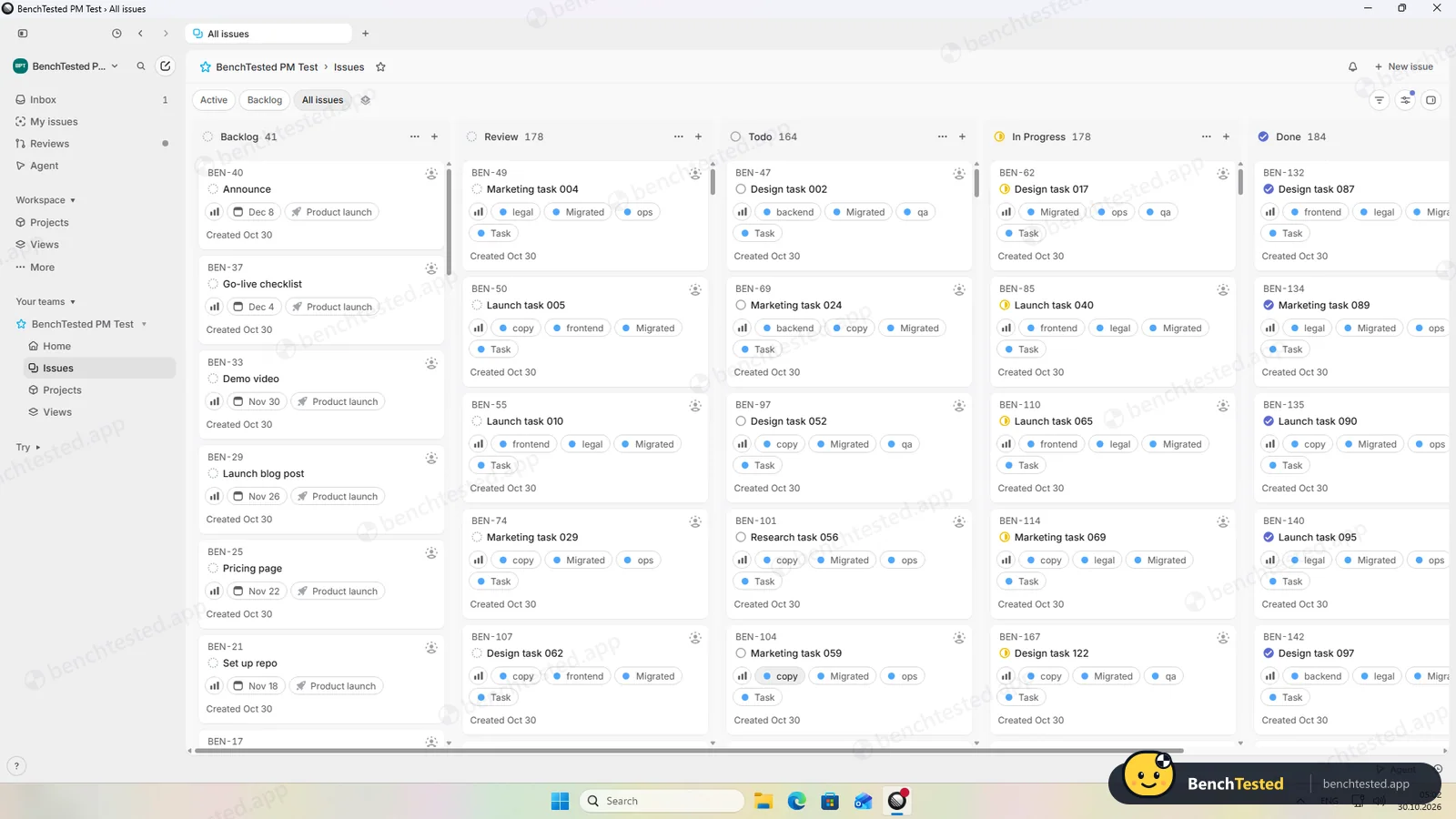
List and board work well, grouped by milestone in one click. There is no calendar view, and the timeline shows projects rather than issues.
-
P3 · Rules
Set up a status automation, a dependency and a weekly recurring task.
Partial ≈ 5 min
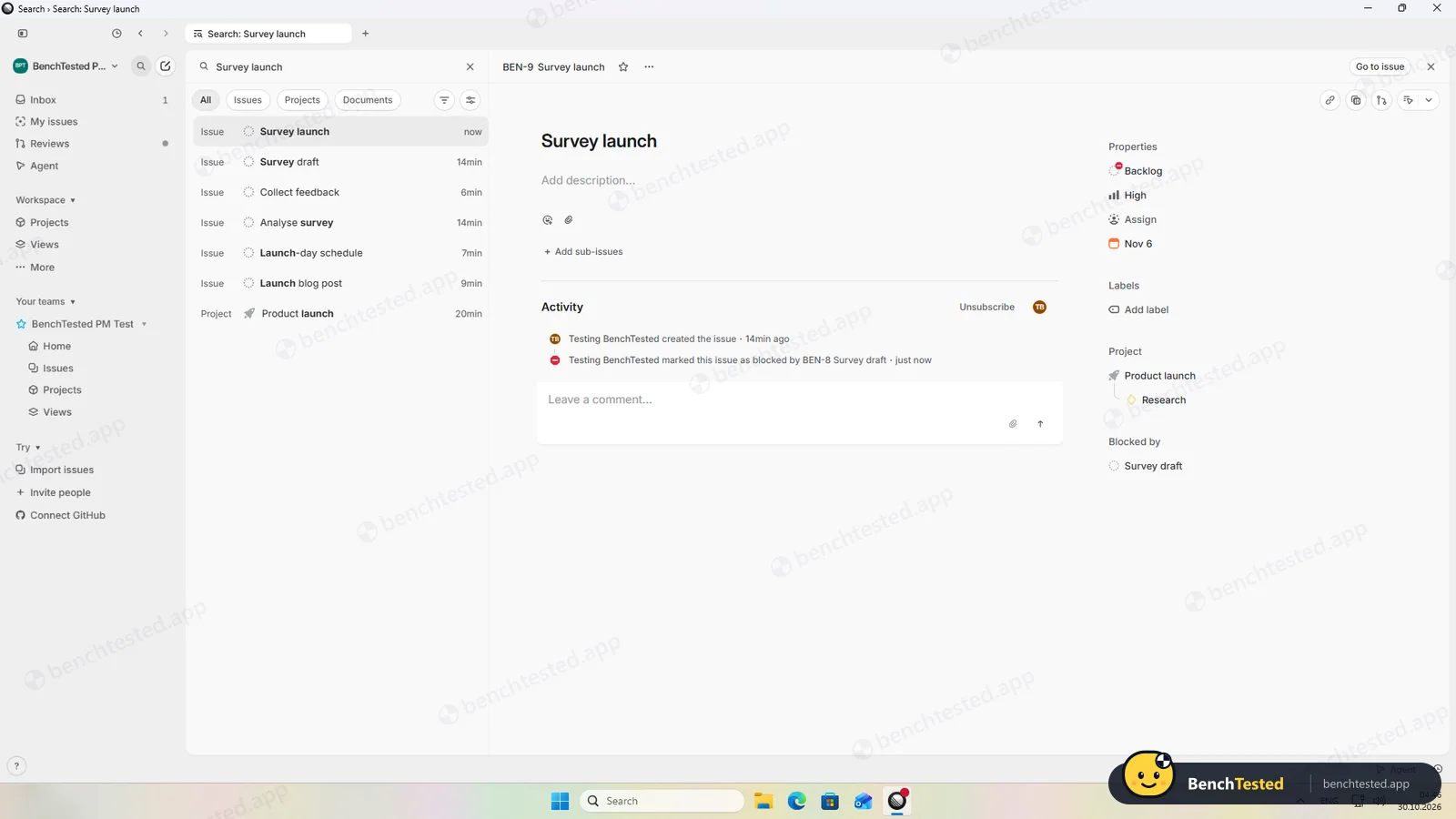
The dependency and a weekly recurring issue worked. Automations are presets such as auto-closing stale issues; there is no rule builder for “when completed, move to Launch”.
-
P4 · 200-row import
Import a 200-row CSV with statuses, assignees, dates, priorities, tags and special characters.
Fail ≈ 10 min
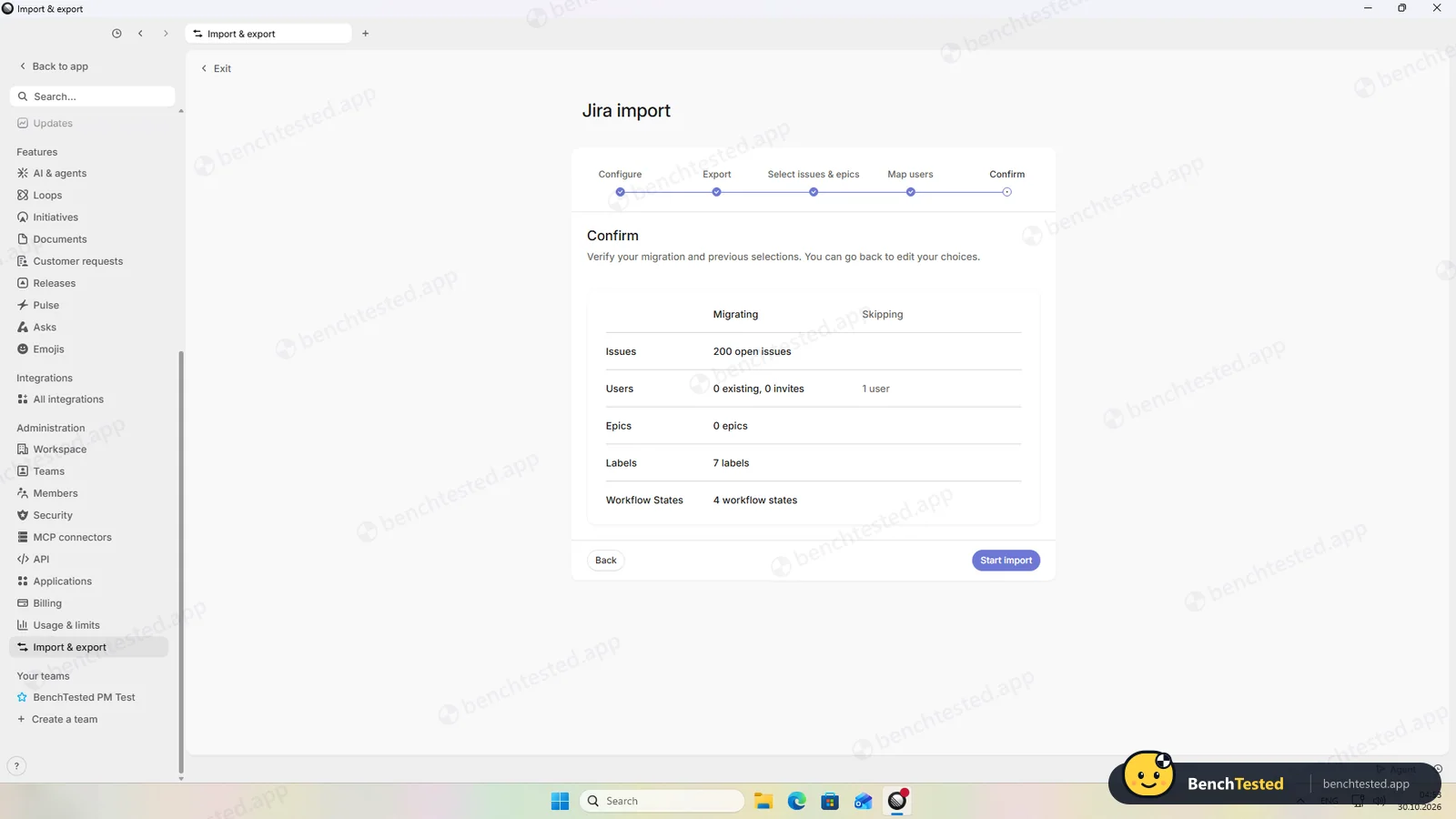
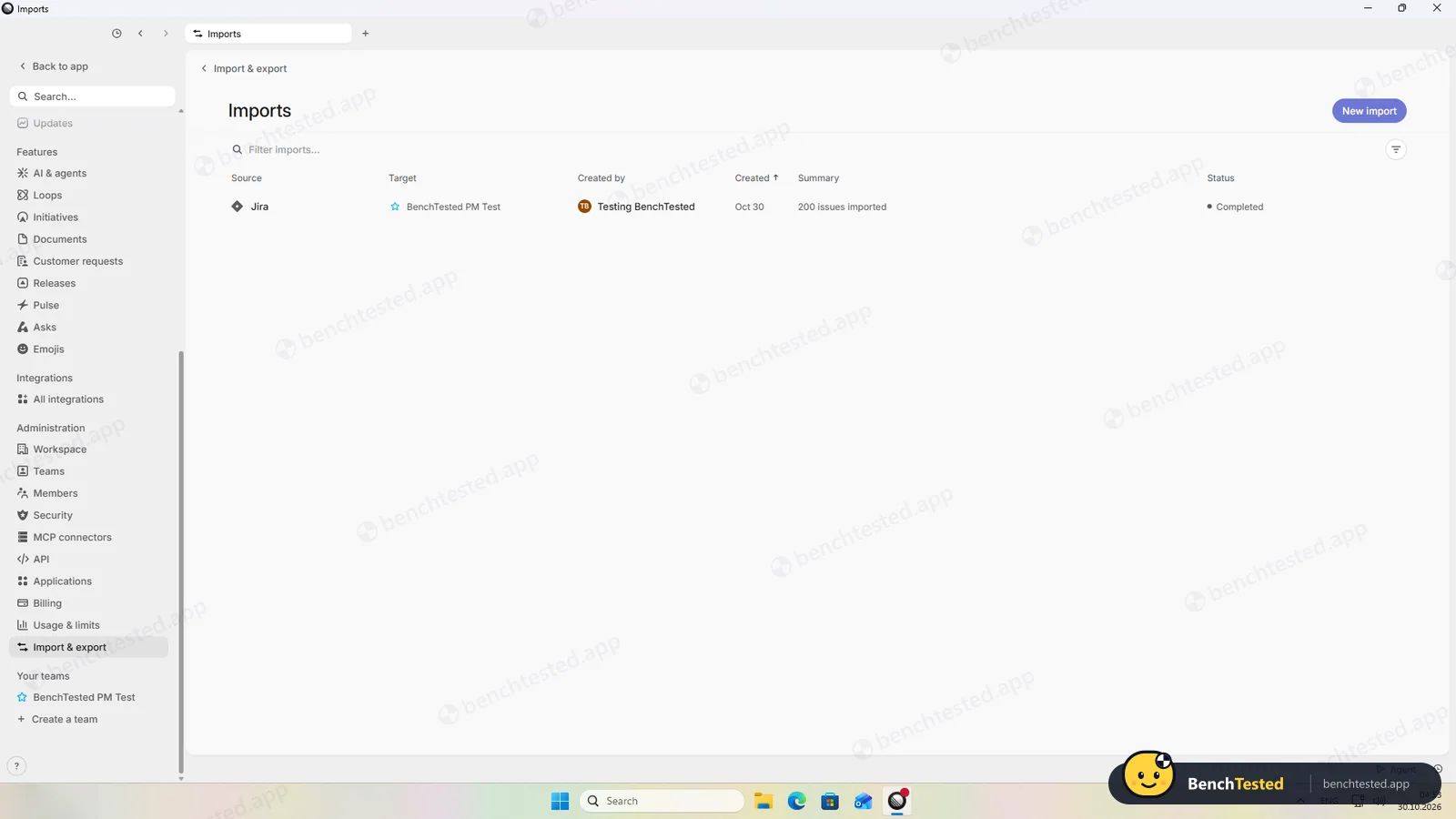
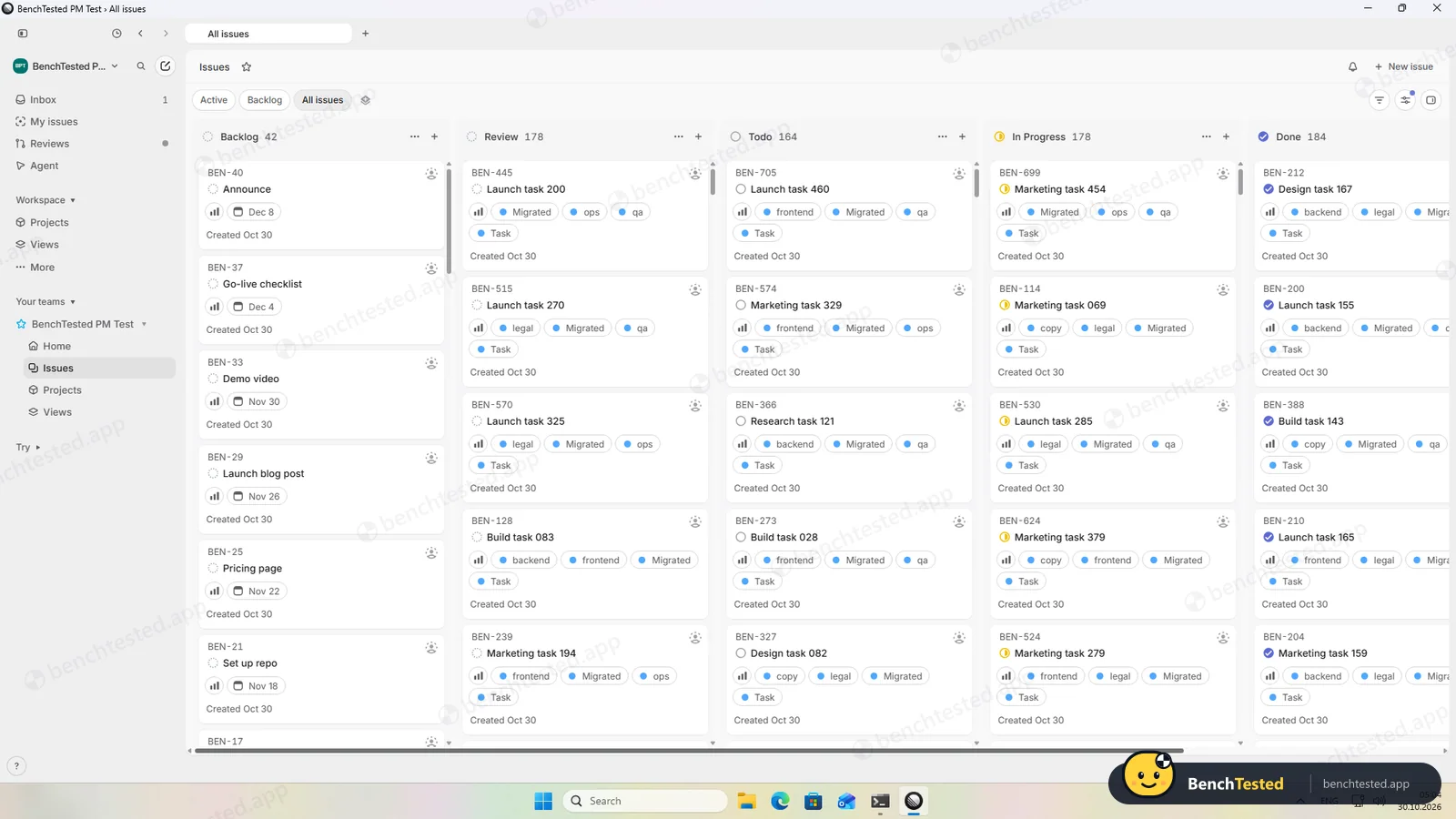
Linear has no plain CSV import, and its Jira importer rejected our file. After we rewrote it in Jira's export format, all 200 rows arrived in about 20 seconds with statuses, labels and text intact, but without due dates, and only the High and Low priorities survived.
-
P5 · Scale
Import 500 rows, then open and scroll a 500-task board.
Pass ≈ 45 s import
The 500-row import took about 45 seconds. A board of about 745 issues was full on the first frame and scrolled smoothly; a cold start took about 5 seconds and the app used about 0.55 GB of memory.
-
P6 · Permissions
Invite a second user, check what they can see and change, then restrict them.
Partial ≈ 3 min
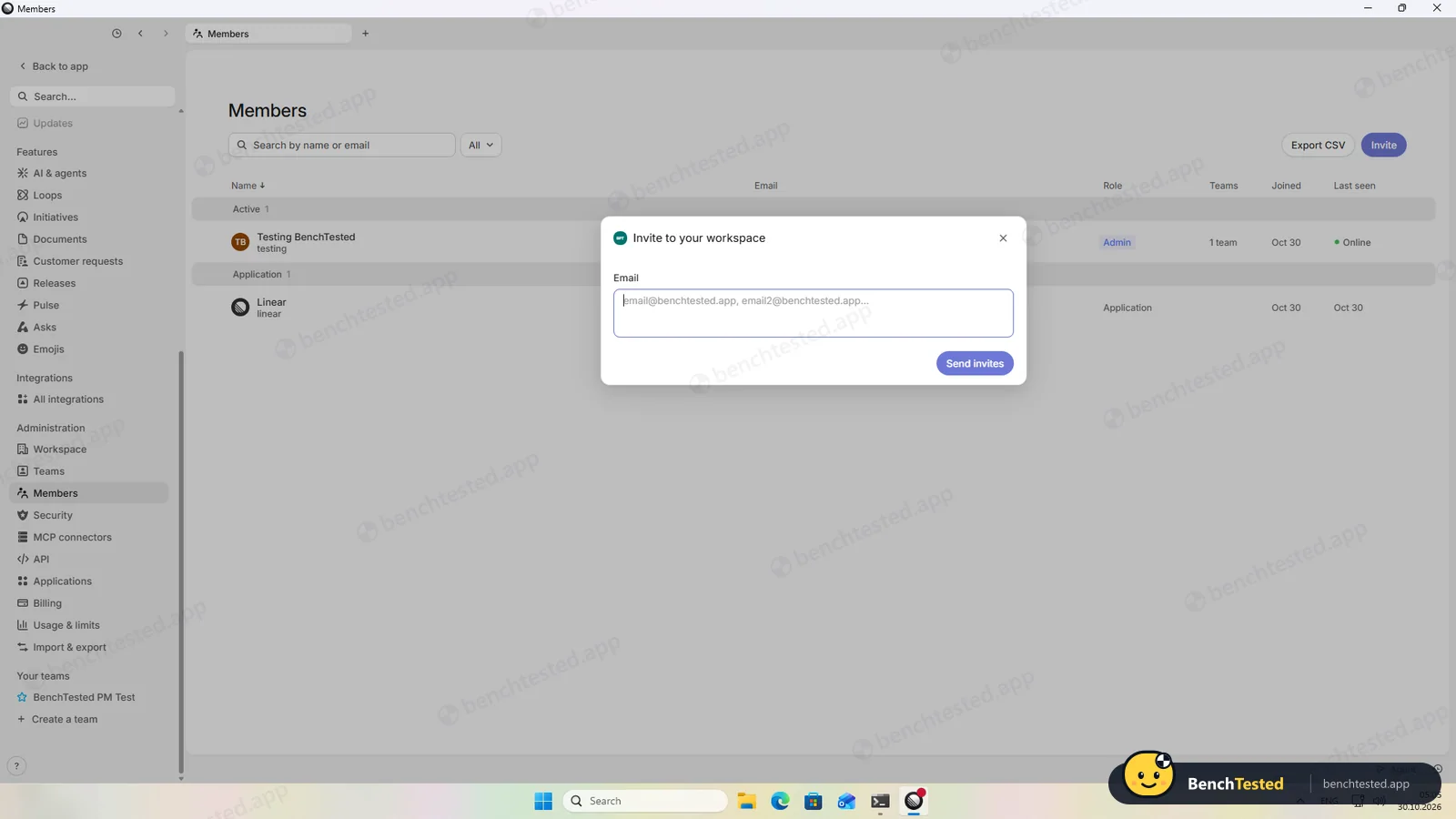
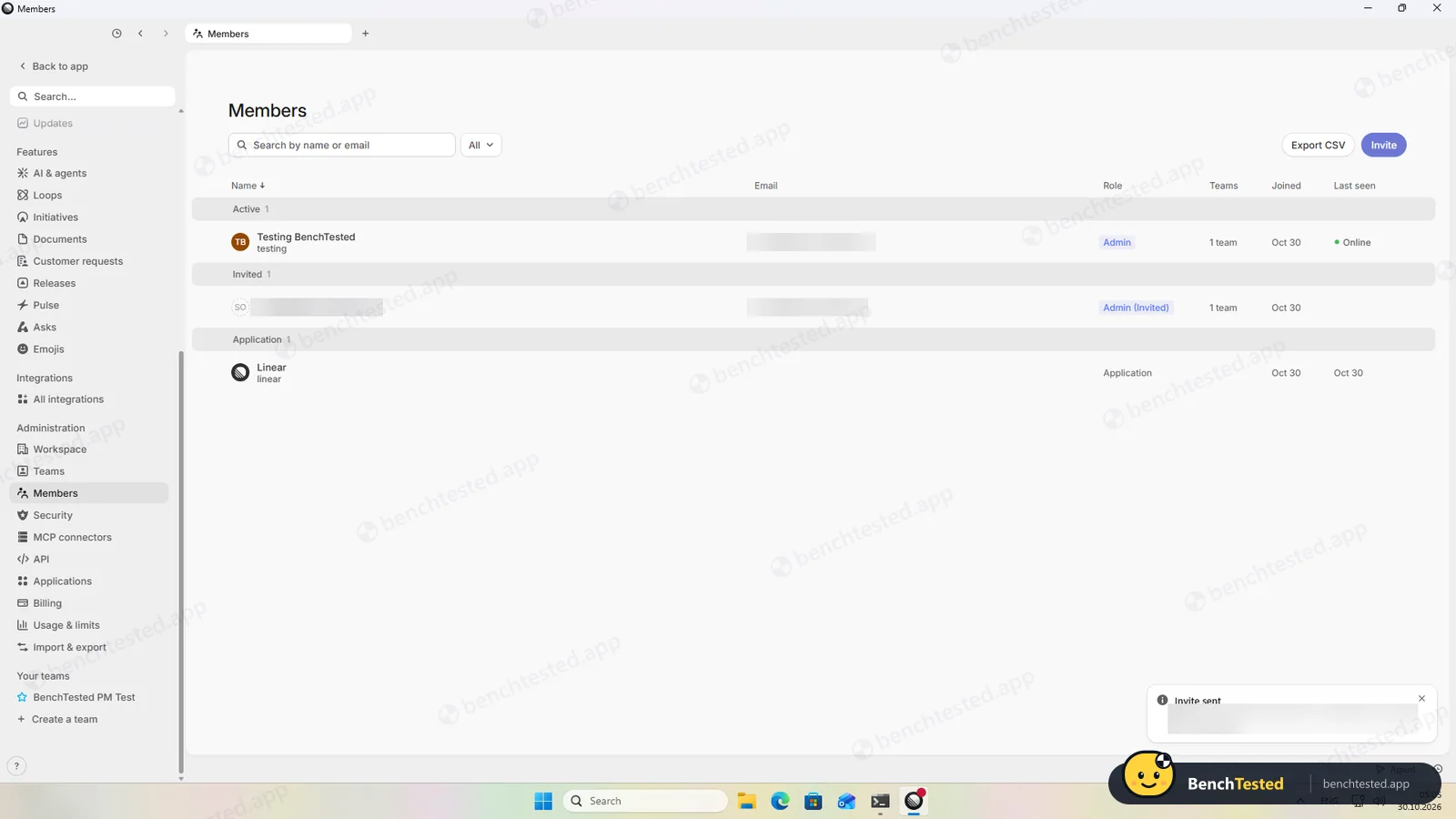
The invite has no role choice and the invitee was listed as an admin; until they join, the only options are resend and revoke. We revoked the invite. We did not test the second user's view in this run.
-
P7 · AI
Ask the built-in AI to summarise the project, write subtasks for one task and say what is overdue.
Pass ≈ 20–55 s each
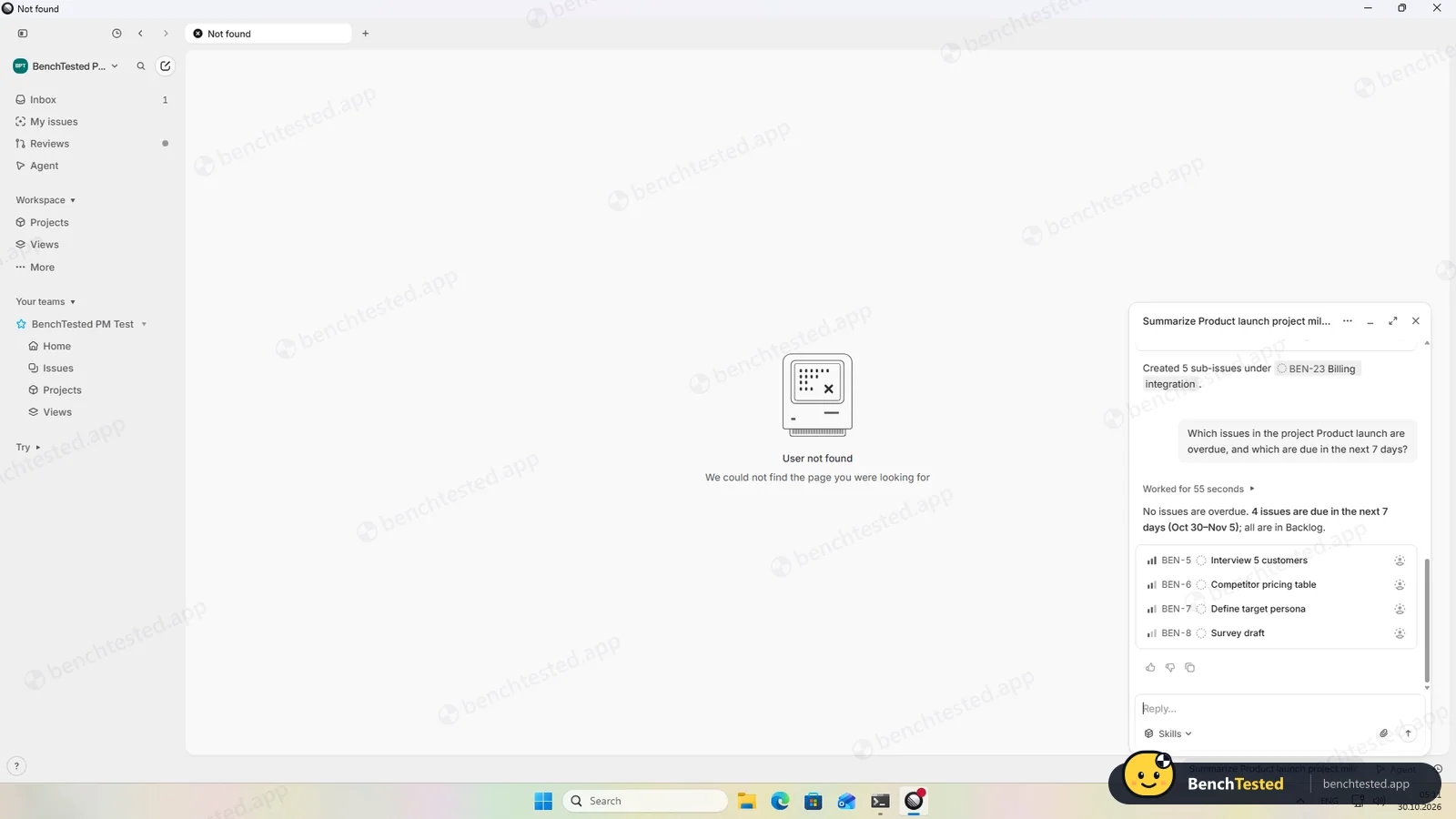
Linear Agent, free on our plan, summarised the project correctly, created five real sub-issues under the right issue and correctly said nothing was overdue. It did not ask before creating the sub-issues.
-
P8 · Leave
Export everything to CSV, delete the workspace and uninstall the app.
Partial ≈ 5 min
The export email arrived in under a minute with all 747 issues, dependencies and milestones. Deleting the workspace needs a code sent by email; we stopped before entering it. The uninstall took 8 seconds but left about 280 MB.
How we tested Linear
Linear is the fourth app in our project-management category, after ClickUp, Asana and Notion, and ran the same eight-step script: build a 40-task project from a written brief, show it in four views, set up rules, import 200 and then 500 rows from a CSV file, invite a second user, use the built-in AI, export everything and leave.
We installed the Windows desktop app from linear.app on a clean Windows 11 virtual machine, created a new account on the free plan and checked every import and AI answer against our own files. Everything was done on October 30, 2026. Linear is built for software teams, which explains several of the results below.
Installation and setup
The 234 MB installer carries an extended-validation signature from Linear Orbit, Inc. It is a classic three-step wizard whose default is a per-user install, so no admin rights are needed, and it finished in about 15 seconds. It adds no startup entry or services; the running app listens only on the PC itself.
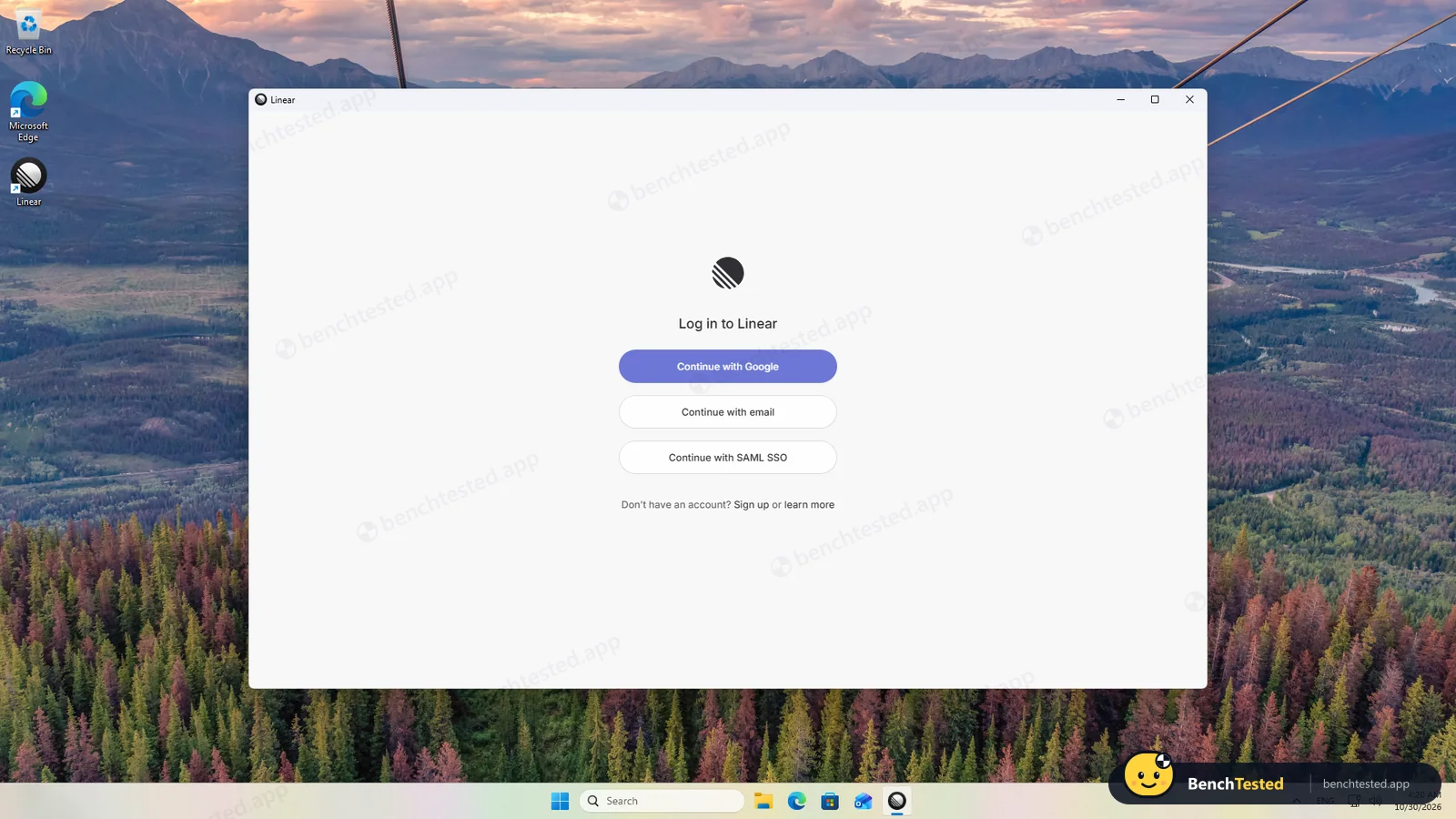
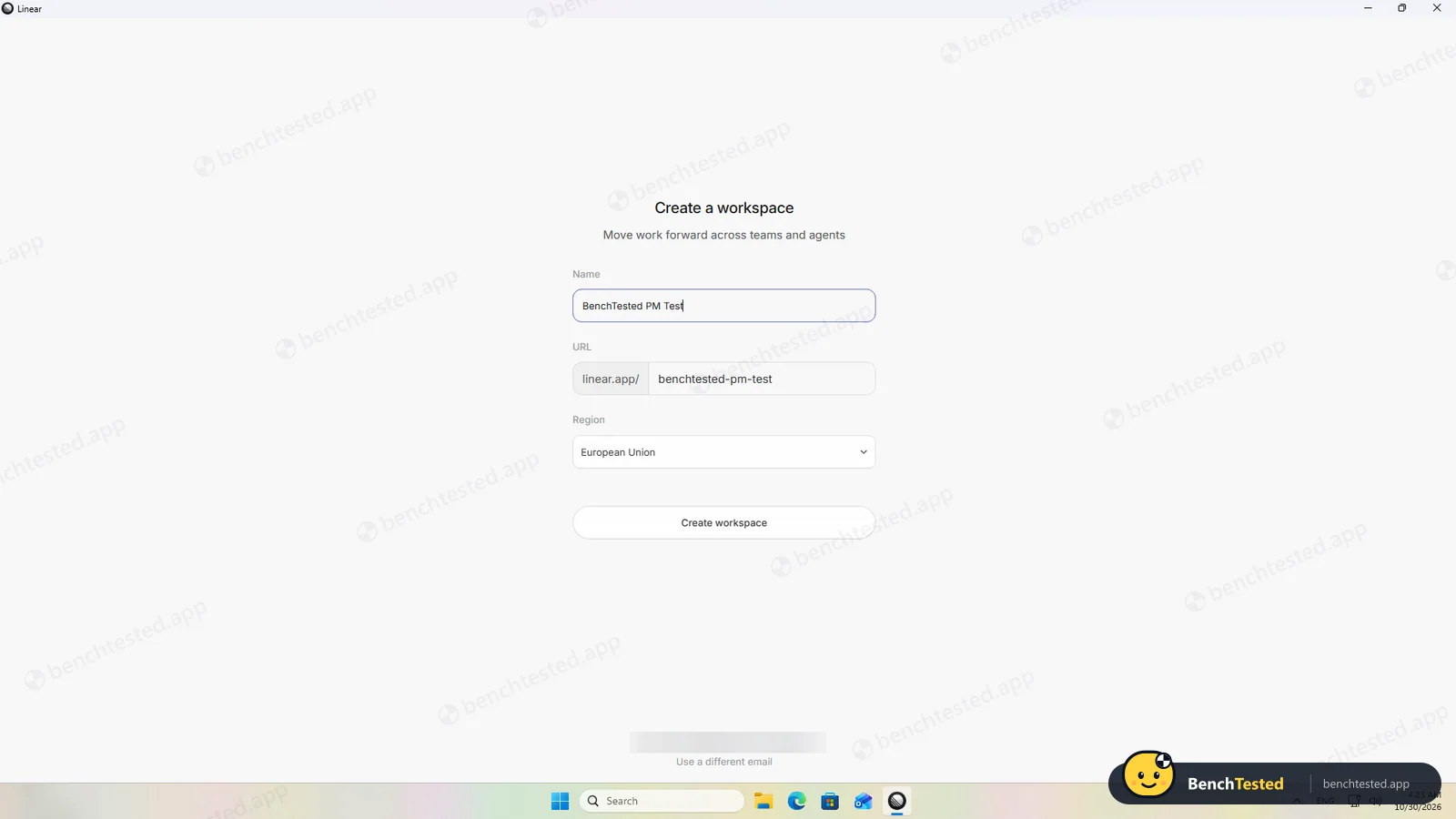
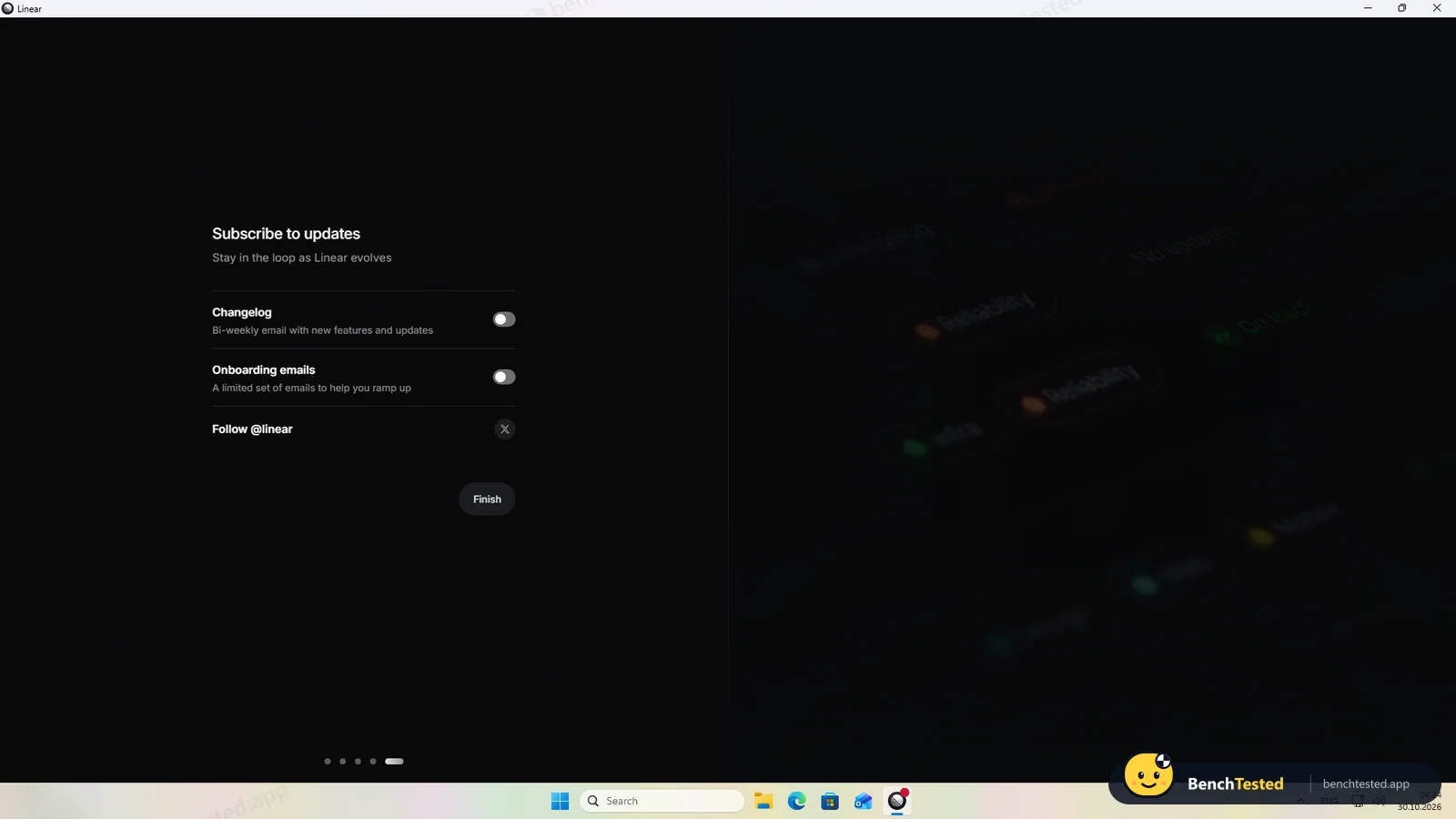
Setup is short and restrained. You sign in with Google, email or SSO, name the workspace and choose where its data lives, the European Union or the United States, which cannot be changed later. Changelog and onboarding emails are off unless you switch them on, which none of the other three apps we tested managed.
Building the project
We created a project called Product launch with five milestones for the phases. Linear is designed for the keyboard: C opens a new issue, P sets priority, Shift+M the milestone and Shift+D the due date, which accepts plain English such as “Nov 2 2026”, and “Create more” keeps your choices for the next issue. There is no bulk paste, though, so all 40 issues went in one by one, and Linear has no “Normal” priority, so we used Medium.
Views and rules
Issues can be shown as a list or a board, and grouping the board by milestone took one click. That is all: there is no calendar view, and Linear's timeline shows projects across months rather than the issues inside them.
A dependency took a few keystrokes and appeared on both issues, and a weekly recurring issue is created on a schedule. Automations, however, are presets: auto-closing parent issues or sub-issues, archiving, pull-request rules and closing issues that have been stale for six months, which is switched on by default. There is no way to build a rule such as “when a Research issue is completed, move it to Launch”.
Importing 200 and 500 rows
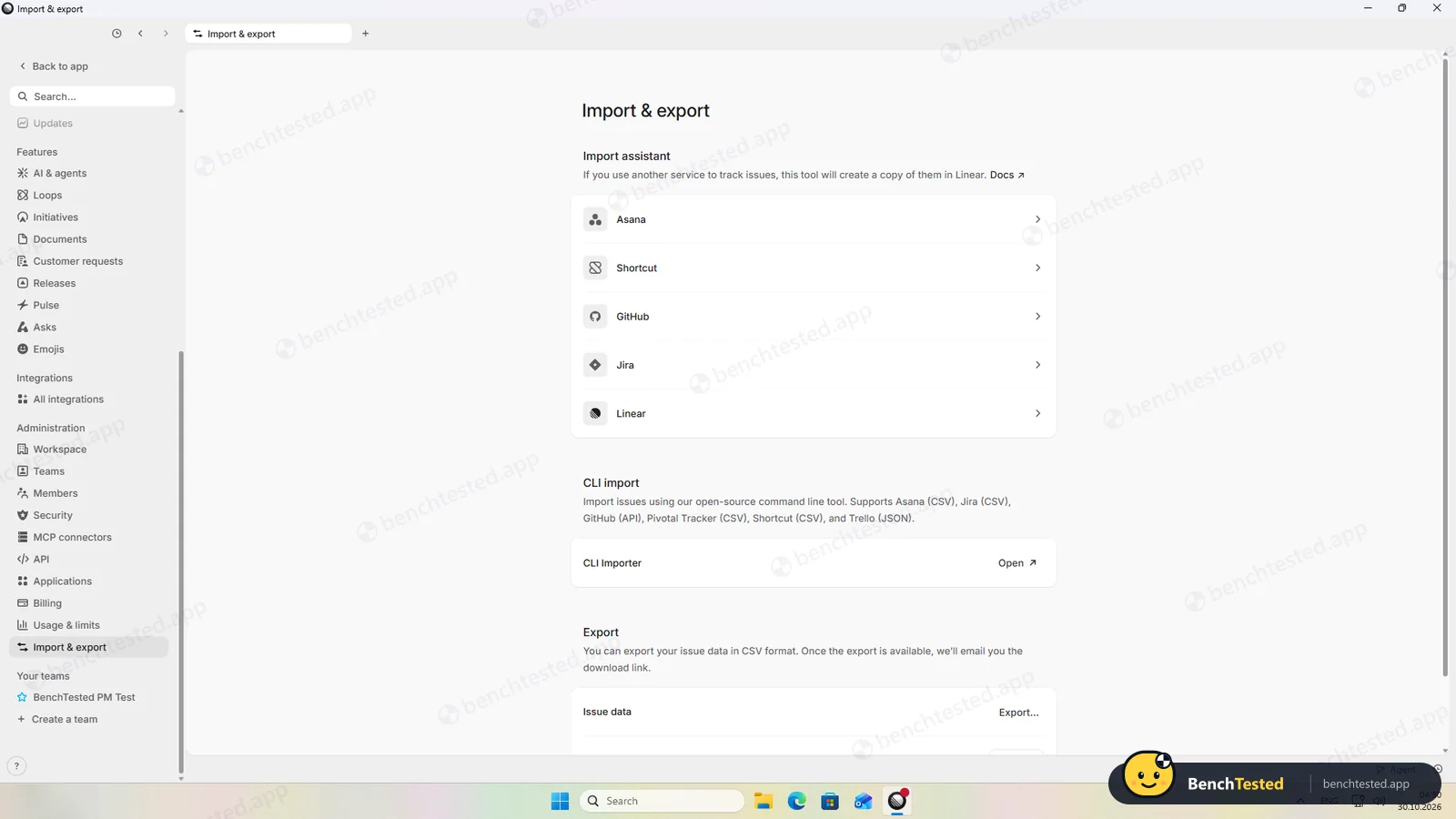
This was Linear's weakest step. The importer handles Asana, Shortcut, GitHub, Jira and other Linear workspaces, but not a plain CSV file. Our file was rejected for missing Jira columns such as Issue key and Project name.
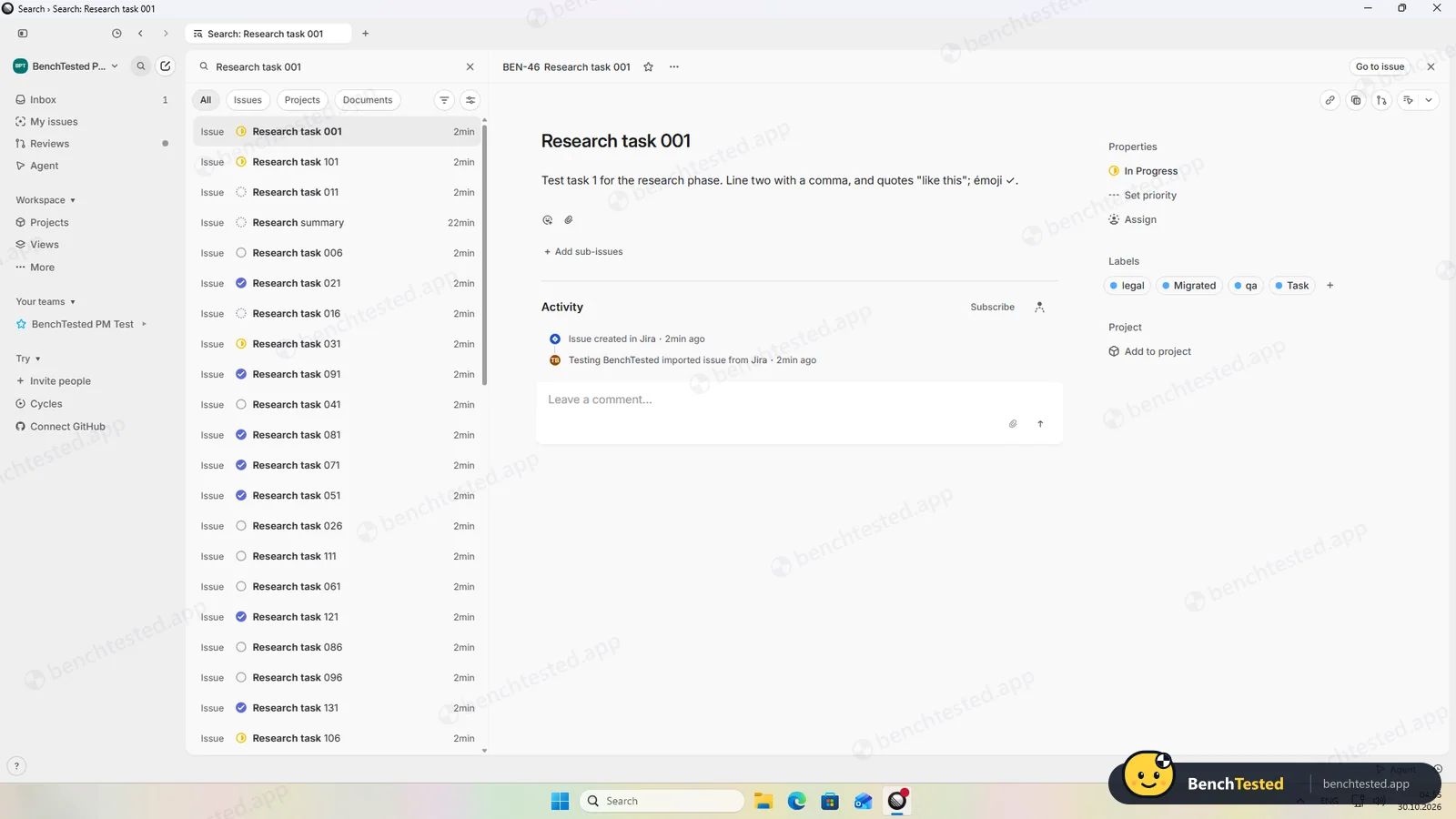
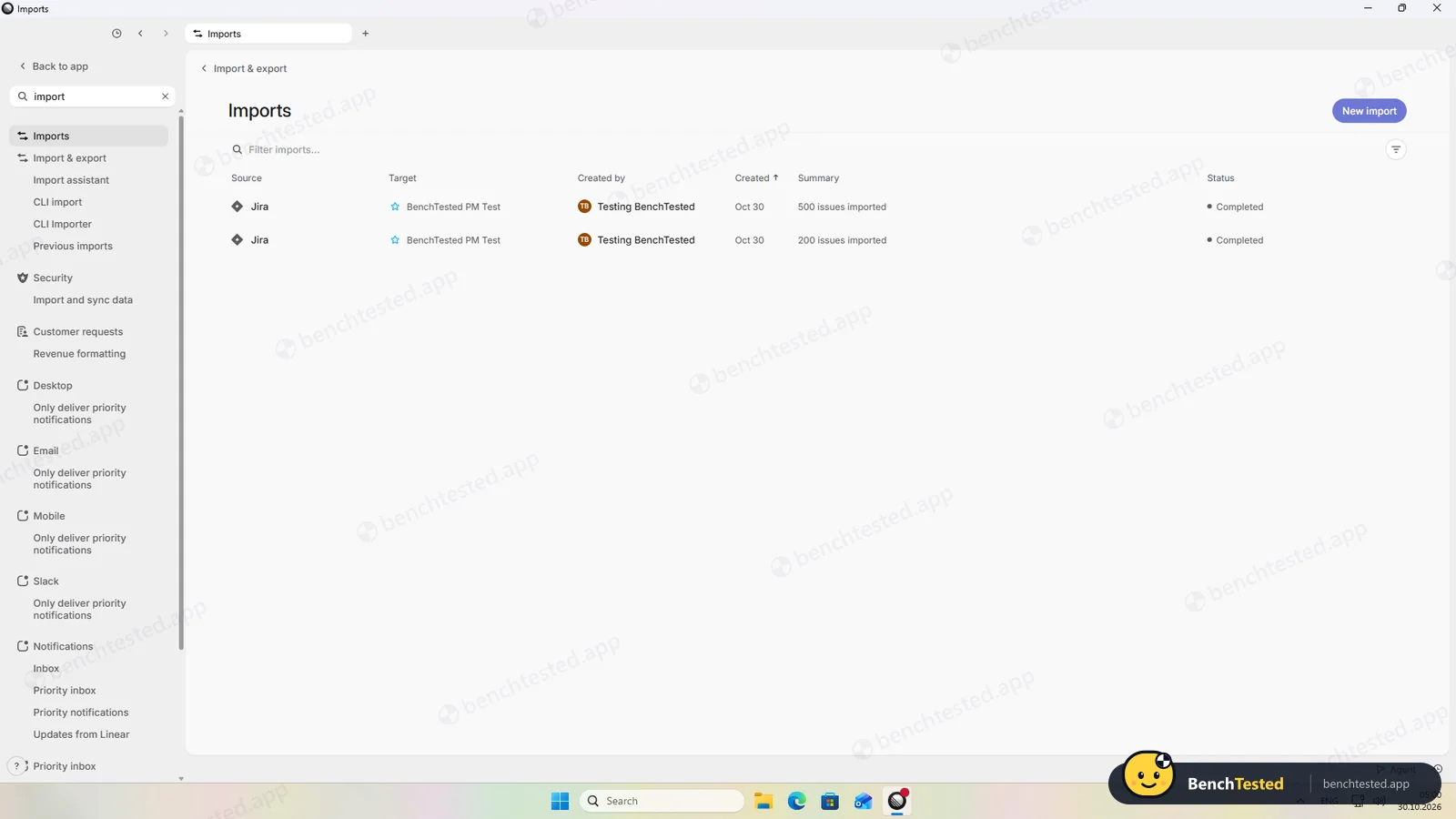
To see what the importer does keep, we rewrote the same rows in Jira's export format. Then all 200 arrived in about 20 seconds, and 500 more in about 45, with statuses mapped and text, special characters and labels intact. Due dates were lost, and of our four priorities only High and Low survived; Urgent and Normal became “No priority”. Imported issues land outside any project with an extra “Migrated” label.
Speed and memory
Linear is the quickest and lightest app in the category. The window appeared after 0.7 seconds and our board of about 745 issues was ready about 5 seconds after launch. Switching views was instant and scrolling smooth, and the app used about 0.55 GB of private memory, roughly a third of ClickUp's.
Linear's pricing page lists a limit of 250 issues on the free plan. It did not stop our imports or a new issue afterwards, but we would not rely on that.
Sharing and permissions
The invite dialog has only an email field. On the free plan the invitee was listed as an admin, and until they join, the only options are to resend or revoke the invitation; guests, private teams and finer roles are paid features. We revoked the invite. In this run we did not test what a second user sees or how quickly a removal takes effect.
Linear Agent
Linear Agent, a chat in the corner of the app, is included on the free plan. Asked to summarise our project, it answered in about 22 seconds with the right counts per milestone, the date range, the fact that nothing was assigned or done, and the survey dependency as a risk. Asked for five sub-issues under “Billing integration”, it created five properly titled sub-issues under the right issue, without asking first. Asked what was overdue, it correctly said nothing and listed the issues due in the next few days.
Leaving Linear
Exporting is easy: we clicked Export and an email with a download link arrived in under a minute. The CSV had all 747 issues with statuses, priorities, labels, milestones, parent issues and dependencies.
Deleting a workspace needs a code sent to the owner's email plus a confirmation tick, and it is permanent; we stopped before entering the code. The uninstaller removed the program in 8 seconds but left a 223 MB updater cache, a 58 MB profile and the linear:// link handler, about 280 MB in all.
What we have not tested yet
We did not test the second user's view or removing a member, integrations with GitHub or Slack, cycles, initiatives, the mobile and Mac apps or the paid plans. We did not test Linear offline, and we ran each step once.
Linear Screenshots
Taken during our own test run on a clean Windows 11 machine.
What we checked
Every item in our project management tool test plan and how Linear did. Scan for the ones you can't live without.
Installation
- Pass Download size234 MB
- Pass Signed installerLinear Orbit, Inc., EV certificate
- Pass Admin rightsnot needed by default
- Pass Asks before running at startupdoes not add itself to startup
First use
- Pass Sign-up without a card
- Pass Starts on the free planno trial
Core tasks
- Pass Build a 40-task projectno bulk paste
- Fail List, board, calendar and Gantt on the free planlist and board only
- Fail Status automationpresets only
- Pass Task dependency
- Pass Recurring taskscheduled
- Fail CSV import keeps the dataplain CSV not accepted; dates and some priorities lost after conversion
- Fail CSV import maps columns itselfJira format required
- Partial Permissions and rolesinvitees are admins on Free; member view not tested
- Pass AI summary and answersfree and accurate
- Fail AI asks before changing datacreated sub-issues straight away
Performance
- Pass Large board (500 tasks)under 1 s with 745 issues
- Pass Cold startabout 5 s
- Pass Memory useabout 0.55 GB
Privacy and security
- Pass No pressure to share contactsinvites skippable, emails off
- N/A Access removed immediatelyinvite revoked; member removal not tested
Integrations
- Partial Import from other toolsJira, Asana, Shortcut, GitHub; no plain CSV
- N/A Connected appsnot tested
Offline and sync
- N/A Behaviour without internet
Pricing traps
- Partial Free plan limits250 issues and 2 teams listed; not enforced on day one
Cancel and uninstall
- Pass Complete export747 of 747 by email in under a minute
- N/A Delete the workspacerequires an emailed code; not completed
- Fail Clean uninstallabout 280 MB and a link handler left
Test Results
- Ease of use6.0
Shortcuts and plain-English dates make single issues quick, but there is no bulk paste and getting a spreadsheet in means reformatting it as a Jira export.
- Views & flexibility5.0
List and board only for issues; no calendar, and the timeline is for projects.
- Speed9.0
The fastest and lightest app in the category: about 5 seconds to start, an instant 745-issue board and about 0.55 GB of memory.
- Automation & AI6.0
A free and accurate AI agent, dependencies and scheduled recurring issues, but no rule builder.
- Integrations5.5
Importers for Jira, Asana, Shortcut and GitHub but no plain CSV; a complete CSV export by email in under a minute. We did not test connected apps.
- Value for money7.5
The free plan has unlimited members and the AI agent, with a stated 250-issue limit. Basic costs $10 per user a month billed yearly.
Every project management tool runs the same script. How we test →
Key Features
Issues, projects and milestonesTested by us
Track issues and group them into projects with milestones, shown as a list or board.
Fast to fill with shortcuts; no bulk paste or calendar.
Dependencies and recurring issuesTested by us
Mark issues as blocked and create issues on a schedule.
Both worked on the free plan.
Import and exportTested by us
Import from Jira, Asana, Shortcut and GitHub; export all issues to CSV.
No plain CSV import; complete export by email.
Linear AgentTested by us
AI assistant that summarises work and creates or updates issues.
Free and accurate; did not ask before creating sub-issues.
Preset automationsTested by us
Auto-close and auto-archive rules plus Git pull-request workflows.
No custom rule builder.
Additional Features
Cycles and initiativesVendor-stated
Plan time-boxed cycles and link projects to company-level initiatives.
GitHub and GitLabVendor-stated
Link pull requests to issues and move issues automatically as code ships.
Linear at a glance
- Version tested
- Windows desktop app 1.32.7 (October 30, 2026)
- Platforms
- Web, Windows, macOS, iOS and Android
- Installer
- 234 MB; per-user install, no admin rights
- Account
- Required; EU or US data region
- Free plan
- Unlimited members, 2 teams, 250 issues
- Importers
- Jira, Asana, Shortcut, GitHub, Linear; no plain CSV
Is Linear secure?
We did not review Linear's privacy policy or security certifications for this test. Below are only the things we saw on our test PC and in the app.
-
Quiet defaultsTested by us
Marketing and onboarding emails are off by default, and you choose an EU or US data region when you create a workspace.
-
Everyone is an admin on FreeTested by us
Invites have no role choice, and the invited user was listed as an admin.
-
Stale issues auto-closeTested by us
Issues not updated for six months are cancelled automatically unless you switch this off.
-
Left after uninstallingTested by us
A 223 MB updater cache, a 58 MB profile and the linear:// link handler.
Pricing
Free plan
Yes
Paid plans from
$10 / user / month, billed yearly
-
Free
$0
Unlimited members, 2 teams, 250 issues, 10 MB uploads, Linear Agent, import and export.
-
Basic
$10/user/mo
Billed yearly. 5 teams, unlimited issues and uploads, admin roles.
-
Business
$16/user/mo
Billed yearly. Unlimited teams, private teams and guests, Insights, dashboards, Linear Asks.
-
Enterprise
Custom
Annual billing only; SAML, SCIM and advanced security.
From Linear's pricing page, checked Oct 30, 2026.
Who makes Linear?
- Company
- Linear Orbit, Inc.
- Headquarters
- San Francisco, California, USA
- Founded
- 2019
- Founders
- Karri Saarinen, Tuomas Artman, Jori Lallo
- Funding
- Series C of $82 million in 2025 at a reported $1.25 billion valuation.
Linear timeline
- 2019Founded by Karri Saarinen, Tuomas Artman and Jori Lallo.
- 2025Raises an $82 million Series C at a reported $1.25 billion valuation.
- Oct 22, 2026Windows installer 1.32.7 published.
- Oct 30, 2026We tested the Windows app 1.32.7.
FAQ
Is Linear free?
Yes. The free plan has unlimited members, two teams and Linear Agent, with a stated limit of 250 issues. Basic costs $10 per user a month billed yearly.
Which platforms does Linear support?
Linear runs in the browser and has desktop apps for Windows and macOS plus mobile apps for iOS and Android. We tested the Windows app.
Is the Linear desktop app fast?
Very. It was usable about 5 seconds after launch, drew a board of about 745 issues instantly and used about 0.55 GB of memory, the lightest in our category.
Can Linear import a CSV file?
Not a plain one. It imports from Jira, Asana, Shortcut and GitHub. Our file only went in after we rewrote it in Jira's format, and due dates and some priorities were lost.
Does Linear have calendar or Gantt views?
Not for issues. You get list and board views, and a timeline for projects.
Is Linear's AI free?
Linear Agent is included on the free plan. In our test it was accurate and created proper sub-issues, without asking first.
Can I export everything from Linear?
Yes. The CSV export is emailed in under a minute and included all 747 issues with dependencies and milestones.
Does Linear leave anything behind after uninstalling?
Yes, about 280 MB: an updater cache, a profile folder and the linear:// link handler.
Final Verdict
Linear is a pleasure to use if your work fits it: it is the fastest and lightest app we have tested, every action has a shortcut, the AI agent is free and accurate, and the export is complete.
As a general project manager it falls short. There is no calendar or task timeline, no rule builder and no plain CSV import, and on the free plan everyone you invite becomes an admin.
Our advice: for software teams tracking issues and sprints, Linear is excellent and its free plan goes a long way. For marketing or operations projects that need calendars, Gantt charts and spreadsheet imports, ClickUp or Asana fit better.