
Review Summary
Taskade's free plan does more than you might expect: a pasted Markdown checklist built our phases in one go, repeating tasks and a fast automation worked without paying, and CSV import took seconds. But the Windows app was the heaviest we have tested, froze once, and added itself to startup without asking. Imported dates become plain text, the project's own CSV export dropped every due date, Gantt and dependencies are paid, and the free plan has no AI credits at all.
+ What works
- A pasted Markdown checklist becomes phase blocks with tasks in one step
- Repeating tasks and a working automation on the free plan
- The automation fired within about a second
- CSV import of 500 rows in about a second, every value kept
- Starter plan from $6 a month for three people
− What falls short
- Added itself to Windows startup without asking, and the entry stays after uninstalling
- Up to 2.4 GB of memory, a slow cold start, and the app froze once until restarted
- The project's CSV export dropped every due date and shuffled the rows
- Imported dates and statuses become plain text, not dates or fields
- Gantt chart and dependencies need a paid plan
- No AI credits on the free plan, and only 10 automation runs a month
Taskade Alternatives
Not sure Taskade is the right fit? These project management tools scored best on the same test script:
 ClickUp Recommended Small teams that want lists, boards, Gantt charts, automations and AI in one free workspace and do not mind a busy, heavy app 7.4 Read reviewReview

What is Taskade?
Taskade organizes work as projects of nested tasks that can be shown as lists, boards, tables, mind maps, calendars and Gantt charts, with automations and AI agents on top.
It runs in the browser and as desktop and mobile apps, and increasingly promotes building small apps from a prompt.
Why Taskade is different
Outline-style projects that switch between list, board, mind map and table.
Workspace pricing for a few users rather than per seat on the lower plans.
Who is Taskade for?
Individuals and pairs who want lists, boards and simple automation for free and are happy in the browser. Individuals and small teams who want flexible lists and boards and are interested in AI agents.
Skip it if
- You need a light, dependable desktop app
- You plan to move your data out as a spreadsheet
- You want Gantt charts or AI without paying
Our Experience with Taskade
Test log
Windows 11 Pro 10.0.26300 in VMware Workstation 26H1 (4 vCPU, 8 GB RAM, no GPU passthrough), English UI, 1920×1080, clean snapshot; new Taskade account on the free plan
- 12:31
Installer downloaded
218 MB, signature valid
- 12:39
Account created
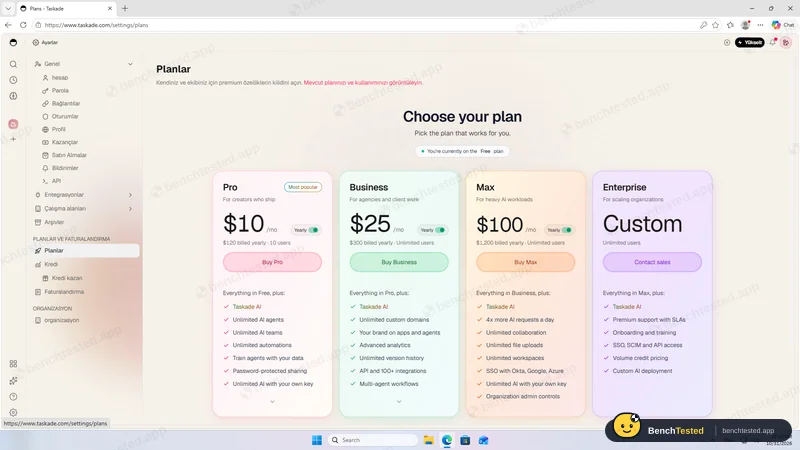
free plan, 0 AI credits
- 12:42
Installed; added to startup
- 12:44
Firewall prompt
- 12:48
P1: Markdown paste
- 13:33
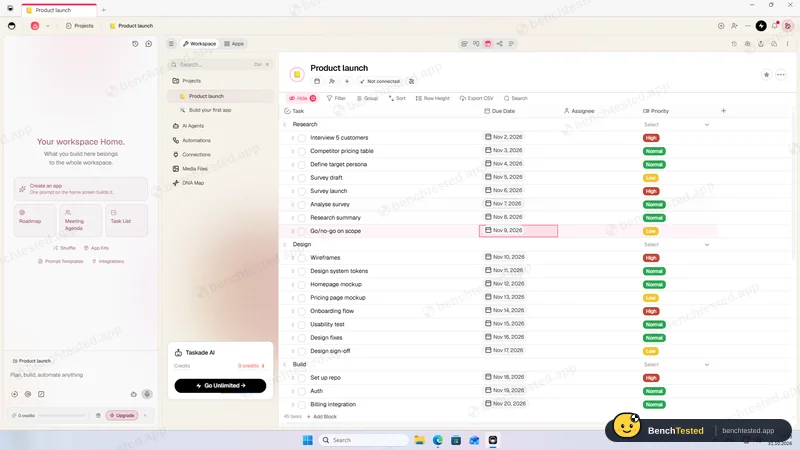
P1 done
dates and priorities set per task
- 13:34
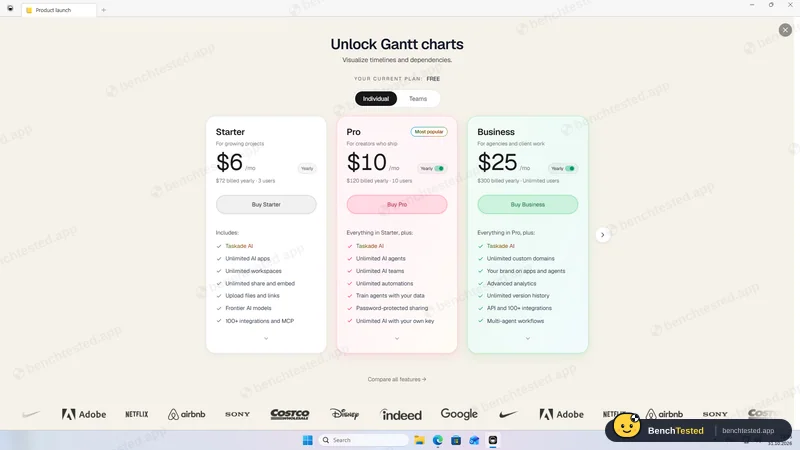
P2: Gantt is paid
- 13:41
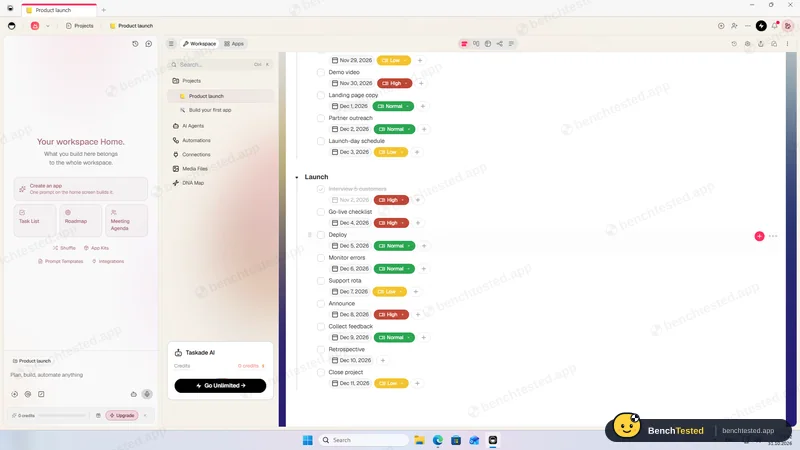
P3: automation fired
about 1 s
- 13:44
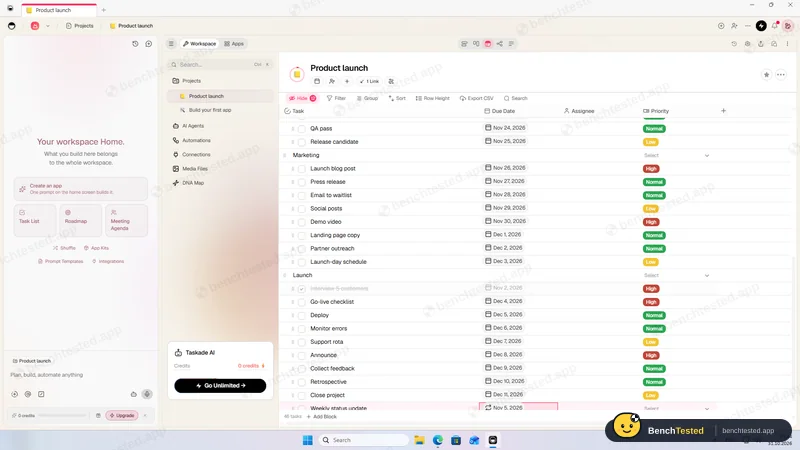
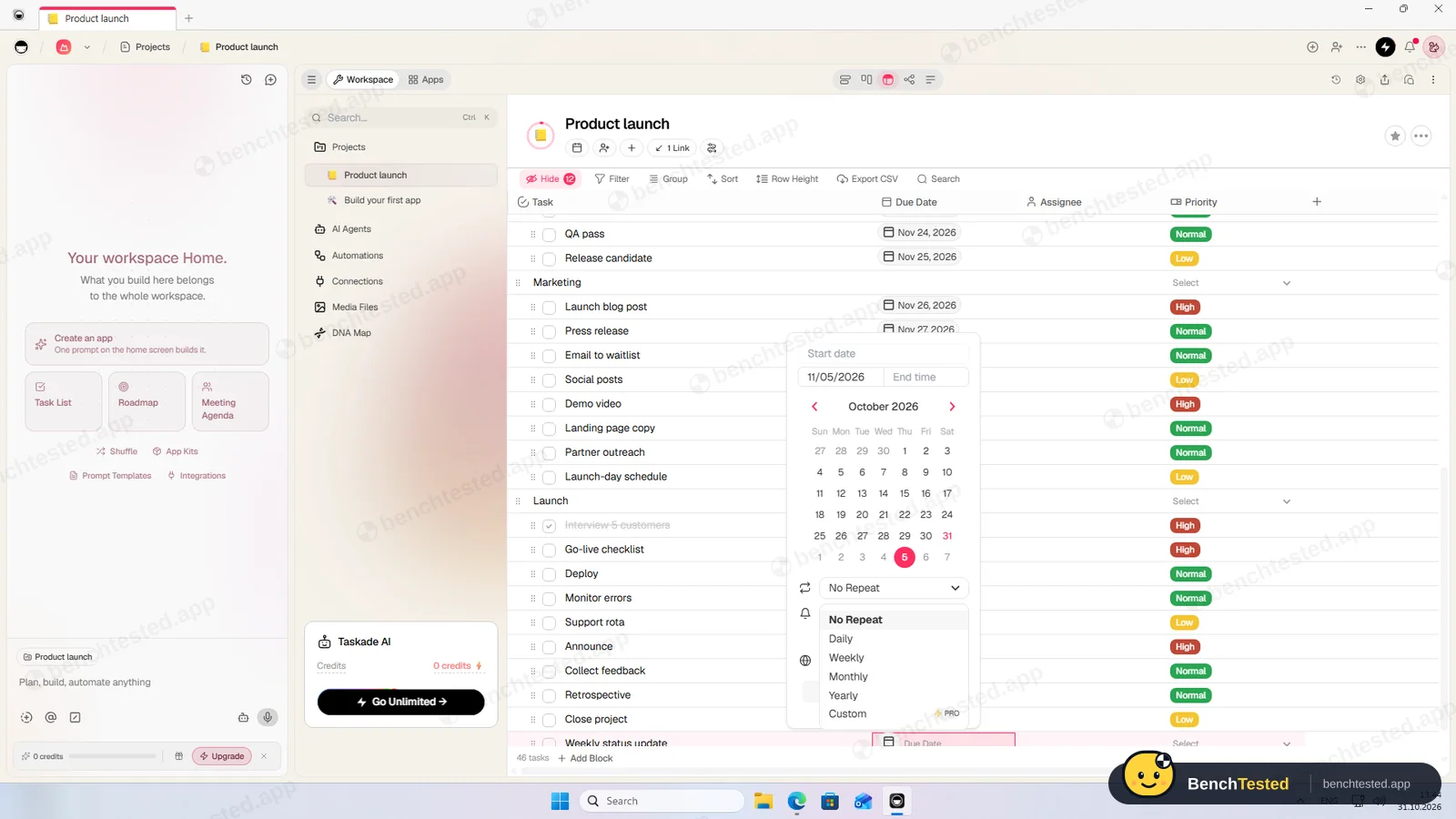
P3: weekly repeat
- 13:46
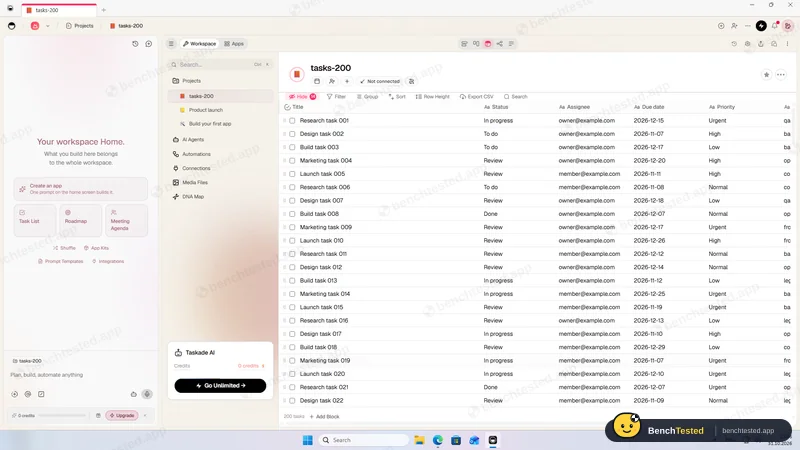
P4: 200 rows as text
- 13:47
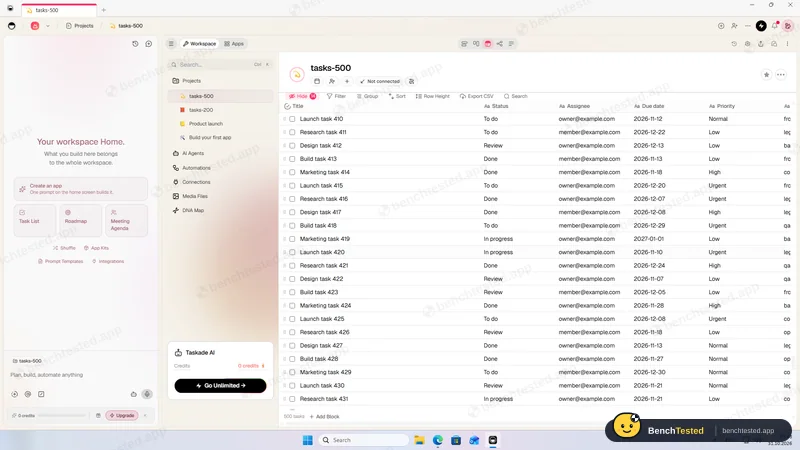
P5: 500 rows
about 1 s
- 13:49
Cold start; app froze until restarted
- 13:54
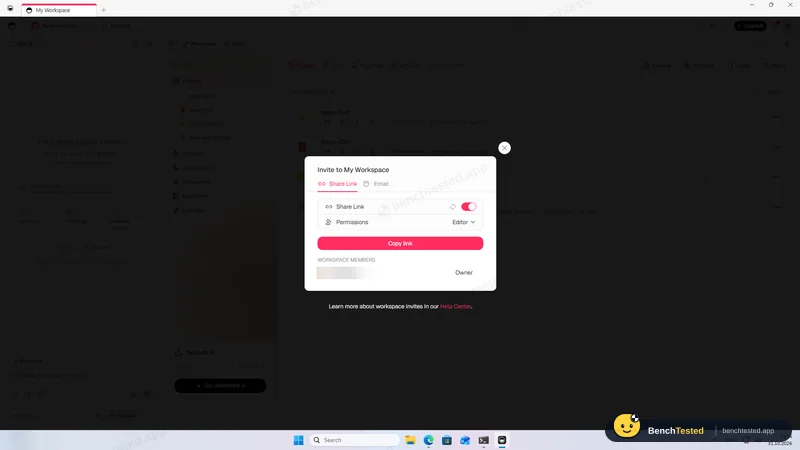
P6: share link on by default
- 13:57
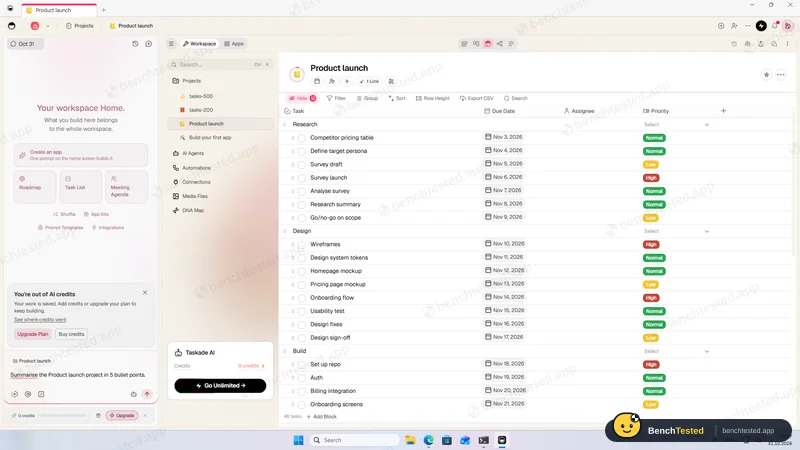
P7: no AI credits
- 13:58
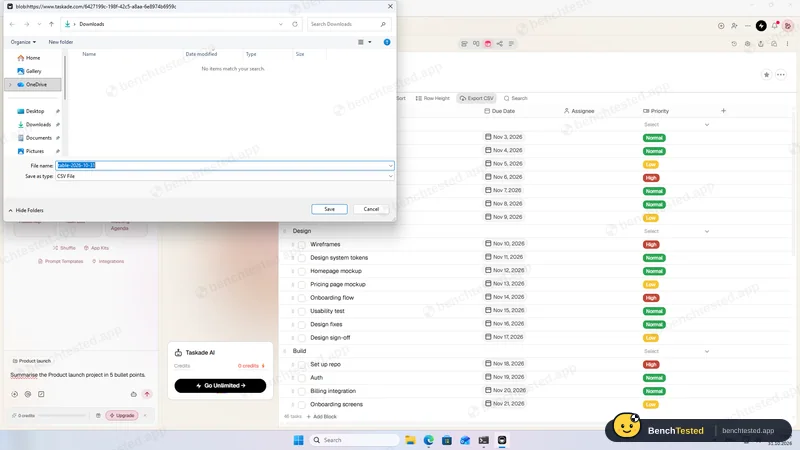
P8: export lost due dates
- 14:00
Uninstalled
275 MB and a startup entry left
-
P1 · Build a project
Build a 40-task product launch project from a written brief: five phase lists of eight tasks, each with a due date and priority.
Partial ≈ 15–20 min
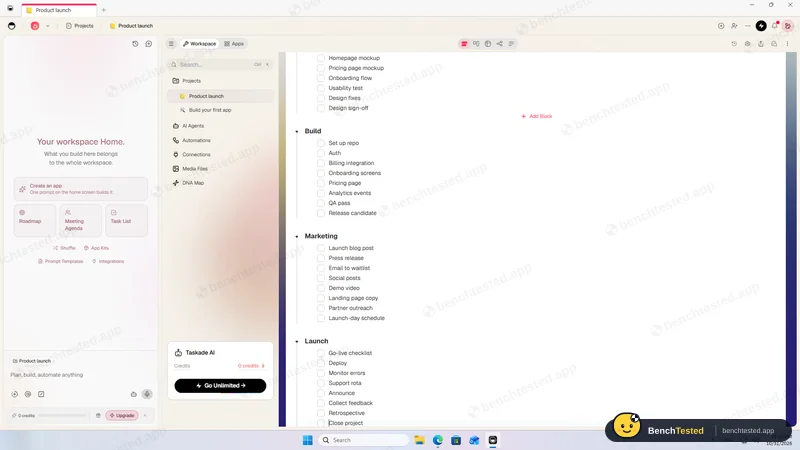
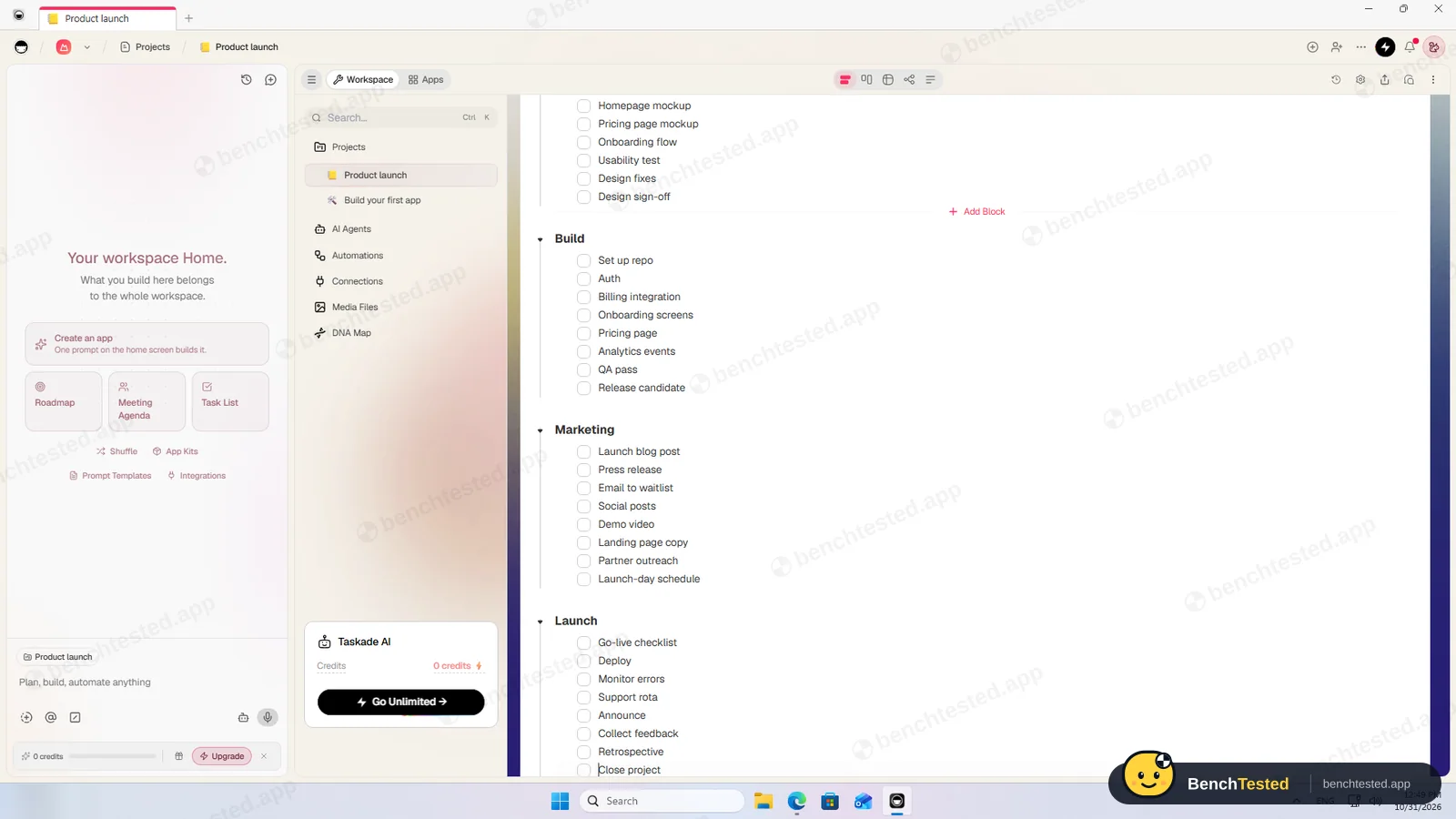
Pasting a Markdown checklist with phase headings created five phase blocks with eight tasks each. There is no priority field until you add one, and dates and priorities have to be set task by task in the table; a plain multi-line paste only makes untyped items.
-
P2 · Views
Show the project as a list, board, calendar and Gantt chart.
Partial ≈ 4 min
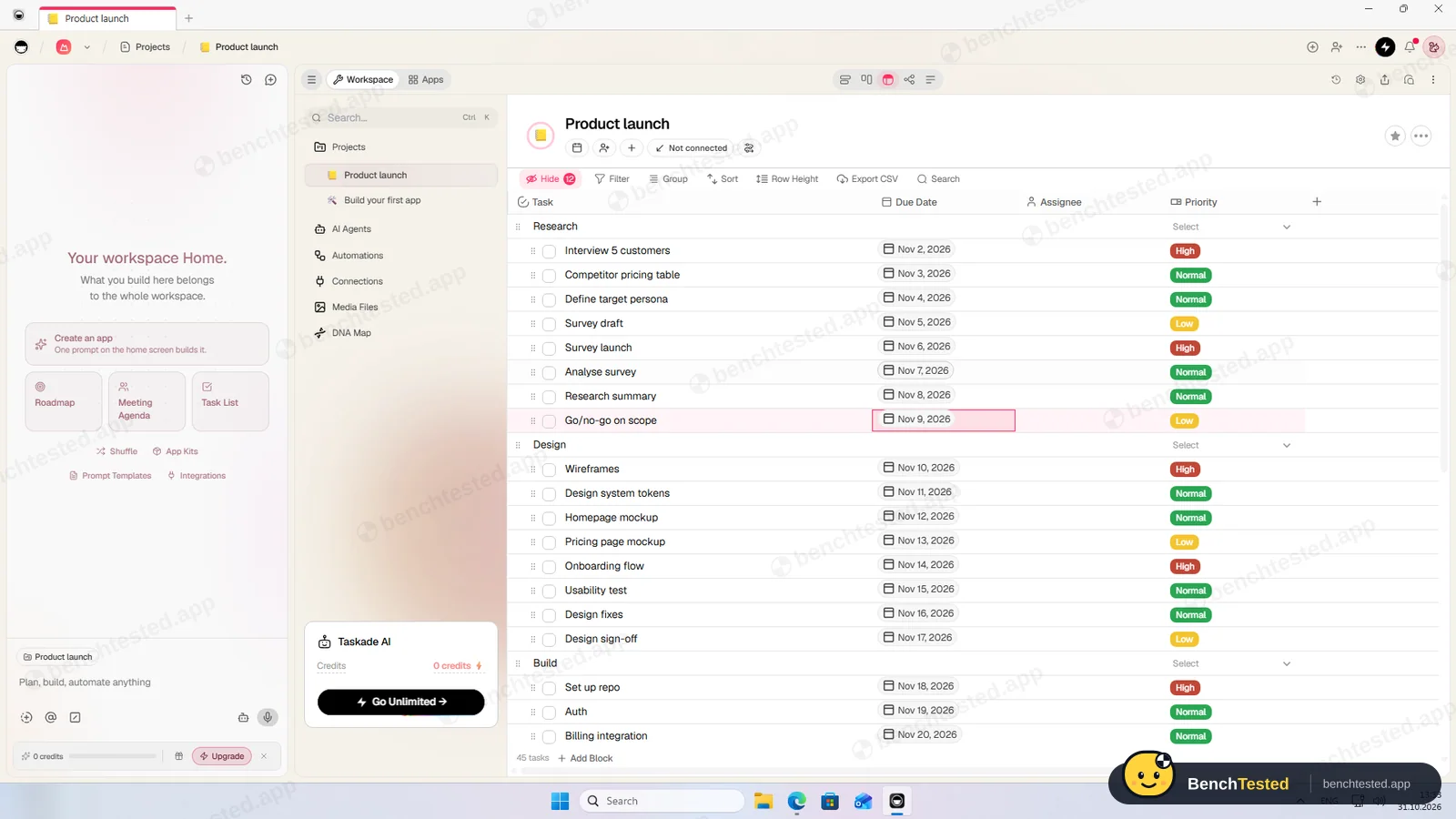
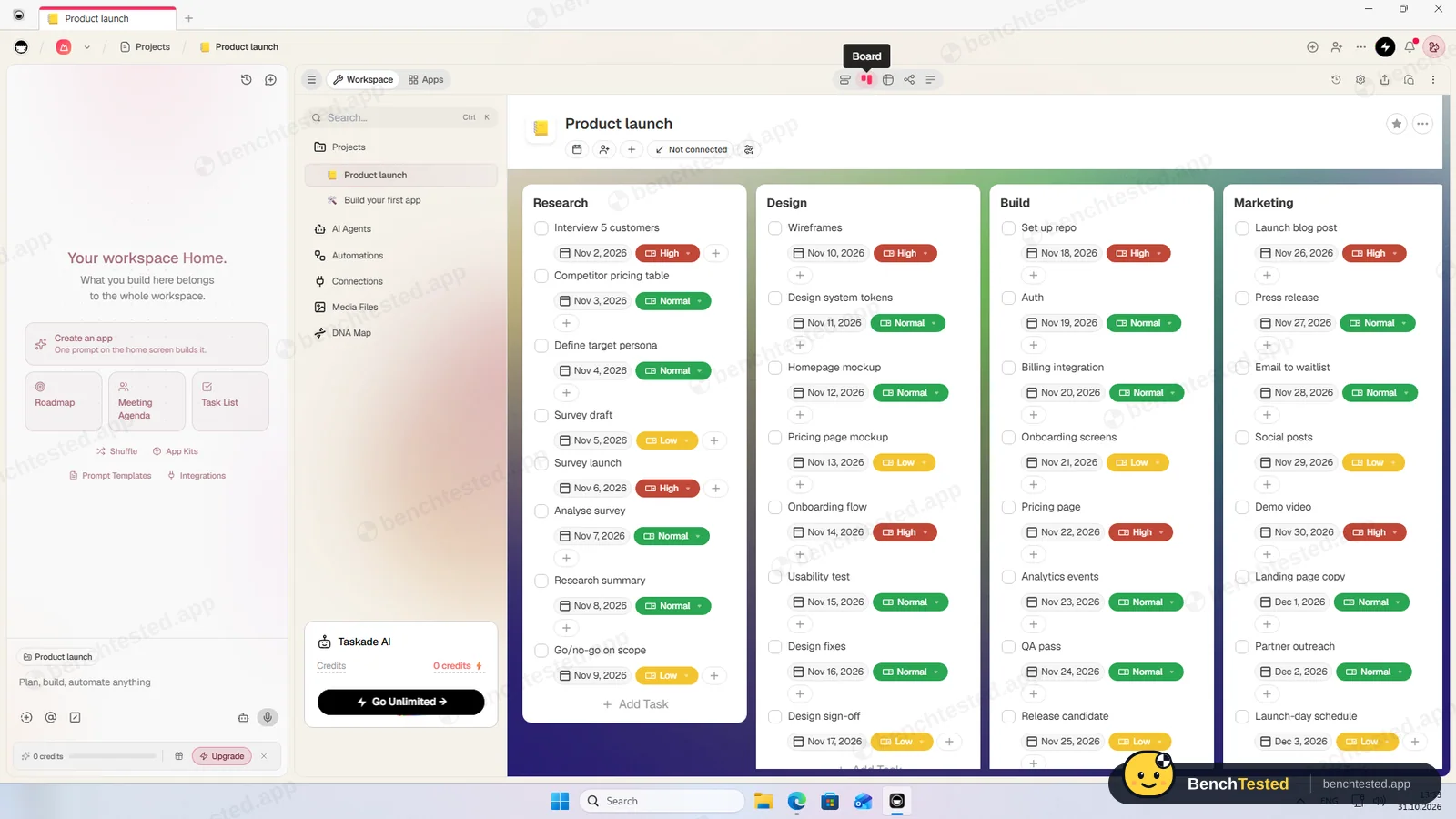
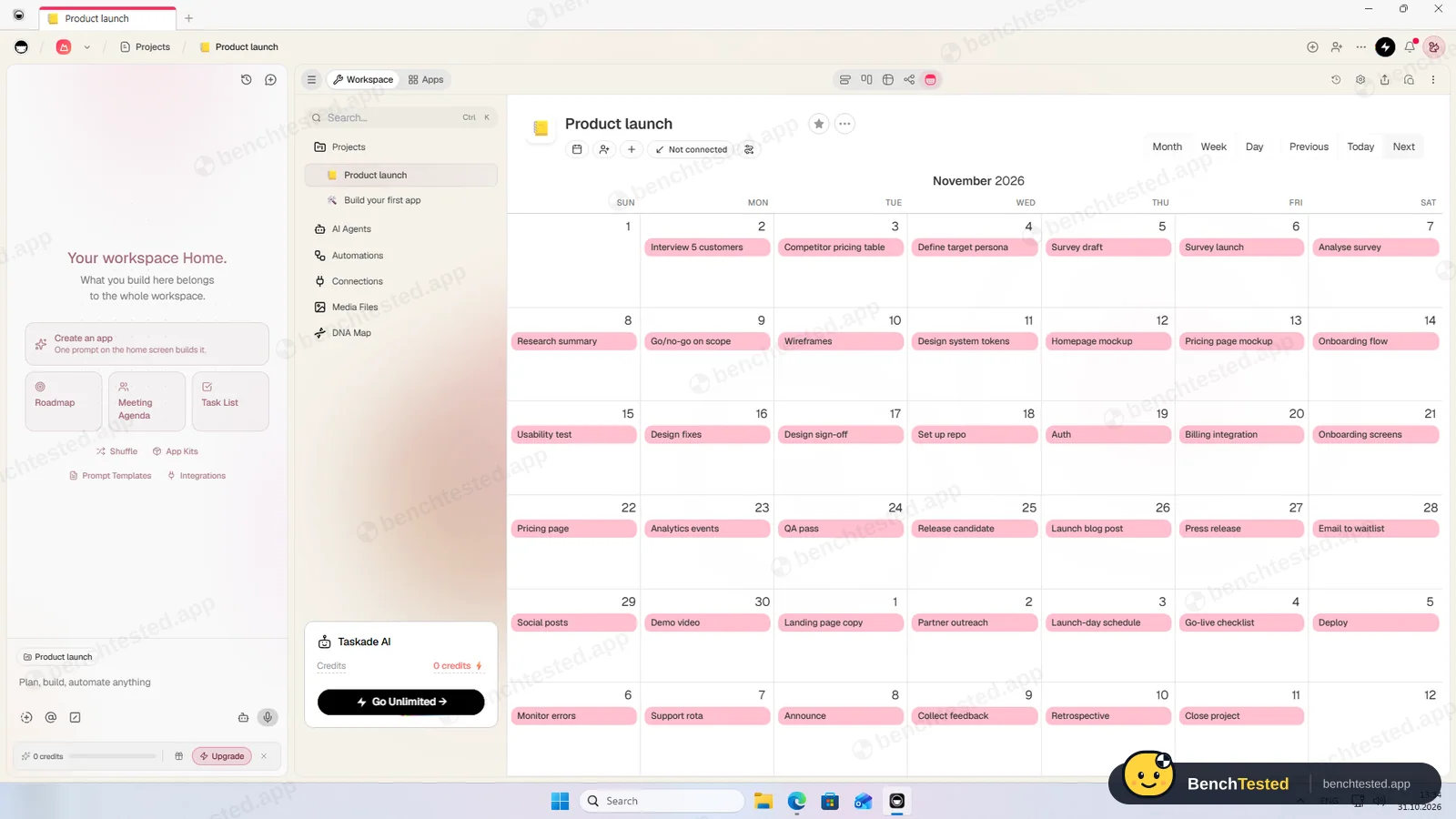
List, board, table, mind map and calendar all showed our tasks on the free plan. The Gantt chart asks you to upgrade, from the $6 Starter plan.
-
P3 · Rules
Set up a status automation, a dependency and a weekly recurring task.
Partial ≈ 10 min
Our automation moved a completed task to the Launch block within about a second, and a weekly repeat is part of the free due-date picker. Dependencies only exist in the paid Gantt view. The free plan includes 10 automation runs a month.
-
P4 · 200-row import
Import a 200-row CSV with statuses, assignees, dates, priorities, tags and special characters.
Partial ≈ 2 min
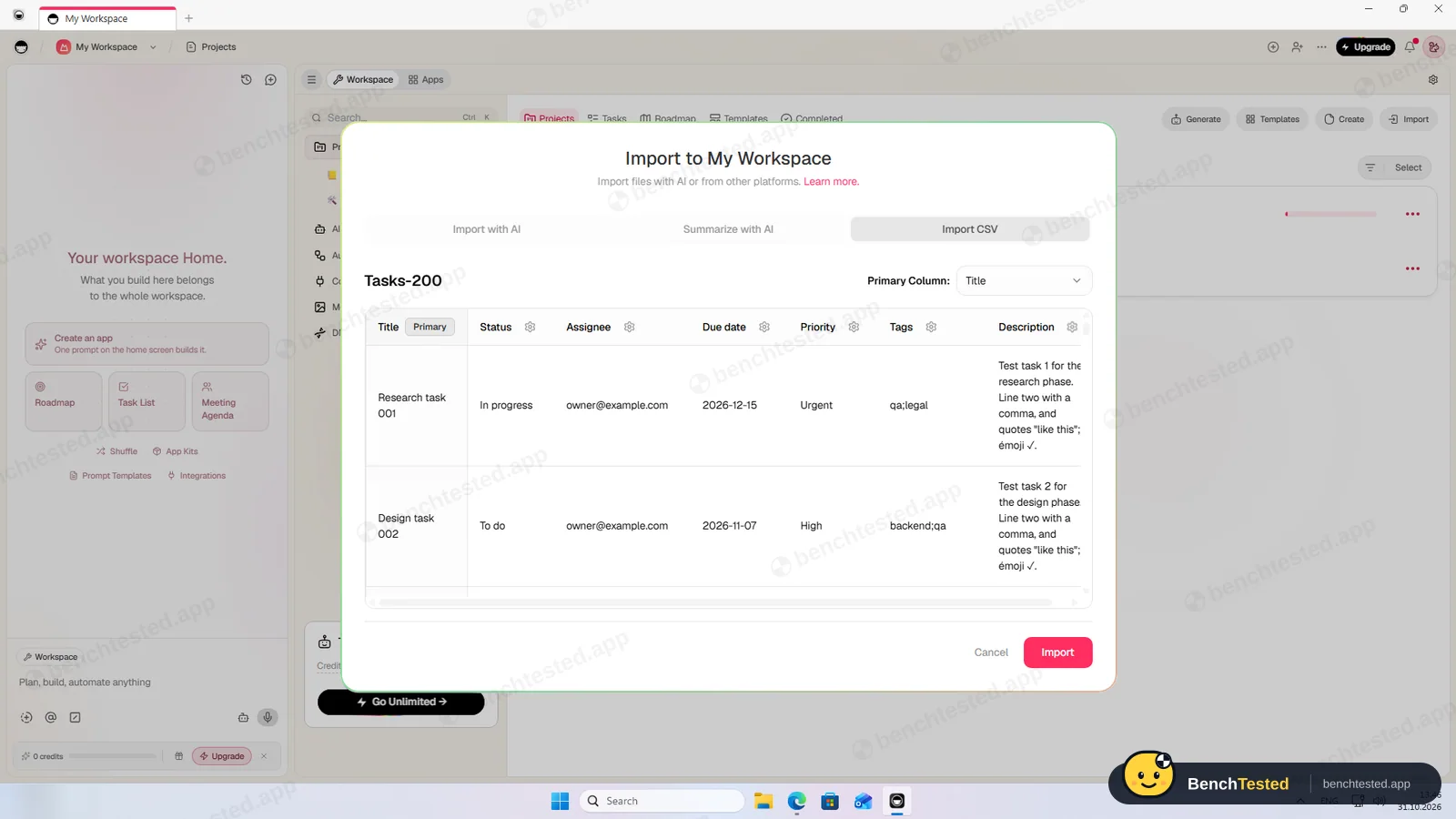
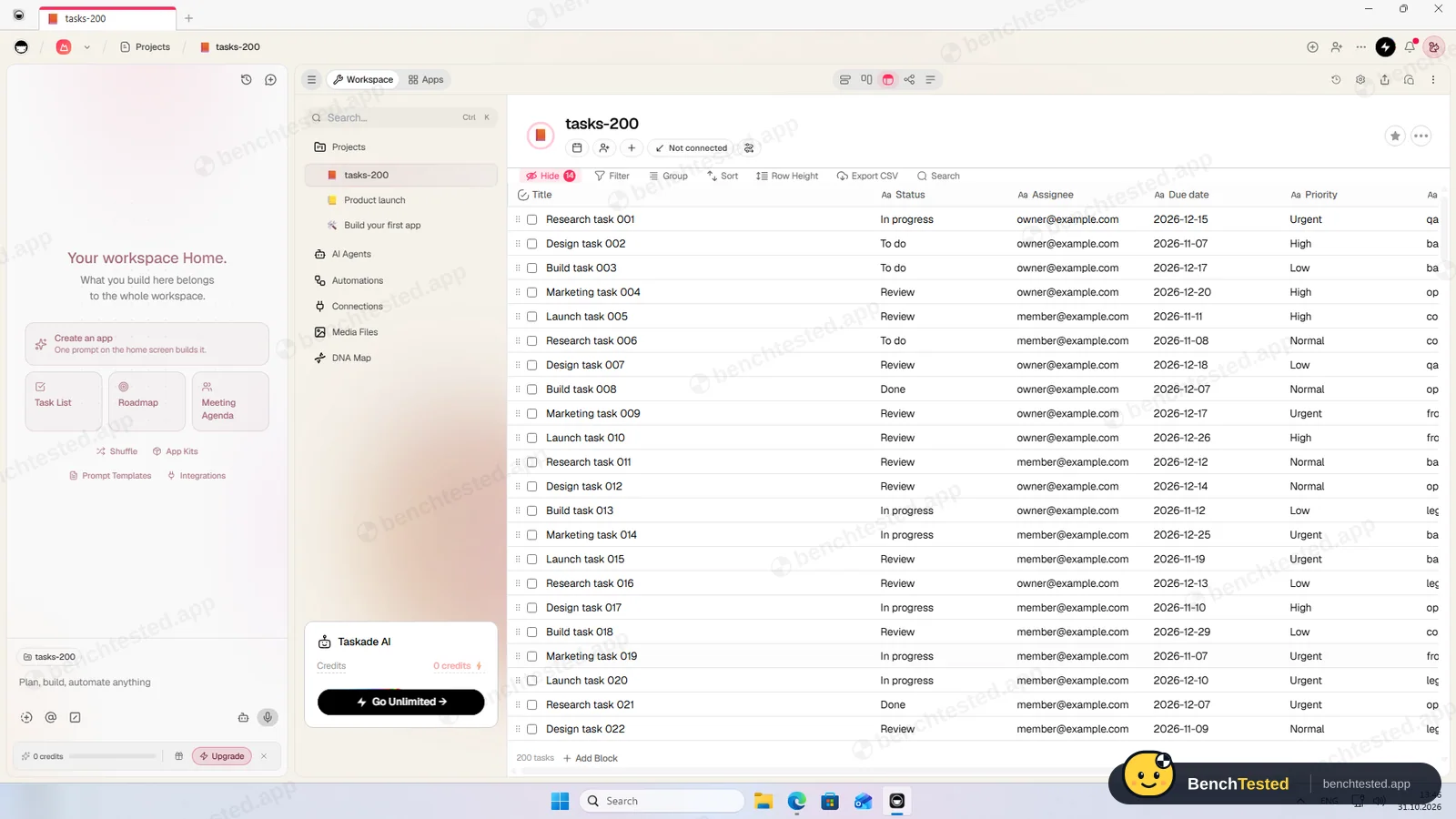
The CSV import showed all 7 columns and created a project with 200 rows in about 4 seconds. Every column became plain text: due dates are not dates, statuses are not states, and done rows were not ticked. The values themselves were intact.
-
P5 · Scale
Import 500 rows, then open and scroll a 500-task board.
Pass ≈ 2 min
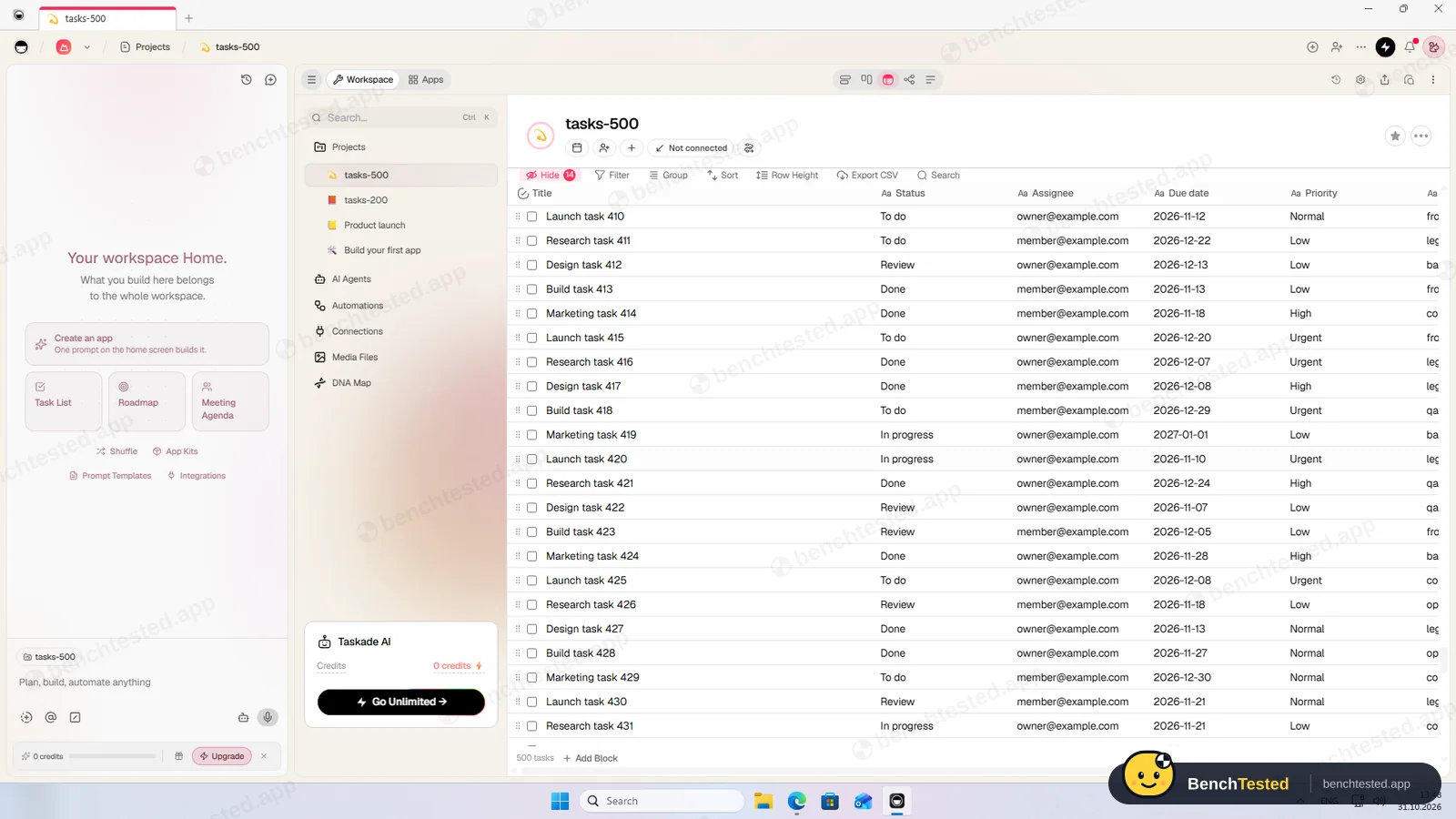
500 rows were in place about a second after Import, and the table scrolled without waiting. But the app used up to 2.4 GB of memory, the most in this category, and after a cold start the window stayed blank for at least 12 seconds.
-
P6 · Permissions
Invite a second user, check what they can see and change, then restrict them.
Partial ≈ 4 min
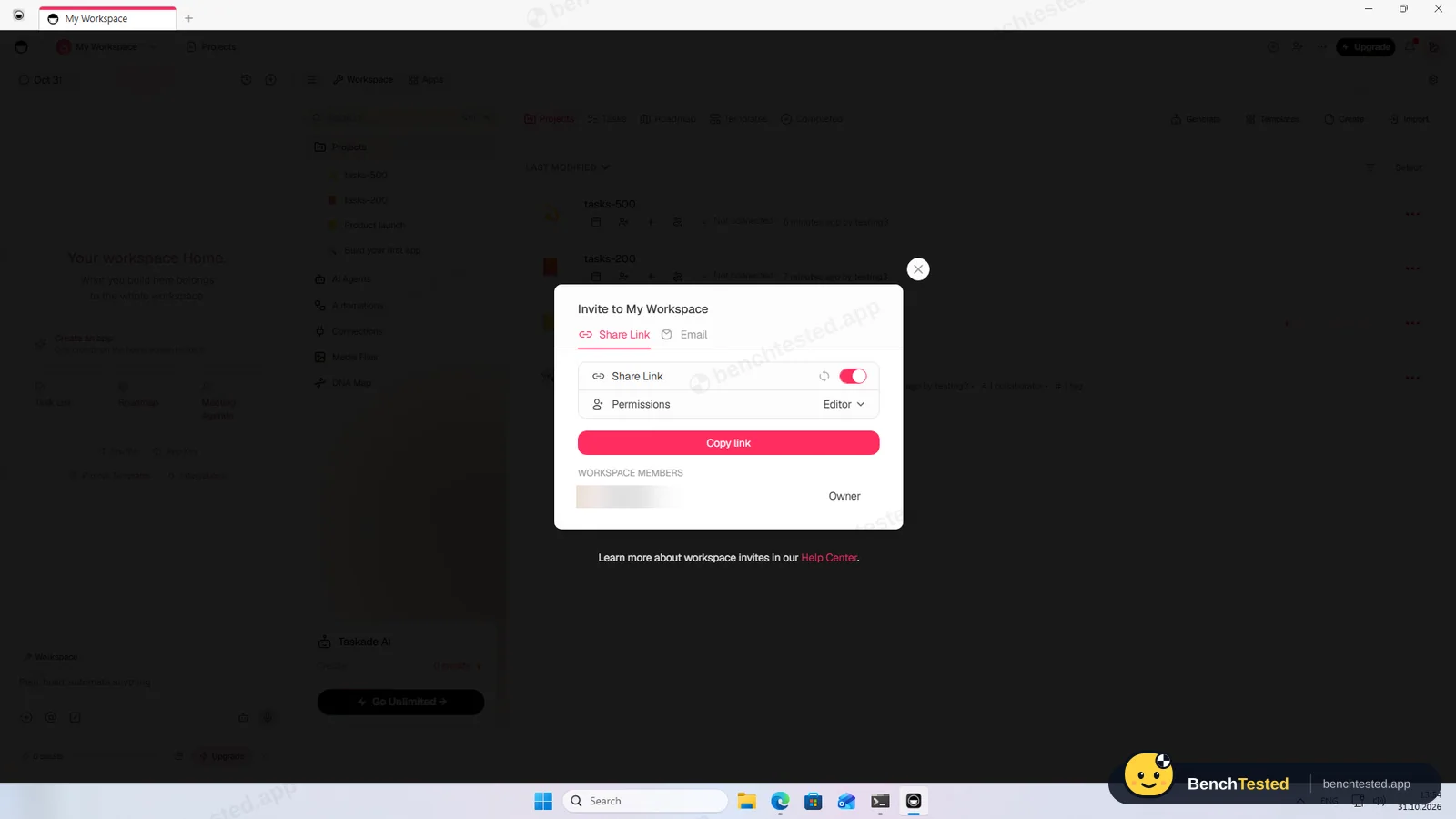
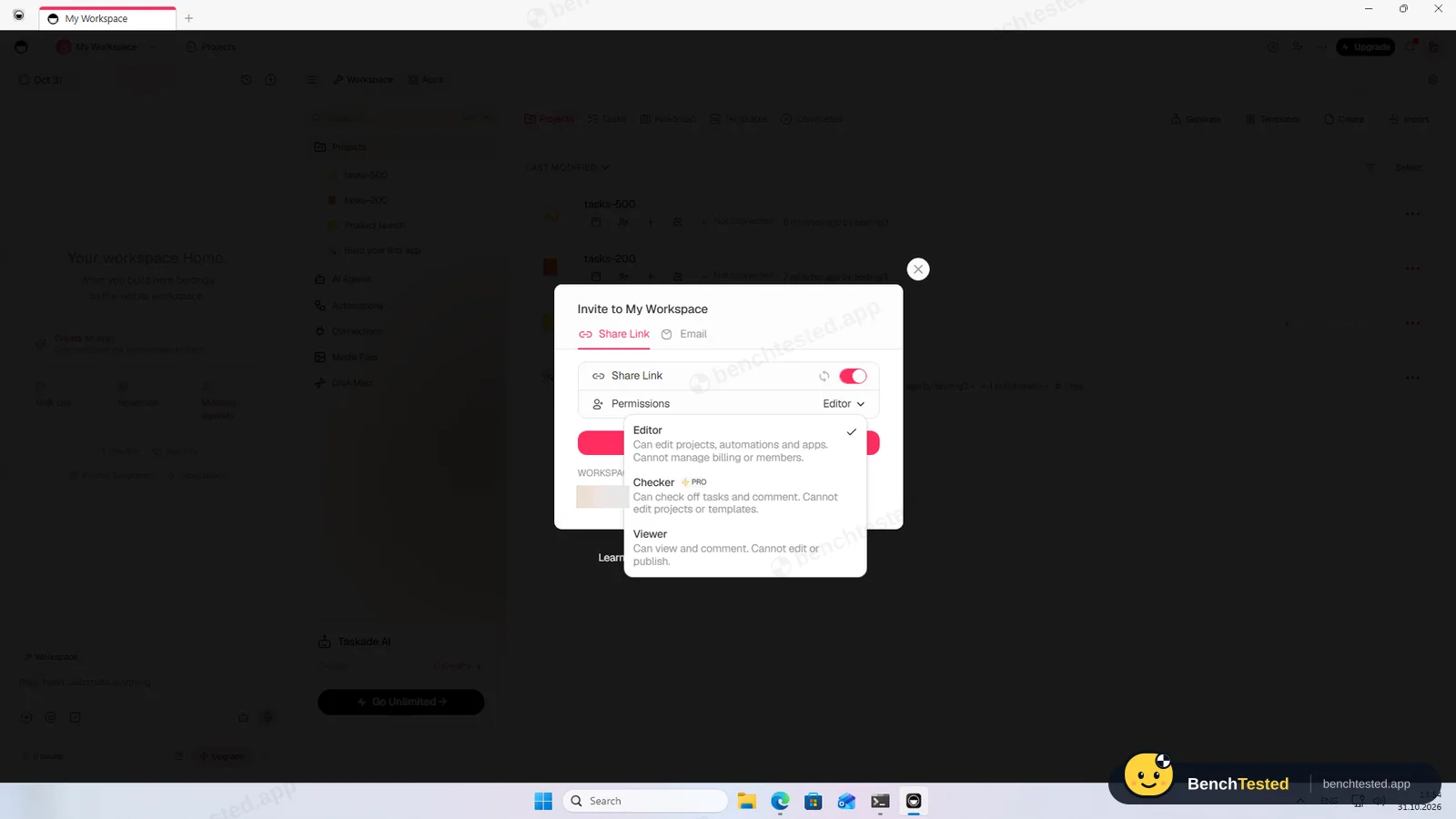
A workspace has Editor and Viewer roles, plus Checker on paid plans, and an editor share link is on by default. The free plan allows two people. We invited our second address and cancelled the invitation. We did not test the second user's view.
-
P7 · AI
Ask the built-in AI to summarise the project, write subtasks for one task and say what is overdue.
Fail –
Our first question got “You're out of AI credits”. The free plan has no monthly AI credits; you earn them through referrals or buy a plan.
-
P8 · Leave
Export everything to CSV, delete the workspace and uninstall the app.
Partial ≈ 5 min
The table's Export CSV gave our imported 200 rows back with every value, but in a different order. Exporting our main project lost every due date and shuffled the rows. Uninstalling left about 275 MB, a broken startup entry, a protocol handler and two firewall rules.
How we tested Taskade
Taskade is the eleventh app in our project-management category and ran the same eight-step script as the others: build a 40-task project from a written brief, show it in four views, set up rules, import 200 and then 500 rows from a CSV file, invite a second user, use the built-in AI, export everything and leave.
We installed Taskade's Windows desktop app on a clean Windows 11 virtual machine and used the free plan. Everything was done on October 31, 2026.
Installation and setup
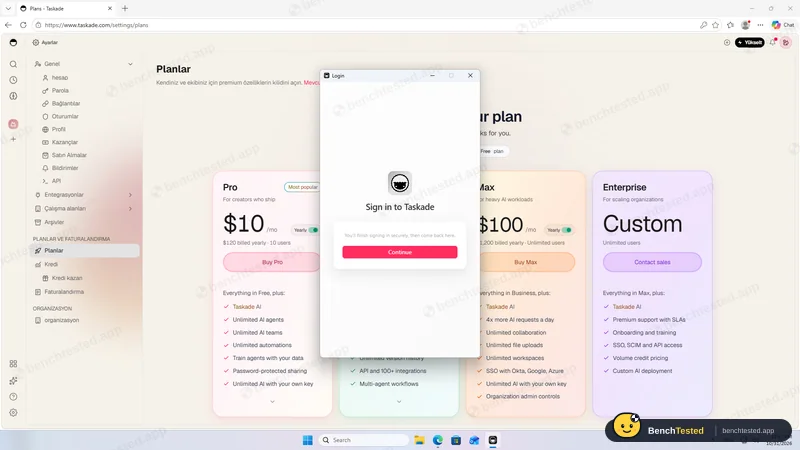
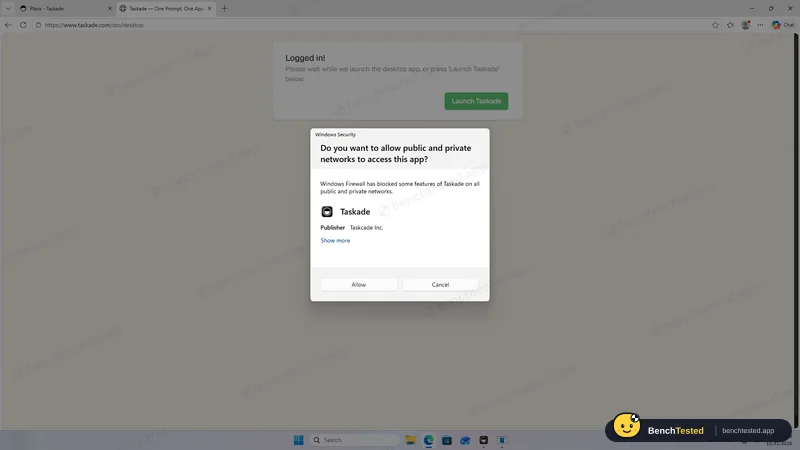
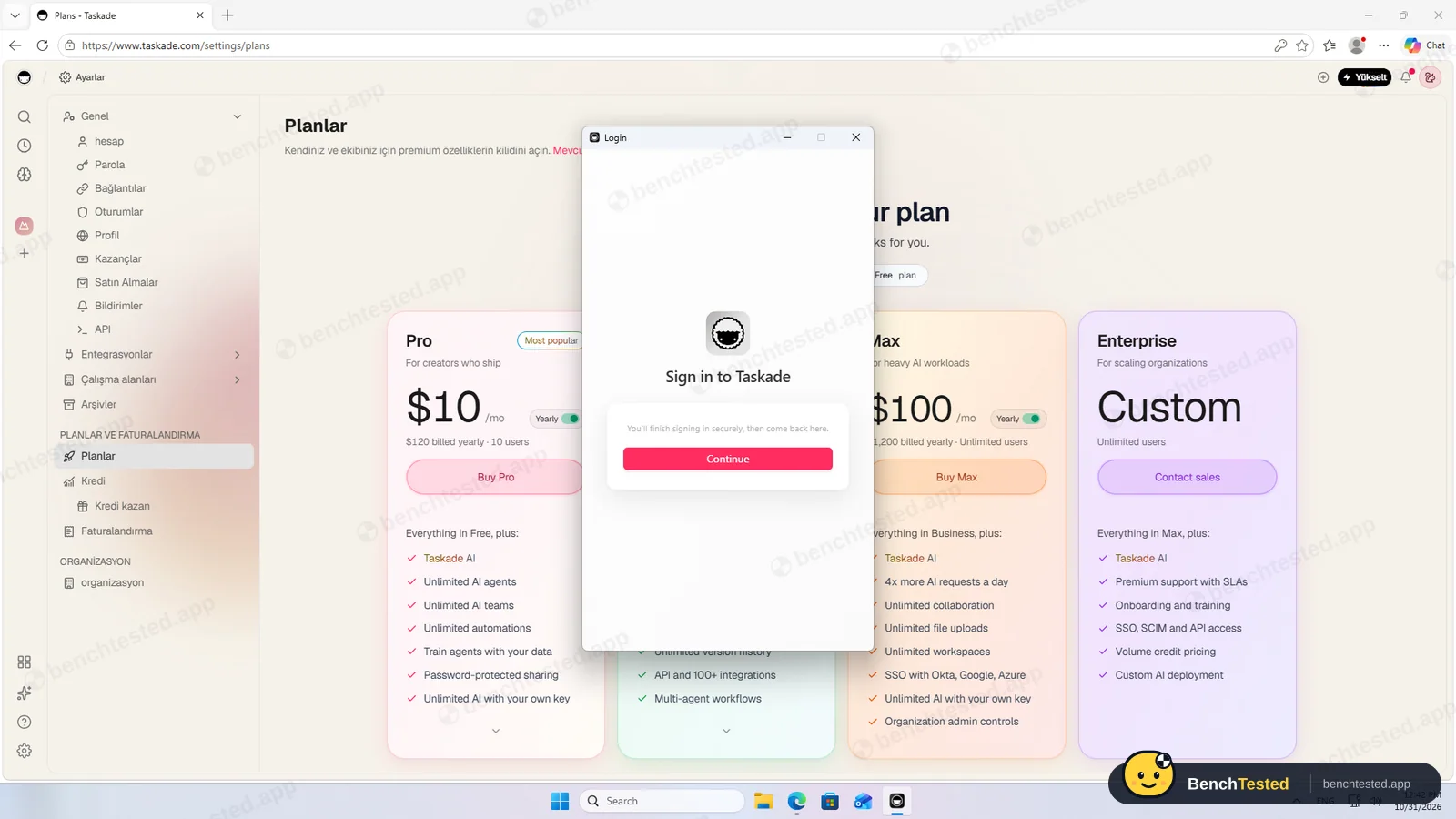
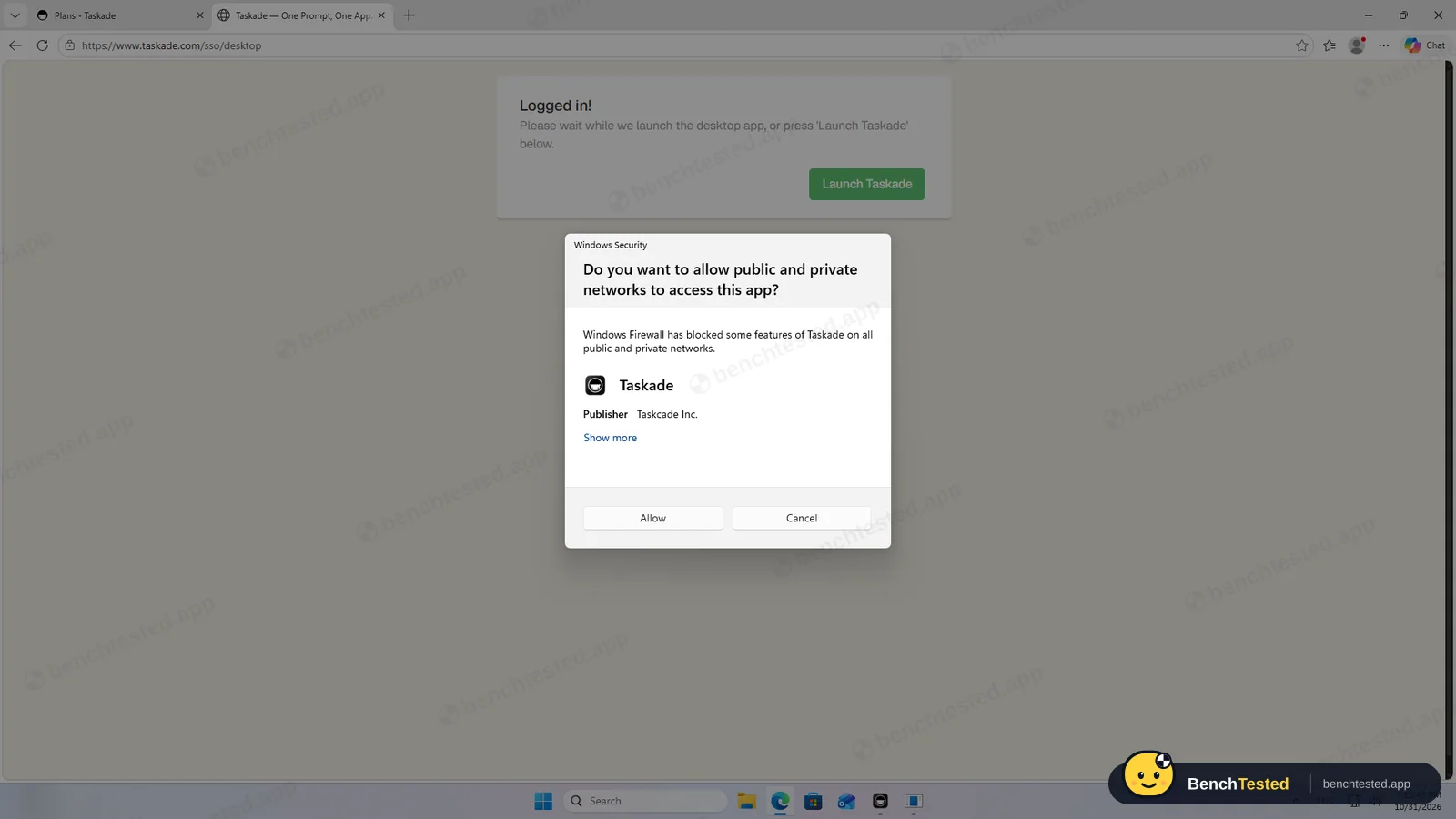
The 218 MB installer is signed by Taskcade Inc. and installed silently for the current user, with no options or admin prompt. It added itself to Windows startup without asking, and on first launch Windows Firewall asked whether it may accept network connections; we declined. The app signs in by sending you to the browser and back.
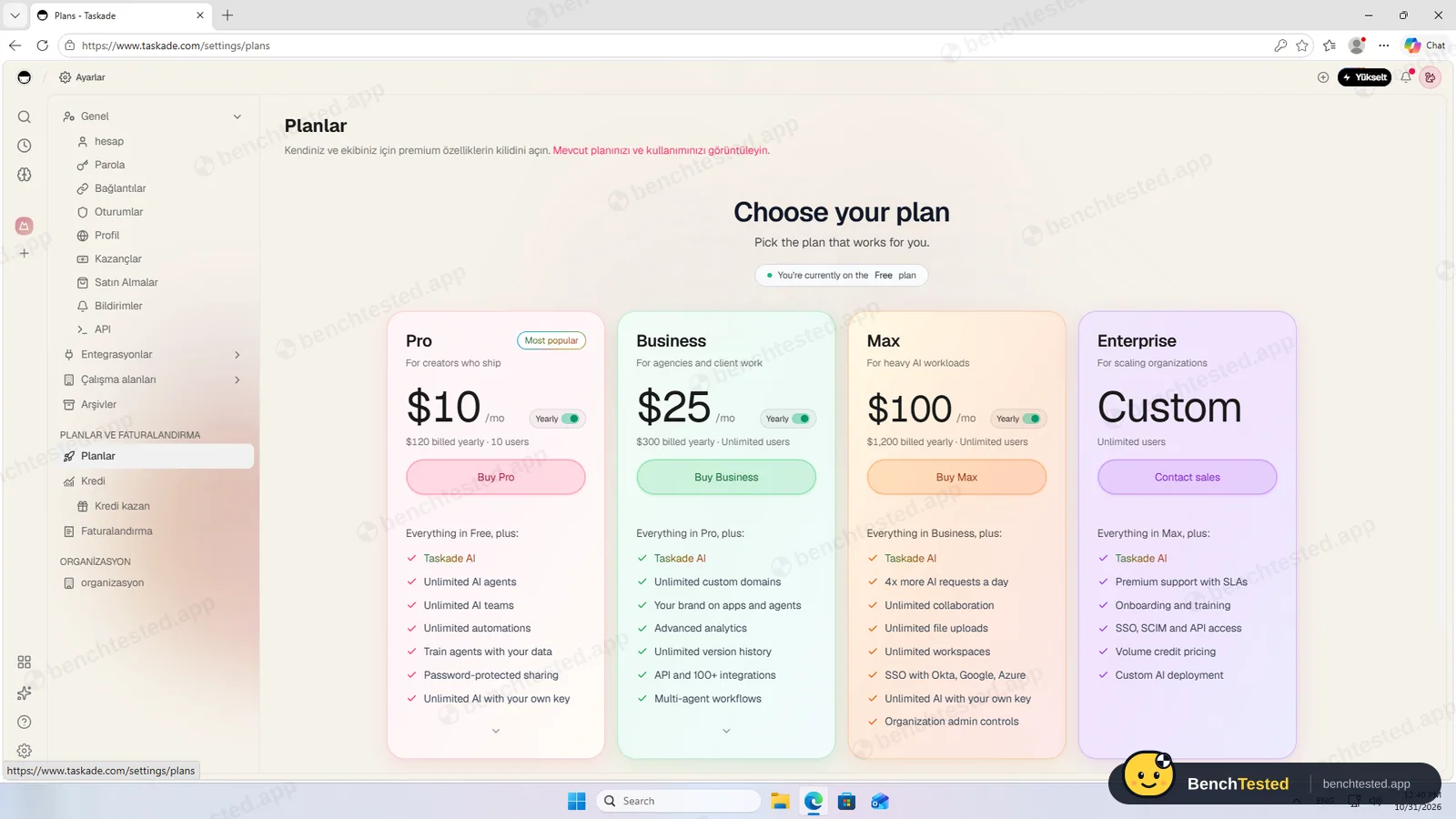
The web sign-up page opened in Turkish even though our test PC is set to English, apparently based on location; the language setting fixed it. A new free account has 0 AI credits.
Building the project
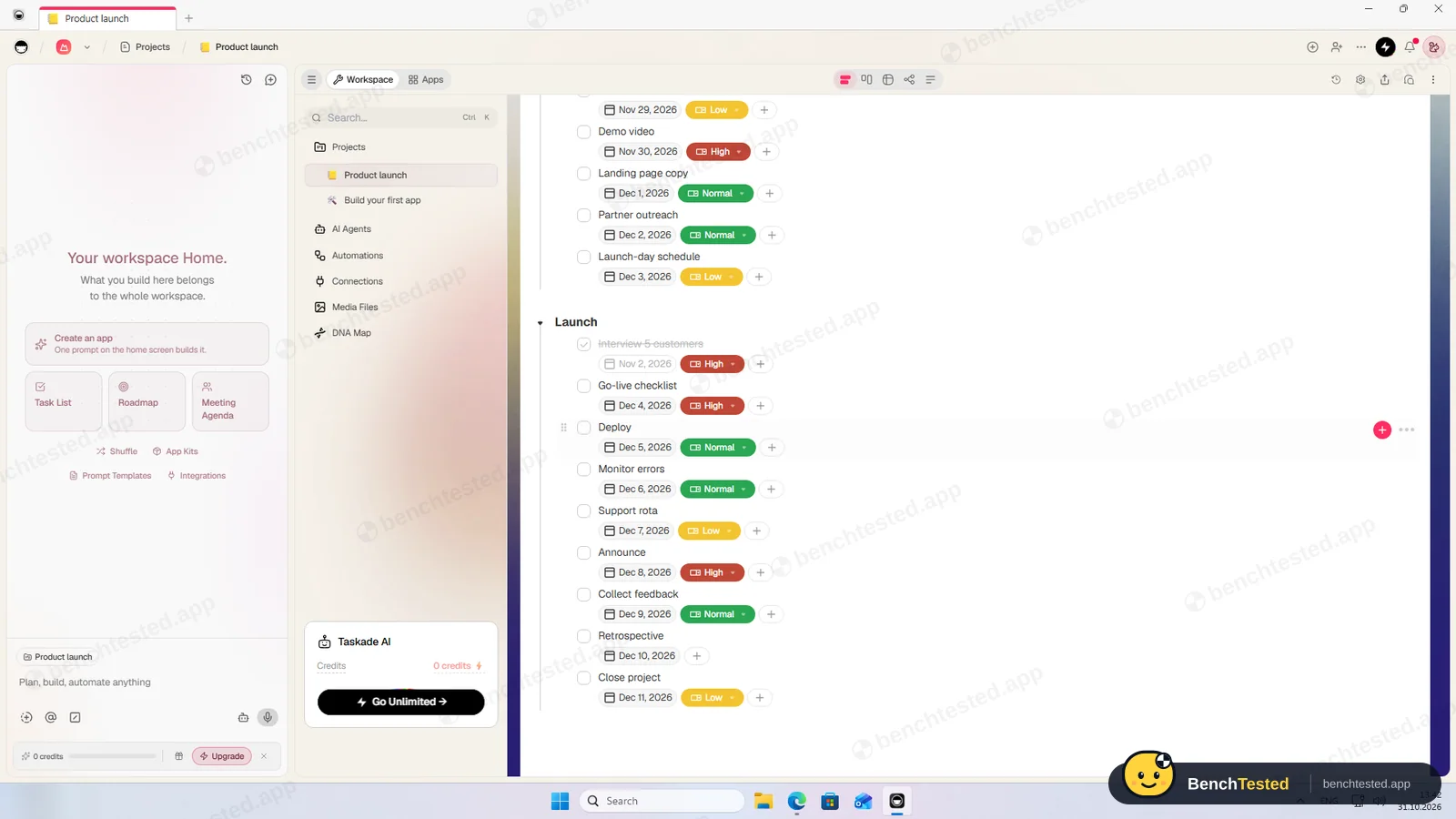
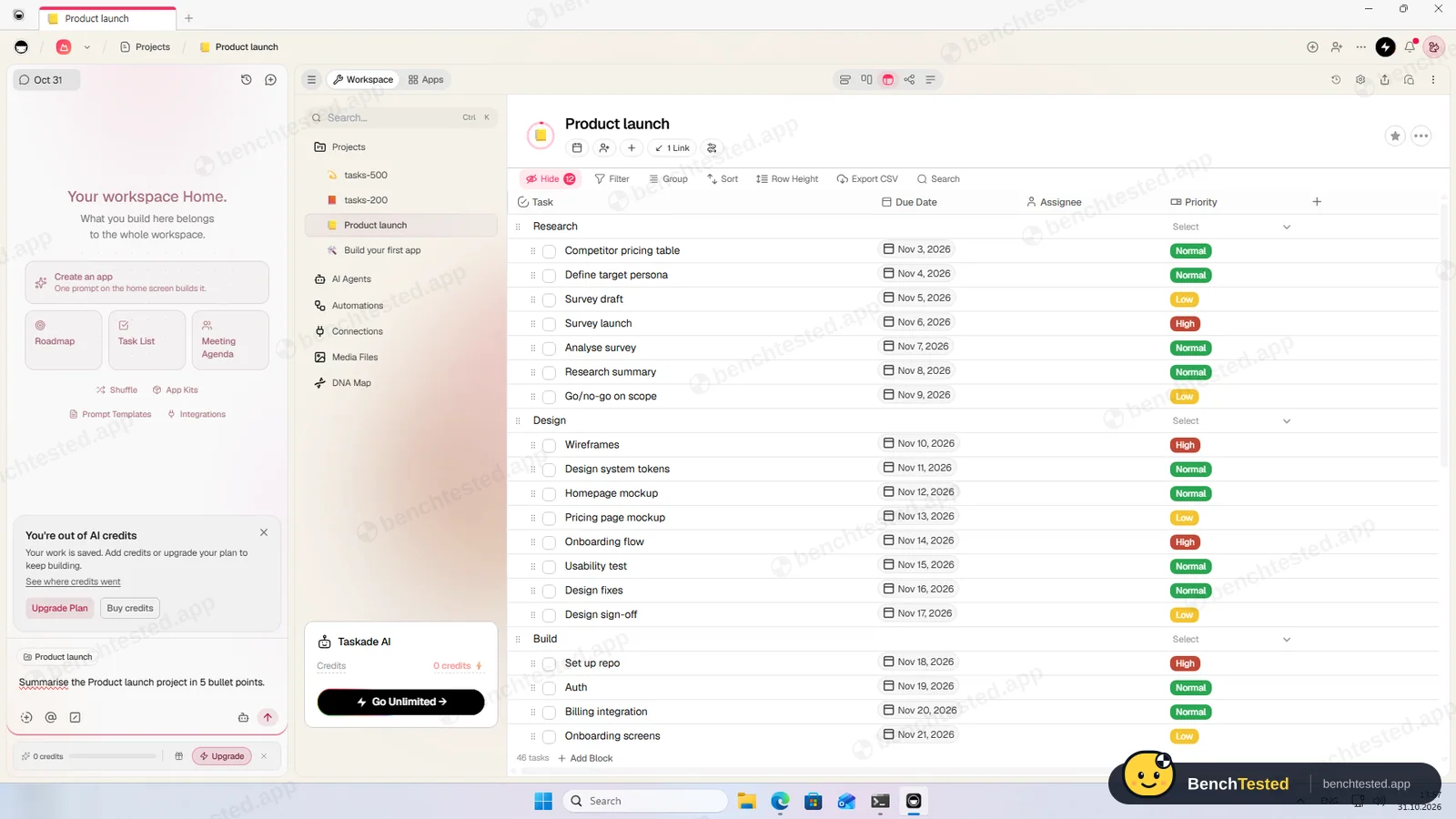
Pasting eight plain lines made eight items, but without any structure. Pasting a Markdown checklist with phase headings did better: five phase blocks with eight tasks each, in one step.
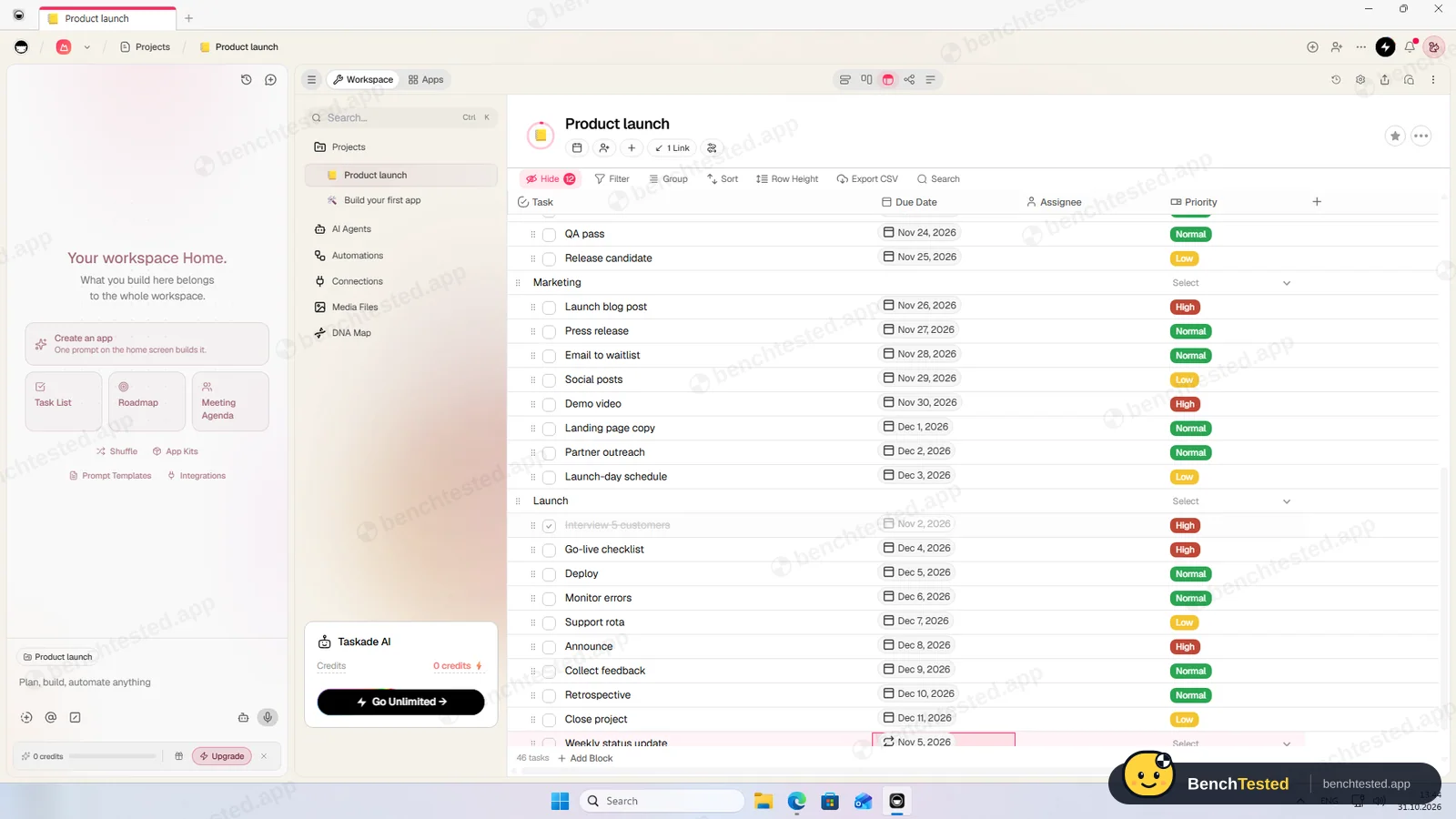
There is no priority field until you add one, so we created a Priority select field. Due dates and priorities then had to be set task by task in the table; the date picker accepts typed dates, and weekends stayed as entered. By hand that is 15 to 20 minutes for 40 tasks.
Views and rules
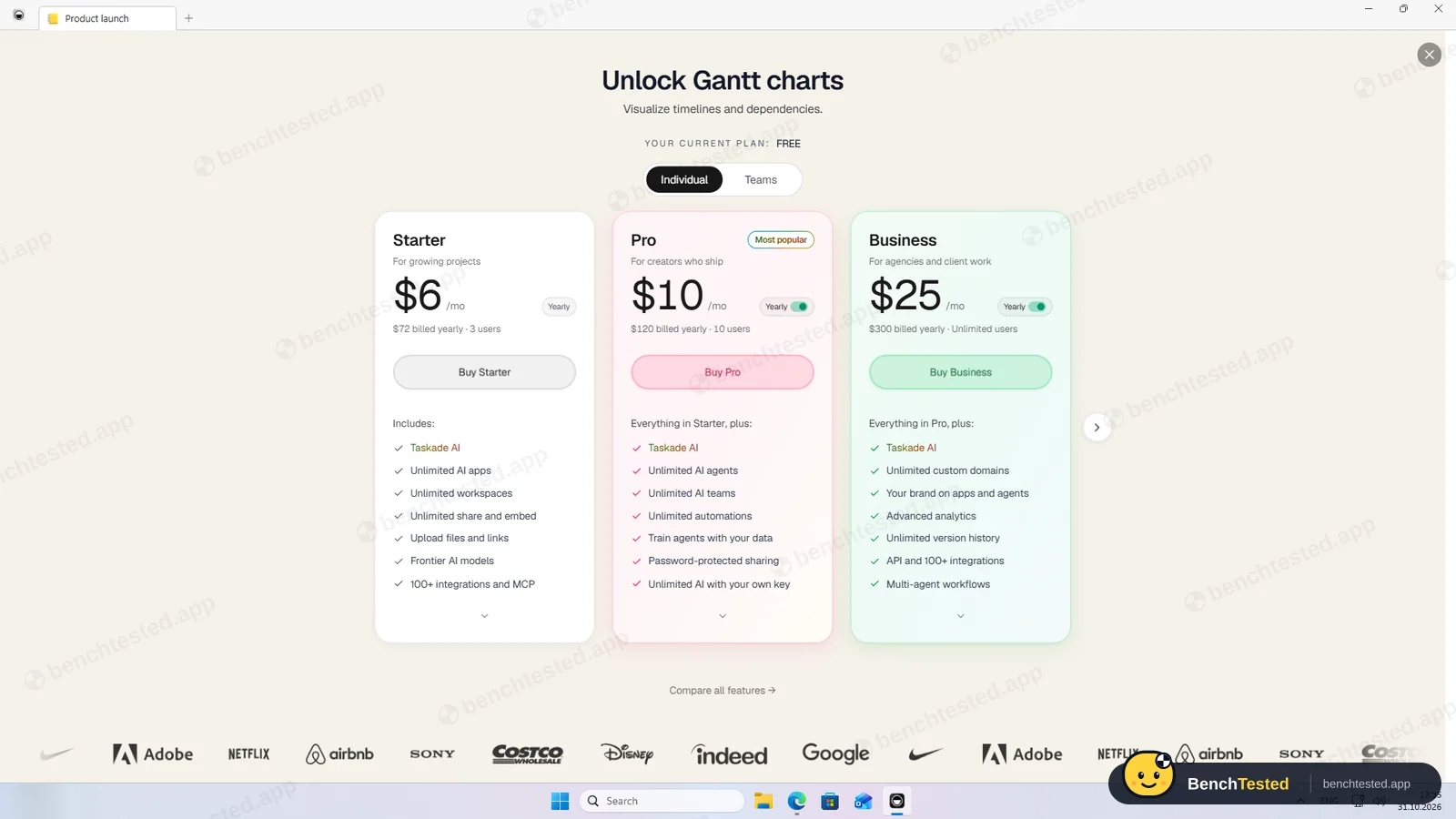
List, board, table, mind map and calendar all showed our tasks on the free plan. The Gantt chart, which is also where dependencies live, asks you to upgrade, starting with the $6 Starter plan.
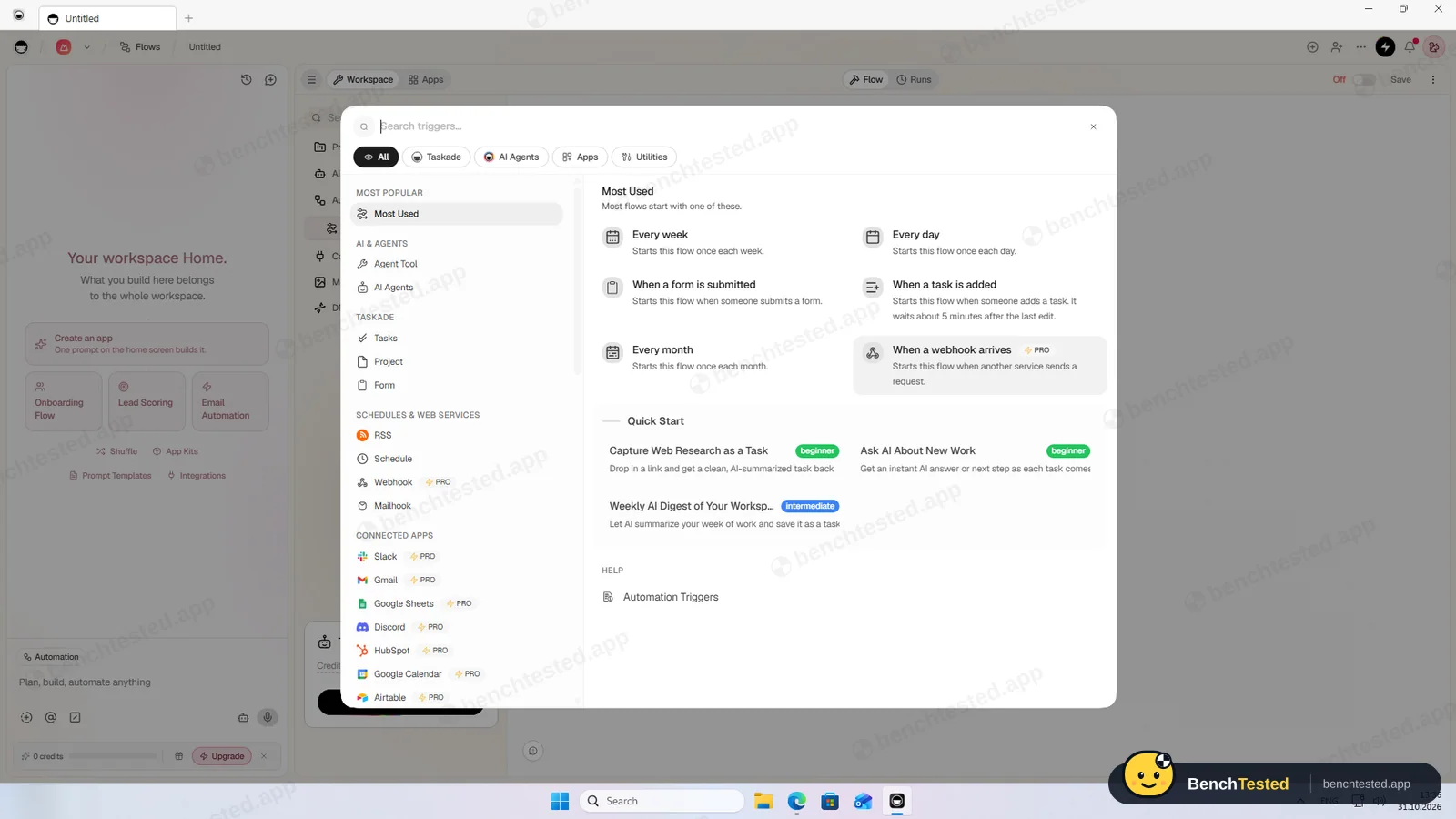
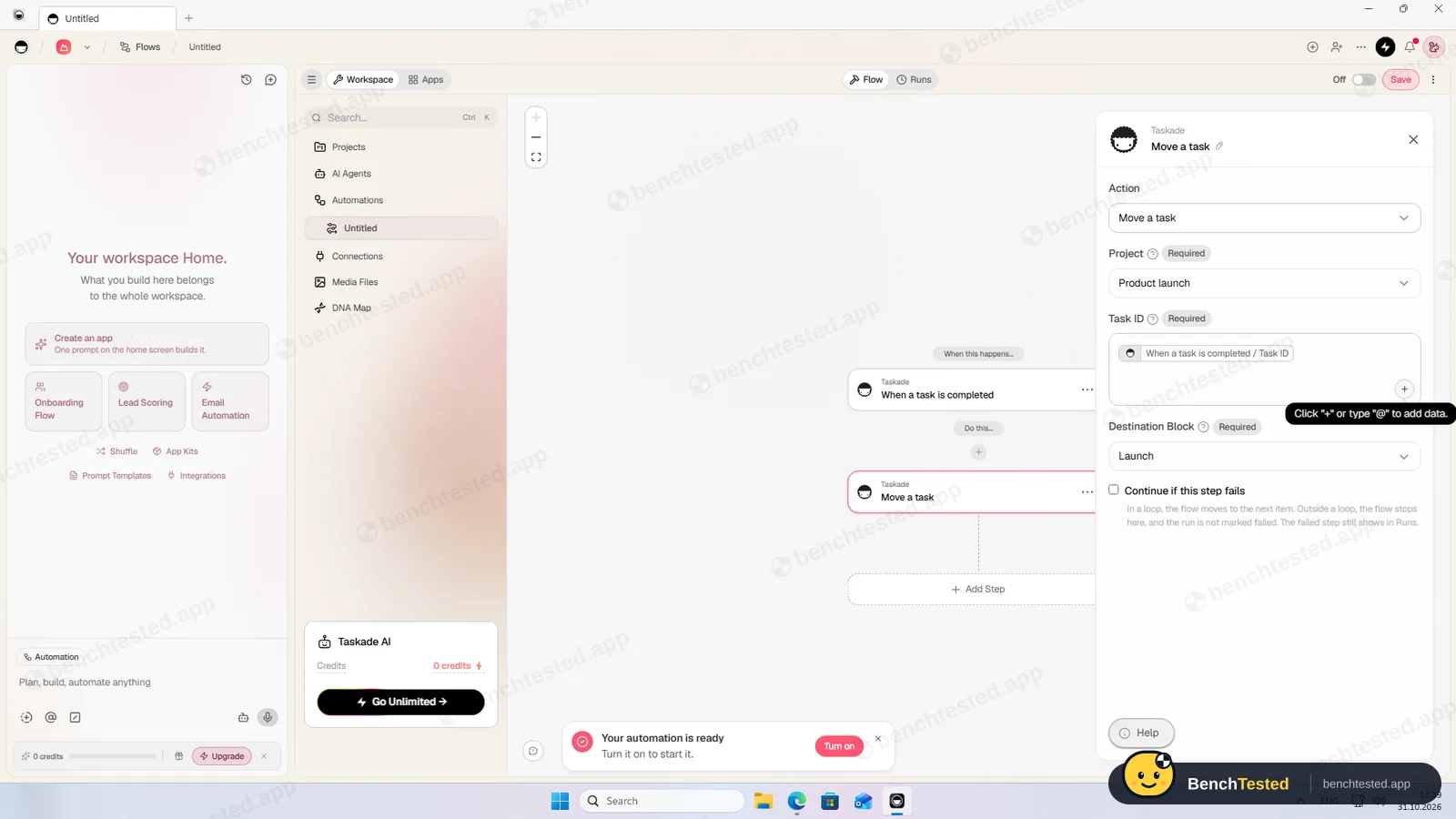
Our automation, “when a task is completed, move it to the Launch block”, worked within about a second. Any due date can repeat daily, weekly, monthly or yearly on the free plan, and our weekly task saved with a repeat icon. The free plan includes 10 automation runs a month.
Importing 200 and 500 rows
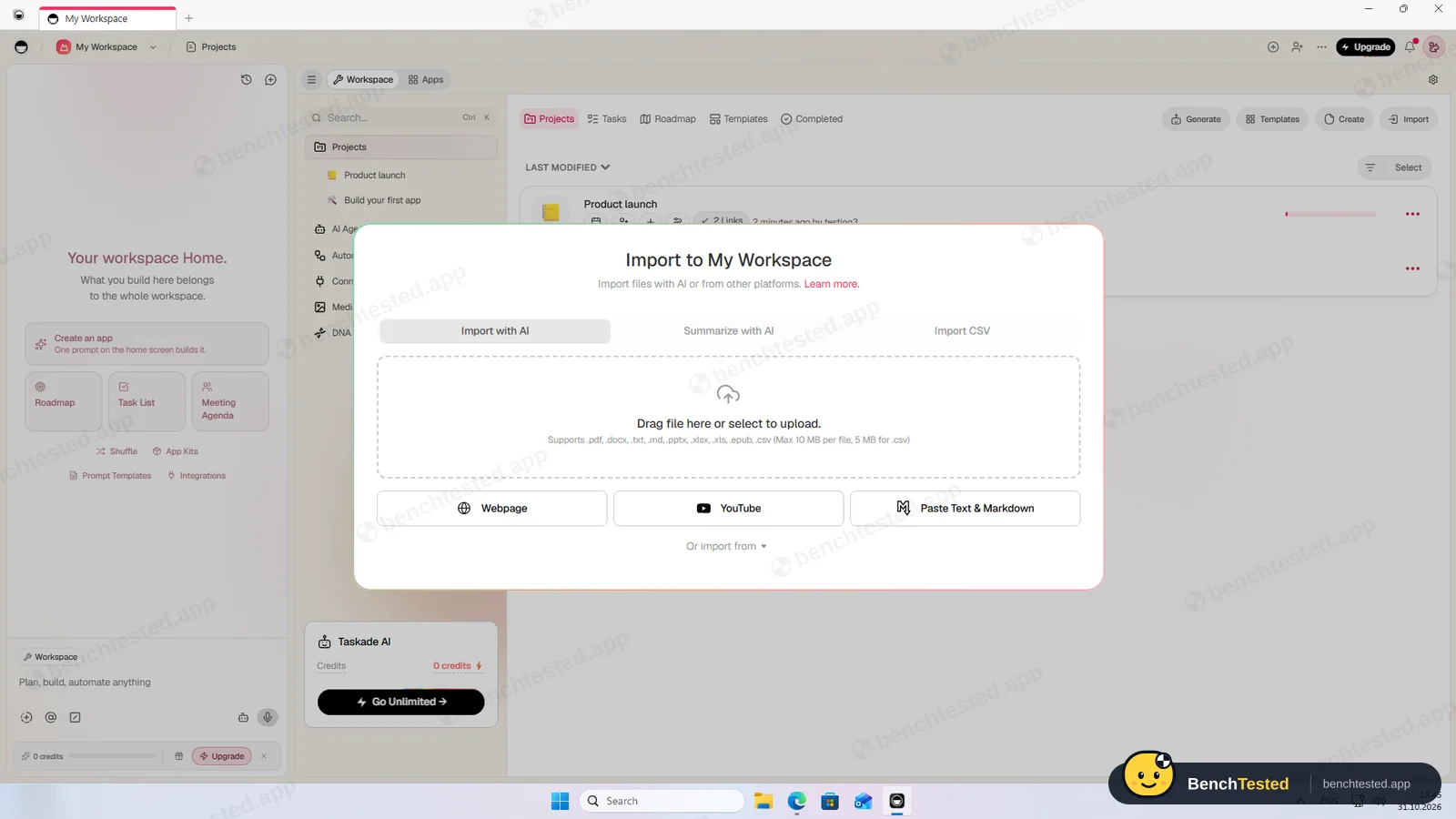
Taskade's CSV import showed all 7 columns and created a new project with 200 rows in about 4 seconds. Every column, though, became a plain text field: dates do not appear on the calendar, statuses are just words, and the done rows were not ticked. The values themselves were intact.
The 500-row file was in place about a second after we clicked Import.
Speed and memory
The 500-row table scrolled without waiting, but Taskade used up to 2.4 GB of memory with it open, the most in this category. From a cold start the window appeared in 3 seconds and stayed blank for at least 12; afterwards the app ignored our clicks until we restarted it.
Sharing and permissions
A workspace has Editor and Viewer roles, with Checker (tick off tasks and comment) on paid plans. An editor share link is switched on by default, and the free plan allows two people. Taskade offers 750 AI credits when an invite brings someone new. We invited our second address and cancelled the invitation; we did not test the second user's view.
Taskade's AI
Taskade is built around AI agents and app-building prompts, but a new free account has no AI credits. Our first question was answered with “You're out of AI credits”, so we could not test the AI at all. Credits come with paid plans, referrals or a purchase.
Leaving Taskade
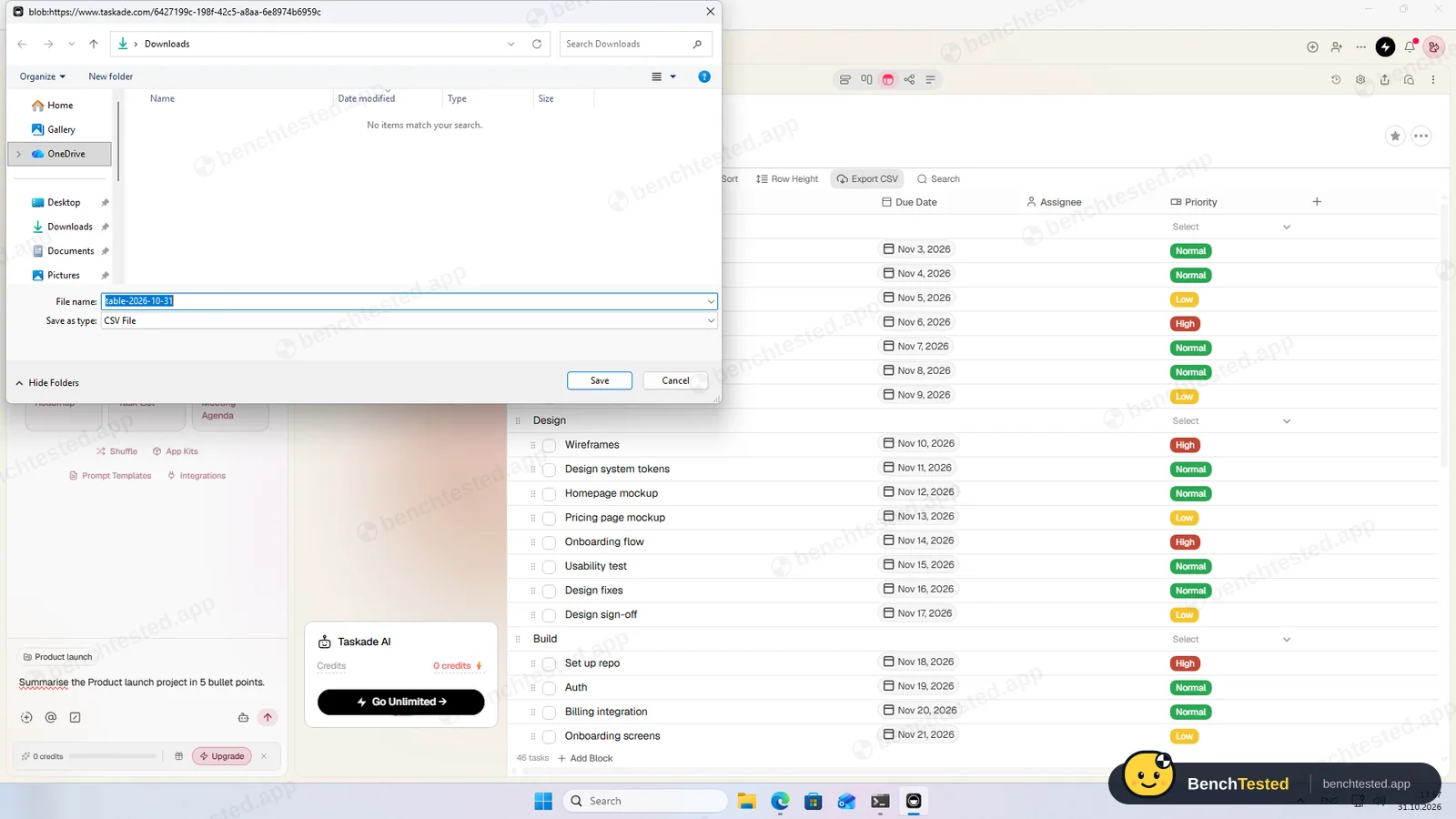
The table view's Export CSV gave our imported 200 rows back with every value, though in a different order. Exporting our main project, where due dates are real date fields, produced a file with every date empty and the rows shuffled. We did not delete the account.
Uninstalling took 8 seconds but left about 275 MB in updater and profile folders, a startup entry pointing at the removed app, a protocol handler and two firewall rules.
What we have not tested yet
We did not test the second user's view, the paid Gantt chart and dependencies, AI agents, app building, integrations, the mobile apps or the paid plans. We did not test Taskade offline, and we ran each step once.
Taskade Screenshots
Taken during our own test run on a clean Windows 11 machine.
What we checked
Every item in our project management tool test plan and how Taskade did. Scan for the ones you can't live without.
Installation
- Pass Download size218 MB
- Pass Signed installerTaskcade Inc., valid
- Pass Admin rightsper-user, no prompts
- Fail Asks before running at startupadded itself silently
First use
- Pass Sign-up without a card
- Pass Starts on the free plan
Core tasks
- Partial Build a 40-task projectMarkdown paste; dates set per task
- Partial List, board, calendar and Gantt on the free planGantt is paid
- Pass Status automationabout 1 s; 10 runs a month
- Fail Task dependencypaid Gantt only
- Pass Recurring taskweekly repeat
- Partial CSV import keeps the datavalues kept as text
- Fail CSV import maps columns itselfno field types
- Partial Permissions and rolesEditor, Viewer; Checker paid
- Fail AI summary and answersno credits on Free
- N/A AI asks before changing datanot testable
Performance
- Pass Large board (500 tasks)smooth scrolling
- Fail Cold startblank for at least 12 s
- Fail Memory useup to 2.4 GB
Privacy and security
- Partial No pressure to share contactscredits offered for invites
- N/A Access removed immediatelysecond user's view not tested
Integrations
- Partial Import from other toolsCSV as text; AI import needs credits
- N/A Connected appsintegrations not tested
Offline and sync
- N/A Behaviour without internet
Pricing traps
- Partial Free plan limits2 people, 10 automation runs, no AI
Cancel and uninstall
- Fail Complete exportdue dates lost
- N/A Delete the workspaceleft to the account owner
- Fail Clean uninstall275 MB and a startup entry left
Test Results
- Ease of use5.5
Markdown paste is handy, but dates and priorities are set one task at a time and the app froze once.
- Views & flexibility5.5
List, board, table, mind map and calendar are free; Gantt is paid.
- Speed4.5
Imports are fast, but memory use and cold start were the worst in this category.
- Automation & AI6.0
Free repeats and a fast automation, capped at 10 runs a month; dependencies and AI are paid.
- Integrations4.5
CSV comes in as text and goes out without due dates.
- Value for money5.0
A usable free plan for two people and paid plans from $6 a month, but no AI without paying.
Every project management tool runs the same script. How we test →
Key Features
ViewsTested by us
List, board, table, mind map and calendar on Free; Gantt on paid plans.
AutomationsTested by us
Triggers on tasks, schedules and forms with many actions.
Fired in about 1 s; 10 runs a month on Free.
Repeating tasksTested by us
Daily, weekly, monthly or yearly repeats on due dates.
ImportTested by us
CSV, Markdown, web pages, and files with AI.
CSV columns become text.
Taskade AIVendor-stated
AI agents and an assistant that builds and edits projects.
No credits on Free; not tested.
Taskade at a glance
- Version tested
- Windows app 4.7.0 (October 31, 2026)
- Platforms
- Web, Windows, macOS, Linux, iOS and Android
- Installer
- 218 MB; silent per-user install
- Account
- Email, Google, Apple or SSO
- Free plan
- 2 people, 10 automation runs a month, no AI credits
- Import
- CSV (as text), Markdown, web pages
Is Taskade secure?
We did not review Taskade's privacy policy or security certifications for this test. Below are only the things we saw on our test PC and in the app.
-
Signed installerTested by us
Signed by Taskcade Inc. through Microsoft's signing service.
-
Starts with WindowsTested by us
Added a startup entry without asking; it remains after uninstalling.
-
Firewall promptTested by us
First launch asked to accept network connections; declining did not affect the app.
-
Share link on by defaultTested by us
A workspace link giving editor access is enabled until you turn it off.
Pricing
Free plan
Yes
Paid plans from
$6 / month, billed yearly
-
Free
$0
2 people, 10 automation runs a month, 250 MB, no monthly AI credits.
-
Starter
$6/mo
Billed yearly ($72). 3 users. Gantt chart.
-
Pro
$10/mo
Billed yearly ($120). 10 users, Taskade AI, more automations.
-
Business
$25/mo
Billed yearly ($300). Unlimited users.
-
Max
$100/mo
Billed yearly ($1,200).
-
Enterprise
Contact sales
Custom.
From Taskade's pricing page, checked Oct 31, 2026.
Who makes Taskade?
- Company
- Taskcade Inc. (Taskade)
- Headquarters
- San Francisco, California, USA
- Founded
- 2017
- Founders
- John Xie, Dionis Loire, Stan Chang
- Funding
- Venture-backed private company; Y Combinator alumnus.
Taskade timeline
- 2017Founded.
- Oct 31, 2026We tested the Windows app 4.7.0.
FAQ
Is Taskade free?
Yes, for two people with list, board, table, mind map and calendar views, repeating tasks and 10 automation runs a month. It has no AI credits; paid plans start at $6 a month billed yearly.
Can Taskade import a CSV file?
Yes, quickly, but every column becomes plain text, so dates, statuses and done states are not recognised.
Does Taskade have Gantt charts and dependencies?
Only on paid plans, from Starter.
Does Taskade's AI work on the free plan?
No. A new free account has 0 AI credits; credits come with paid plans, referrals or a purchase.
Does the Taskade desktop app start with Windows?
Yes. It added itself to startup without asking, and the entry stayed after we uninstalled it.
Can I export my data?
Each project exports to CSV, but our main project's export lost every due date and shuffled the rows.
Final Verdict
Taskade's free plan covers more than most: lists, boards, a calendar, repeating tasks and a fast automation, for two people.
The Windows app is the weak point: the heaviest and slowest to start in our tests, it froze once, joined startup without asking and left a lot behind. Imports arrive as text and the project export lost our due dates.
Our advice: try Taskade in the browser if you want a free, flexible list and board tool for one or two people. For a team project with dates you need to keep, ClickUp or Airtable handled our data far better.