
Review Summary
Todoist is the quickest way we found to type a project in: one paste turned 40 lines into dated, prioritised tasks, repeating tasks are effortless, and the Windows app is light and starts in under two seconds. But it is a task list, not a project tool. The free plan stops at 5 projects and 300 tasks per project, our ordinary CSV was rejected, there is no automation, Gantt or dependencies, the calendar layout and AI are paid, and every free-team invitee becomes an admin.
+ What works
- One paste turned 40 lines into tasks with the right dates and priorities
- Natural-language dates and repeats, such as “every monday”
- Light, fast desktop app: window in 1.6 s, under 1 GB of memory
- Did not add itself to startup or the firewall
- Pro is cheap at $5 a month billed yearly
− What falls short
- The CSV import only accepts Todoist's own template; our spreadsheet was rejected
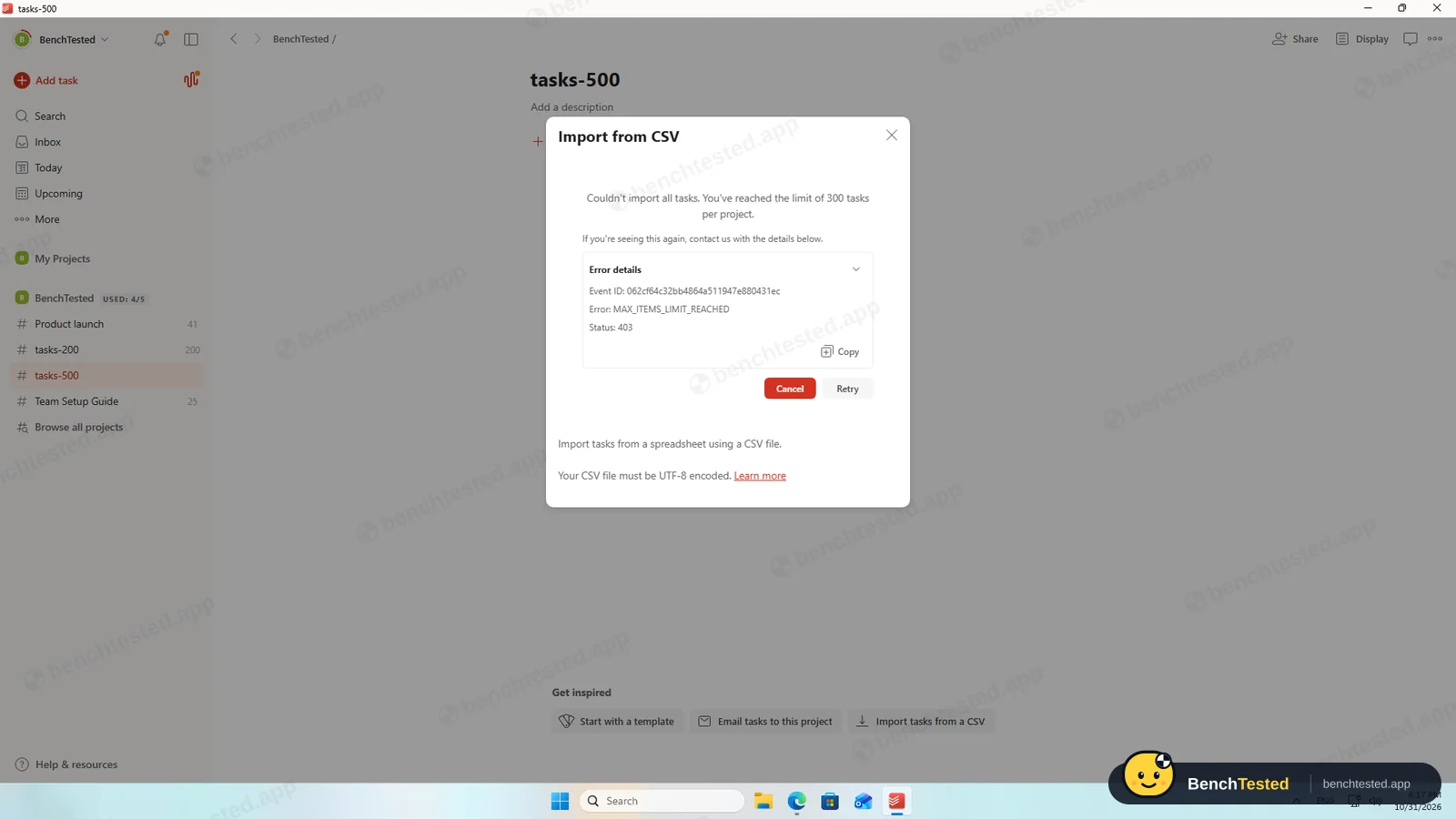
- Free plan: 5 projects and 300 tasks per project; a 500-row import brought in nothing
- No automation rules, no dependencies and no Gantt or timeline view
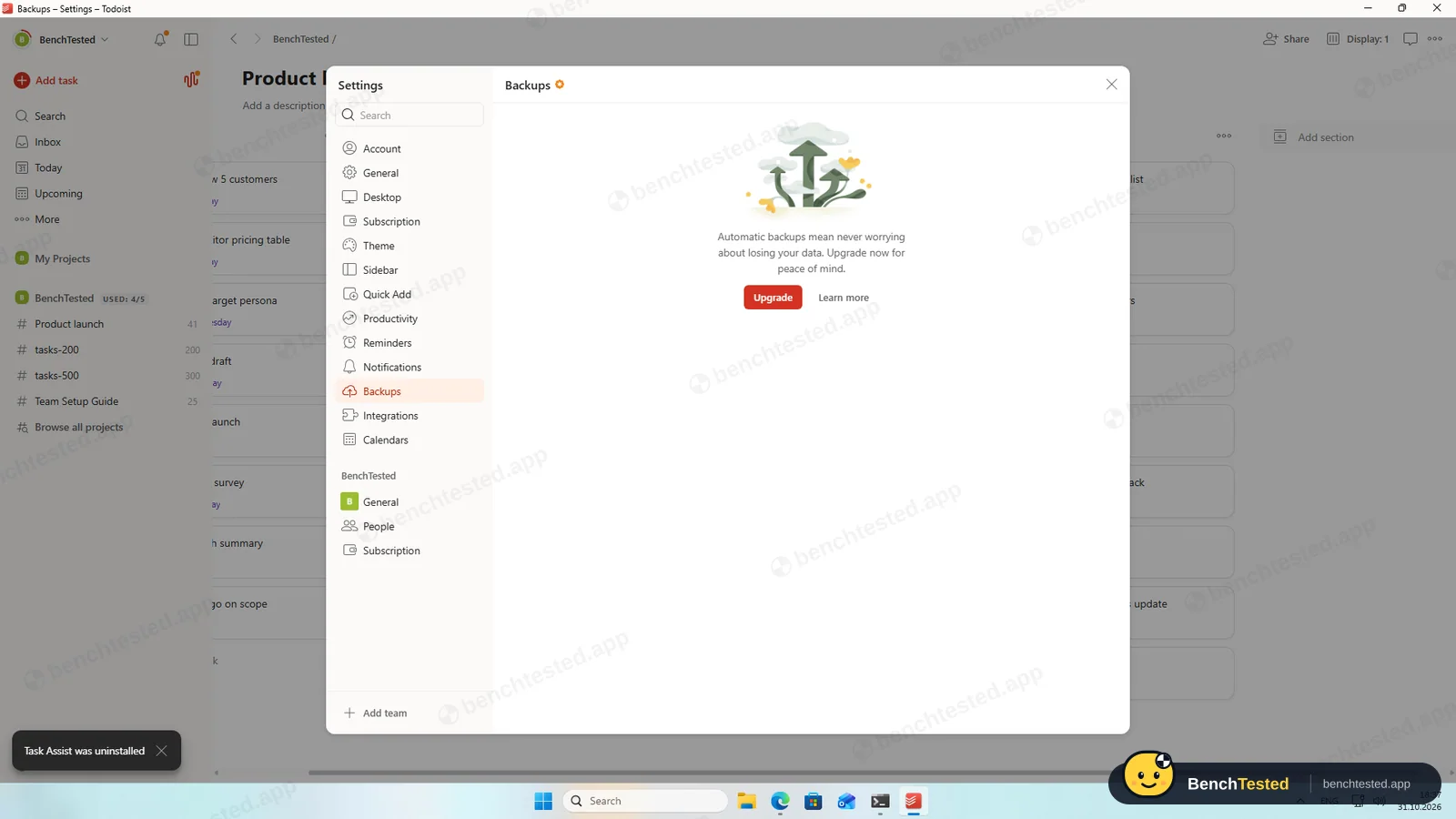
- Calendar layout, AI (Task Assist) and backups are paid
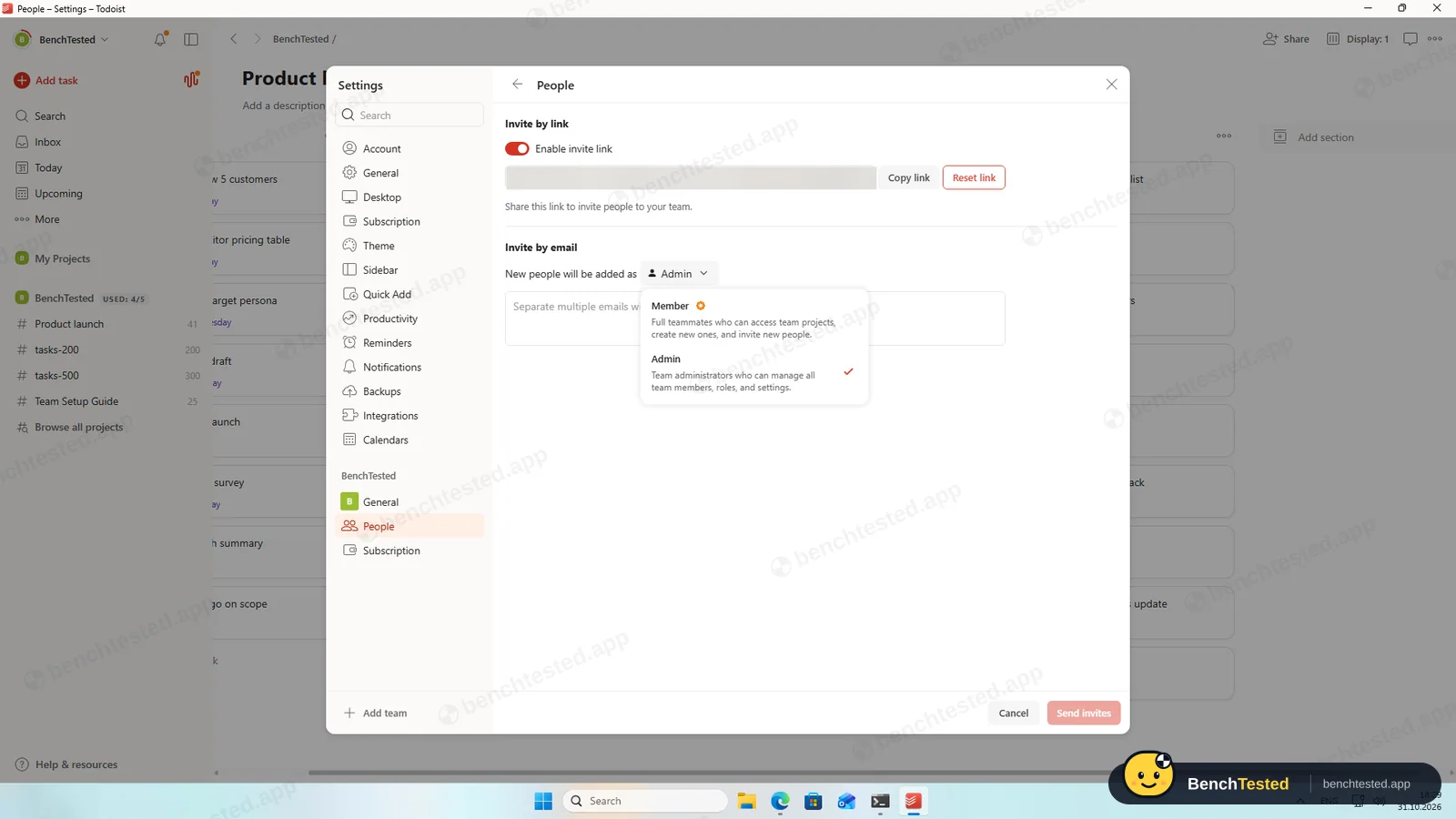
- On a free team every invitee becomes an admin; the Member role is paid
- CSV exports use relative dates by default
Todoist Alternatives
Not sure Todoist is the right fit? These project management tools scored best on the same test script:
 ClickUp Recommended Small teams that want lists, boards, Gantt charts, automations and AI in one free workspace and do not mind a busy, heavy app 7.4 Read reviewReview

What is Todoist?
Todoist is a task manager: you type tasks with dates in plain language, group them into projects and sections, and see them as a list, a board or an Upcoming agenda.
Teams share projects in a team workspace, and the apps sync across the web, desktop and mobile.
Why Todoist is different
Natural-language entry: dates, priorities, labels and repeats are typed with the task.
A light desktop app with global shortcuts for quick capture.
Who is Todoist for?
Individuals and very small teams who want a fast, tidy task list with dates and repeats. Individuals and small teams who want a quick, uncluttered task list rather than a full project-management suite.
Skip it if
- You need Gantt charts, dependencies or automation
- You manage projects with hundreds of tasks on the free plan
- You move data in and out of spreadsheets
Our Experience with Todoist
Test log
Windows 11 Pro 10.0.26300 in VMware Workstation 26H1 (4 vCPU, 8 GB RAM, no GPU passthrough), English UI, 1920×1080, clean snapshot; new Todoist account with a free team (Beginner plan)
- 17:40
Installer downloaded
224 MB, signature valid
- 17:44
Account created
free team, Business trial offered
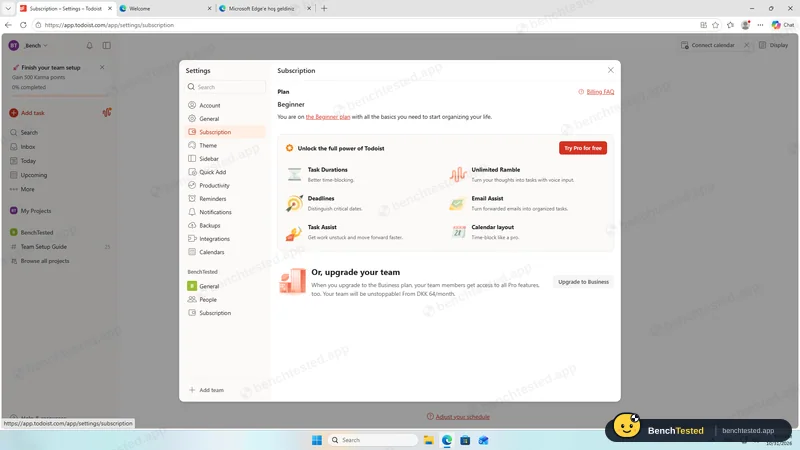
- 17:51
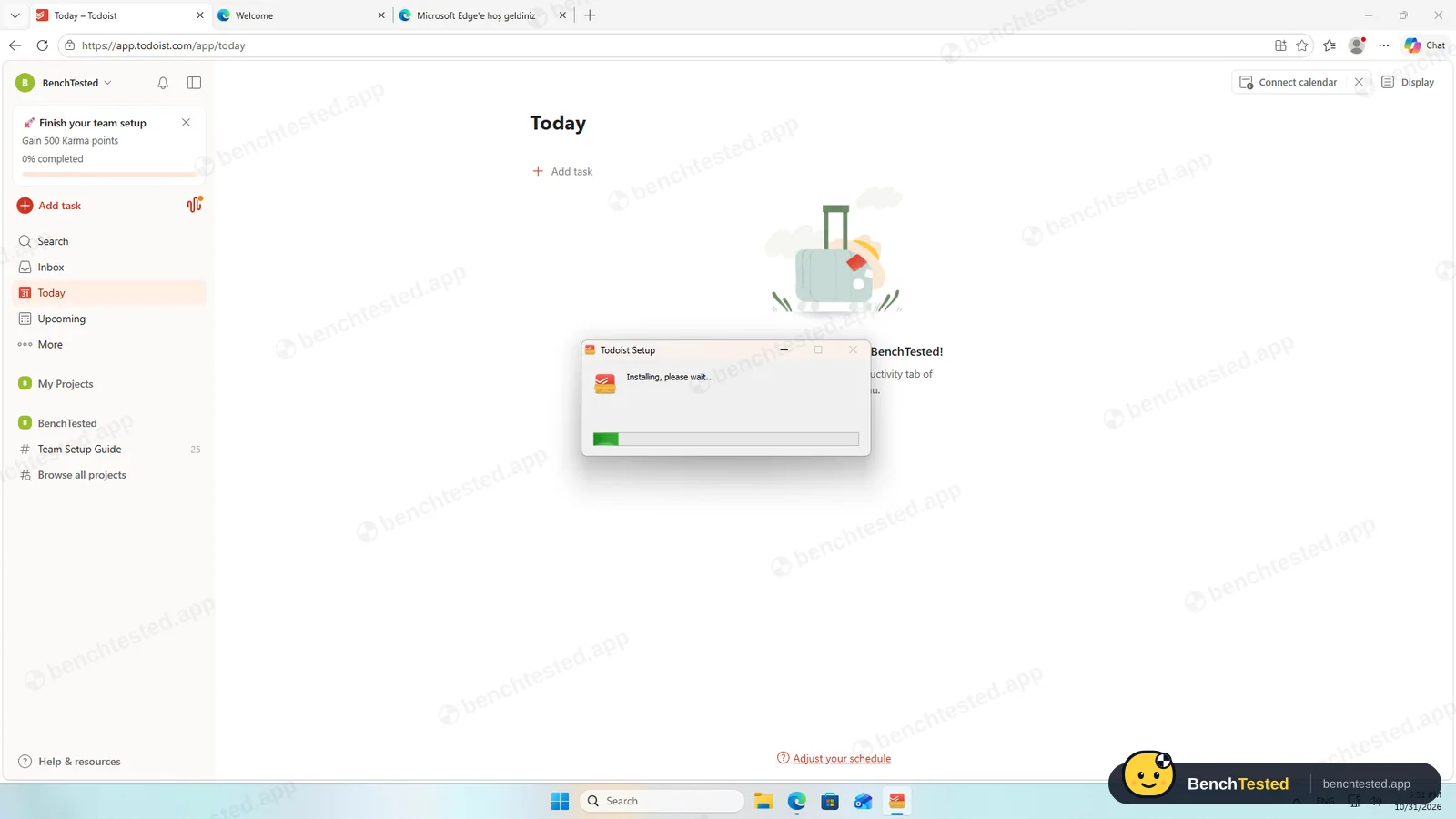
Installed in 28 s
no startup entry
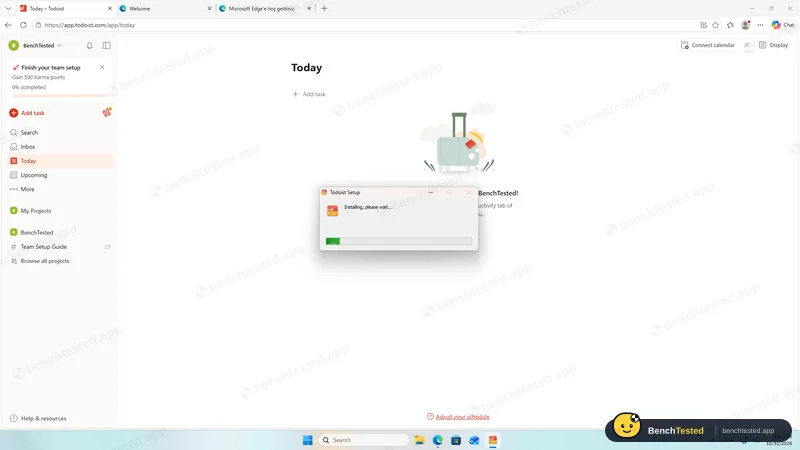
- 17:52
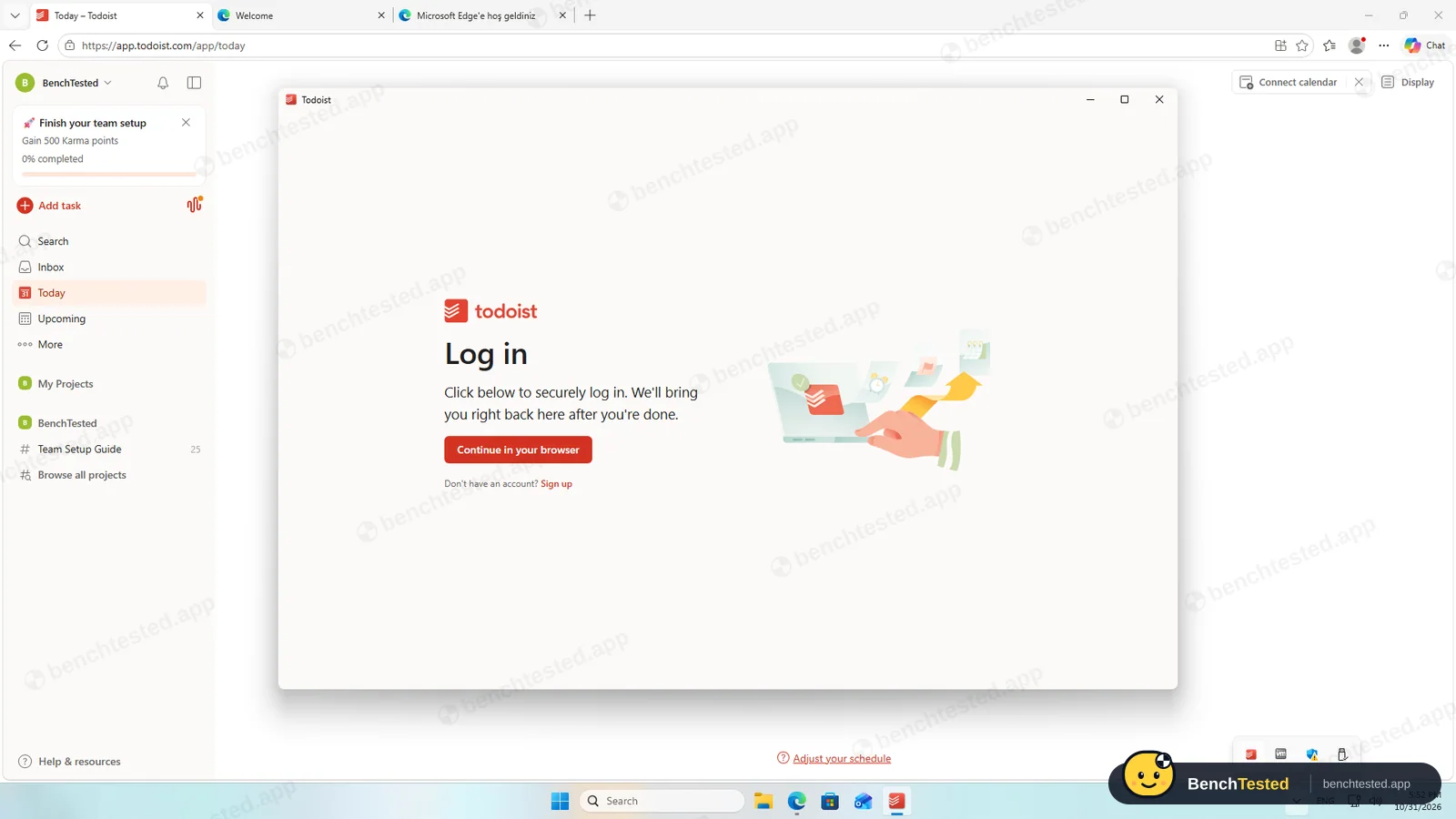
Signed in through the browser
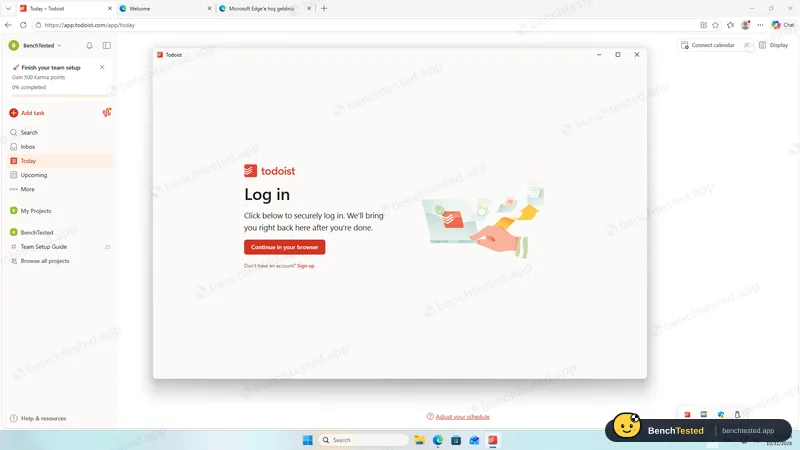
- 17:57
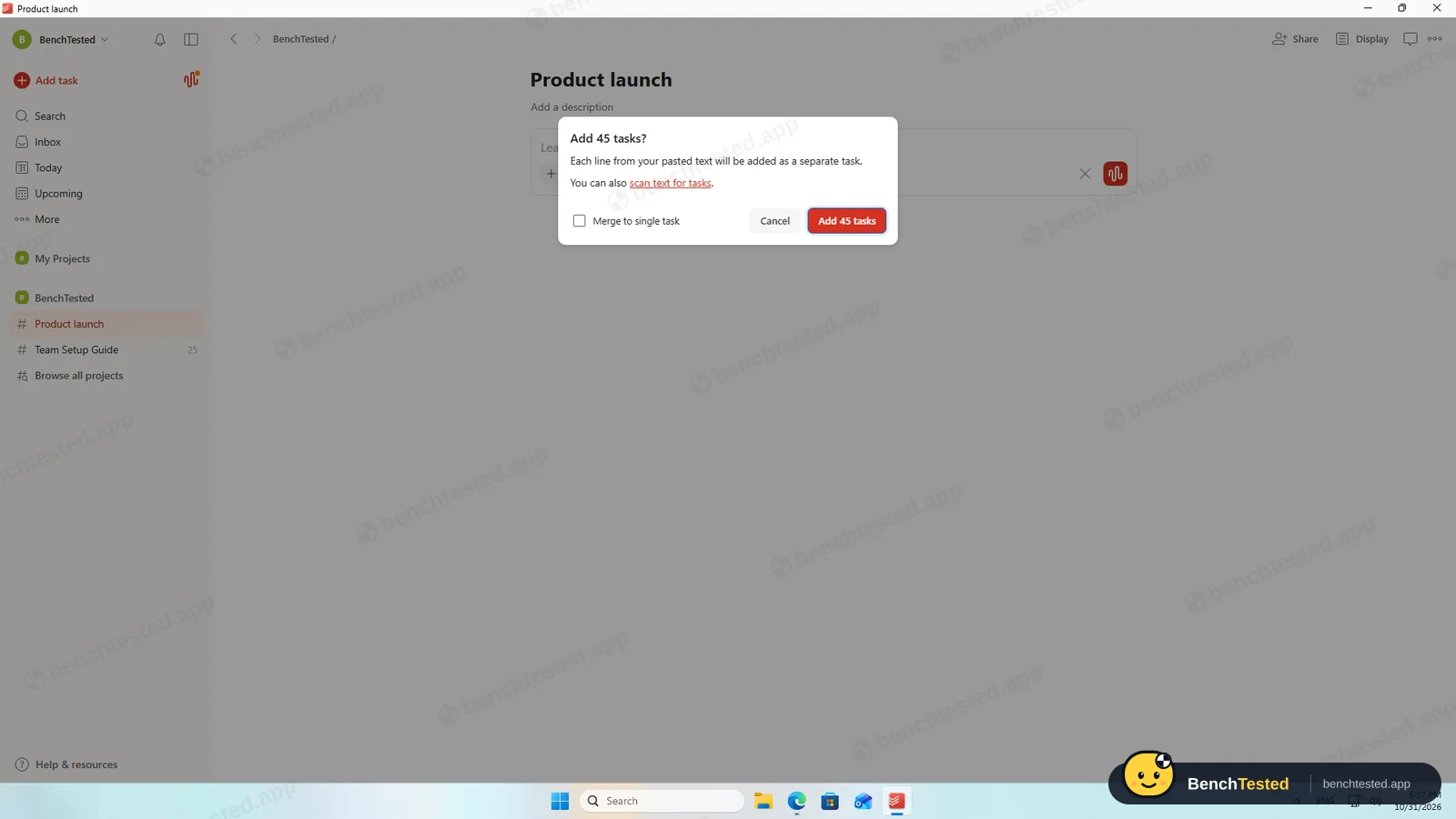
P1: 45 lines pasted
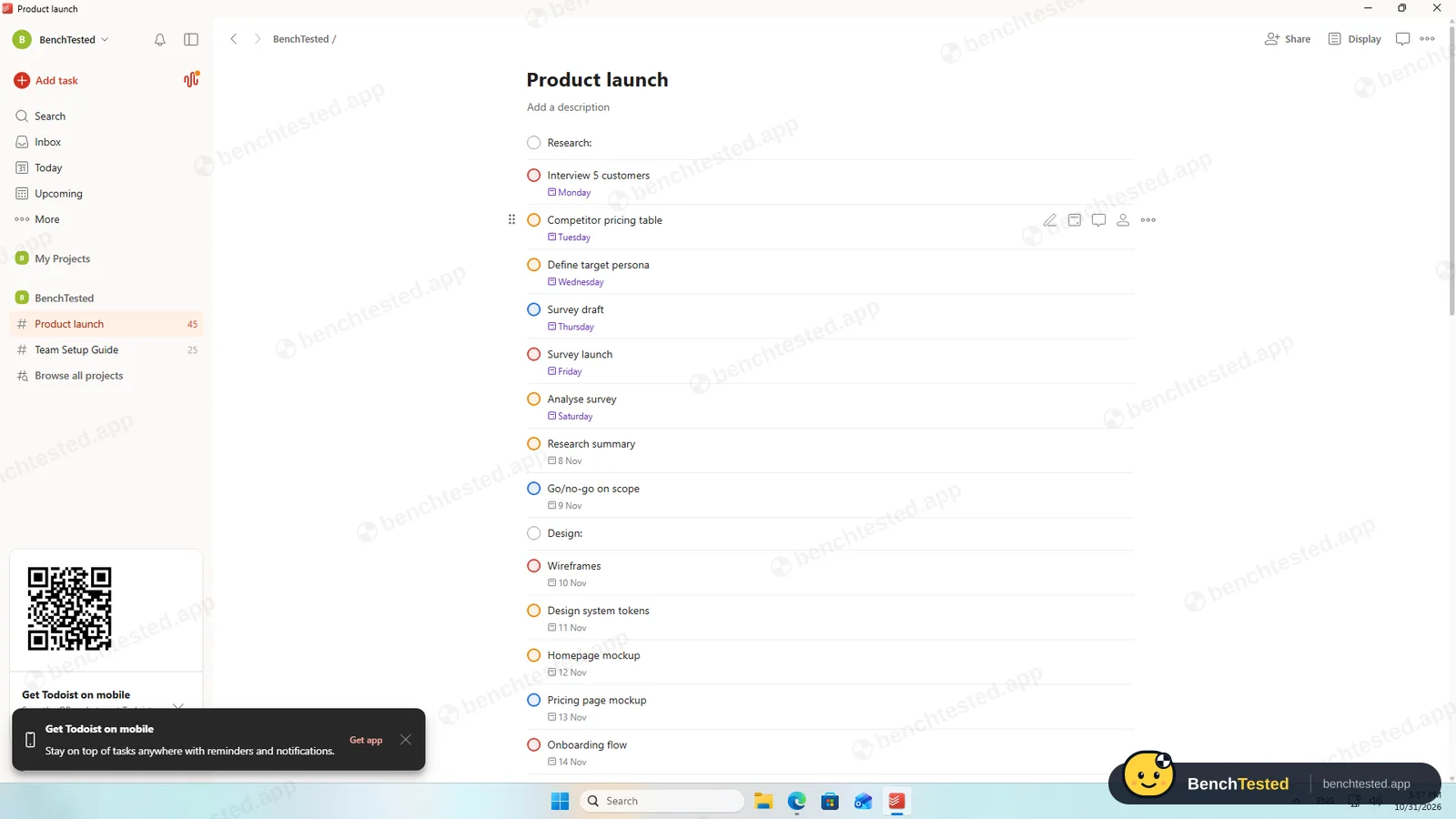
dates and priorities read
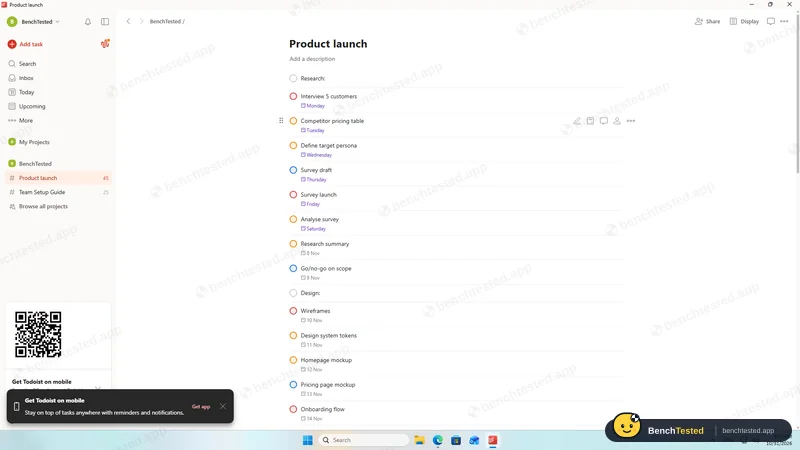
- 18:03
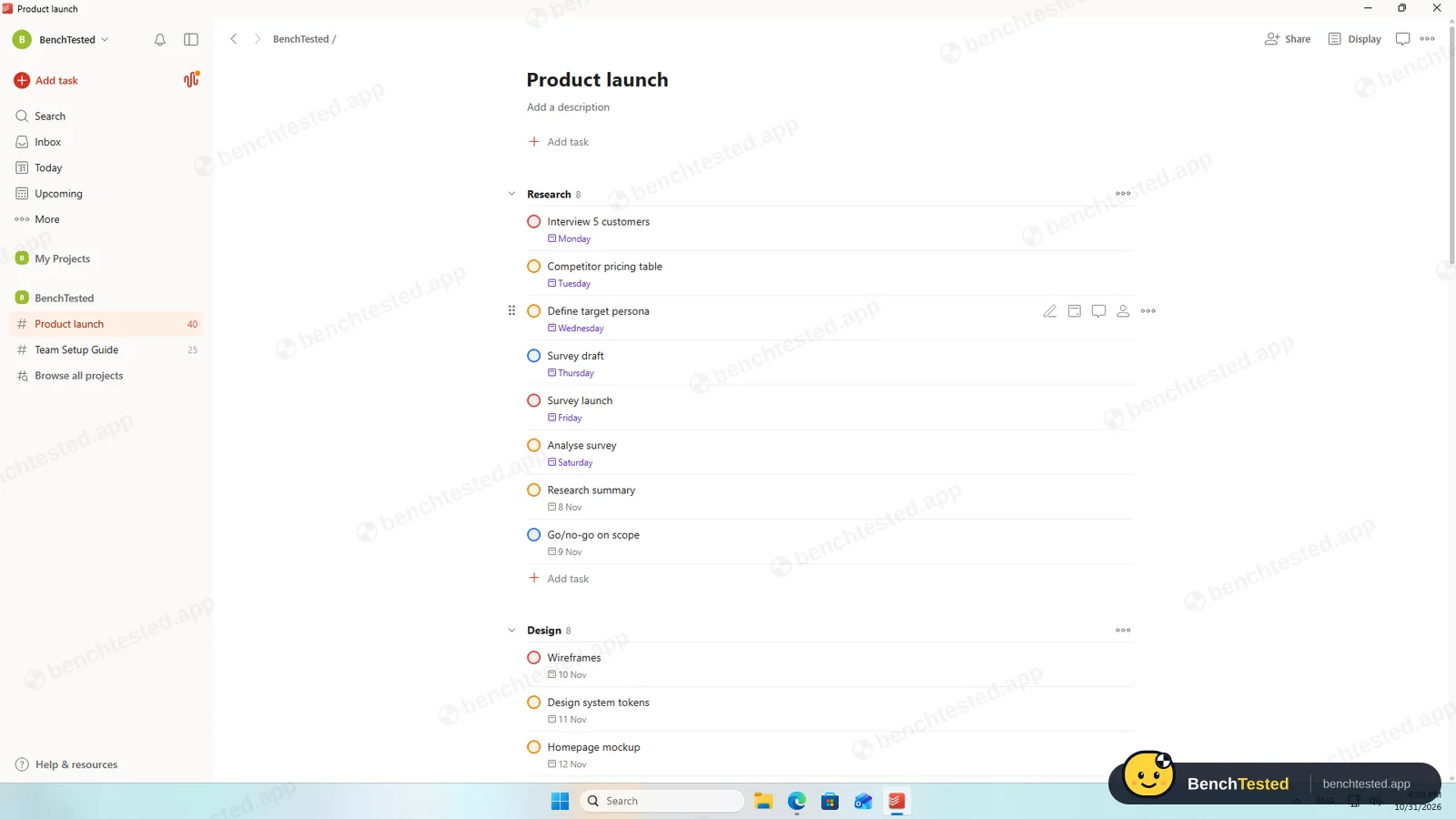
P1 done
sections added by hand
- 18:04
P2: calendar layout is paid
- 18:08
P3: weekly repeat
- 18:10
P3: no automation builder
- 18:13
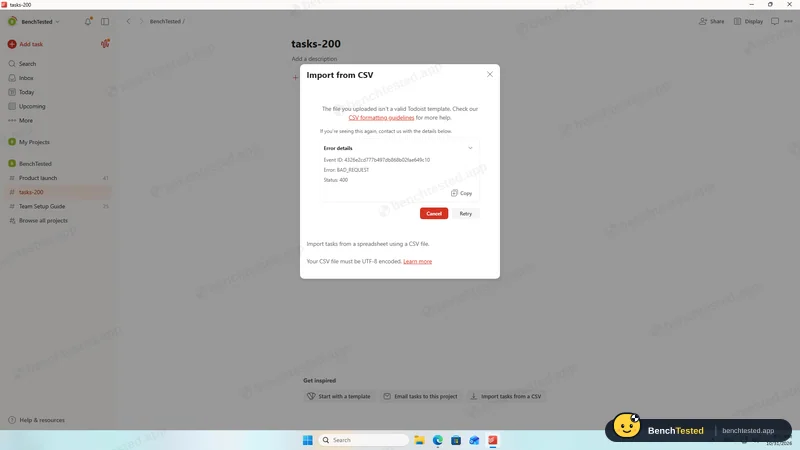
P4: our CSV rejected
- 18:15
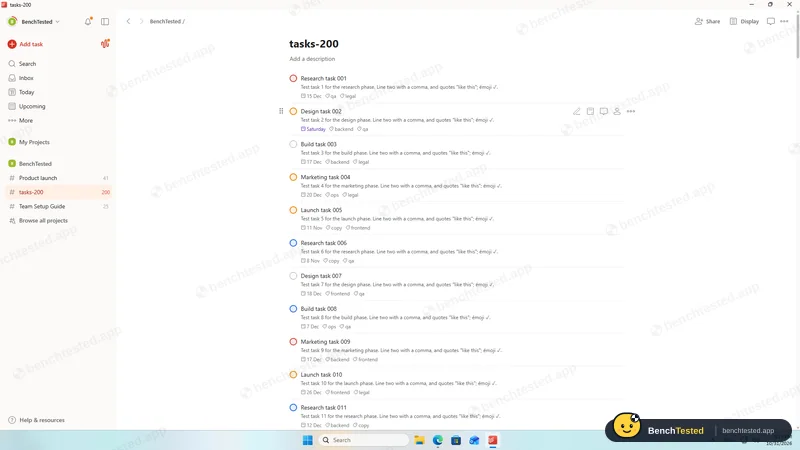
P4: 200 rows in Todoist's template
- 18:17
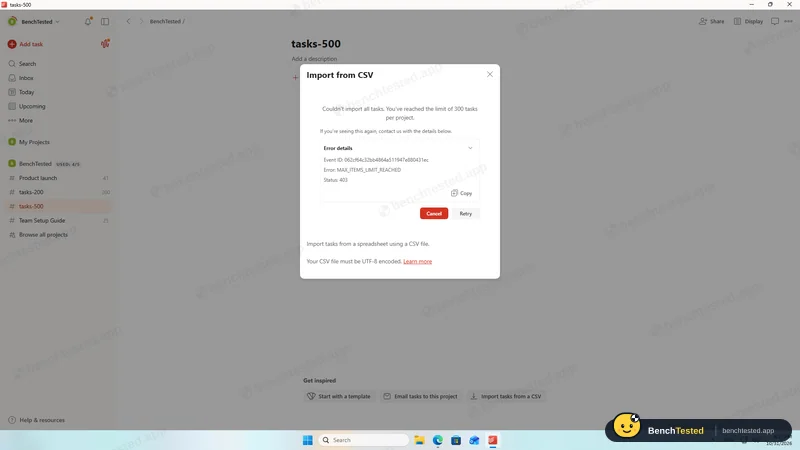
P5: 300-task limit, nothing imported
- 18:21
Cold start 1.6 s
- 18:29
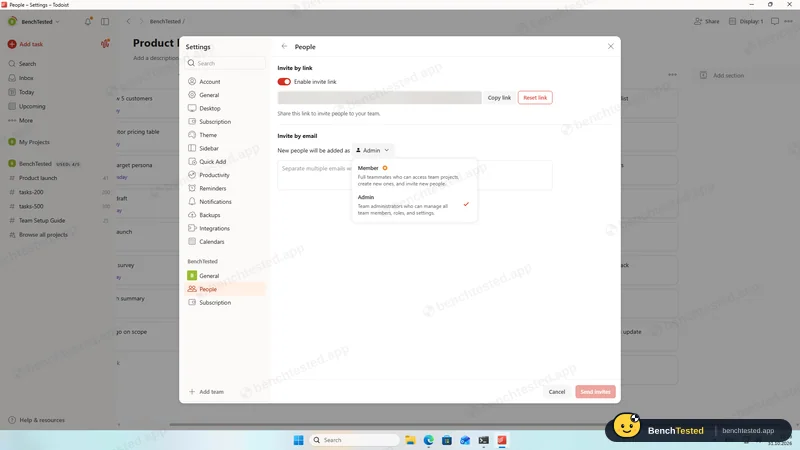
P6: invitees become admins
- 18:34
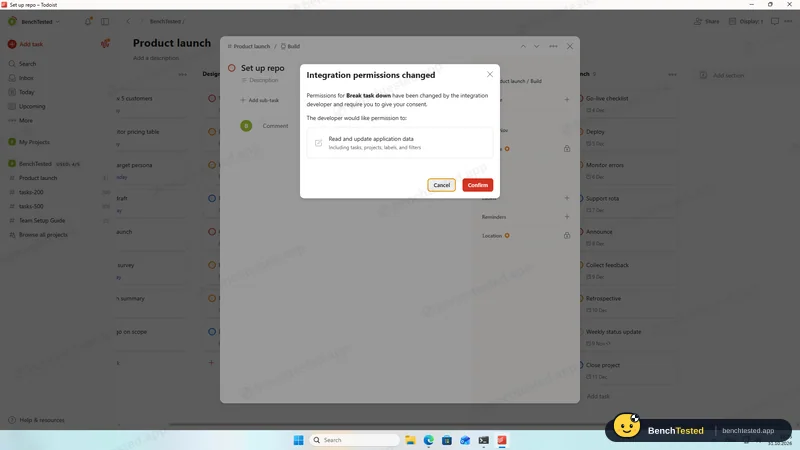
P7: Task Assist asks for data access
- 18:38
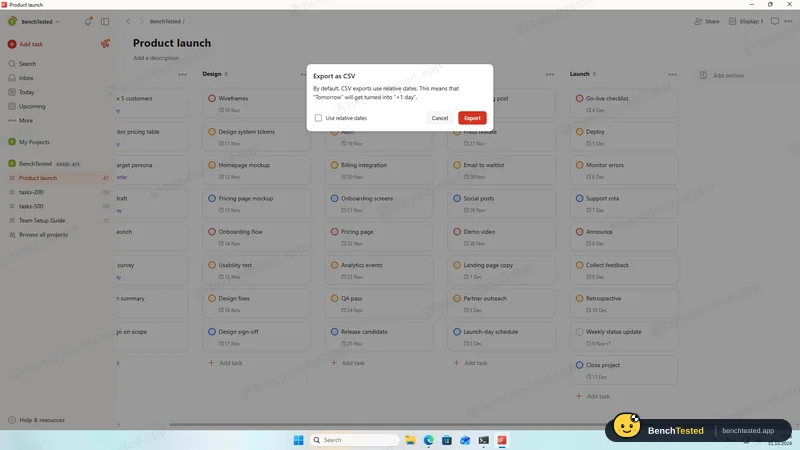
P8: CSV export
- 18:42
Uninstalled
214 MB updater folder left
-
P1 · Build a project
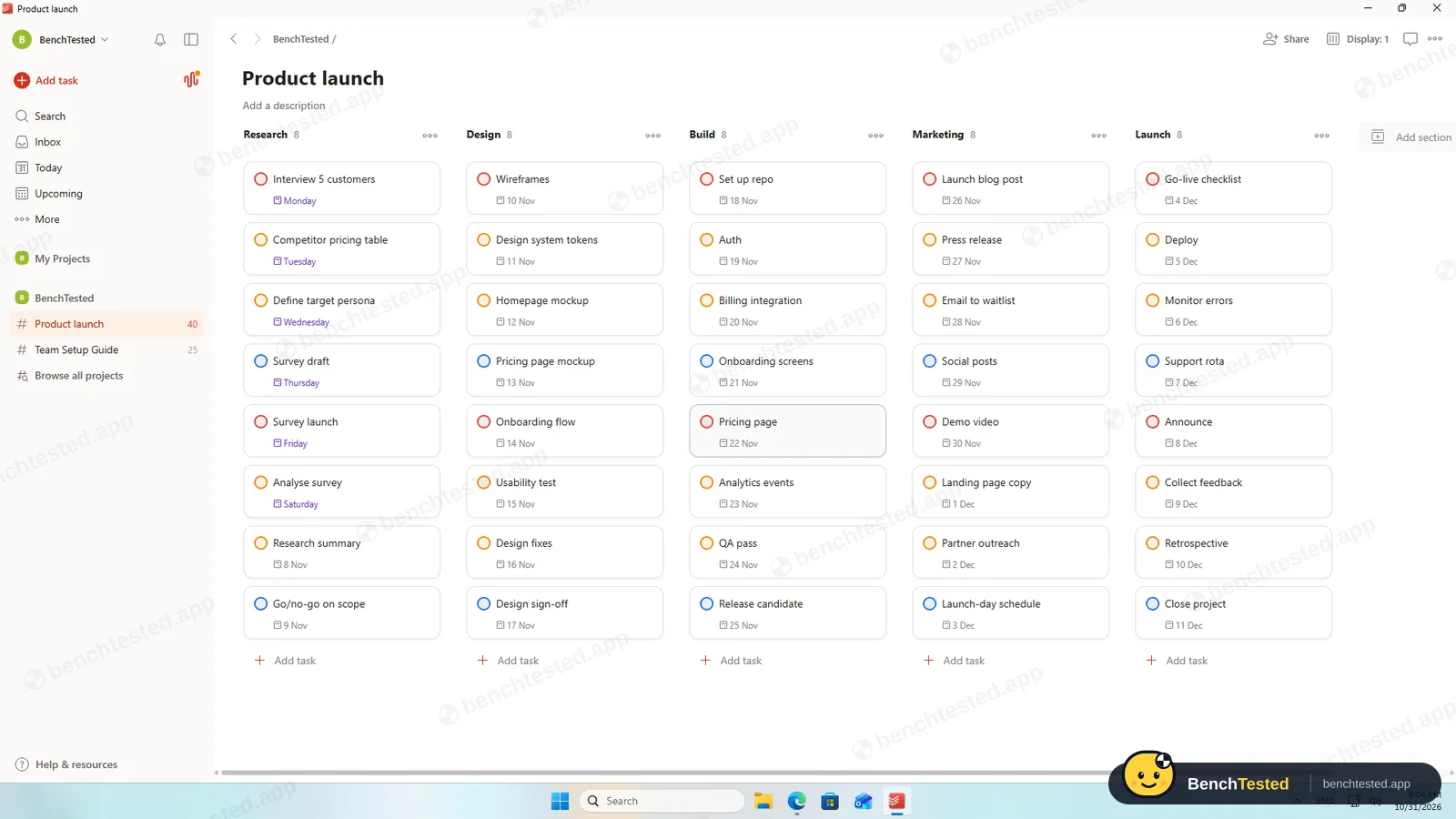
Build a 40-task product launch project from a written brief: five phase lists of eight tasks, each with a due date and priority.
Pass ≈ 8 min
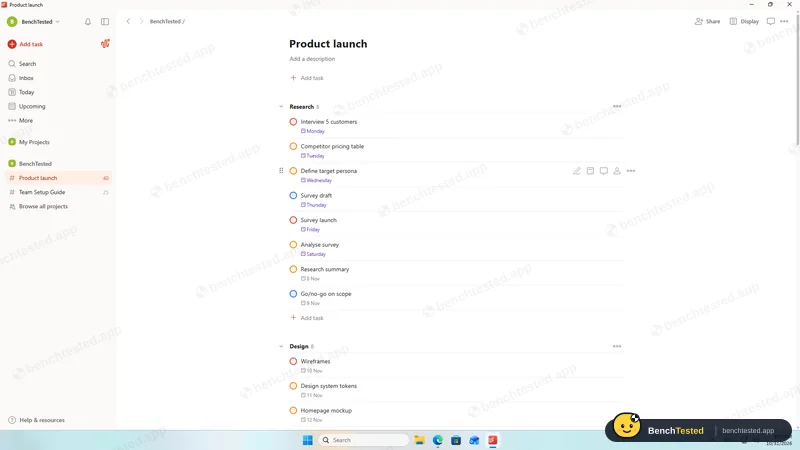
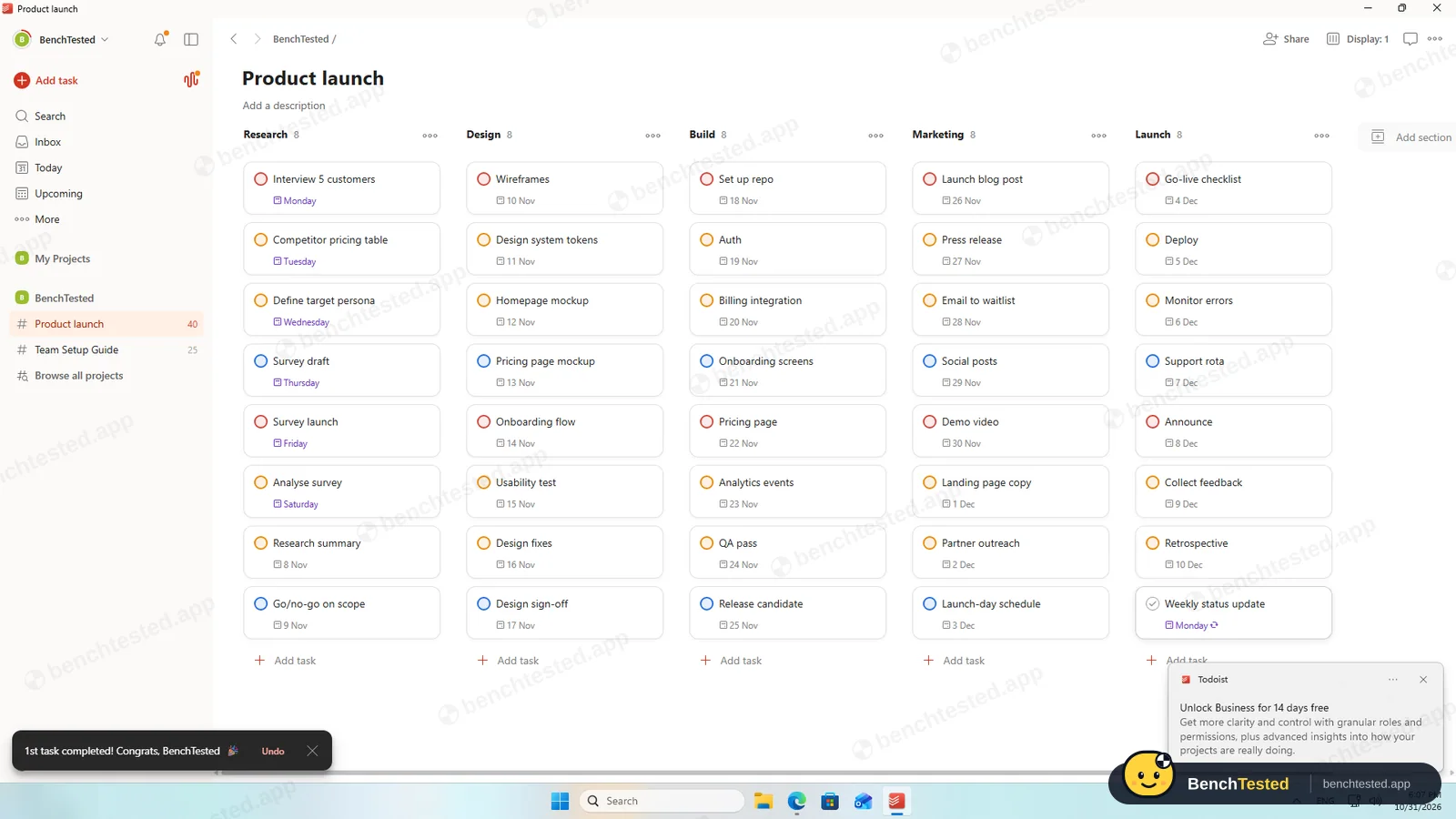
We pasted 45 lines such as “Interview 5 customers Nov 2 p1”. Todoist offered to add them as separate tasks and read every date and priority from the text. The five phase headings became ordinary tasks, so we deleted them, added sections and moved the tasks with multi-select.
-
P2 · Views
Show the project as a list, board, calendar and Gantt chart.
Partial ≈ 3 min
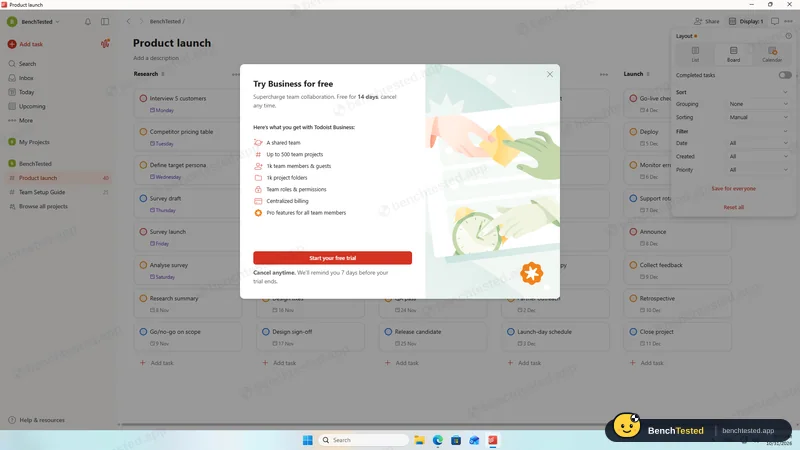
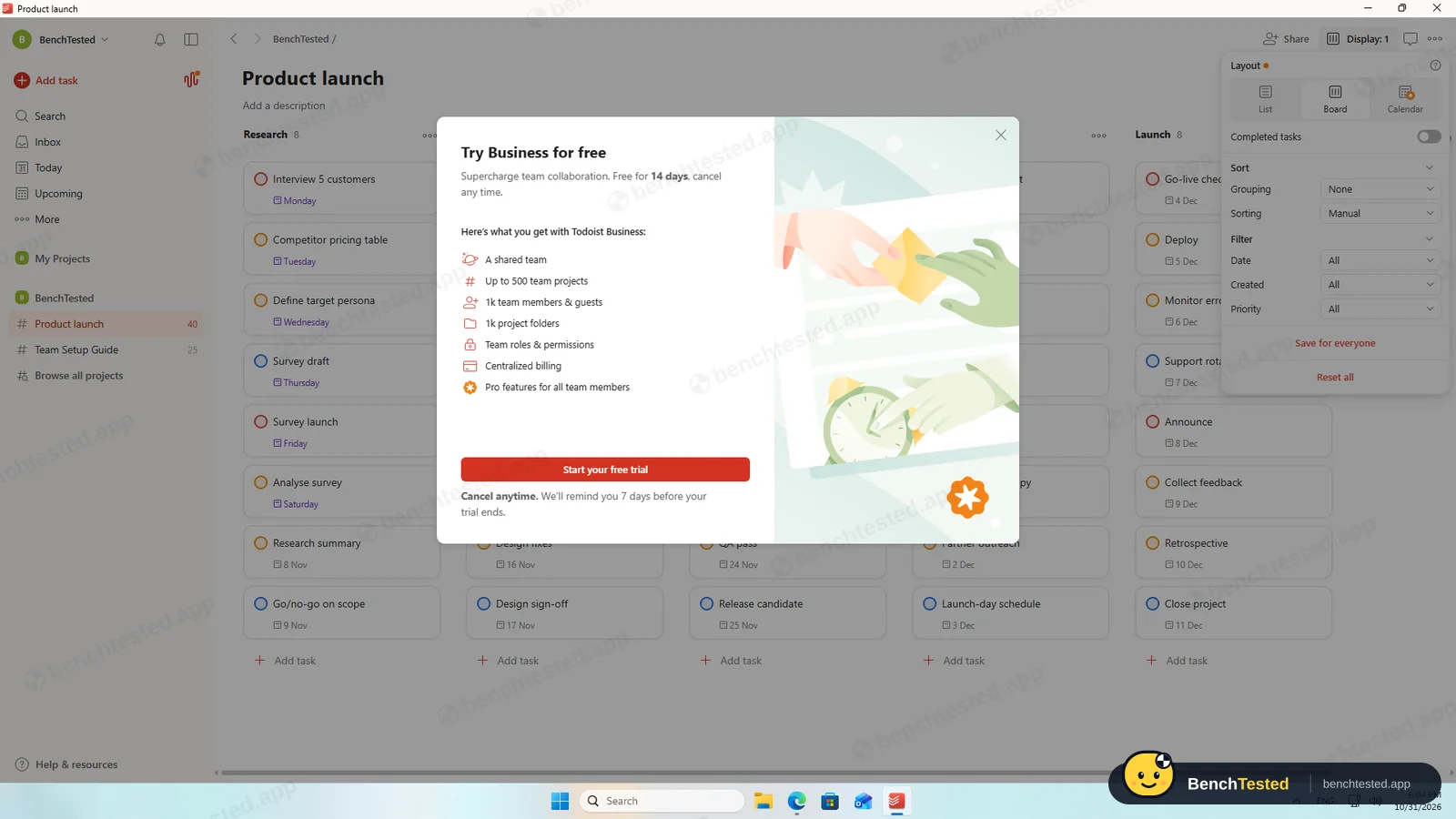
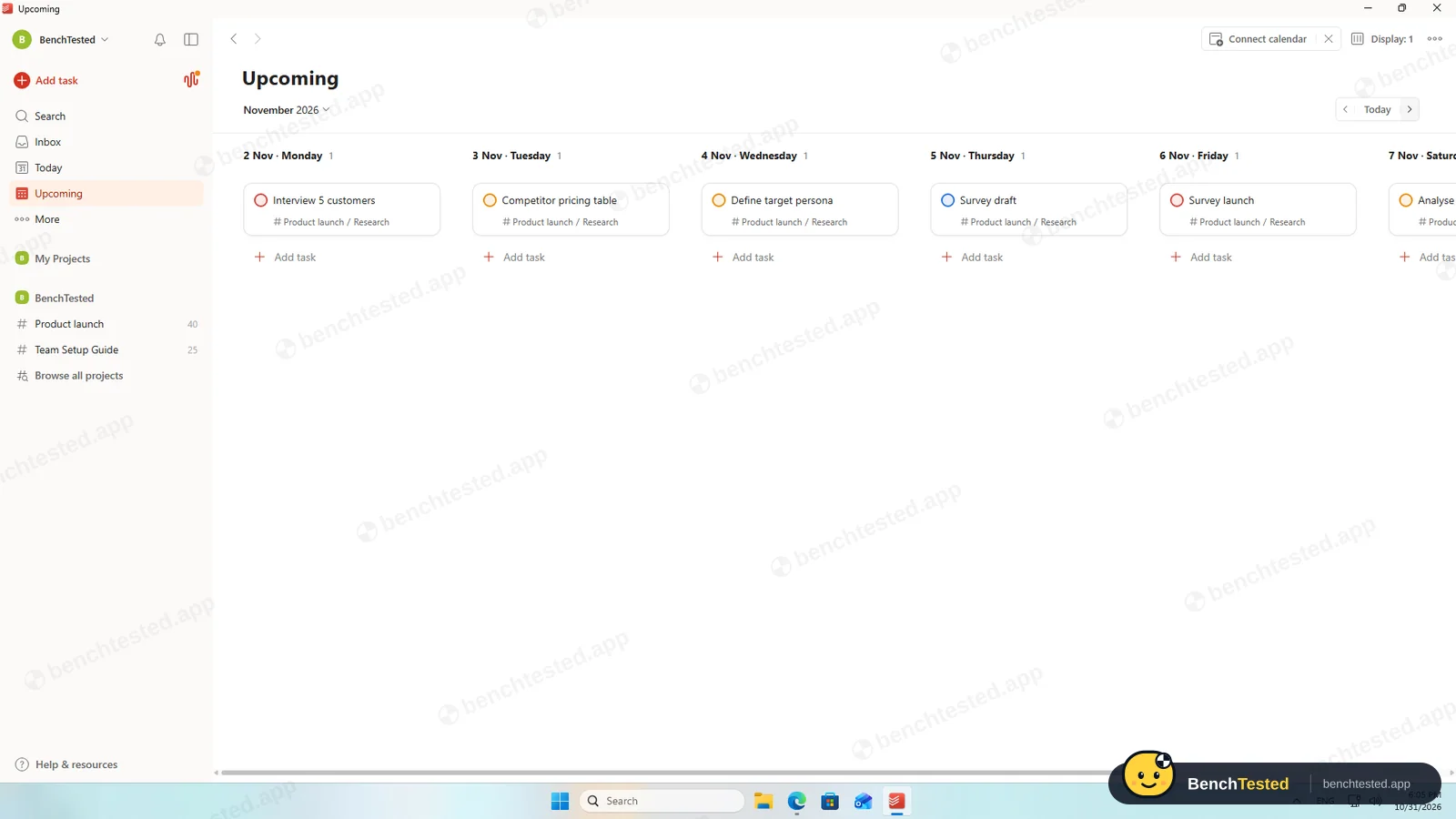
List and board are free, and the Upcoming view shows tasks day by day. The calendar layout opened a Business-trial offer, and there is no Gantt or timeline view in any plan.
-
P3 · Rules
Set up a status automation, a dependency and a weekly recurring task.
Partial ≈ 5 min
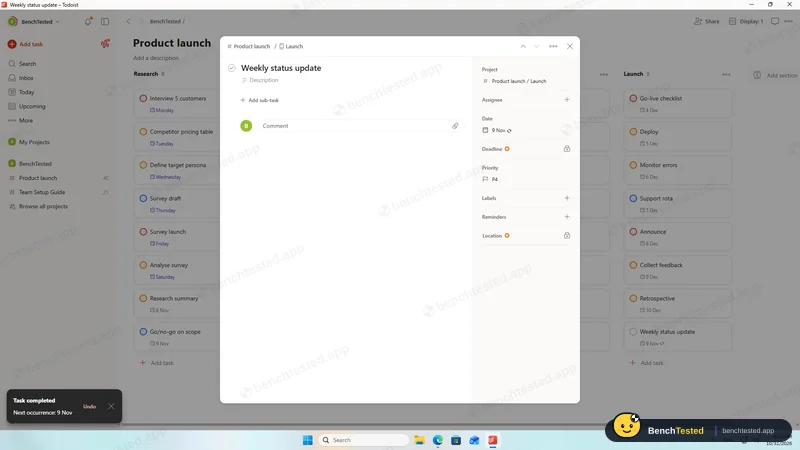
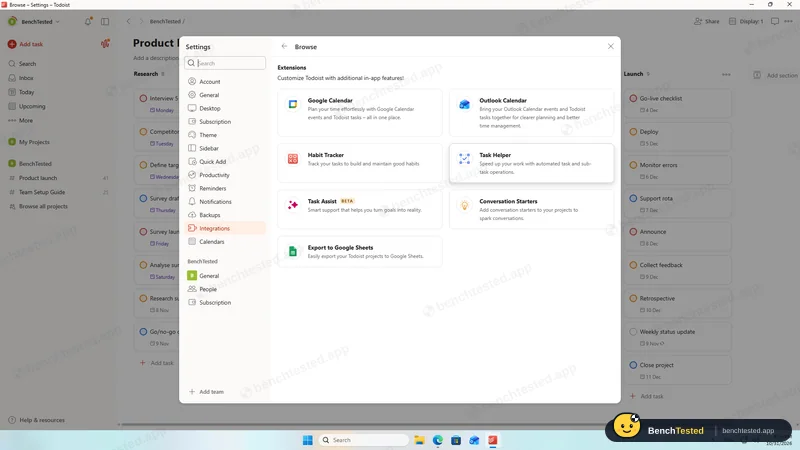
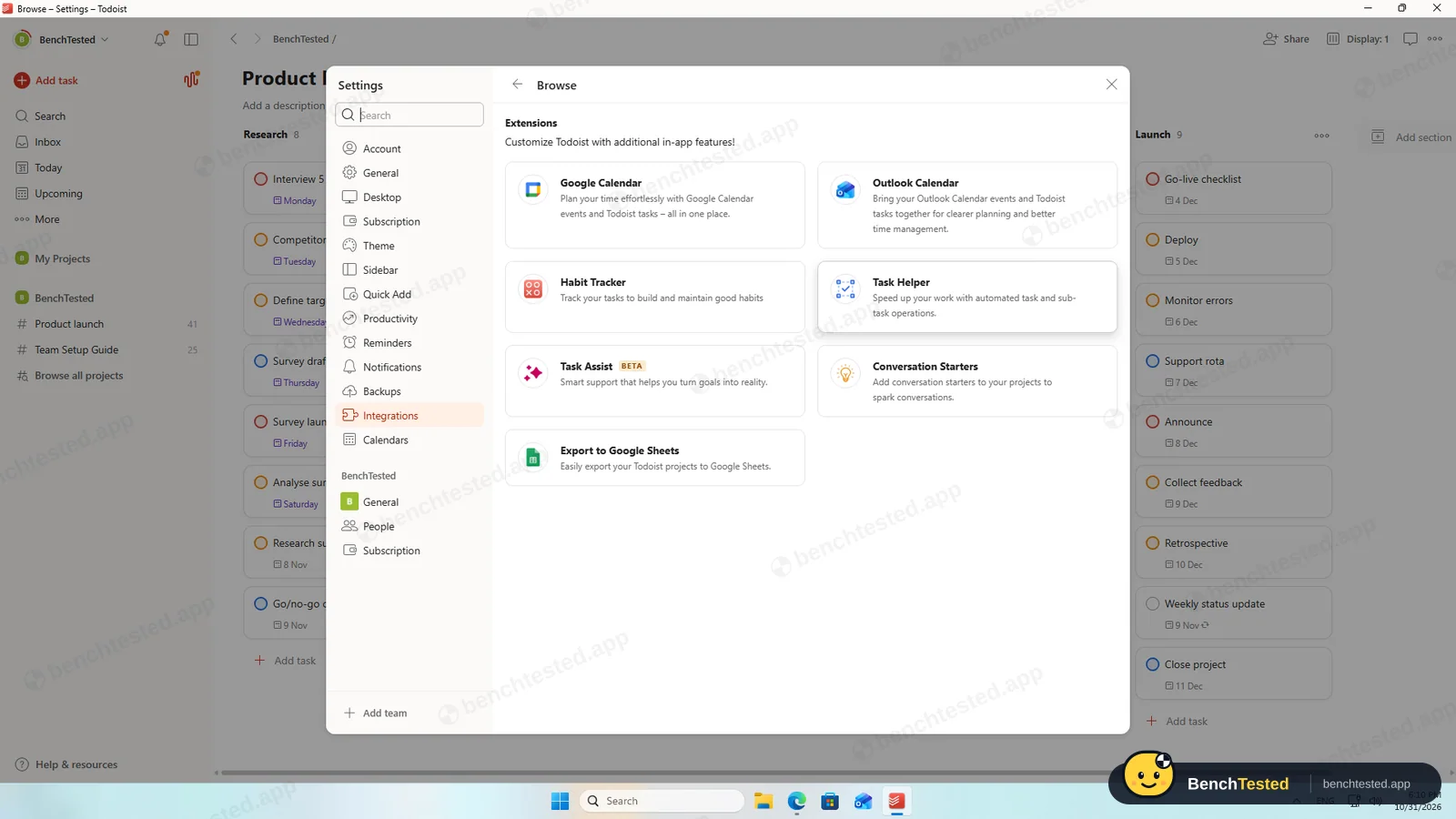
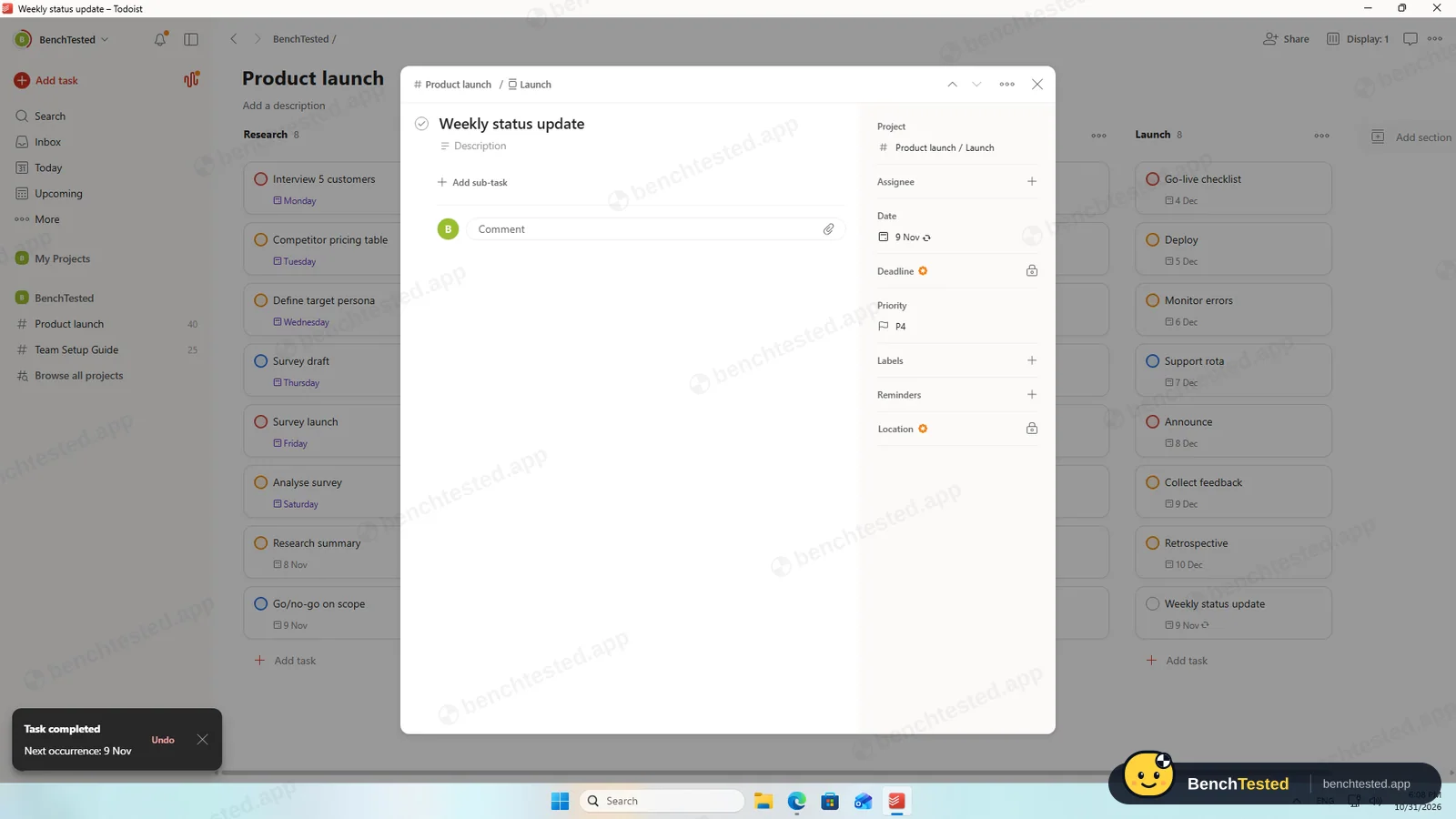
Typing “every monday” made a weekly task, and completing it moved it to the next Monday. There is no automation builder (the extensions are calendar sync, a habit tracker and manual task helpers) and no dependencies.
-
P4 · 200-row import
Import a 200-row CSV with statuses, assignees, dates, priorities, tags and special characters.
Fail ≈ 5 min
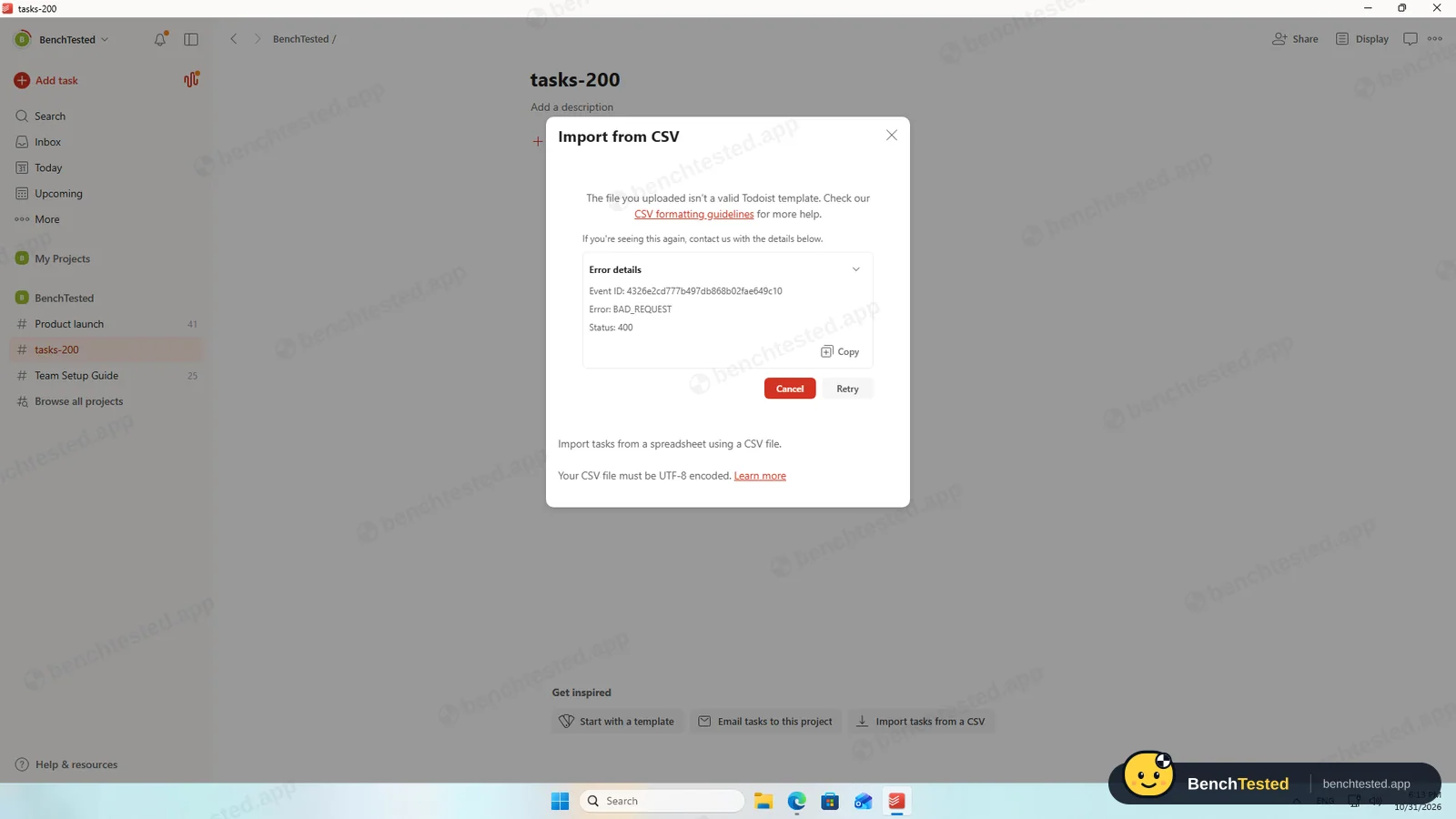
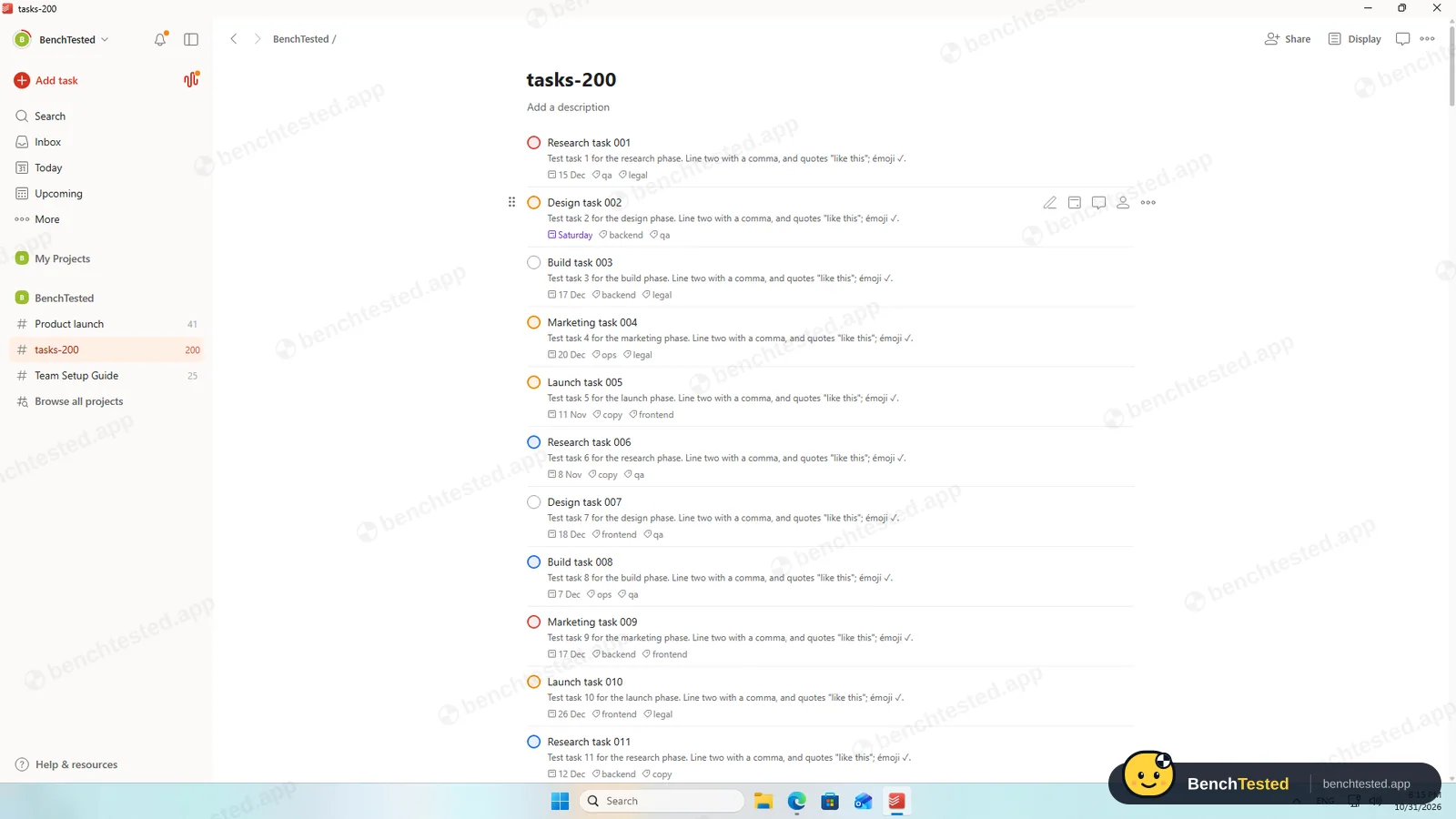
Our CSV was refused: “The file you uploaded isn't a valid Todoist template”. There is no column mapping. After we rewrote the file in Todoist's template format, 200 tasks came in with dates, priorities, labels and descriptions, but statuses and assignees have no place in it.
-
P5 · Scale
Import 500 rows, then open and scroll a 500-task board.
Fail ≈ 3 min
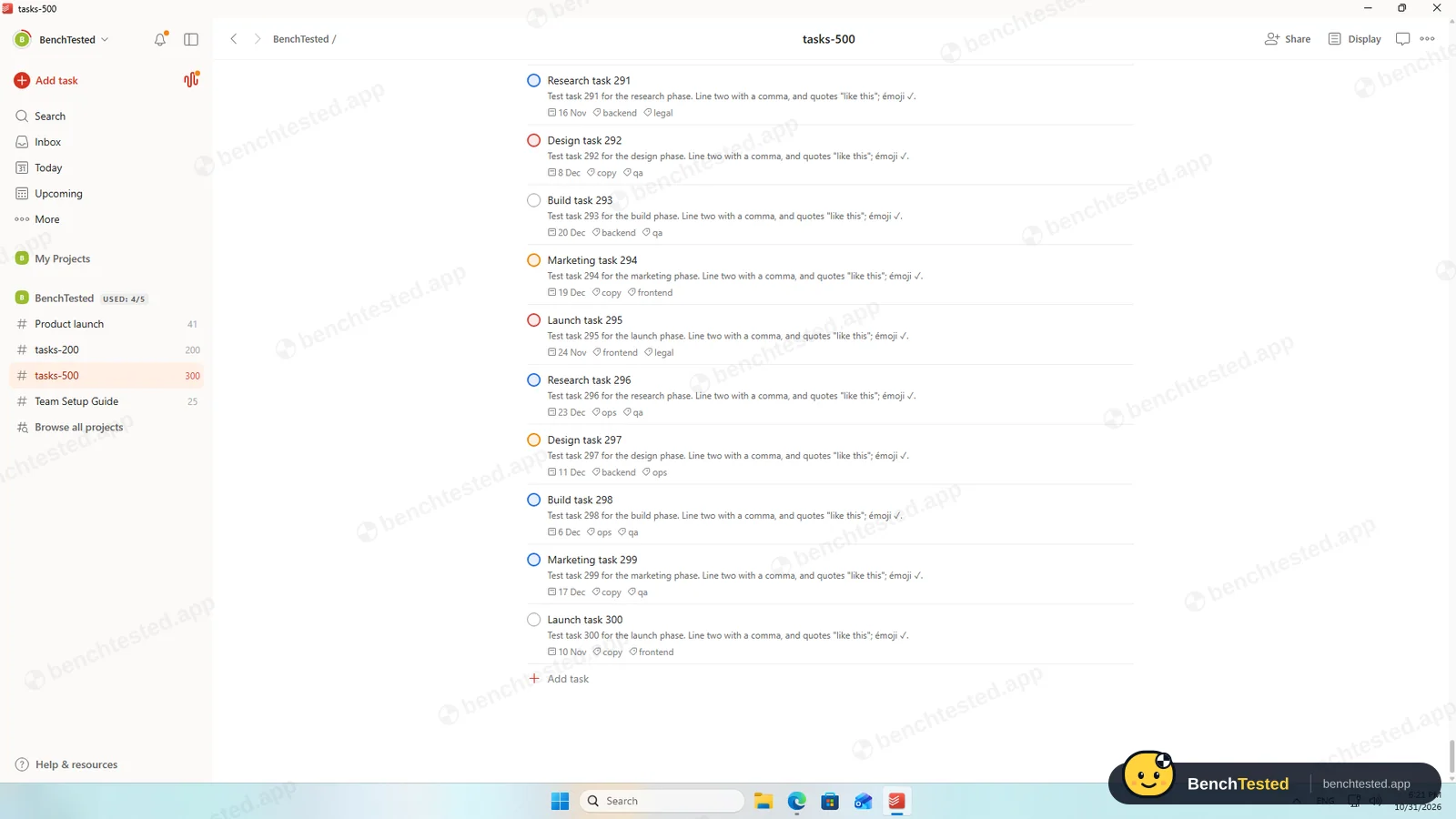
The free plan allows 300 tasks per project, and the 500-row import added nothing at all. The first 300 rows took about 15 seconds. With them open the app used under 1 GB and started in 1.6 seconds.
-
P6 · Permissions
Invite a second user, check what they can see and change, then restrict them.
Partial ≈ 6 min
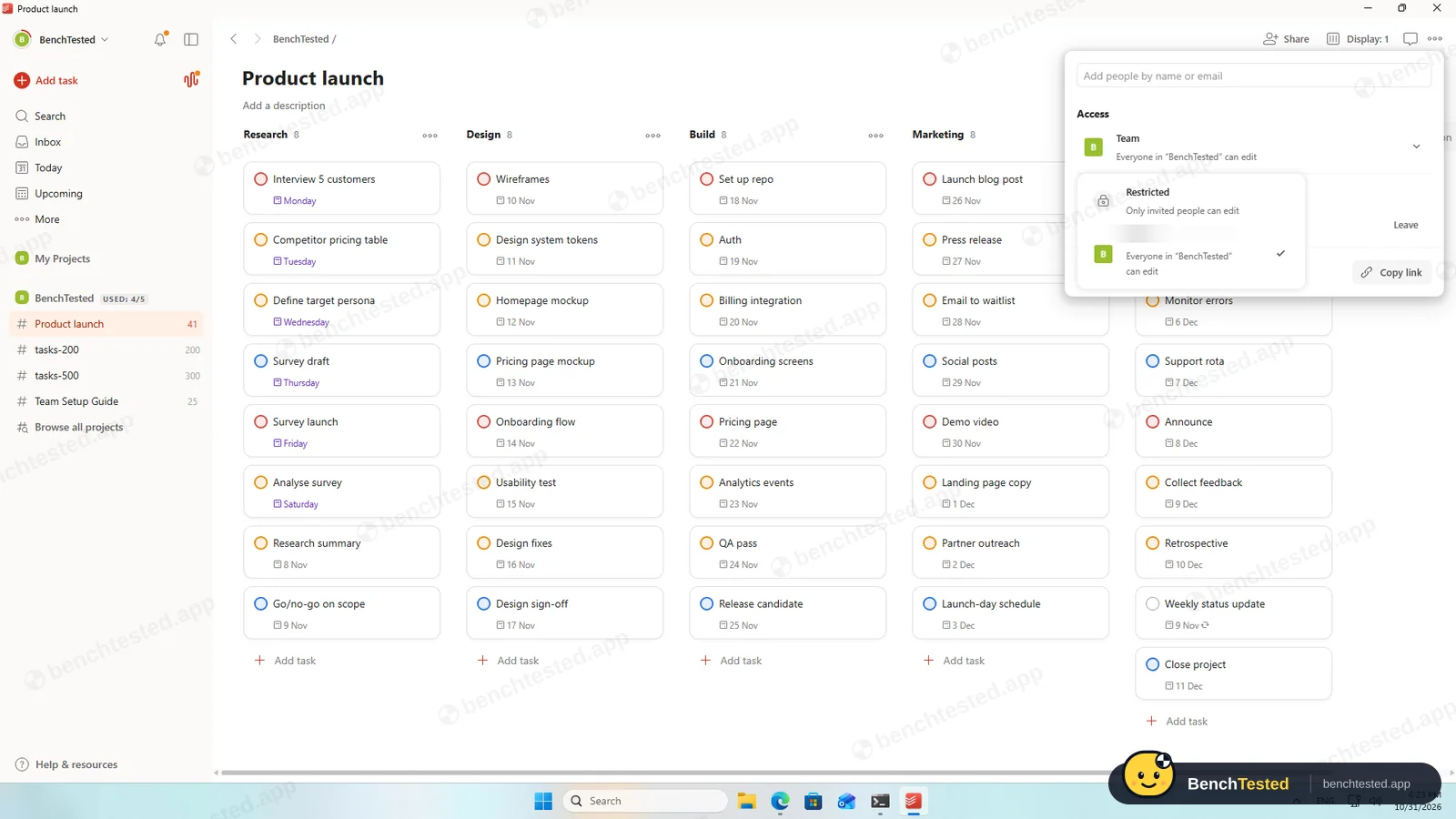
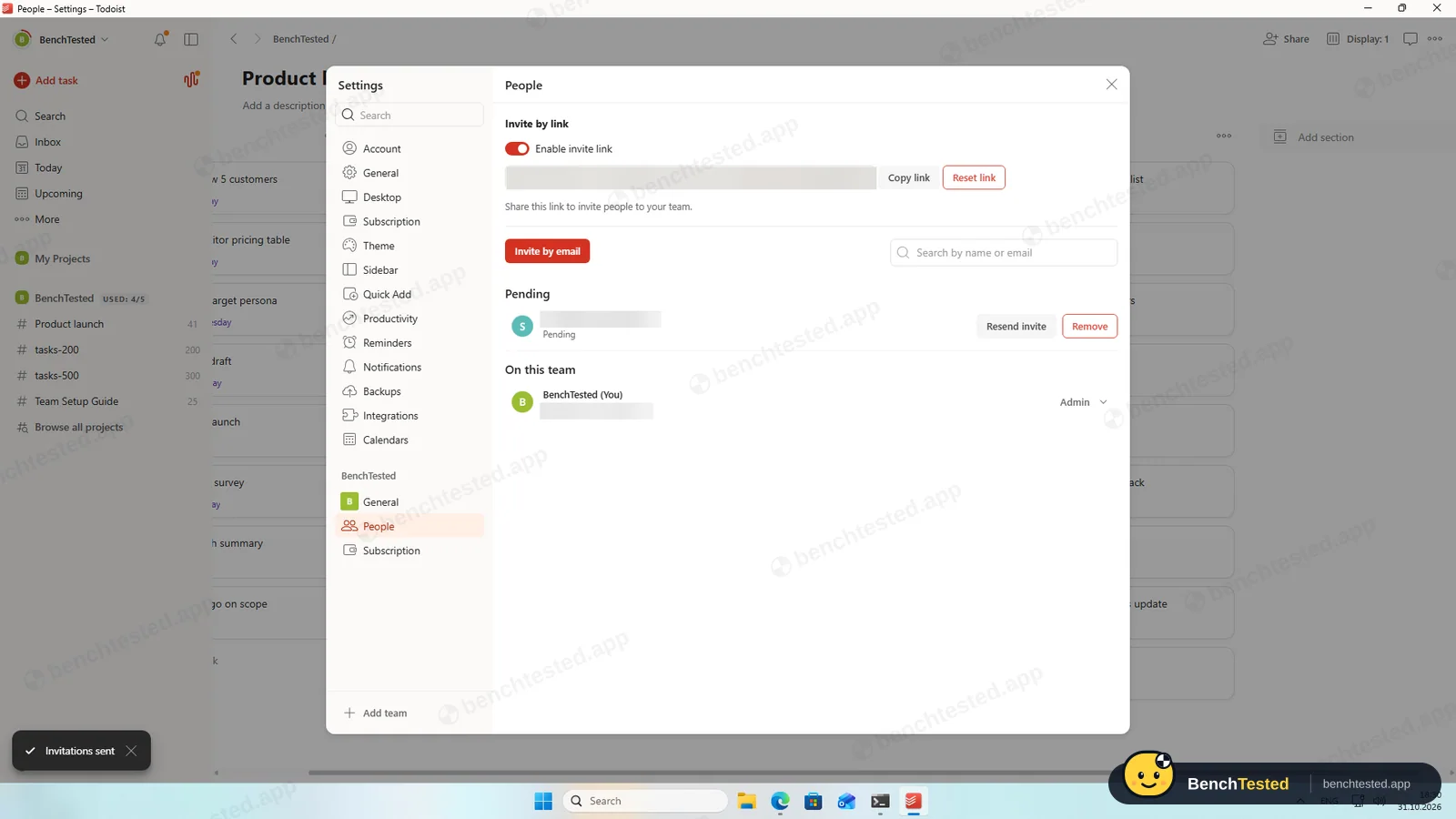
A project is editable by the whole team or by invited people only; there is no read-only role. On a free team, invitees are added as Admin because the Member role is paid, and a team join link is on by default. We invited our second address and revoked it.
-
P7 · AI
Ask the built-in AI to summarise the project, write subtasks for one task and say what is overdue.
Fail –
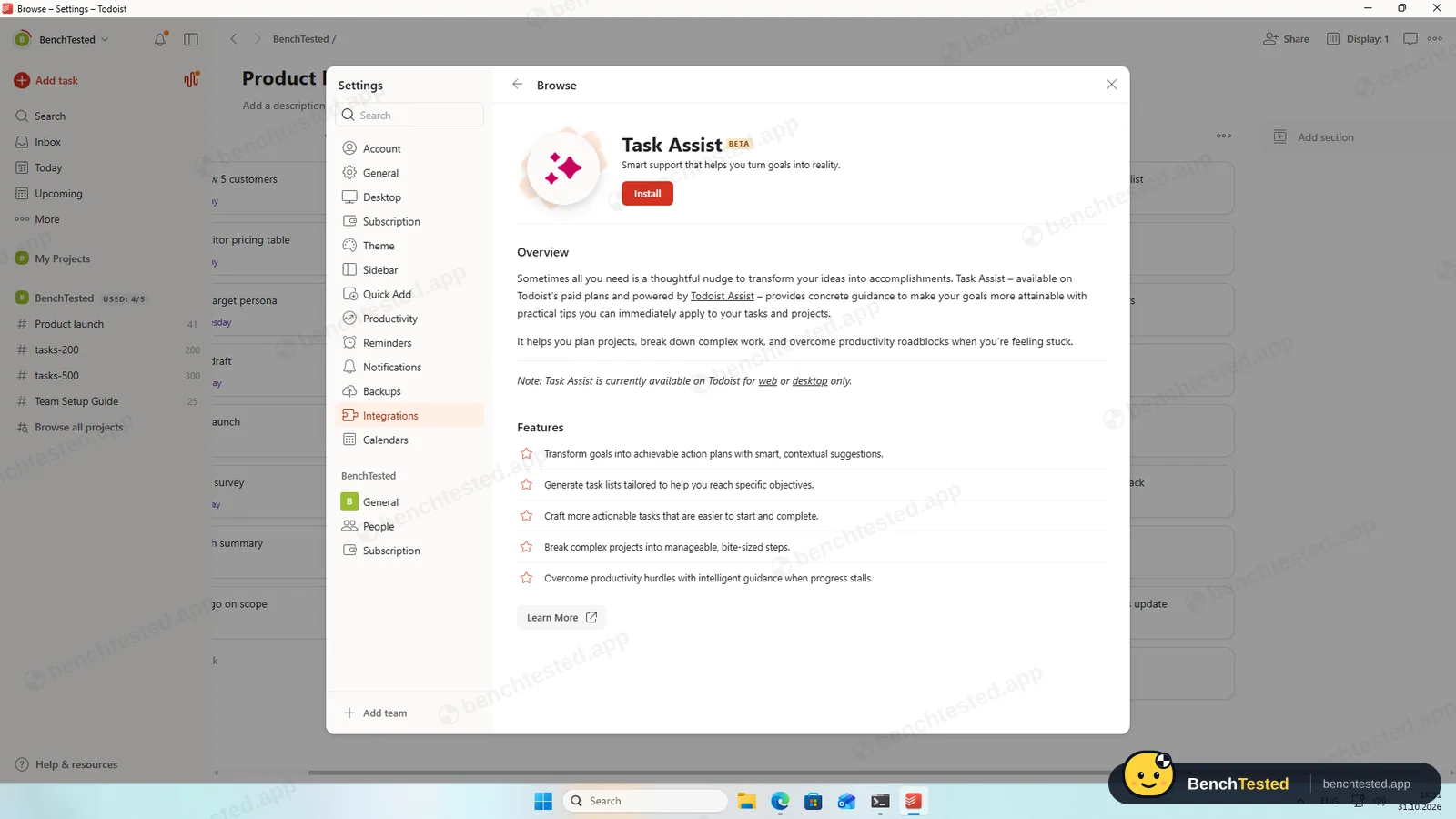
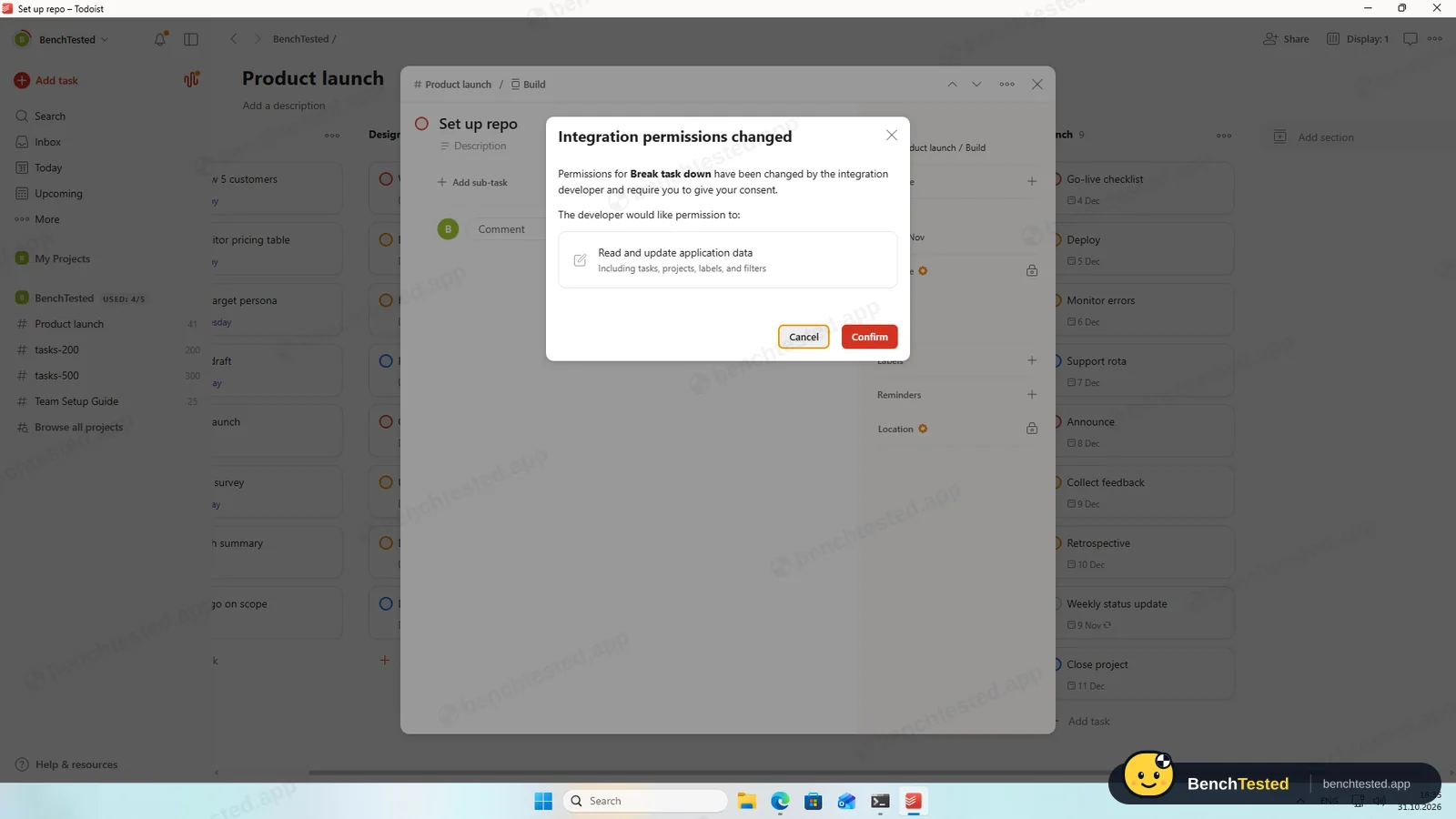
There is no AI in the free app. The Task Assist extension says it is for paid plans; it installed, but before running it asked for access to read and update all tasks and projects, which we did not grant.
-
P8 · Leave
Export everything to CSV, delete the workspace and uninstall the app.
Partial ≈ 5 min
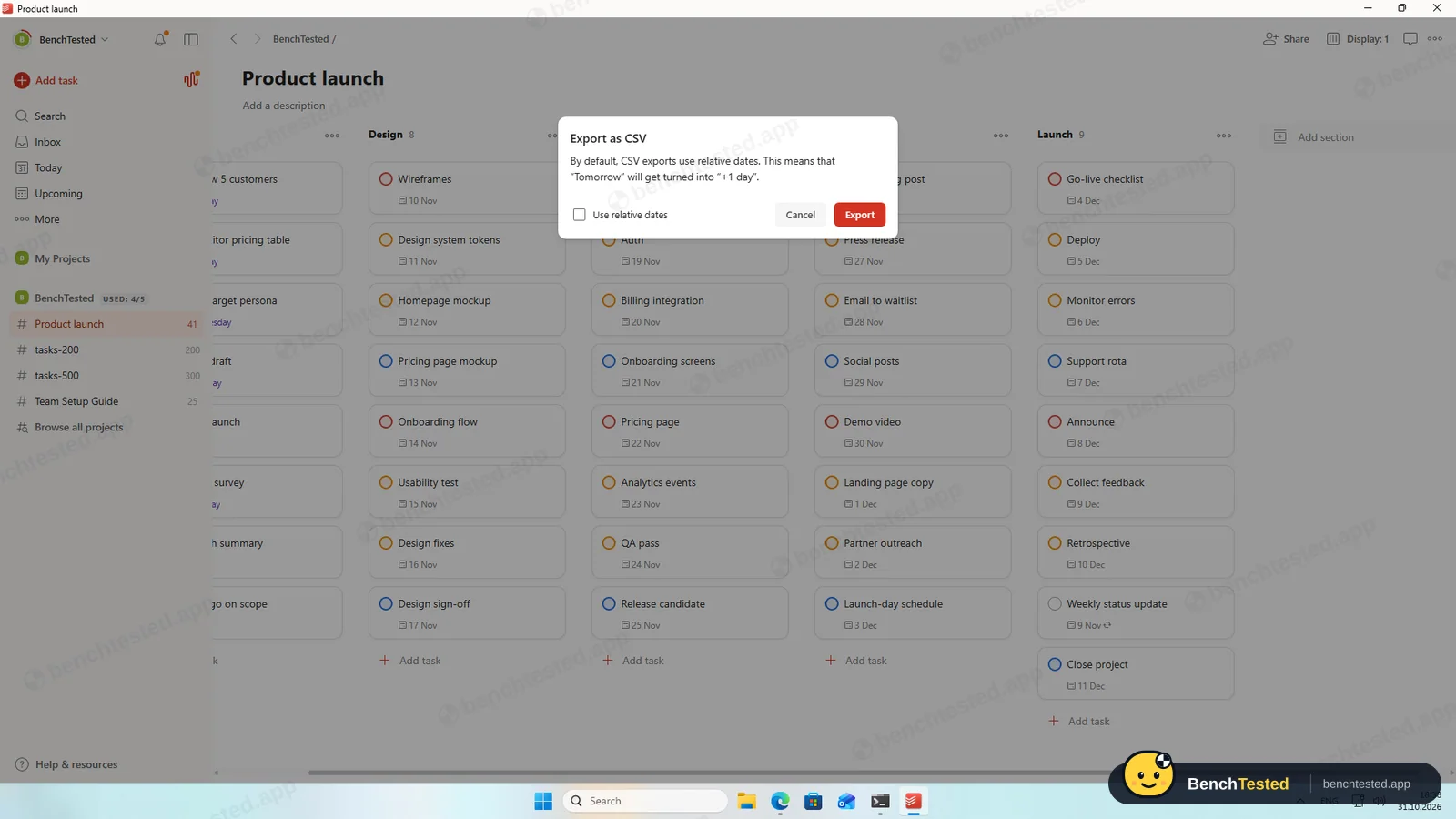
Each project exports to CSV with every task, in order. By default dates are written as “in 2 days”, relative to the export day; unticked, they read “15 Dec” without a year. Backups are paid. Uninstalling left the 214 MB updater folder and two protocol handlers.
How we tested Todoist
Todoist is the twelfth app in our project-management category and ran the same eight-step script as the others: build a 40-task project from a written brief, show it in four views, set up rules, import 200 and then 500 rows from a CSV file, invite a second user, use the built-in AI, export everything and leave.
We installed Todoist's Windows desktop app on a clean Windows 11 virtual machine and used a free team on the Beginner plan. Everything was done on October 31, 2026.
Installation and setup
The 224 MB installer is signed by Doist Inc. and installed in about 28 seconds for the current user, with no options or admin prompt. It did not add itself to Windows startup or create firewall rules; “Launch at startup” is off in the settings. After installing, the app started in the system tray without a window, and it signs in by sending you to the browser and back.
The sign-up pages opened in Turkish even though our test PC is set to English, apparently based on location; the language setting fixed it. The set-up asks how you will use Todoist, creates a team with a sample project and offers a 14-day Business trial, which we skipped.
Building the project
This is where Todoist shines. We pasted 45 lines such as “Interview 5 customers Nov 2 p1” into Add task, and Todoist offered to add them as separate tasks. All 40 tasks arrived with the right due date and priority, weekend dates included.
The phase headings became ordinary tasks rather than sections, so we deleted them, added five sections and moved each block of eight with multi-select. The whole project took about eight minutes.
Views and rules
List and board layouts are free, and the Upcoming view lists tasks day by day or as a board of days. The calendar layout opened a Business-trial offer, and Todoist has no Gantt chart or timeline in any plan.
Repeating tasks are effortless: typing “every monday” created a weekly task, and completing it moved it to the next Monday. There is no automation builder, though; the extensions are calendar sync, a habit tracker and helpers you trigger by hand. Tasks cannot depend on each other.
Importing 200 and 500 rows
Todoist's CSV import refused our spreadsheet with “The file you uploaded isn't a valid Todoist template”. It only reads its own format and has no column mapping. After we rewrote the file in that format, 200 tasks arrived in under 20 seconds with due dates, priorities, labels and descriptions intact. Statuses and assignees have nowhere to go.
The free plan allows 300 tasks per project, and importing our 500 rows added nothing at all. We imported the first 300 instead, which took about 15 seconds. A free team is also limited to five projects.
Speed and memory
Todoist's app is light. With a 300-task project open it used about 0.85 GB of memory, and from a cold start the window appeared in 1.6 seconds with the Today view ready about a second later. Long lists load as you scroll.
Sharing and permissions
A team project is editable by everyone in the team or only by invited people; there is no read-only role. On a free team, people invited by email are added as admins, because the Member role is a paid feature, and a link that lets anyone join the team is switched on by default. We invited our second address and revoked the invitation; we did not test the second user's view.
During the test Todoist also showed a Windows notification advertising its Business trial.
Todoist's AI
The free app has no AI. The Task Assist extension, which breaks tasks down and suggests next steps, says it is for paid plans. It installed on our free account, but before running it asked for permission to read and update all our tasks, projects, labels and filters. We did not grant that and removed the extension, so we did not test the AI.
Leaving Todoist
Each project exports to CSV through the browser. Our 200-task export had every task, description, priority and label, in the original order. By default, though, dates are written relative to the export day, such as “in 2 days”, so re-importing later shifts them; with the box unticked they read “15 Dec”, without a year. Automatic backups are paid. We did not delete the account.
Uninstalling took 8 seconds and removed the app and its profile, but left the 214 MB updater folder and two protocol handlers.
What we have not tested yet
We did not test the second user's view, the paid calendar layout, Task Assist, Ramble voice input, integrations, the mobile apps or the paid plans. We did not test Todoist offline, and we ran each step once.
Todoist Screenshots
Taken during our own test run on a clean Windows 11 machine.
What we checked
Every item in our project management tool test plan and how Todoist did. Scan for the ones you can't live without.
Installation
- Pass Download size224 MB
- Pass Signed installerDoist Inc., valid
- Pass Admin rightsper-user, no prompts
- Pass Asks before running at startupoff by default
First use
- Pass Sign-up without a card
- Pass Starts on the free planBusiness trial offered, skippable
Core tasks
- Pass Build a 40-task projectone paste; sections by hand
- Partial List, board, calendar and Gantt on the free plancalendar paid, no Gantt
- Fail Status automationno rules
- Fail Task dependencynot available
- Pass Recurring task“every monday”
- Partial CSV import keeps the dataonly in Todoist's template; no status or assignee
- Fail CSV import maps columns itselfour file was rejected
- Partial Permissions and rolesAdmin only on Free; no viewer
- Fail AI summary and answerspaid plans
- N/A AI asks before changing datanot tested
Performance
- Fail Large board (500 tasks)300 per project on Free
- Pass Cold start1.6 s
- Pass Memory useunder 1 GB
Privacy and security
- Pass No pressure to share contacts
- N/A Access removed immediatelysecond user's view not tested
Integrations
- Partial Import from other toolsTodoist CSV template only
- N/A Connected appsintegrations not tested
Offline and sync
- N/A Behaviour without internet
Pricing traps
- Partial Free plan limits5 projects, 300 tasks each; ads by notification
Cancel and uninstall
- Partial Complete exportper project; relative dates by default
- N/A Delete the workspaceleft to the account owner
- Partial Clean uninstall214 MB updater folder left
Test Results
- Ease of use7.5
The fastest project set-up in our tests, thanks to natural-language dates; sections still need a little manual work.
- Views & flexibility4.5
List, board and Upcoming are free; calendar layout is paid and there is no Gantt.
- Speed7.0
A light, quick-starting app, but the free plan stops at 300 tasks per project.
- Automation & AI4.0
Effortless repeating tasks, but no automation rules and no dependencies.
- Integrations3.0
CSV import accepts only Todoist's template; exports are complete but use relative dates by default.
- Value for money5.0
Pro is cheap, but the free team is small, admin-only and without AI or backups.
Every project management tool runs the same script. How we test →
Key Features
Quick addTested by us
Type “Interview 5 customers Nov 2 p1” and the date and priority are set.
40 pasted tasks parsed correctly.
ViewsTested by us
List, board and Upcoming on Free; calendar layout on paid plans.
Repeating tasksTested by us
Repeats typed in plain language, such as “every monday”.
CSV import and exportTested by us
Per project, in Todoist's own template format.
Other CSV files are rejected.
Task AssistVendor-stated
AI that breaks tasks down and suggests next steps.
Paid plans; not tested.
Todoist at a glance
- Version tested
- Windows app 9.36.1 (October 31, 2026)
- Platforms
- Web, Windows, macOS, Linux, iOS and Android
- Installer
- 224 MB; silent per-user install
- Account
- Email, Google, Facebook or Apple
- Free plan
- 5 projects, 300 tasks per project, no AI or backups
- Import
- CSV in Todoist's template format
Is Todoist secure?
We did not review Todoist's privacy policy or security certifications for this test. Below are only the things we saw on our test PC and in the app.
-
Signed installerTested by us
Signed by Doist Inc. with a DigiCert certificate.
-
No startup entry or firewall rulesTested by us
“Launch at startup” is off by default, and no firewall prompt appeared.
-
Admins by defaultTested by us
On a free team every invitee is an admin, and a team join link is on by default.
-
Extension permissionsTested by us
Task Assist asked for access to read and update all tasks, projects, labels and filters.
Pricing
Free plan
Yes
Paid plans from
$5 / month, billed yearly
-
Beginner
$0
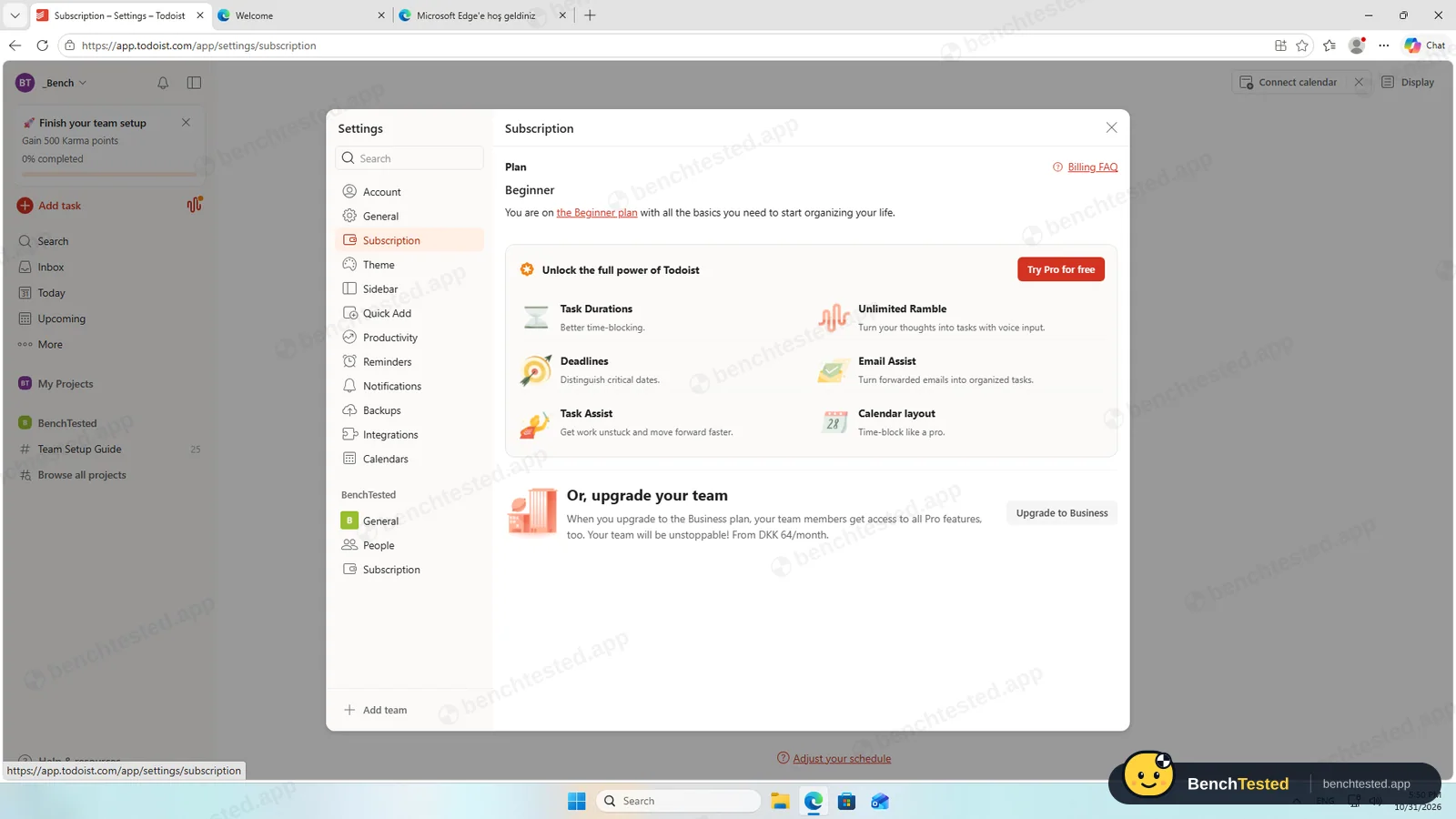
5 personal projects; a free team has 5 projects and 300 tasks per project. No calendar layout, backups or Task Assist.
-
Pro
$5/mo
Billed yearly ($60); $7 billed monthly. 300 projects, calendar layout, reminders, backups, Task Assist.
-
Business
$8/user/mo
Billed yearly ($96); $10 billed monthly. Up to 500 team projects, roles and permissions.
From Todoist's pricing page, checked Oct 31, 2026.
Who makes Todoist?
- Company
- Doist Inc. (Todoist)
- Headquarters
- Remote-first company, incorporated in Delaware, USA
- Founded
- 2007
- Founders
- Amir Salihefendić
- Funding
- Developed without formal venture funding.
Todoist timeline
- 2007Todoist created by Amir Salihefendić.
- 2012Web app and native mobile apps.
- 2020Team workspaces and boards added.
- 2024More than 30 million registered users.
- Oct 31, 2026We tested the Windows app 9.36.1.
FAQ
Is Todoist free?
Yes. The Beginner plan includes list and board views and repeating tasks; a free team has 5 projects and 300 tasks per project. Pro costs $5 a month billed yearly.
Can Todoist import a CSV file?
Only in Todoist's own template format. Our ordinary spreadsheet CSV was rejected; after converting it, dates, priorities and labels came in, but statuses and assignees did not.
Does Todoist have Gantt charts or dependencies?
No. It has list, board, Upcoming and, on paid plans, a calendar layout.
Does Todoist's AI work on the free plan?
No. Task Assist is for paid plans, and it asks for access to all your tasks and projects before it runs.
Does the Todoist desktop app start with Windows?
No. “Launch at startup” is off by default.
Can I export my data?
Each project exports to CSV with every task. Untick “Use relative dates”, or the dates are written relative to the export day.
Final Verdict
Todoist makes typing in a dated project faster than anything else we tested, and its Windows app is light, quick and well behaved.
As a project tool on the free plan it falls short: no automation, dependencies or Gantt, a 300-task cap per project, a CSV import that only reads its own format, admin-only invites and no AI.
Our advice: choose Todoist for personal or small-team task lists with dates and repeats, and consider the inexpensive Pro plan. For team projects with timelines and imports, ClickUp or Airtable handled our script far better.