
Review Summary
Trello is still the quickest way to put a list of tasks on a board, and its free automation rules work well. But it is a Kanban tool first: on the free plan you get the board only, priorities have to be colour labels, there are no dependencies, no CSV import and no project-wide AI, and adding hundreds of cards is slow and capped at 100 at a time.
+ What works
- Pasting a multi-line list creates one card per line
- Free automation rules: ours moved a completed card within a second or two
- A recurring card rolls itself to next week when completed
- The Store app installs in about a minute without admin rights and uninstalls without leaving anything behind
- Quick to learn, with a clean board
− What falls short
- Free plan: board view only; calendar, timeline and table are Premium
- No priority field (we used colour labels) and no task dependencies
- No CSV import: we could only paste titles, at most 100 cards at a time
- Bulk card creation is slow, and 13 of our 500 cards were lost when we reloaded before it finished
- No AI chat for summaries or overdue tasks; AI checklists are a paid feature
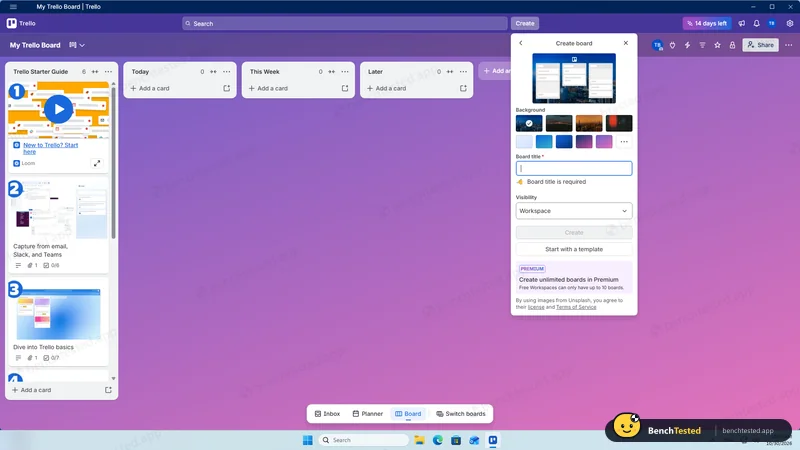
- A new account starts a 14-day Premium trial; free workspaces are capped at 10 boards
Trello Alternatives
Not sure Trello is the right fit? These project management tools scored best on the same test script:
 ClickUp Recommended Small teams that want lists, boards, Gantt charts, automations and AI in one free workspace and do not mind a busy, heavy app 7.4 Read reviewReview

What is Trello?
Trello organizes work as cards on lists on a board, the Kanban model it popularised. Cards carry dates, labels, checklists, attachments and members, and Butler automation can move and update cards with rules and buttons.
Trello is part of Atlassian. Paid plans add more views, custom fields and AI features, and Power-Ups connect boards to other tools.
Why Trello is different
Trello focuses on the board; other views and most structure are paid.
Its automation rules are available on the free plan.
Who is Trello for?
Small teams and individuals who want a simple, visual Kanban board with a few automations. Individuals and small teams who want a simple visual board for tasks.
Skip it if
- You need timelines, calendars or dependencies without paying
- You want to import a spreadsheet of tasks
- You manage hundreds of tasks per project
Our Experience with Trello
Test log
Windows 11 Pro 10.0.26300 in VMware Workstation 26H1 (4 vCPU, 8 GB RAM, no GPU passthrough), English (US) UI, 1920×1080, clean snapshot; new Atlassian account, which starts a 14-day Premium trial
- 10:24
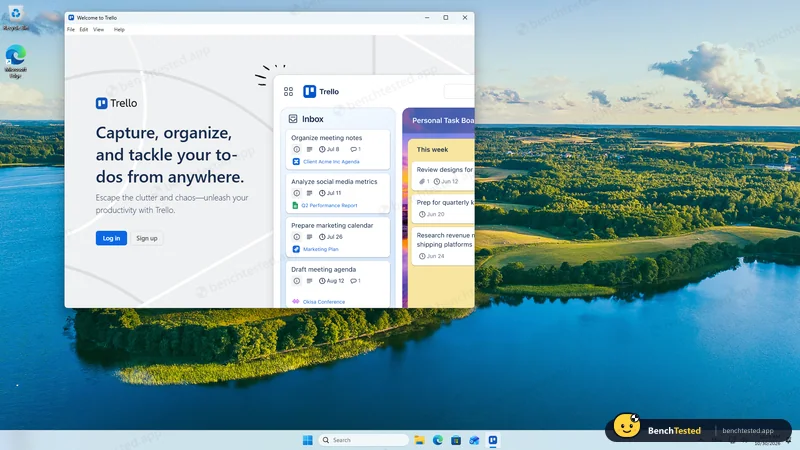
Installed from the Microsoft Store
71 s, no admin rights
- 10:28
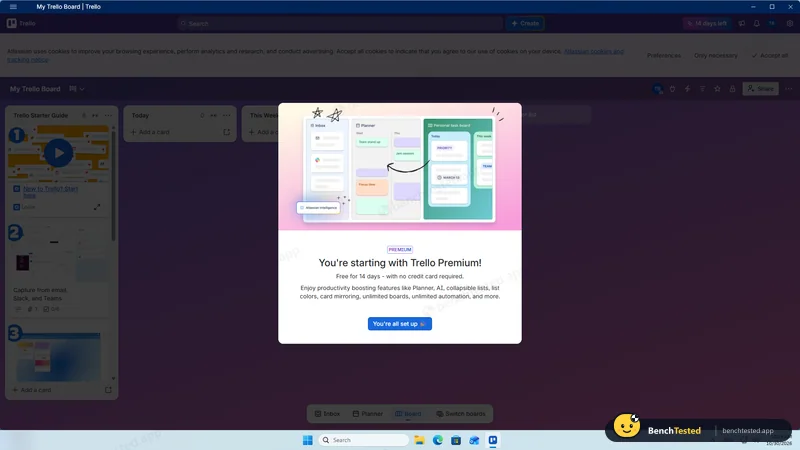
Account created
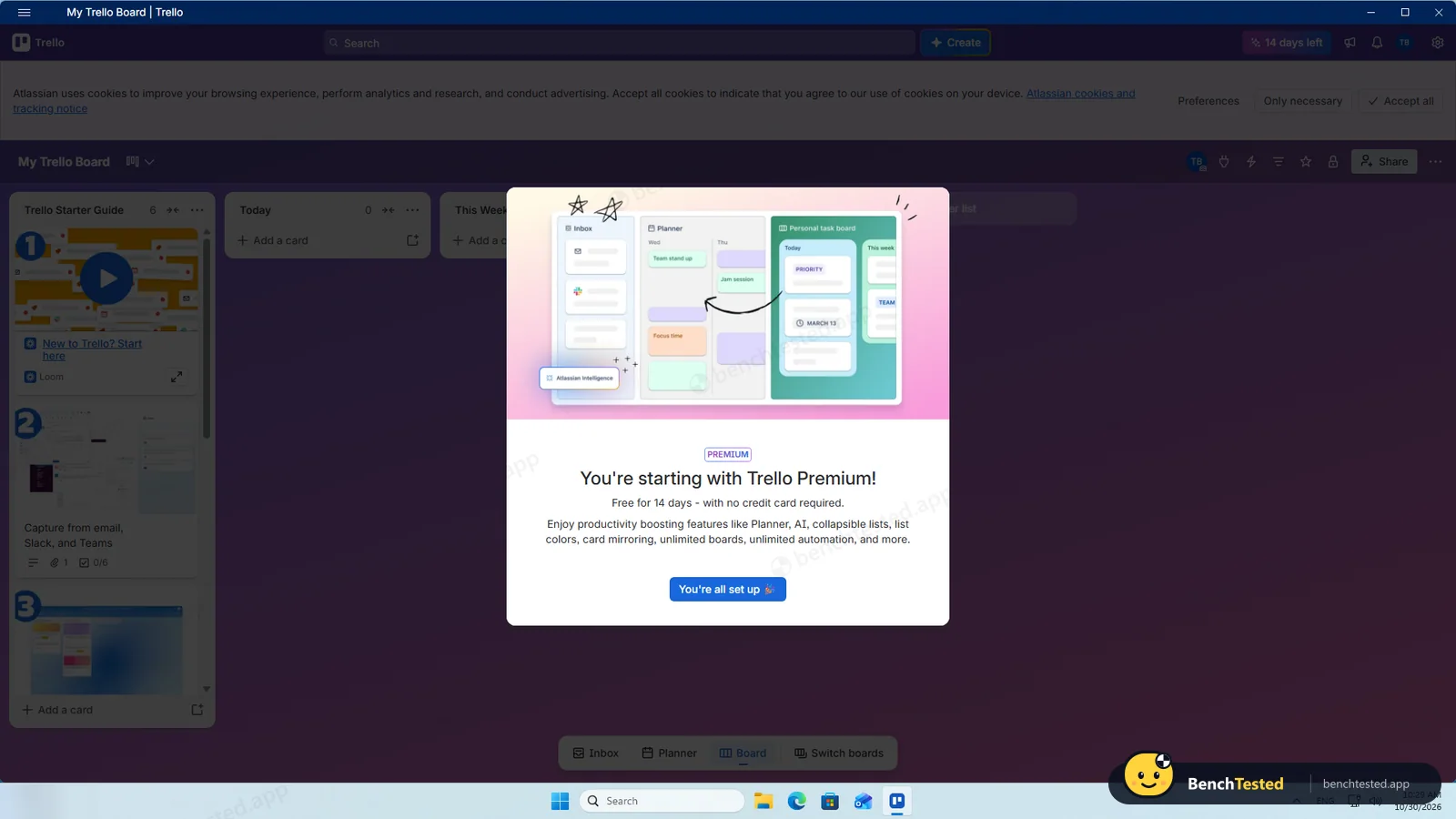
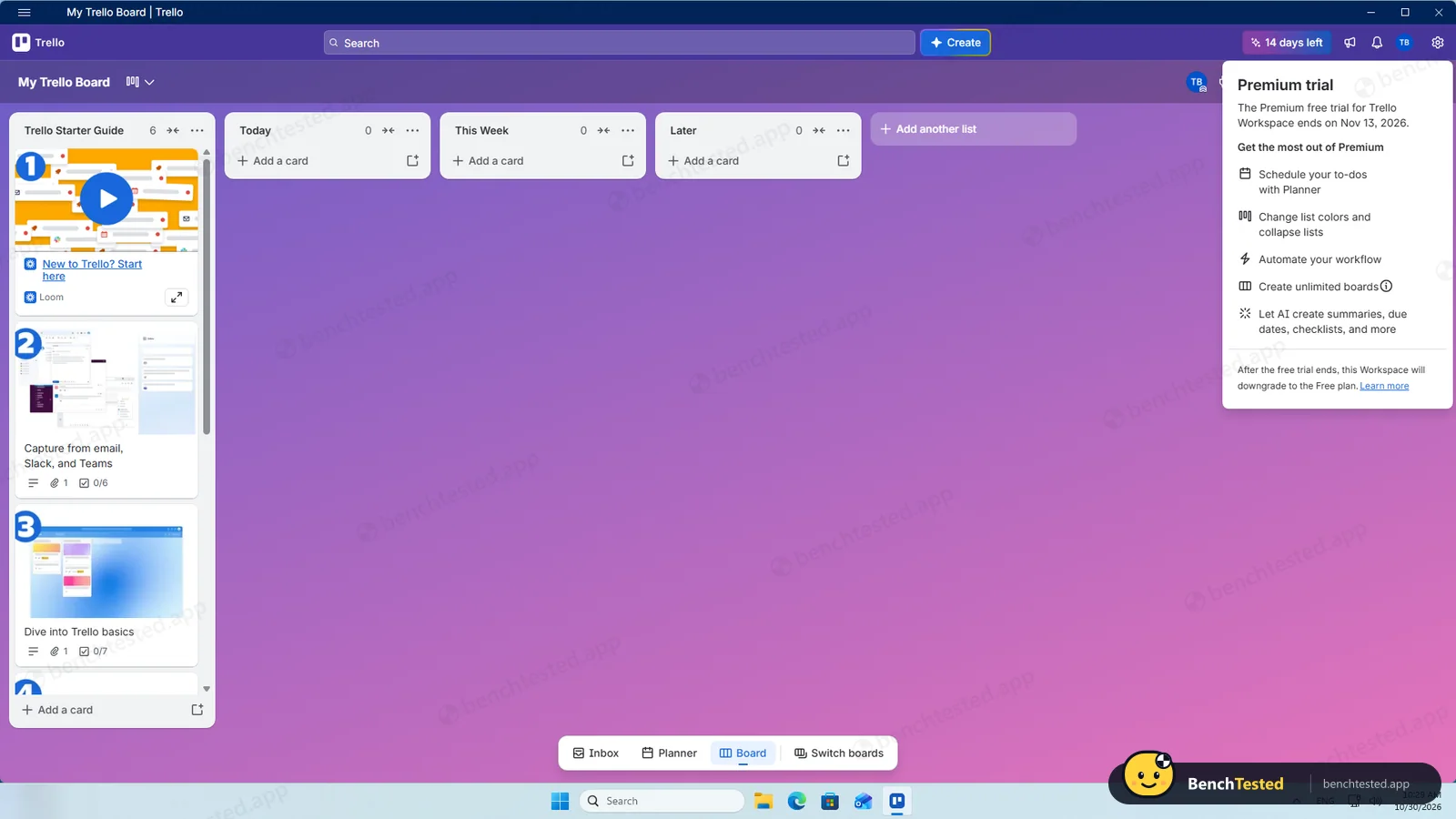
14-day Premium trial starts automatically
- 10:30
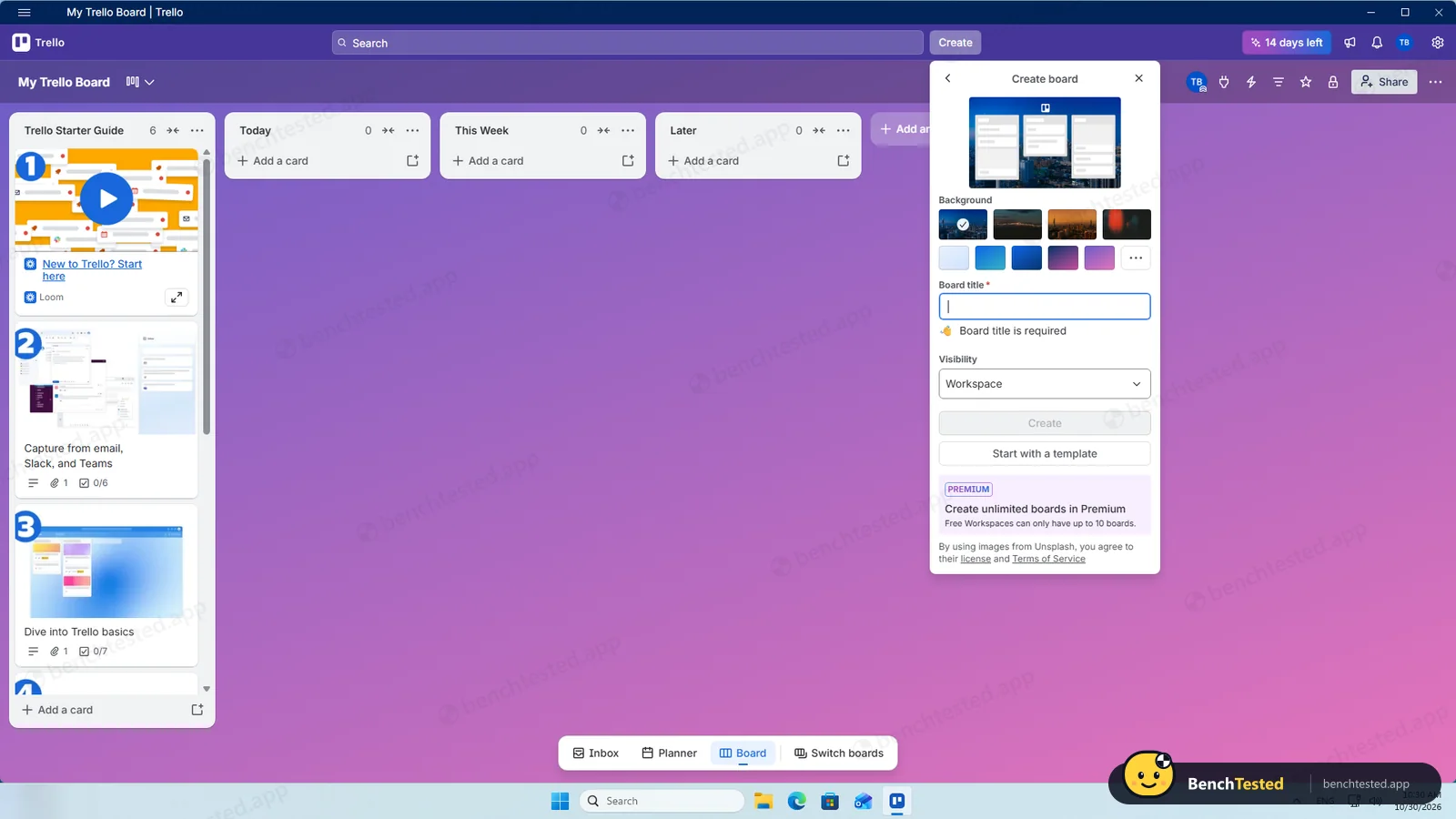
P1: board created
free workspaces up to 10 boards
- 10:50
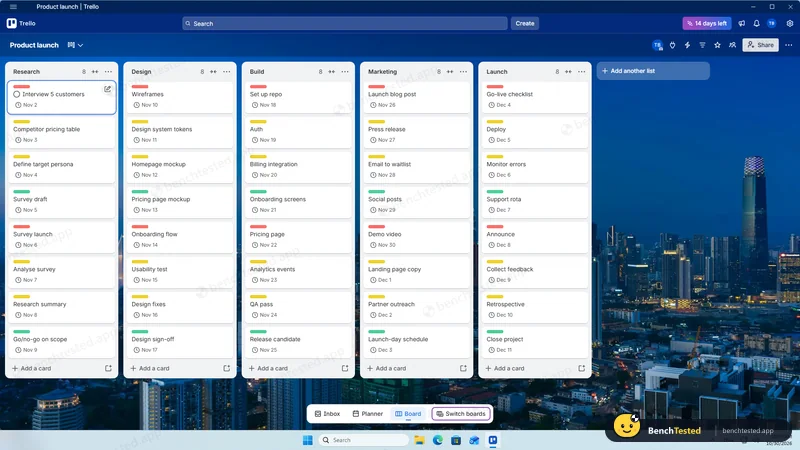
P1 done
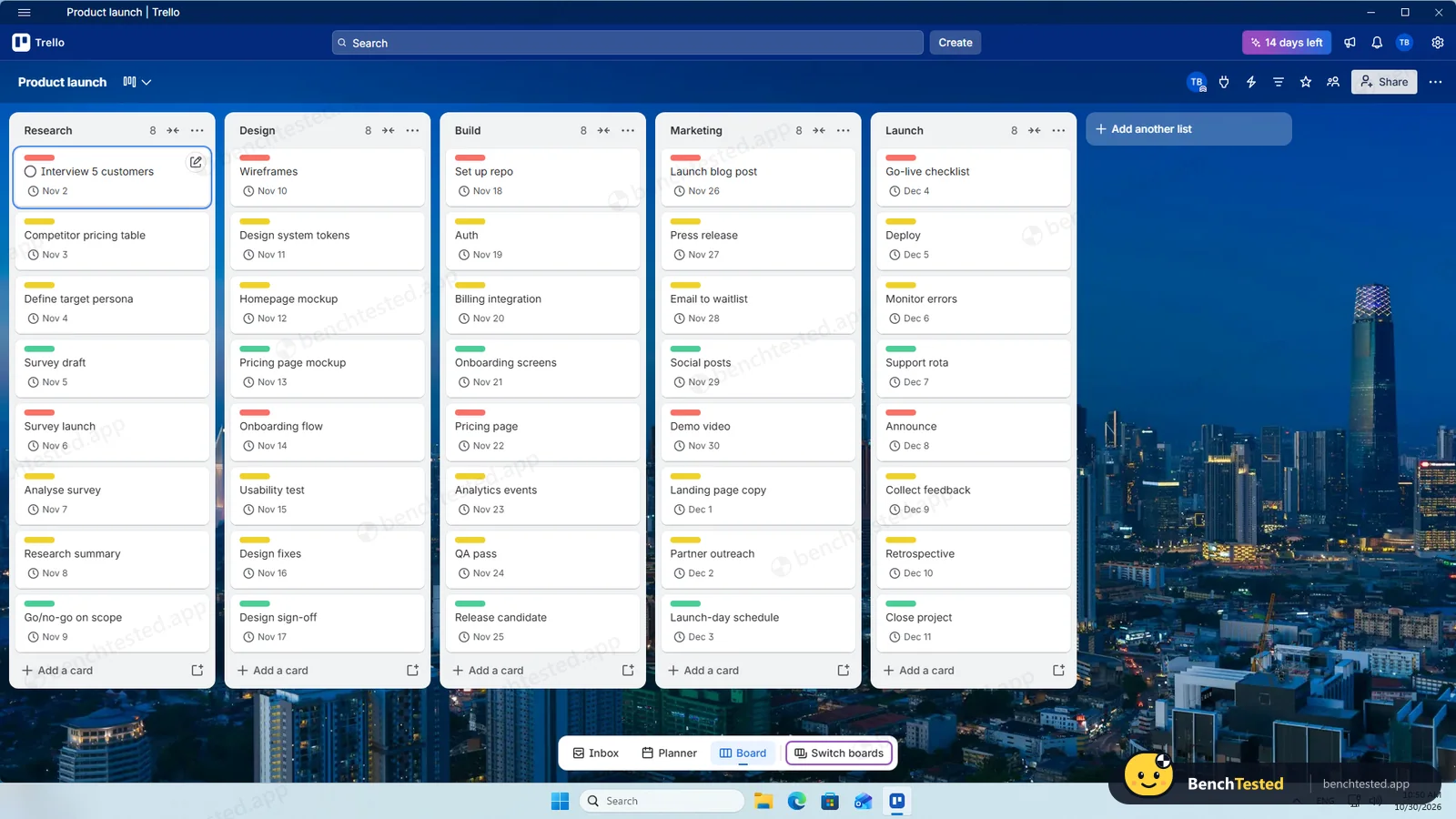
40 cards with dates and colour labels
- 10:50
P2: views
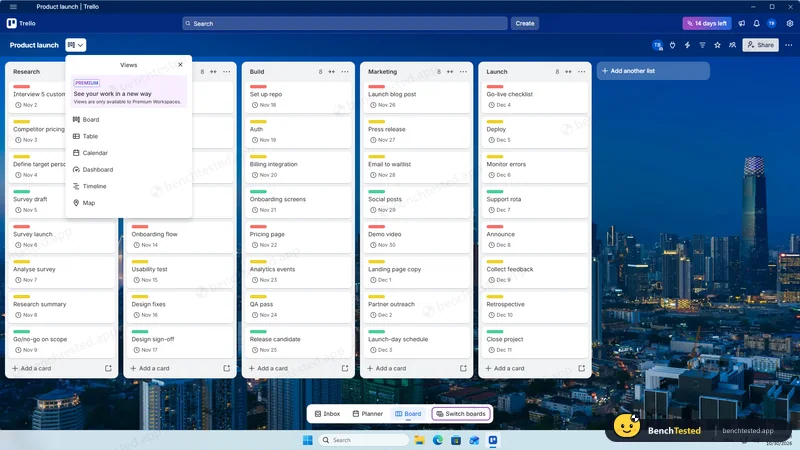
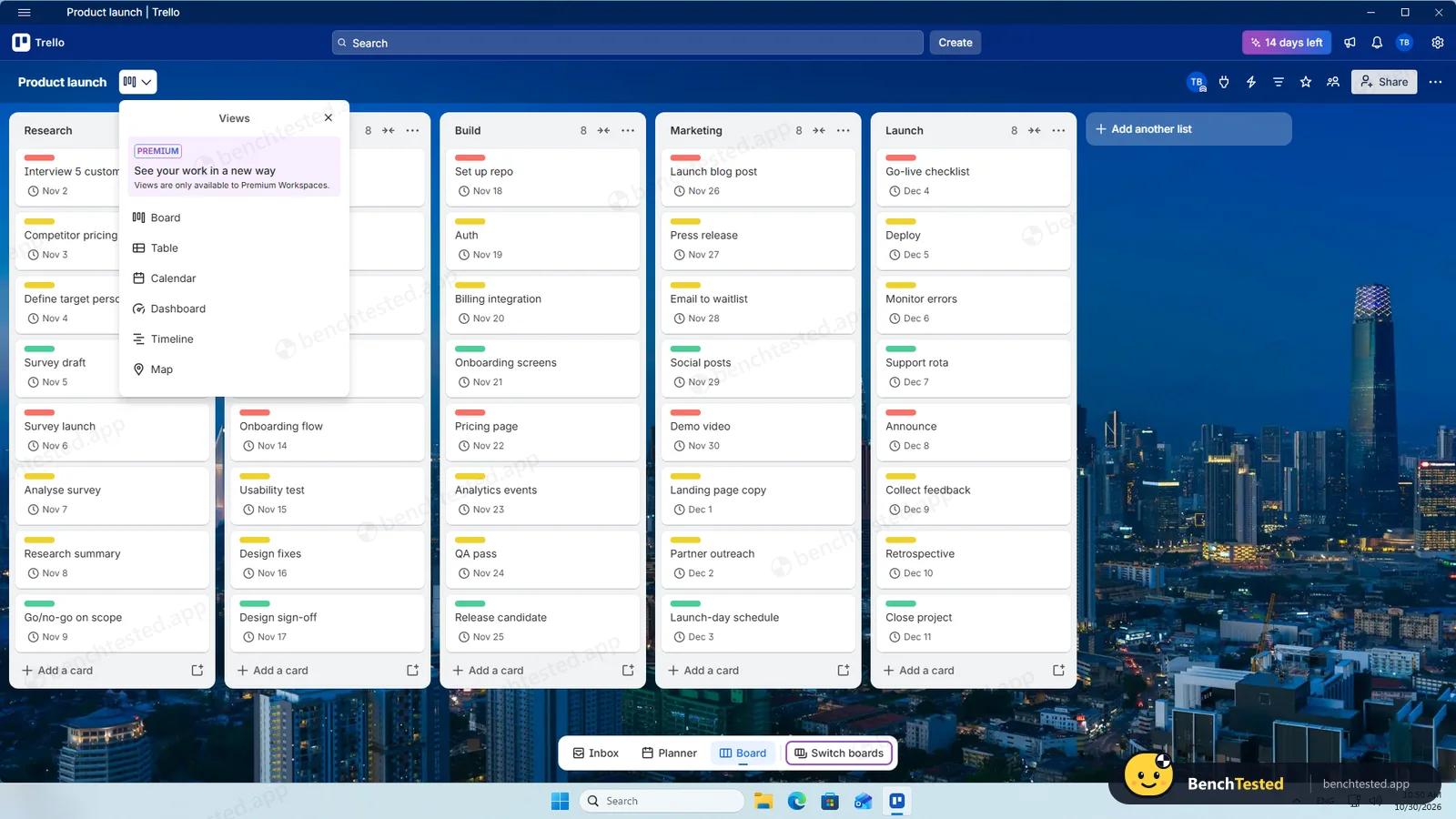
calendar and timeline are Premium
- 10:55
P3: rule fired
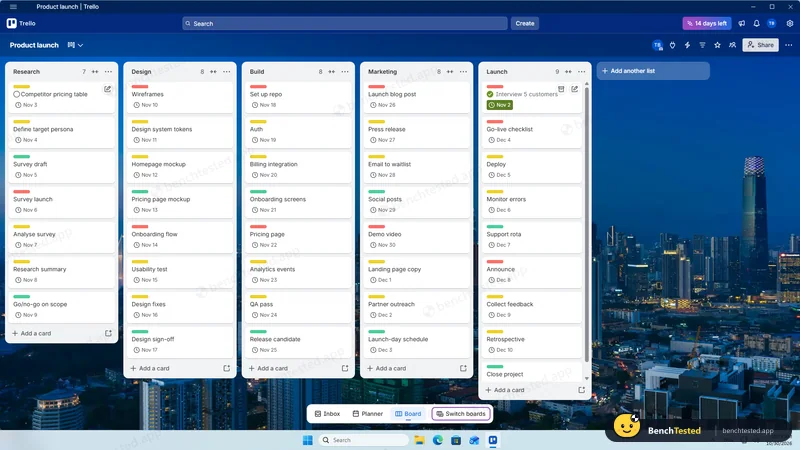
within about 1–2 s
- 10:56
P3: dependencies
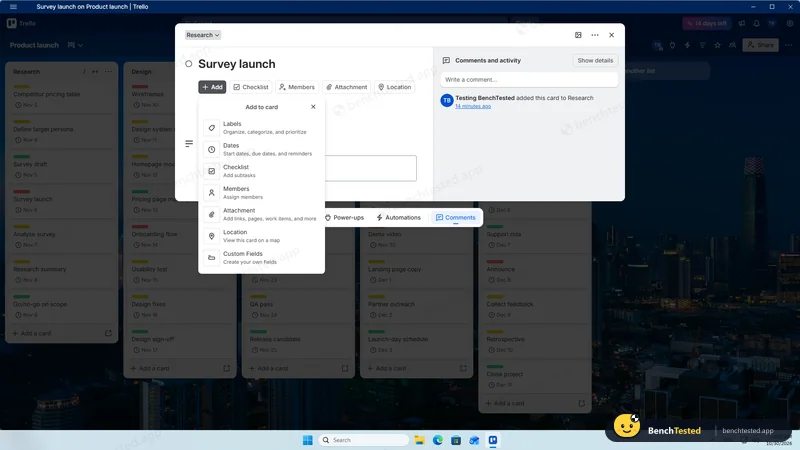
not available
- 10:59
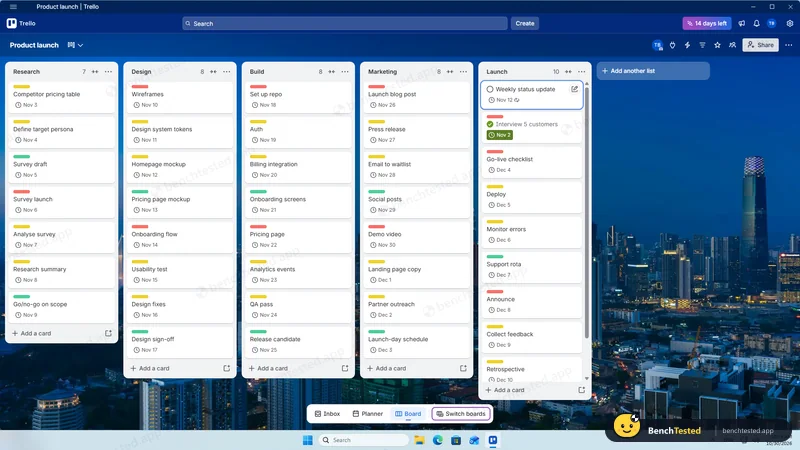
P3: recurring card rolled over
- 11:00
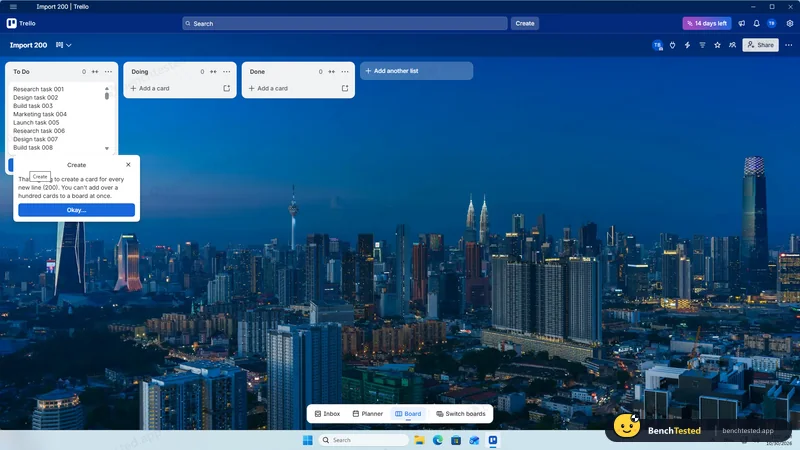
P4: no CSV import; paste limited to 100
- 11:15
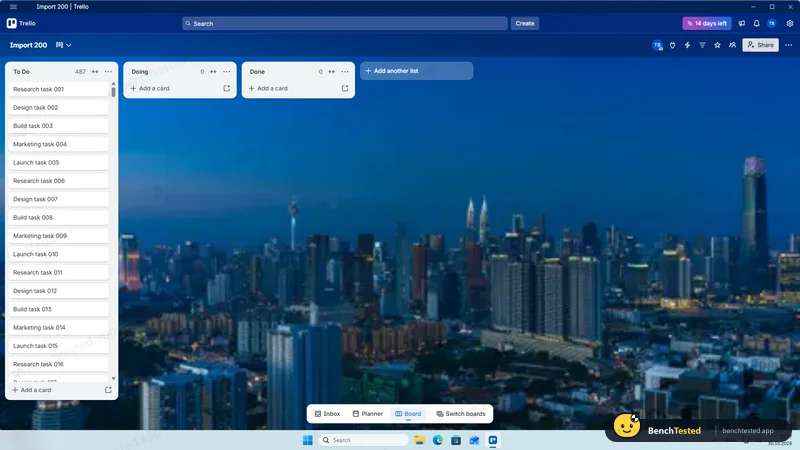
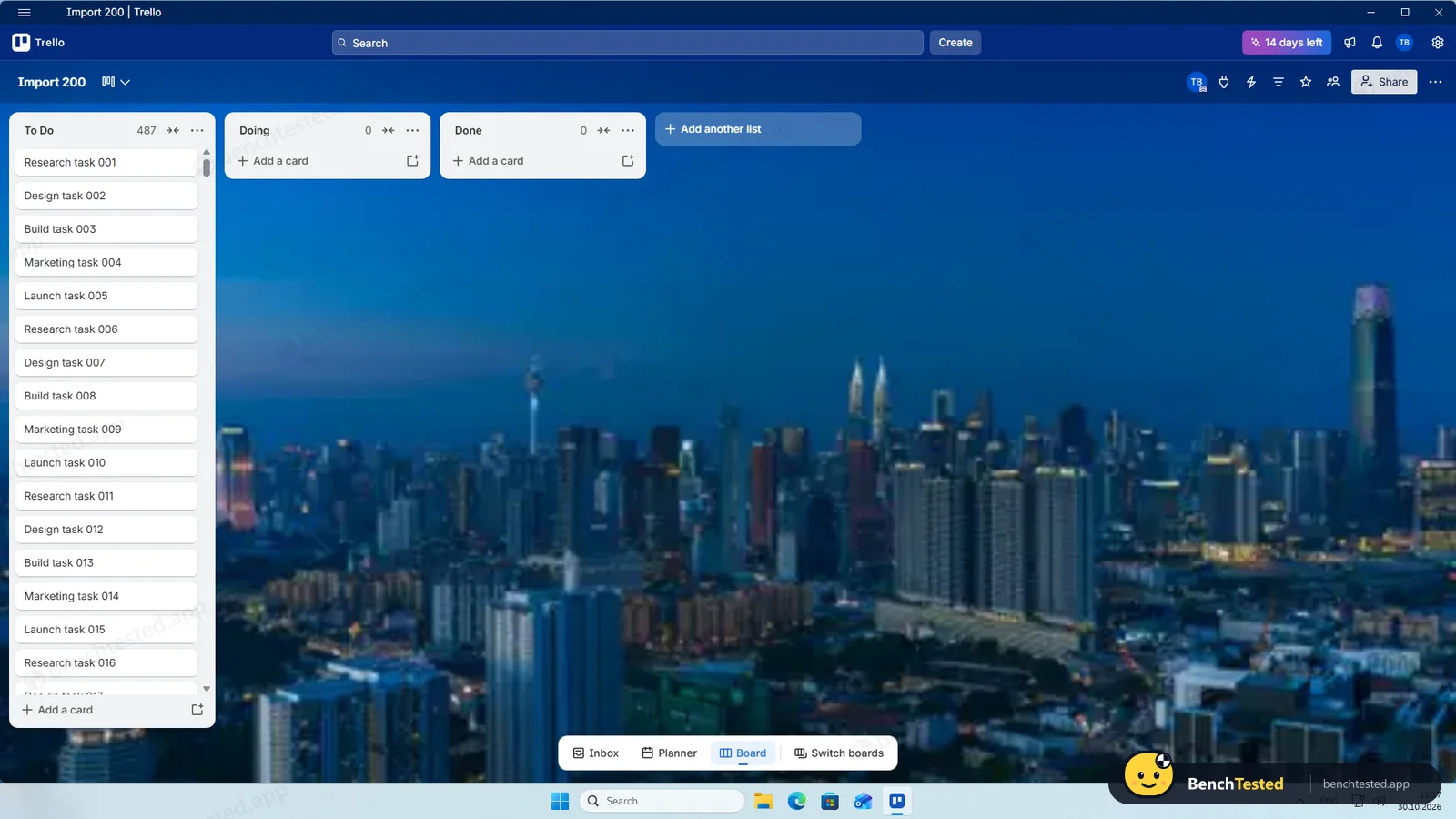
P5: 487 of 500 cards
13 lost on reload
- 11:17
Cold start
usable in about 7 s
- 11:21
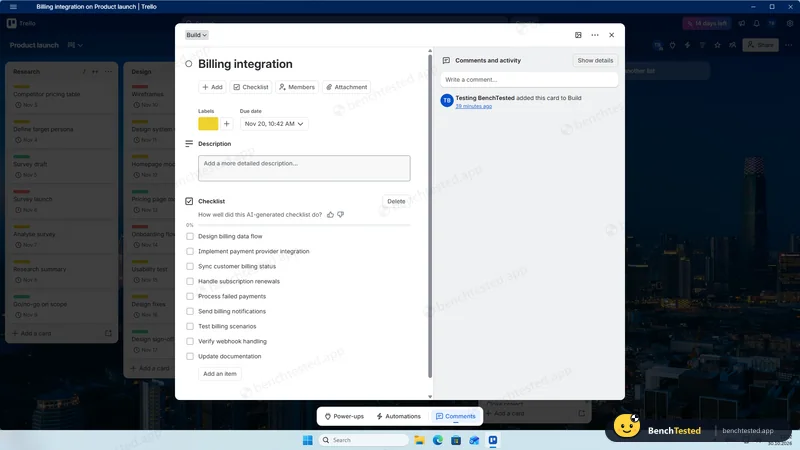
P7: AI checklist
- 11:23
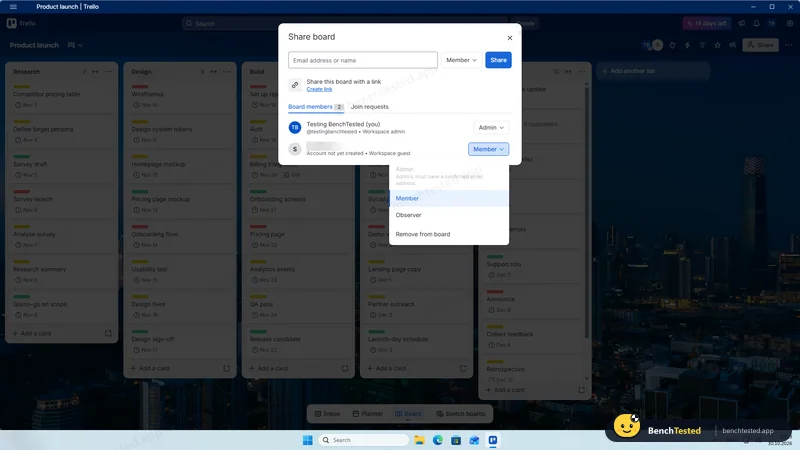
P6: invited, set to Observer, removed
- 11:24
P8: CSV export
instant
- 11:25
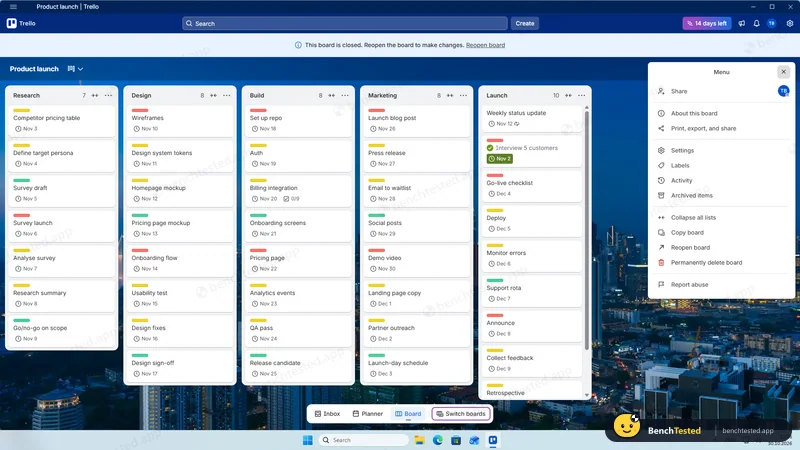
P8: board closed
- 11:27
Uninstalled
1.7 s, nothing left
-
P1 · Build a project
Build a 40-task product launch project from a written brief: five phase lists of eight tasks, each with a due date and priority.
Partial ≈ 20 min
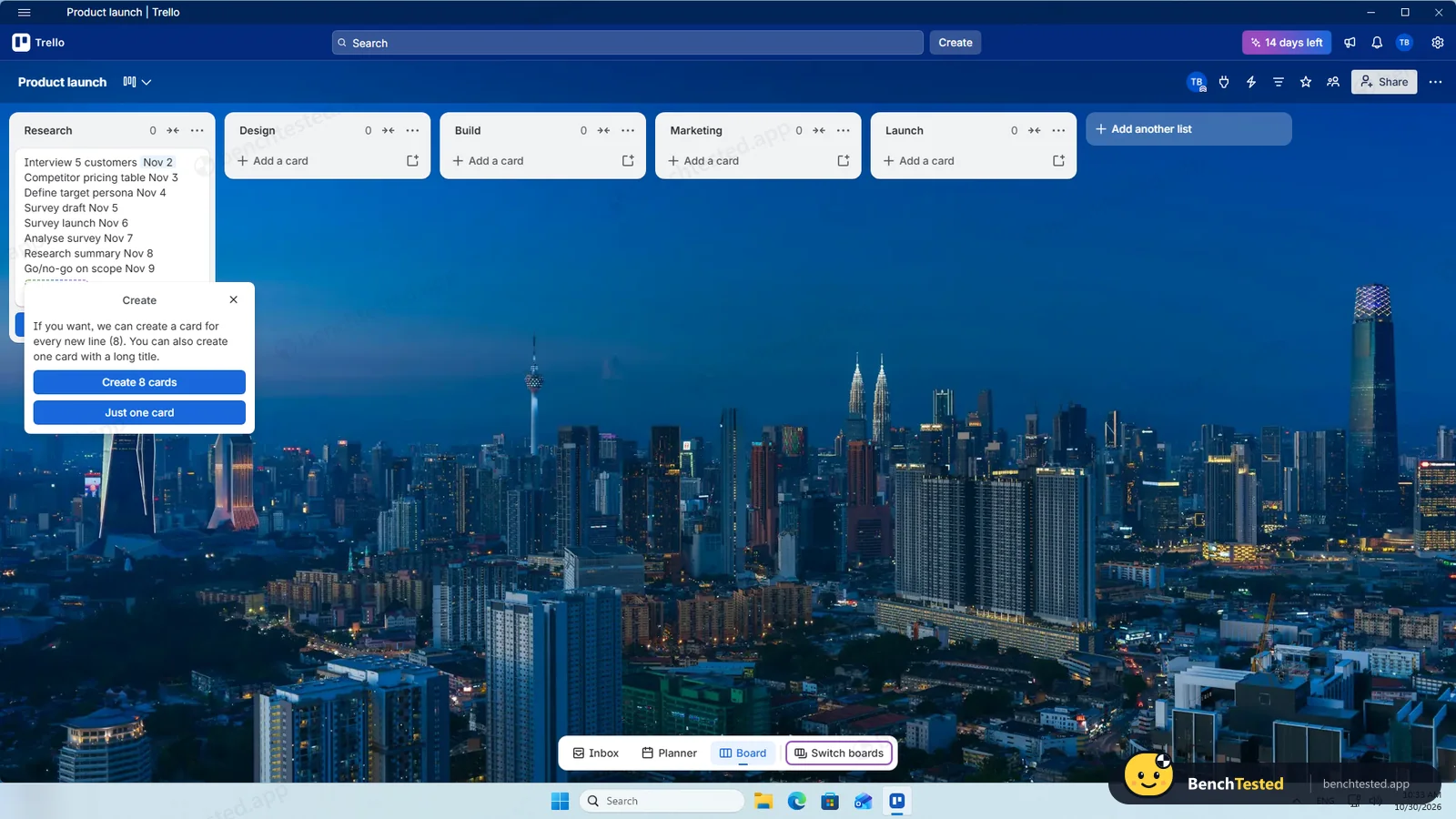
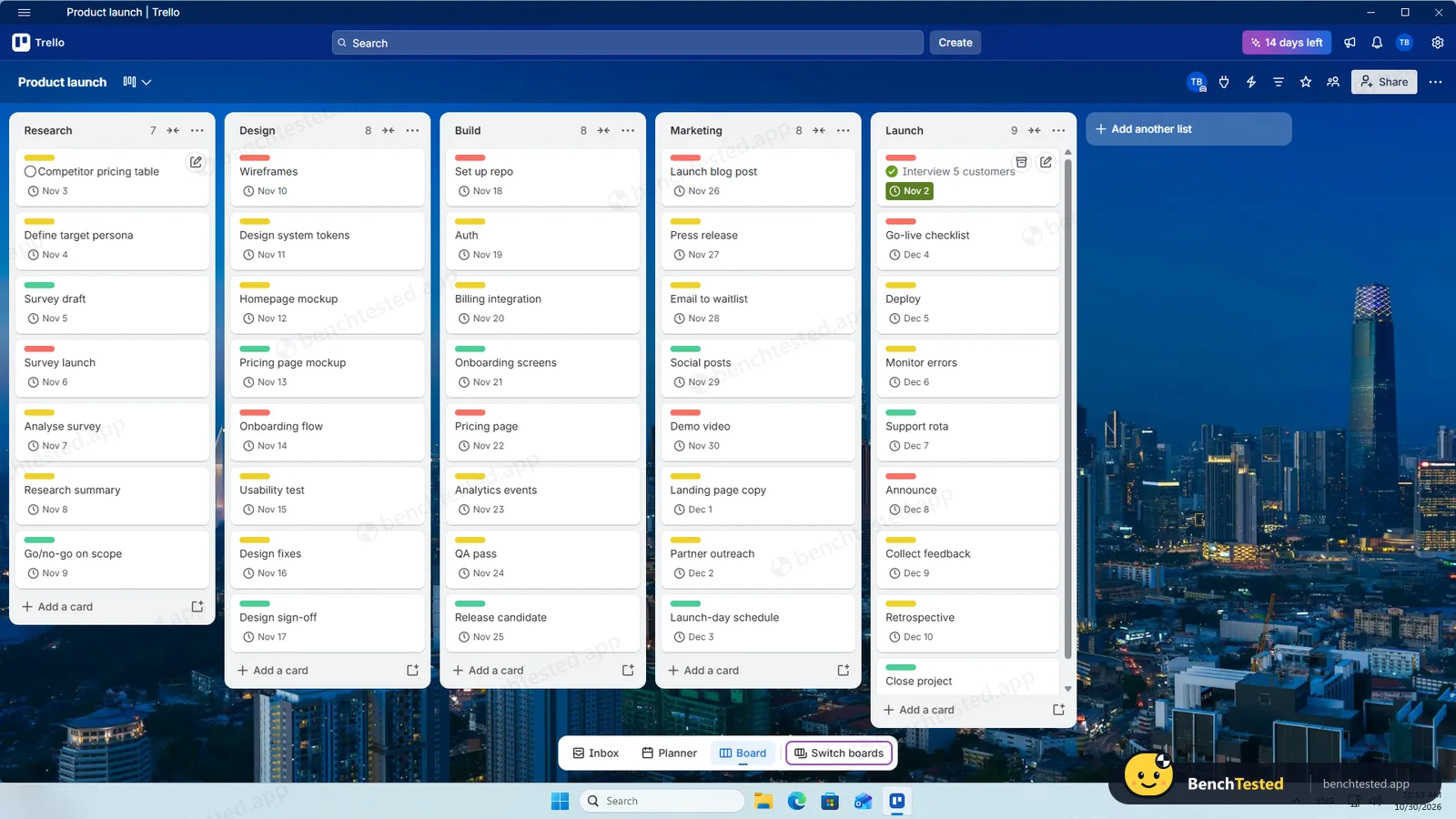
Pasting eight lines into a list creates eight cards. Dates typed into a title are recognised, but only for one card per paste, so we set each due date afterwards (hover and press D). There is no priority field on the free plan, so we used red, yellow and green labels.
-
P2 · Views
Show the project as a list, board, calendar and Gantt chart.
Partial ≈ 3 min
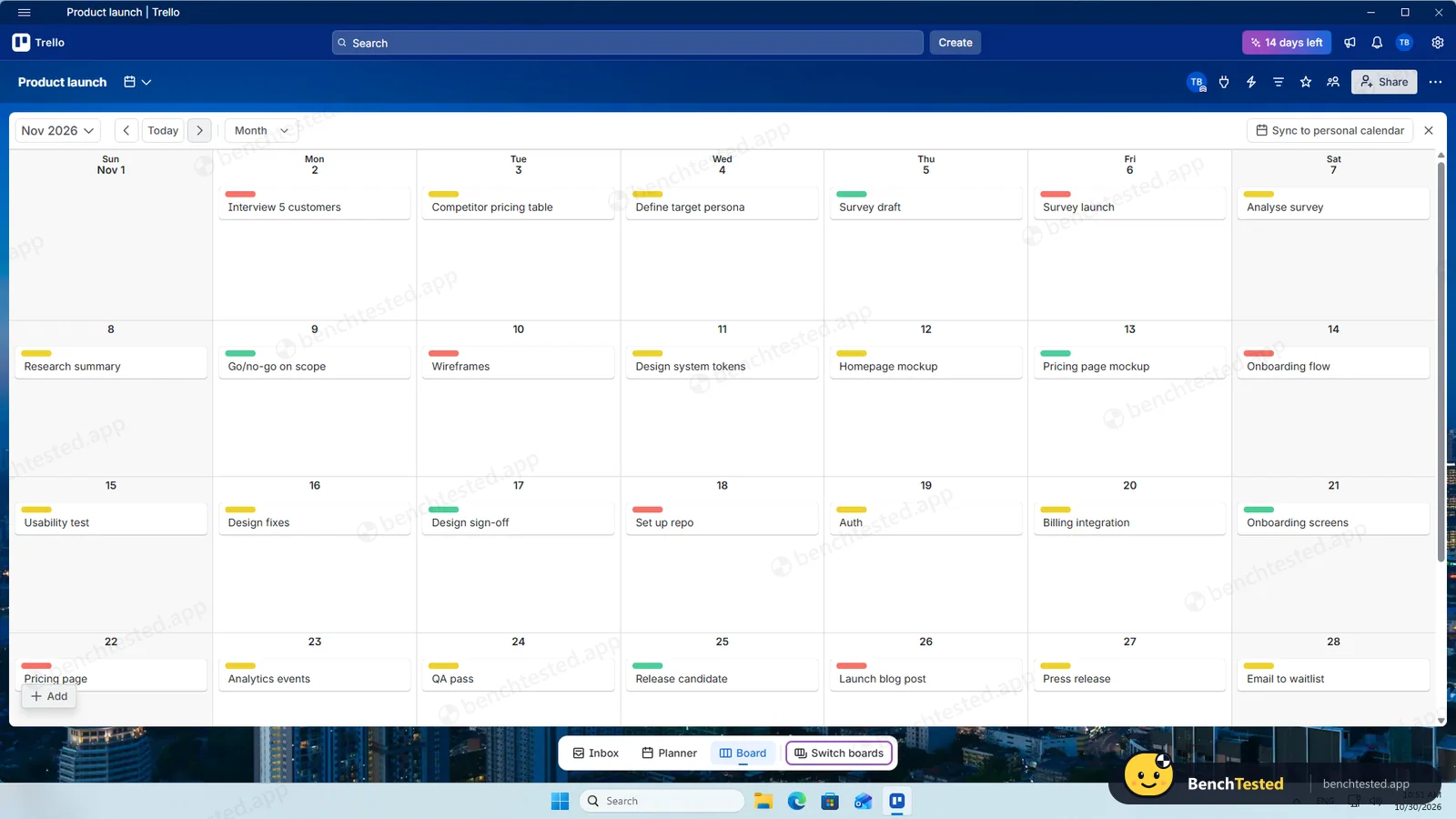
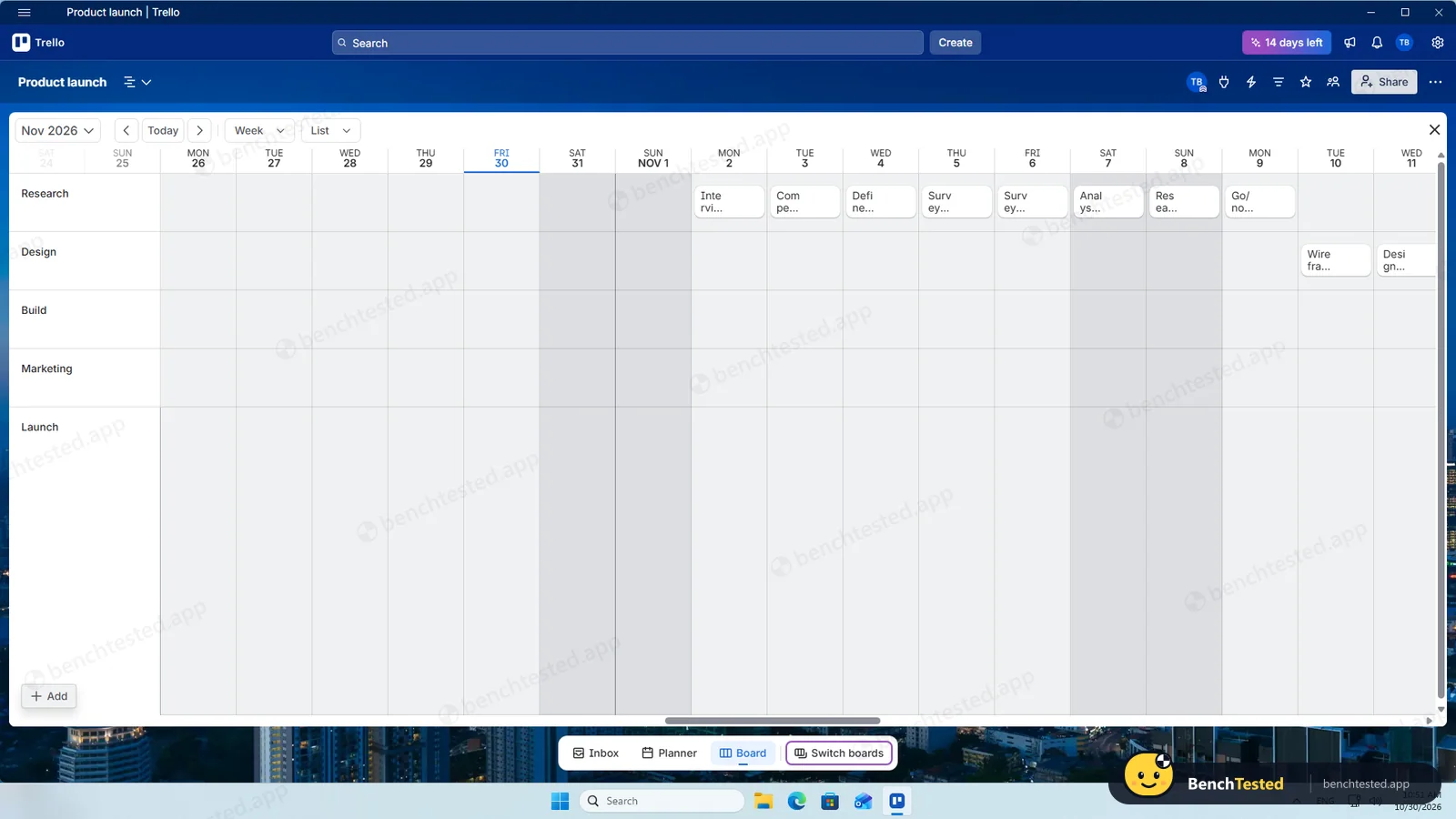
The board is free. Calendar and timeline worked well, but only because of the Premium trial; on the free plan they are not available.
-
P3 · Rules
Set up a status automation, a dependency and a weekly recurring task.
Partial ≈ 8 min
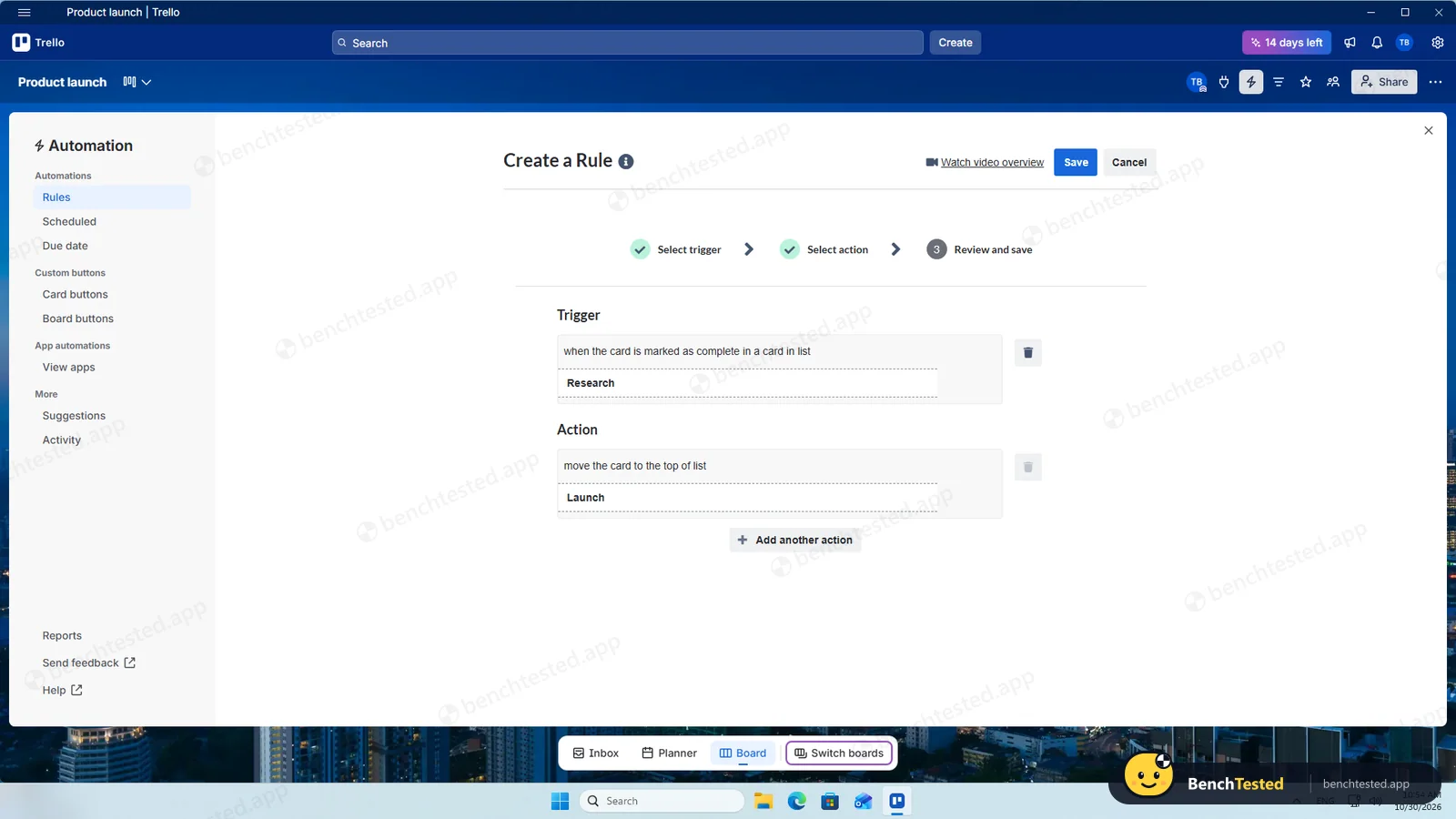
The free rule builder moved our completed card to Launch within a second or two. Weekly recurrence (Premium) rolled the card to next week when completed. There are no dependencies.
-
P4 · 200-row import
Import a 200-row CSV with statuses, assignees, dates, priorities, tags and special characters.
Fail ≈ 5 min
Trello has no CSV import. Pasting the 200 titles was refused (“You can't add over a hundred cards at once”); in two batches of 100 we got all 200 titles, but none of the other columns.
-
P5 · Scale
Import 500 rows, then open and scroll a 500-task board.
Partial ≈ 10 min
Cards are created at about three per second. Reloading before a batch finished silently lost cards: we ended with 487 of 500. The 487-card board itself opened instantly and scrolled smoothly.
-
P6 · Permissions
Invite a second user, check what they can see and change, then restrict them.
Partial ≈ 3 min
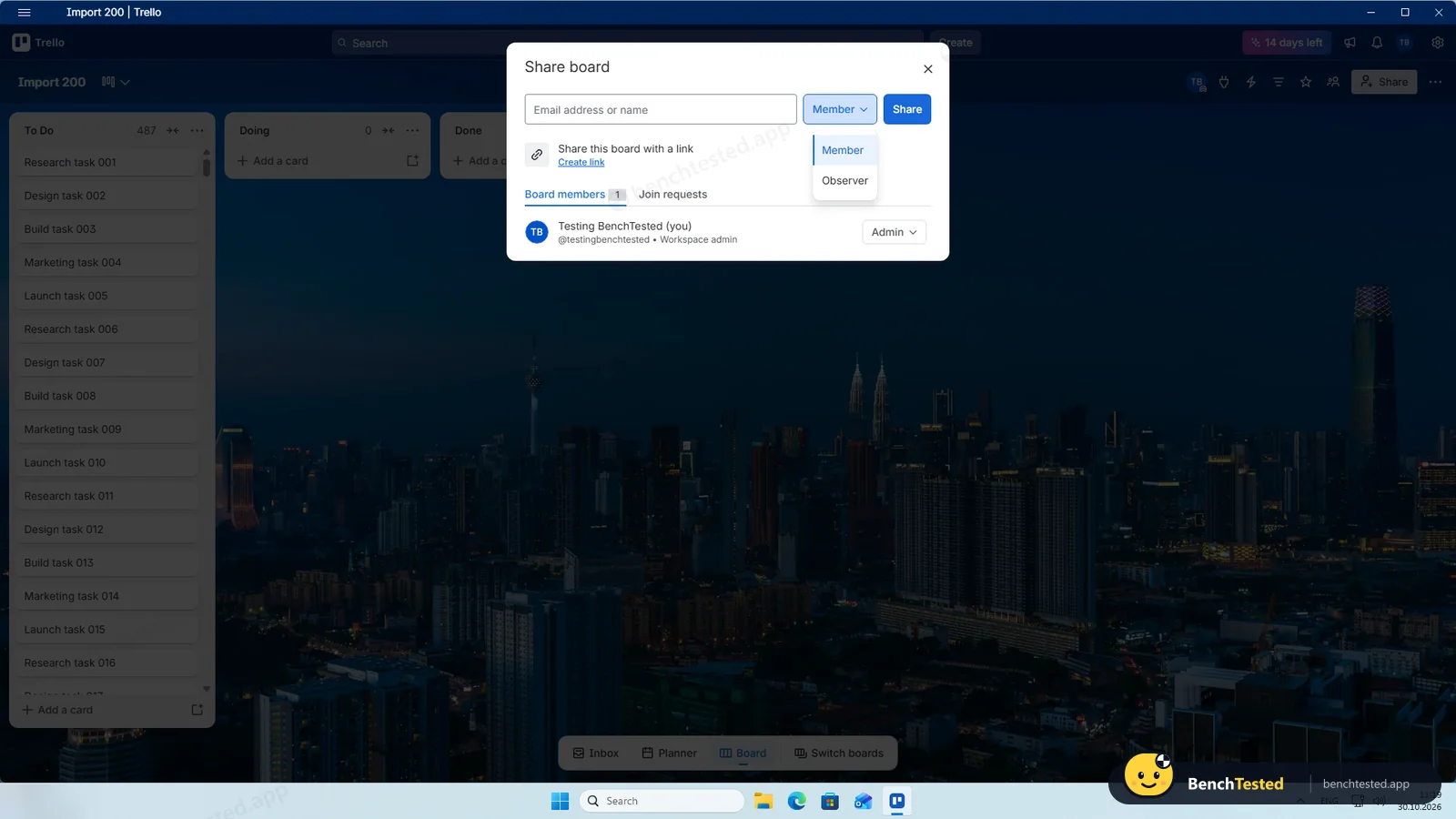
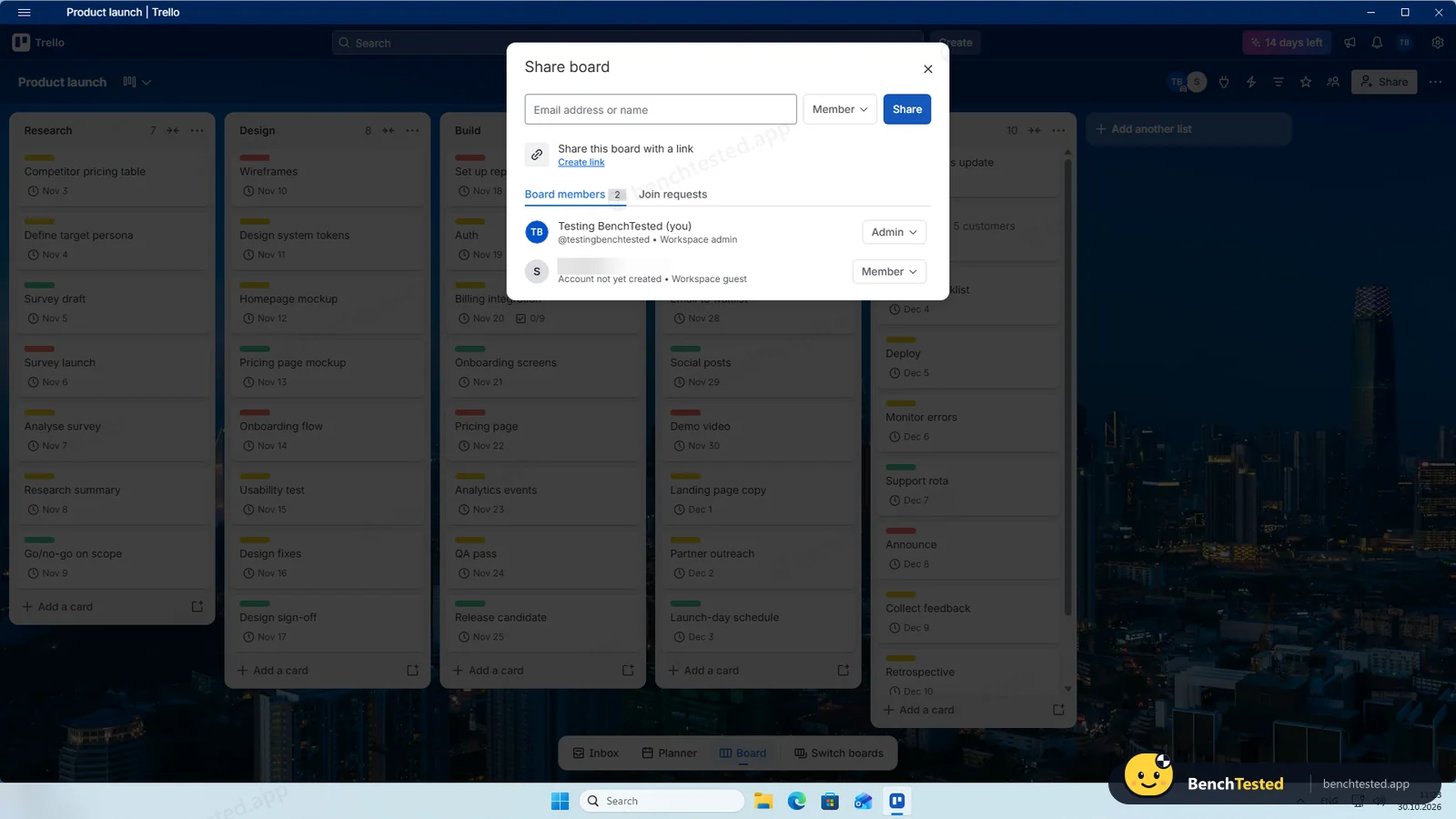
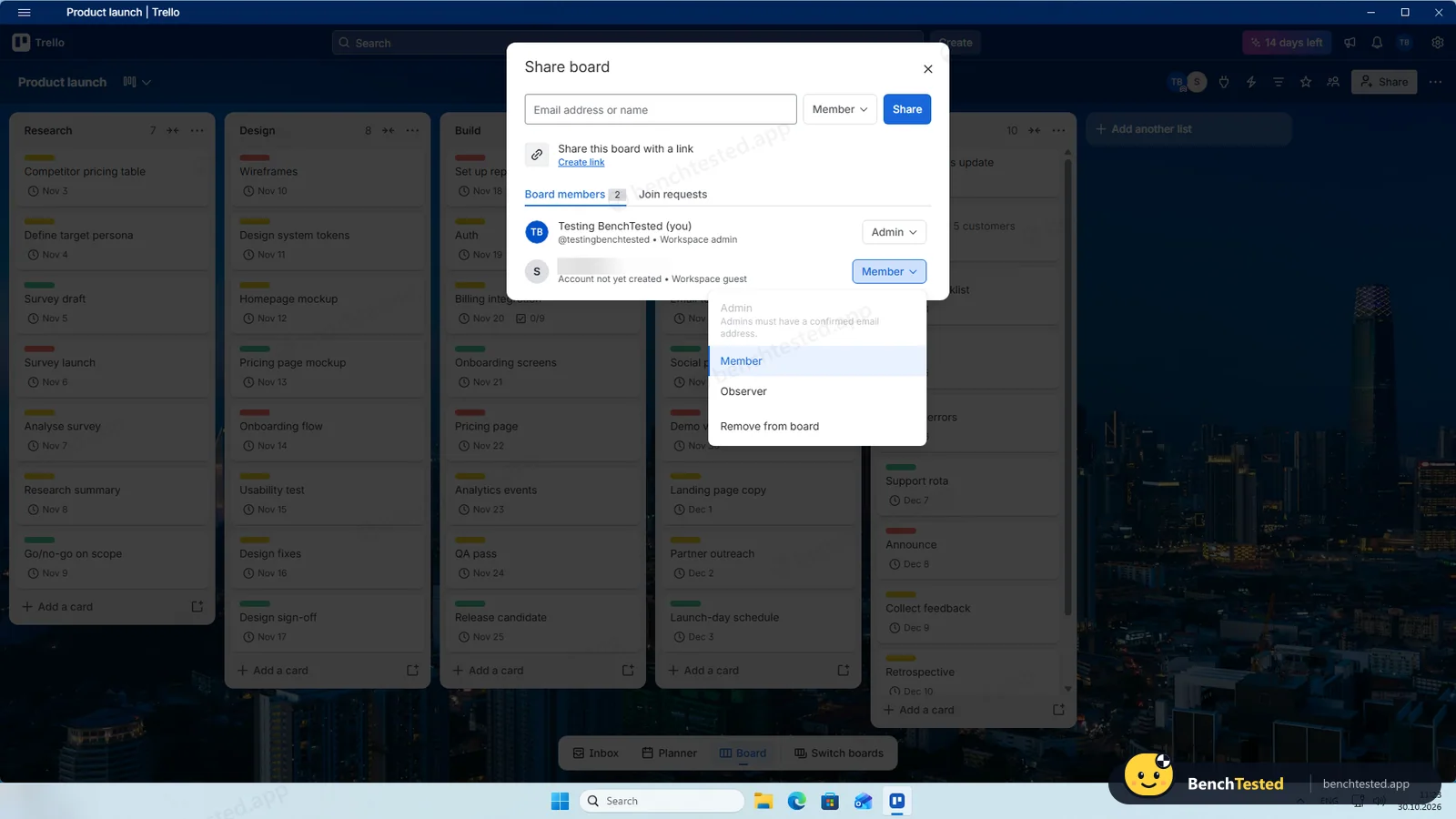
A board invite adds the person as a workspace guest with Member or Observer access, and removing them is one click. We did not test the second user's own view in this run.
-
P7 · AI
Ask the built-in AI to summarise the project, write subtasks for one task and say what is overdue.
Partial ≈ 20 s
There is no AI chat for a board summary or overdue tasks. On the trial, “Generate checklist” wrote a sensible nine-item checklist for a card straight away. AI is a paid feature.
-
P8 · Leave
Export everything to CSV, delete the workspace and uninstall the app.
Partial ≈ 4 min
The CSV export was instant and had every card, with dates, labels and checklist counts, but not checklist texts or recurrence. A board must be closed before it can be permanently deleted; we closed it and left the permanent deletion. The uninstall left nothing behind.
How we tested Trello
Trello is the fifth app in our project-management category and ran the same eight-step script as ClickUp, Asana, Notion and Linear: build a 40-task project from a written brief, show it in four views, set up rules, import 200 and then 500 rows from a CSV file, invite a second user, use the built-in AI, export everything and leave.
Trello offers its Windows app only through the Microsoft Store, so we installed it from there on a clean Windows 11 virtual machine. A new account starts on a 14-day Premium trial; we ran the test on that trial and checked each feature against Trello's pricing page. Everything was done on October 30, 2026.
Installation and setup
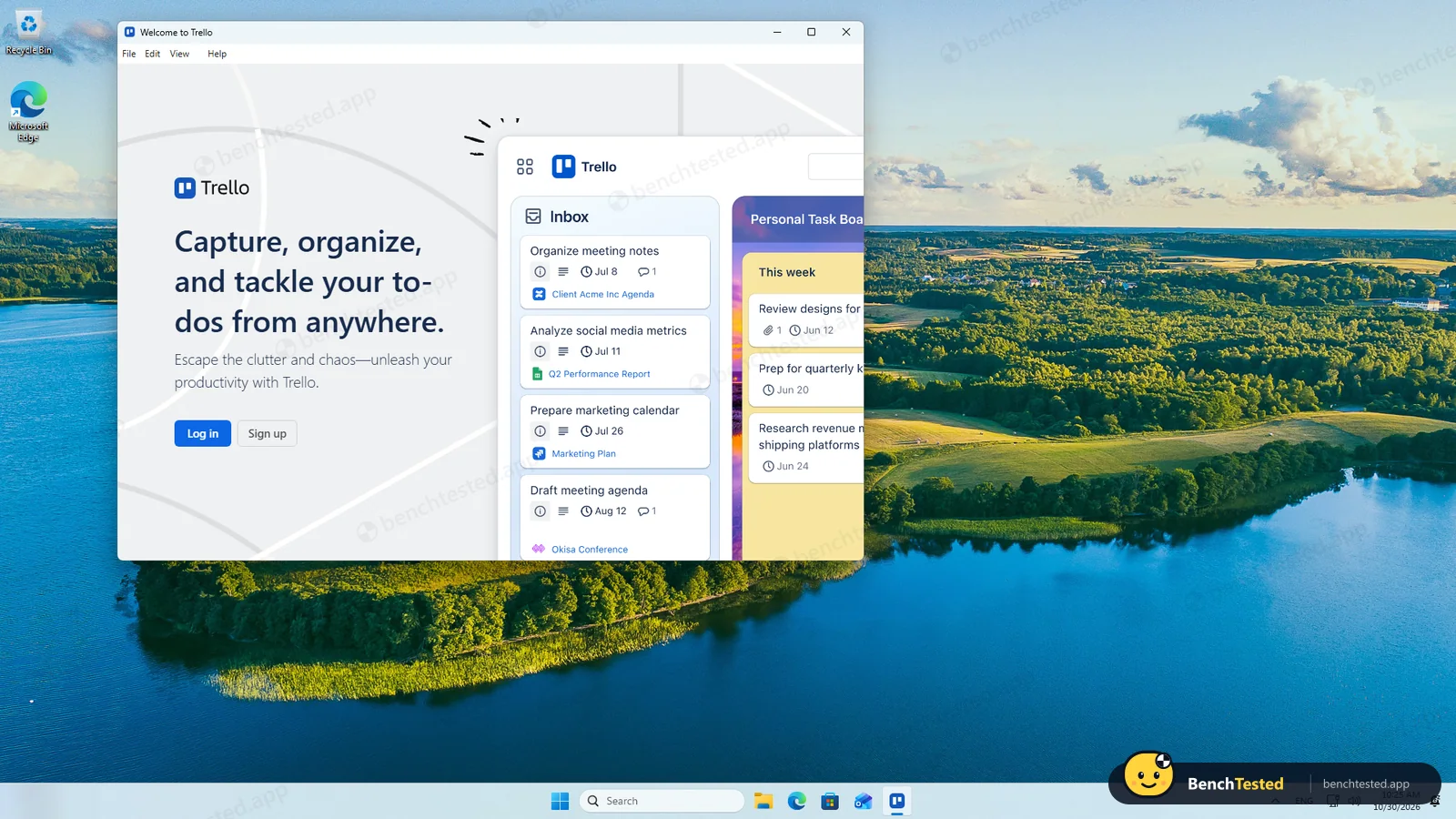
The Store package installed in about a minute without admin rights and added no startup entry or services. Its package name still reads “Paws for Trello”, the independent app Trello took over years ago. Sign-up happens inside the app with an Atlassian account, which then asks for a code sent by email.
Setup is a short four-step tour. The account then starts a 14-day Premium trial; afterwards the workspace drops to the free plan, which allows up to 10 collaborators and 10 boards.
Building the project
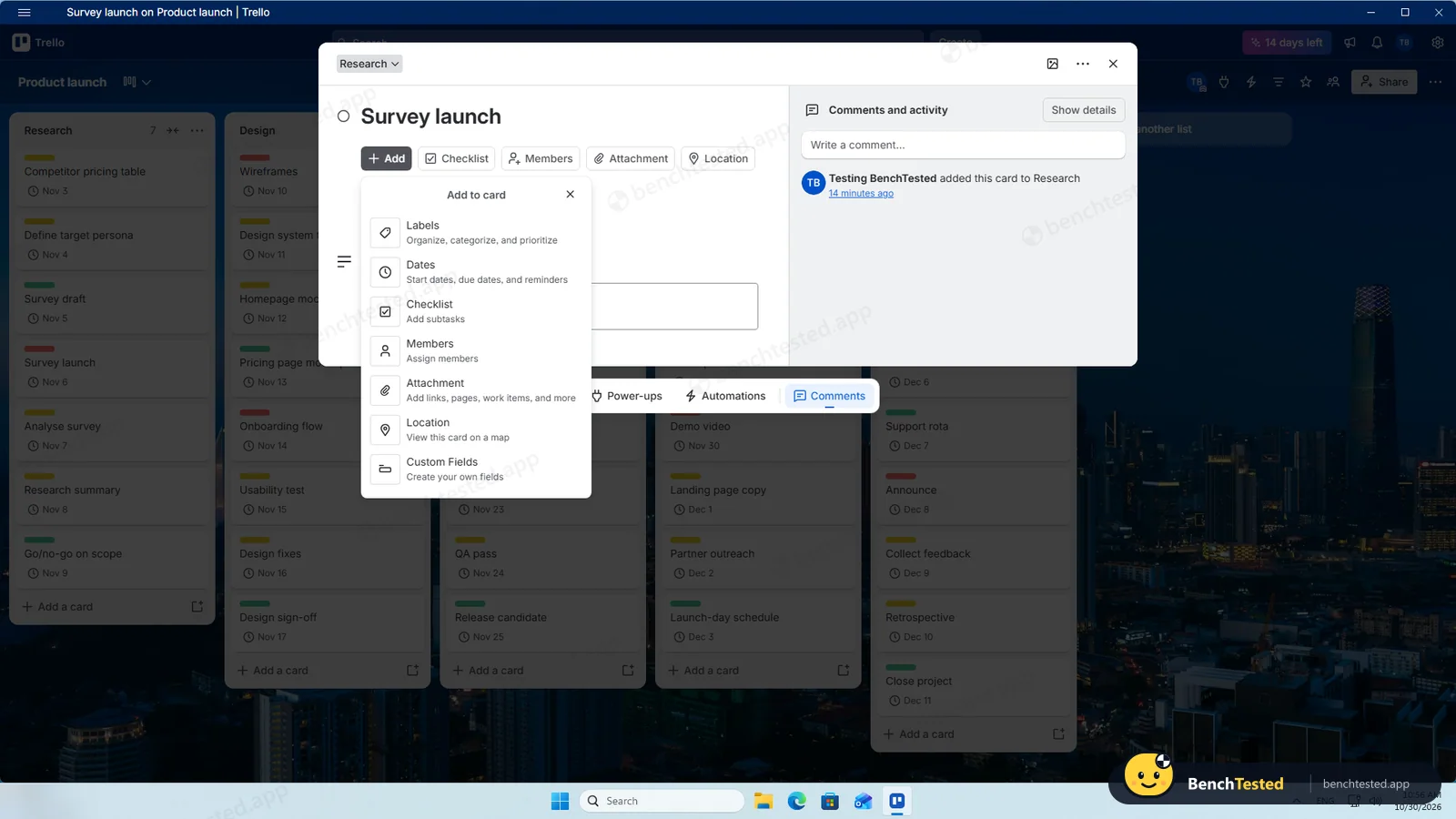
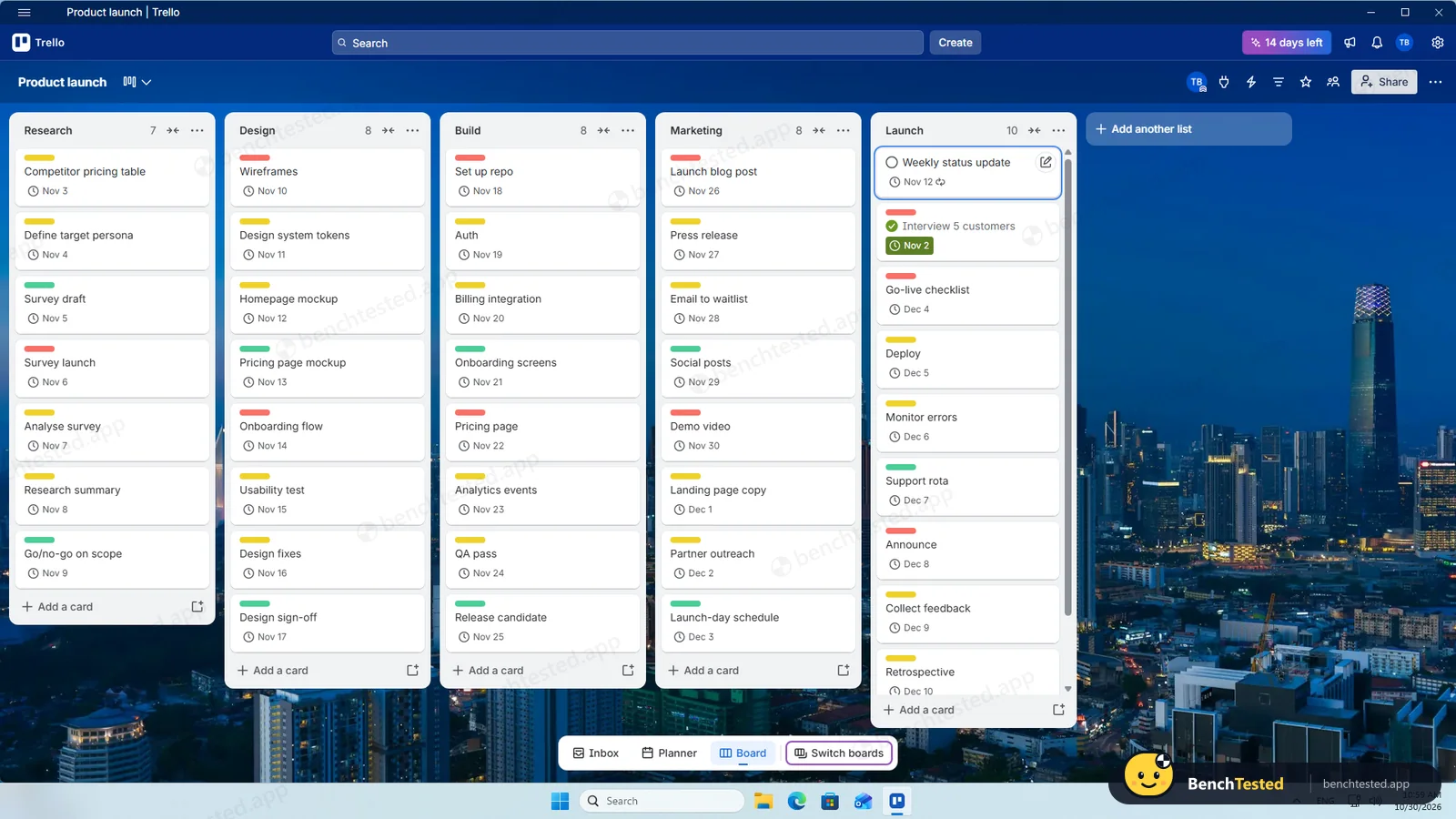
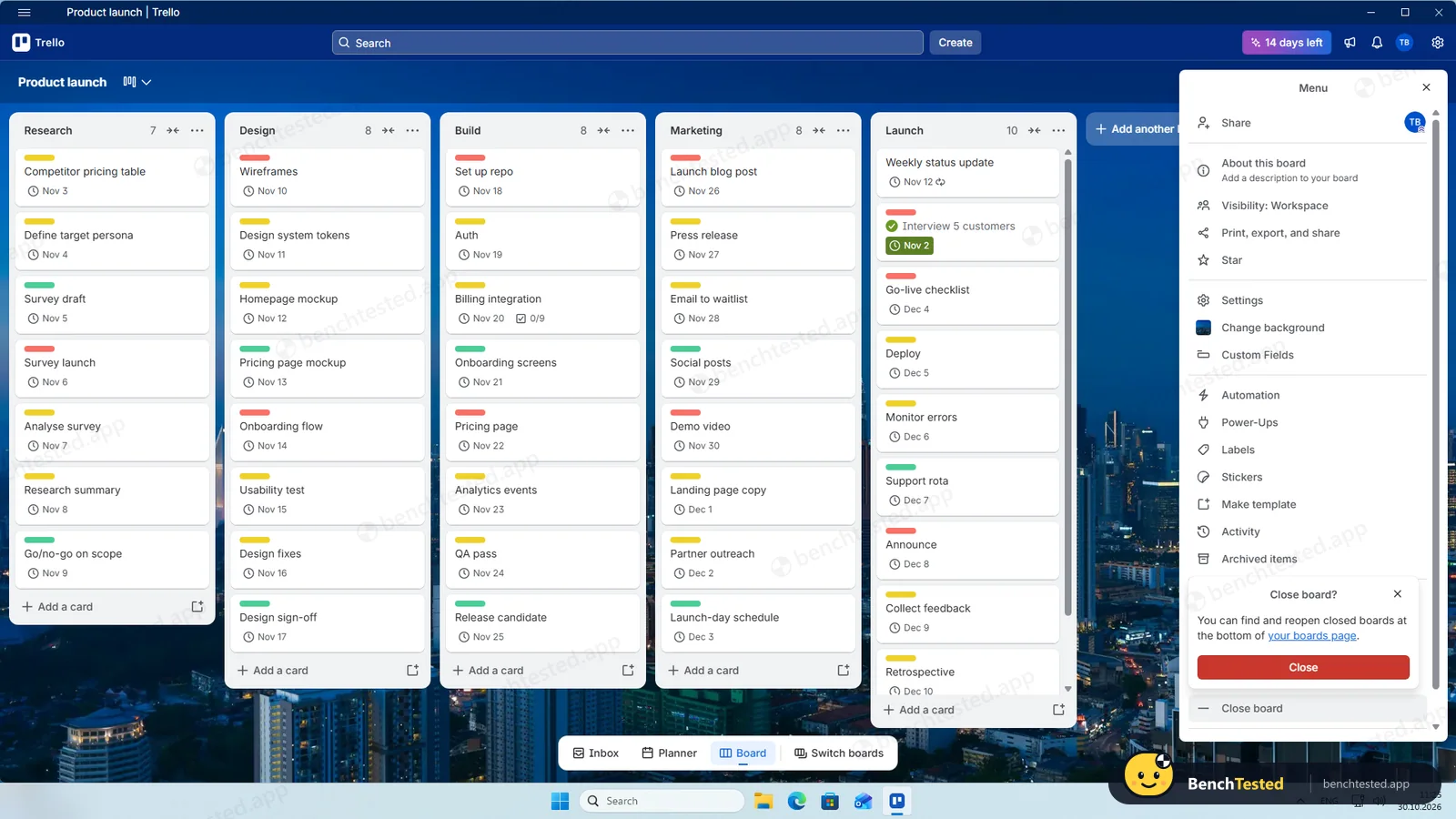
Each phase became a list. Pasting eight lines into “Add a card” offers to create eight cards, which saved most of the typing. Trello recognises a date typed in a card title, but only for one card per paste, so we set each due date afterwards by hovering over a card and pressing D. There is no priority field on the free plan; we used red, yellow and green labels, which number keys apply to the card under the mouse. The project took about 20 minutes.
Views and rules
On the free plan Trello is a board. Calendar, timeline, table, dashboard and map views are Premium; on the trial the calendar and timeline showed our cards correctly.
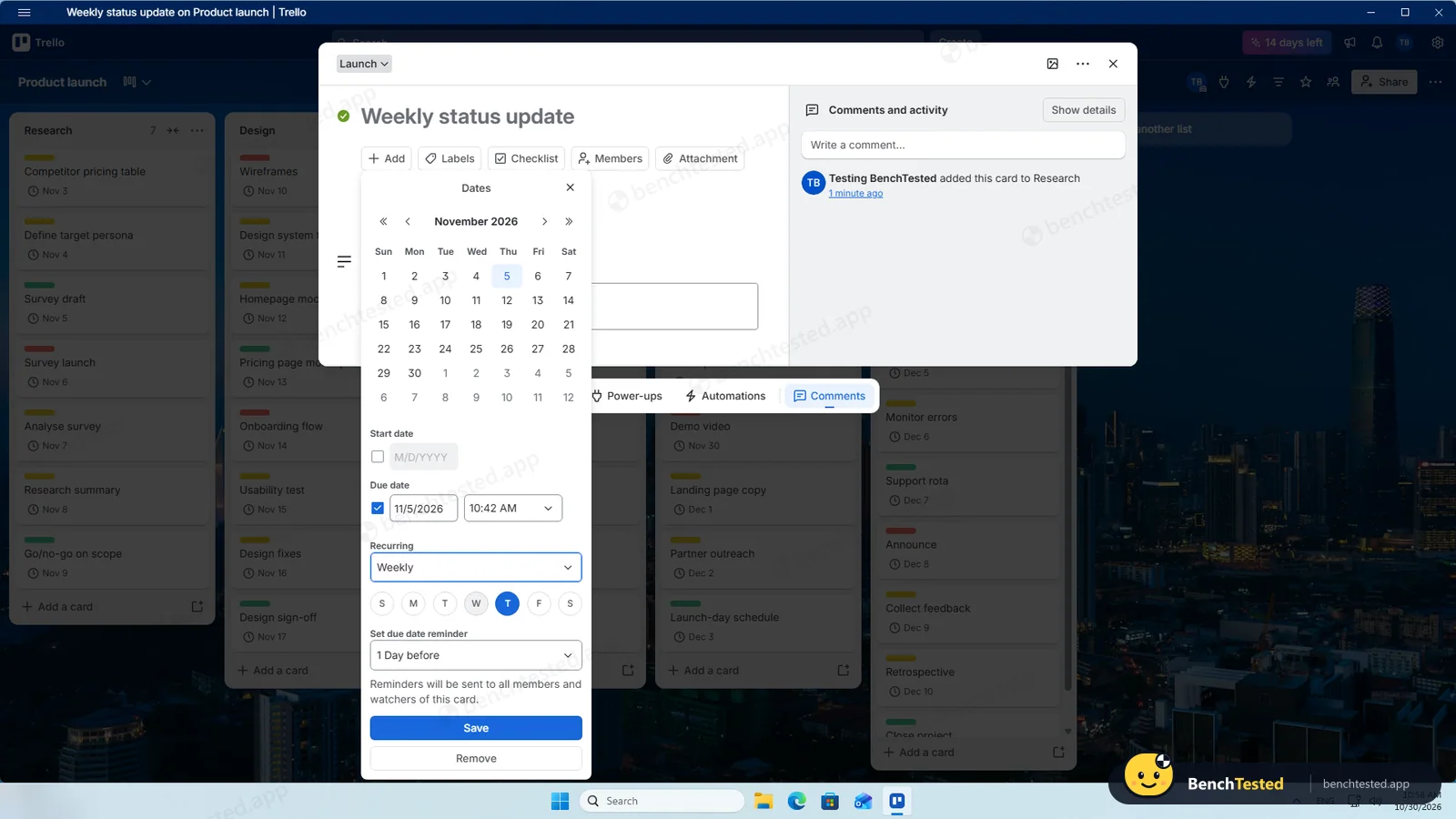
Automation is Trello's strong point on the free plan. We built a rule, “when a card in Research is marked complete, move it to the top of Launch”, and it fired within a second or two. A weekly recurring due date, a Premium feature, rolled the card to next week when completed. Trello has no dependencies between cards.
Importing 200 and 500 rows
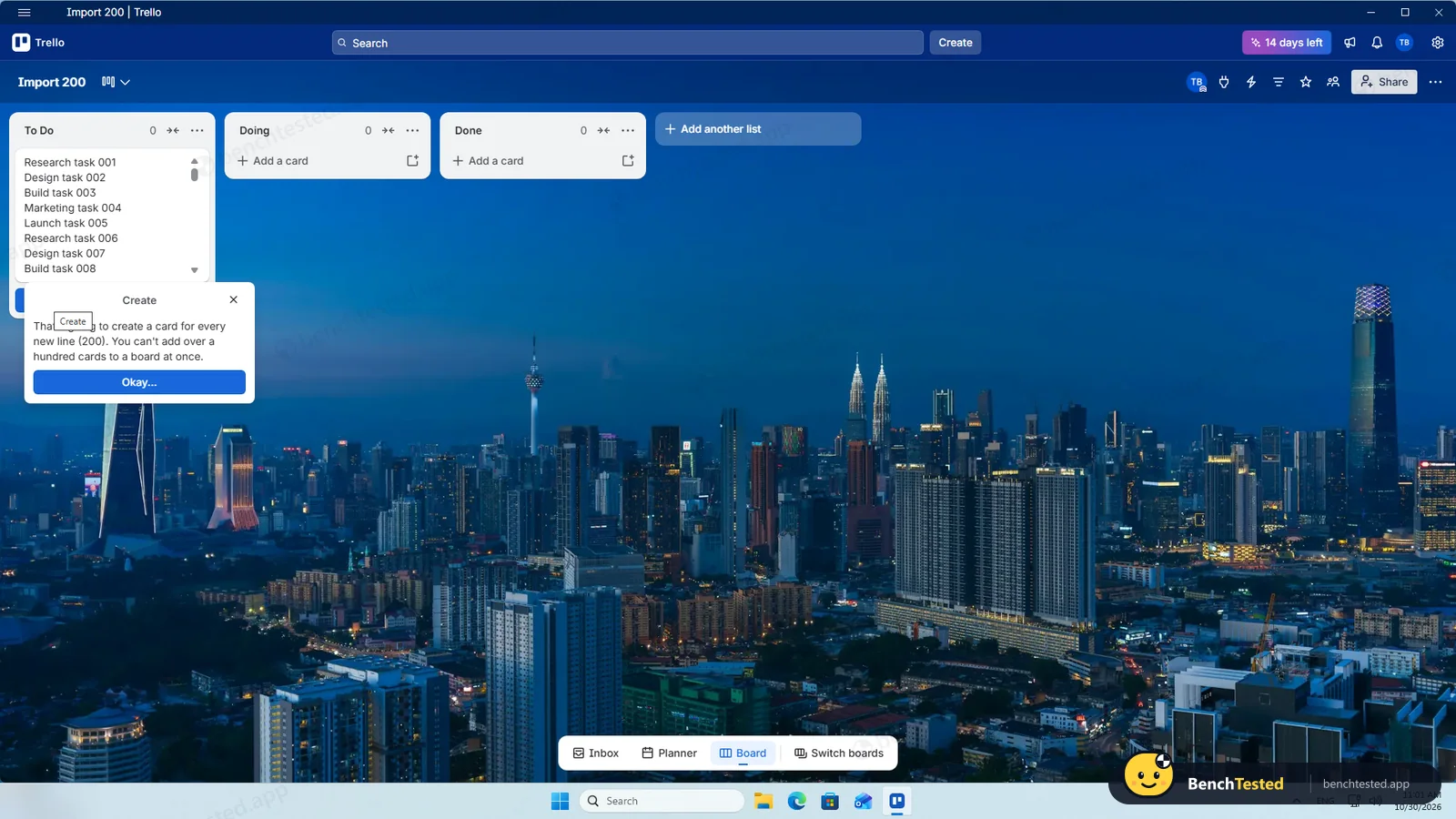
Trello cannot import a CSV file; its board menu only exports. The closest we got was pasting titles: 200 lines were refused with “You can't add over a hundred cards to a board at once”, so we pasted two batches of 100. All 200 titles arrived, but none of the statuses, dates, priorities, tags or descriptions.
Cards are created at about three per second, so each batch of 100 takes around 35 to 40 seconds. When we reloaded the board before a batch had finished, the remaining cards were silently lost: our 500 became 487. The 487-card board itself opened instantly and scrolled smoothly.
Speed and memory
Once running, Trello is quick and light, using 0.6 to 0.85 GB of private memory. From a cold start the window appeared after about a second and our cards were drawn after about 7 seconds.
Sharing and permissions
Sharing a board offers Member or Observer access and a share link. The person we invited was added as a workspace guest, and changing them to Observer or removing them took a click each. In this run we did not test what a second user sees.
Trello's AI
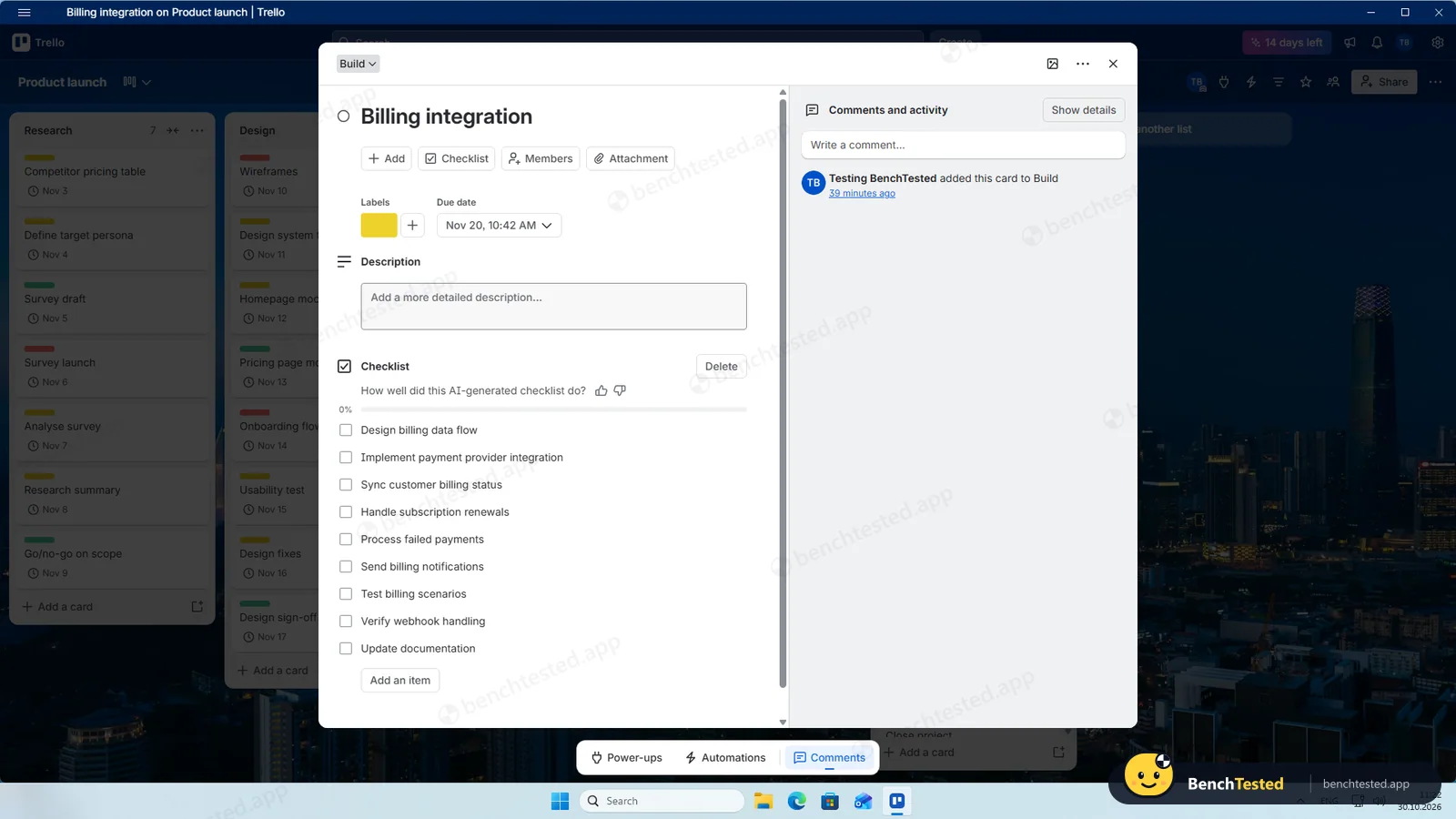
Trello has no AI chat, so we could not ask for a board summary or what is overdue. Its AI works on individual cards and is part of the paid plans. On the trial, “Generate checklist” wrote a sensible nine-item checklist for “Billing integration” in about 20 seconds and added it straight away, with a thumbs up or down to rate it.
Leaving Trello
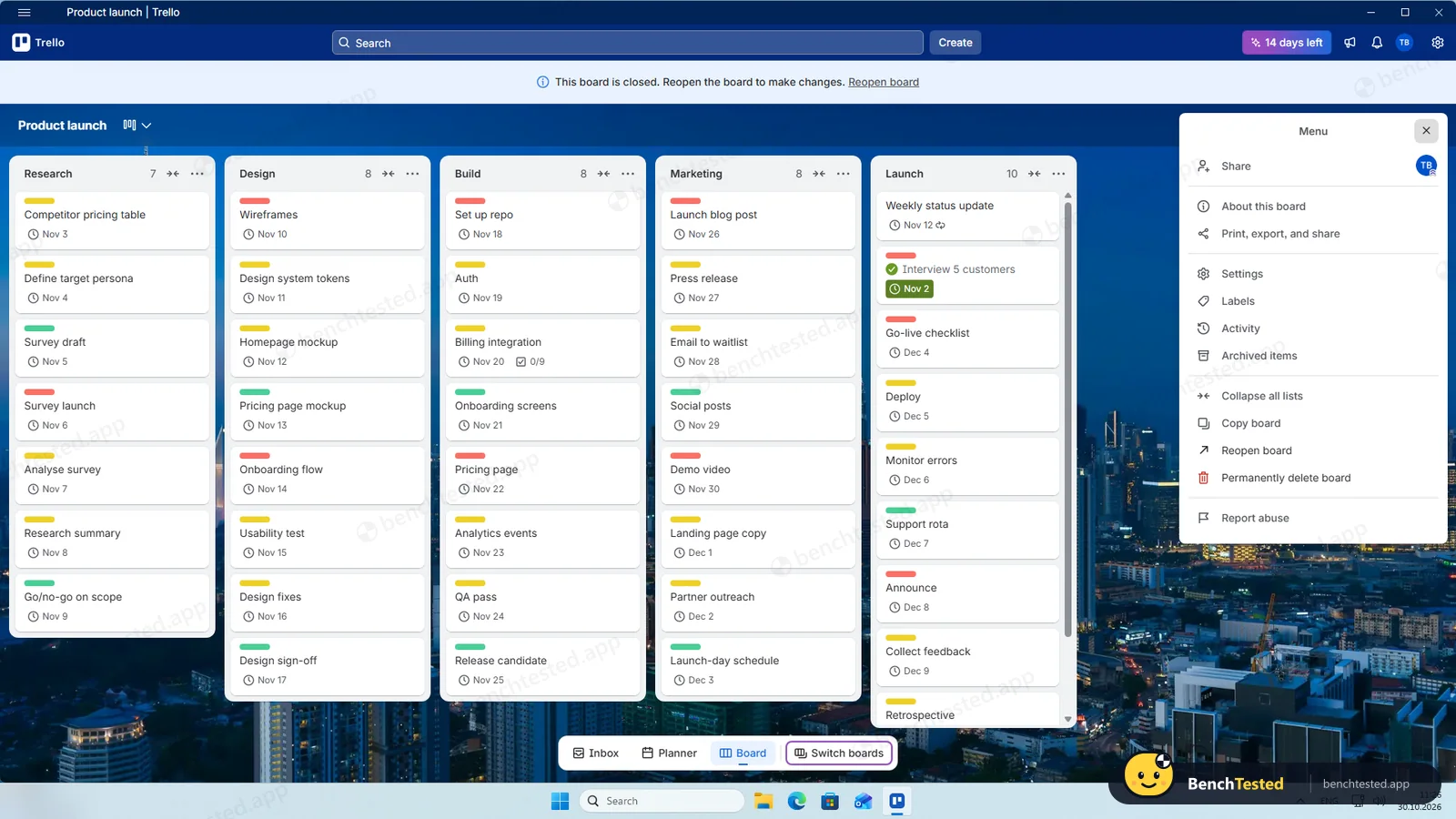
The CSV export, listed as a Premium feature, was instant and included every card, archived ones too, with dates, labels and checklist counts, though not the checklist texts or recurrence. A board has to be closed before it can be permanently deleted; we closed ours and did not delete it permanently. Removing the Store app took under two seconds and left nothing behind.
What we have not tested yet
We did not test the second user's view, Power-Ups, the Butler email and Slack features, the mobile and Mac apps or the paid plans after the trial. We did not test Trello offline, and we ran each step once.
Trello Screenshots
Taken during our own test run on a clean Windows 11 machine.
What we checked
Every item in our project management tool test plan and how Trello did. Scan for the ones you can't live without.
Installation
- Pass Download sizeStore package, 368 MB
- Pass Signed installerMicrosoft Store
- Pass Admin rightsnot needed
- Pass Asks before running at startupdoes not add itself to startup
First use
- Pass Sign-up without a card
- Fail Starts on the free plan14-day Premium trial
Core tasks
- Partial Build a 40-task projectno priority field
- Fail List, board, calendar and Gantt on the free planboard only
- Pass Status automationfree
- Fail Task dependencynot available
- Partial Recurring taskPremium
- Fail CSV import keeps the datano import
- Fail CSV import maps columns itselfno import
- Partial Permissions and rolesMember or Observer; member view not tested
- Fail AI summary and answersno AI chat
- Fail AI asks before changing datachecklist added straight away
Performance
- Pass Large board (500 tasks)under 1 s
- Partial Cold startabout 7 s
- Pass Memory use0.6–0.85 GB
Privacy and security
- Pass No pressure to share contacts
- N/A Access removed immediatelymember view not tested
Integrations
- Fail Import from other toolsnone in the app
- N/A Connected appsPower-Ups not tested
Offline and sync
- N/A Behaviour without internet
Pricing traps
- Partial Free plan limits10 boards, 10 collaborators, board view only
Cancel and uninstall
- Partial Complete exportall cards; no checklist texts or recurrence
- N/A Delete the workspaceboard closed; permanent deletion not done
- Pass Clean uninstallnothing left
Test Results
- Ease of use7.0
The board, pasting and keyboard shortcuts make Trello quick to start, but every due date and label is a separate step.
- Views & flexibility4.0
Only the board is free; calendar, timeline and table need Premium.
- Speed7.0
Quick once running and light on memory, but bulk card creation is slow and capped at 100.
- Automation & AI6.0
Free automation rules that work, but no dependencies, recurrence only on Premium and AI only at card level.
- Integrations4.0
No CSV import; CSV and JSON export; 200+ Power-Ups we did not test.
- Value for money6.5
Free for up to 10 collaborators and 10 boards; Standard costs $5 per user a month billed yearly, Premium $10.
Every project management tool runs the same script. How we test →
Key Features
Boards, lists and cardsTested by us
Organize work as cards on lists, with dates, labels and checklists.
Bulk paste creates one card per line, up to 100 at a time.
AutomationTested by us
Rules, scheduled commands and buttons that act on cards.
Our rule fired within a second or two on the free plan.
ViewsTested by us
Calendar, timeline, table, dashboard and map views on Premium.
Board only on the free plan.
ExportTested by us
Export a board to CSV or JSON.
Instant and complete for cards; no checklist texts.
AITested by us
Generate checklists, summaries and boards with AI on paid plans.
Card-level only; no AI chat.
Additional Features
Power-UpsVendor-stated
Connect boards to Slack, Google Drive, Jira and 200+ other tools.
Trello at a glance
- Version tested
- Windows app 2.16.10 from the Microsoft Store (October 30, 2026)
- Platforms
- Web, Windows, macOS, iOS and Android
- Installer
- Microsoft Store only; 368 MB
- Account
- Atlassian account; starts a 14-day Premium trial
- Free plan
- 10 collaborators, 10 boards, board view
- Import
- No CSV import in the app
Is Trello secure?
We did not review Atlassian's privacy policy or security certifications for this test. Below are only the things we saw on our test PC and in the app.
-
Store appTested by us
Installed and removed through the Microsoft Store, with no startup entry, services or leftovers.
-
Silent card lossTested by us
Cards still being created when we reloaded the board were lost without a warning.
-
Deletion is two stepsTested by us
A board must be closed before it can be permanently deleted, so closing alone keeps the data.
Pricing
Free plan
Yes
Paid plans from
$5 / user / month, billed yearly ($6 billed monthly)
-
Free
$0
Up to 10 collaborators per workspace and 10 boards; board view, automation with limited runs, Power-Ups.
-
Standard
$5/user/mo
Billed yearly ($6 monthly). Unlimited boards, custom fields, advanced checklists, AI.
-
Premium
$10/user/mo
Billed yearly ($12.50 monthly). Calendar, timeline, table, dashboard and map views, data export, admin controls. New accounts get a 14-day trial.
-
Enterprise
$17.50/user/mo
Billed yearly.
From Trello's pricing page, checked Oct 30, 2026.
Who makes Trello?
- Company
- Atlassian (Trello)
- Headquarters
- Sydney, Australia (Atlassian); Trello based in New York
- Founded
- 2011
- Founders
- Joel Spolsky, Michael Pryor
- Funding
- Acquired by Atlassian in 2017 for about $425 million.
Trello timeline
- 2011Launched by Fog Creek Software, founded by Joel Spolsky and Michael Pryor.
- 2017Acquired by Atlassian.
- Oct 30, 2026We tested the Windows app 2.16.10 from the Microsoft Store.
Sources
FAQ
Is Trello free?
Yes. The free plan allows up to 10 collaborators and 10 boards per workspace, with the board view and automation. Calendar, timeline and other views need Premium at $10 per user a month billed yearly.
Can Trello import a CSV file?
Not in the app. You can paste titles to create up to 100 cards at a time, but statuses, dates and other columns are not brought in.
Does Trello have dependencies or Gantt charts?
There are no dependencies. A timeline view is available on Premium.
Does Trello's free plan include automation?
Yes. Our rule moved a completed card to another list within a second or two on the free plan, with a limited number of runs a month.
Does Trello have AI?
On paid plans, at card level: it generated a checklist for us. There is no AI chat for summaries or questions about the board.
Where do I get the Windows app?
From the Microsoft Store. It installed in about a minute in our test and uninstalled without leaving anything behind.
Final Verdict
Trello remains the simplest way to put work on a board, and its free automation rules are better than what Notion or Linear offer on their free plans.
As a project manager it is thin on the free plan: one view, no priorities, no dependencies, no CSV import and no project-level AI, with bulk work capped at 100 cards and slow.
Our advice: for a small team that thinks in Kanban, Trello is still pleasant and free. For projects that need dates, dependencies and imports, ClickUp gave us much more without paying.